lights Lexus GS350 2013 Using the driving support systems / LEXUS 2013 GS350 (OM30C34U) Owner's Manual
[x] Cancel search | Manufacturer: LEXUS, Model Year: 2013, Model line: GS350, Model: Lexus GS350 2013Pages: 828, PDF Size: 10.43 MB
Page 140 of 828
1403-4. Adjusting the steering wheel and mirrors
GS350_U (OM30C34U)
Inside rear view mirror
The height of the rear view mirror can be adjusted to suit your driving pos-
ture.
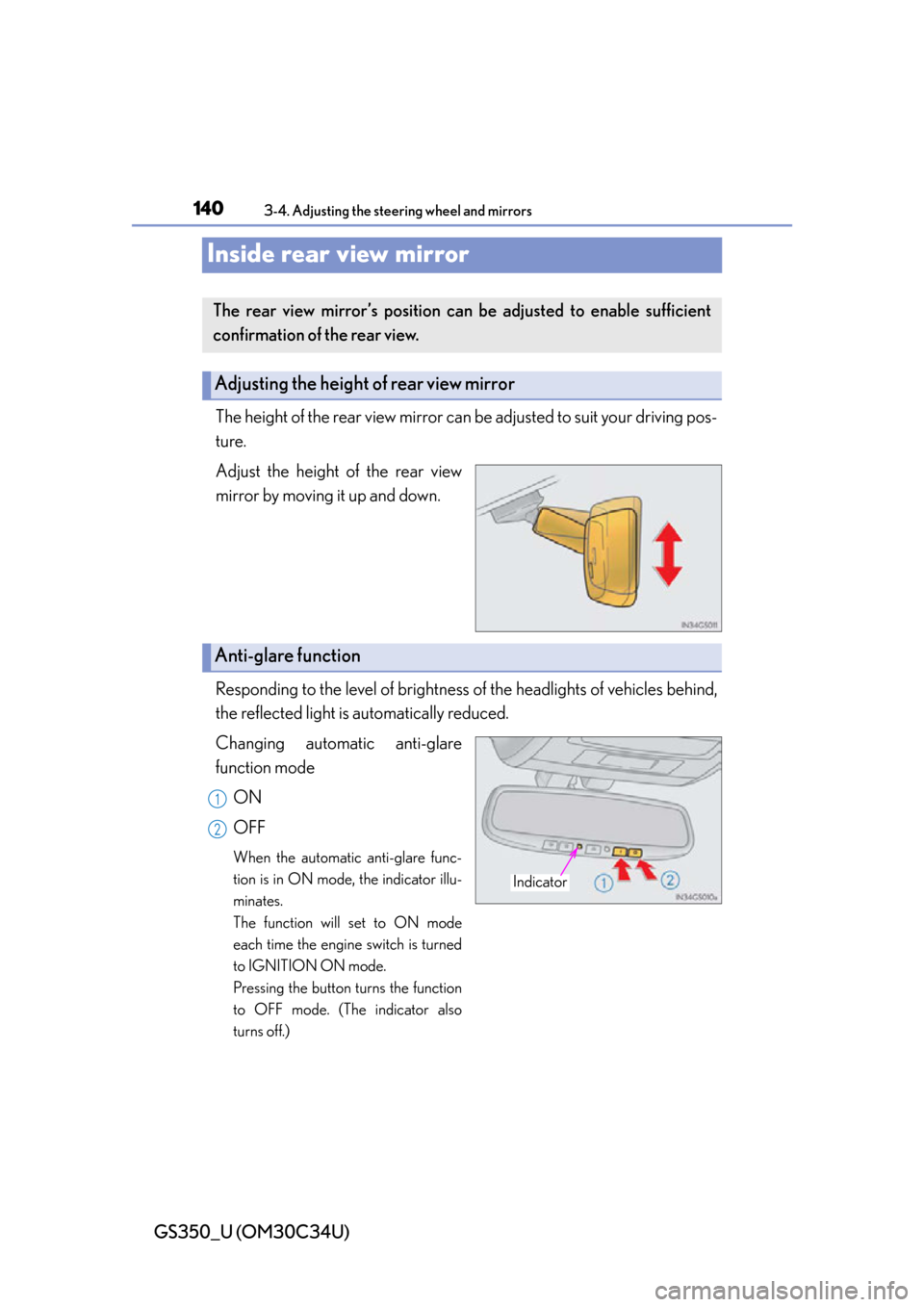
Adjust the height of the rear view
mirror by moving it up and down.
Responding to the level of brightness of the headlights of vehicles behind,
the reflected light is automatically reduced.
Changing automatic anti-glare
function mode
ON
OFF
When the automatic anti-glare func-
tion is in ON mode, the indicator illu-
minates.
The function will set to ON mode
each time the engine switch is turned
to IGNITION ON mode.
Pressing the button turns the function
to OFF mode. (The indicator also
turns off.)
The rear view mirror’s position can be adjusted to enable sufficient
confirmation of the rear view.
Adjusting the height of rear view mirror
Anti-glare function
Indicator
1
2
Page 153 of 828

153
GS350_U (OM30C34U)
Driving4
4-1. Before driving Driving the vehicle ...................... 154
Cargo and luggage .................... 165
Vehicle load limits ....................... 168
Trailer towing ................................. 169
Dinghy towing............................... 170
4-2. Driving procedures Engine (ignition) switch .............. 171
Automatic transmission ............ 178
Turn signal lever ........................... 184
Parking brake ................................ 186
Horn.................................................. 189 4-3. Operating the lights
and wipers
Headlight switch.......................... 190
Fog light switch ............................ 195
Windshield wipers and washer.................................. 196
Headlight cleaner switch ........ 203
4-4. Refueling Opening the fuel tank cap ..... 204
4-5. Using the driving support systems
Cruise control .............................209
Dynamic radar cruise control ............................. 213
LKA (Lane-Keeping Assist) .......... 228
Intuitive parking assist ..............238
Rear view monitor system ....... 251
Driving mode select switch ... 263
Driving assist systems............... 268
Hill-start assist control .............. 276
PCS (Pre-Collision System).......... 278
BSM (Blind Spot Moni tor).............. 287
Lexus night view ......................... 293
4-6. Driving tips Winter driving tips .....................298
Page 185 of 828

GS350_U (OM30C34U)
1854-2. Driving procedures
4
Driving
■Turn signals can be operated when
The engine switch is in IGNITION ON mode.
■If the indicator flashes faster than usual
Check that a light bulb in the front or rear turn signal lights has not burned out.
■If the turn signals stop flashing before a lane change has been performed
Operate the lever again.
■Customization
The number of times the turn signals flas h during a lane change can be changed.
(Customizable feature P. 777)
Page 188 of 828

188
GS350_U (OM30C34U)
4-2. Driving procedures
■When there is a malfunction in the system
Warning lights and/or warning message will turn on or flash. (P. 6 8 8 , 7 0 1 )
Depending on the condition, the parking brake indicator light may flash.
■Usage in winter time
P. 2 9 9
NOTICE
■When parking the vehicle
Before you leave the vehicle, set the parking brake, shift the shift lever to P and
make sure that the vehicle does not move.
■When the system malfunctions
Stop the vehicle in a safe place and check the warning messages.
■When the parking brake cannot be released due to a malfunction
Use the parking brake release tool to manually release the parking brake.
( P. 7 3 8 )
Driving the vehicle with the parking brake set will lead to brake components over-
heating, which may affect braking performance and increase brake wear.
Page 190 of 828
190
GS350_U (OM30C34U)
4-3. Operating the lights and wipers
Headlight switch
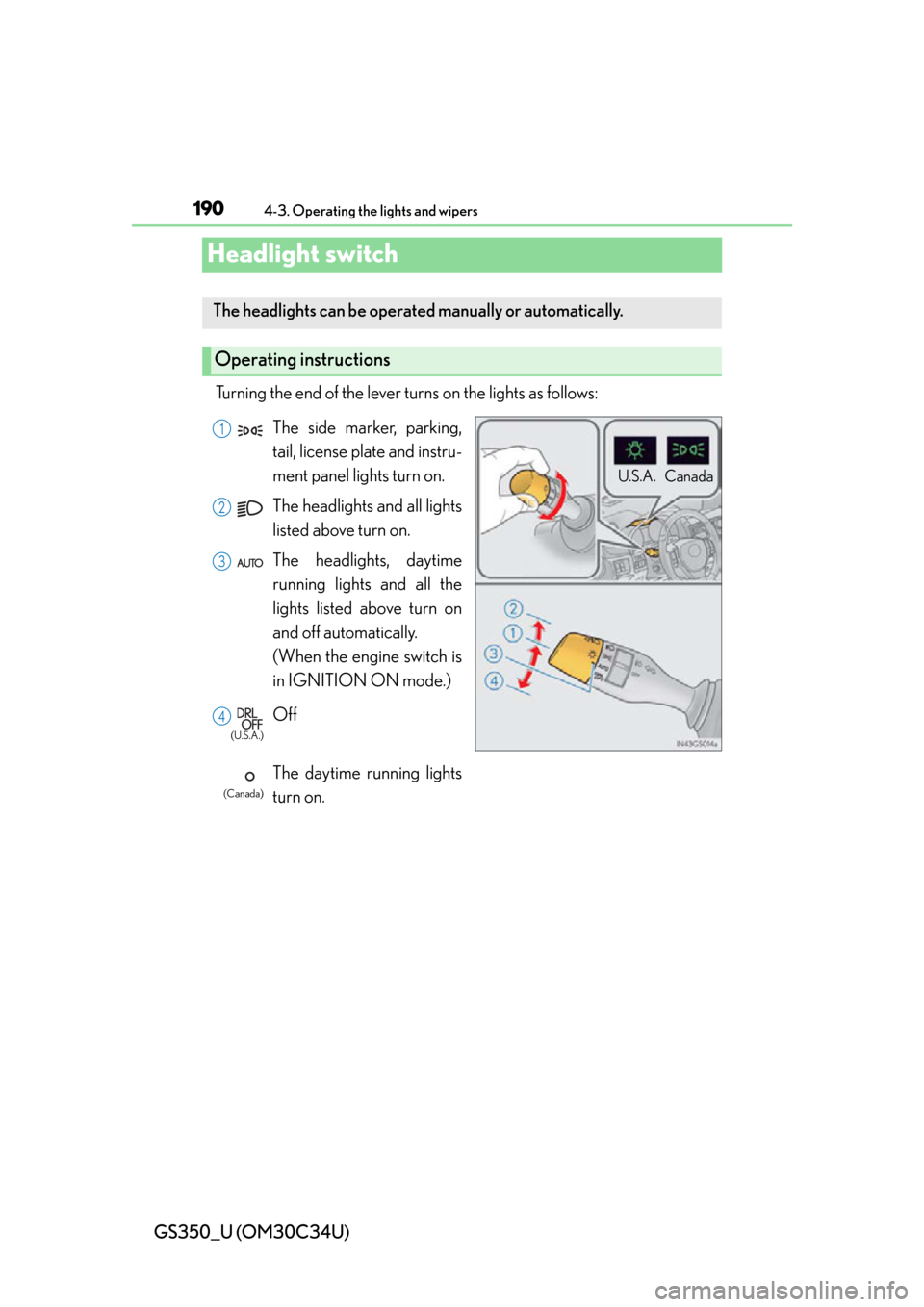
Turning the end of the lever turns on the lights as follows:
The headlights can be operated manually or automatically.
Operating instructions
U.S.A. Canada
(U.S.A.)
(Canada)
The side marker, parking,
tail, license plate and instru-
ment panel lights turn on.
The headlights and all lights
listed above turn on.
The headlights, daytime
running lights and all the
lights listed above turn on
and off automatically.
(When the engine switch is
in IGNITION ON mode.)
Off
The daytime running lights
turn on.1
2
3
4
Page 191 of 828
GS350_U (OM30C34U)
1914-3. Operating the lights and wipers
4
Driving
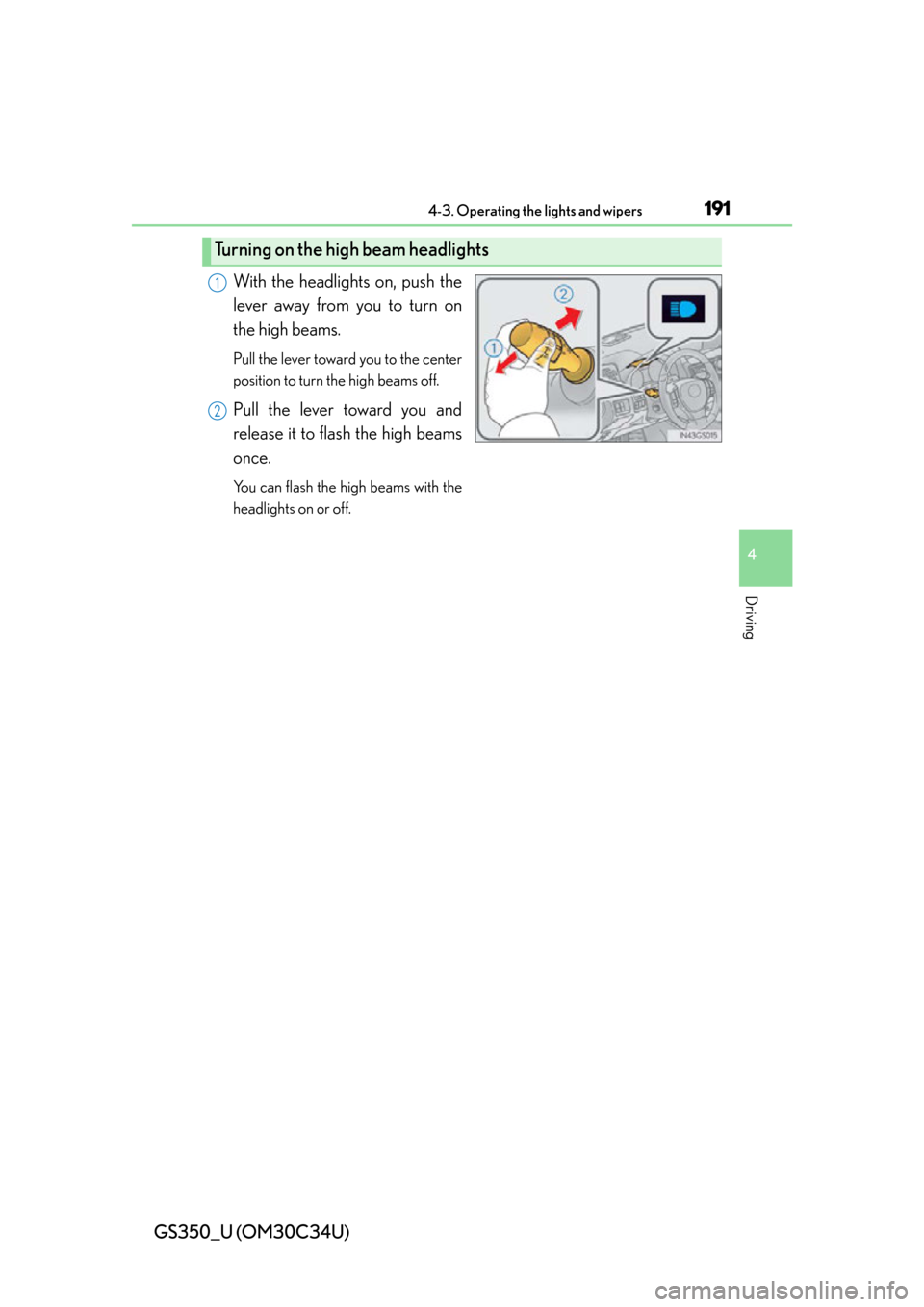
With the headlights on, push the
lever away from you to turn on
the high beams.
Pull the lever toward you to the center
position to turn the high beams off.
Pull the lever toward you and
release it to flash the high beams
once.
You can flash the high beams with the
headlights on or off.
Turning on the high beam headlights
1
2
Page 192 of 828
192
GS350_U (OM30C34U)
4-3. Operating the lights and wipers
AFS (Adaptive Front-lighting System) secures excellent visibility at inter-
sections and on curves by automatically adjusting the direction of the light
axis of the headlights according to vehicle speed and the degree of the
tire’s angle as controlled by steering input.
AFS operates at speeds of 6 mph (10 km/h) or higher.
■Deactivating AFS
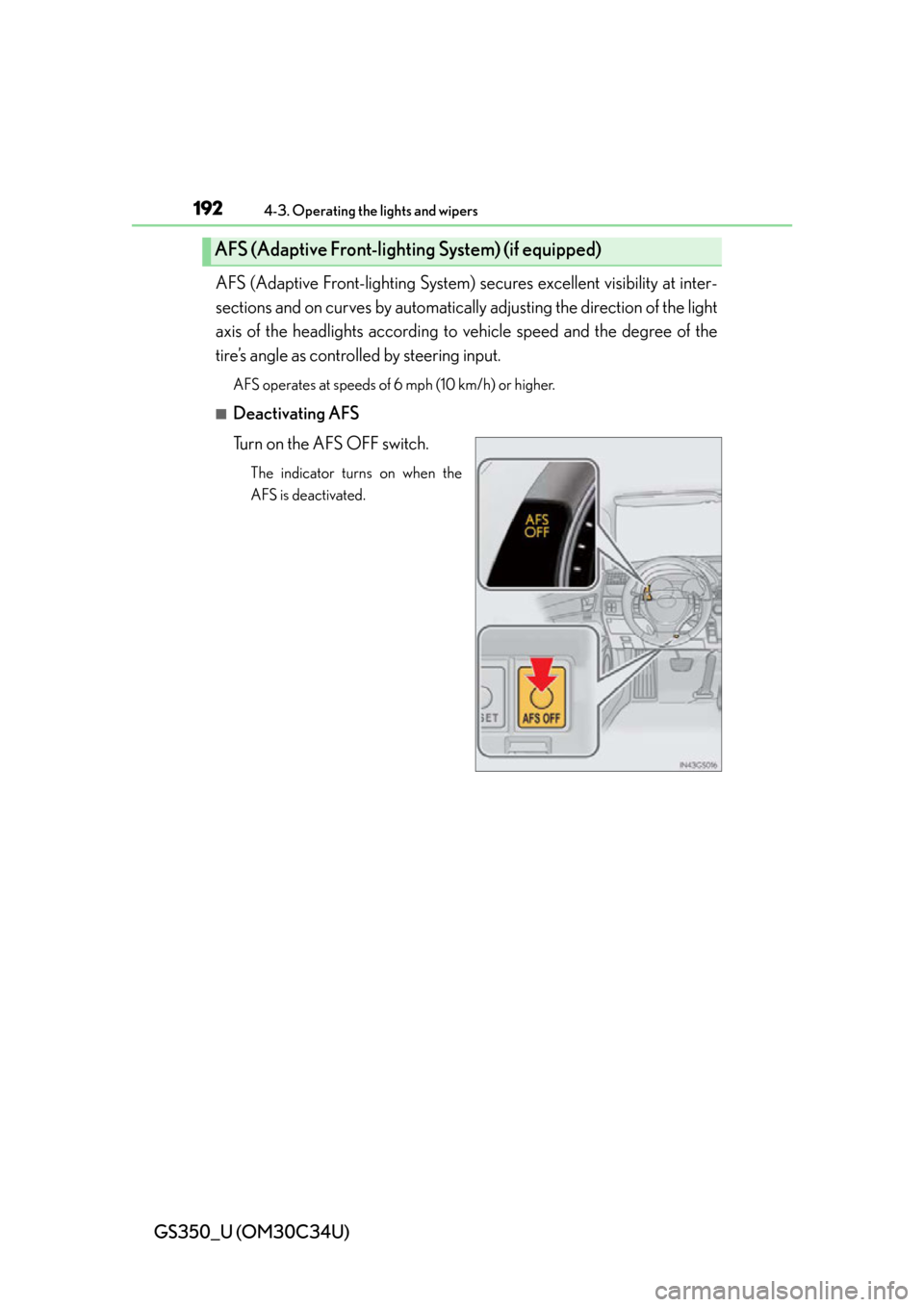
Turn on the AFS OFF switch.
The indicator turns on when the
AFS is deactivated.
AFS (Adaptive Front-lightin g System) (if equipped)
Page 193 of 828
GS350_U (OM30C34U)
1934-3. Operating the lights and wipers
4
Driving
■Daytime running light system
●To make your vehicle more visible to other drivers, the parking lights turn on auto-
matically (at an increased intensity) whenever the engine is started and the parking
brake is released. Daytime running lights are not designed for use at night.
●Compared to turning on th e headlights, the daytime running light system offers
greater durability and consumes less electricity, so it can help improve fuel econ-
omy.
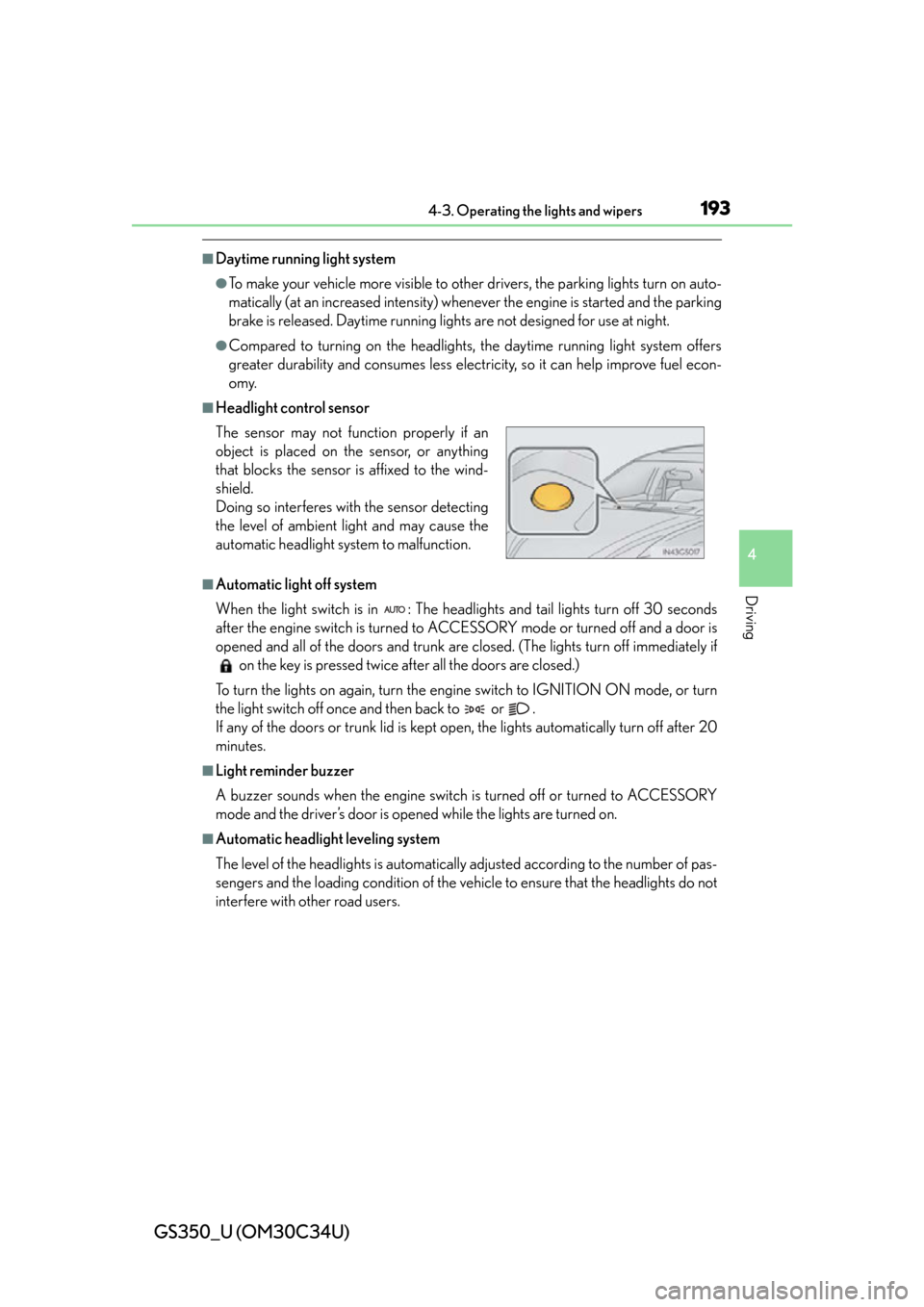
■Headlight control sensor
■Automatic light off system
When the light switch is in : The headlig hts and tail lights turn off 30 seconds
after the engine switch is turned to AC CESSORY mode or turned off and a door is
opened and all of the doors and trunk are closed. (The lights turn off immediately if on the key is pressed twice after all the doors are closed.)
To turn the lights on again, turn the engine switch to IGNITION ON mode, or turn
the light switch off once and then back to or .
If any of the doors or trunk lid is kept op en, the lights automatically turn off after 20
minutes.
■Light reminder buzzer
A buzzer sounds when the engine switch is turned off or turned to ACCESSORY
mode and the driver’s door is opened while the lights are turned on.
■Automatic headlight leveling system
The level of the headlights is automatically adjusted according to the number of pas-
sengers and the loading conditio n of the vehicle to ensure that the headlights do not
interfere with other road users. The sensor may not func tion properly if an
object is placed on the sensor, or anything
that blocks the sensor is affixed to the wind-
shield.
Doing so interferes with the sensor detecting
the level of ambient light and may cause the
automatic headlight system to malfunction.
Page 194 of 828

194
GS350_U (OM30C34U)
4-3. Operating the lights and wipers
■If the “AFS OFF” indicator flashes
It may indicate a malfunction in the system. Contact your Lexus dealer.
■Customization
Settings (e.g. light sensor sensitivity) can be changed.
(Customizable features: P. 777)
NOTICE
■To prevent battery discharge
Do not leave the lights on longer than necessary when the engine is not running.
Page 195 of 828
195
GS350_U (OM30C34U)4-3. Operating the lights and wipers
4
Driving
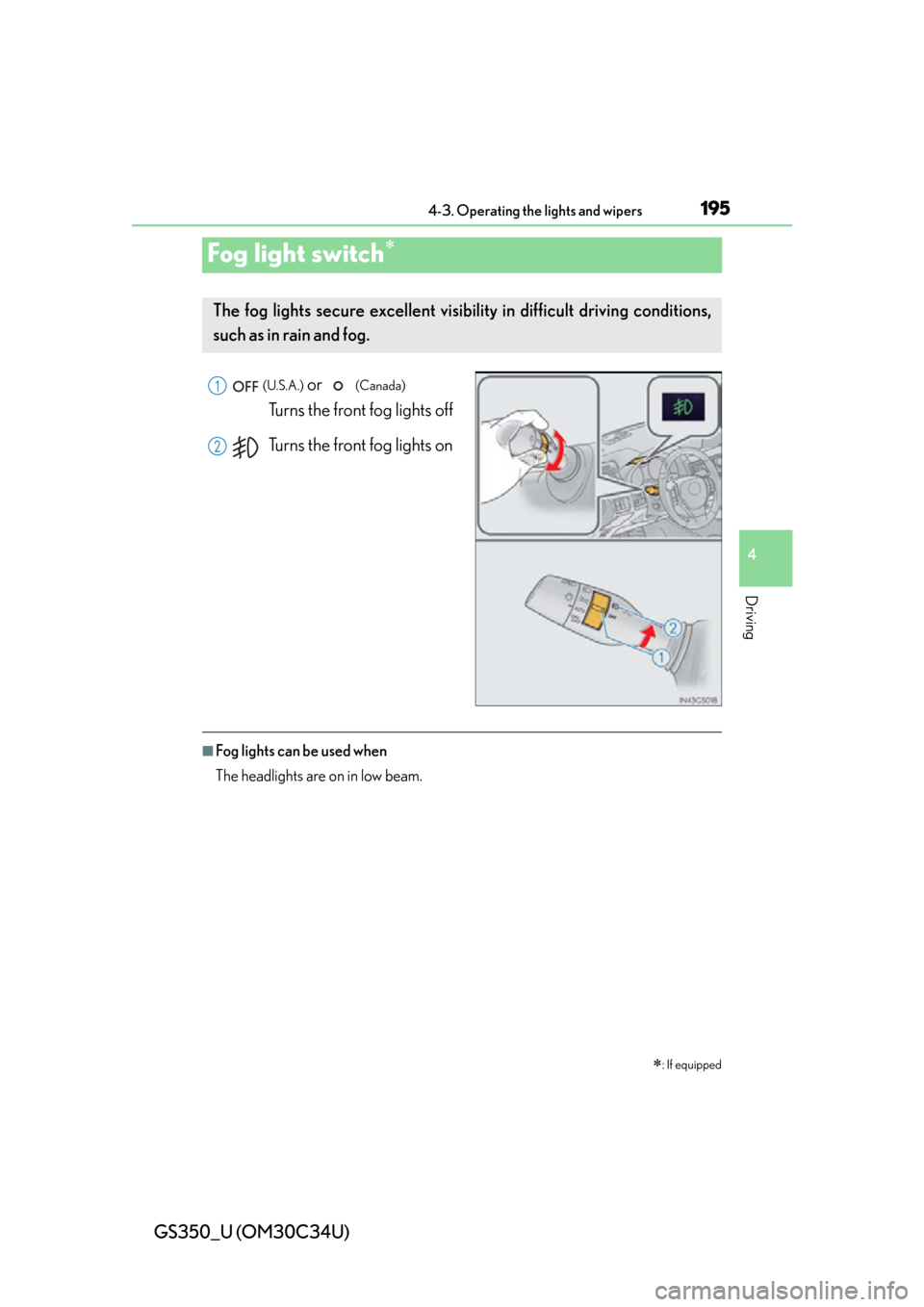
Fog light switch
(U.S.A.) or (Canada)
Turns the front fog lights off
Turns the front fog lights on
■Fog lights can be used when
The headlights are on in low beam.
: If equipped
The fog lights secure excellent visibility in difficult driving conditions,
such as in rain and fog.
1
2