steering Lexus GS350 2014 User Guide
[x] Cancel search | Manufacturer: LEXUS, Model Year: 2014, Model line: GS350, Model: Lexus GS350 2014Pages: 846, PDF Size: 35.04 MB
Page 47 of 846
461-1. For safe use
GS350_OM_OM30D41U_(U)
■When to contact your Lexus dealer
In the following cases, the vehicle will require inspection and/or repair. Contact your
Lexus dealer as soon as possible.
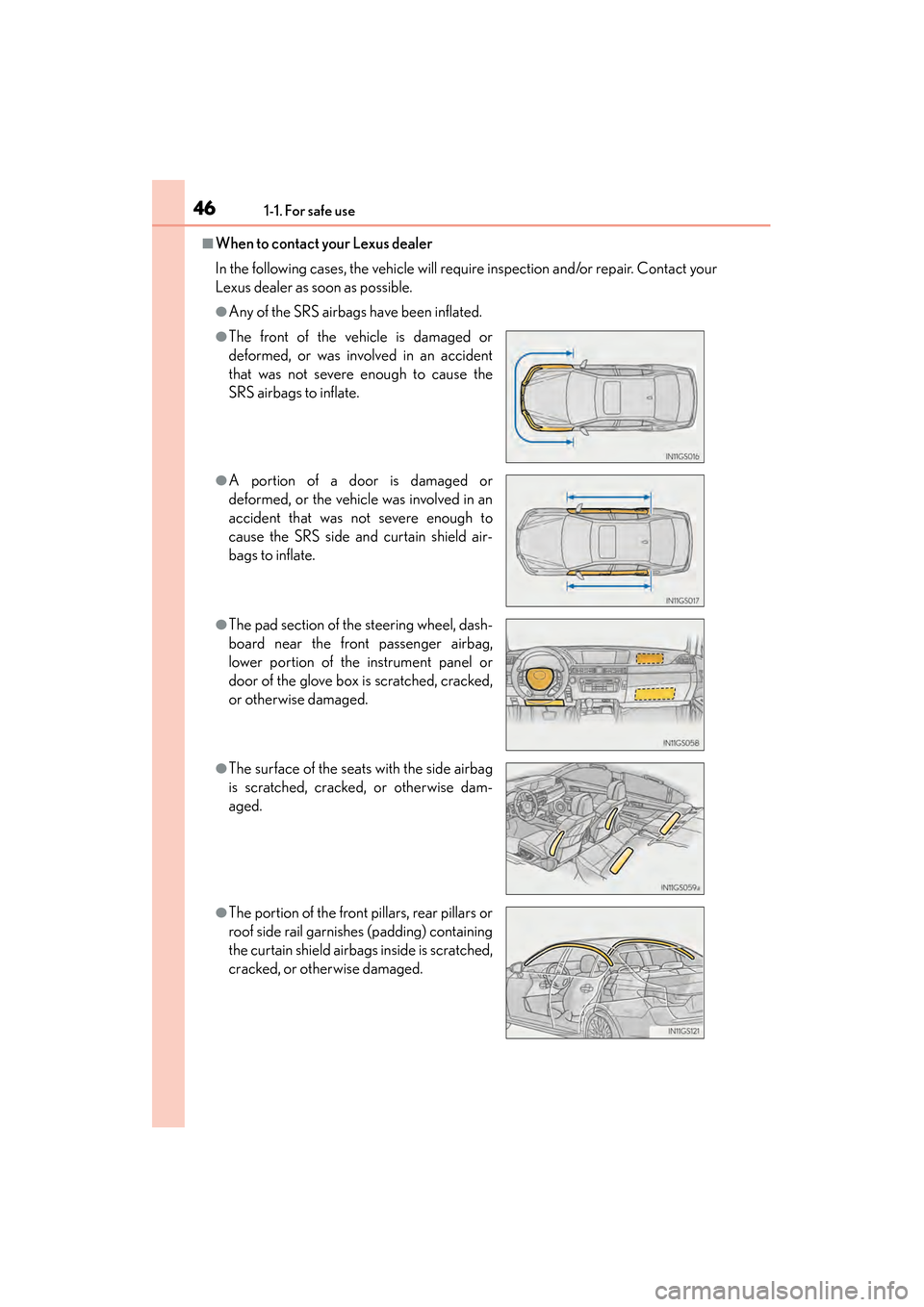
●Any of the SRS airbags have been inflated.
●The front of the vehicle is damaged or
deformed, or was involved in an accident
that was not severe enough to cause the
SRS airbags to inflate.
●A portion of a door is damaged or
deformed, or the vehicle was involved in an
accident that was not severe enough to
cause the SRS side and curtain shield air-
bags to inflate.
●The pad section of the steering wheel, dash-
board near the front passenger airbag,
lower portion of the instrument panel or
door of the glove box is scratched, cracked,
or otherwise damaged.
●The surface of the seats with the side airbag
is scratched, cracked, or otherwise dam-
aged.
●The portion of the front pillars, rear pillars or
roof side rail garnishes (padding) containing
the curtain shield airbags inside is scratched,
cracked, or otherwise damaged.
GS350_OM_OM30D41U_(U).book Page 46 Monday, July 29, 2013 2:22 PM
Page 78 of 846
GS350_OM_OM30D41U_(U)
772. Instrument cluster
2
Instrument cluster
◆Outside rear view mirrors (vehicles with BSM)
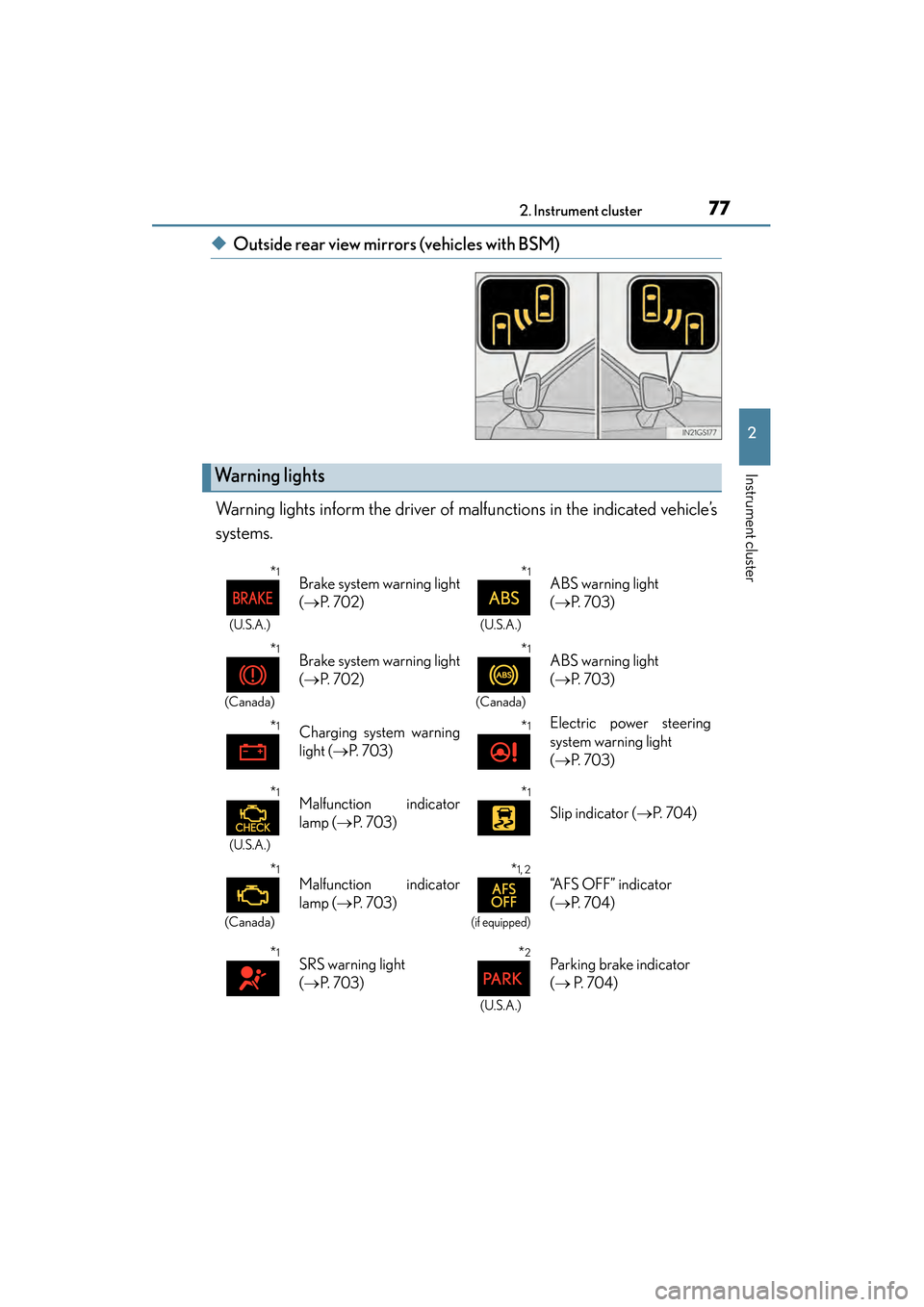
Warning lights inform the driver of malfunctions in the indicated vehicle’s
systems.
Warning lights
*1
(U.S.A.)
Brake system warning light
( → P. 7 0 2 )*1
(U.S.A.)
ABS warning light
(→ P. 7 0 3 )
*1
(Canada)
Brake system warning light
(→ P. 7 0 2 )*1
(Canada)
ABS warning light
(→ P. 7 0 3 )
*1Charging system warning
light ( →P. 7 0 3 )*1Electric power steering
system warning light
(→ P. 7 0 3 )
*1
(U.S.A.)
Malfunction indicator
lamp ( →P. 7 0 3 )*1
Slip indicator ( →P. 7 0 4 )
*1
(Canada)
Malfunction indicator
lamp ( →P. 7 0 3 )*1, 2
(if equipped)
“AFS OFF” indicator
(→ P. 7 0 4 )
*1SRS warning light
(→ P. 7 0 3 )*2
(U.S.A.)
Parking brake indicator
(→ P. 7 0 4 )
GS350_OM_OM30D41U_(U).book Page 77 Monday, July 29, 2013 2:22 PM
Page 100 of 846
99
GS350_OM_OM30D41U_(U)
Operation of
each component
3
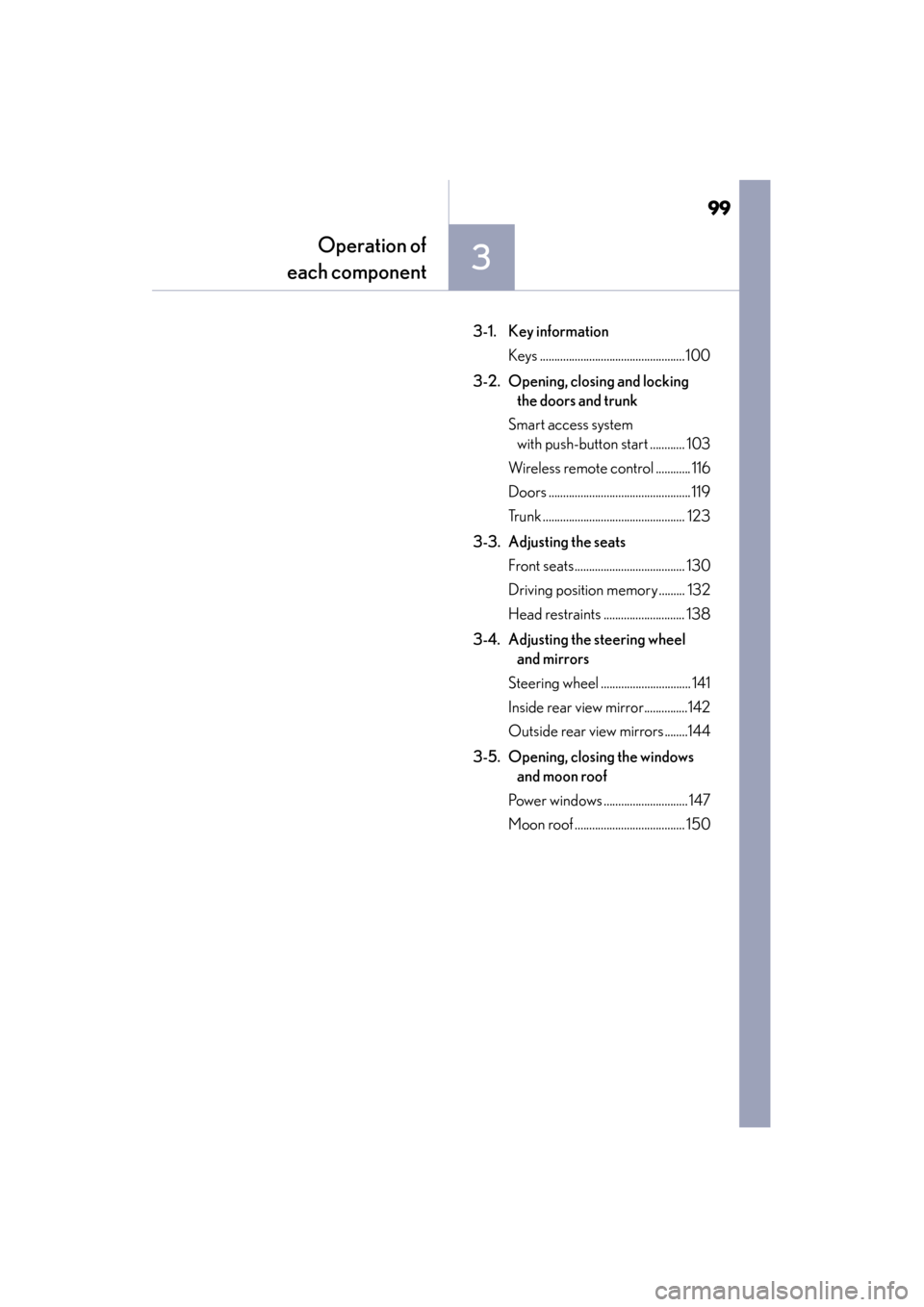
3-1. Key information
Keys .................................................. 100
3-2. Opening, closing and locking the doors and trunk
Smart access system with push-button start ............ 103
Wireless remote control ............ 116
Doors ................................................. 119
Trunk ................................................. 123
3-3. Adjusting the seats Front seats...................................... 130
Driving position memory ......... 132
Head restraints ............................ 138
3-4. Adjusting the steering wheel and mirrors
Steering wheel ............................... 141
Inside rear view mirror...............142
Outside rear view mirrors ........144
3-5. Opening, closing the windows and moon roof
Power windows ............................. 147
Moon roof ...................................... 150
GS350_OM_OM30D41U_(U).book Page 99 Monday, July 29, 2013 2:22 PM
Page 132 of 846
GS350_OM_OM30D41U_(U)
1313-3. Adjusting the seats
3
Operation of each component
■Power easy access system
The driver’s seat and steering wheel move in accordance with engine switch mode
and the driver’s seat belt condition. The passenger’s seat moves when the passen-
ger’s door is opened. (→P. 1 3 2 )
CAUTION
■When adjusting the seat position
●Take care when adjusting the seat position to ensure that other passengers are
not injured by the moving seat.
●Do not put your hands under the seat or near the moving parts to avoid injury.
Fingers or hands may become jammed in the seat mechanism.
■Seat adjustment
To reduce the risk of sliding under the lap belt during a collision, do not recline the
seat more than necessary.
If the seat is too reclined, the lap belt may slide past the hips and apply restraint
forces directly to the abdomen, or your neck may contact the shoulder belt,
increasing the risk of death or serious injury in the event of an accident.
Adjustments should not be made while driving as the seat may unexpectedly move
and cause the driver to lose control of the vehicle.
■When adjusting the seat positions
Make sure to leave enough space around the feet so they do not get stuck.
GS350_OM_OM30D41U_(U).book Page 131 Monday, July 29, 2013 2:22 PM
Page 133 of 846
132
GS350_OM_OM30D41U_(U)
3-3. Adjusting the seats
Driving position memory
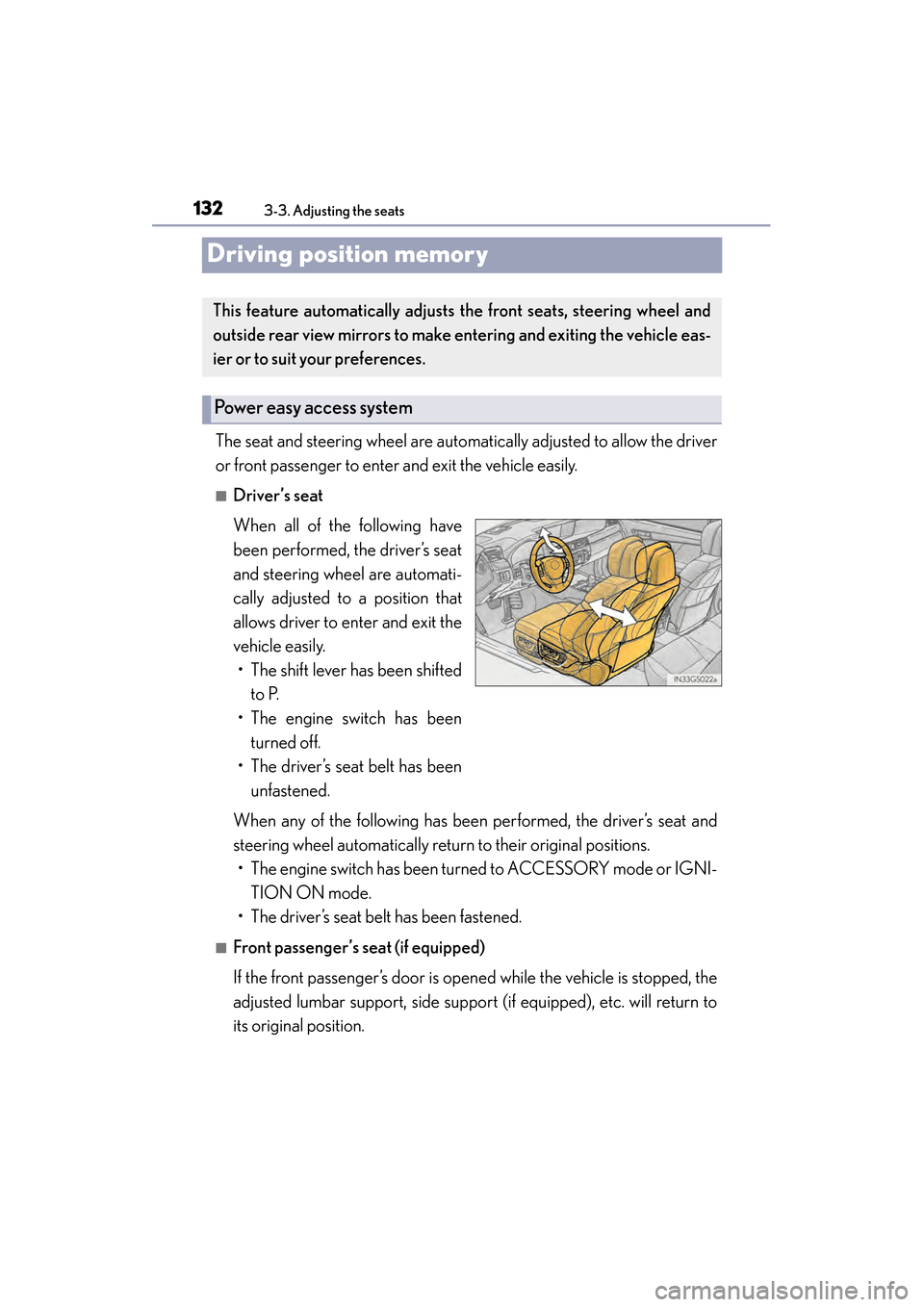
The seat and steering wheel are automatically adjusted to allow the driver
or front passenger to enter and exit the vehicle easily.
■Driver’s seat
When all of the following have
been performed, the driver’s seat
and steering wheel are automati-
cally adjusted to a position that
allows driver to enter and exit the
vehicle easily.• The shift lever has been shifted to P.
• The engine switch has been turned off.
• The driver’s seat belt has been unfastened.
When any of the following has been performed, the driver’s seat and
steering wheel automatically return to their original positions. • The engine switch has been turned to ACCESSORY mode or IGNI- TION ON mode.
• The driver’s seat belt has been fastened.
■Front passenger’s seat (if equipped)
If the front passenger’s door is open ed while the vehicle is stopped, the
adjusted lumbar support, side support (if equipped), etc. will return to
its original position.
This feature automatically adjusts the front seats, steering wheel and
outside rear view mirrors to make entering and exiting the vehicle eas-
ier or to suit your preferences.
Power easy access system
GS350_OM_OM30D41U_(U).book Page 132 Monday, July 29, 2013 2:22 PM
Page 134 of 846
GS350_OM_OM30D41U_(U)
1333-3. Adjusting the seats
3
Operation of each component
■Operation of the power easy access system
When exiting the vehicle, the power easy access system may not operate if the seat
is already close to the rearmost position, etc.
■Customization
The seat movement amount settings of the power easy access system can be cus-
tomized. (Customizable features: →P. 7 9 3 )
Your preferred driving position (the position of the driver’s seat, steering
wheel and outside rear view mirrors) can be recorded and recalled by
pressing a button.
Three different driving positions can be recorded into memory.
■Recording procedure
Check that the shift lever is in P.
Turn the engine switch to IGNITION ON mode.
Adjust the driver’s seat, steering wheel, and outside rear view mirrors
to the desired positions.
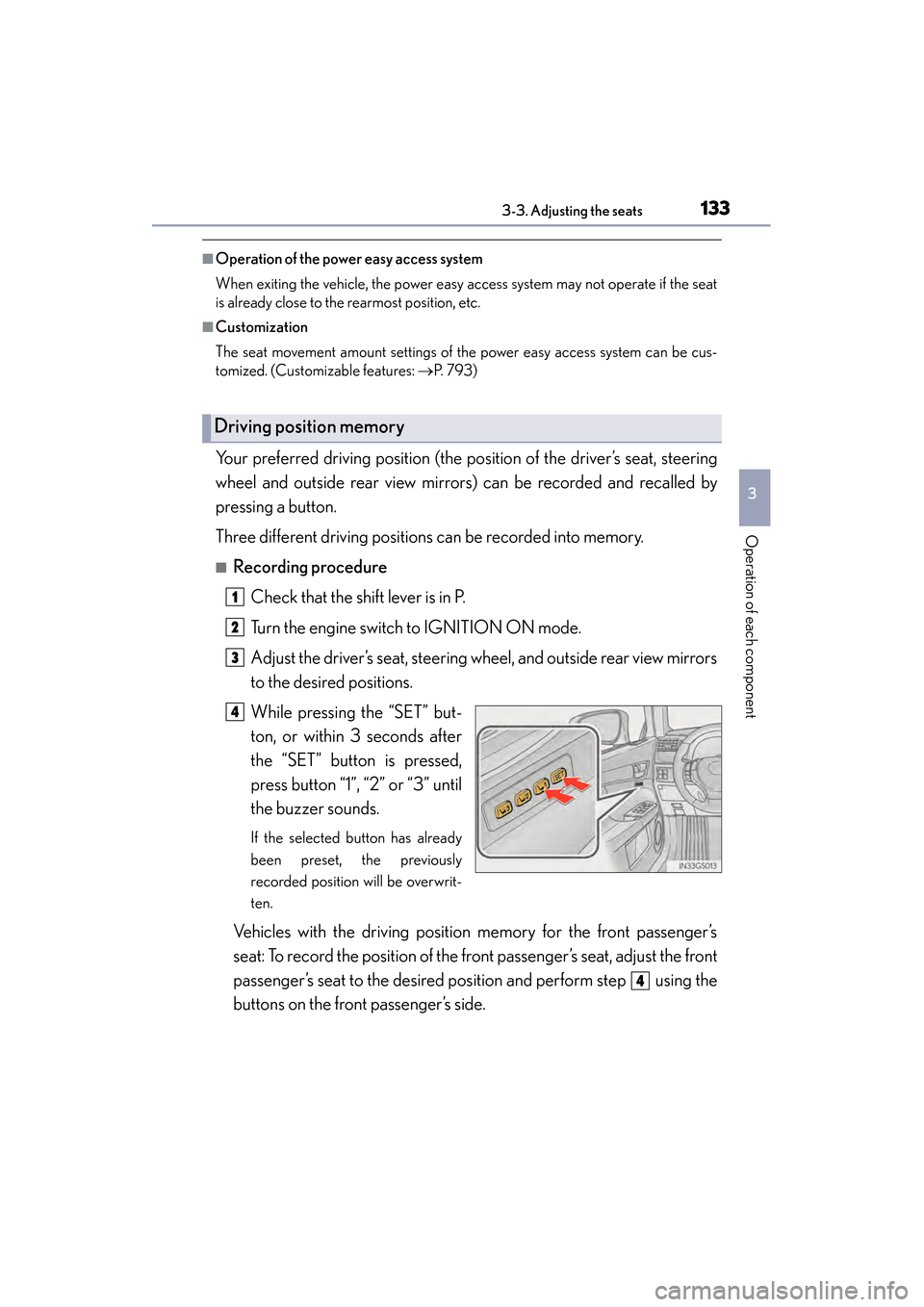
While pressing the “SET” but-
ton, or within 3 seconds after
the “SET” button is pressed,
press button “1”, “2” or “3” until
the buzzer sounds.
If the selected button has already
been preset, the previously
recorded position will be overwrit-
ten.
Vehicles with the driving position memory for the front passenger’s
seat: To record the position of the front passenger’s seat, adjust the front
passenger’s seat to the desired position and perform step using the
buttons on the front passenger’s side.
Driving position memory
1
2
3
4
4
GS350_OM_OM30D41U_(U).book Page 133 Monday, July 29, 2013 2:22 PM
Page 135 of 846
134
GS350_OM_OM30D41U_(U)
3-3. Adjusting the seats
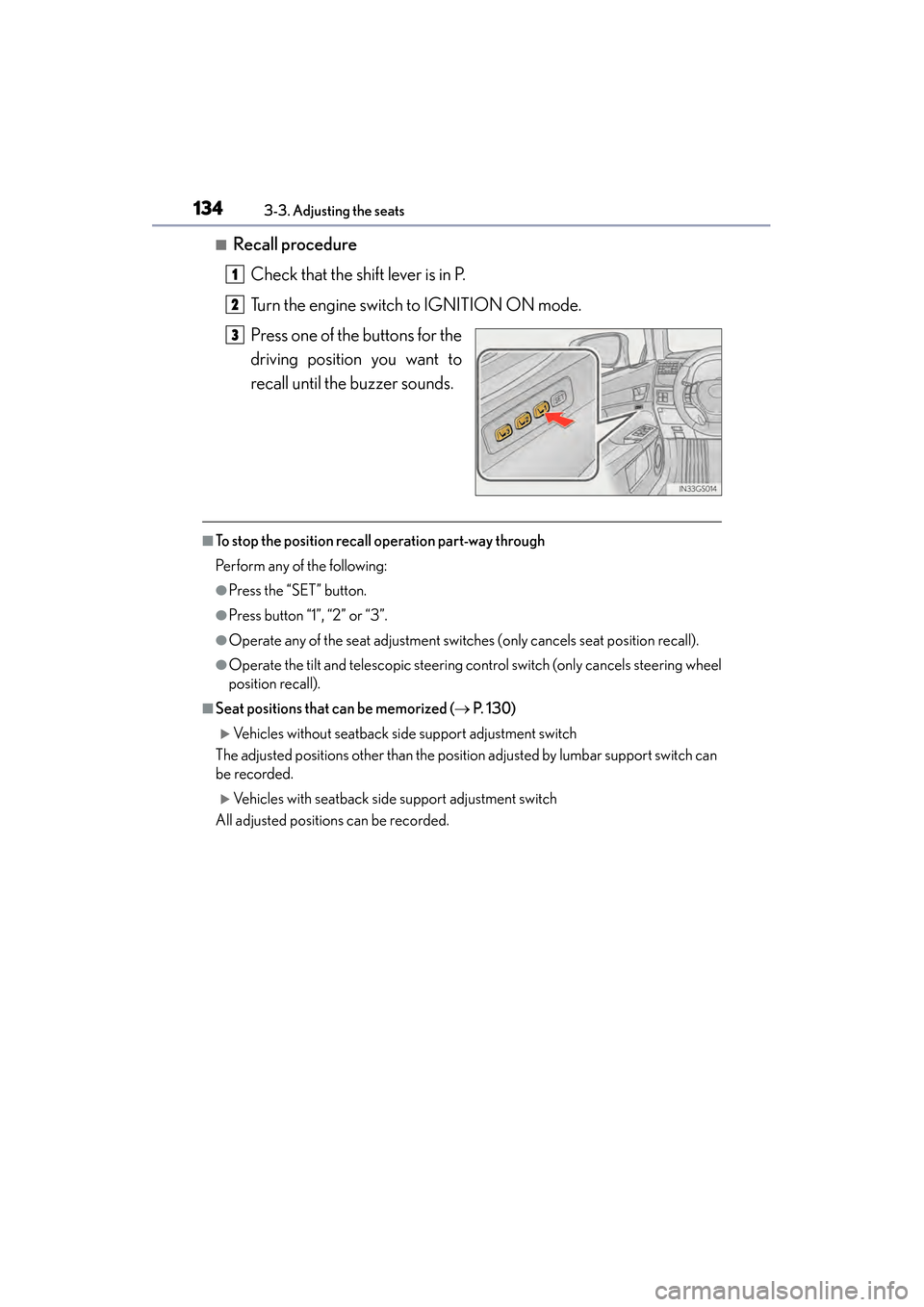
■Recall procedureCheck that the shift lever is in P.
Turn the engine switch to IGNITION ON mode.
Press one of the buttons for the
driving position you want to
recall until the buzzer sounds.
■To stop the position recall operation part-way through
Perform any of the following:
●Press the “SET” button.
●Press button “1”, “2” or “3”.
●Operate any of the seat adjustment switches (only cancels seat position recall).
●Operate the tilt and telescopic steering control switch (only cancels steering wheel
position recall).
■Seat positions that can be memorized ( → P. 1 3 0 )
XVehicles without seatback side support adjustment switch
The adjusted positions other than the position adjusted by lumbar support switch can
be recorded.
XVehicles with seatback side support adjustment switch
All adjusted positions can be recorded.
1
2
3
GS350_OM_OM30D41U_(U).book Page 134 Monday, July 29, 2013 2:22 PM
Page 137 of 846
136
GS350_OM_OM30D41U_(U)
3-3. Adjusting the seats
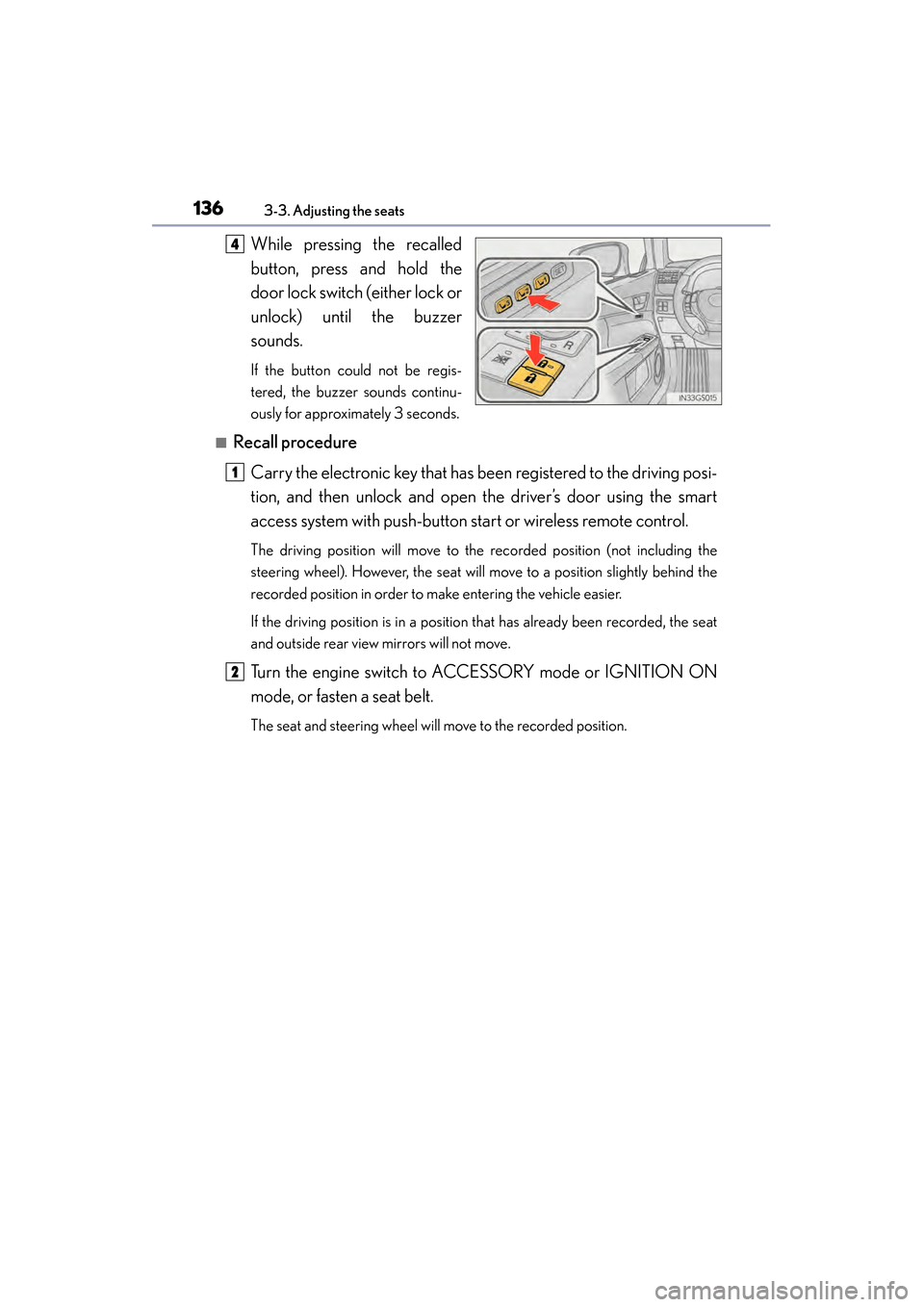
While pressing the recalled
button, press and hold the
door lock switch (either lock or
unlock) until the buzzer
sounds.
If the button could not be regis-
tered, the buzzer sounds continu-
ously for approximately 3 seconds.
■Recall procedureCarry the electronic key that has been registered to the driving posi-
tion, and then unlock and open the driver’s door using the smart
access system with push-button start or wireless remote control.
The driving position will move to the recorded position (not including the
steering wheel). However, the seat will move to a position slightly behind the
recorded position in order to make entering the vehicle easier.
If the driving position is in a position that has already been recorded, the seat
and outside rear view mirrors will not move.
Turn the engine switch to ACCESSORY mode or IGNITION ON
mode, or fasten a seat belt.
The seat and steering wheel will move to the recorded position.
4
1
2
GS350_OM_OM30D41U_(U).book Page 136 Monday, July 29, 2013 2:22 PM
Page 138 of 846
GS350_OM_OM30D41U_(U)
1373-3. Adjusting the seats
3
Operation of each component
■Cancelation procedure
Carry only the key you want to cancel and then close the driver’s door.
If 2 or more keys are in the vehicle, the driving position cannot be can-
celed properly.Turn the engine switch to IGNITION ON mode.
While pressing the “SET” button, press and hold the door lock switch
(either lock or unlock) until the buzzer sounds twice.
If the button could not be canceled, the buzzer sounds continuously for
approximately 3 seconds.
■Recalling the driving position using the memory recall function
●Different driving positions can be registered for each electronic key. Therefore, the
driving position that is recalled may be different depending on the key being car-
ried.
●If a door other than the driver’s door is unlocked with the smart access system with
push-button start, the driving position cannot be recalled. In this case, press the
driving position button which has been set.
■Customization
The unlock door settings of the memory recall function can be customized.
(Customizable features: → P. 7 9 3 )
CAUTION
■Seat adjustment caution
Take care during seat adjustment so that the seat does not strike the rear passen-
ger or squeeze your body against the steering wheel.
1
2
GS350_OM_OM30D41U_(U).book Page 137 Monday, July 29, 2013 2:22 PM
Page 142 of 846
1413-4. Adjusting the steering wheel and mirrors
3
Operation of each component
GS350_OM_OM30D41U_(U)
Steering wheel
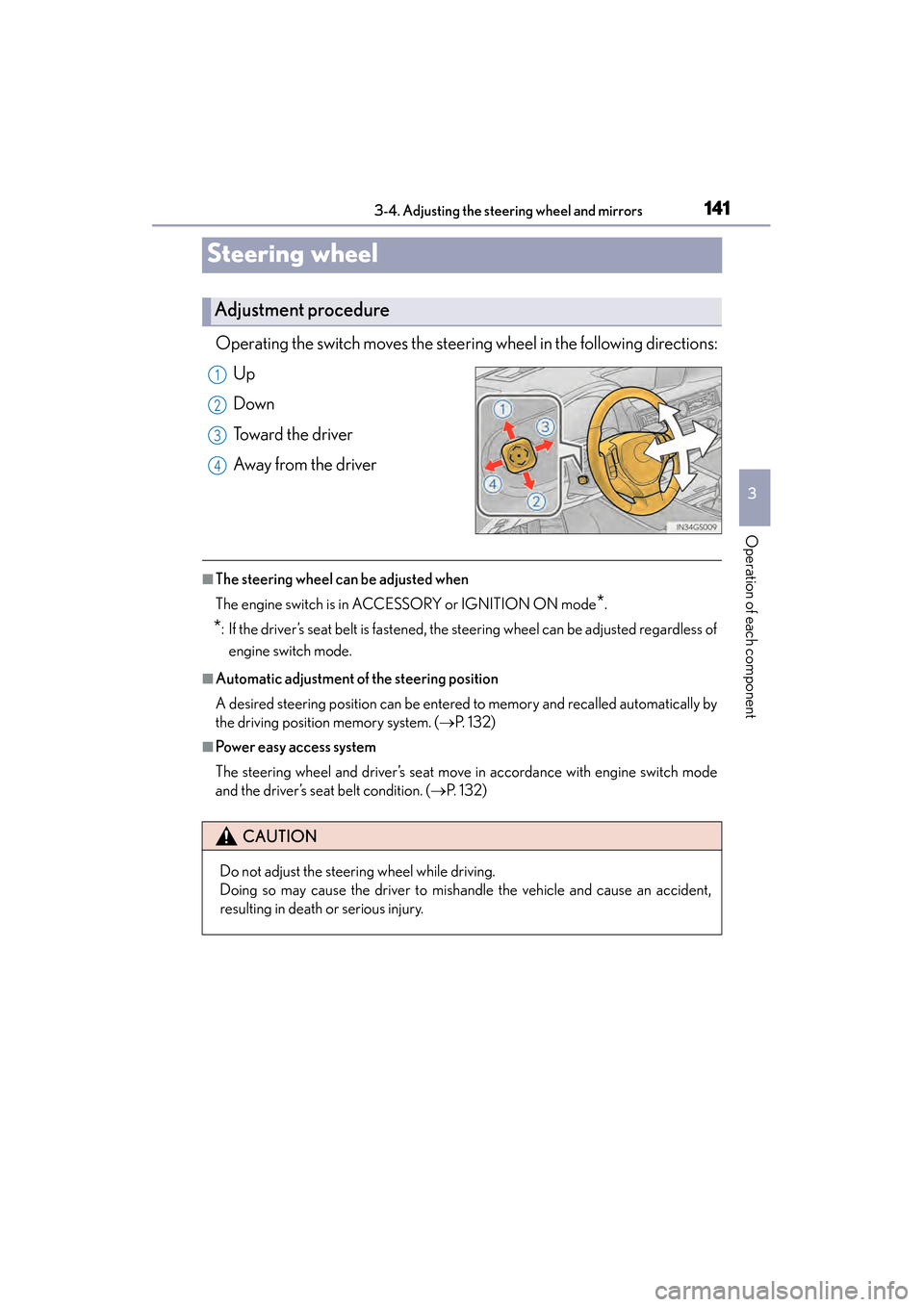
Operating the switch moves the steering wheel in the following directions:
Up
Down
Toward the driver
Away from the driver
■The steering wheel can be adjusted when
The engine switch is in ACCESSORY or IGNITION ON mode
*.
*: If the driver’s seat belt is fastened, the steering wheel can be adjusted regardless of engine switch mode.
■Automatic adjustment of the steering position
A desired steering position can be entered to memory and recalled automatically by
the driving position memory system. ( →P. 1 3 2 )
■Power easy access system
The steering wheel and driver’s seat move in accordance with engine switch mode
and the driver’s seat belt condition. ( →P. 1 3 2 )
Adjustment procedure
1
2
3
4
CAUTION
Do not adjust the steering wheel while driving.
Doing so may cause the driver to mishandle the vehicle and cause an accident,
resulting in death or serious injury.
GS350_OM_OM30D41U_(U).book Page 141 Monday, July 29, 2013 2:22 PM