AUX Lexus GS350 2014 Owner's Manual
[x] Cancel search | Manufacturer: LEXUS, Model Year: 2014, Model line: GS350, Model: Lexus GS350 2014Pages: 846, PDF Size: 35.04 MB
Page 5 of 846
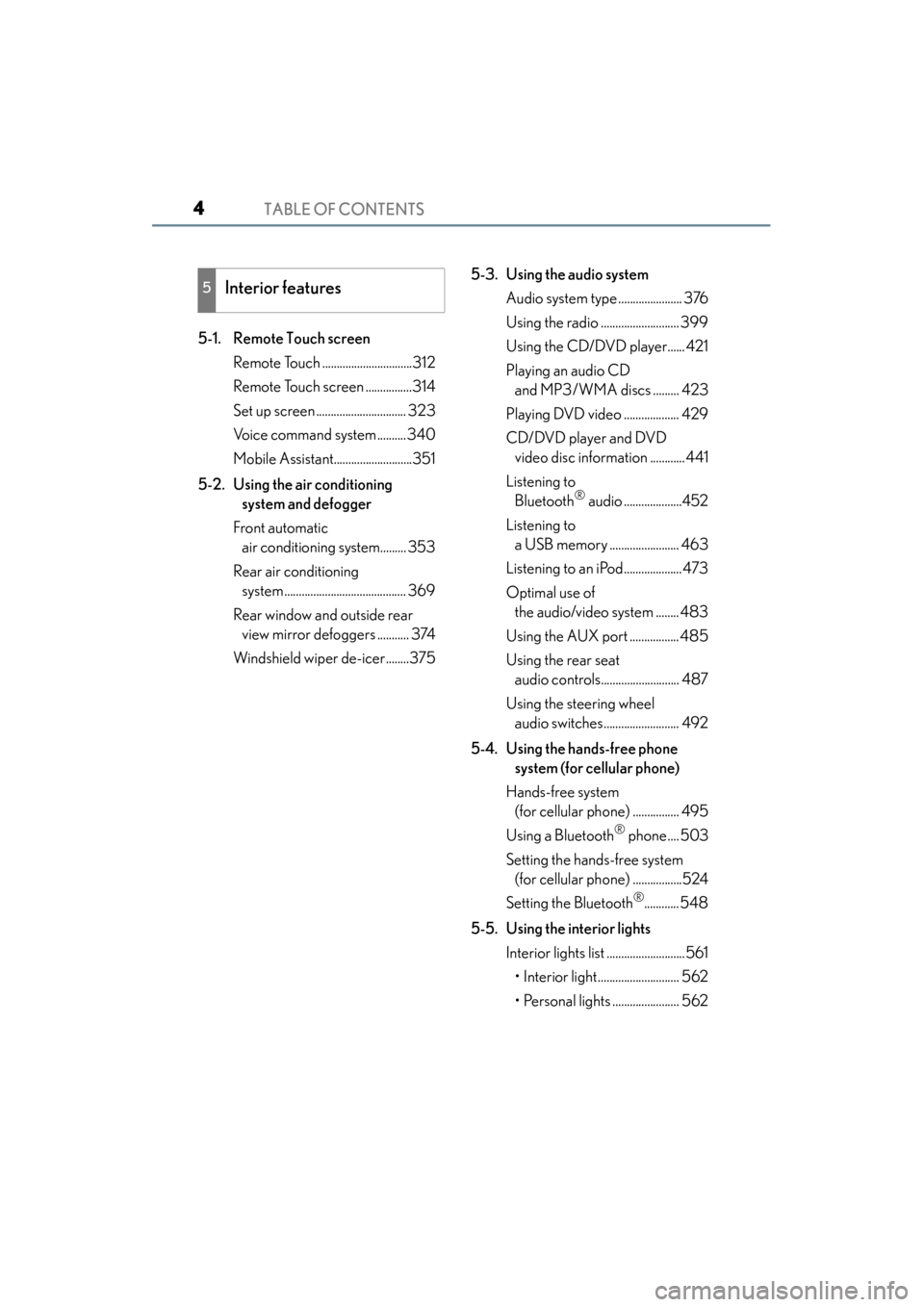
TABLE OF CONTENTS4
GS350_OM_OM30D41U_(U)
5-1. Remote Touch screenRemote Touch ...............................312
Remote Touch screen ................314
Set up screen ............................... 323
Voice command system ..........340
Mobile Assistant...........................351
5-2. Using the air conditioning system and defogger
Front automatic air conditioning system......... 353
Rear air conditioning system .......................................... 369
Rear window and outside rear view mirror defoggers ........... 374
Windshield wiper de-icer........375 5-3. Using the audio system
Audio system type ...................... 376
Using the radio ........................... 399
Using the CD/DVD player...... 421
Playing an audio CD and MP3/WMA discs ......... 423
Playing DVD video ................... 429
CD/DVD player and DVD video disc information ............ 441
Listening to Bluetooth
® audio ....................452
Listening to a USB memory ........................ 463
Listening to an iPod.................... 473
Optimal use of the audio/video system ........ 483
Using the AUX port ................. 485
Using the rear seat audio controls........................... 487
Using the steering wheel audio switches.......................... 492
5-4. Using the hands-free phone system (for cellular phone)
Hands-free system (for cellular phone) ................ 495
Using a Bluetooth
® phone.... 503
Setting the hands-free system (for cellular phone) .................524
Setting the Bluetooth
®............ 548
5-5. Using the interior lights Interior lights list ...........................561• Interior light............................ 562
• Personal lights ....................... 562
5Interior features
GS350_OM_OM30D41U_(U).book Page 4 Monday, July 29, 2013 2:22 PM
Page 6 of 846
5
1
8 7
6
5
4
3
2
GS350_OM_OM30D41U_(U)
9
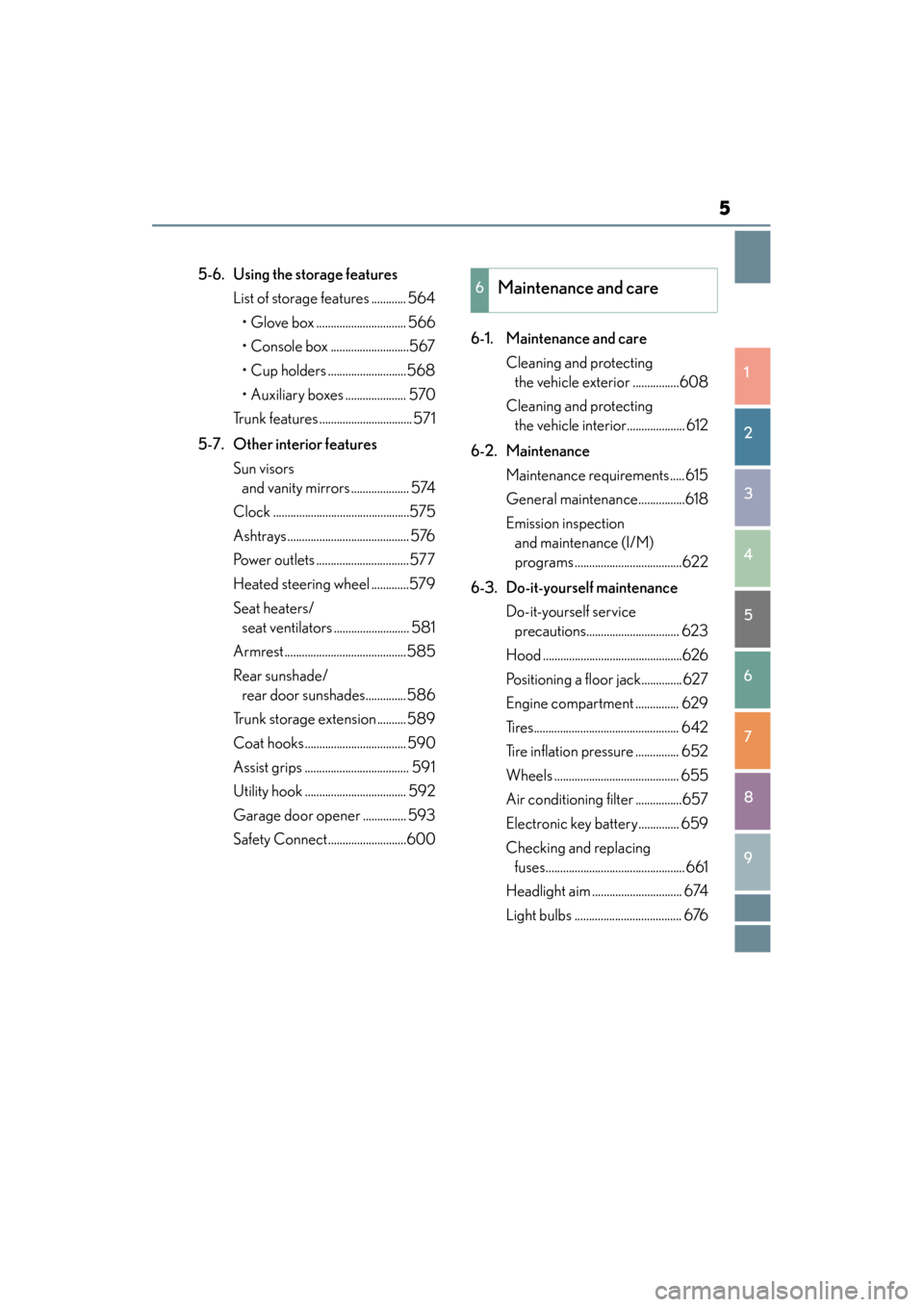
5-6. Using the storage featuresList of storage features ............ 564• Glove box ............................... 566
• Console box ...........................567
• Cup holders ...........................568
• Auxiliary boxes ..................... 570
Trunk features ................................ 571
5-7. Other interior features Sun visors and vanity mirrors .................... 574
Clock ...............................................575
Ashtrays .......................................... 576
Power outlets ................................577
Heated steering wheel .............579
Seat heaters/ seat ventilators .......................... 581
Armrest..........................................585
Rear sunshade/ rear door sunshades..............586
Trunk storage extension ..........589
Coat hooks ................................... 590
Assist grips .................................... 591
Utility hook ................................... 592
Garage door opener ............... 593
Safety Connect...........................600 6-1. Maintenance and care
Cleaning and protecting the vehicle exterior ................608
Cleaning and protecting the vehicle interior.................... 612
6-2. Maintenance Maintenance requirements ..... 615
General maintenance................618
Emission inspection and maintenance (I/M)
programs .....................................622
6-3. Do-it-yourself maintenance Do-it-yourself service precautions................................ 623
Hood ................................................626
Positioning a floor jack.............. 627
Engine compartment ............... 629
Tires.................................................. 642
Tire inflation pressure ............... 652
Wheels ........................................... 655
Air conditioning filter ................657
Electronic key battery.............. 659
Checking and replacing fuses................................................ 661
Headlight aim ............................... 674
Light bulbs ..................................... 6766Maintenance and care
GS350_OM_OM30D41U_(U).book Page 5 Monday, July 29, 2013 2:22 PM
Page 23 of 846
22Pictorial index
GS350_OM_OM30D41U_(U)
■Interior
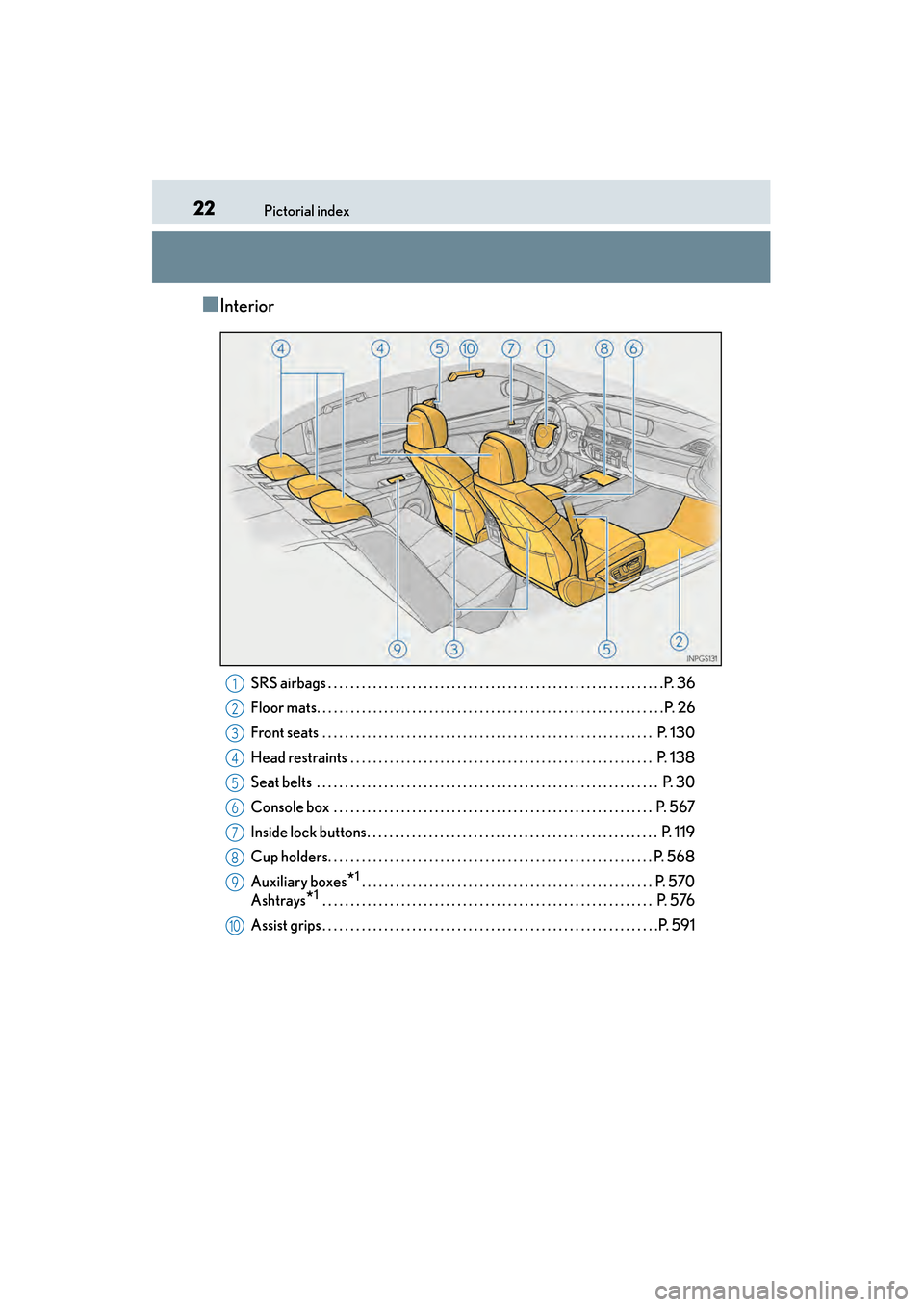
SRS airbags . . . . . . . . . . . . . . . . . . . . . . . . . . . . . . . . . . . . . . . . . . . . . . . . . . . . . . . . . . . .P. 36
Floor mats. . . . . . . . . . . . . . . . . . . . . . . . . . . . . . . . . . . . . . . . . . . . . . . . . . . . . . . . . . . . . . P. 26
Front seats . . . . . . . . . . . . . . . . . . . . . . . . . . . . . . . . . . . . . . . . . . . . . . . . . . . . . . . . . . . P. 130
Head restraints . . . . . . . . . . . . . . . . . . . . . . . . . . . . . . . . . . . . . . . . . . . . . . . . . . . . . . P. 138
Seat belts . . . . . . . . . . . . . . . . . . . . . . . . . . . . . . . . . . . . . . . . . . . . . . . . . . . . . . . . . . . . . P. 30
Console box . . . . . . . . . . . . . . . . . . . . . . . . . . . . . . . . . . . . . . . . . . . . . . . . . . . . . . . . . P . 567
Inside lock buttons. . . . . . . . . . . . . . . . . . . . . . . . . . . . . . . . . . . . . . . . . . . . . . . . . . . . P. 1 19
Cup holders. . . . . . . . . . . . . . . . . . . . . . . . . . . . . . . . . . . . . . . . . . . . . . . . . . . . . . . . . . P . 568
Auxiliary boxes
*1 . . . . . . . . . . . . . . . . . . . . . . . . . . . . . . . . . . . . . . . . . . . . . . . . . . . . P. 570
Ashtrays
*1 . . . . . . . . . . . . . . . . . . . . . . . . . . . . . . . . . . . . . . . . . . . . . . . . . . . . . . . . . . . P. 576
Assist grips . . . . . . . . . . . . . . . . . . . . . . . . . . . . . . . . . . . . . . . . . . . . . . . . . . . . . . . . . . . .P. 591
1
2
3
4
5
6
7
8
9
10
GS350_OM_OM30D41U_(U).book Page 22 Monday, July 29, 2013 2:22 PM
Page 312 of 846
311
GS350_OM_OM30D41U_(U)
Interior features5
5-3. Using the audio system Audio system type ......................376
Using the radio ............................399
Using the CD/DVD player ..... 421
Playing an audio CD and MP3 /WMA discs .......... 423
Playing DVD video .................... 429
CD/DVD player and DVD video disc information ............ 441
Listening to Bluetooth
® audio.................... 452
Listening to a USB memory.........................463
Listening to an iPod ................... 473
Optimal use of the audio/video system ........ 483
Using the AUX port................. 485
Using the rear seat audio controls ........................... 487
Using the steering wheel audio switches .......................... 492
5-4. Using the hands-free phone system (for cellular phone)
Hands-free system (for cellular phone) .................495
Using a Bluetooth
® phone ... 503
Setting the hands-free system (for cellular phone) ................. 524
Setting the Bluetooth
®........... 548 5-5. Using the interior lights
Interior lights list ...........................561• Interior light ............................ 562
• Personal lights ....................... 562
5-6. Using the storage features List of storage features ............ 564• Glove box ............................... 566
• Console box........................... 567
• Cup holders ...........................568
• Auxiliary boxes ..................... 570
Trunk features ................................571
5-7. Other interior features Sun visors and vanity mirrors .................... 574
Clock............................................... 575
Ashtrays .......................................... 576
Power outlets ................................577
Heated steering wheel ............ 579
Seat heaters/ seat ventilators .......................... 581
Armrest ......................................... 585
Rear sunshade/ rear door sunshades ..............586
Trunk storage extension ..........589
Coat hooks ...................................590
Assist grips..................................... 591
Utility hook.................................... 592
Garage door opener................ 593
Safety Connect .......................... 600
GS350_OM_OM30D41U_(U).book Page 311 Monday, July 29, 2013 2:22 PM
Page 348 of 846
GS350_OM_OM30D41U_(U)
3475-1. Remote Touch screen
5
Interior features
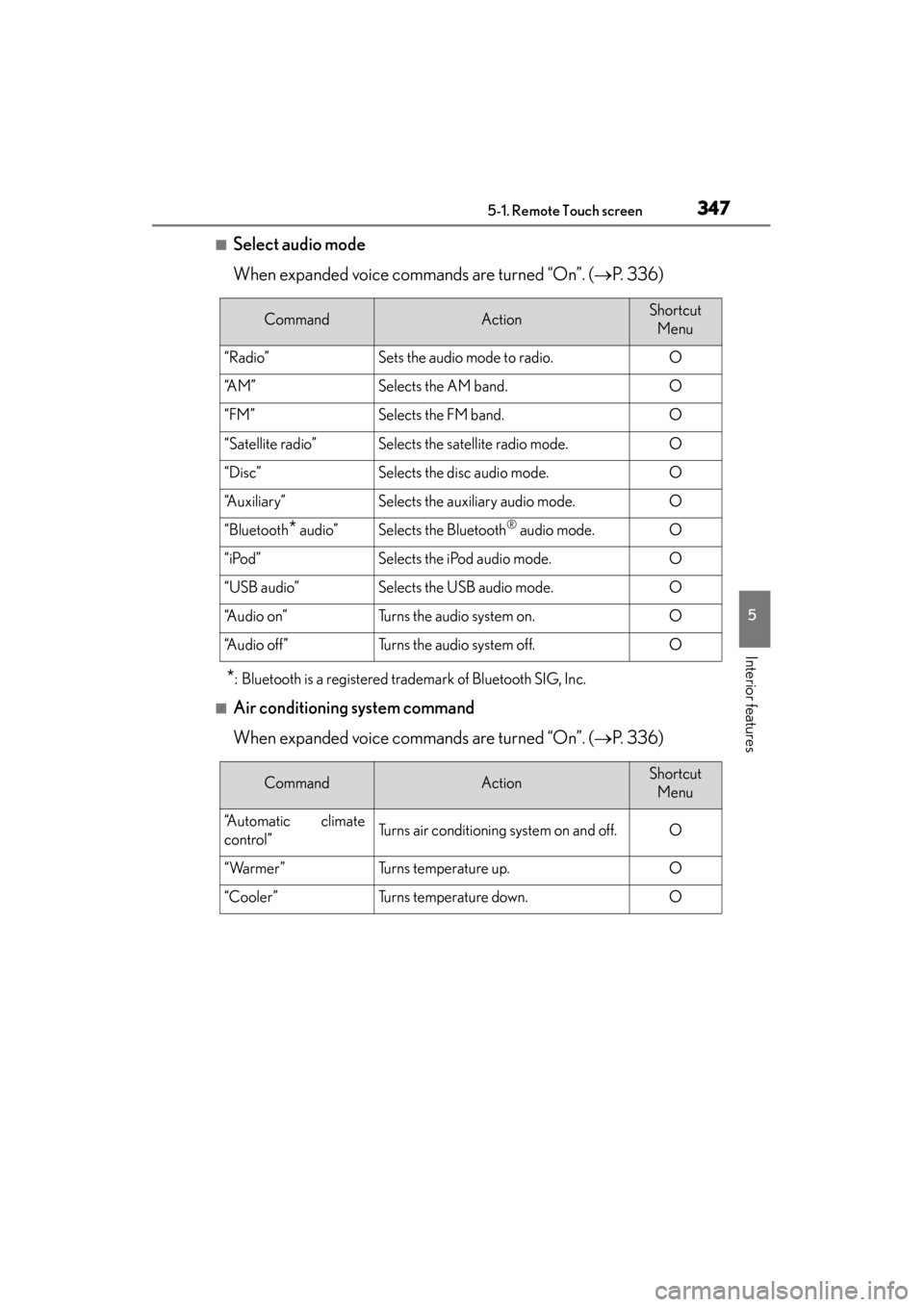
■Select audio mode
When expanded voice commands are turned “On”. (→P. 3 3 6 )
*: Bluetooth is a registered trademark of Bluetooth SIG, Inc.
■Air conditioning system command
When expanded voice commands are turned “On”. ( →P. 3 3 6 )
CommandActionShortcut
Menu
“Radio”Sets the audio mode to radio.O
“A M ”Selects the AM band.O
“FM”Selects the FM band.O
“Satellite radio”Selects the satellite radio mode.O
“Disc”Selects the disc audio mode.O
“Auxiliary”Selects the auxiliary audio mode.O
“Bluetooth* audio”Selects the Bluetooth® audio mode.O
“iPod”Selects the iPod audio mode.O
“USB audio”Selects the USB audio mode.O
“A u d i o o n ”Turns the audio system on.O
“Audio off”Turns the audio system off.O
CommandActionShortcut Menu
“Automatic climate
control”Turns air conditioning system on and off.O
“Warmer”Turns temperature up.O
“Cooler”Turns temperature down.O
GS350_OM_OM30D41U_(U).book Page 347 Monday, July 29, 2013 2:22 PM
Page 379 of 846
378
GS350_OM_OM30D41U_(U)
5-3. Using the audio system
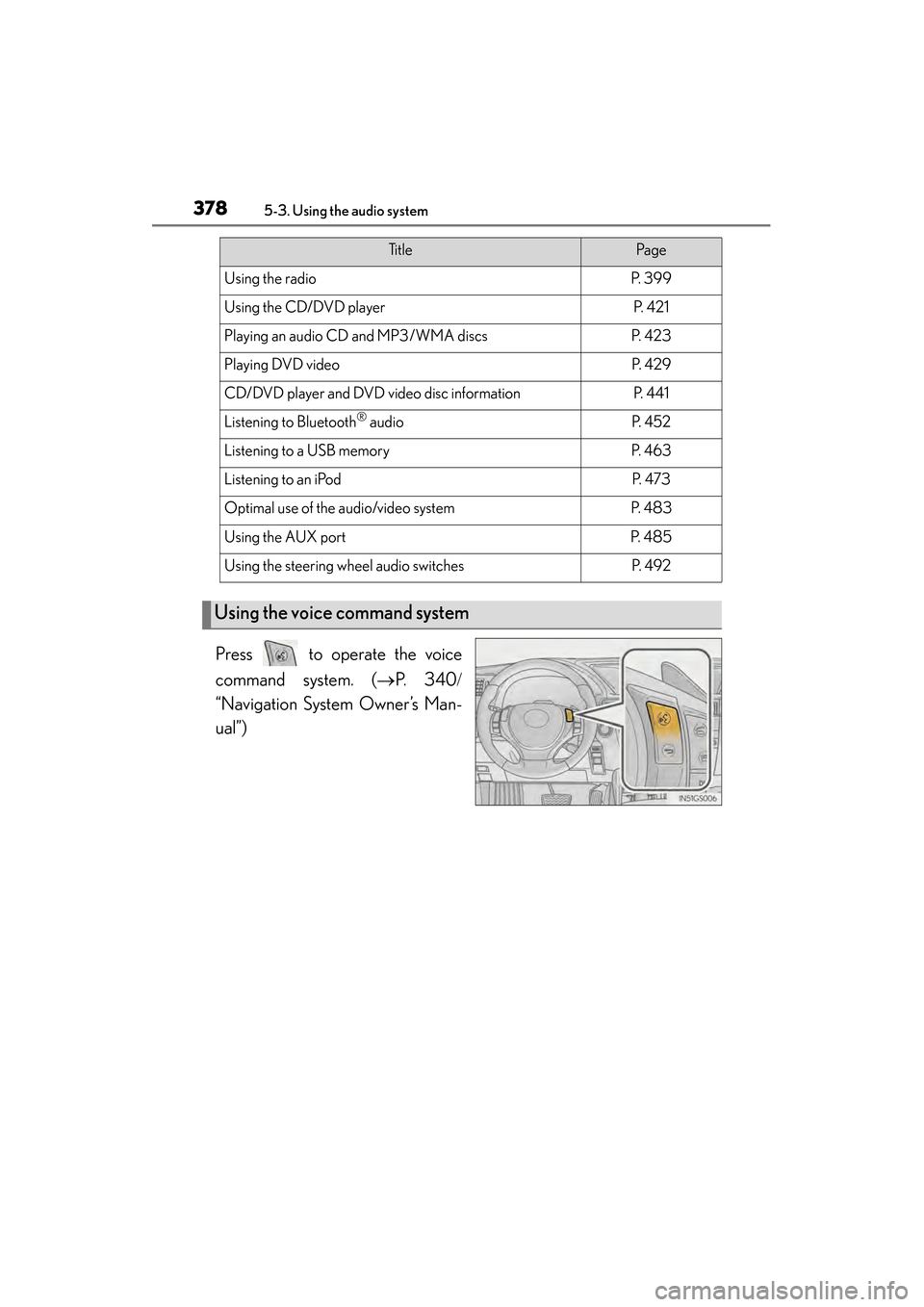
Press to operate the voice
command system. (→P. 3 4 0 /
“Navigation System Owner’s Man-
ual”)
Ti t l ePa g e
Using the radioP. 3 9 9
Using the CD/DVD playerP. 4 2 1
Playing an audio CD and MP3/WMA discsP. 4 2 3
Playing DVD videoP. 4 2 9
CD/DVD player and DVD video disc informationP. 441
Listening to Bluetooth® audioP. 4 5 2
Listening to a USB memoryP. 4 6 3
Listening to an iPodP. 4 7 3
Optimal use of the audio/video systemP. 4 8 3
Using the AUX portP. 4 8 5
Using the steering wheel audio switchesP. 4 9 2
Using the voice command system
GS350_OM_OM30D41U_(U).book Page 378 Monday, July 29, 2013 2:22 PM
Page 421 of 846
420
GS350_OM_OM30D41U_(U)
5-3. Using the audio system
■Certifications for the radio tuner
This equipment has been tested and found to comply with the limits for a class B dig-
ital device, pursuant to Part 15 of the FCC Rules. These limits are designed to pro-
vide reasonable protection against harmful interference in a residential installation.
This equipment generates, uses and can radiate radio frequency energy and, if not
installed and used in accordance with the instructions, may cause harmful interfer-
ence to radio communications. However, there is no guarantee that interference will
not occur in a particular installation.
If this equipment does cause harmful interference to radio or television reception,
which can be determined by turning the equipment off and on, the user is encour-
aged to try to correct the interference by one or more of the following measures:
●Reorienting or relocate the receiving antenna.
●Increasing the separation between the equipment and receiver.
●Consult the equipment into an outlet on a circuit different from that to which the
receiver is connected.
●Consulting the dealer or an experienced radio/TV technician for help.
■Certifications for XM® Satellite Radio
This device complies with RSS-310 of Industry Canada. Operation is subject to the
condition that this device does not cause harmful interference.
This device complies with Industry Canada licence-exempt RSS standard(s). Oper-
ation is subject to the following two condit ions: (1) this device may not cause interfer-
ence, and (2) this device must accept any interference, including interference that
may cause undesired operation of the device.
Cet appareil est conforme au CNR-310 d’Industrie Canada. Son exploitation est
autorisée sous réserve que l’appareil ne cause pas de brouillage préjudiciable.
Le présent appareil est conforme aux CNR d’Industrie Canada applicables aux
appareils radio exempts de licence. L’exploitation est autorisée aux deux conditions
suivantes : (1) l’appareil ne doit pas produire de brouillage, et (2) l’utilisateur de
l’appareil doit accepter tout brouillage radioélectrique subi, même si le brouillage
est susceptible d’en compromettre le fonctionnement.
GS350_OM_OM30D41U_(U).book Page 420 Monday, July 29, 2013 2:22 PM
Page 486 of 846
485
GS350_OM_OM30D41U_(U)5-3. Using the audio system
5
Interior features
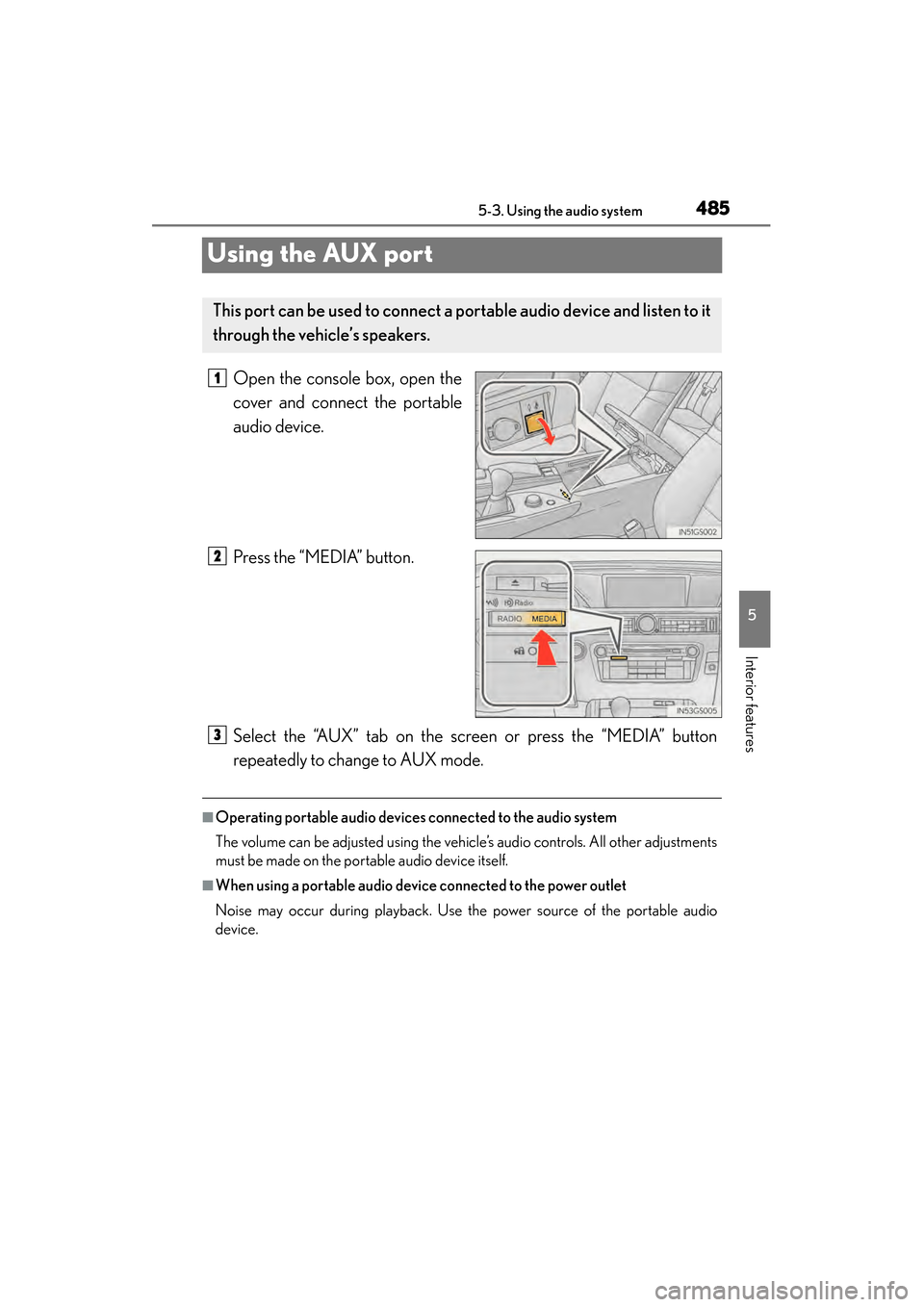
Using the AUX port
Open the console box, open the
cover and connect the portable
audio device.
Press the “MEDIA” button.
Select the “AUX” tab on the screen or press the “MEDIA” button
repeatedly to change to AUX mode.
■Operating portable audio devices connected to the audio system
The volume can be adjusted using the vehicle’s audio controls. All other adjustments
must be made on the portable audio device itself.
■When using a portable audio device connected to the power outlet
Noise may occur during playback. Use the power source of the portable audio
device.
This port can be used to connect a po rtable audio device and listen to it
through the vehicle’s speakers.
1
2
3
GS350_OM_OM30D41U_(U).book Page 485 Monday, July 29, 2013 2:22 PM
Page 489 of 846
488
GS350_OM_OM30D41U_(U)
5-3. Using the audio system
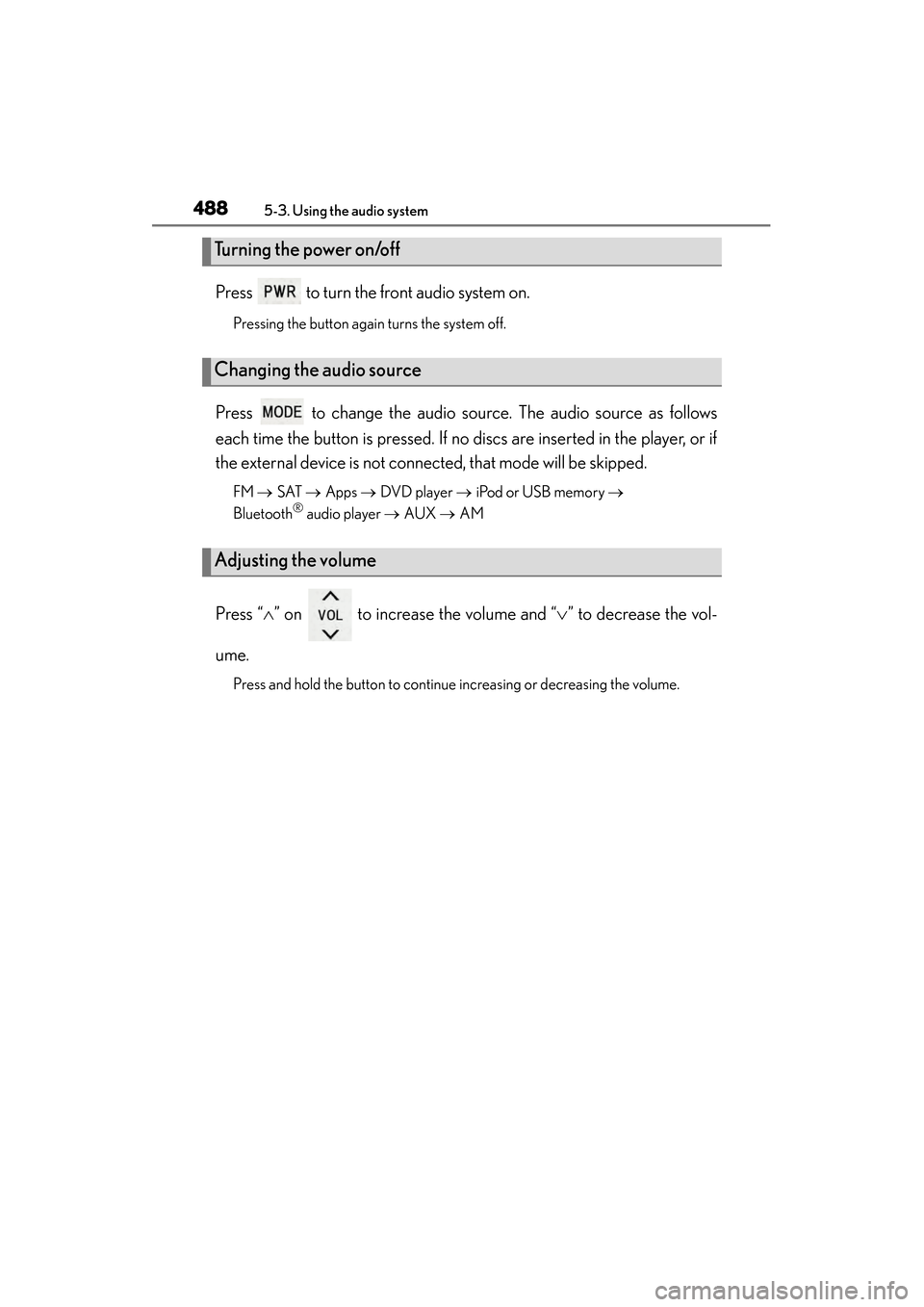
Press to turn the front audio system on.
Pressing the button again turns the system off.
Press to change the audio source. The audio source as follows
each time the button is pressed. If no discs are inserted in the player, or if
the external device is not connected, that mode will be skipped.
FM → SAT → Apps → DVD player → iPod or USB memory →
Bluetooth® audio player → AUX → AM
Press “ ∧” on to increase the volume and “ ∨” to decrease the vol-
ume.
Press and hold the button to continue increasing or decreasing the volume.
Turning the power on/off
Changing the audio source
Adjusting the volume
GS350_OM_OM30D41U_(U).book Page 488 Monday, July 29, 2013 2:22 PM
Page 501 of 846
500
GS350_OM_OM30D41U_(U)
5-4. Using the hands-free phone system (for cellular phone)
■Compatible models
This system supports the following service.
●Bluetooth® Specification Ver. 1.1 or higher (Recommended: Ver. 2.1+EDR or
higher)
●Profiles
• HFP (Hands Free Profile) Ver. 1.0 or higher (Recommended: Ver. 1.5 or higher)
• OPP (Object Push Profile) Ver. 1.1 or higher
• PBAP (Phone Book Access Profile) Ver. 1.0 or higher
• MAP (Message Access Profile) Ver. 1.0 or higher
• SPP (Serial Port Profile) Ver. 1.1 or higher
*
*
: This profile is necessary when using Apps. For details, refer to the “Navigation
System Owner’s Manual”
If your cellular phone does not support HFP, you cannot enter the Bluetooth
®
phone, and take OPP, PBAP, MAP or SPP service individually.
If the connected Bluetooth
® phone version is older than recommended or incom-
patible, this function may not be used.
Please go to http://www.lexus.com/MobileLink
to find approved Bluetooth®
phones for this system.
■Certification
FCC ID: AJDK041
IC: 775E-K041
This device complies with Part 15 of FCC Rules and Industry Canada licence-
exempt RSS standard(s). Operation is subject to the following two conditions: (1) this
device may not cause interference, and (2) this device must accept any interference,
including interference that may cause undesired operation of this device.
Le présent appareil est conforme aux la partie 15 des règles de la FCC et CNR
d’Industrie Canada applicables aux appareils radio exempts de licence.
L’exploitation est autorisée aux deux conditions suivantes: (1) l’appareil ne doit pas
produire de brouillage, et (2) l’utilisateur de l’appareil doit accepter tout brouillage
radioélectrique subi, même si le brouillage est susceptible d’en compromettre le
fonctionnement.
For vehicles sold in Canada:
This device complies with RSS-310 of Industry Canada. Operation is subject to the
condition that this device does not cause harmful interference.
Cet appareil est conforme au CNR-310 d’Industrie Canada. Son exploitation est
autorisée sous réserve que l’appareil ne cause pas de brouillage préjudiciable.
GS350_OM_OM30D41U_(U).book Page 500 Monday, July 29, 2013 2:22 PM