air condition Lexus GS350 2015 User Guide
[x] Cancel search | Manufacturer: LEXUS, Model Year: 2015, Model line: GS350, Model: Lexus GS350 2015Pages: 615, PDF Size: 12.93 MB
Page 291 of 615
289
GS350_OM_OM30F69U_(U)
Interior features5
5-1. Remote Touch screen Remote Touch/12.3-inch display ......................................... 290
5-2. Using the air conditioning system and defogger
Front automatic air conditioning system .........299
Rear air conditioning system ........................................... 319
Rear window and outside rear view mirror defoggers........... 324
Windshield wiper de-icer .......325
5-3. Using the interior lights Interior lights list.......................... 327• Interior light ............................328
• Personal lights........................328 5-4. Using the storage features
List of storage features ............330• Glove box ............................... 332
• Console box........................... 333
• Cup holders ........................... 334
• Auxiliary boxes ..................... 336
Trunk features .............................. 337
5-5. Other interior features Sun visors and vanity mirrors ...................340
Clock................................................ 341
Ashtrays ......................................... 342
Power outlets ...............................343
Heated steering wheel ............ 345
Seat heaters/ seat ventilators ......................... 347
Armrest ........................................... 351
Rear sunshade/ rear door sunshades .............. 352
Trunk storage extension .......... 355
Coat hooks ................................... 356
Assist grips.................................... 357
Utility hook....................................358
Garage door opener................ 359
LEXUS Enform Safety Connect ...................................... 366
GS350_OM_OM30F69U_(U).book Page 289 Monday, January 19, 2015 2:53 PM
Page 295 of 615
GS350_OM_OM30F69U_(U)
2935-1. Remote Touch screen
5
Interior features
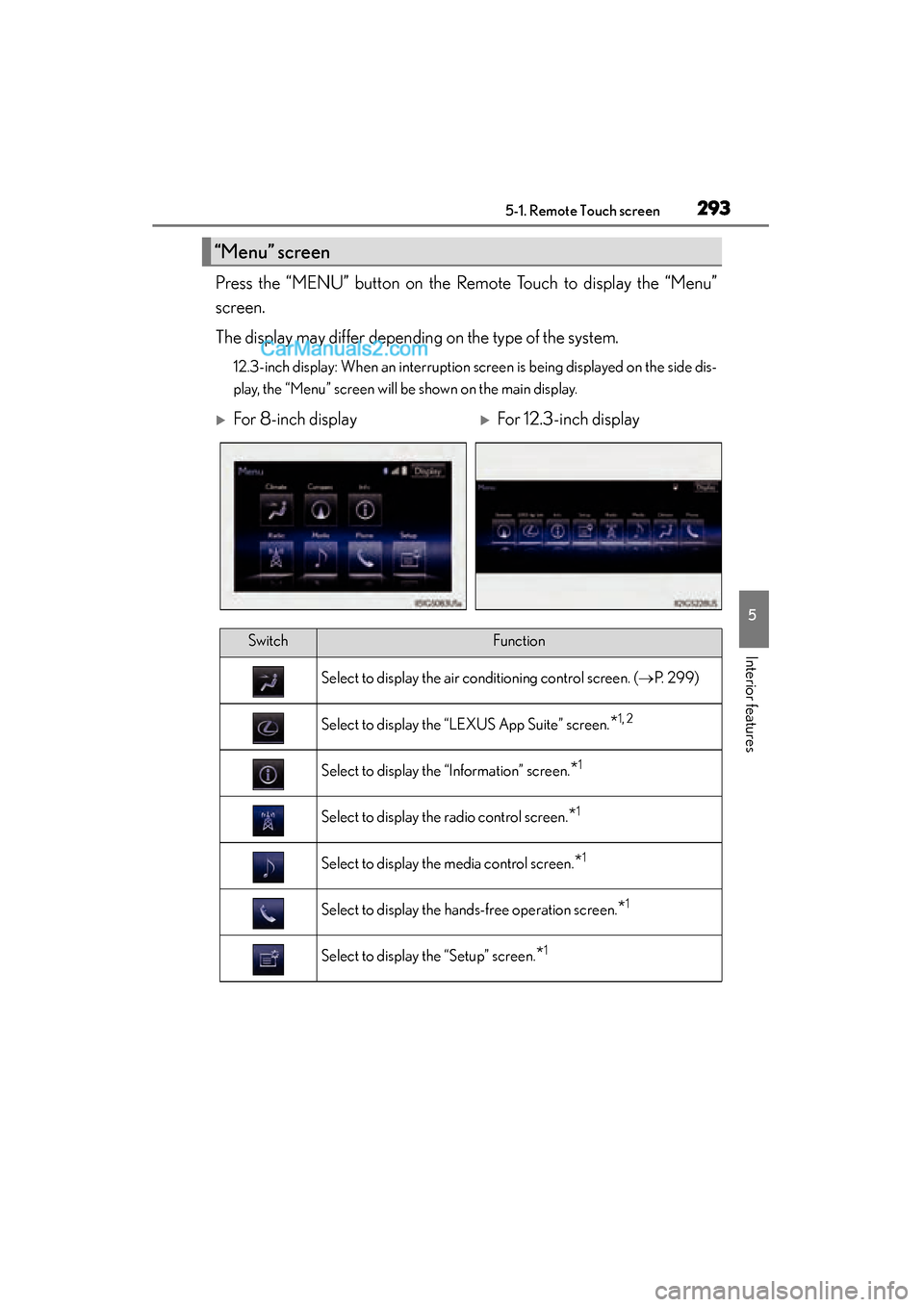
Press the “MENU” button on the Remote Touch to display the “Menu”
screen.
The display may differ depending on the type of the system.
12.3-inch display: When an interruption screen is being displayed on the side dis-
play, the “Menu” screen will be shown on the main display.
“Menu” screen
XFor 8-inch displayXFor 12.3-inch display
SwitchFunction
Select to display the air conditioning control screen. (→P. 299)
Select to display the “LEXUS App Suite” screen.*1, 2
Select to display the “Information” screen.*1
Select to display the radio control screen.*1
Select to display the media control screen.*1
Select to display the hands-free operation screen.*1
Select to display the “Setup” screen.*1
GS350_OM_OM30F69U_(U).book Page 293 Monday, January 19, 2015 2:53 PM
Page 298 of 615
296
GS350_OM_OM30F69U_(U)
5-1. Remote Touch screen
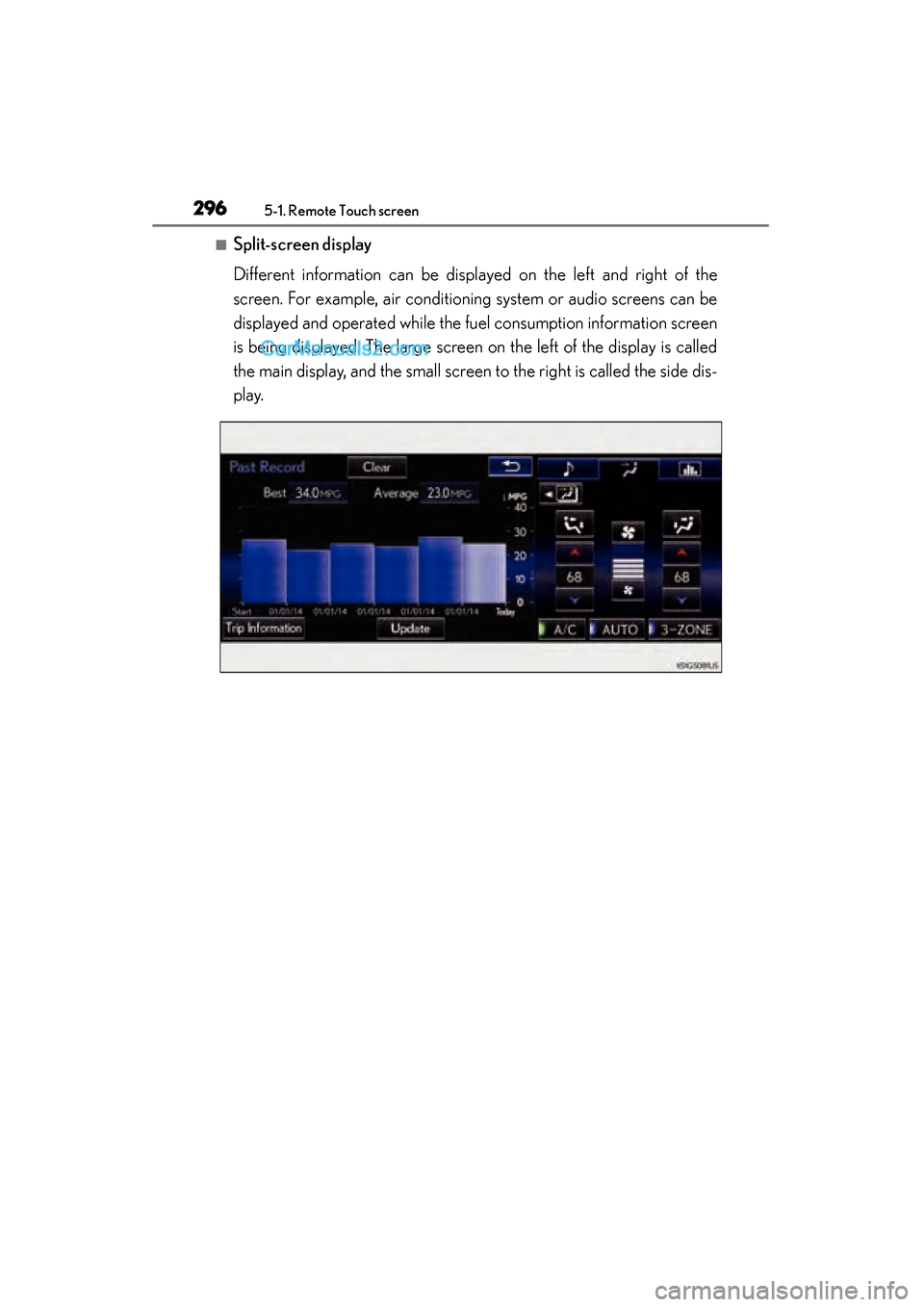
■Split-screen display
Different information can be displayed on the left and right of the
screen. For example, air conditioning system or audio screens can be
displayed and operated while the fuel consumption information screen
is being displayed. The large screen on the left of the display is called
the main display, and the small screen to the right is called the side dis-
play.
GS350_OM_OM30F69U_(U).book Page 296 Monday, January 19, 2015 2:53 PM
Page 300 of 615
298
GS350_OM_OM30F69U_(U)
5-1. Remote Touch screen
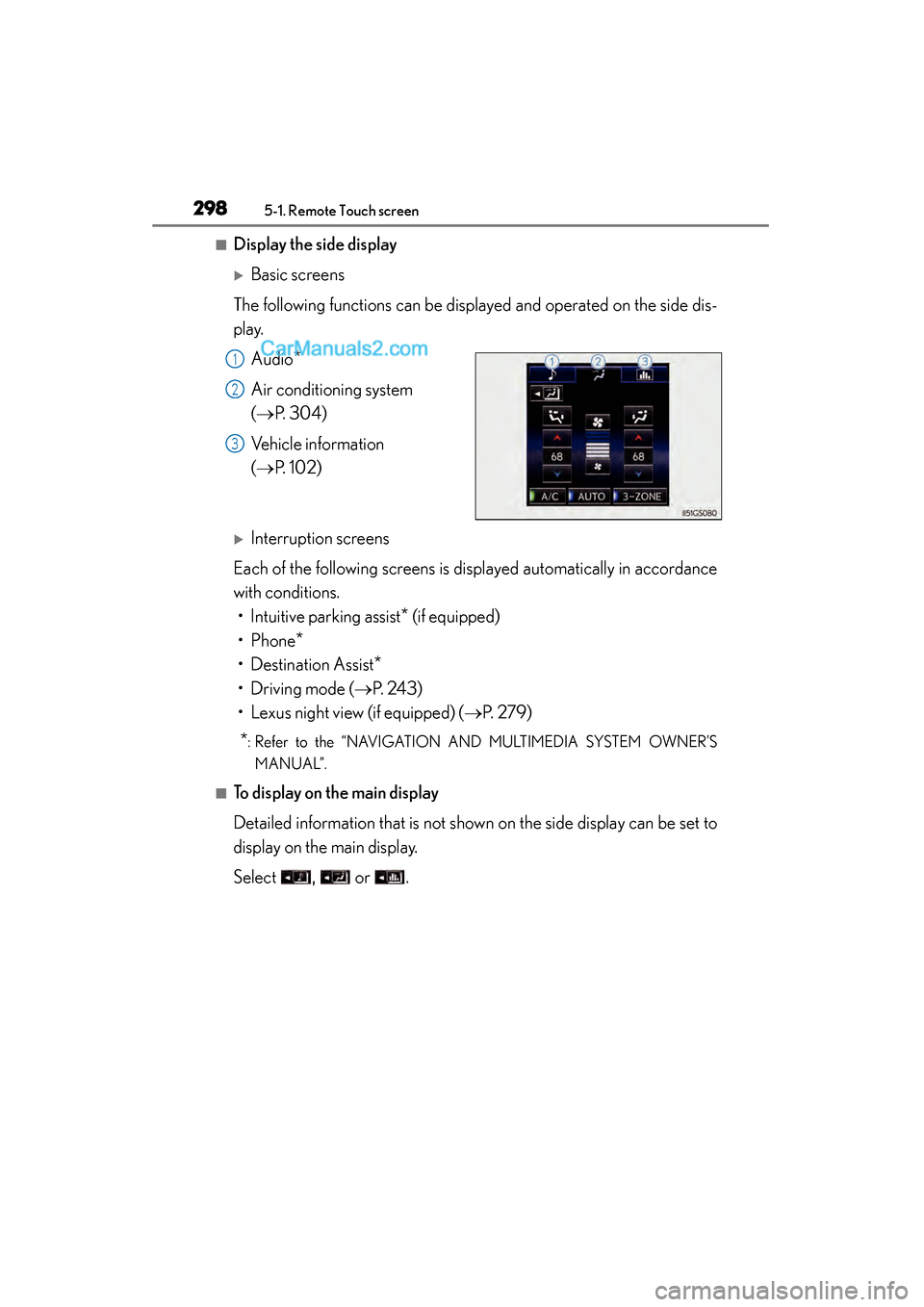
■Display the side display
XBasic screens
The following functions can be displayed and operated on the side dis-
play. Audio
*
Air conditioning system
(→ P. 304)
Vehicle information
(→ P. 1 0 2 )
XInterruption screens
Each of the following screens is displayed automatically in accordance
with conditions. • Intuitive parking assist
* (if equipped)
•Phone
*
• Destination Assist*
• Driving mode (→ P. 243)
• Lexus night view (if equipped) ( →P. 2 7 9 )
*: Refer to the “NAVIGATION AND MULTIMEDIA SYSTEM OWNER’S
MANUAL”.
■To display on the main display
Detailed information that is not shown on the side display can be set to
display on the main display.
Select , or .
1
2
3
GS350_OM_OM30F69U_(U).book Page 298 Monday, January 19, 2015 2:53 PM
Page 301 of 615
299
GS350_OM_OM30F69U_(U)5-2. Using the air conditioning system and defogger
5
Interior features
Front automatic air conditioning system
Air outlets and fan speed are automat ically adjusted according to the
temperature setting.
Press the “MENU” button on the Remote Touch, then select to
display the air conditioning operation screen.
Vehicles with a 12.3-inch display: The air conditioning system can be
displayed and operated on the side display. ( →P. 2 9 5 )
The display and button positions will di ffer depending on the type of the
system.
GS350_OM_OM30F69U_(U).book Page 299 Monday, January 19, 2015 2:53 PM
Page 302 of 615
300
GS350_OM_OM30F69U_(U)
5-2. Using the air conditioning system and defogger
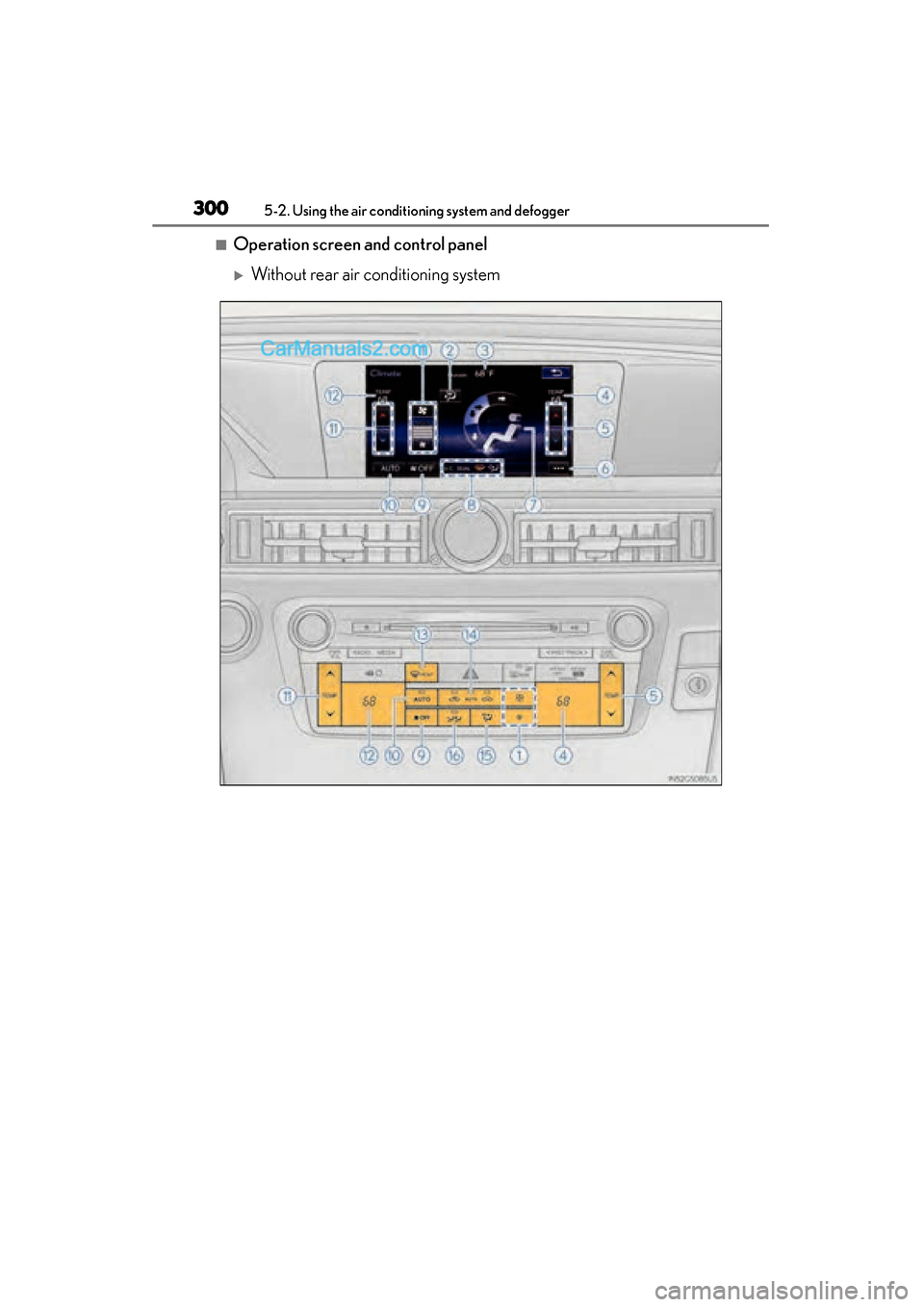
■Operation screen and control panel
XWithout rear air conditioning system
GS350_OM_OM30F69U_(U).book Page 300 Monday, January 19, 2015 2:53 PM
Page 303 of 615
GS350_OM_OM30F69U_(U)
3015-2. Using the air conditioning system and defogger
5
Interior features
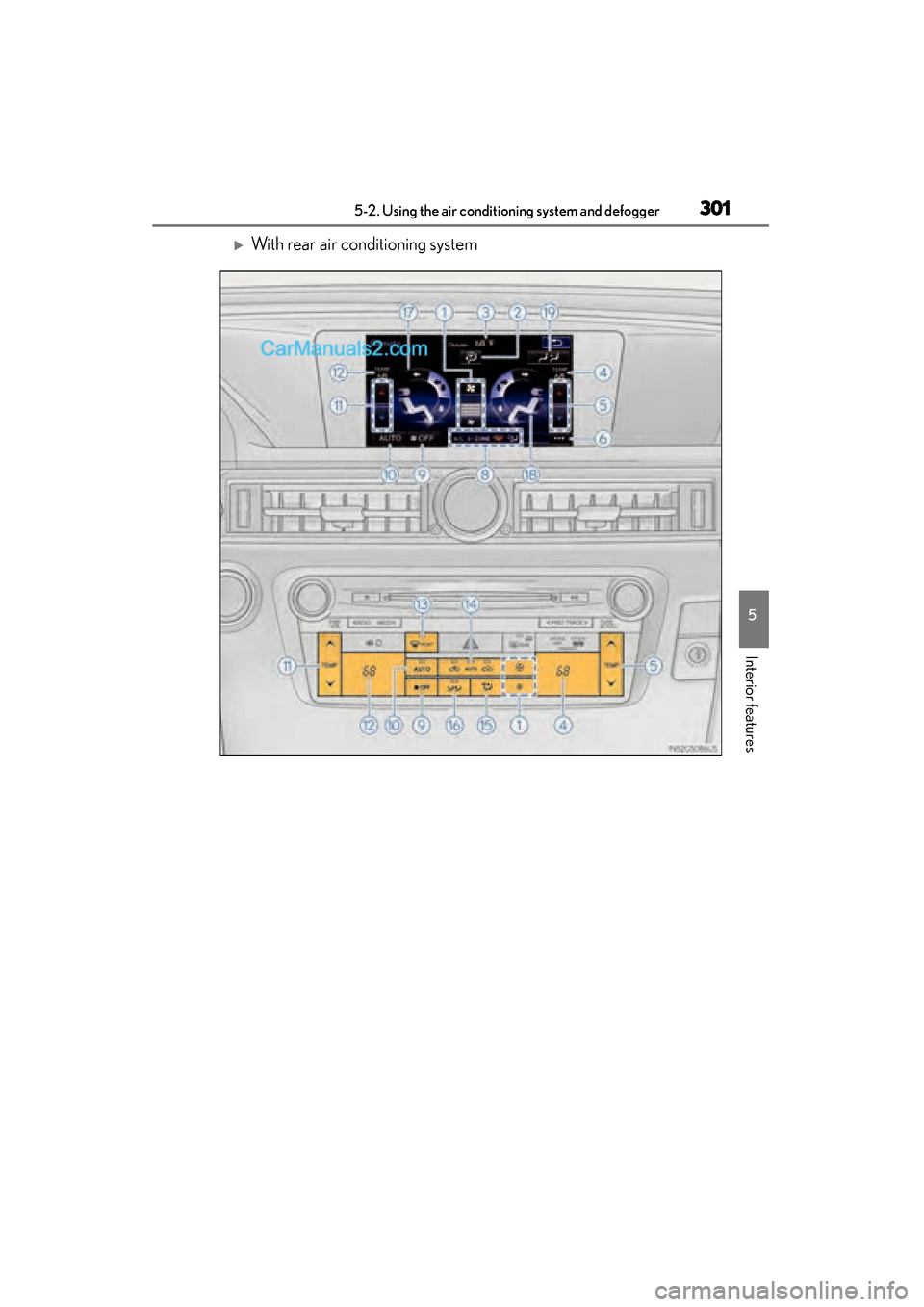
XWith rear air conditioning system
GS350_OM_OM30F69U_(U).book Page 301 Monday, January 19, 2015 2:53 PM
Page 304 of 615
302
GS350_OM_OM30F69U_(U)
5-2. Using the air conditioning system and defogger
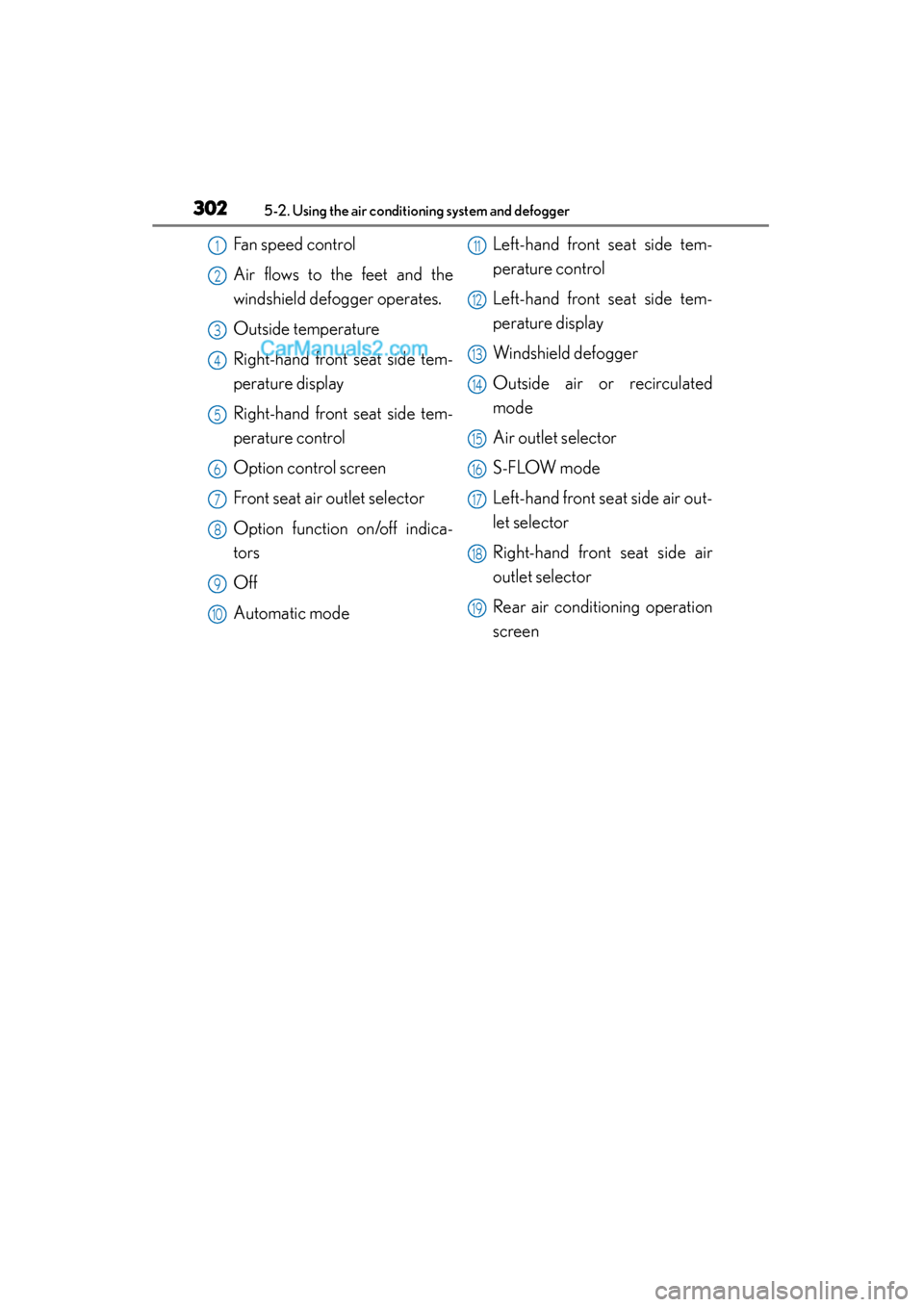
Fan speed control
Air flows to the feet and the
windshield defogger operates.
Outside temperature
Right-hand front seat side tem-
perature display
Right-hand front seat side tem-
perature control
Option control screen
Front seat air outlet selector
Option function on/off indica-
tors
Off
Automatic modeLeft-hand front seat side tem-
perature control
Left-hand front seat side tem-
perature display
Windshield defogger
Outside air or recirculated
mode
Air outlet selector
S-FLOW mode
Left-hand front seat side air out-
let selector
Right-hand front seat side air
outlet selector
Rear air conditioning operation
screen1
2
3
4
5
6
7
8
9
10
11
12
13
14
15
16
17
18
19
GS350_OM_OM30F69U_(U).book Page 302 Monday, January 19, 2015 2:53 PM
Page 305 of 615
GS350_OM_OM30F69U_(U)
3035-2. Using the air conditioning system and defogger
5
Interior features
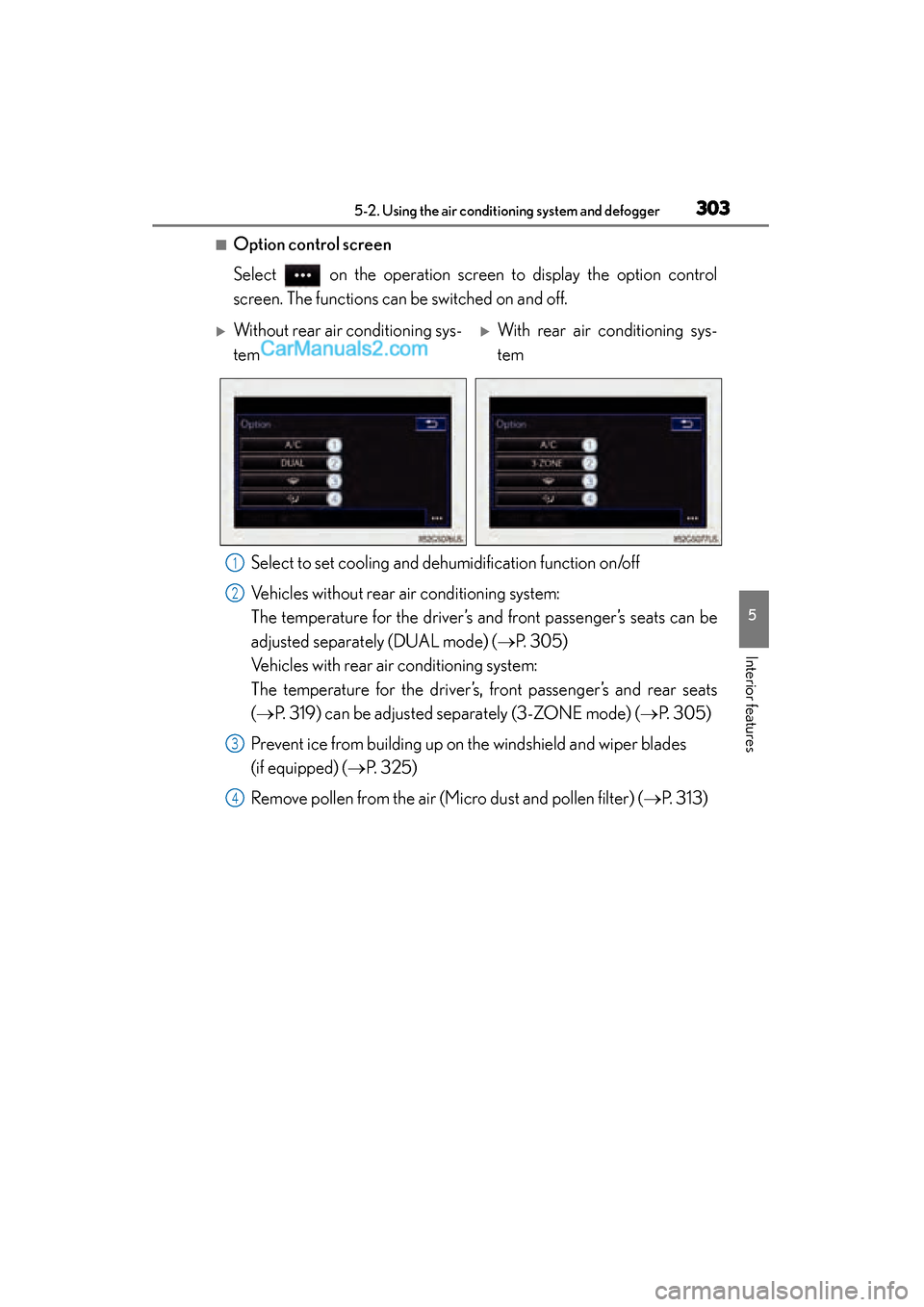
■Option control screen
Select on the operation screen to display the option control
screen. The functions can be switched on and off.Select to set cooling and de humidification function on/off
Vehicles without rear air conditioning system:
The temperature for the driver’s and front passenger’s seats can be
adjusted separately (DUAL mode) ( →P. 305)
Vehicles with rear air conditioning system:
The temperature for the driver’s, front passenger’s and rear seats
(→ P. 319) can be adjusted separately (3-ZONE mode) ( →P. 305)
Prevent ice from building up on the windshield and wiper blades
(if equipped) ( →P. 325)
Remove pollen from the air (Micro dust and pollen filter) ( →P. 313)
XWithout rear air conditioning sys-
temXWith rear air conditioning sys-
tem
1
2
3
4
GS350_OM_OM30F69U_(U).book Page 303 Monday, January 19, 2015 2:53 PM
Page 306 of 615
304
GS350_OM_OM30F69U_(U)
5-2. Using the air conditioning system and defogger
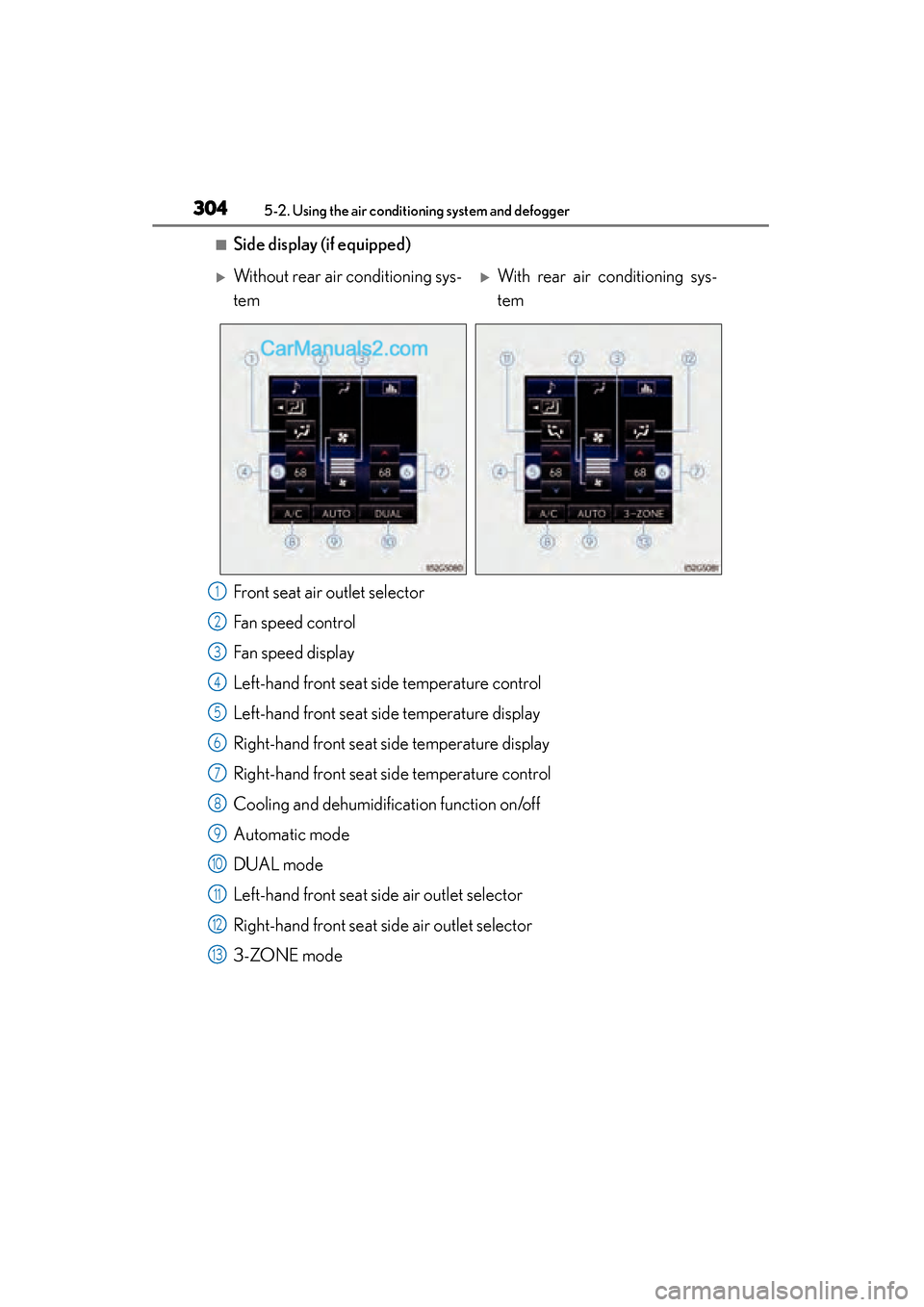
■Side display (if equipped)
Front seat air outlet selector
Fan speed control
Fan speed display
Left-hand front seat side temperature control
Left-hand front seat side temperature display
Right-hand front seat side temperature display
Right-hand front seat side temperature control
Cooling and dehumidification function on/off
Automatic mode
DUAL mode
Left-hand front seat side air outlet selector
Right-hand front seat side air outlet selector
3-ZONE mode
XWithout rear air conditioning sys-
temXWith rear air conditioning sys-
tem
1
2
3
4
5
6
7
8
9
10
11
12
13
GS350_OM_OM30F69U_(U).book Page 304 Monday, January 19, 2015 2:53 PM