ESP Lexus GS350 2015 Owner's Guide
[x] Cancel search | Manufacturer: LEXUS, Model Year: 2015, Model line: GS350, Model: Lexus GS350 2015Pages: 615, PDF Size: 12.93 MB
Page 223 of 615
GS350_OM_OM30F69U_(U)
2214-5. Using the driving support systems
4
Driving
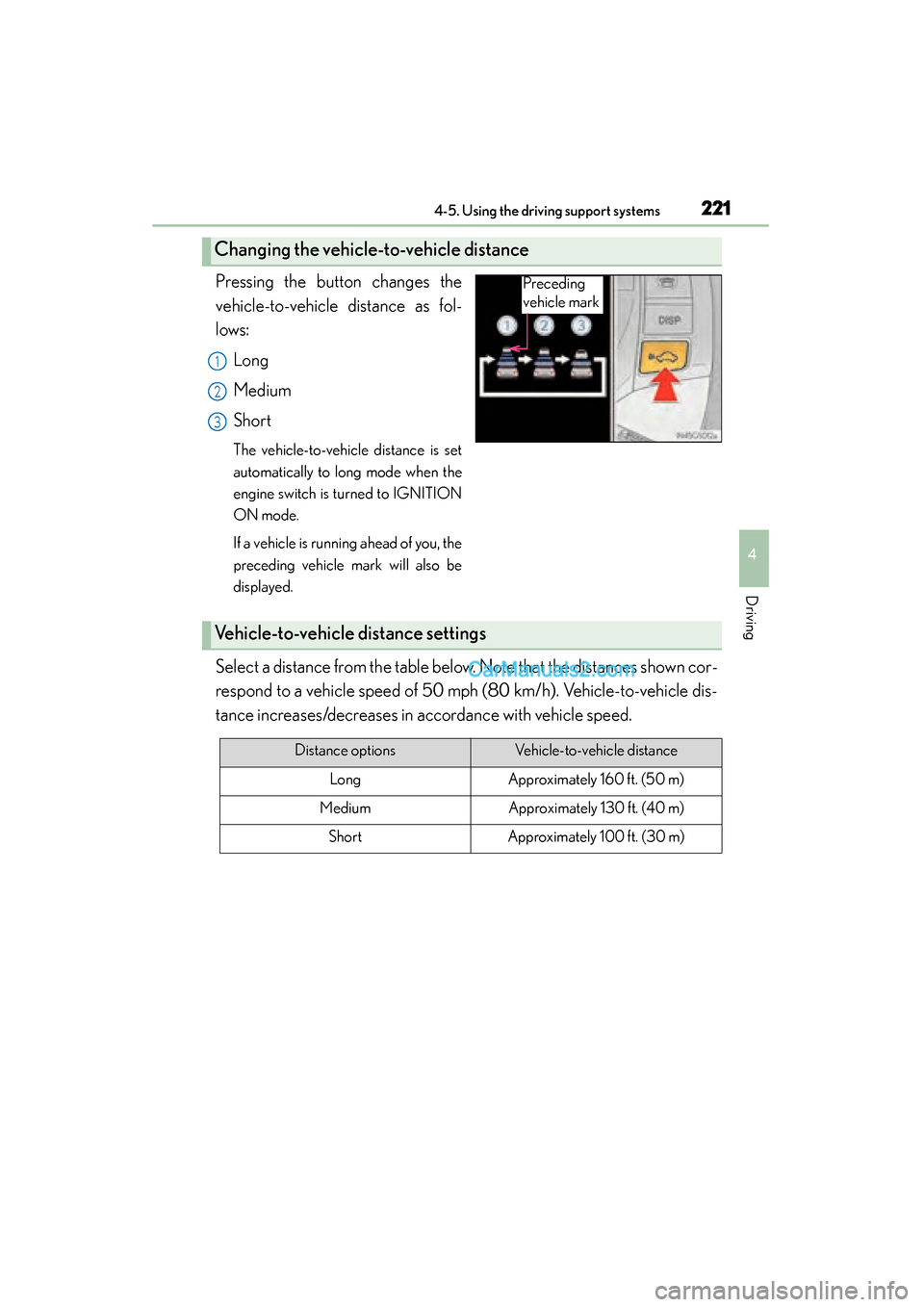
Pressing the button changes the
vehicle-to-vehicle distance as fol-
lows:Long
Medium
Short
The vehicle-to-vehicle distance is set
automatically to long mode when the
engine switch is turned to IGNITION
ON mode.
If a vehicle is running ahead of you, the
preceding vehicle mark will also be
displayed.
Select a distance from the table below. Note that the distances shown cor-
respond to a vehicle speed of 50 mph (80 km/h). Vehicle-to-vehicle dis-
tance increases/decreases in accordance with vehicle speed.
Changing the vehicle-to-vehicle distance
Preceding
vehicle mark
1
2
3
Vehicle-to-vehicle distance settings
Distance optionsVehicle-to-vehicle distance
LongApproximately 160 ft. (50 m)
MediumApproximately 130 ft. (40 m)
ShortApproximately 100 ft. (30 m)
GS350_OM_OM30F69U_(U).book Page 221 Monday, January 19, 2015 2:53 PM
Page 230 of 615

228
GS350_OM_OM30F69U_(U)
4-5. Using the driving support systems
■Certification
XFor vehicles sold in the U.S.A.
FCC ID: HYQDNMWR004
This device complies with Part 15 of the FCC Rules. Operation is subject to the fol-
lowing two conditions: (1) This device may not cause harmful interference, and (2)
this device must accept any interference received, including interference that may
cause undesired operation.
FCC WARNING
Changes or modifications not expressly approved by the party responsible for com-
pliance could void the user’s authority to operate the equipment.
Radiofrequency radiation exposure Information:
This equipment complies with FCC radiation exposure limits set forth for an uncon-
trolled environment.
This equipment should be installed and operated with minimum distance of 20 cm
between the radiator (antenna) and your body.
This transmitter must not be co-located or operating in conjunction with any other
antenna or transmitter.
XFor vehicles sold in Canada
This device complies with Industry Canada licence-exempt RSS standards. Opera-
tion is subject to the following two conditions: (1) this device may not cause interfer-
ence, and (2) this device must accept any interference, including interference that
may cause undesired operation of the device.
GS350_OM_OM30F69U_(U).book Page 228 Monday, January 19, 2015 2:53 PM
Page 242 of 615
240
GS350_OM_OM30F69U_(U)
4-5. Using the driving support systems
●When driving on winding roads or roads that are uneven
●When driving on rough or unpaved roads
■When changing the tires
Depending on the tires used, sufficient performance may not be maintainable.
■Warning messages for LKA
Warning messages are used to indicate a system malfunction or to inform the driver
of the need for caution while driving. (→P. 481, 489)
CAUTION
■Before using the LKA system
Do not rely solely on the LKA system. The LKA system does not drive the vehicle
automatically, nor does it reduce the amount of care you need to take. As such, the
driver must always assume full responsibility for understanding his/her surround-
ings, for operating the steering wheel to correct the driving line, and for driving
safely.
Inappropriate or negligent driving could lead to an accident.
■To avoid operating the LKA by mistake
Switch the LKA off using the “LKA” switch when not in use.
GS350_OM_OM30F69U_(U).book Page 240 Monday, January 19, 2015 2:53 PM
Page 246 of 615
244
GS350_OM_OM30F69U_(U)
4-5. Using the driving support systems
Sport mode
Assists acceleration response by controlling the transmission and
steering. Suitable for when precise handling is desirable, for example
when driving on mountain roads.
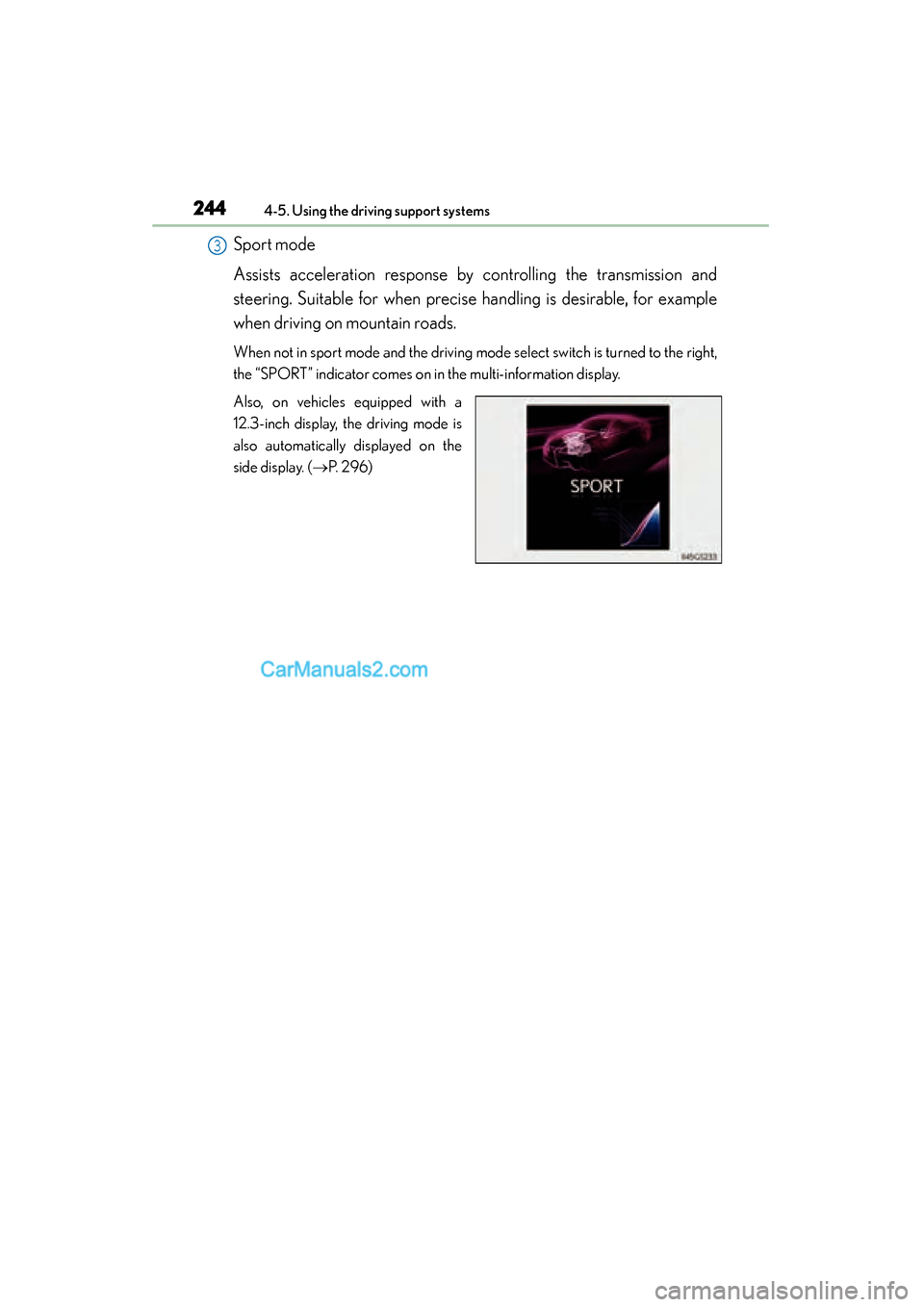
When not in sport mode and the driving mode select switch is turned to the right,
the “SPORT” indicator comes on in the multi-information display.
Also, on vehicles equipped with a
12.3-inch display, the driving mode is
also automatically displayed on the
side display. (→P. 296)
3
GS350_OM_OM30F69U_(U).book Page 244 Monday, January 19, 2015 2:53 PM
Page 248 of 615
246
GS350_OM_OM30F69U_(U)
4-5. Using the driving support systems
Sport mode• SPORT S mode
Assists acceleration response by controlling the transmission.
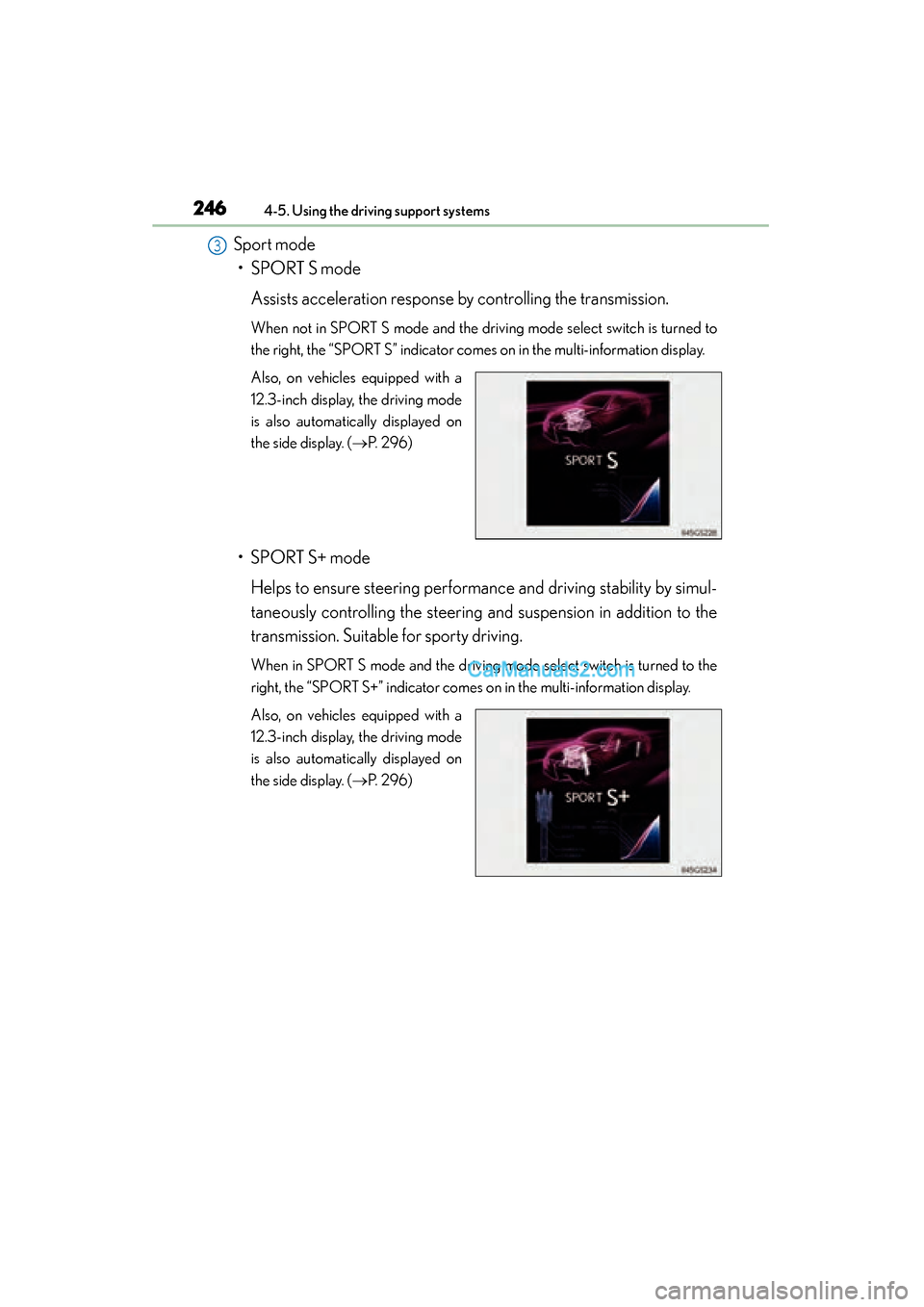
When not in SPORT S mode and the driv ing mode select switch is turned to
the right, the “SPORT S” indicator comes on in the multi-information display.
Also, on vehicles equipped with a
12.3-inch display, the driving mode
is also automatically displayed on
the side display. ( →P. 2 9 6 )
• SPORT S+ mode
Helps to ensure steering performance and driving stability by simul-
taneously controlling the steering and suspension in addition to the
transmission. Suitable for sporty driving.
When in SPORT S mode and the driving mode select switch is turned to the
right, the “SPORT S+” indicator comes on in the multi-information display.
Also, on vehicles equipped with a
12.3-inch display, the driving mode
is also automatically displayed on
the side display. ( →P. 2 9 6 )
3
GS350_OM_OM30F69U_(U).book Page 246 Monday, January 19, 2015 2:53 PM
Page 250 of 615
248
GS350_OM_OM30F69U_(U)
4-5. Using the driving support systems
Driving assist systems
◆ABS (Anti-lock Brake System)
Helps to prevent wheel lock when the brakes are applied suddenly, or if
the brakes are applied while driving on a slippery road surface
◆Brake assist
Generates an increased level of braking force after the brake pedal is
depressed when the system detects a panic stop situation
◆VSC (Vehicle Stability Control)
Helps the driver to control skidding when swerving suddenly or turning
on slippery road surfaces
◆Enhanced VSC (Enhanced Vehicle Stability Control)
Provides cooperative control of the ABS, TRAC, VSC and EPS.
Helps to maintain directional stability when swerving on slippery road
surfaces by controlling steering performance.
◆TRAC (Traction Control)
Helps to maintain drive power and prevent the drive wheels from spin-
ning when starting the vehicle or accelerating on slippery roads
◆Hill-start assist control
→ P. 2 5 6
◆VGRS (Variable Gear Rati o Steering) (if equipped)
Adjusts the front wheel turning angle in accordance with the vehicle
speed and steering wheel movement
To help enhance driving safety and performance, the following systems
operate automatically in response to various driving situations. Be
aware, however, that these systems are supplementary and should not
be relied upon too heavily when operating the vehicle.
GS350_OM_OM30F69U_(U).book Page 248 Monday, January 19, 2015 2:53 PM
Page 251 of 615
GS350_OM_OM30F69U_(U)
2494-5. Using the driving support systems
4
Driving
◆DRS (Dynamic Rear Steering) (if equipped)
Contributes to the turning characteristics and responsiveness of the
vehicle by slightly adjusting the rear wheel angle of the vehicle in accor-
dance with steering wheel movement
◆EPS (Electric Power Steering)
Employs an electric motor to reduce the amount of effort needed to
turn the steering wheel
◆AVS (Adaptive Variable Suspension system) (if equipped)
By independently controlling the damping force of the shock absorbers
for each of the 4 wheels according to the road and driving conditions,
this system helps riding comfort with superior steering stability, and
helps good vehicle posture
When SPORT S+ mode is selected by the driving mode select switch,
the damping force is suitable for sporty driving ( →P. 245)
◆LDH (Lexus Dynamic Handling system) (if equipped)
Provides independent control of the VGRS, DRS and EPS. Contributes
to turning characteristics at low speeds, responsiveness at medium
speeds and safety at high speeds by controlling the steering angle of
the front and rear wheels in accordance with the steering wheel opera-
tion and vehicle speed
◆VDIM (Vehicle Dynamics Integrated Management)
Provides integrated control of the ABS, brake assist, TRAC, VSC, hill-
start assist control, EPS, VGRS (if equipped) and DRS (if equipped)
systems
Helps to maintain vehicle stability when swerving on slippery road sur-
faces by controlling the brakes, engine output, steering assist, and
steering ratio and rear wheel angle
◆PCS (Pre-Collision System) (if equipped)
→ P. 2 5 8
GS350_OM_OM30F69U_(U).book Page 249 Monday, January 19, 2015 2:53 PM
Page 256 of 615
254
GS350_OM_OM30F69U_(U)
4-5. Using the driving support systems
CAUTION
■The ABS does not operate effectively when
●The limits of tire gripping performance have been exceeded (such as excessively
worn tires on a snow covered road).
●The vehicle hydroplanes while driving at high speed on wet or slick roads.
■Stopping distance when the ABS is operating may exceed that of normal condi-
tions
The ABS is not designed to shorten the vehicle’s stopping distance. Always main-
tain a safe distance from the vehicle in front of you, especially in the following situa-
tions:
●When driving on dirt, gravel or snow-covered roads
●When driving with tire chains
●When driving over bumps in the road
●When driving over roads with potholes or uneven surfaces
■TRAC may not operate effectively when
Directional control and power may not be achievable while driving on slippery
road surfaces, even if the TRAC system is operating.
Drive the vehicle carefully in conditions where stability and power may be lost.
■When the VSC is activated
The slip indicator light flashes. Always drive carefully. Reckless driving may cause
an accident. Exercise particular care when the indicator light flashes.
■When the TRAC/VSC systems are turned off
Be especially careful and drive at a speed appropriate to the road conditions. As
these are the systems to help ensure vehicle stability and driving force, do not turn
the TRAC/VSC systems off unless necessary.
GS350_OM_OM30F69U_(U).book Page 254 Monday, January 19, 2015 2:53 PM
Page 261 of 615
GS350_OM_OM30F69U_(U)
2594-5. Using the driving support systems
4
Driving
◆Suspension control (if equipped)
When the system determines that there is a high possibility of a frontal
collision, the operation of AVS ( →P. 249) optimally controls the damp-
ing force of the shock absorber.
◆Steering control (if equipped)
XVehicles with VGRS
There is a high possibility of collision and if the steering wheel is oper-
ated, the steering gear ratio is changed by VGRS to help improve the
response to steering input.
XVehicles with LDH
There is a high possibility of collision and if the steering wheel is oper-
ated, the steering angles of the front and rear wheels and the heaviness
of the steering wheel are controlled by LDH, thus heightening respon-
siveness in response to the steering operation.
◆Driver monitor sy stem (if equipped)
When the system determines that there is a possibility of a collision, and
either the driver is not facing forward or the driver’s eyes are closed,
PCS warnings are given in advance to warn the driver. If the system
determines that the conditions to operate pre-collision alert braking
have been met even when the possibility of a collision increases further,
pre-collision alert braking will operate.
GS350_OM_OM30F69U_(U).book Page 259 Monday, January 19, 2015 2:53 PM
Page 265 of 615

GS350_OM_OM30F69U_(U)
2634-5. Using the driving support systems
4
Driving
■Automatic cancelation of the pre-collision system
When a malfunction occurs due to sensor contamination, etc. that results in the sen-
sors being unable to detect obstacles, the pre-collision system will be automatically
disabled. In this case, the system will not activate even if there is a collision possibility.
■When there is a malfunction in the system, or if the system is temporarily unusable
“PCS” warning light will flash and warning messages will be displayed.
(→ P. 470, 480)
■Certification
XFor vehicles sold in the U.S.A.
FCC ID: HYQDNMWR004
This device complies with Part 15 of the FCC Rules. Operation is subject to the fol-
lowing two conditions: (1) This device may not cause harmful interference, and (2)
this device must accept any interference received, including interference that may
cause undesired operation.
FCC WARNING
Changes or modifications not expressly approved by the party responsible for com-
pliance could void the user’s authority to operate the equipment.
Radiofrequency radiation exposure Information:
This equipment complies with FCC radiation exposure limits set forth for an uncon-
trolled environment.
This equipment should be installed and operated with minimum distance of 20 cm
between the radiator (antenna) and your body.
This transmitter must not be co-located or operating in conjunction with any other
antenna or transmitter.
XFor vehicles sold in Canada
This device complies with Industry Canada licence-exempt RSS standards. Opera-
tion is subject to the following two conditions: (1) this device may not cause interfer-
ence, and (2) this device must accept any interference, including interference that
may cause undesired operation of the device.
GS350_OM_OM30F69U_(U).book Page 263 Monday, January 19, 2015 2:53 PM