warning Lexus GS350 2016 Service Manual
[x] Cancel search | Manufacturer: LEXUS, Model Year: 2016, Model line: GS350, Model: Lexus GS350 2016Pages: 624, PDF Size: 15.29 MB
Page 213 of 624
GS350_200t_GS F_OM_OM30E86U_(U)
2134-2. Driving procedures
4
Driving
■When the parking brake is set automatically while the system is holding the brakes
The parking brake will not be released auto matically. Perform one of the following proce-
dures to release the parking brake and conf irm that the parking brake indicator light
turns off. ( P. 2 1 0 )
●With the brake pedal depressed, operate the parking brake switch.
●Fasten your seat belt, check that the shift leve r is in either D or R and slowly depress the
accelerator pedal.
■Warning message and buzzers
Warning messages and buzzers are used to indicate a system malfunction or to inform
the driver of the need for caution. ( P. 4 5 9 )
WA R N I N G
■When the vehicle is on a steep incline
When using the brake hold system on a stee p incline exercise caution. The brake hold
function may not hold the vehicle in such a situation.
■When stopped on a slippery road
The system cannot stop the vehicle when the gripping ability of the tires has been
exceeded. Do not use the system when stopped on a slippery road.
NOTICE
■When parking the vehicle
The brake hold system is not designed for use when parking the vehicle for a long
period of time. Turning the engine switch of f while the system is holding the brake may
release the brake, which would cause the vehicle to move. When operating the engine
switch, depress the brake pedal, set the parking brake and shift the shift lever to P.
Page 221 of 624
GS350_200t_GS F_OM_OM30E86U_(U)
2214-3. Operating the lights and wipers
4
Driving
■Temporarily lowering sensor sensitivity
The sensitivity of the sensor can be temporarily lowered.
Turn the engine switch off while the following conditions are met.
• The headlight switch is in or .
• The headlight switch lever is in high beam position.
• Automatic High Beam switch is on.
Turn the engine switch to IGNITION ON mode.
Within 30 seconds after , re peat pulling the headlight switch lever to the original
position then pushing it to the high beam po sition quickly 10 times, then leave the lever
in high beam position.
If the sensitivity is changed, the Automatic High Beam indicator is turn on and off 3
times.
Automatic High Beam (headlights) may turn on even the vehicle is stopped.
■Wa r n i n g m e s s a g e
Warning messages are used to indicate a syst em malfunction or to inform the driver of
the need for caution. ( P. 4 5 9 )
1
2
32
4
Page 237 of 624
237
GS350_200t_GS F_OM_OM30E86U_(U)4-5. Using the driving support systems
4
Driving
PCS (Pre-Collision System)
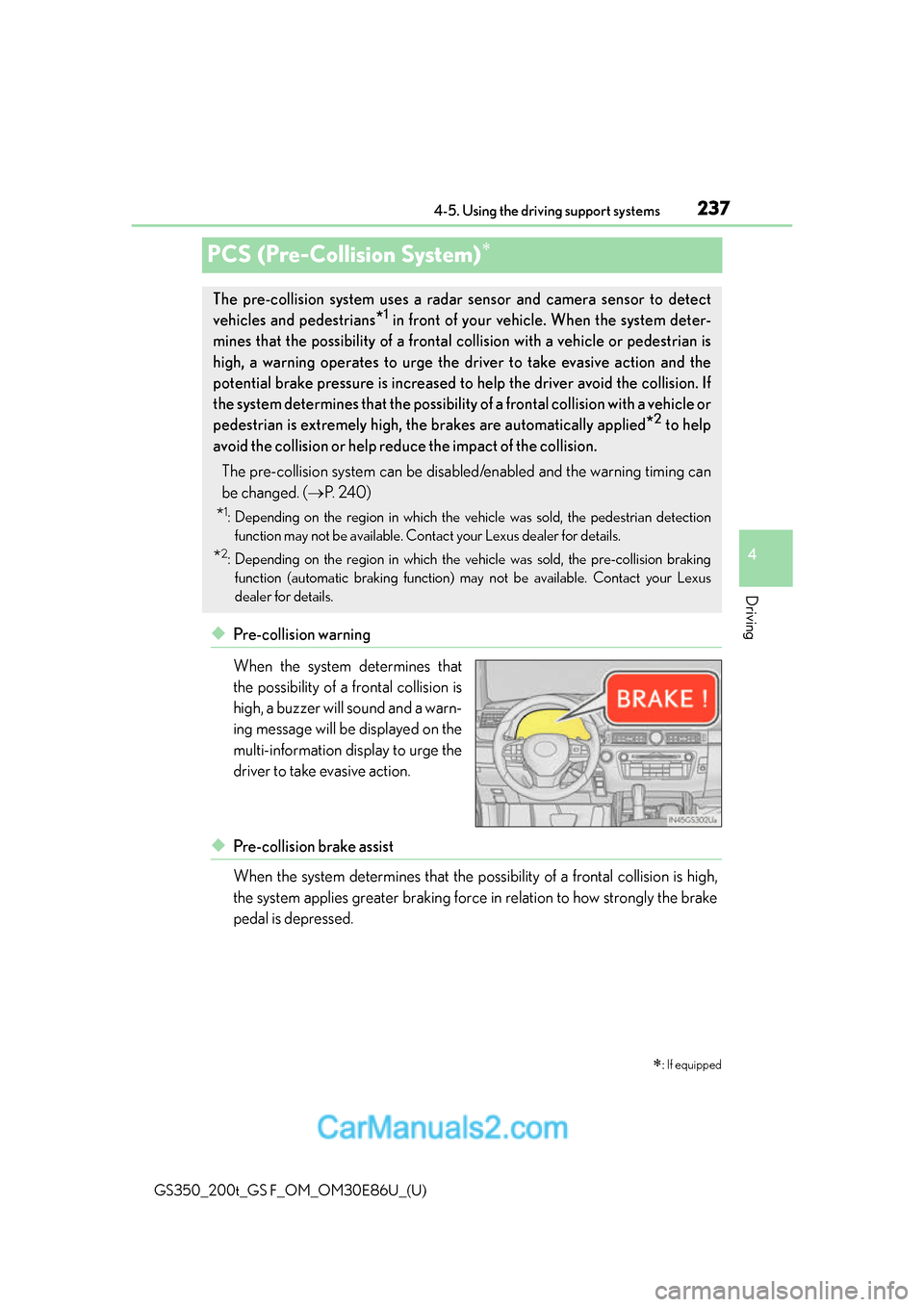
◆Pre-collision warning
When the system determines that
the possibility of a frontal collision is
high, a buzzer will sound and a warn-
ing message will be displayed on the
multi-information display to urge the
driver to take evasive action.
◆Pre-collision brake assist
When the system determines that the po
ssibility of a frontal collision is high,
the system applies greater braking force in relation to how strongly the brake
pedal is depressed.
: If equipped
The pre-collision system uses a radar sensor and camera sensor to detect
vehicles and pedestrians
*1 in front of your vehicle. When the system deter-
mines that the possibility of a frontal collision with a vehicle or pedestrian is
high, a warning operates to urge the driver to take evasive action and the
potential brake pressure is increased to help the driver avoid the collision. If
the system determines that th e possibility of a frontal collision with a vehicle or
pedestrian is extremely high, the brakes are automatically applied
*2 to help
avoid the collision or help redu ce the impact of the collision.
The pre-collision system can be disabl ed/enabled and the warning timing can
be changed. ( P. 2 4 0 )
*1: Depending on the region in which the vehicle was sold, the pedestrian detection
function may not be available. Contact your Lexus dealer for details.
*2: Depending on the region in which the vehicle was sold, the pre-collision braking
function (automatic braking function) may not be available. Contact your Lexus
dealer for details.
Page 240 of 624
240
GS350_200t_GS F_OM_OM30E86U_(U)4-5. Using the driving support systems
■Enabling/disabling the pre-collision system
The pre-collision system can be enabled/disabled on (
P. 100,
108) of the multi-information display.
The system is automatically enabled each time the engine switch is turned to IGNI-
TION ON mode.
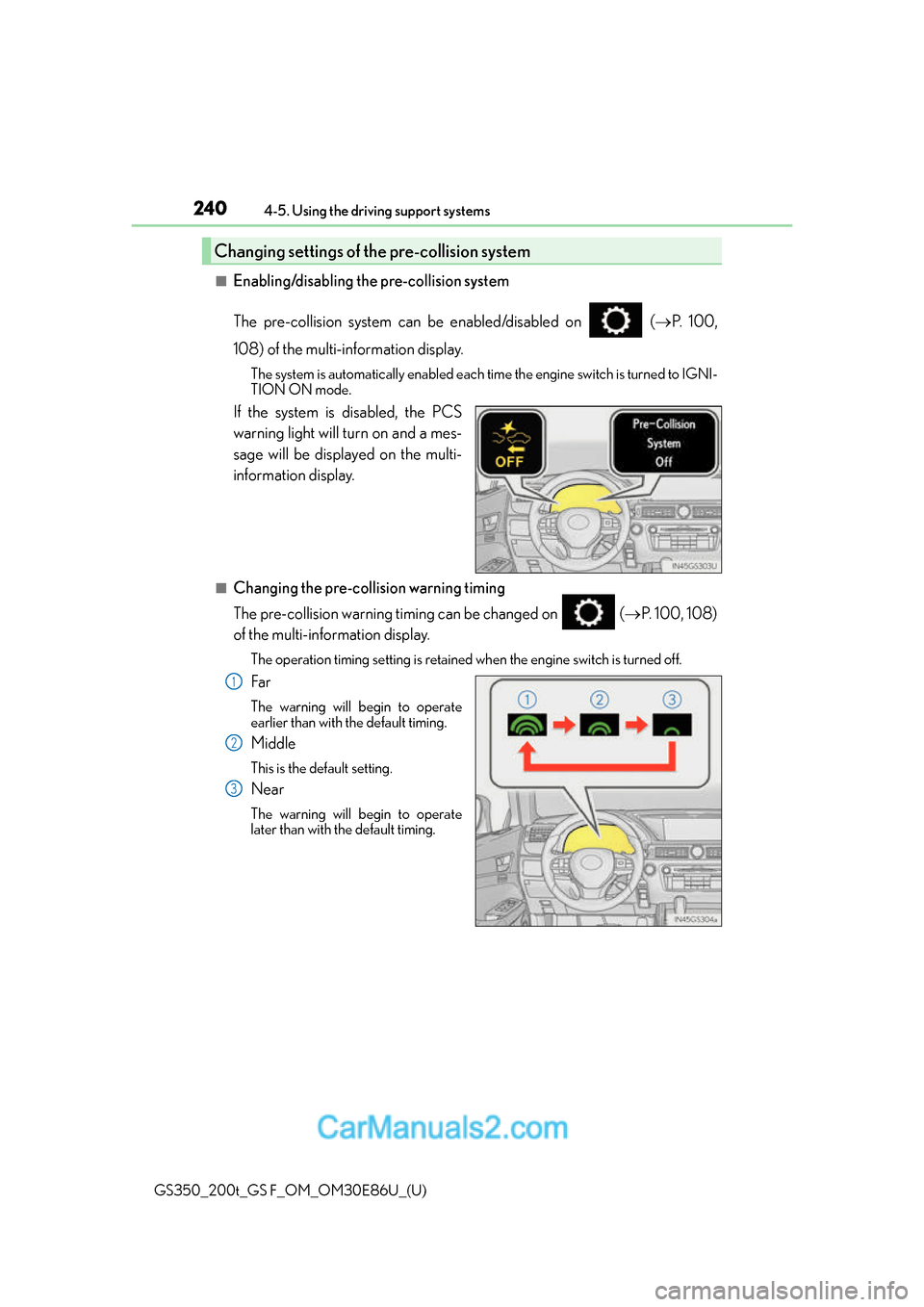
If the system is disabled, the PCS
warning light will turn on and a mes-
sage will be displayed on the multi-
information display.
■Changing the pre-col lision warning timing
The pre-collision warning timing can be changed on ( P. 100, 108)
of the multi-information display.
The operation timing setting is retained when the engine switch is turned off.
Far
The warning will begin to operate
earlier than with the default timing.
Middle
This is the default setting.
Near
The warning will begin to operate
later than with the default timing.
Changing settings of the pre-collision system
1
2
3
Page 241 of 624
GS350_200t_GS F_OM_OM30E86U_(U)
2414-5. Using the driving support systems
4
Driving
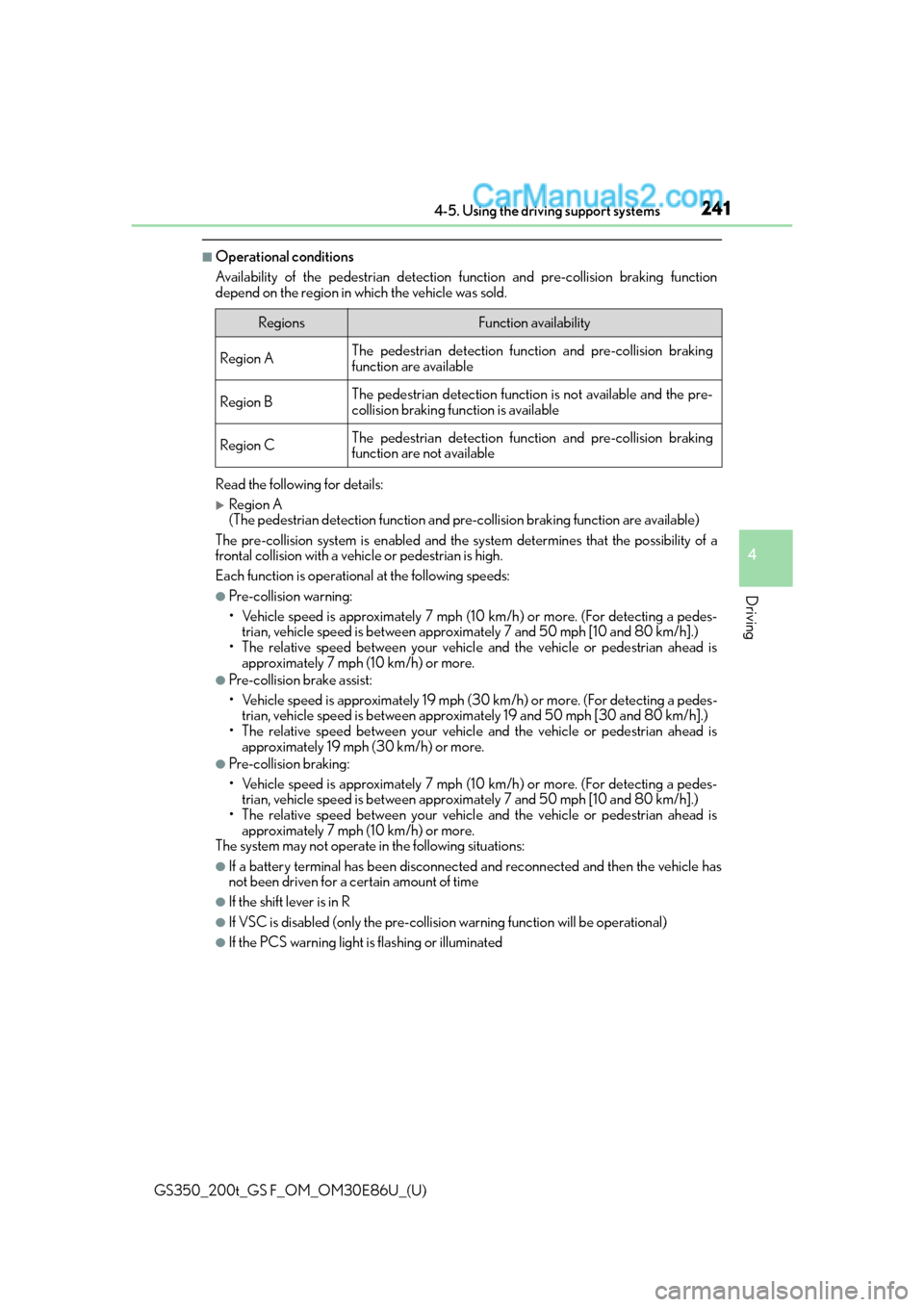
■Operational conditions
Availability of the pedestrian detection function and pre-collision braking function
depend on the region in which the vehicle was sold.
Read the following for details:
Region A
(The pedestrian detection fu nction and pre-collision braking function are available)
The pre-collision system is enabled and the sy stem determines that the possibility of a
frontal collision with a vehicle or pedestrian is high.
Each function is operationa l at the following speeds:
●Pre-collision warning:
• Vehicle speed is approximately 7 mph (1 0 km/h) or more. (For detecting a pedes-
trian, vehicle speed is between approxim ately 7 and 50 mph [10 and 80 km/h].)
• The relative speed between your vehicl e and the vehicle or pedestrian ahead is
approximately 7 mph (10 km/h) or more.
●Pre-collision brake assist:
• Vehicle speed is approximately 19 mph (3 0 km/h) or more. (For detecting a pedes-
trian, vehicle speed is between approxim ately 19 and 50 mph [30 and 80 km/h].)
• The relative speed between your vehicl e and the vehicle or pedestrian ahead is
approximately 19 mph (30 km/h) or more.
●Pre-collision braking:
• Vehicle speed is approximately 7 mph (1 0 km/h) or more. (For detecting a pedes-
trian, vehicle speed is between approxim ately 7 and 50 mph [10 and 80 km/h].)
• The relative speed between your vehicl e and the vehicle or pedestrian ahead is
approximately 7 mph (10 km/h) or more.
The system may not operate in the following situations:
●If a battery terminal has be en disconnected and reconnected and then the vehicle has
not been driven for a certain amount of time
●If the shift lever is in R
●If VSC is disabled (only the pre-collision warning function will be operational)
●If the PCS warning light is flashing or illuminated
RegionsFunction availability
Region AThe pedestrian detection function and pre-collision braking
function are available
Region BThe pedestrian detection function is not available and the pre-
collision braking function is available
Region CThe pedestrian detection function and pre-collision braking
function are not available
Page 242 of 624
242
GS350_200t_GS F_OM_OM30E86U_(U)4-5. Using the driving support systems
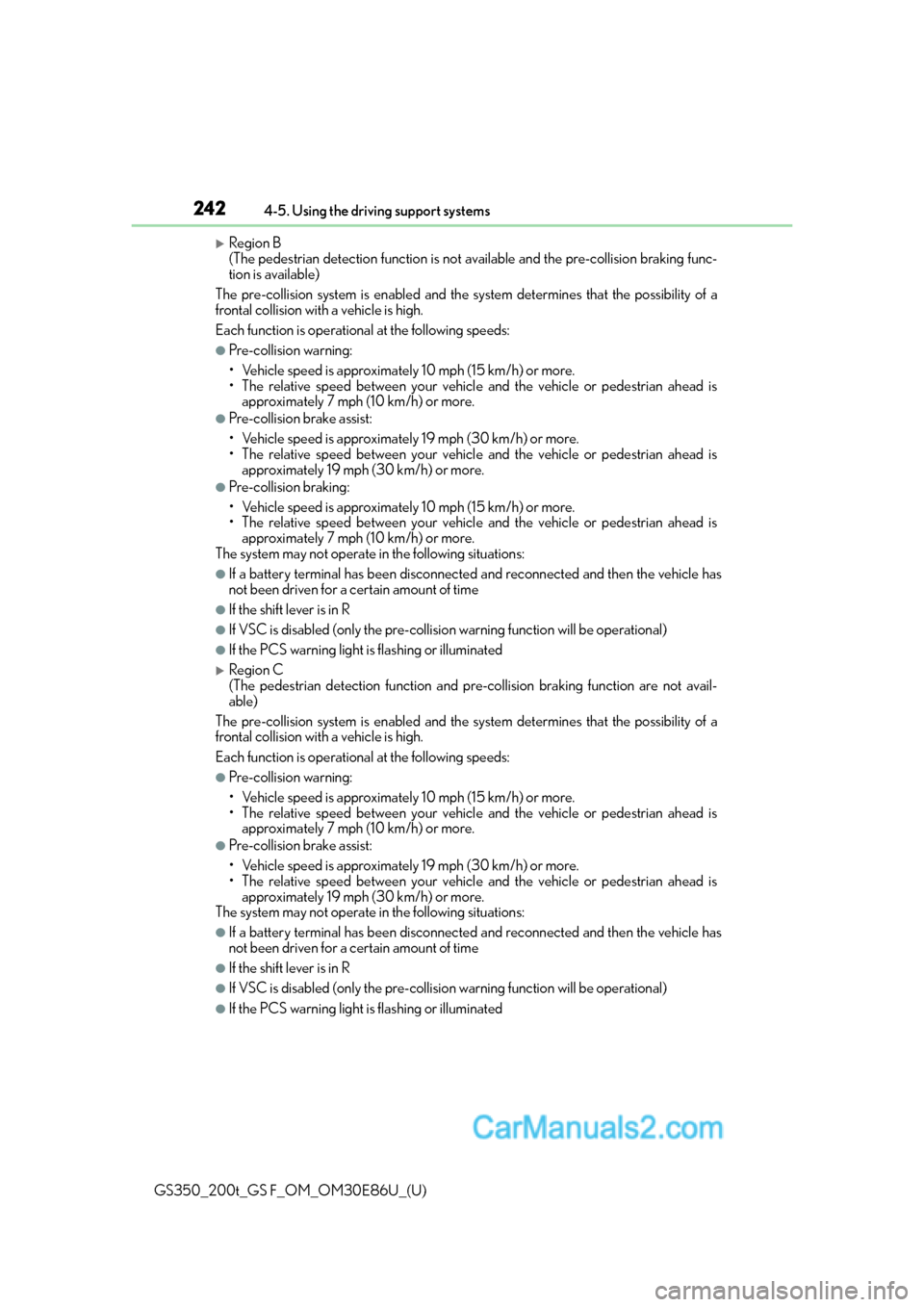
Region B
(The pedestrian detection fu
nction is not available and the pre-collision braking func-
tion is available)
The pre-collision system is enabled and the sy stem determines that the possibility of a
frontal collision with a vehicle is high.
Each function is operationa l at the following speeds:
●Pre-collision warning:
• Vehicle speed is approximately 10 mph (15 km/h) or more.
• The relative speed between your vehicl e and the vehicle or pedestrian ahead is
approximately 7 mph (10 km/h) or more.
●Pre-collision brake assist:
• Vehicle speed is approximately 19 mph (30 km/h) or more.
• The relative speed between your vehicl e and the vehicle or pedestrian ahead is
approximately 19 mph (30 km/h) or more.
●Pre-collision braking:
• Vehicle speed is approximately 10 mph (15 km/h) or more.
• The relative speed between your vehicl e and the vehicle or pedestrian ahead is
approximately 7 mph (10 km/h) or more.
The system may not operate in the following situations:
●If a battery terminal has be en disconnected and reconnected and then the vehicle has
not been driven for a certain amount of time
●If the shift lever is in R
●If VSC is disabled (only the pre-collision warning function will be operational)
●If the PCS warning light is flashing or illuminated
Region C
(The pedestrian detection function and pr e-collision braking function are not avail-
able)
The pre-collision system is enabled and the sy stem determines that the possibility of a
frontal collision with a vehicle is high.
Each function is operationa l at the following speeds:
●Pre-collision warning:
• Vehicle speed is approximately 10 mph (15 km/h) or more.
• The relative speed between your vehicl e and the vehicle or pedestrian ahead is
approximately 7 mph (10 km/h) or more.
●Pre-collision brake assist:
• Vehicle speed is approximately 19 mph (30 km/h) or more.
• The relative speed between your vehicl e and the vehicle or pedestrian ahead is
approximately 19 mph (30 km/h) or more.
The system may not operate in the following situations:
●If a battery terminal has be en disconnected and reconnected and then the vehicle has
not been driven for a certain amount of time
●If the shift lever is in R
●If VSC is disabled (only the pre-collision warning function will be operational)
●If the PCS warning light is flashing or illuminated
Page 248 of 624
248
GS350_200t_GS F_OM_OM30E86U_(U)4-5. Using the driving support systems
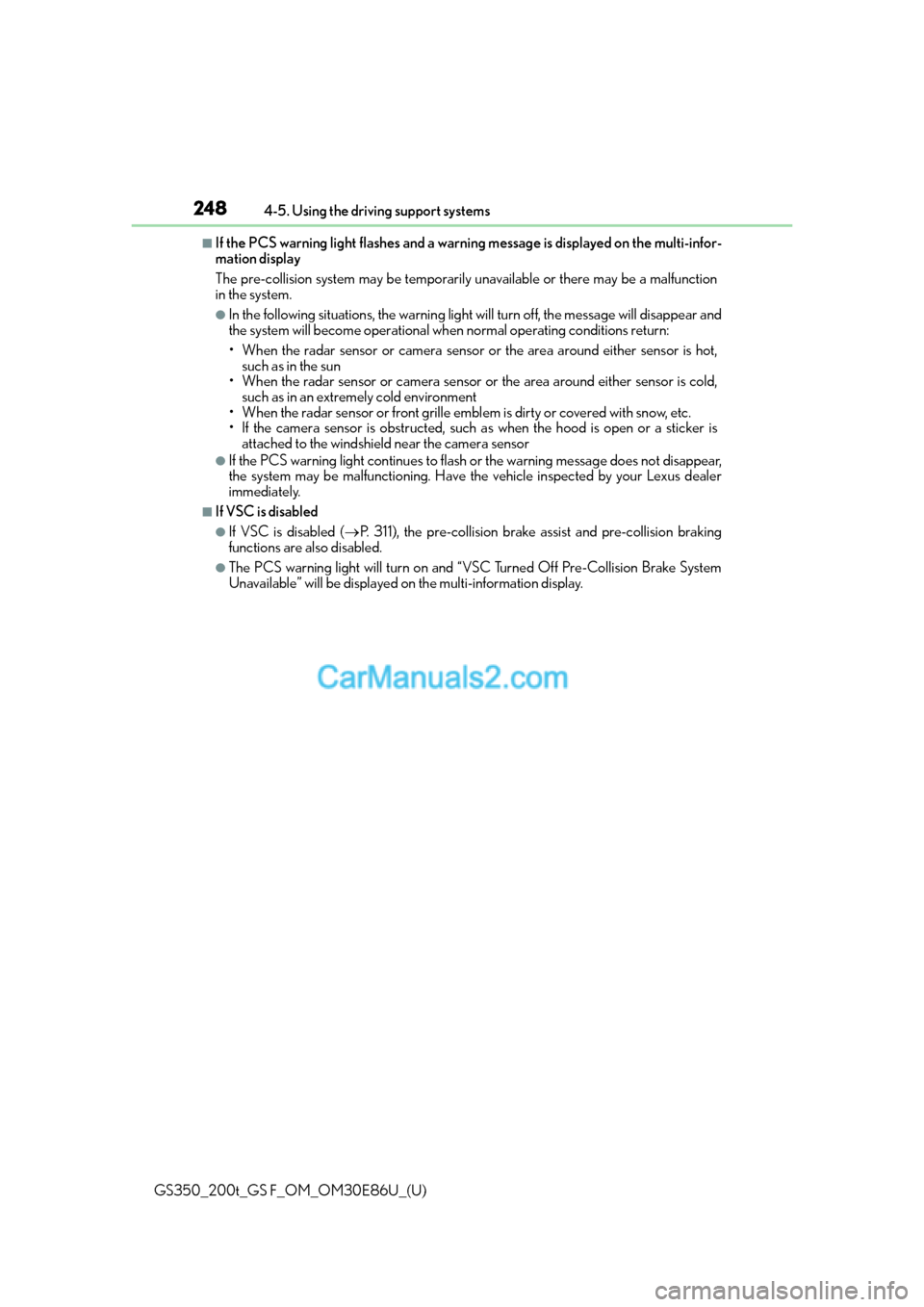
■If the PCS warning light flashes and a warnin
g message is displayed on the multi-infor-
mation display
The pre-collision system may be temporarily unavailable or there may be a malfunction
in the system.
●In the following situations, the warning light will turn off, the message will disappear and
the system will become operational when normal operating conditions return:
• When the radar sensor or camera sensor or the area around either sensor is hot, such as in the sun
• When the radar sensor or camera sensor or the area around either sensor is cold,
such as in an extremely cold environment
• When the radar sensor or front grille embl em is dirty or covered with snow, etc.
• If the camera sensor is obst ructed, such as when the hood is open or a sticker is
attached to the windshield near the camera sensor
●If the PCS warning light continues to flash or the warning message does not disappear,
the system may be malfunctioning. Have the vehicle inspected by your Lexus dealer
immediately.
■If VSC is disabled
●If VSC is disabled ( P. 311), the pre-collision brake assist and pre-collision braking
functions are also disabled.
●The PCS warning light will turn on and “VSC Turned Off Pre-Collision Brake System
Unavailable” will be displayed on the multi-information display.
Page 249 of 624
249
GS350_200t_GS F_OM_OM30E86U_(U)4-5. Using the driving support systems
4
Driving
LKA (Lane-Keeping Assist)
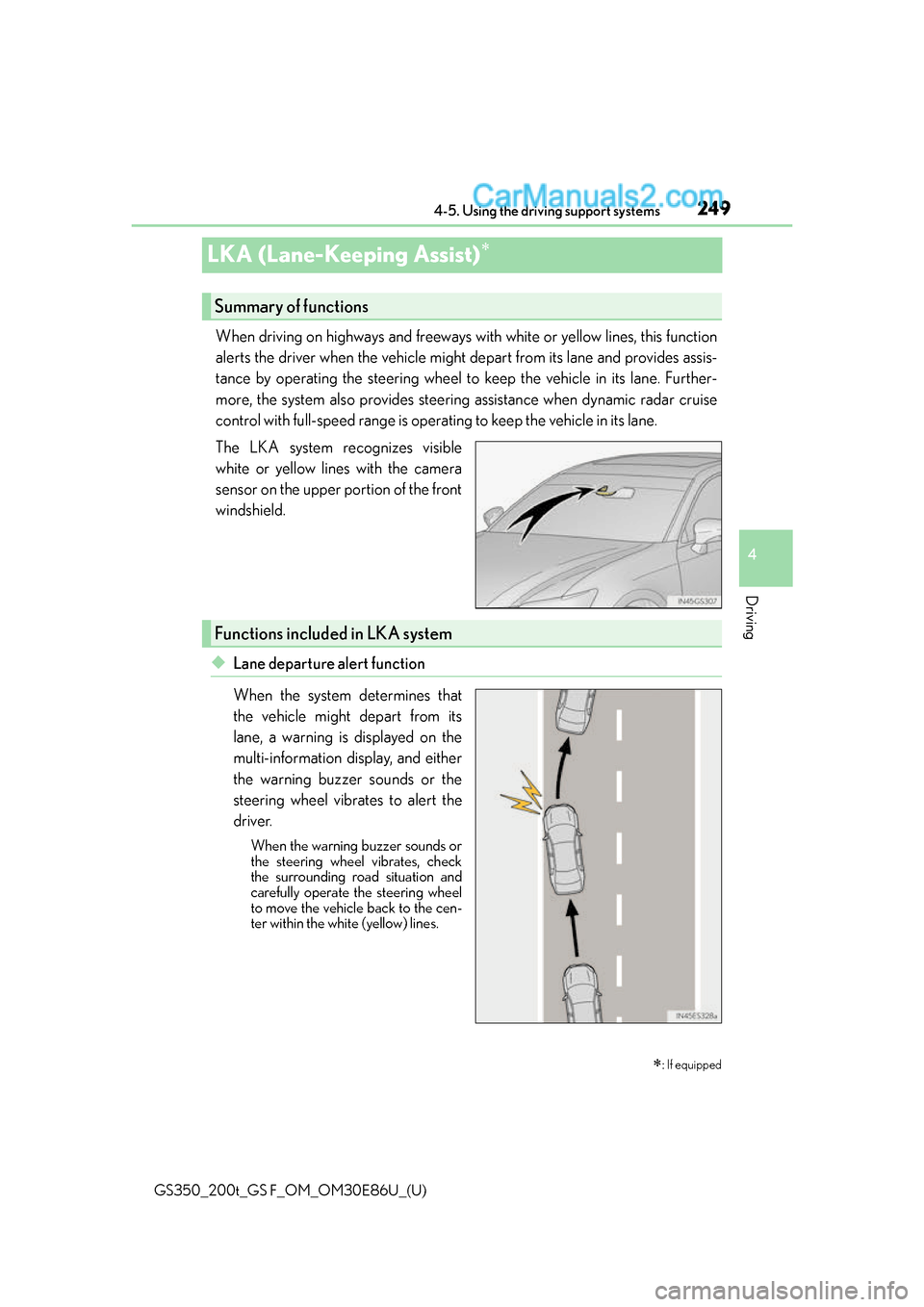
When driving on highways and freeways with white or yellow lines, this function
alerts the driver when the vehicle might depart from its lane and provides assis-
tance by operating the steering wheel to keep the vehicle in its lane. Further-
more, the system also provides steering assistance when dynamic radar cruise
control with full-speed range is operating to keep the vehicle in its lane.
The LKA system recognizes visible
white or yellow lines with the camera
sensor on the upper portion of the front
windshield.
◆Lane departure alert function
When the system determines that
the vehicle might depart from its
lane, a warning is displayed on the
multi-information display, and either
the warning buzzer sounds or the
steering wheel vibrates to alert the
driver.
When the warning buzzer sounds or
the steering wheel vibrates, check
the surrounding road situation and
carefully operate the steering wheel
to move the vehicle back to the cen-
ter within the white (yellow) lines.
: If equipped
Summary of functions
Functions included in LKA system
Page 250 of 624
250
GS350_200t_GS F_OM_OM30E86U_(U)4-5. Using the driving support systems
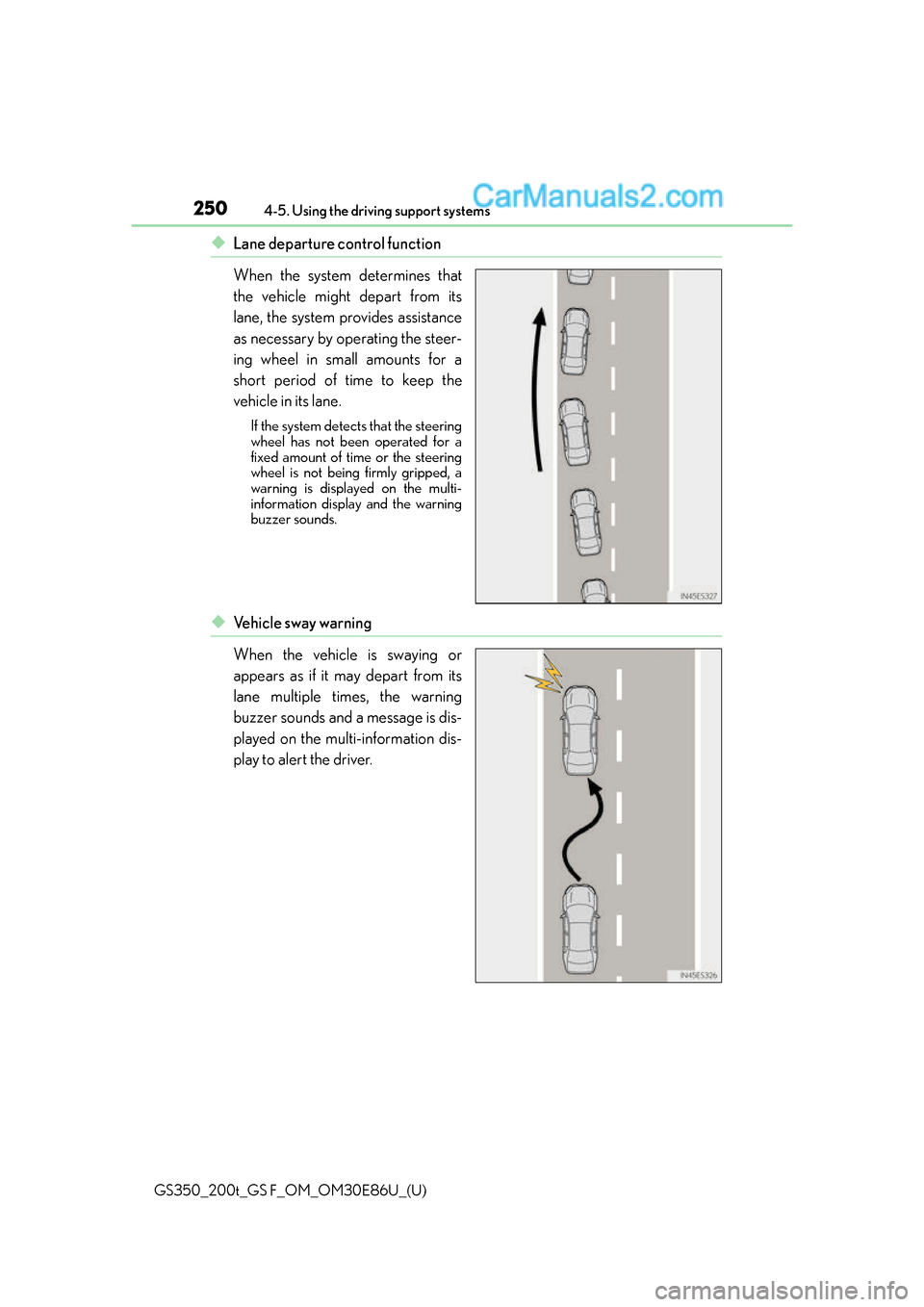
◆Lane departure control function
When the system determines that
the vehicle might depart from its
lane, the system provides assistance
as necessary by operating the steer-
ing wheel in small amounts for a
short period of time to keep the
vehicle in its lane.
If the system detects that the steering
wheel has not been operated for a
fixed amount of time or the steering
wheel is not being firmly gripped, a
warning is displayed on the multi-
information display and the warning
buzzer sounds.
◆Ve h i c l e s w a y w a r n i n g
When the vehicle is swaying or
appears as if it may depart from its
lane multiple times, the warning
buzzer sounds and a message is dis-
played on the multi-information dis-
play to alert the driver.
Page 251 of 624
GS350_200t_GS F_OM_OM30E86U_(U)
2514-5. Using the driving support systems
4
Driving
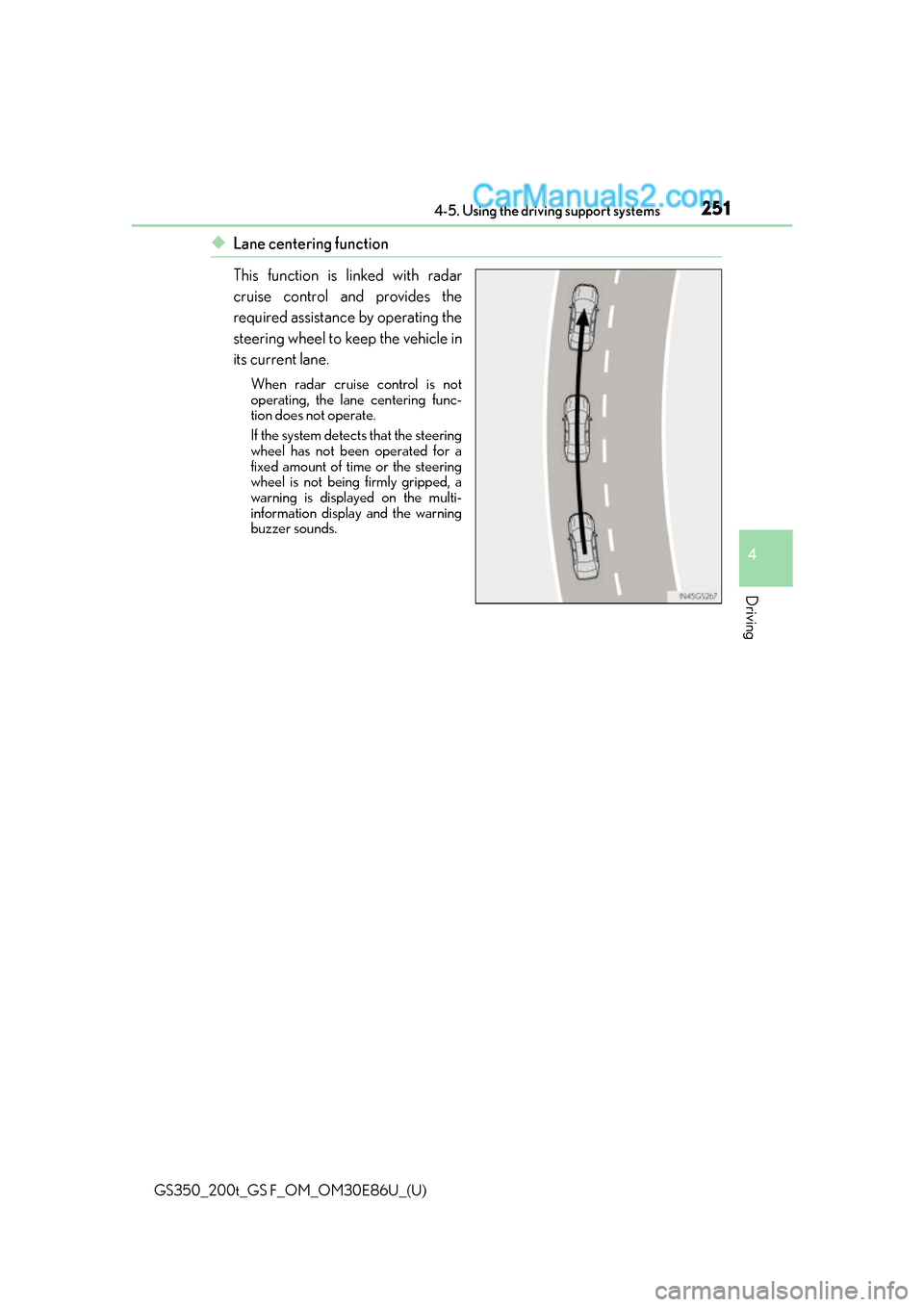
◆Lane centering function
This function is linked with radar
cruise control and provides the
required assistance by operating the
steering wheel to keep the vehicle in
its current lane.
When radar cruise control is not
operating, the lane centering func-
tion does not operate.
If the system detects that the steering
wheel has not been operated for a
fixed amount of time or the steering
wheel is not being firmly gripped, a
warning is displayed on the multi-
information display and the warning
buzzer sounds.