Electronic parking brake Lexus GS350 2018 Owner's Manual
[x] Cancel search | Manufacturer: LEXUS, Model Year: 2018, Model line: GS350, Model: Lexus GS350 2018Pages: 602, PDF Size: 13.37 MB
Page 5 of 602
5
1
8 7
6
5
4
3
2
GS350_300_GS F_OM_OM30G34U_(U)
9
6-3. Do-it-yourself maintenance Do-it-yourself service precautions.................................. 371
Hood ............................................... 373
Positioning a floor jack ............ 374
Engine compartment ............... 376
Tires ................................................. 393
Tire inflation pressure .............. 403
Wheels ........................................... 406
Air conditioning filter ...............408
Electronic key battery............... 410
Checking and replacing fuses................................................412
Headlight aim (vehicles with single-beam head lights) ........416
Light bulbs ..................................... 418
7-1. Essential information Emergency flashers .................. 424
If your vehicle has to be stopped in an
emergency ................................ 425 7-2. Steps to take in an
emergency
If your vehicle needs to be towed ............................... 426
If you think something is wrong................ 432
Fuel pump shut off system...... 433
If a warning light turns on or a warning buzzer
sounds ......................................... 434
If a warning message is displayed ......................................441
If you have a flat tire (vehicles with spare tire) ..........................472
If you have a flat tire (vehicles without spare tire) .................. 483
If the engine will not start ........ 497
If the parking brake cannot be released................................ 499
If the electronic key does not operate properly...................... 501
If the vehicle battery is discharged................................. 504
If your vehicle overheats......... 509
If the vehicle becomes stuck .............................................. 515
7When trouble arises
Page 184 of 602
182
GS350_300_GS F_OM_OM30G34U_(U)4-1. Before driving
Driving the vehicle
→
P. 197
With the brake pedal depressed, shift the shift lever to D. ( →P. 202)
If the parking brake is in manual mode, release the parking brake. ( →P. 211)
Gradually release the brake pedal and gently depress the accelerator pedal
to accelerate the vehicle.
With the shift lever in D, depress the brake pedal.
If necessary, set the parking brake.
If the vehicle is to be stopped for an extended period of time, shift the shift lever to P or
N. ( →P. 202)
With the shift lever in D, depress the brake pedal.
Set the parking brake ( →P. 211), and shift the shift lever to P. ( →P. 202)
Press the engine switch to stop the engine.
Lock the door, making sure that you ha ve the electronic key on your person.
If parking on a hill, block the wheels as needed.
Make sure that the parking brake is set and shift the shift lever to D.
Gently depress the accelerator pedal.
Release the parking brake.
The following procedures should be observed to ensure safe driving:
Starting the engine
Driving
Stopping
Parking the vehicle
Starting off on a steep uphill
1
2
3
1
2
1
2
3
4
1
2
3
Page 199 of 602
197
GS350_300_GS F_OM_OM30G34U_(U)4-2. Driving procedures
4
Driving
Engine (ignition) switch
Press the parking brake switch to check that the parking brake is set.
(→
P. 211)
Parking brake indicator will come on.
Check that the shift lever is in P.
Firmly depress the brake pedal.
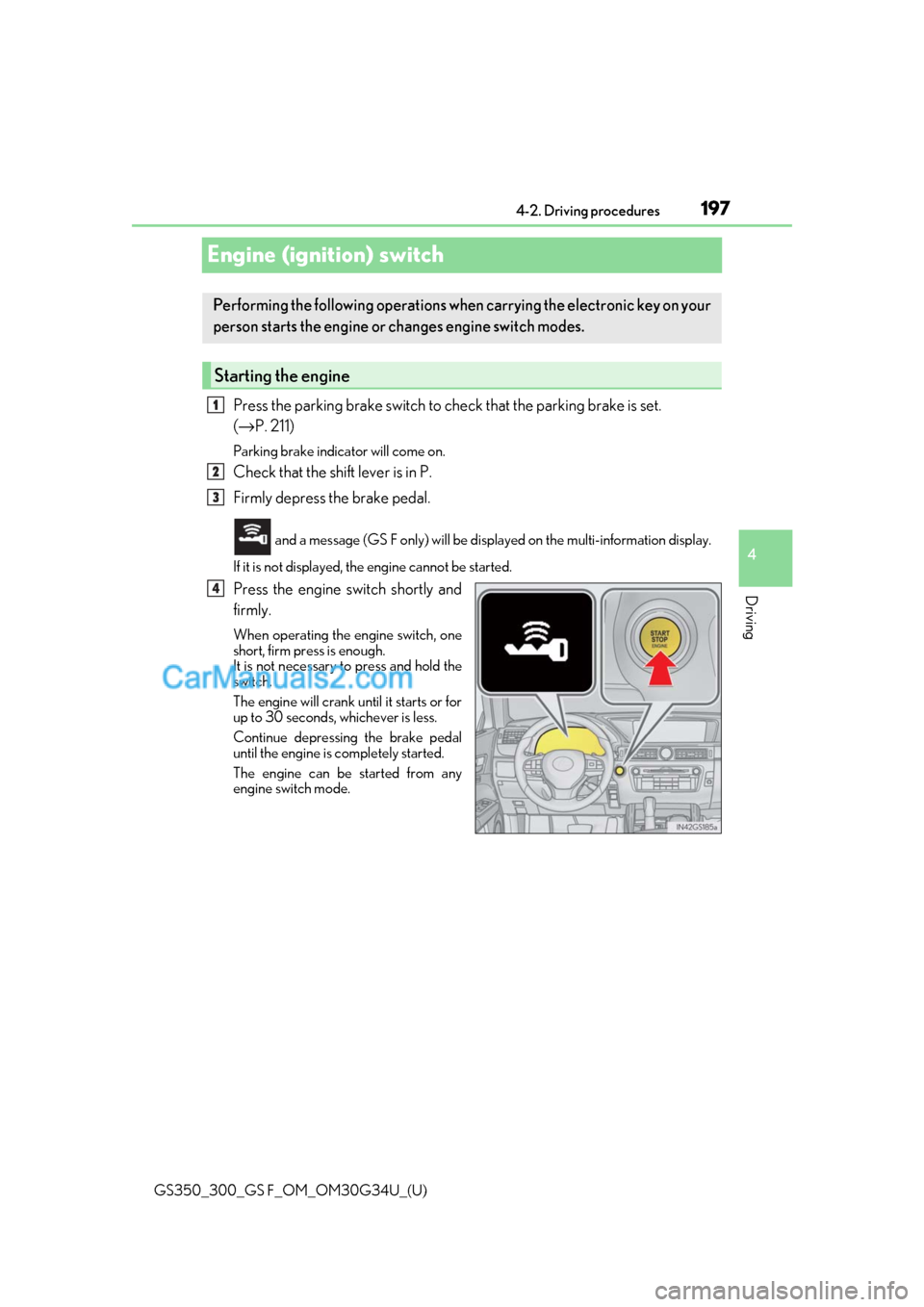
and a message (GS F only) will be disp layed on the multi-information display.
If it is not displayed, th e engine cannot be started.
Press the engine switch shortly and
firmly.
When operating the engine switch, one
short, firm press is enough.
It is not necessary to press and hold the
switch.
The engine will crank until it starts or for
up to 30 seconds, whichever is less.
Continue depressing the brake pedal
until the engine is completely started.
The engine can be started from any
engine switch mode.
Performing the following operations wh en carrying the electronic key on your
person starts the engine or changes engine switch modes.
Starting the engine
1
2
3
4
Page 201 of 602
GS350_300_GS F_OM_OM30G34U_(U)
1994-2. Driving procedures
4
Driving
If the engine is stopped with the shift lever in a position other than P, the engine
switch will not be turned off but instead be turned to ACCESSORY mode. Per-
form the following procedure to turn the switch off:
Check that the parking brake is set.
Shift the shift lever to P.
Check that “Turn Off Vehicle” is disp layed on the multi-information display
and then press the engine switch once.
Check that “Turn Off Vehicle” on th e multi-information display is off.
■Auto power off function
If the vehicle is left in ACCESSORY mode for more than 20 minutes or IGNITION ON
mode (the engine is not running) for more than an hour with the shift lever in P, the engine
switch will automatically turn off. However, this function cannot entirely prevent battery
discharge. Do not leave the vehicle with the engine switch in ACCESSORY or IGNI-
TION ON mode for long periods of ti me when the engine is not running.
■Electronic key battery depletion
→P. 134
■Conditions affe cting operation
→ P. 152
■Notes for the entry function
→P. 153
■If the engine does not start
●The engine immobilizer system ma y not have been deactivated. (→P. 72)
Contact your Lexus dealer.
●Check that the shift lever is se curely set in P. The engine may not start if the shift lever is
displaced out of P. “Shift to P position to St art” will be displayed on the multi-information
display.
■Steering lock
After turning the engine switch off and opening and closing the doors, the steering wheel
will be locked due to the steering lock func tion. Operating the engine switch again auto-
matically cancels the steering lock.
■When the steering lock cannot be released
When stopping the engine with the shift lever in a position other than P
“Steering Lock active” will be displayed on the
multi-information display.
Check that the shift lever is set in P. Press the
engine switch while turning the steering wheel
left and right.
1
2
3
4
Page 215 of 602
213
GS350_300_GS F_OM_OM30G34U_(U)4-2. Driving procedures
4
Driving
Brake Hold
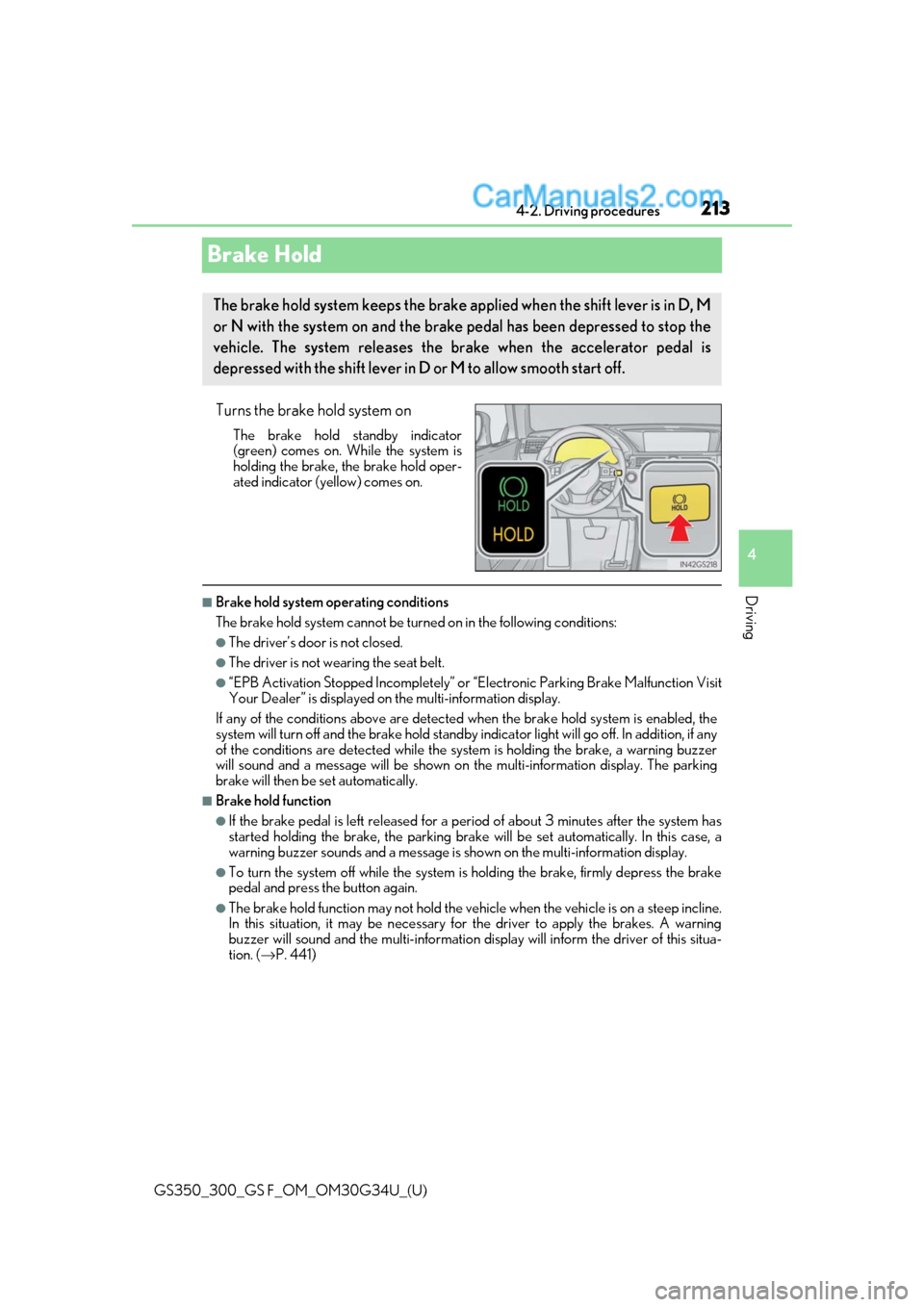
Turns the brake hold system on
The brake hold standby indicator
(green) comes on. Wh
ile the system is
holding the brake, the brake hold oper-
ated indicator (yellow) comes on.
■Brake hold system operating conditions
The brake hold system cannot be turn ed on in the following conditions:
●The driver’s door is not closed.
●The driver is not wearing the seat belt.
●“EPB Activation Stopped Incompletely” or “Electronic Parking Brake Malfunction Visit
Your Dealer” is displayed on the multi-information display.
If any of the conditions above are detected when the brake hold system is enabled, the
system will turn off and the brake hold standby in dicator light will go off. In addition, if any
of the conditions are detected while the sy stem is holding the brake, a warning buzzer
will sound and a message will be shown on th e multi-information display. The parking
brake will then be set automatically.
■Brake hold function
●If the brake pedal is left released for a pe riod of about 3 minutes after the system has
started holding the brake, the parking brake will be set automatically. In this case, a
warning buzzer sounds and a message is shown on the multi-information display.
●To turn the system off while the system is holding the brake, firmly depress the brake
pedal and press the button again.
●The brake hold function may not hold the vehicle when the vehicle is on a steep incline.
In this situation, it may be necessary for the driver to apply the brakes. A warning
buzzer will sound and the mult i-information display will inform the driver of this situa-
tion. ( →P. 441)
The brake hold system keeps the brake a pplied when the shift lever is in D, M
or N with the system on and the brake pedal has been depressed to stop the
vehicle. The system releases the brake when the accelerator pedal is
depressed with the shif t lever in D or M to allow smooth start off.
Page 361 of 602
GS350_300_GS F_OM_OM30G34U_(U)
3596-1. Maintenance and care
6
Maintenance and care
■Automatic car washes
●Fold the mirrors before washing the vehicle. Start washing from the front of the vehicle.
Make sure to extend the mirrors before driving.
●Brushes used in automatic car washes may scratch the vehicle surface and harm your
vehicle’s paint.
●Rear spoiler (if equipped) may not be washable in some automatic car washes. There
may also be an increased risk of damage to vehicle.
■High-pressure car washes
●Do not allow the nozzles of the car wash to come within close proximity of the windows.
●Before using the car wash, check that the fuel filler door on your vehicle is closed prop-
erly.
■Notes for a smart access system with push-button start
If the door handle becomes wet while the electronic key is within the effective range, the
door may lock and unlock repeatedly. In that case, follow the following correction proce-
dures to wash the vehicle:
●Place the key in a position 6 ft. (2 m) or more separate from the vehicle while the vehi-
cle is being washed. (Take care to ensure that the key is not stolen.)
●Set the electronic key to battery-saving mode to disable the sm art access system with
push-button start. ( →P. 152)
■Aluminum wheels
●Remove any dirt immediately by using a neutral detergent.
●Wash detergent off with water immediately after use.
●To protect the paint from damage, make sure to observe the following precautions.
• Do not use acidic, alkaline or abrasive detergent
• Do not use hard brushes
• Do not use detergent on the wheels when they are hot, such as after driving or park- ing in hot weather
■Brake
●Brake caliper coating (GS350/GS300 with orange brake calipers for F SPORT mod-
els, and GS F)
• When using detergent, use neutral detergent.
Do not use hard brushes or abrasive cleaners, as they will damage the coating.
• Do not use detergent on the brake calipers when they are hot.
• Wash detergent off immediately after use.
●GS F: Rust may form if the vehicle is parked with wet brake pads or disc rotors, causing
them to stick. Before parking the vehicle after it is washed, drive slowly and apply the
brakes several times to dry the parts.
■Bumpers
Do not scrub with abrasive cleaners.
Page 425 of 602
423
GS350_300_GS F_OM_OM30G34U_(U)
7When trouble arises
7-1. Essential informationEmergency flashers................... 424
If your vehicle has to be stopped in an
emergency .................................425 7-2. Steps to take in an
emergency
If your vehicle needs to be towed................................ 426
If you think something is wrong ................ 432
Fuel pump shut off system ...... 433
If a warning light turns on or a warning buzzer
sounds.......................................... 434
If a warning message is displayed.......................................441
If you have a flat tire (vehicles with spare tire) ......................... 472
If you have a flat tire (vehicles without spare tire)...................483
If the engine will not start ........ 497
If the parking brake cannot be released ................................ 499
If the electronic key does not operate properly ...................... 501
If the vehicle battery is discharged .................................504
If your vehicle overheats .........509
If the vehicle becomes stuck .............................................. 515
Page 580 of 602
578What to do if... (Troubleshooting)
GS350_300_GS F_OM_OM30G34U_(U)
●The seat belt reminder light is flashing
Are the driver and the front passe nger wearing the seat belts? (→P. 436)
●The parking brake indicator is on
Is the parking brake released? ( →P. 211)
Depending on the situation, other types of warning buzzer may also sound.
(→ P. 434, 441)
●Did anyone inside the vehicle open a door during setting the alarm?
The sensor detects it and the alarm sounds. (→ P. 74)
To stop the alarm, turn the engine switch to IGNITION ON mode or start the
engine.
●Is the electronic key left inside the vehicle or the moon roof opened?
Check the message on the multi-information display. (→ P. 441)
●When a warning light turns on or a warning message is displayed, refer to
P. 434, 441.A warning buzzer sounds during driving
An alarm is activated and the horn sounds
A warning buzzer sounds when leaving the vehicle
A warning light turns on or a warning message is displayed
Page 586 of 602
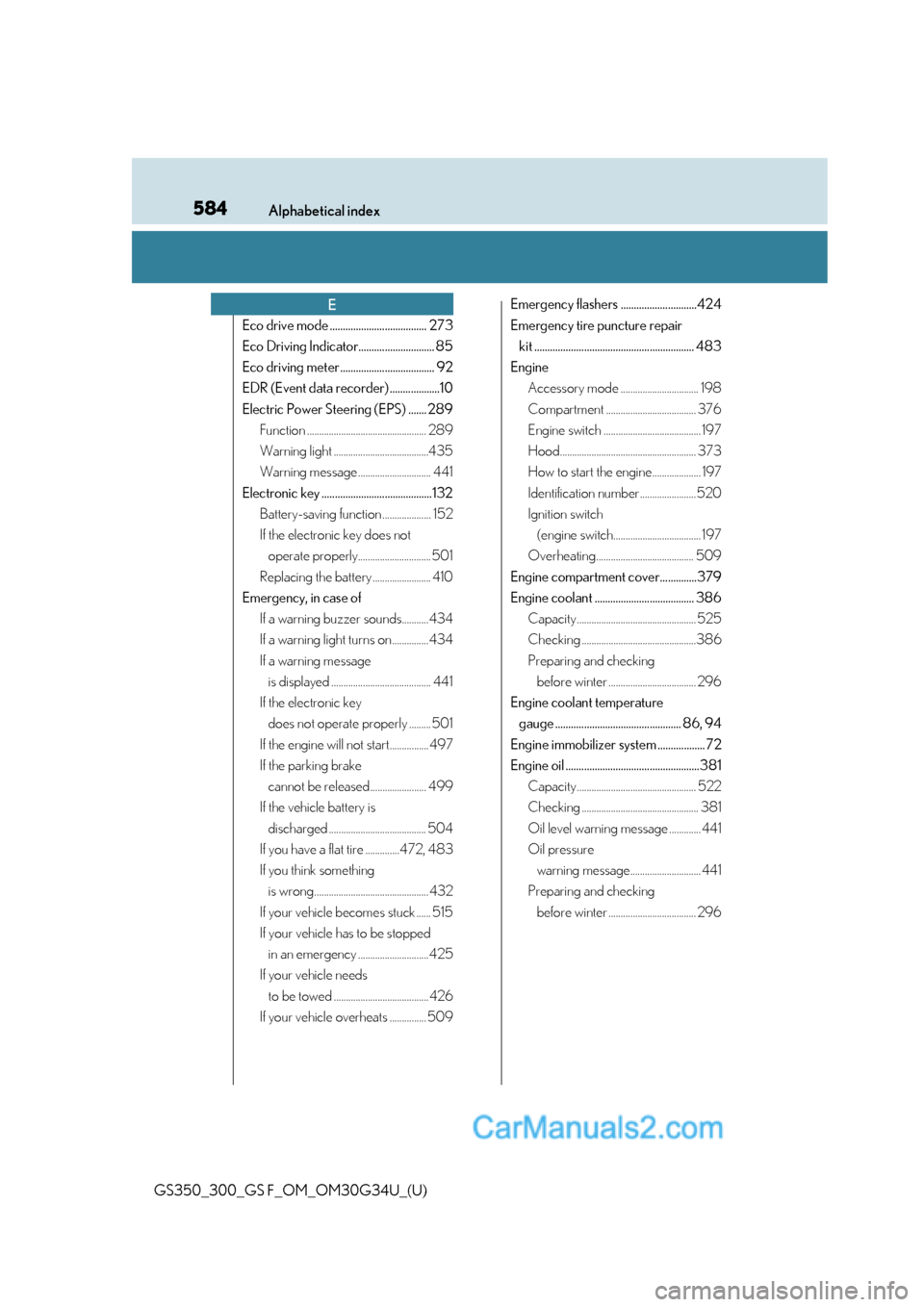
584Alphabetical index
GS350_300_GS F_OM_OM30G34U_(U)
Eco drive mode ..................................... 273
Eco Driving Indicator............................. 85
Eco driving meter .................................... 92
EDR (Event data recorder) ...................10
Electric Power Steering (EPS) ....... 289Function ................................................. 289
Warning light .......................................435
Warning message .............................. 441
Electronic key ..........................................132 Battery-saving function .................... 152
If the electronic key does not operate properly.............................. 501
Replacing the battery ........................ 410
Emergency, in case of If a warning buzzer sounds...........434
If a warning light turns on...............434
If a warning message is displayed ......................................... 441
If the electronic key does not operate properly ......... 501
If the engine will not start................ 497
If the parking brake cannot be released ....................... 499
If the vehicle battery is discharged ........................................ 504
If you have a flat tire ..............472, 483
If you think something is wrong............................................... 432
If your vehicle becomes stuck ...... 515
If your vehicle has to be stopped in an emergency .............................425
If your vehicle needs to be towed .......................................426
If your vehicle overheats ............... 509 Emergency flashers .............................424
Emergency tire puncture repair
kit ............................................................. 483
Engine Accessory mode ................................ 198
Compartment ..................................... 376
Engine switch ........................................ 197
Hood........................................................ 373
How to start the engine.................... 197
Identification number.......................520
Ignition switch (engine switch.................................... 197
Overheating........................................ 509
Engine compartment cover..............379
Engine coolant ...................................... 386 Capacity................................................. 525
Checking ...............................................386
Preparing and checking before winter .................................... 296
Engine coolant temperature gauge ................................................ 86, 94
Engine immobilizer system .................. 72
Engine oil ...................................................381 Capacity................................................. 522
Checking ................................................ 381
Oil level warning message ............. 441
Oil pressure warning message............................. 441
Preparing and checking before winter .................................... 296
E