set Lexus GS450h 2007 Using the audio system / LEXUS 2007 GS450H FROM JULY 2006 PROD. QUICK REFERENCE MANUAL
[x] Cancel search | Manufacturer: LEXUS, Model Year: 2007, Model line: GS450h, Model: Lexus GS450h 2007Pages: 62, PDF Size: 3.37 MB
Page 1 of 62
1
When Driving
Topic 3
Overview
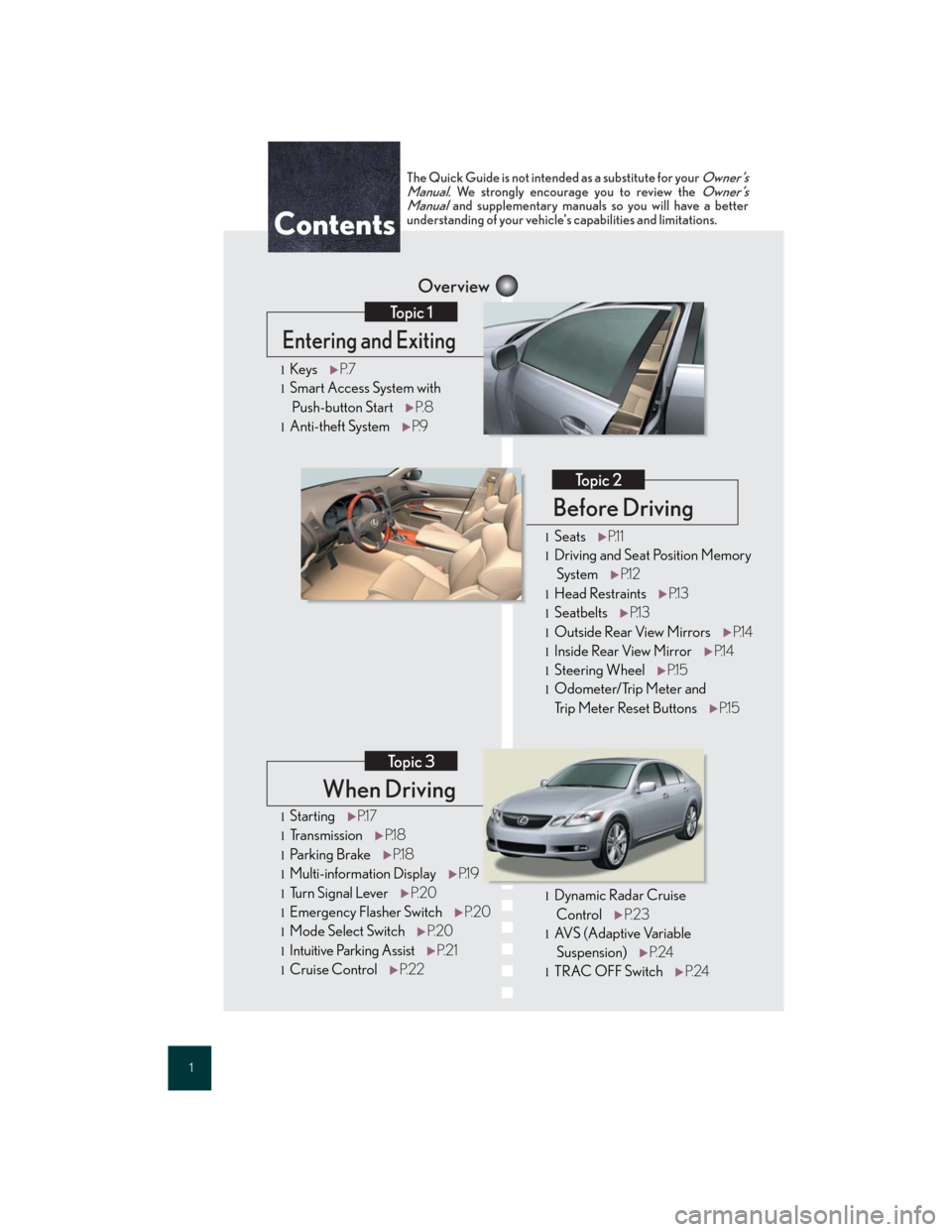
Contents
Entering and Exiting
Topic 1
Before Driving
Topic 2
lStartingP.1 7
lTransmissionP.1 8
lParking BrakeP.1 8
lMulti-information DisplayP.1 9
lTu r n S i g n a l L e v e rP. 2 0
lEmergency Flasher SwitchP. 2 0
lMode Select SwitchP. 2 0
lIntuitive Parking AssistP. 2 1
lCruise ControlP. 2 2
lKeysP. 7
lSmart Access System with
Push-button StartP. 8
lAnti-theft SystemP.9
The Quick Guide is not intended as a substitute for your Owner’s
Manual. We strongly encourage you to review the Owner’s
Manual and supplementary manuals so you will have a better
understanding of your vehicle’s capabilities and limitations.
lDynamic Radar Cruise
ControlP. 2 3
lAV S ( A d a p t i v e Va r i a b l e
Suspension)P. 2 4
lTRAC OFF SwitchP. 2 4
lSeatsP.1 1
lDriving and Seat Position Memory
SystemP.1 2
lHead RestraintsP.1 3
lSeatbeltsP.1 3
lOutside Rear View MirrorsP.1 4
lInside Rear View MirrorP.1 4
lSteering WheelP.1 5
lOdometer/Trip Meter and
Trip Meter Reset ButtonsP.1 5
Page 5 of 62
5
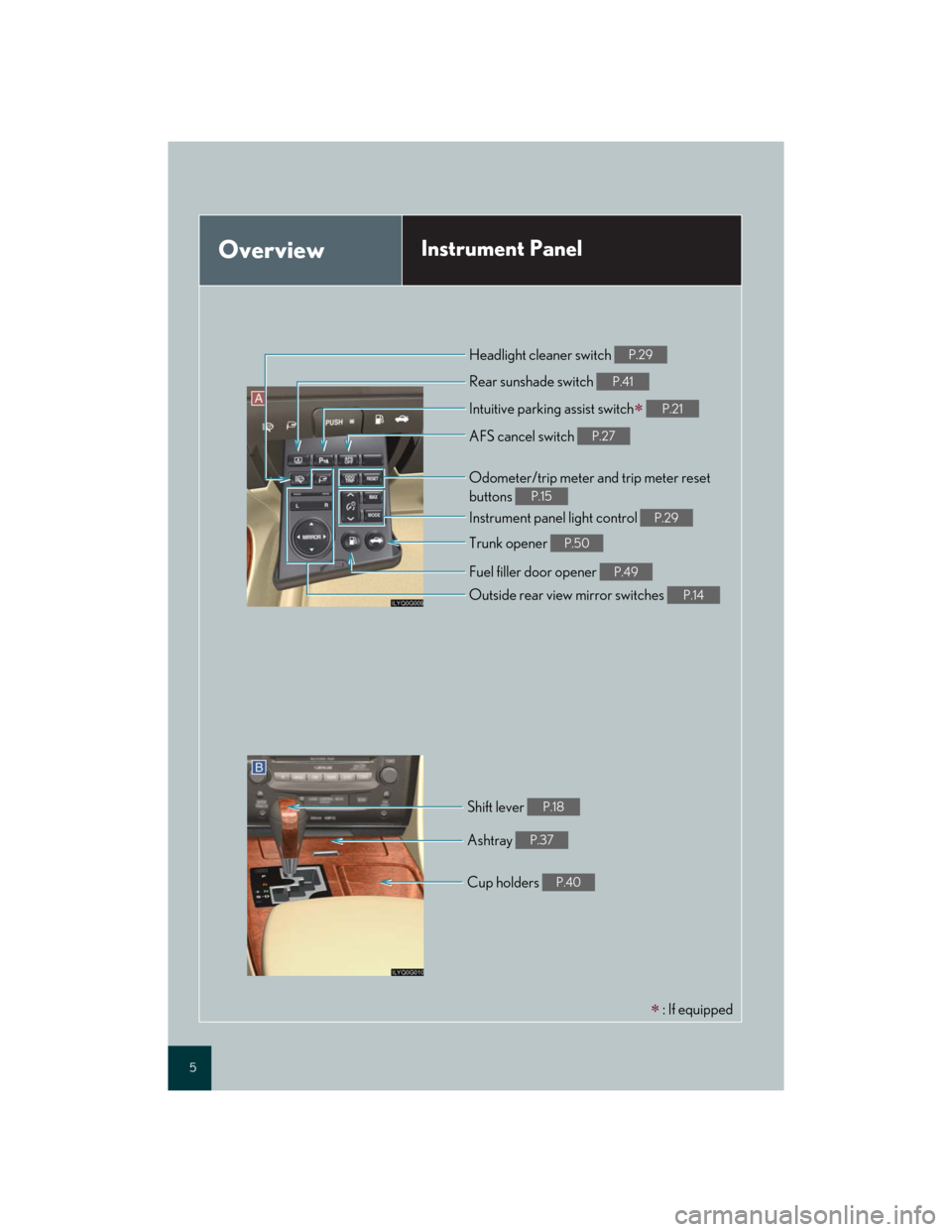
OverviewInstrument Panel
: If equipped Intuitive parking assist switch
P.21
Rear sunshade switch P.41
Instrument panel light control P.29
Trunk opener P.50
Odometer/trip meter and trip meter reset
buttons
P.15
Cup holders P.40
Shift lever P.18
Headlight cleaner switch P.29
AFS cancel switch P.27
Fuel filler door opener P.49
Outside rear view mirror switches P.14
Ashtray P.37
Page 9 of 62
Topic 1
Entering and Exiting
9
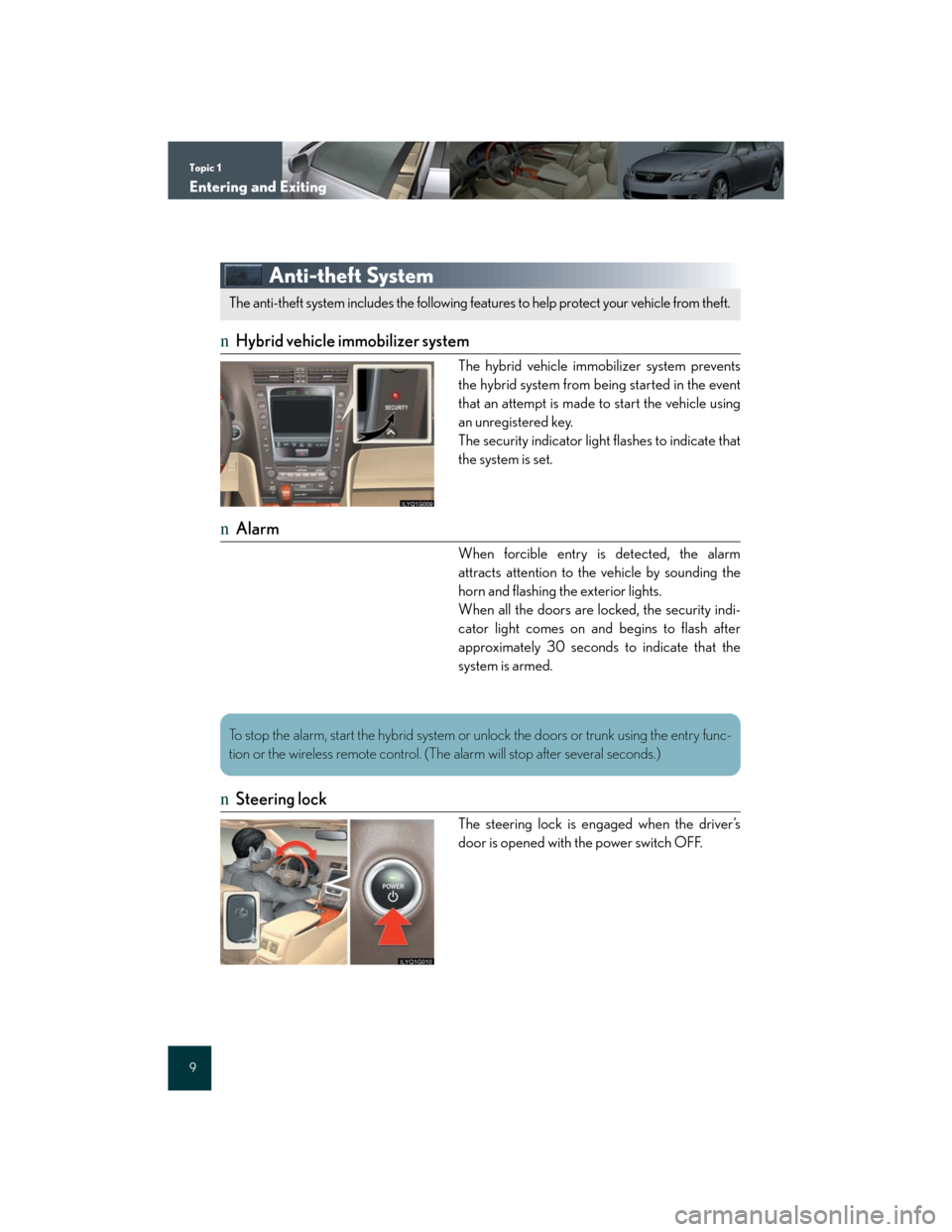
Anti-theft System
nHybrid vehicle immobilizer system
The hybrid vehicle immobilizer system prevents
the hybrid system from being started in the event
that an attempt is made to start the vehicle using
an unregistered key.
The security indicator light flashes to indicate that
the system is set.
nAlarm
When forcible entry is detected, the alarm
attracts attention to the vehicle by sounding the
horn and flashing the exterior lights.
When all the doors are locked, the security indi-
cator light comes on and begins to flash after
approximately 30 seconds to indicate that the
system is armed.
nSteering lock
The steering lock is engaged when the driver’s
door is opened with the power switch OFF.
The anti-theft system includes the following features to help protect your vehicle from theft.
To stop the alarm, start the hybrid system or unlock the doors or trunk using the entry func-
tion or the wireless remote control. (The alarm will stop after several seconds.)
Page 10 of 62
Before DrivingTopic 2
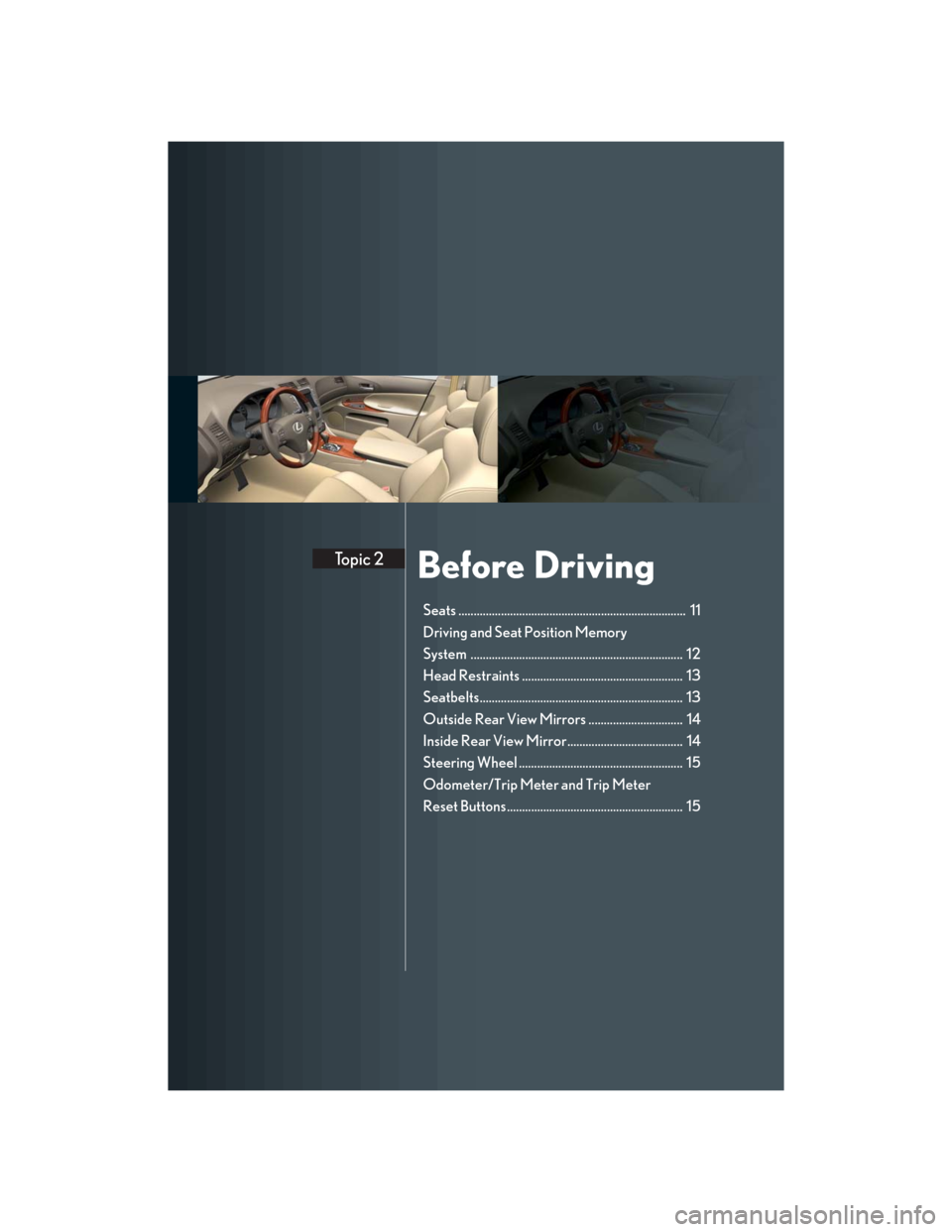
Seats ........................................................................... 11
Driving and Seat Position Memory
System ...................................................................... 12
Head Restraints ..................................................... 13
Seatbelts................................................................... 13
Outside Rear View Mirrors ............................... 14
Inside Rear View Mirror...................................... 14
Steering Wheel ...................................................... 15
Odometer/Trip Meter and Trip Meter
Reset Buttons.......................................................... 15
Page 12 of 62

Topic 2
Before Driving
12
Entering and Exiting
Before Driving
When Driving
Rain and
Night Driving
Driving Comfort
Opening and Closing
What to do if ...
Customizing
Yo u r L e x u s
Driving and Seat Position Memory System (If Equipped)
nSetting memory positions
While holding down the SET button, press and
hold one of the memory buttons (1, 2, or 3) until
you hear a beep.
The current position of the driver’s or front pas-
senger’s seat, the outside rear view mirror and the
steering wheel (driver’s side only) are stored.
nRecalling memory positions
Press one of the memory buttons (1, 2, or 3).
nLinking driving position memory with door unlock operation
(driver's seat only)
While holding down the desired memory button,
press and hold either the or button on
the wireless remote control until you hear a beep.
The seats can be returned to a previously set position by simply pressing a button.
The position of the steering wheel and the outside rear view mirrors is adjusted along with the
driver's seat.
Positions can be conveniently stored for the vehicle's primary drivers and passengers.
Linking driving position memory to the door unlock operation allows the memory position
to be recalled automatically when the driver's door is opened. (The linked function does not
operate if the driver's door is unlocked using the mechanical key or manually from inside
the vehicle.)
Page 14 of 62

Topic 2
Before Driving
14
Entering and Exiting
Before Driving
When Driving
Rain and
Night Driving
Driving Comfort
Opening and Closing
What to do if ...
Customizing
Yo u r L e x u s
Outside Rear View Mirrors
nAdjusting the mirrors
To select the mirror you wish to adjust (L or R),
use the select switch.
To adjust mirror angle, use the control switch.
The mirrors will automatically angle downwards
when the vehicle is reversing.
To disable this function, set the select switch in the
neutral position (neither L nor R selected).
nFolding the mirrors
To fold the mirrors back, press the button. Press
the button again to return them to the extended
position.
Inside Rear View Mirror
To turn AUTO mode ON/OFF, press the AUTO
button.
The indicator comes on when AUTO mode is
turned ON.
1
2
The mirror uses a sensor to detect light from vehicles behind and automatically reduces glare.
Page 15 of 62

Topic 2
Before Driving
15
Steering Wheel
Up
Down
Aw a y f r o m t h e d r i v e r
Toward the driver
Odometer/Trip Meter and Trip Meter Reset
Buttons
Changes the display.
Resets the trip meter driving range to 0.
1
2
3
4
The steering wheel retracts automatically when the power switch is turned OFF to allow for
easy exit and entry. The steering wheel returns automatically to its previously set position
when the power switch is switched to ACC or IG-ON mode.
1
2
Page 19 of 62

Topic 3
When Driving
19
Multi-information Display
nDisplay information
lEnergy monitor
lTrip information
Driving range
Average fuel consumption after refueling
Current fuel consumption
Average vehicle speed
lIntuitive parking assist information
(if equipped)
lDynamic radar cruise control settings
(if equipped)
lWa r n i n g m e s s a g e s
nChanging the display
Trip information items can be switched by press-
ing the DISP switch.
The multi-information display shows information about your vehicle, including the items
shown below.
nWhen using the intuitive parking assist or dynamic radar cruise control, the appropriate
display is shown on the screen.
nIf a problem is detected in any of the vehicle's systems, a warning message is shown on the
multi-information display.
Page 22 of 62
Topic 3
When Driving
22
Entering and Exiting
Before DrivingBefore Driving
When DrivingWhen Driving
Rain and
Night Driving
Driving Comfort
Opening and Closing
What to do if ...
Customizing
Yo u r L e x u s
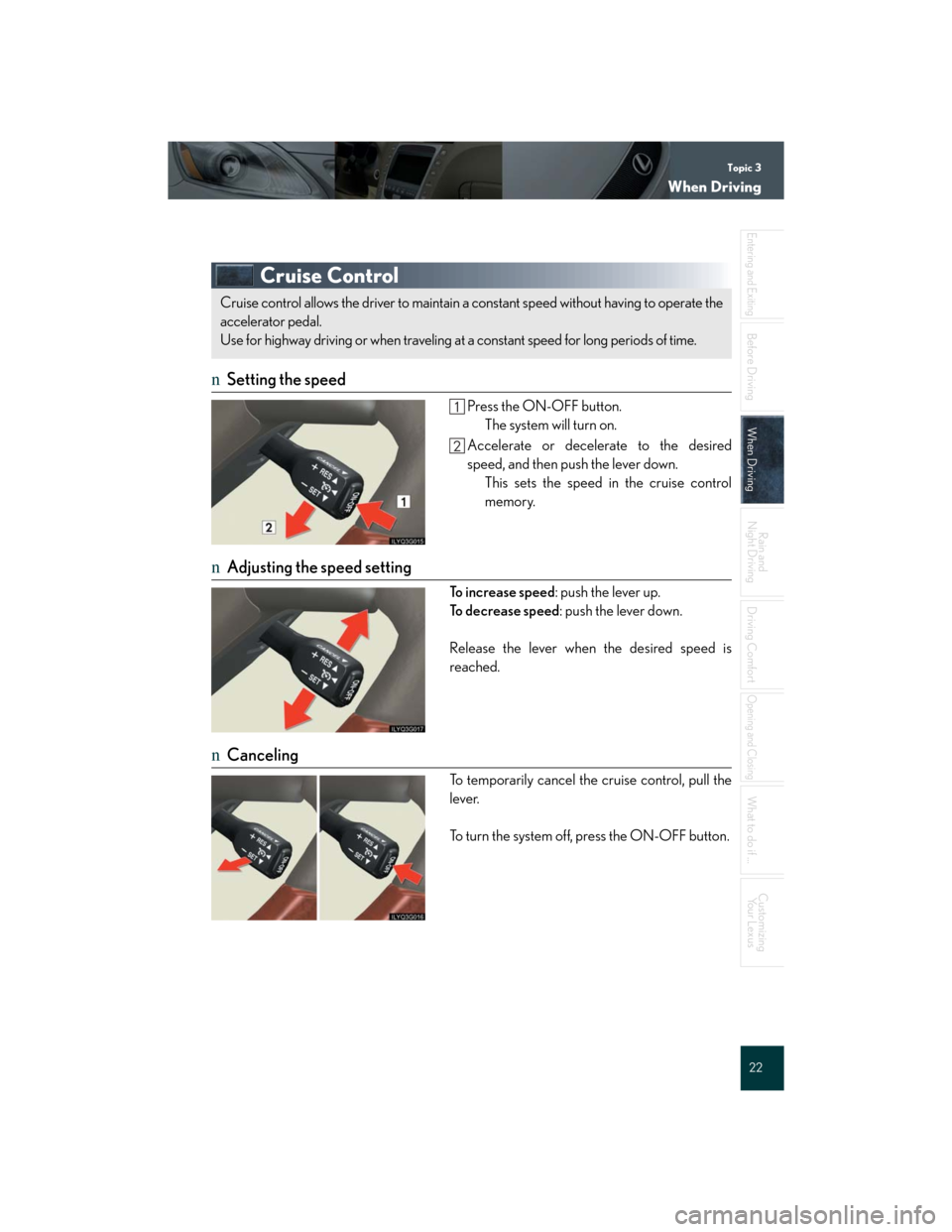
Cruise Control
nSetting the speed
Press the ON-OFF button.
The system will turn on.
Accelerate or decelerate to the desired
speed, and then push the lever down.
This sets the speed in the cruise control
memory.
nAdjusting the speed setting
To i n c r e a s e s p e e d: push the lever up.
To decrease speed: push the lever down.
Release the lever when the desired speed is
reached.
nCanceling
To temporarily cancel the cruise control, pull the
lever.
To turn the system off, press the ON-OFF button.
Cruise control allows the driver to maintain a constant speed without having to operate the
accelerator pedal.
Use for highway driving or when traveling at a constant speed for long periods of time.
Page 23 of 62

Topic 3
When Driving
23
Dynamic Radar Cruise Control (If Equipped)
nCruise control display
Cruise control settings are shown on the multi-
information display.
Vehicle ahead indicator
Vehicle-to-vehicle distance
Preset speed
nVehicle-to-vehicle distance control mode
Press the ON-OFF button.
Accelerate or decelerate to the desired
speed, and then push the lever down.
Following distance can be adjusted using the
vehicle-to-vehicle distance control switch.
nConventional (constant speed) cruise control mode
Press the ON-OFF button.
Push the lever forward and hold for at least
one second.
Accelerate or decelerate to the desired
speed, and then push the lever down.
nAdjusting the speed setting
To increase speed: push the lever up.
To d e c r e a s e s p e e d: push the lever down.
Release the lever when the desired speed is
reached
nCanceling
To temporarily cancel the dynamic radar cruise
control, pull the lever.
To turn the system off, press the ON-OFF button.
Dynamic radar cruise control supplements conventional cruise control with a vehicle-to-
vehicle distance control mode.
1
2
3
The vehicle-to-vehicle distance control mode maintains the preset cruising speed as long
as no vehicle is detected ahead.