seat Lexus GS450h 2008 Do-it-yourself maintenance / LEXUS 2008 GS450H QUICK GUIDE OWNER'S MANUAL (OM30B13U)
[x] Cancel search | Manufacturer: LEXUS, Model Year: 2008, Model line: GS450h, Model: Lexus GS450h 2008Pages: 66, PDF Size: 3.96 MB
Page 1 of 66
1
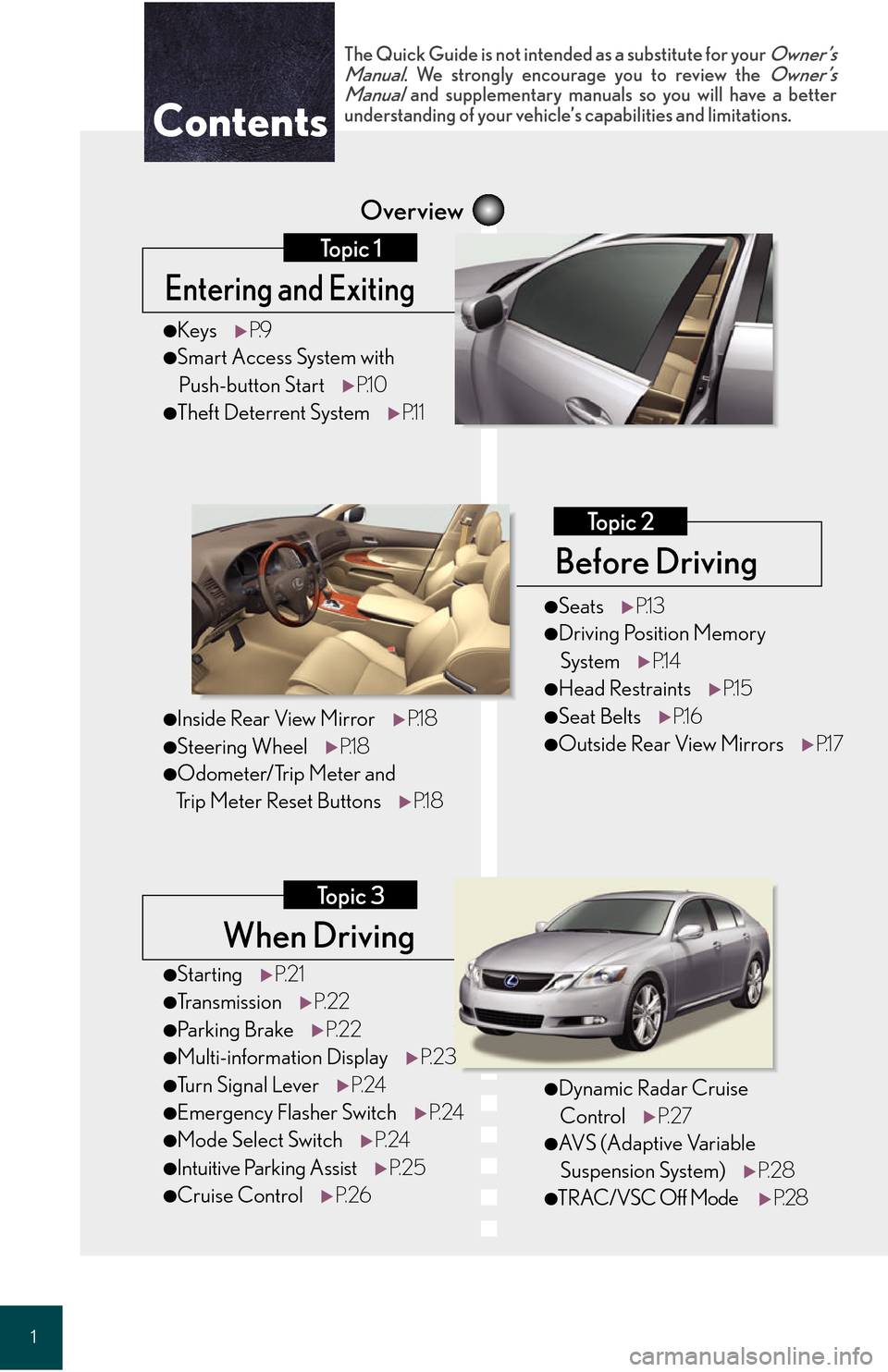
When Driving
Topic 3
Overview
Contents
Entering and Exiting
Topic 1
Before Driving
Topic 2
●StartingP. 2 1
●Tr a n s m i s s i o n P. 2 2
●Parking Brake P. 2 2
●Multi-information Display P. 2 3
●Tu r n S i g n a l L e v e rP. 2 4
●Emergency Flasher Switch P. 2 4
●Mode Select SwitchP. 2 4
●Intuitive Parking Assist P. 2 5
●Cruise ControlP. 2 6
●KeysP.9
●Smart Access System with
Push-button Start P.1 0
●Theft Deterrent System P.1 1
The Quick Guide is not intended as a substitute for your Owner’s
Manual. We strongly encourage you to review the Owner’s
Manual and supplementary manuals so you will have a better
understanding of your vehicle’s capabilities and limitations.
●Dynamic Radar Cruise
Control P. 2 7
●AVS (Adaptive Variable
Suspension System) P. 2 8
●TRAC/VSC Off Mode P. 2 8
●SeatsP.1 3
●Driving Position Memory
System P.1 4
●Head Restraints P.1 5
●Seat BeltsP.1 6
●Outside Rear View Mirrors P.1 7
●Inside Rear View MirrorP.1 8
●Steering WheelP.1 8
●Odometer/Trip Meter and
Trip Meter Reset Buttons P.1 8
Page 2 of 66
Entering and Exiting
Before Driving
When Driving
Rain and
Night Driving
Driving Comfort
Opening and Closing
What to do if ...
Customizing Yo u r L e x u s
2
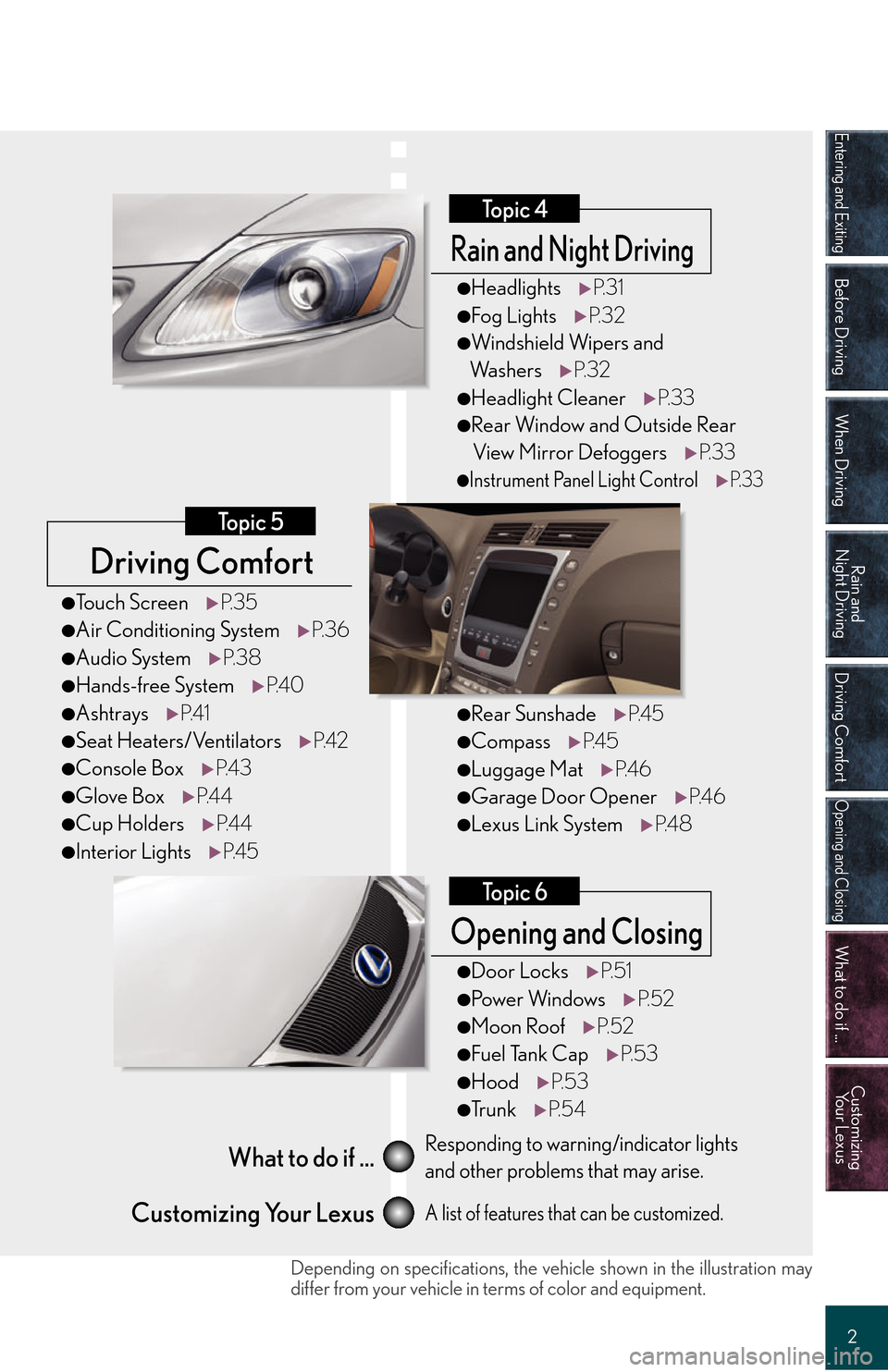
Driving Comfort
Topic 5
Opening and Closing
Topic 6
What to do if ...
Customizing Your LexusResponding to warning/indicator lights
and other problems that may arise.
A list of features that can be customized.
Rain and Night Driving
Topic 4
●Headlights P. 3 1
●Fog LightsP. 3 2
●Windshield Wipers and
Wa s h e r s P. 3 2
●Headlight Cleaner P. 3 3
●Rear Window and Outside Rear
View Mirror Defoggers P. 3 3
●Instrument Panel Light ControlP. 3 3
●Rear SunshadeP. 4 5
●CompassP. 4 5
●Luggage Mat P. 4 6
●Garage Door Opener P. 4 6
●Lexus Link SystemP. 4 8
●Door LocksP. 5 1
●Po w e r Wi n d o w s P. 5 2
●Moon RoofP. 5 2
●Fuel Tank Cap P. 5 3
●HoodP. 5 3
●Tr u n kP. 5 4
●To u c h S c r e e n P. 3 5
●Air Conditioning System P. 3 6
●Audio SystemP. 3 8
●Hands-free System P. 4 0
●AshtraysP. 4 1
●Seat Heaters/Ventilators P. 4 2
●Console BoxP. 4 3
●Glove BoxP. 4 4
●Cup Holders P. 4 4
●Interior Lights P. 4 5
Depending on specifications, the vehi cle shown in the illustration may
differ from your vehicle in terms of color and equipment.
Page 7 of 66
7
C
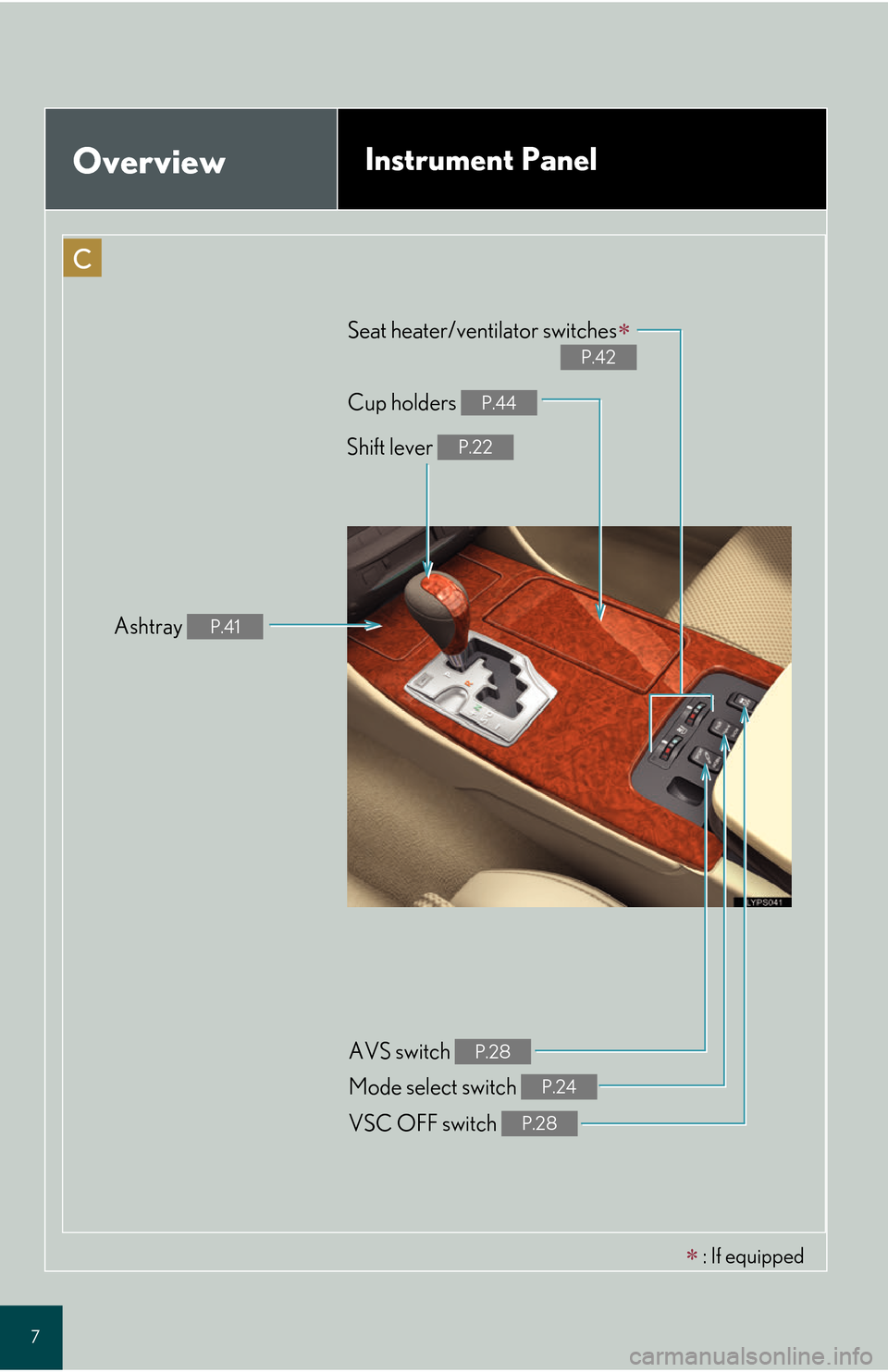
OverviewInstrument Panel
Shift lever P.22
Ashtray P.41
Cup holders P.44
Seat heater/ventilator switches
P.42
VSC OFF switch P.28
Mode select switch P.24
AVS switch P.28
: If equipped
Page 12 of 66
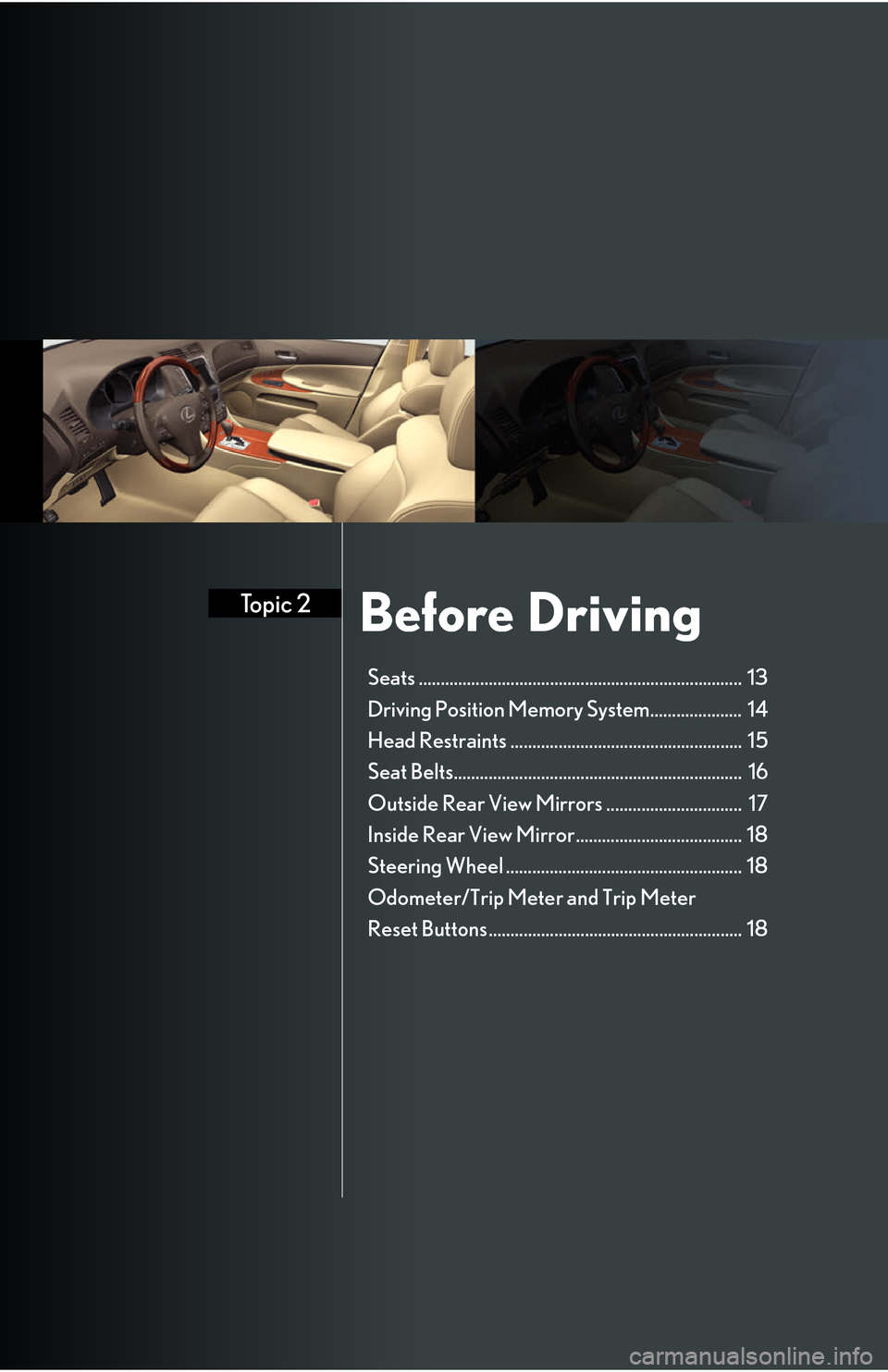
Before DrivingTopic 2
Seats .......................................................................... 13
Driving Position Memory System..................... 14
Head Restraints ..................................................... 15
Seat Belts.................................................................. 16
Outside Rear View Mirrors ............................... 17
Inside Rear View Mirror...................................... 18
Steering Wheel ...................................................... 18
Odometer/Trip Meter and Trip Meter
Reset Buttons.......................................................... 18
Page 13 of 66

Topic 2
Before Driving
13
Seats
■Adjusting seat position
Moves the seat forward
Moves the seat backward
■Adjusting seatback angle
Tilts the seatback forward
Reclines the seatback
■Adjusting the seat cushion
Raises and lowers the front of the cushion
Raises and lowers the entire seat
■Adjusting the lumbar support
Firmer
Softer
1
2
1
2
1
2
1
2
Page 14 of 66
Topic 2
Before Driving
14
Entering and Exiting
Before Driving
When Driving
Rain and
Night Driving
Driving Comfort
Opening and Closing
What to do if ...
Customizing Yo u r L e x u s
Driving Position Memory System (If Equipped)
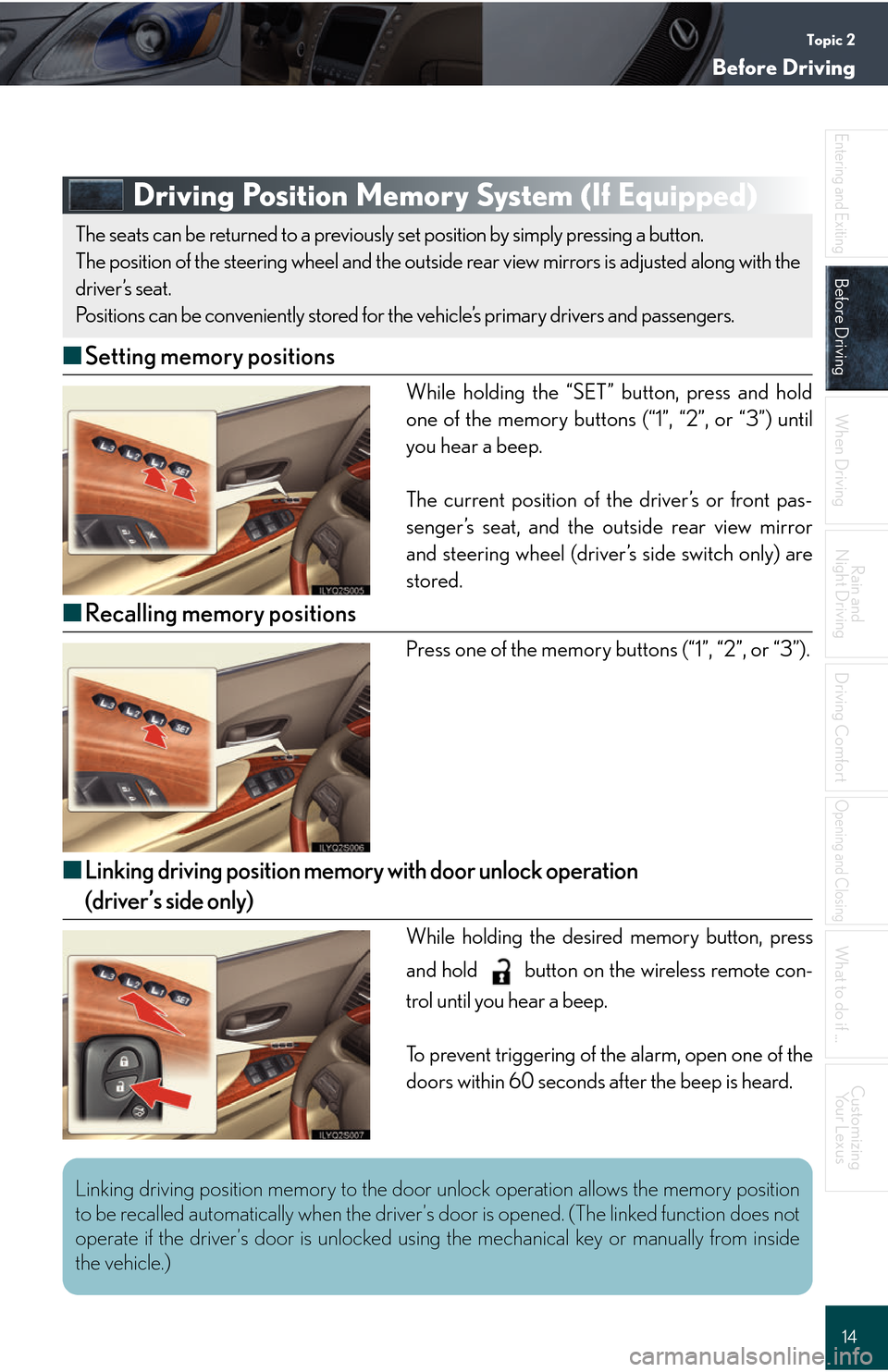
■ Setting memory positions
While holding the “SET” button, press and hold
one of the memory buttons (“1”, “2”, or “3”) until
you hear a beep.
The current position of the driver’s or front pas-
senger’s seat, and the outside rear view mirror
and steering wheel (driver’s side switch only) are
stored.
■Recalling memory positions
Press one of the memory buttons (“1”, “2”, or “3”).
■Linking driving position memory with door unlock operation
(driver’s side only)
While holding the desired memory button, press
and hold button on the wireless remote con-
trol until you hear a beep.
To prevent triggering of the alarm, open one of the
doors within 60 seconds after the beep is heard.
The seats can be returned to a previously set position by simply pressing a button.
The position of the steering wheel and the outside rear view mirrors is adjusted along with the
driver’s seat.
Positions can be conveniently stored for t he vehicle’s primary drivers and passengers.
Linking driving position memory to the door unlock operation allows the memory position
to be recalled automatically when the driver’s door is opened. (The linked function does not
operate if the driver’s door is unlocked usin g the mechanical key or manually from inside
the vehicle.)
Page 15 of 66
Topic 2
Before Driving
15
Head Restraints
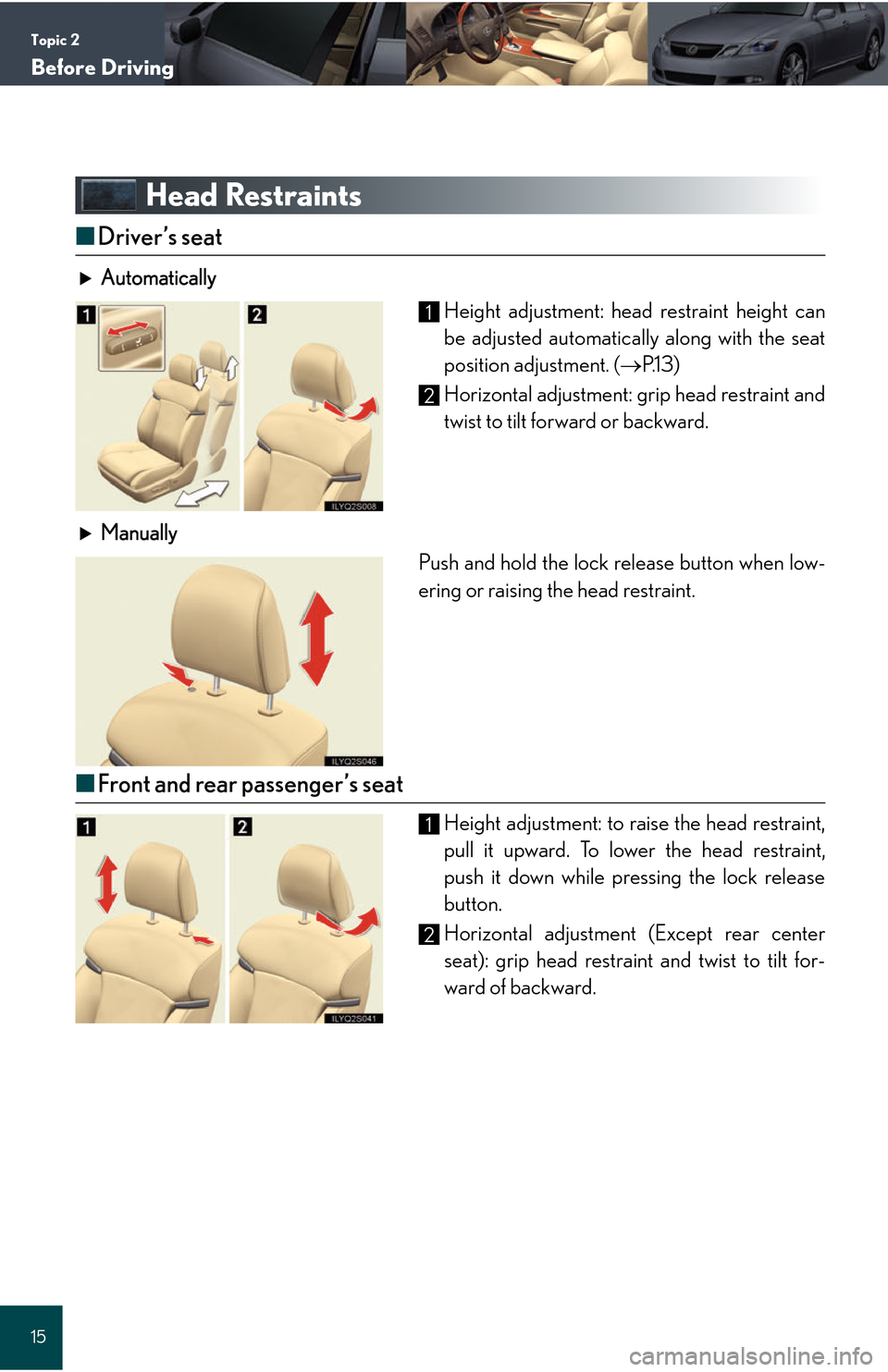
■Driver’s seat
Automatically
Height adjustment: head restraint height can
be adjusted automatically along with the seat
position adjustment. ( P.1 3 )
Horizontal adjustment: grip head restraint and
twist to tilt forward or backward.
M
anually
Push and hold the lock release button when low-
ering or raising the head restraint.
■ Front and rear passenger’s seat
Height adjustment: to raise the head restraint,
pull it upward. To lower the head restraint,
push it down while pressing the lock release
button.
Horizontal adjustment (Except rear center
seat): grip head restraint and twist to tilt for-
ward of backward.
1
2
1
2
Page 16 of 66
Topic 2
Before Driving
16
Entering and Exiting
Before Driving
When Driving
Rain and
Night Driving
Driving Comfort
Opening and Closing
What to do if ...
Customizing Yo u r L e x u s
Seat Belts
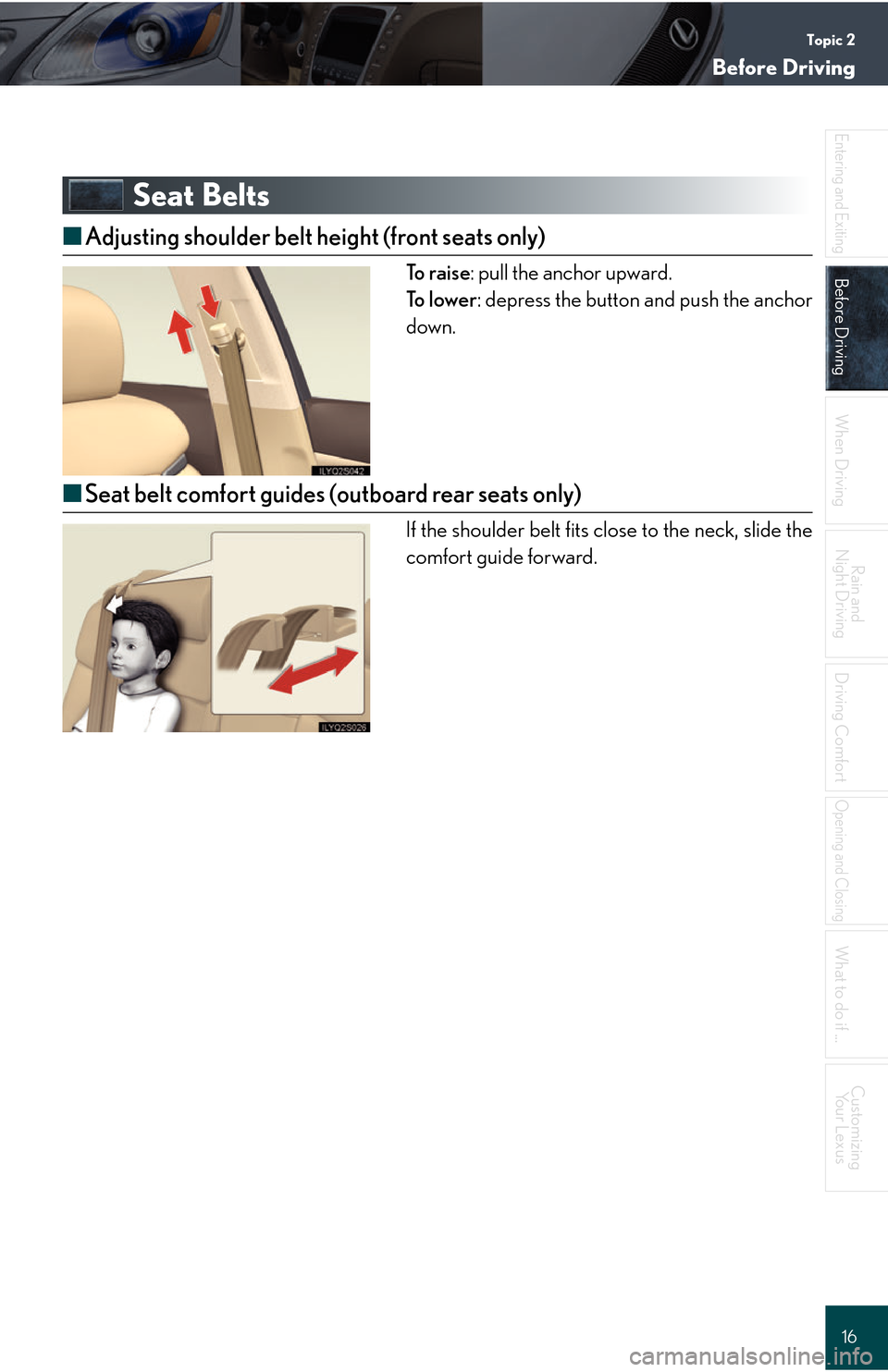
■ Adjusting shoulder belt height (front seats only)
To r a i s e : pull the anchor upward.
To l o w e r : depress the button and push the anchor
down.
■ Seat belt comfort guides (outboard rear seats only)
If the shoulder belt fits close to the neck, slide the
comfort guide forward.
Page 34 of 66
Driving ComfortTopic 5
Touch Screen ......................................................... 35
Air Conditioning System .................................... 36
Audio System ......................................................... 38
Hands-free System (For Cellular Phone) ..... 40
Ashtrays.................................................................... 41
Seat Heaters/Ventilators .................................. 42
Console Box ........................................................... 43
Glove Box ............................................................... 44
Cup Holders........................................................... 44
Interior Lights......................................................... 45
Rear Sunshade ...................................................... 45
Compass.................................................................. 45
Luggage Mat.......................................................... 46
Garage Door Opener .........................................46
Lexus Link System ................................................ 48
Page 42 of 66

Topic 5
Driving Comfort
42
Entering and Exiting
When Driving
Rain and
Night Driving
Driving ComfortDriving Comfort
Opening and Closing
What to do if ...
Customizing Your Lexus
Before Driving
Seat Heaters/Ventilators (If Equipped)
Seat heaters
Turn the dial toward .
Seat heaters and ventilators Seat heaters: turn the dial toward .
Ventilators: turn the dial toward .
1
1
2