ECO mode Lexus GS450h 2008 Owner's Guide
[x] Cancel search | Manufacturer: LEXUS, Model Year: 2008, Model line: GS450h, Model: Lexus GS450h 2008Pages: 599, PDF Size: 14.28 MB
Page 293 of 599
291
3-3. Using the audio system
3
Interior features
GS_HV_U
June 19, 2008 1:15 pm
●Compatible media
Media that can be used for MP3 and WMA playback are CD-Rs and CD-RWs.
Playback in some instances may not be possible, depending on the status of the
CD-R or CD-RW. Playback may not be possible or the audio may jump if the disc
is scratched or marked with fingerprints.
●Compatible disc formats
The following disc formats can be used.
• Disc formats: CD-ROM Mode 1 and Mode 2CD-ROM XA Mode 2, Form 1 and Form 2
• File formats: ISO9660 level 1, level 2, (Romeo, Joliet) MP3 and WMA files written in any format other than those listed above may
not play correctly, and their file names and folder names may not be displayed
correctly.
Items related to standards and limitations are as follows:
• Maximum directory hierarchy: 8 levels
• Maximum length of folder names/file names: 32 characters
• Maximum number of folders: 192 (including the root)
• Maximum number of files per disc: 255
●File names
The only files that can be recognized as MP3/WMA and played are those with
the extension .mp3 or .wma.
GS450h_HV_U.book Page 291 Thursday, June 19, 2008 1:44 PM
Page 305 of 599
303
3-3. Using the audio system
3
Interior features
GS_HV_U
June 19, 2008 1:15 pm
Using the steering switches
Turning on the powerPress when the audio system is off.
The audio system can be turned off by holding the switch down for 1 second
or more.
Changing the audio sourcePress when the audio system is on. The audio source changes as fol-
lows each time the button is pressed. If a cassette tape or discs is not
inserted, that mode will be skipped. FM1 → FM2 → cassette player → CD/DVD player
→ AUX → AM → SAT1 → SAT2 → SAT3
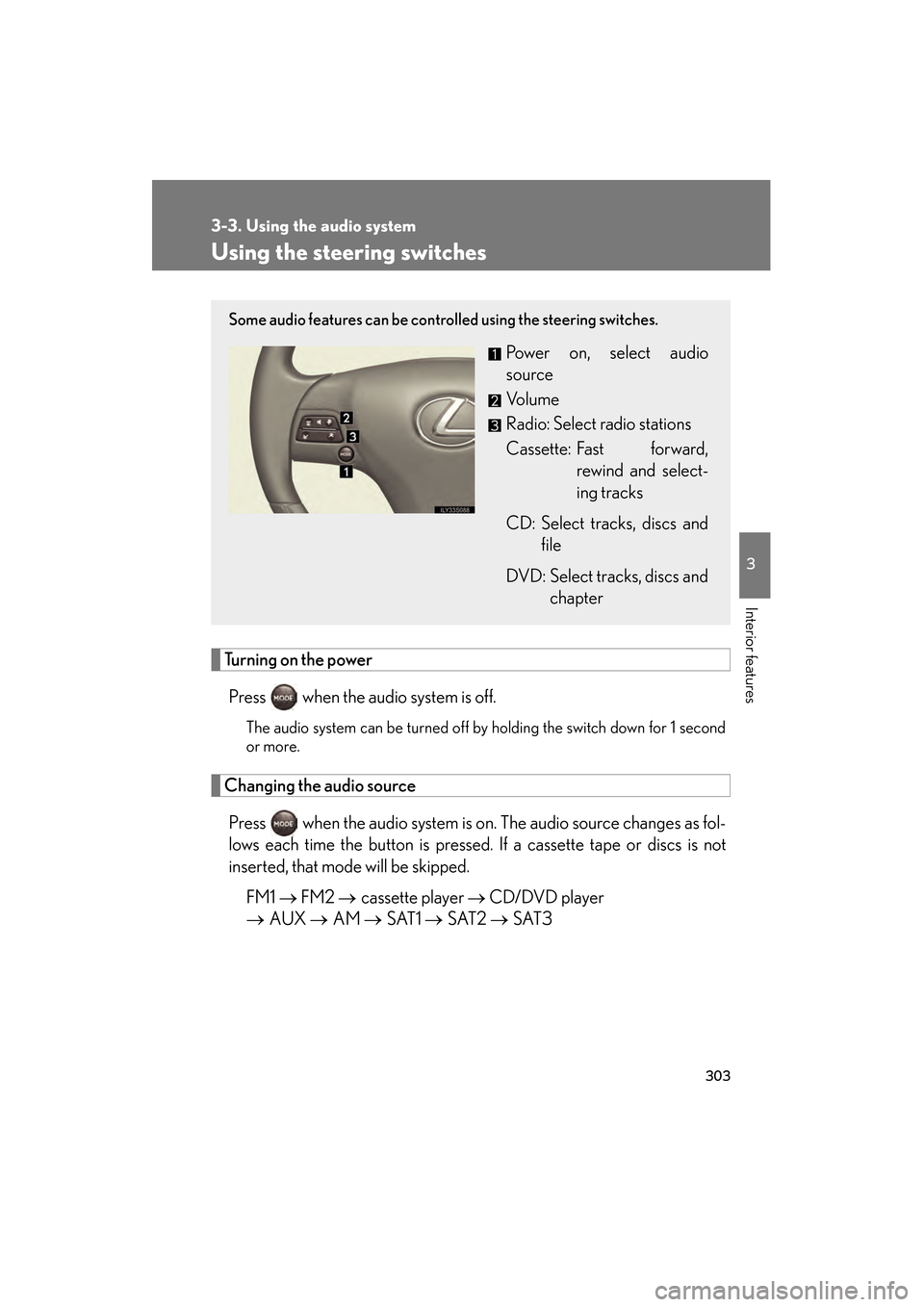
Some audio features can be controlled using the steering switches.
Power on, select audio
source
Vo l u m e
Radio: Select radio stations
Cassette: Fast forward,
rewind and select-
ing tracks
CD: Select tracks, discs and file
DVD: Select tracks, discs and chapter
GS450h_HV_U.book Page 303 Thursday, June 19, 2008 1:44 PM
Page 315 of 599
313
3-4. Using the hands-free system (for cellular phone)
3
Interior features
GS_HV_U
June 19, 2008 1:15 pm
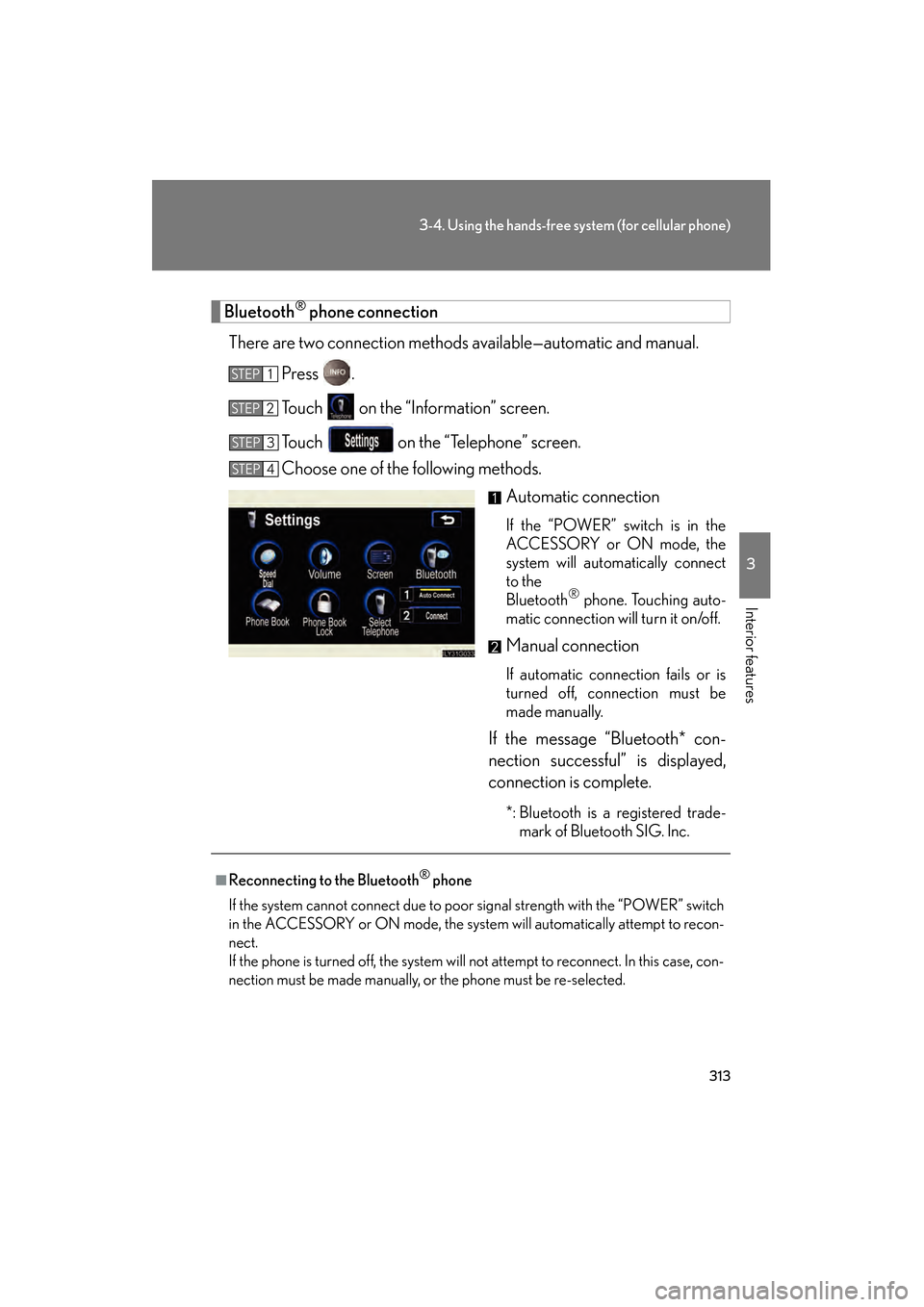
Bluetooth® phone connection
There are two connection methods available—automatic and manual. Press .
Touch on the “Information” screen.
Touch on the “Telephone” screen.
Choose one of the following methods. Automatic connection
If the “POWER” switch is in the
ACCESSORY or ON mode, the
system will automatically connect
to the
Bluetooth
® phone. Touching auto-
matic connection will turn it on/off.
Manual connection
If automatic connection fails or is
turned off, connection must be
made manually.
If the message “Bluetooth* con-
nection successful” is displayed,
connection is complete.
*: Bluetooth is a registered trade- mark of Bluetooth SIG. Inc.
STEP1
STEP2
STEP3
STEP4
■Reconnecting to the Bluetooth® phone
If the system cannot connect due to poor signal strength with the “POWER” switch
in the ACCESSORY or ON mode, the system will automatically attempt to recon-
nect.
If the phone is turned off, the system will not attempt to reconnect. In this case, con-
nection must be made manually, or the phone must be re-selected.
GS450h_HV_U.book Page 313 Thursday, June 19, 2008 1:44 PM
Page 371 of 599
369
3-7. Other interior features
3
Interior features
GS_HV_U
June 19, 2008 1:15 pm
Seat heaters/ventilators (if equipped)
■The seat heaters/ventilators can be used when
The “POWER” switch is in ON mode.
■When not in use
Set the dial to “0”. The indicator light turns off.
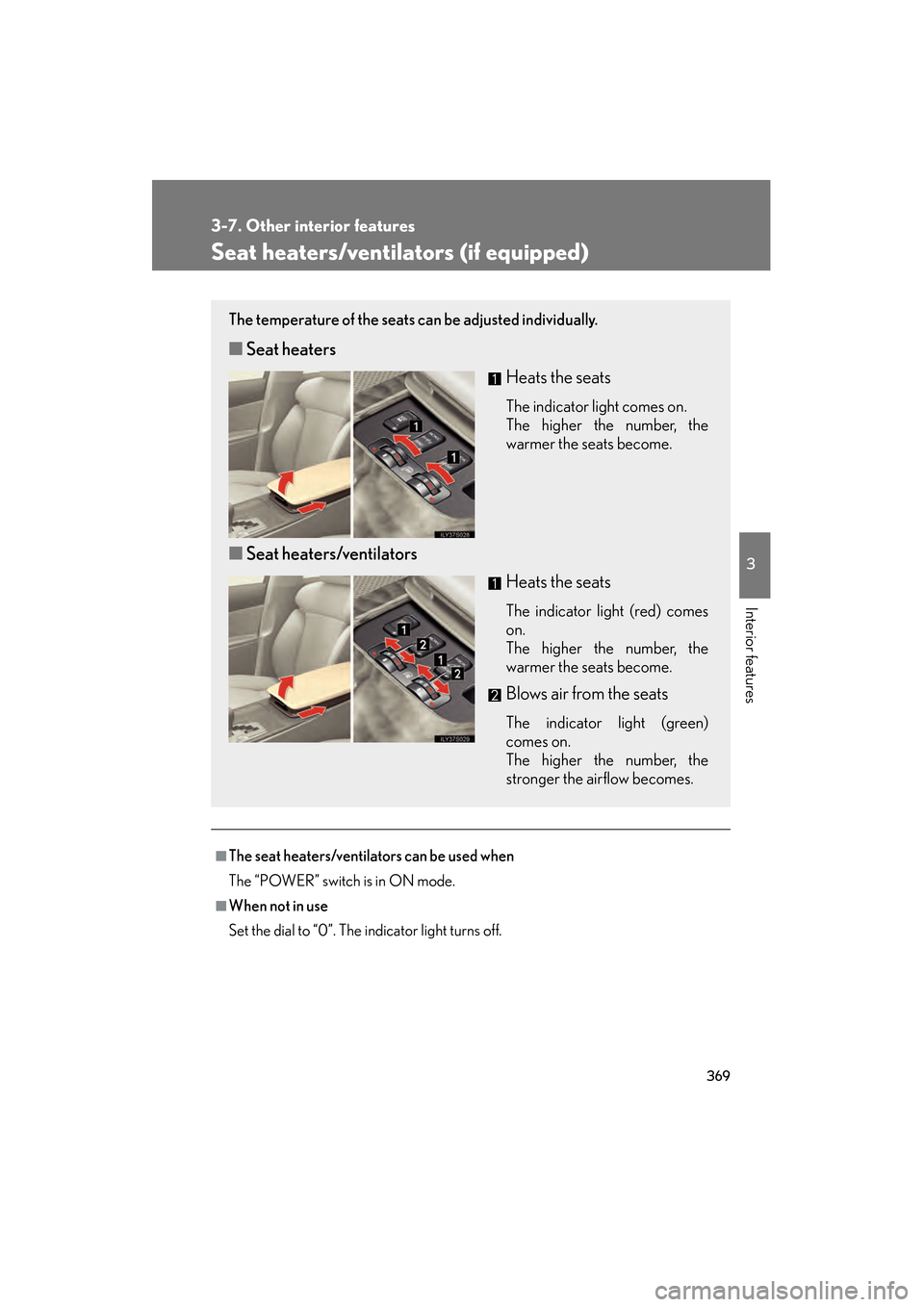
The temperature of the seats can be adjusted individually.
■Seat heaters
Heats the seats
The indicator light comes on.
The higher the number, the
warmer the seats become.
■Seat heaters/ventilators
Heats the seats
The indicator light (red) comes
on.
The higher the number, the
warmer the seats become.
Blows air from the seats
The indicator light (green)
comes on.
The higher the number, the
stronger the airflow becomes.
GS450h_HV_U.book Page 369 Thursday, June 19, 2008 1:44 PM
Page 393 of 599
391
3-7. Other interior features
3
Interior features
GS_HV_U
June 19, 2008 1:15 pm
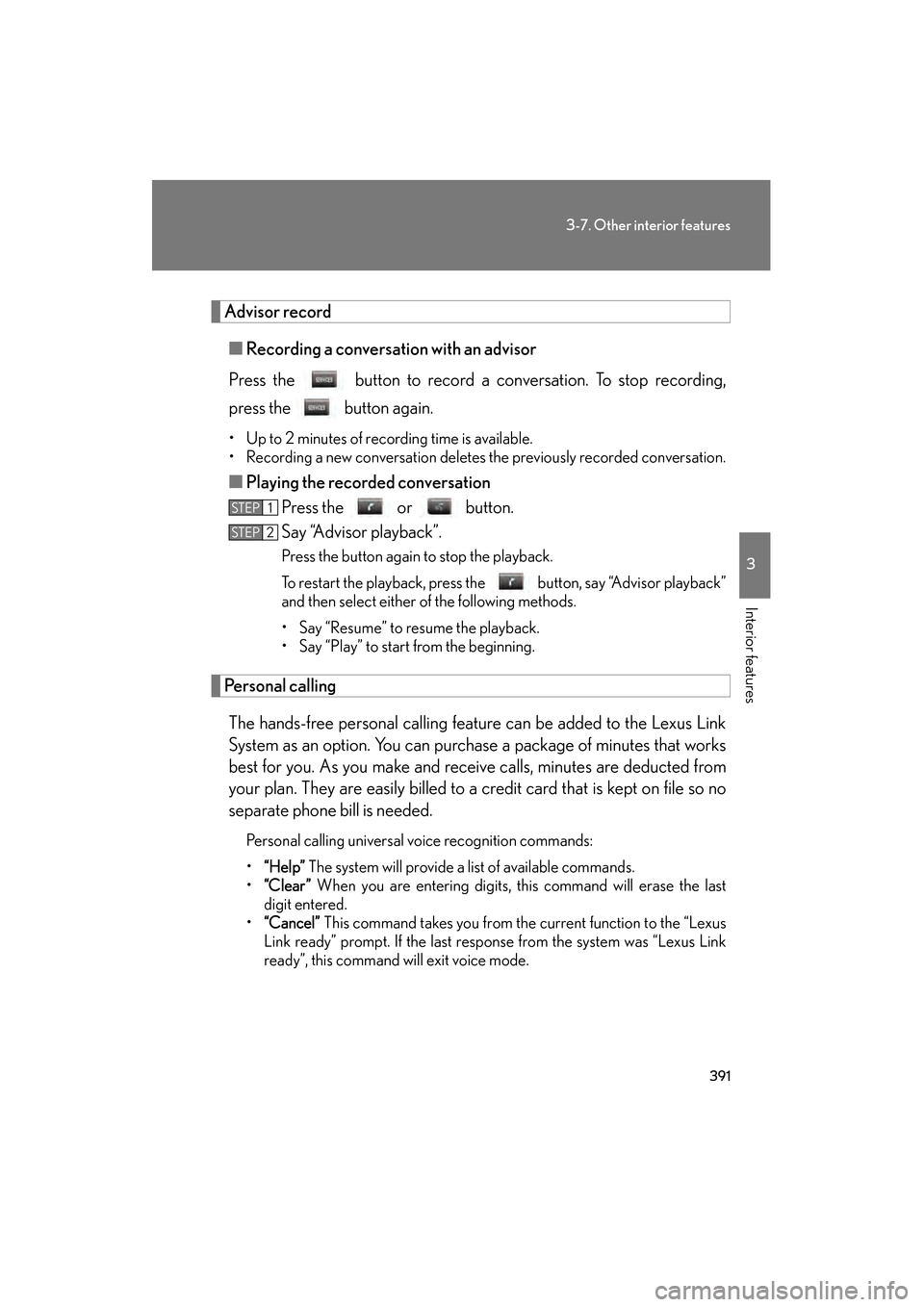
Advisor record■ Recording a conversati on with an advisor
Press the button to record a conversation. To stop recording,
press the button again.
• Up to 2 minutes of recording time is available.
• Recording a new conversation deletes the previously recorded conversation.
■Playing the recorded conversation
Press the or button.
Say “Advisor playback”.
Press the button again to stop the playback.
To restart the playback, press the button, say “Advisor playback”
and then select either of the following methods.
• Say “Resume” to resume the playback.
• Say “Play” to start from the beginning.
Personal calling
The hands-free personal calling feature can be added to the Lexus Link
System as an option. You can purchase a package of minutes that works
best for you. As you make and receive calls, minutes are deducted from
your plan. They are easily billed to a credit card that is kept on file so no
separate phone bill is needed.
Personal calling universal voice recognition commands:
• “Help” The system will provide a list of available commands.
• “Clear ” When you are entering digits, this command will erase the last
digit entered.
• “Cancel” This command takes you from the current function to the “Lexus
Link ready” prompt. If the last response from the system was “Lexus Link
ready”, this command will exit voice mode.
STEP1
STEP2
GS450h_HV_U.book Page 391 Thursday, June 19, 2008 1:44 PM
Page 418 of 599
416
4-3. Do-it-yourself maintenance
GS_HV_U
June 19, 2008 1:15 pm
CAUTION
The engine compartment contains many mechanisms and fluids that may move sud-
denly, become hot, or become electrically energized. To avoid death or serious injury,
observe the following precautions.
■When working on the engine compartment
●Keep hands, clothing, and tools away from the moving fan and engine drive belt.
●Be careful not to touch the engine, power control unit, radiator, exhaust manifold,
etc. right after driving as they may be hot. Oil and other fluids may also be hot.
●Do not leave anything that may burn easily, such as paper or rags, in the engine
compartment.
●Do not smoke, cause sparks or expose an open flame to fuel. Fuel fumes are flam-
mable.
■When working near the electric cooling fan or radiator grille
Be sure the “POWER” switch is OFF.
With the “POWER” switch in ON mode, the electric cooling fan may automatically
start to run if the air conditioning is on and/or the coolant temperature is high.
(→ P. 4 2 8 )
■Safety glasses
Wear safety glasses to prevent flying or falling material, fluid spray, etc. from getting
in the eyes.
NOTICE
■If you remove the air cleaner filter
Driving with the air cleaner filter removed may cause excessive engine wear due to
dirt in the air. Also a backfire could cause a fire in the engine compartment.
GS450h_HV_U.book Page 416 Thursday, June 19, 2008 1:44 PM
Page 427 of 599
425
4-3. Do-it-yourself maintenance
4
Maintenance and care
GS_HV_U
June 19, 2008 1:15 pm
■Engine oil consumption
●The amount of engine oil consumed depends on the oil viscosity, the quality of
the oil and the way the vehicle is driven.
●More oil is consumed under driving conditions such as high speeds, frequent
acceleration and deceleration.
●A new engine consumes more oil.
●When judging the amount of oil consumption, keep in mind that the oil may
have become diluted, making it difficult to judge the true level accurately.
●Oil consumption: Max. 1.1 qt./600 miles, 0.9 lmp.qt./600 miles (1.0 L per 1000
km). If the vehicle consumes more than this amount, contact your Lexus dealer.
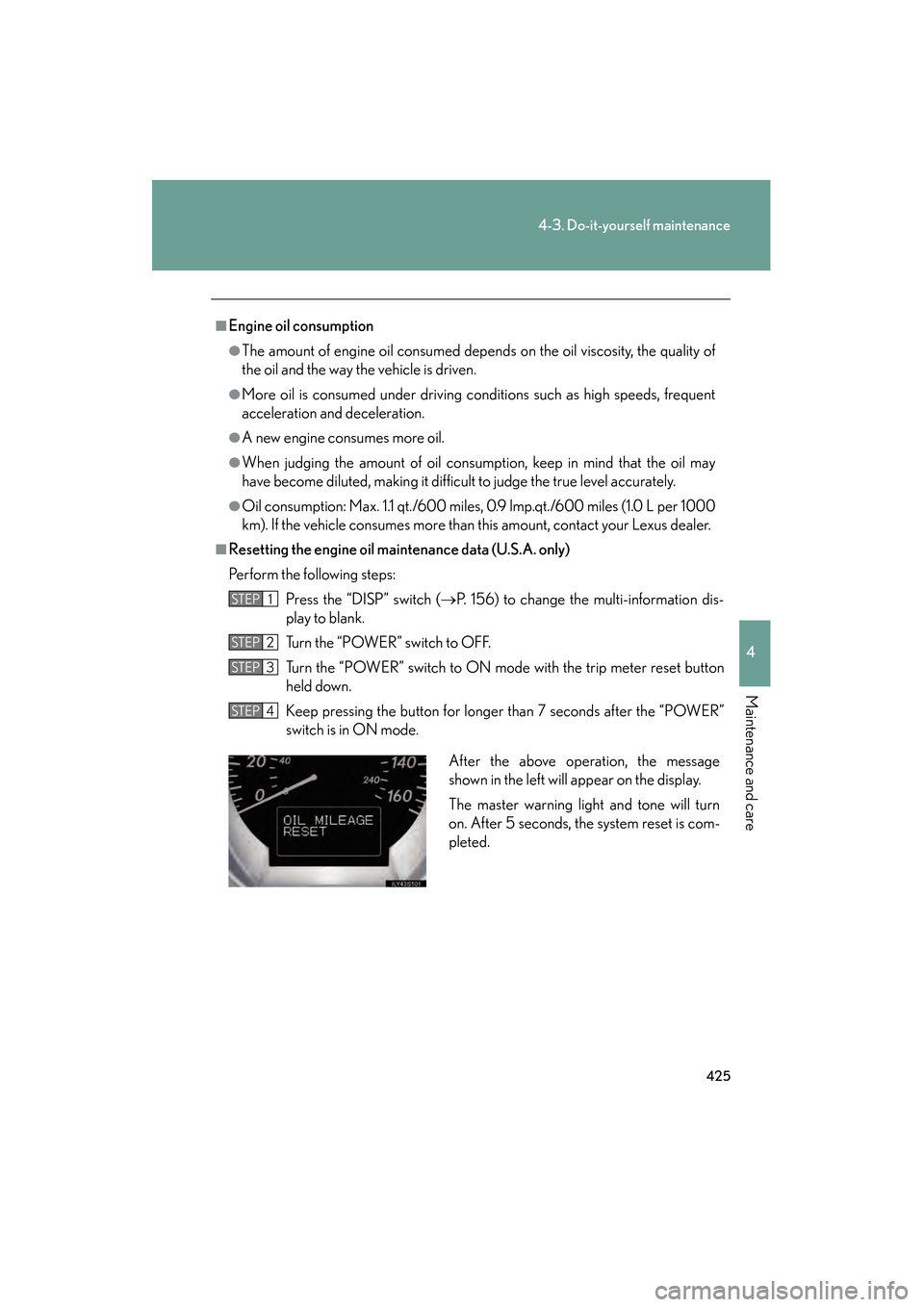
■Resetting the engine oil maintenance data (U.S.A. only)
Perform the following steps:Press the “DISP” switch ( →P. 156) to change the multi-information dis-
play to blank.
Turn the “POWER” switch to OFF.
Turn the “POWER” switch to ON mode with the trip meter reset button
held down.
Keep pressing the button for longer than 7 seconds after the “POWER”
switch is in ON mode.
STEP1
STEP2
STEP3
STEP4
After the above operation, the message
shown in the left will appear on the display.
The master warning light and tone will turn
on. After 5 seconds, the system reset is com-
pleted.
GS450h_HV_U.book Page 425 Thursday, June 19, 2008 1:44 PM
Page 445 of 599
443
4-3. Do-it-yourself maintenance
4
Maintenance and care
GS_HV_U
June 19, 2008 1:15 pm
For vehicles sold in Canada
NOTE:
Operation is subject to the following two conditions: (1) this device may not cause
interference, and (2) this device must accept any interference, including interfer-
ence that may cause undesired operation of the device.
CAUTION
■When inspecting or replacing tires
Observe the following precautions to prevent accidents. Failure to do so may cause
damage to parts of the drive train, as well as dangerous handling characteristics,
which may lead to fatal or injury accidents.
●Do not mix tires of different makes, models, tread patterns or treadwear.
●Do not use tire sizes other than those recommended by Lexus.
●Do not mix radial, bias-belted, or bias-ply tires.
●Do not mix summer, all season and winter tires.
●Do not use tires that have been used on another vehicle.
Do not use tires if you do not know how they were used previously.
■When initializing the tire pressure warning system
Do not push the tire pressure warning re set switch without first adjusting the tire
inflation pressure to the specified level. Otherwise, the tire pressure warning light
may not come on even if the tire inflation pressure is low, or it may come on when
the tire inflation pressure is actually normal.
GS450h_HV_U.book Page 443 Thursday, June 19, 2008 1:44 PM
Page 515 of 599
5
When trouble arises
513
5-2. Steps to take in an emergency
GS_HV_U
June 19, 2008 1:15 pm
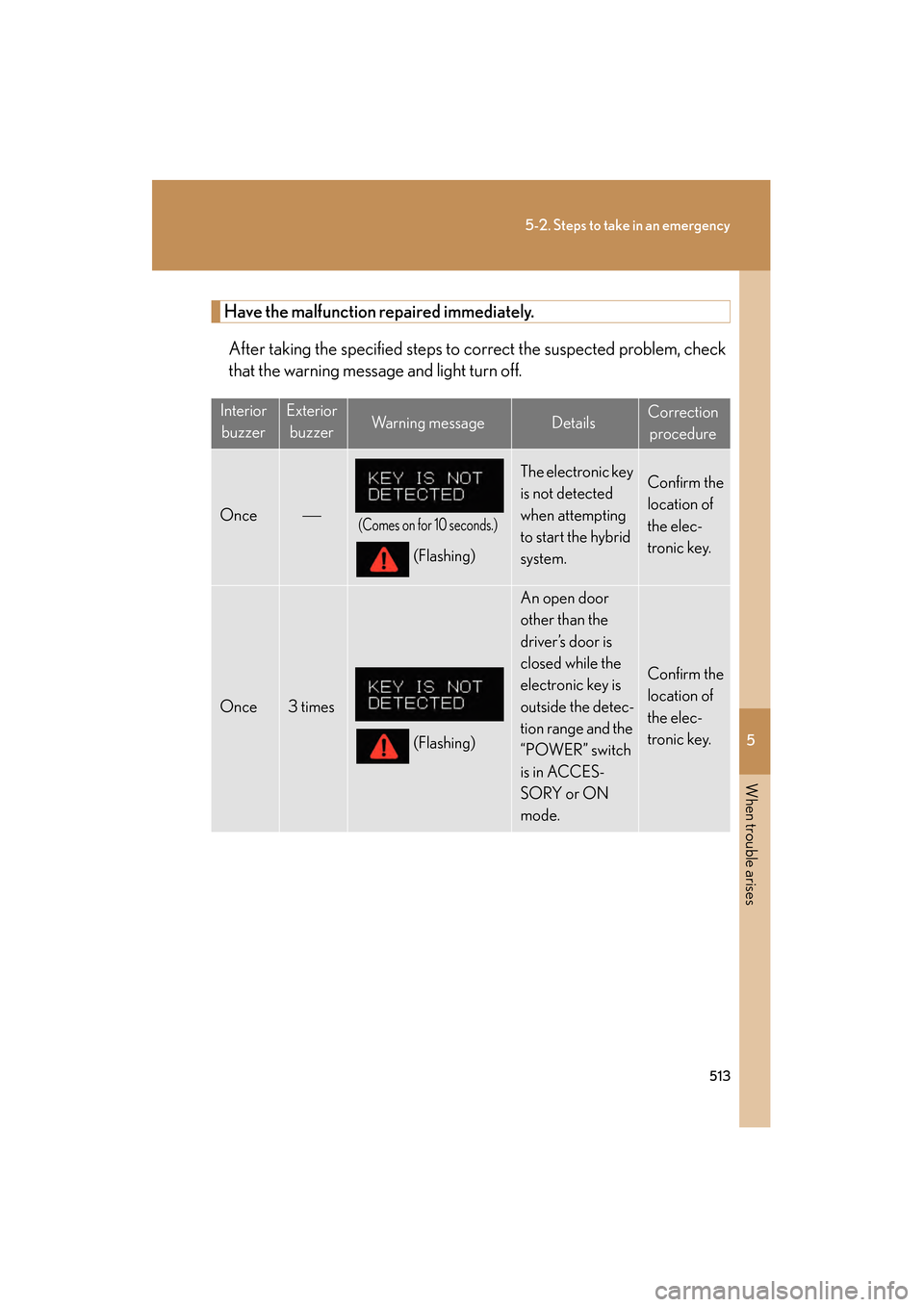
Have the malfunction repaired immediately.After taking the specified steps to co rrect the suspected problem, check
that the warning message and light turn off.
Interior
buzzerExterior buzzerWa r n i n g m e s s a g eDetailsCorrection procedure
Once(Comes on for 10 seconds.)
(Flashing)
The electronic key
is not detected
when attempting
to start the hybrid
system.Confirm the
location of
the elec-
tronic key.
Once3 times
(Flashing)
An open door
other than the
driver’s door is
closed while the
electronic key is
outside the detec-
tion range and the
“POWER” switch
is in ACCES-
SORY or ON
mode.
Confirm the
location of
the elec-
tronic key.
GS450h_HV_U.book Page 513 Thursday, June 19, 2008 1:44 PM
Page 517 of 599
5
When trouble arises
515
5-2. Steps to take in an emergency
GS_HV_U
June 19, 2008 1:15 pm
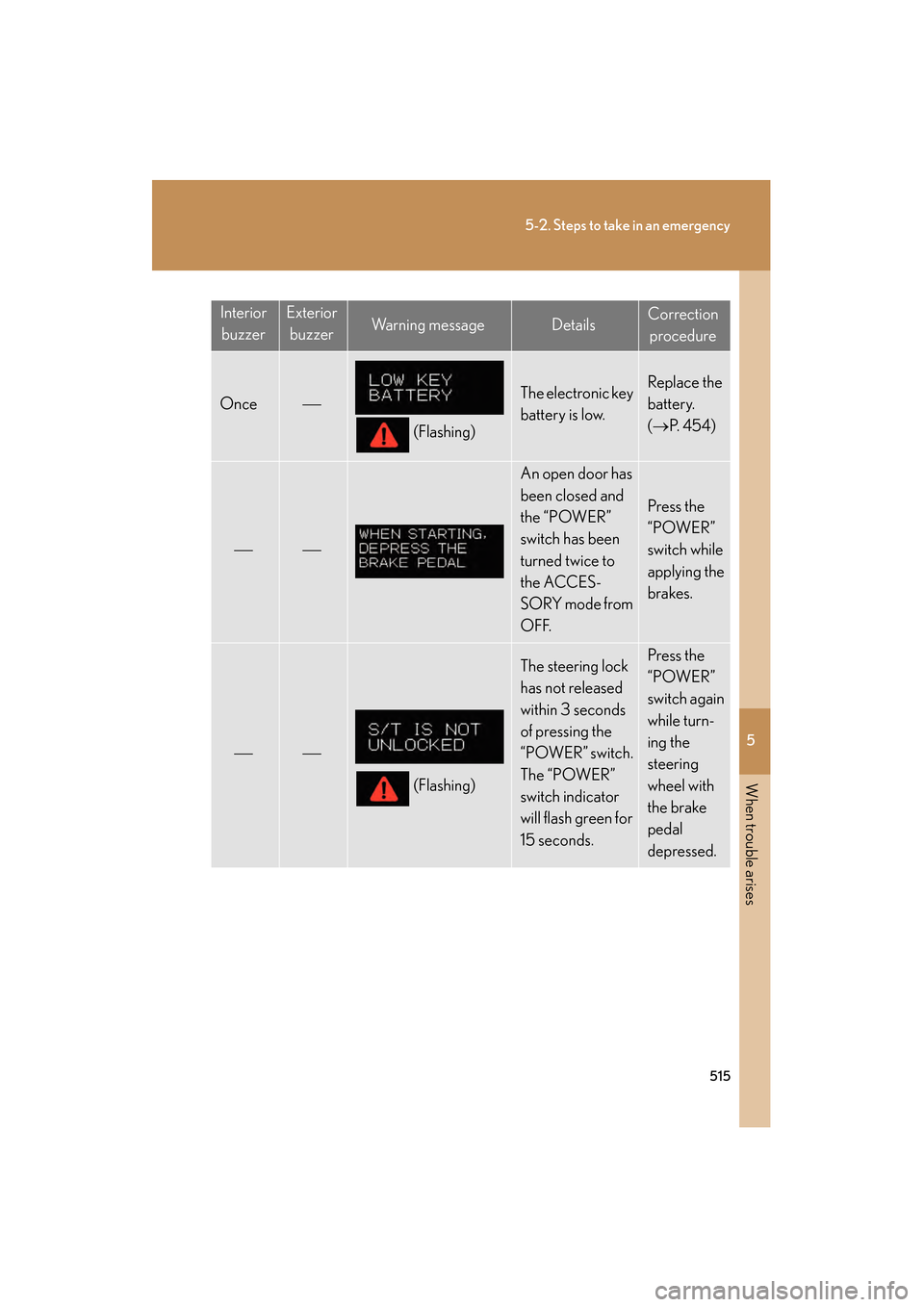
InteriorbuzzerExterior buzzerWa r n i n g m e s s a g eDetailsCorrection procedure
Once
(Flashing)
The electronic key
battery is low.Replace the
battery.
( → P. 4 5 4 )
An open door has
been closed and
the “POWER”
switch has been
turned twice to
the ACCES-
SORY mode from
OFF.
Press the
“POWER”
switch while
applying the
brakes.
(Flashing)
The steering lock
has not released
within 3 seconds
of pressing the
“POWER” switch.
The “POWER”
switch indicator
will flash green for
15 seconds.Press the
“POWER”
switch again
while turn-
ing the
steering
wheel with
the brake
pedal
depressed.
GS450h_HV_U.book Page 515 Thursday, June 19, 2008 1:44 PM