light Lexus GS450h 2009 Owner's Guide
[x] Cancel search | Manufacturer: LEXUS, Model Year: 2009, Model line: GS450h, Model: Lexus GS450h 2009Pages: 622
Page 84 of 622
83
1
1-4. Adjustable components (seats, mirrors, steering wheel)
Before driving
GS_HV_U (OM30B44U)
April 27, 2009 10:09 am
Outside rear view mirrors
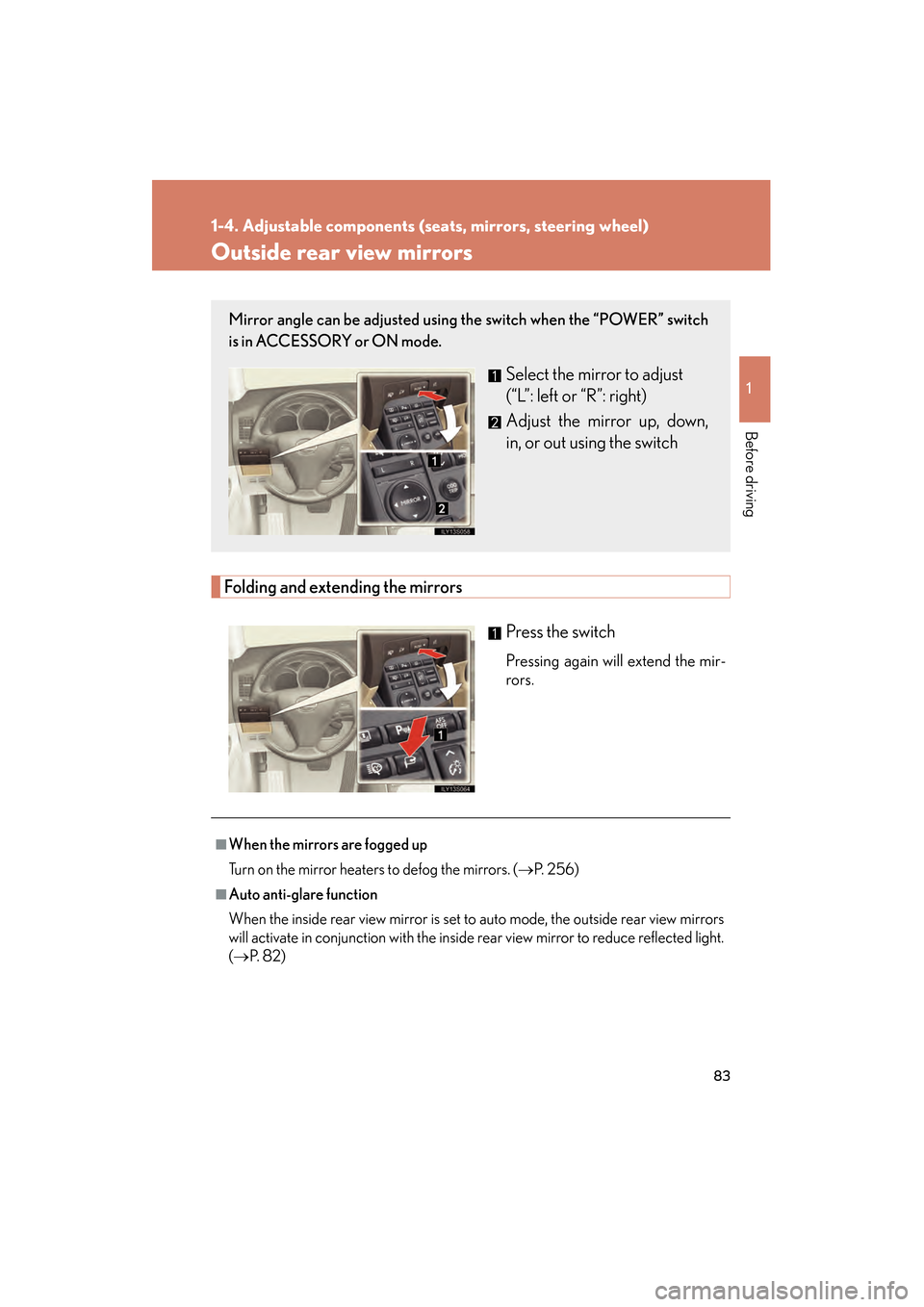
Folding and extending the mirrorsPress the switch
Pressing again will extend the mir-
rors.
Mirror angle can be adjusted using the switch when the “POWER” switch
is in ACCESSORY or ON mode.
Select the mirror to adjust
(“L”: left or “R”: right)
Adjust the mirror up, down,
in, or out using the switch
■When the mirrors are fogged up
Turn on the mirror heaters to defog the mirrors. ( →P. 2 5 6 )
■Auto anti-glare function
When the inside rear view mirror is set to auto mode, the outside rear view mirrors
will activate in conjunction with the inside rear view mirror to reduce reflected light.
(→ P. 8 2 )
GS450h_HV_U.book Page 83 Monday, April 27, 2009 10:10 AM
Page 87 of 622
86
1-5. Opening and closing the windows and moon roof
GS_HV_U (OM30B44U)
April 27, 2009 10:09 am
■The power windows can be operated when
The “POWER” switch is in ON mode.
■Linked door lock window operation
●The power windows can be opened and closed using the mechanical key.
(→ P. 5 5 0 )
●The power windows can be opened using the wireless remote control.
(→ P. 5 1 )
■Operating the power windows after turning the “POWER” switch OFF
The power windows can be operated for approximately 45 seconds even after the
“POWER” switch is switched to ACCESSORY mode or turned OFF. They cannot,
however, be operated once the driver’s or front passenger’s door is opened.
■Jam protection function
If an object becomes caught between the window and the window frame, window
travel is stopped and the window is opened slightly.
■Customization that can be configured at Lexus dealer
Settings (e.g. linked door lock operation) can be changed.
(Customizable features →P. 592)
GS450h_HV_U.book Page 86 Monday, April 27, 2009 10:10 AM
Page 89 of 622
88
1-5. Opening and closing the windows and moon roof
GS_HV_U (OM30B44U)
April 27, 2009 10:09 am
Moon roof∗
∗: If equipped
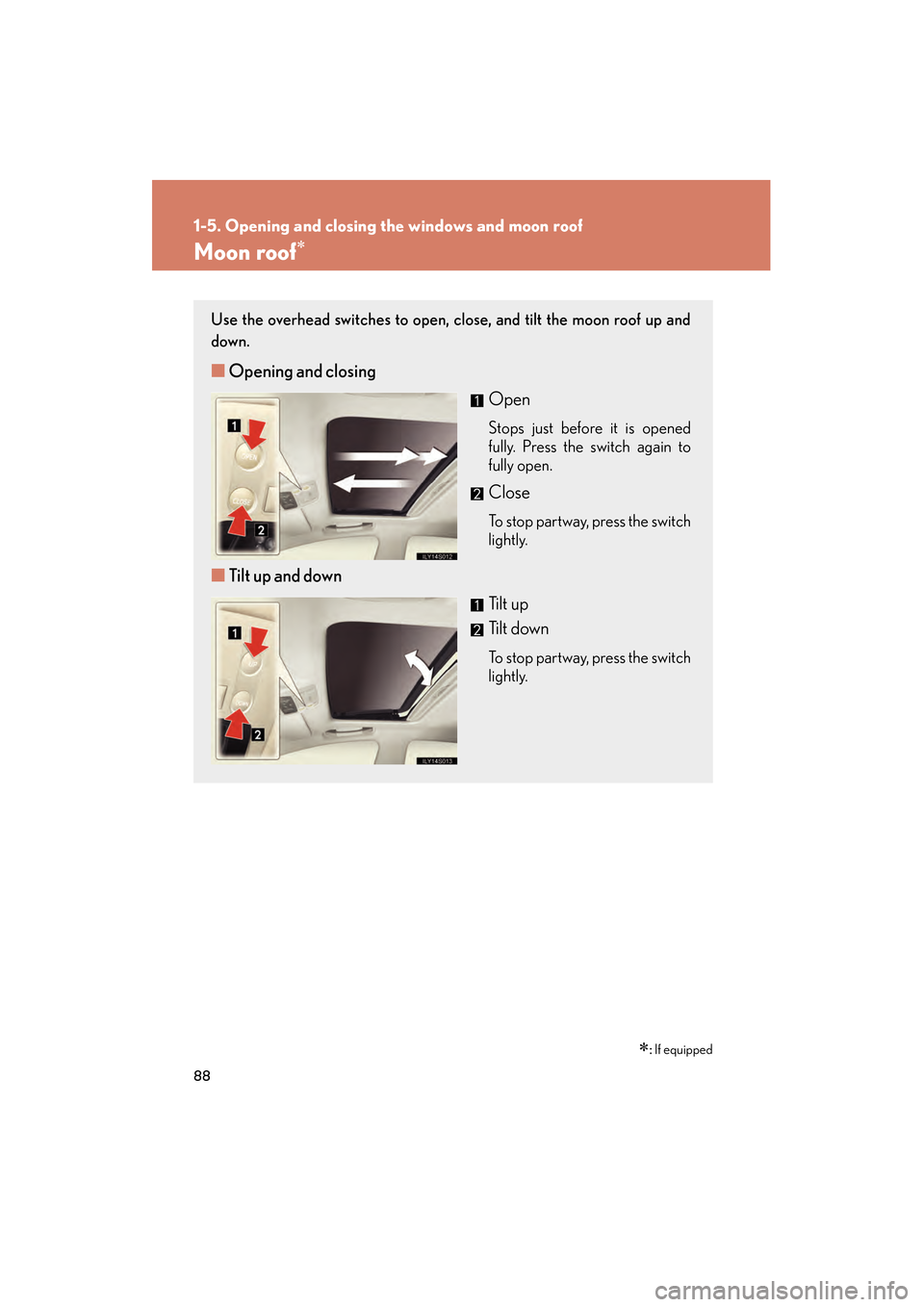
Use the overhead switches to open, close, and tilt the moon roof up and
down.
■ Opening and closing
Open
Stops just before it is opened
fully. Press the switch again to
fully open.
Close
To stop partway, press the switch
lightly.
■Tilt up and down
Tilt up
Tilt down
To stop partway, press the switch
lightly.
GS450h_HV_U.book Page 88 Monday, April 27, 2009 10:10 AM
Page 90 of 622
89
1-5. Opening and closing the windows and moon roof
1
Before driving
GS_HV_U (OM30B44U)
April 27, 2009 10:09 am
■The moon roof can be operated when
The “POWER” switch is in ON mode.
■Linked door lock moon roof operation
●The moon roof can be opened and closed using the mechanical key. (→P. 5 5 0 )
●The moon roof can be opened using the wireless remote control. ( →P. 5 1 )
■Operating the moon roof after turning the “POWER” switch OFF
The moon roof can be operated for approximately 45 seconds even after the
“POWER” switch is switched to ACCESSORY mode or turned OFF. It cannot,
however, be operated once the driver’s door is opened.
■Jam protection function
If an object is detected between the moon roof and the frame while closing or tilting
down, travel is stopped and th e moon roof opens slightly.
■If the moon roof cannot be closed automatically
Keep the close switch depressed.
■To reduce moon roof wind noise
Drive with the moon roof opened automatically (just before fully opened position).
■Sunshade
The sunshade can be opened and closed manually. However, the sunshade will
open automatically when the moon roof is opened.
■Customization that can be configured at Lexus dealer
Settings (e.g. linked door lock operation) can be changed.
(Customizable features →P. 5 9 2 )
GS450h_HV_U.book Page 89 Monday, April 27, 2009 10:10 AM
Page 93 of 622
92
1-6. Refueling
GS_HV_U (OM30B44U)
April 27, 2009 10:09 am
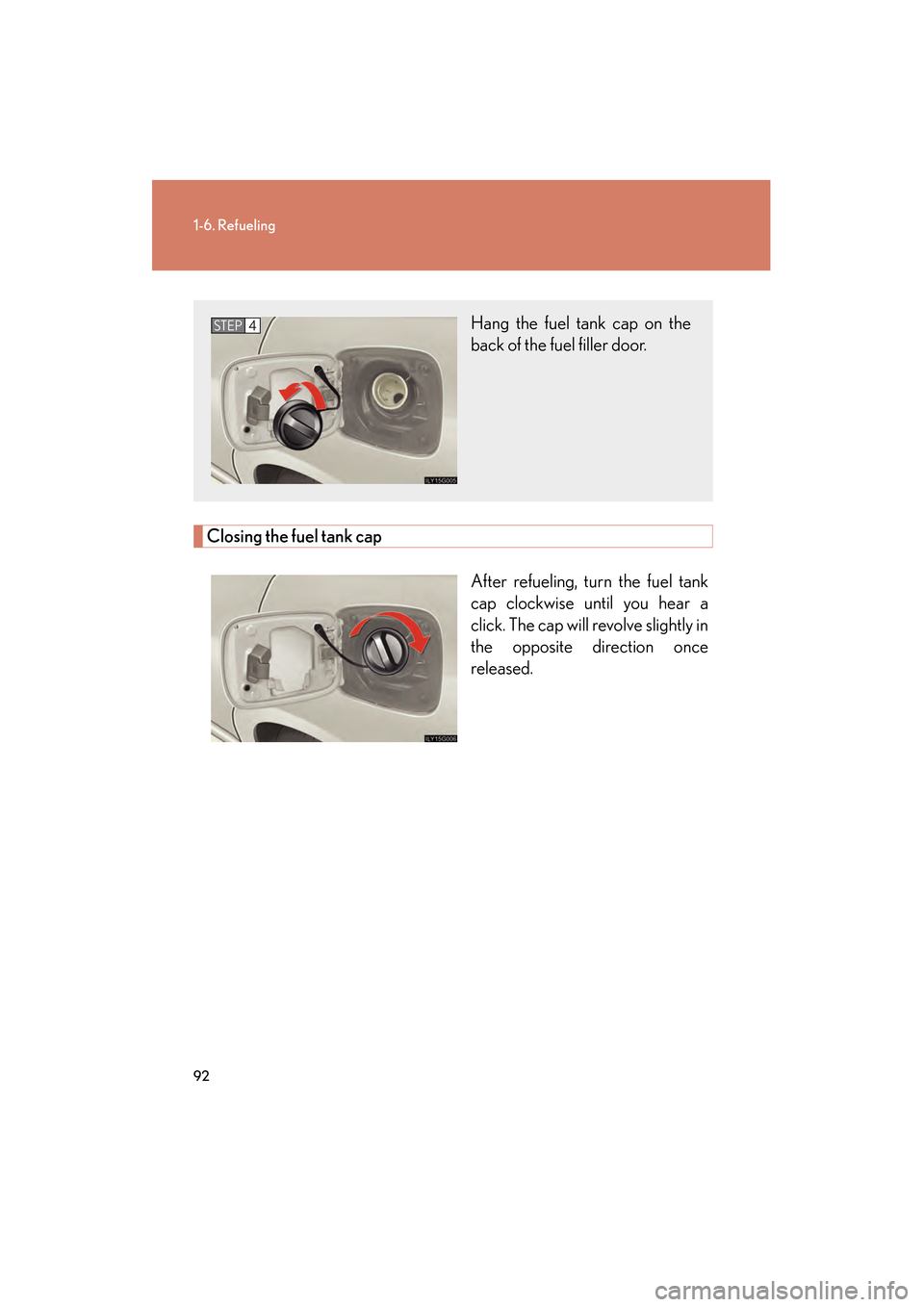
Closing the fuel tank capAfter refueling, turn the fuel tank
cap clockwise until you hear a
click. The cap will revolve slightly in
the opposite direction once
released.
Hang the fuel tank cap on the
back of the fuel filler door.STEP4
GS450h_HV_U.book Page 92 Monday, April 27, 2009 10:10 AM
Page 97 of 622
96
GS_HV_U (OM30B44U)
April 27, 2009 10:09 am
1-7. Theft deterrent system
Immobilizer system
■System maintenance
The vehicle has a maintenance-free type of immobilizer system.
■Conditions that may cause the system to malfunction
●If the grip portion of the key is in contact with a metallic object.
●If the key is in close proximity to or touching a key to the security system (key
with a built-in transponder chip) of another vehicle.
■Certifications for the immobilizer system For vehicles sold in the U.S.A.
This device complies with Part 15 of the FCC Rules. Operation is subject to the fol-
lowing two conditions: (1) this device may not cause harmful interference, and (2)
this device must accept any interference received, including interference that may
cause undesired operation.
The vehicle’s keys have built-in transponder chips that prevent the hybrid
system from starting if the key has not been previously registered in the
vehicle’s on-board computer.
Never leave the keys inside the vehicle when you leave the vehicle.
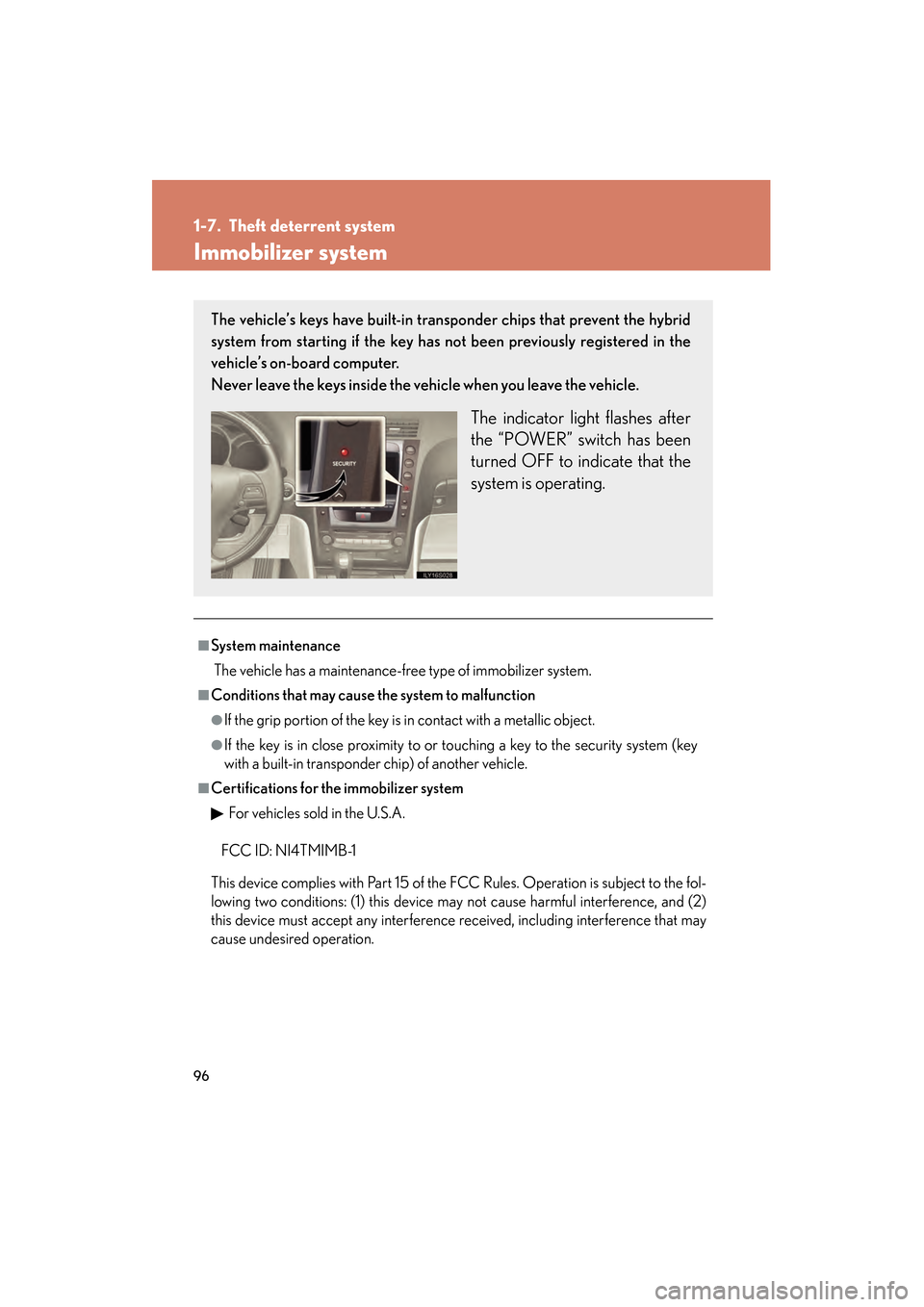
The indicator light flashes after
the “POWER” switch has been
turned OFF to indicate that the
system is operating.
FCC ID: NI4TMIMB-1
GS450h_HV_U.book Page 96 Monday, April 27, 2009 10:10 AM
Page 99 of 622
98
1-7. Theft deterrent system
GS_HV_U (OM30B44U)
April 27, 2009 10:09 am
Alarm
The system sounds the alarm and flashes lights when forcible entry is
detected.
■Triggering of the alarm
The alarm is triggered in the following situations.
●A locked door or trunk is unlocked or opened in any way other
than by using the smart access system with push-button start,
wireless remote control or mechanical key. (The doors will lock
again automatically.)
● The hood is opened while the vehicle is locked.
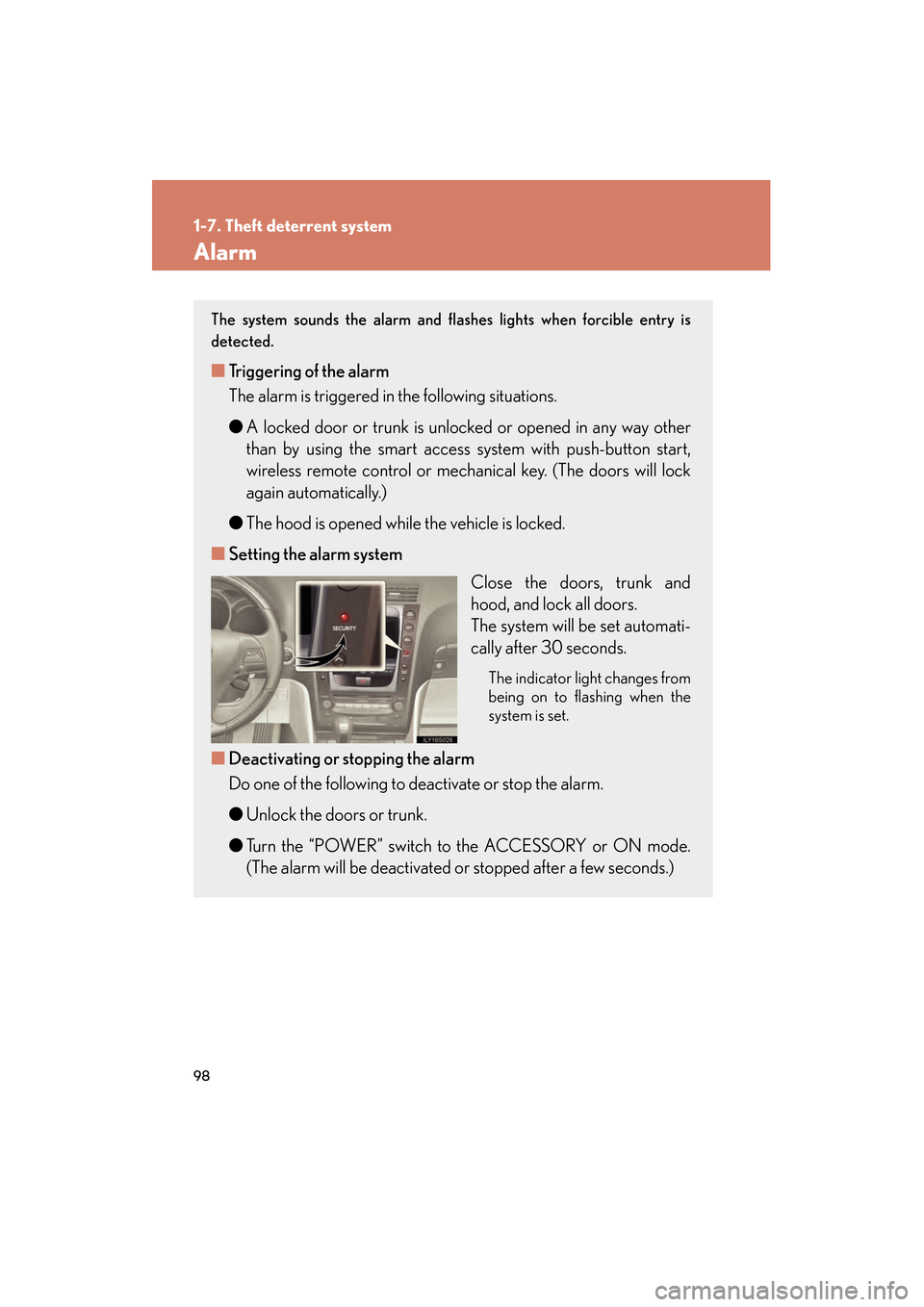
■ Setting the alarm system
Close the doors, trunk and
hood, and lock all doors.
The system will be set automati-
cally after 30 seconds.
The indicator light changes from
being on to flashing when the
system is set.
■Deactivating or stopping the alarm
Do one of the following to deactivate or stop the alarm.
●Unlock the doors or trunk.
● Turn the “POWER” switch to the ACCESSORY or ON mode.
(The alarm will be deactivated or stopped after a few seconds.)
GS450h_HV_U.book Page 98 Monday, April 27, 2009 10:10 AM
Page 100 of 622
99
1-7. Theft deterrent system
1
Before driving
GS_HV_U (OM30B44U)
April 27, 2009 10:09 am
■Items to check before locking the vehicle
To prevent unintended triggering of the alarm and vehicle theft, make sure of the
following:
●Nobody is in the vehicle.
●The windows and moon roof are closed before the alarm is set.
●No valuables or other personal items are left in the vehicle.
■Triggering of the alarm
The alarm may be triggered in the following situations.
(Stopping the alarm deactivates the alarm system.)
●A person inside the vehicle opens a door, the trunk or hood.
●The 12 volt battery is recharged or replaced when the vehicle is locked.
■When the 12 volt battery is disconnected
Be sure to cancel the alarm system.
If the 12 volt battery is disconnected before canceling the alarm, the system may be
triggered when the battery is reconnected.
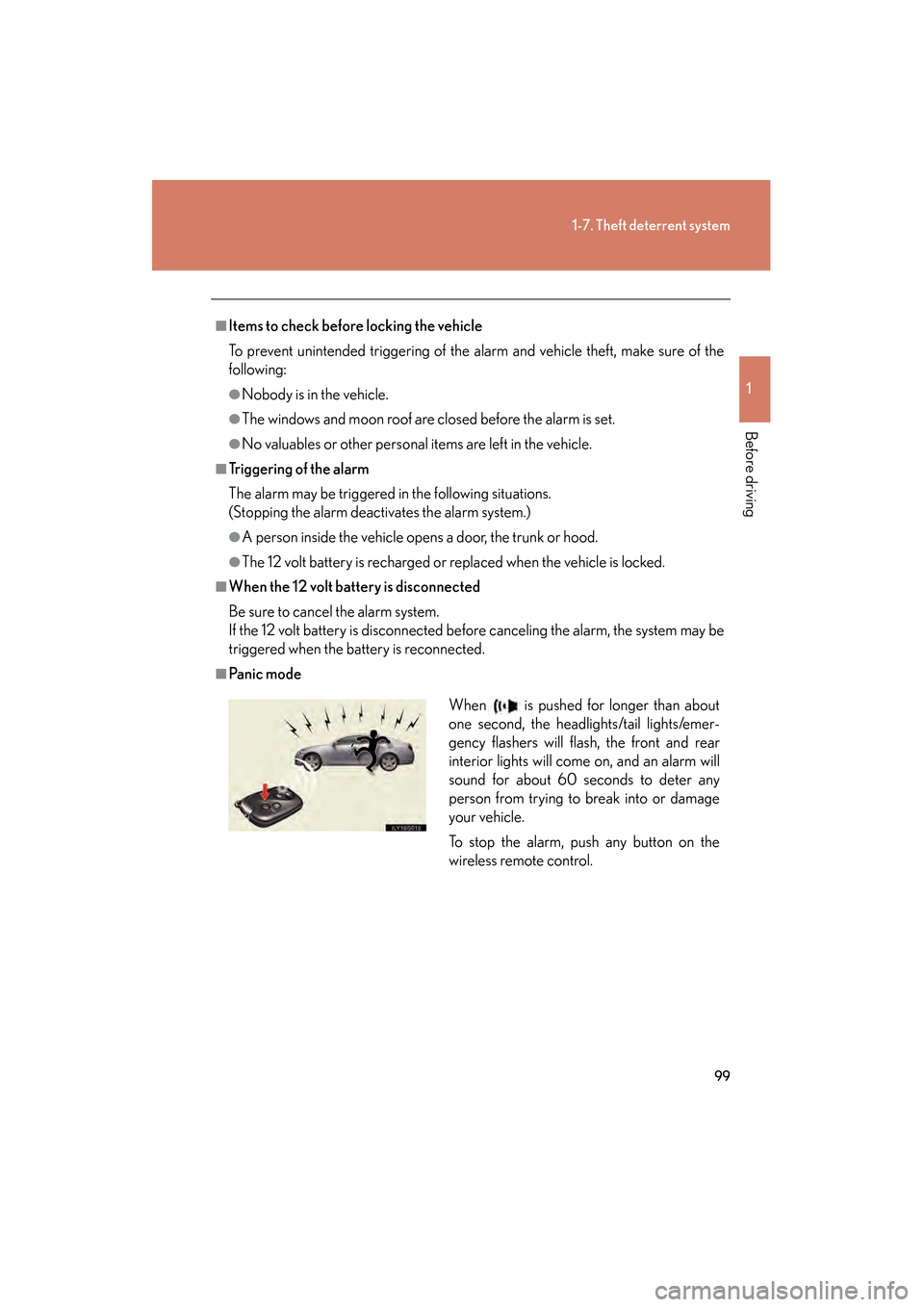
■Pa n i c m o d eWhen is pushed for longer than about
one second, the headlights/tail lights/emer-
gency flashers will flash, the front and rear
interior lights will come on, and an alarm will
sound for about 60 seconds to deter any
person from trying to break into or damage
your vehicle.
To stop the alarm, push any button on the
wireless remote control.
GS450h_HV_U.book Page 99 Monday, April 27, 2009 10:10 AM
Page 105 of 622
104
1-8. Safety information
GS_HV_U (OM30B44U)
April 27, 2009 10:09 am
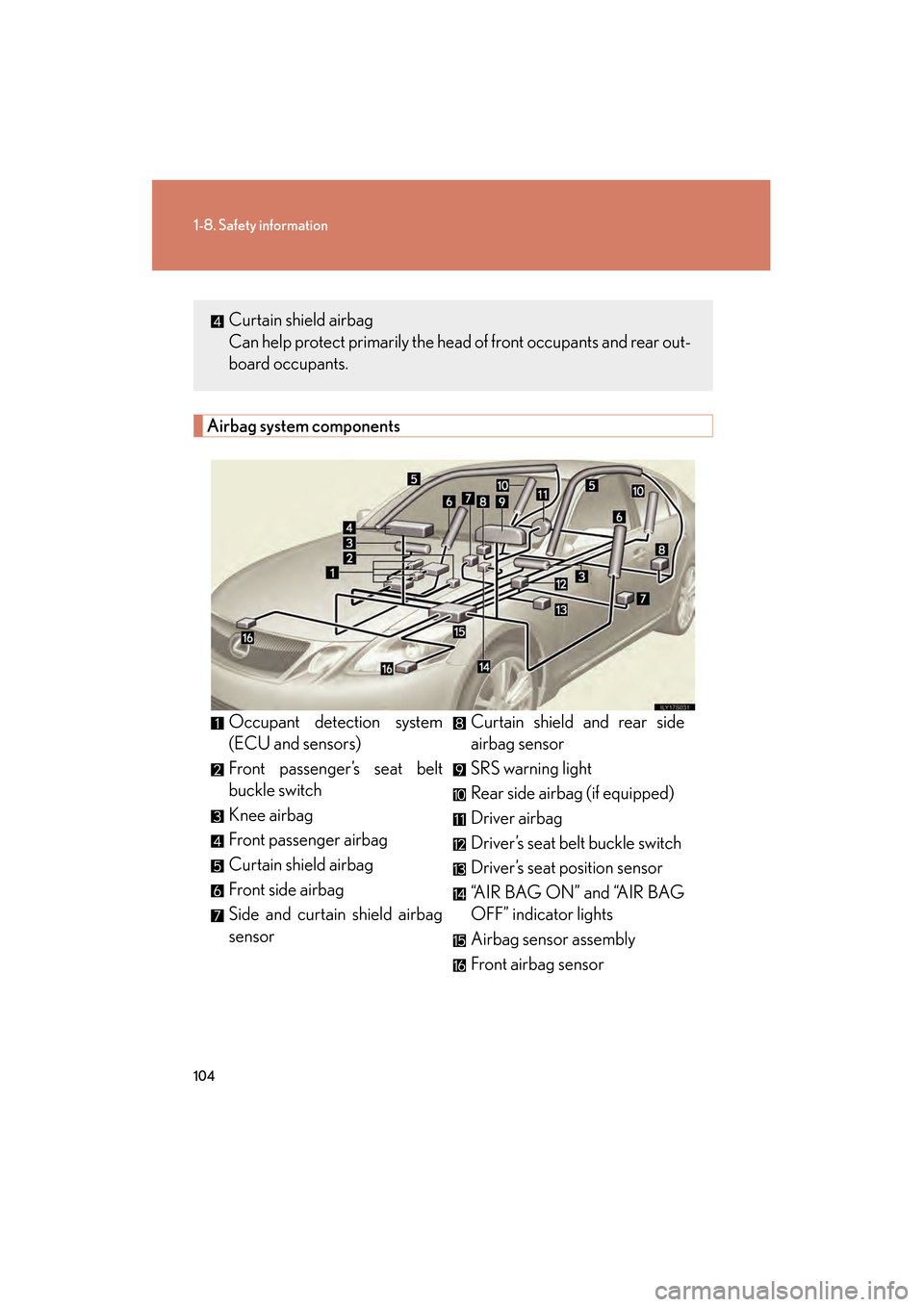
Airbag system components
Occupant detection system
(ECU and sensors)
Front passenger’s seat belt
buckle switch
Knee airbag
Front passenger airbag
Curtain shield airbag
Front side airbag
Side and curtain shield airbag
sensorCurtain shield and rear side
airbag sensor
SRS warning light
Rear side airbag (if equipped)
Driver airbag
Driver’s seat belt buckle switch
Driver’s seat position sensor
“AIR BAG ON” and “AIR BAG
OFF” indicator lights
Airbag sensor assembly
Front airbag sensor
Curtain shield airbag
Can help protect primarily the head of front occupants and rear out-
board occupants.
GS450h_HV_U.book Page 104 Monday, April 27, 2009 10:10 AM
Page 106 of 622
105
1-8. Safety information
1
Before driving
GS_HV_U (OM30B44U)
April 27, 2009 10:09 am
Your vehicle is equipped with “ADVANCED AIRBAGS” designed based
on US motor vehicle safety standards (FMVSS208). The airbag system
controls airbag deployment power for the driver and front passenger. The
driver airbag system consists of the driver’s seat position sensor etc. The
front passenger’s airbag system consists of the front passenger occupant
classification sensor etc.
The main SRS airbag system components are shown above. The SRS air-
bag system is controlled by the airbag sensor assembly. The airbag sen-
sor assembly consists of a safing sensor and an airbag sensor.
In certain types of severe frontal or side impacts, the SRS airbag system
triggers the airbag inflators. A chemical reaction in the inflators quickly
fills the airbags with non-toxic gas to help restrain the motion of the occu-
pants.
■If the SRS airbags deploy (inflate)
●Bruising and slight abrasions may result from contact with a deploying (inflating)
SRS airbag.
●A loud noise and white powder will be emitted.
●Parts of the airbag module (steering wheel hub, airbag cover and inflator) as
well as the seats, and parts of the front pillar and roof side rail, may be hot for
several minutes. The airbag itself may also be hot.
●The windshield may crack.
GS450h_HV_U.book Page 105 Monday, April 27, 2009 10:10 AM