door lock Lexus GS450h 2009 Service Manual
[x] Cancel search | Manufacturer: LEXUS, Model Year: 2009, Model line: GS450h, Model: Lexus GS450h 2009Pages: 622
Page 100 of 622
99
1-7. Theft deterrent system
1
Before driving
GS_HV_U (OM30B44U)
April 27, 2009 10:09 am
■Items to check before locking the vehicle
To prevent unintended triggering of the alarm and vehicle theft, make sure of the
following:
●Nobody is in the vehicle.
●The windows and moon roof are closed before the alarm is set.
●No valuables or other personal items are left in the vehicle.
■Triggering of the alarm
The alarm may be triggered in the following situations.
(Stopping the alarm deactivates the alarm system.)
●A person inside the vehicle opens a door, the trunk or hood.
●The 12 volt battery is recharged or replaced when the vehicle is locked.
■When the 12 volt battery is disconnected
Be sure to cancel the alarm system.
If the 12 volt battery is disconnected before canceling the alarm, the system may be
triggered when the battery is reconnected.
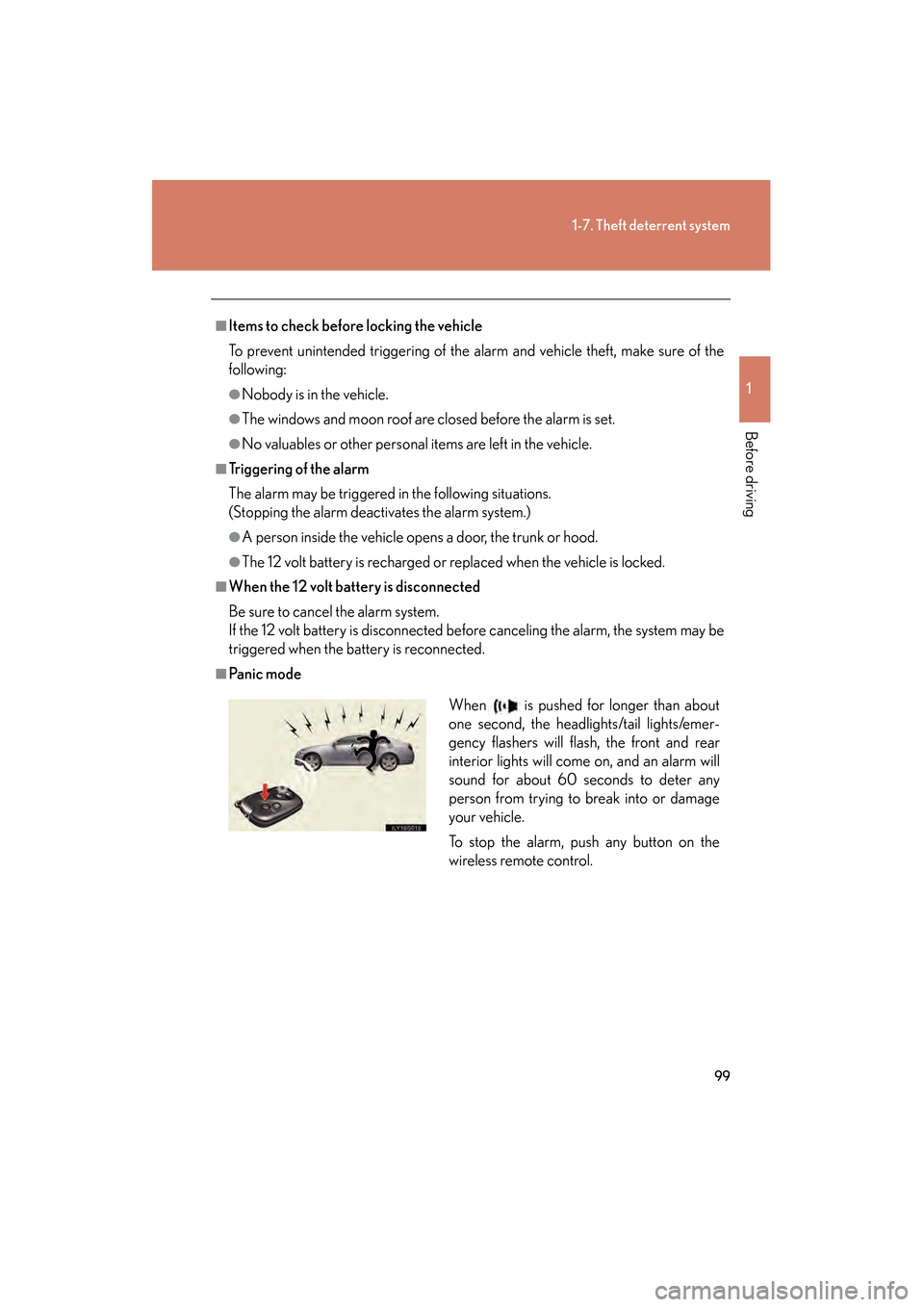
■Pa n i c m o d eWhen is pushed for longer than about
one second, the headlights/tail lights/emer-
gency flashers will flash, the front and rear
interior lights will come on, and an alarm will
sound for about 60 seconds to deter any
person from trying to break into or damage
your vehicle.
To stop the alarm, push any button on the
wireless remote control.
GS450h_HV_U.book Page 99 Monday, April 27, 2009 10:10 AM
Page 125 of 622
124
1-8. Safety information
GS_HV_U (OM30B44U)
April 27, 2009 10:09 am
CAUTION
■Child restraint precautions
●Do not allow the child to lean his/her head or any part of his/her body against the
door or the area of the seat, front pillar or roof side rail from which the side air-
bags or curtain shield airbags deploy even if the child is seated in the child
restraint system. It is dangerous if the side airbags and curtain shield airbags
inflate, and the impact could cause death or serious injury to the child.
●Make sure you have complied with all installation instructions provided by the
child restraint manufacturer and that the system is properly secured. If it is not
secured properly, it may cause death or serious injury to the child in the event of a
sudden stop, sudden swerve or an accident.
■Child restraint lock function belt precaution
Do not allow children to play with the child restraint lock function belt. If the belt
becomes twisted around a child’s neck, it will not be possible to pull the belt out
leading to choking or other serious injuries that could result in death.
If this occurs and the buckle cannot be unfastened, scissors should be used to cut
the belt.
■When the child restraint system is not in use
●Keep the child restraint system properly secured on the seat even if it is not in use.
Do not store the restraint unsecured in the passenger compartment.
●If it is necessary to detach the child restraint system, remove it from the vehicle or
store it securely in the trunk. This will prevent it from injuring passengers in the
event of a sudden stop, sudden swerve or accident.
GS450h_HV_U.book Page 124 Monday, April 27, 2009 10:10 AM
Page 139 of 622
138
GS_HV_U (OM30B44U)
April 27, 2009 10:09 am
2-1. Driving procedures
Driving the vehicle
Starting on a steep inclineFirmly set the parking brake and shift the shift lever to “D”.
Gently depress the accelerator pedal.
Release the parking brake.
The following procedures should be observed to ensure safe driving.
■Starting the hybrid system ( →P. 148)
■ Driving
With the brake pedal depressed, shift the shift lever to “D”. (→P. 1 5 2 )
Release the parking brake. (→ P. 1 5 7 )
Gradually release the brake pedal and gently push the accel-
erator pedal to accelerate the vehicle.
■ Stopping
With the shift lever in “D”, push the brake pedal.
If necessary, set the parking brake.
When the vehicle is stopped for an extended period of time, shift the
shift lever to “P”. (
→P. 1 5 2 )
■Parking the vehicle
With the shift lever in “D”, push the brake pedal.
Set the parking brake. (→ P. 1 5 7 )
Shift the shift lever to “P”. (→ P. 1 5 2 )
Stop the hybrid system.
Lock the door, making sure that you have the electronic key on
your person.
STEP1
STEP2
STEP3
STEP1
STEP2
STEP1
STEP2
STEP3
STEP4
STEP5
STEP1
STEP2
STEP3
GS450h_HV_U.book Page 138 Monday, April 27, 2009 10:10 AM
Page 172 of 622
171
2-3. Operating the lights and windshield wipers
2
When driving
GS_HV_U (OM30B44U)
April 27, 2009 10:09 am
■Automatic light off system
The headlights and tail lights turn off 30 seconds after all doors are closed if the
“POWER” switch has been switched to ACCESSORY mode or turned OFF while
the headlights are turned on. (The lights turn off immediately if the button on the
key is pressed after all doors are locked.)
To turn the lights on again, switch to ON mode, or turn the light switch off once and
then back to the or position.
■Automatic headlight leveling system
The level of the headlights is automatically adjusted according to the number of
passengers and the loading condition of the vehicle to ensure that the headlights do
not interfere with other road users.
■If the indicator flashes...
It may indicate a malfunction in the system. Contact your Lexus dealer.
■Customization that can be configured at Lexus dealer
Settings (e.g. light sensor sensitivity) can be changed.
(Customizable features →P. 5 9 3 )
NOTICE
■To prevent 12 volt battery discharge
Do not leave the lights on longer than necessary when the hybrid system is off.
GS450h_HV_U.book Page 171 Monday, April 27, 2009 10:10 AM
Page 240 of 622
Interior features3
239
GS_HV_U (OM30B44U)
April 27, 2009 10:09 am
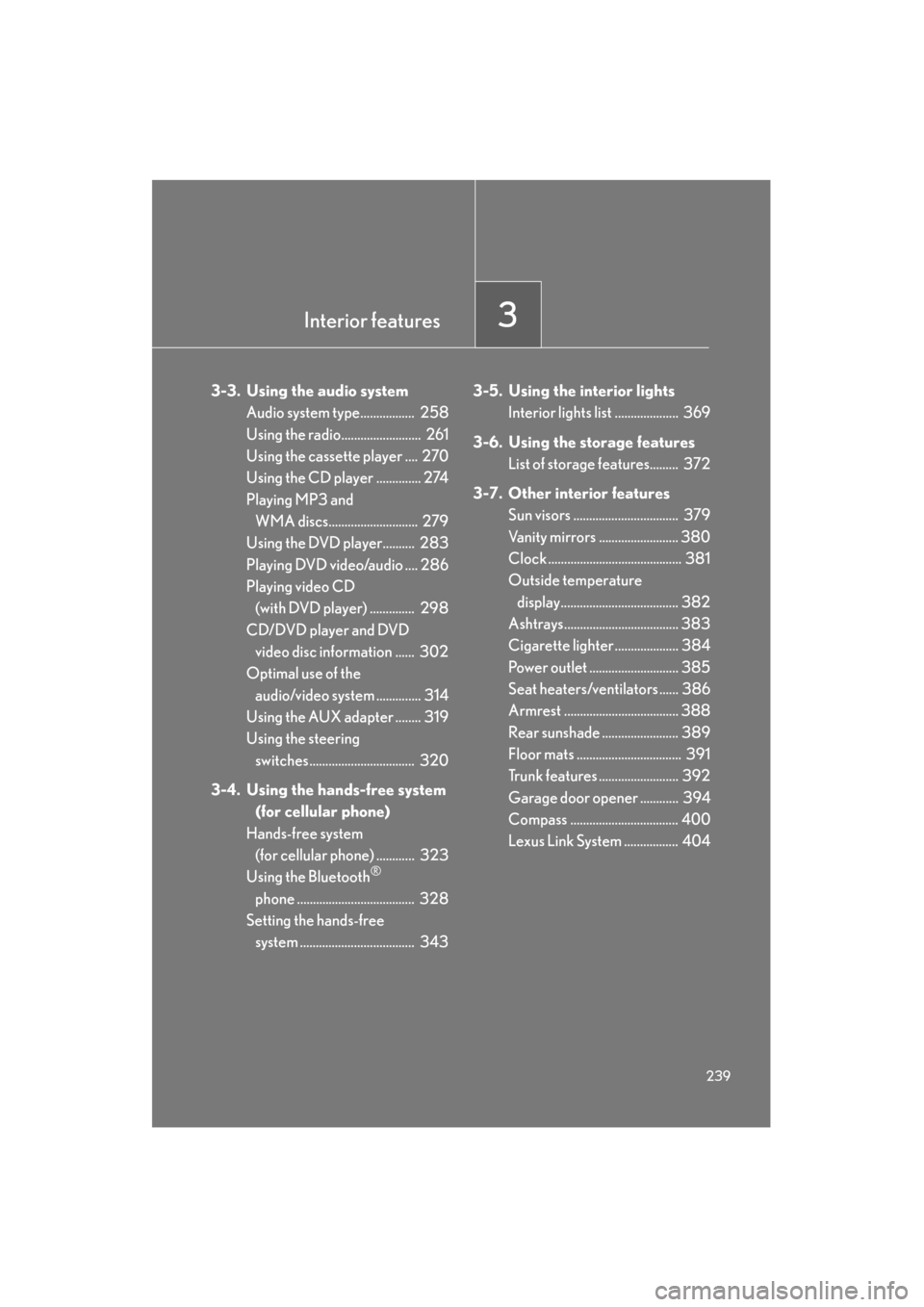
3-3. Using the audio systemAudio system type................. 258
Using the radio......................... 261
Using the cassette player .... 270
Using the CD player .............. 274
Playing MP3 and WMA discs............................ 279
Using the DVD player.......... 283
Playing DVD video/audio .... 286
Playing video CD (with DVD player) .............. 298
CD/DVD player and DVD video disc information ...... 302
Optimal use of the
audio/video system .............. 314
Using the AUX adapter ........ 319
Using the steering switches................................. 320
3-4. Using the hands-free system (for cellular phone)
Hands-free system (for cellular phone) ............ 323
Using the Bluetooth
®
phone ..................................... 328
Setting the hands-free
system .................................... 343 3-5. Using the interior lights
Interior lights list .................... 369
3-6. Using the storage features List of storage features......... 372
3-7. Other interior features Sun visors ................................. 379
Vanity mirrors ......................... 380
Clock .......................................... 381
Outside temperature
display..................................... 382
Ashtrays.................................... 383
Cigarette lighter .................... 384
Power outlet ............................ 385
Seat heaters/ventilators ...... 386
Armrest .................................... 388
Rear sunshade ........................ 389
Floor mats ................................. 391
Trunk features ......................... 392
Garage door opener ............ 394
Compass .................................. 400
Lexus Link System ................. 404
GS450h_HV_U.book Page 239 Monday, April 27, 2009 10:10 AM
Page 370 of 622
369
3
Interior features
GS_HV_U (OM30B44U)
April 27, 2009 10:09 am
3-5. Using the interior lights
Interior lights list
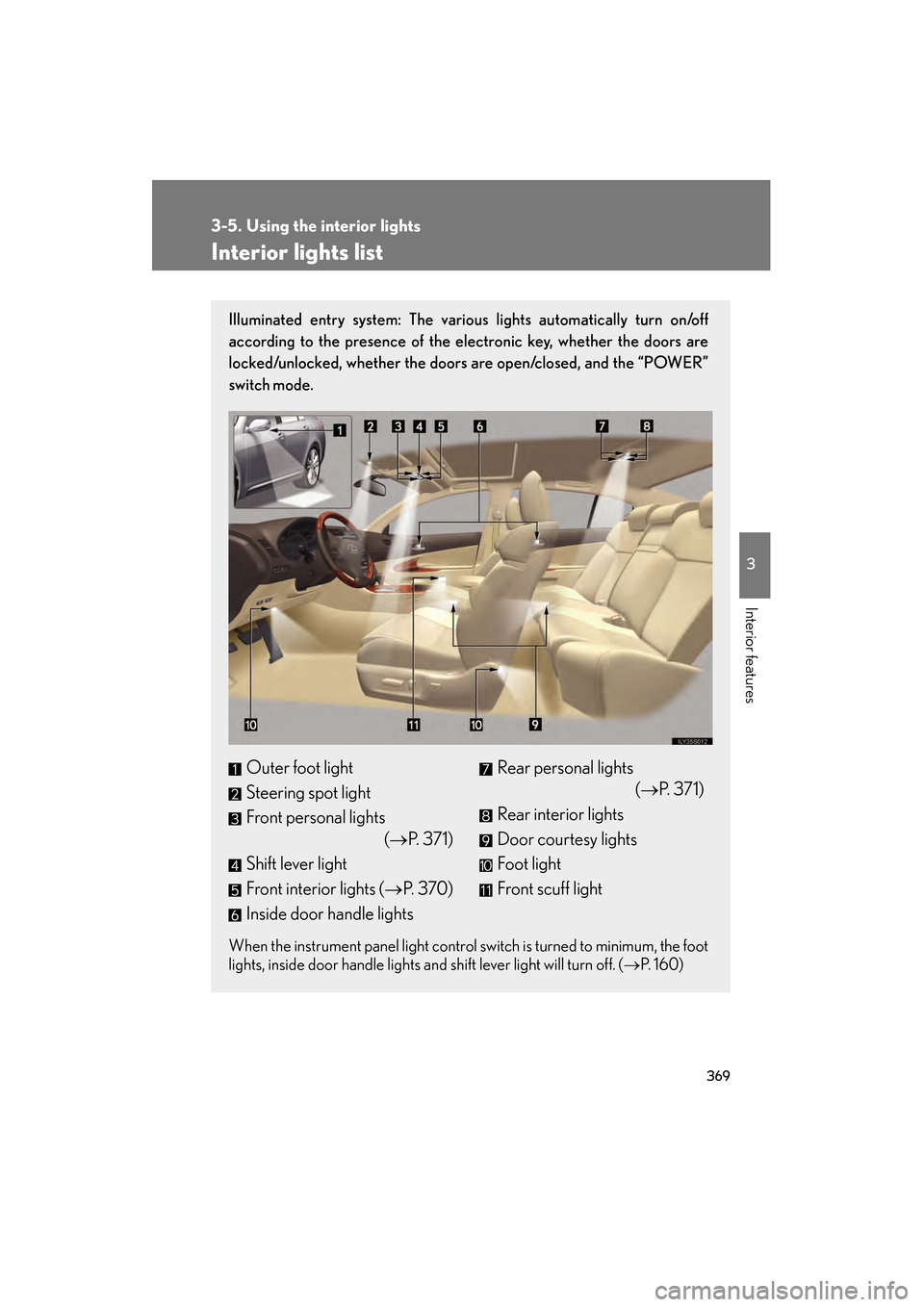
Illuminated entry system: The various lights automatically turn on/off
according to the presence of the electronic key, whether the doors are
locked/unlocked, whether the doors are open/closed, and the “POWER”
switch mode.
When the instrument panel light control switch is turned to minimum, the foot
lights, inside door handle lights and shift lever light will turn off. (→P. 1 6 0 )
Outer foot light
Steering spot light
Front personal lights
(→P. 3 7 1 )
Shift lever light
Front interior lights ( →P. 3 7 0 )
Inside door handle lightsRear personal lights (→P. 371)
Rear interior lights
Door courtesy lights
Foot light
Front scuff light
GS450h_HV_U.book Page 369 Monday, April 27, 2009 10:10 AM
Page 395 of 622
394
3-7. Other interior features
GS_HV_U (OM30B44U)
April 27, 2009 10:09 am
Garage door opener
The garage door opener (HomeLink Universal Transceiver) is manufactured
under license from HomeLink.
Programming the HomeLink (for U.S.A. owners)
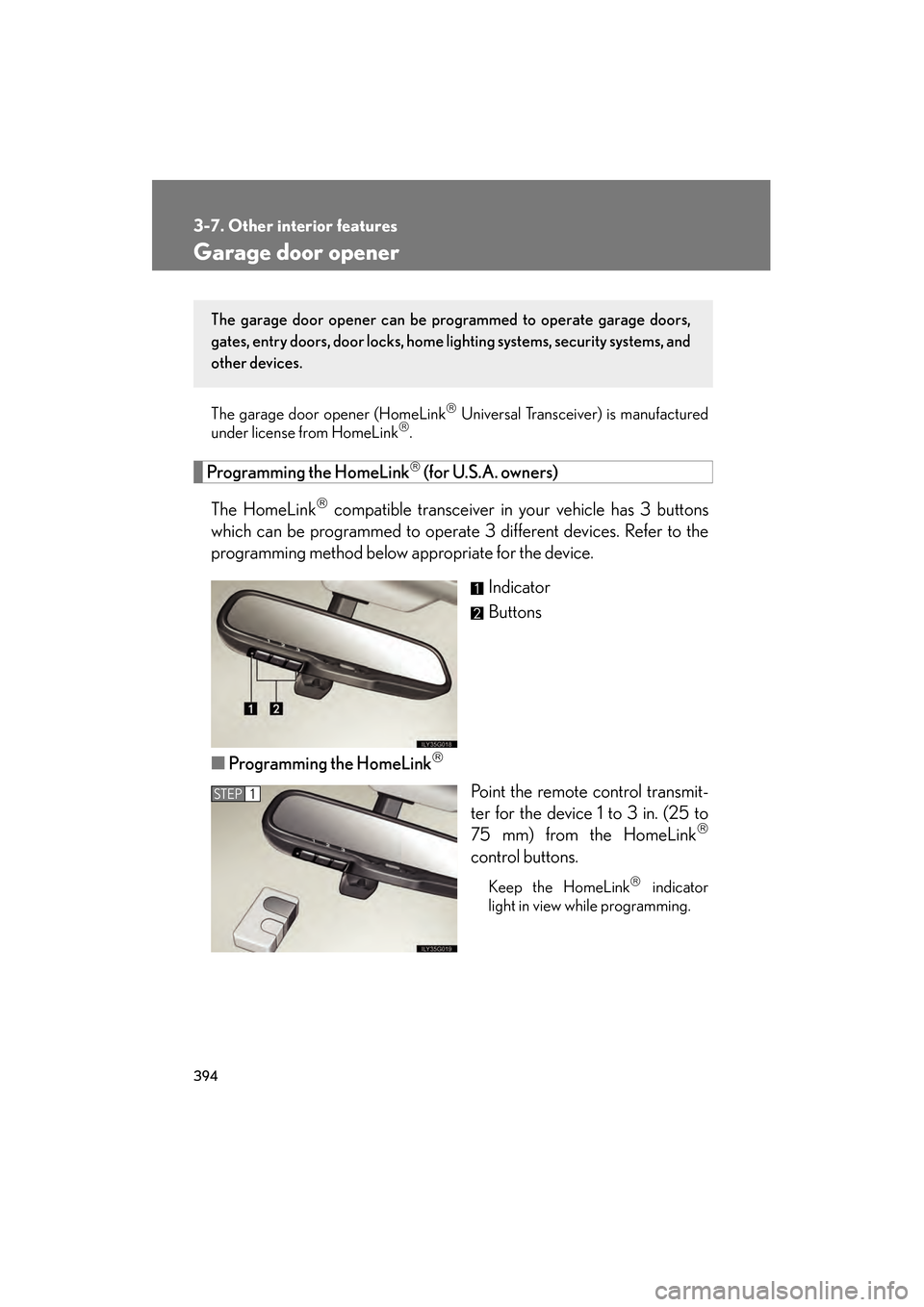
The HomeLink
compatible transceiver in your vehicle has 3 buttons
which can be programmed to operate 3 different devices. Refer to the
programming method below appropriate for the device.
Indicator
Buttons
■ Programming the HomeLink
Point the remote control transmit-
ter for the device 1 to 3 in. (25 to
75 mm) from the HomeLink
control buttons.
Keep the HomeLink indicator
light in view while programming.
The garage door opener can be pr ogrammed to operate garage doors,
gates, entry doors, door locks, home lighting systems, security systems, and
other devices.
STEP1
GS450h_HV_U.book Page 394 Monday, April 27, 2009 10:10 AM
Page 398 of 622
397
3-7. Other interior features
3
Interior features
GS_HV_U (OM30B44U)
April 27, 2009 10:09 am
Test the operation of the HomeLink by pressing the newly pro-
grammed button. Check to see if the gate/device operates cor-
rectly.
Repeat the steps above to program another device for each of
the remaining HomeLink
buttons.
■ Programming other devices
To program other devices such as home security systems, home door
locks or lighting, contact your authorized Lexus dealer for assistance.
■ Reprogramming a button
The individual HomeLink
buttons cannot be erased but can be
reprogrammed. To reprogram a button, follow the “Reprogramming a
HomeLink
button” instructions.
Operating the HomeLink
Press the appropriate HomeLink button. The HomeLink indicator
light on the HomeLink transceiver should turn on.
The HomeLink continues to send a signal for up to 20 seconds as long as
the button is pressed.
Reprogramming a HomeLink® button
Press and hold the desired HomeLink
button. After 20 seconds, the
HomeLink indicator light will start flashing slowly. Next, while still press-
ing and holding the HomeLink button, press and hold the button on the
transmitter until the HomeLink indicator light changes from a slow to a
rapid flash.
STEP5
STEP6
GS450h_HV_U.book Page 397 Monday, April 27, 2009 10:10 AM
Page 403 of 622

402
3-7. Other interior features
GS_HV_U (OM30B44U)
April 27, 2009 10:09 am
Wait a few seconds until the compass direction is displayed.
The calibration is complete.
■Circling calibration
If “CAL” appears on the display,
drive the vehicle at 5 mph (8 km/
h) or less in a circle until a direction
is displayed.
If there is not enough space to
drive in a circle, drive around the
block until the direction is dis-
played.
STEP4
■Conditions unfavorable to correct operation
The compass may not show the correct direction in the following conditions:
●The vehicle is stopped immediately after turning.
●The vehicle is on an inclined surface.
●The vehicle is in a place where the earth’s magnetic field is subject to interfer-
ence by artificial magnetic fields (underground car park/parking lot, under a
steel tower, between buildings, roof car park/parking lot, near an intersection,
near a large vehicle, etc.).
●The vehicle has become magnetized.
(There is a magnet or metal object near the inside rear view mirror.)
●The 12 volt battery has been disconnected.
●A door is open.
GS450h_HV_U.book Page 402 Monday, April 27, 2009 10:10 AM
Page 405 of 622
404
3-7. Other interior features
GS_HV_U (OM30B44U)
April 27, 2009 10:09 am
Lexus Link System∗
∗: If equipped
The Lexus Link System is a communicati on service that uses Global Posi-
tioning System (GPS) data and cellular service to provide you with safety,
security and convenience. This system is only operational in GPS and cellu-
lar coverage areas. Button operation and voice commands are used to
operate the system. To operate the system, follow the voice guidance
instructions. For details about service and subscription, call the Lexus Link
Call Center at 1-800-25-LEXUS (1-800-255-3987) (toll-free).
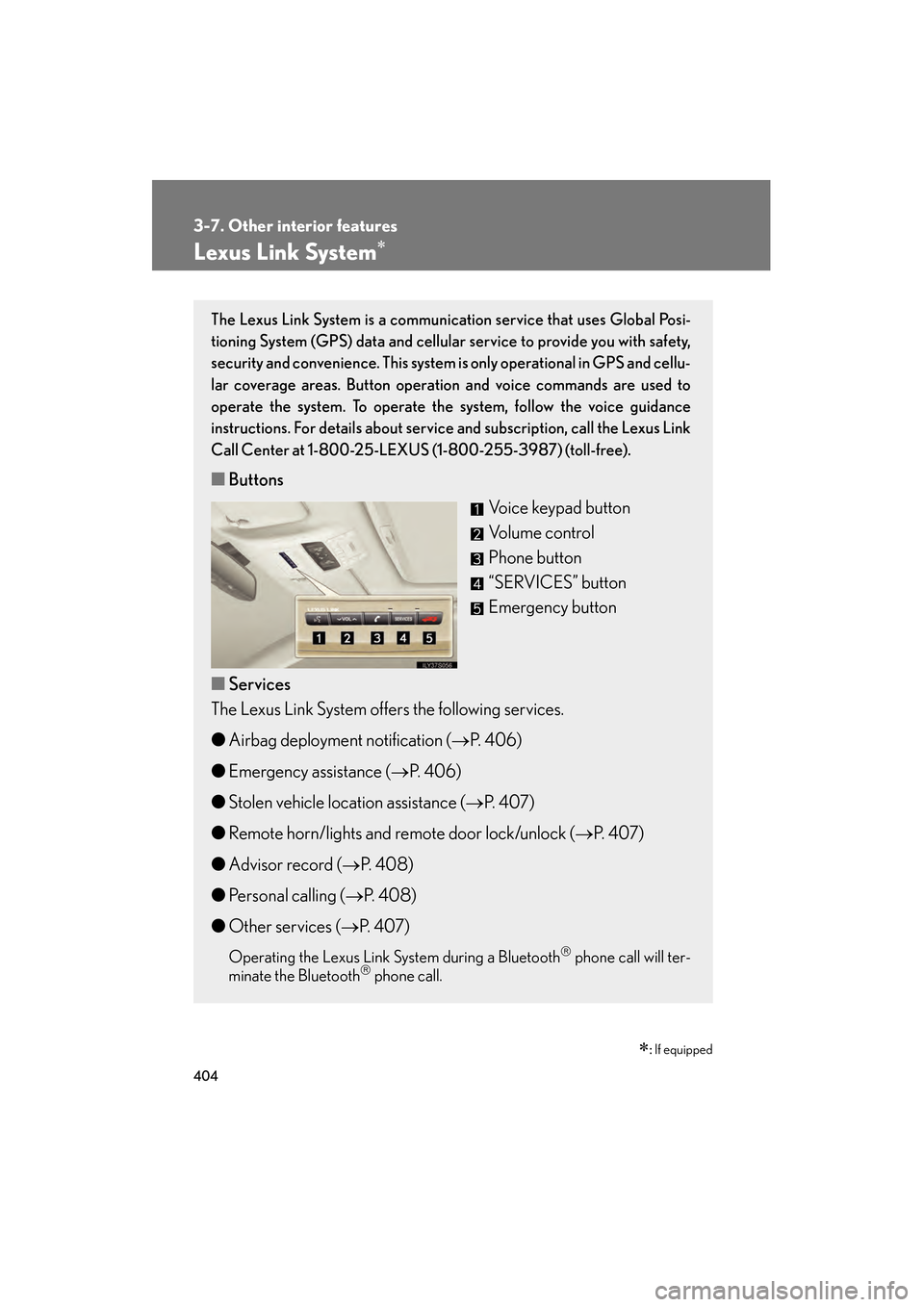
■ Buttons
Voice keypad button
Volume control
Phone button
“SERVICES” button
Emergency button
■ Services
The Lexus Link System offers the following services.
● Airbag deployment notification ( →P. 4 0 6 )
● Emergency assistance ( →P. 4 0 6 )
● Stolen vehicle location assistance ( →P. 4 0 7 )
● Remote horn/lights and remote door lock/unlock ( →P. 4 0 7 )
● Advisor record ( →P. 4 0 8 )
● Personal calling ( →P. 4 0 8 )
● Other services ( →P. 4 0 7 )
Operating the Lexus Link System during a Bluetooth phone call will ter-
minate the Bluetooth phone call.
GS450h_HV_U.book Page 404 Monday, April 27, 2009 10:10 AM