12 volt Lexus GS450h 2013 User Guide
[x] Cancel search | Manufacturer: LEXUS, Model Year: 2013, Model line: GS450h, Model: Lexus GS450h 2013Pages: 862, PDF Size: 19.06 MB
Page 109 of 862
108
GS450h_U (OM30D01U)
2. Instrument cluster
■Head-up display
●The head-up display may seem dark and hard to see when viewed through sun-
glasses, especially polarized sunglasses.
Adjust the brightness of the head-up display or remove your sunglasses.
●When the head-up display is turned off, it will remain off even if the power switch is
turned to ON mode after the power switch has been turned off.
■When the 12-volt battery is disconnected
The customize settings of the head-up display will be reset.
CAUTION
■Before using the head-up display
Check that the position and brightness of the head-up display image does not
interfere with safe driving. Incorrect adjustment of the image’s position or bright-
ness may obstruct the driver’s view and lead to an accident, resulting in death or
serious injury.
NOTICE
■To prevent damage to components
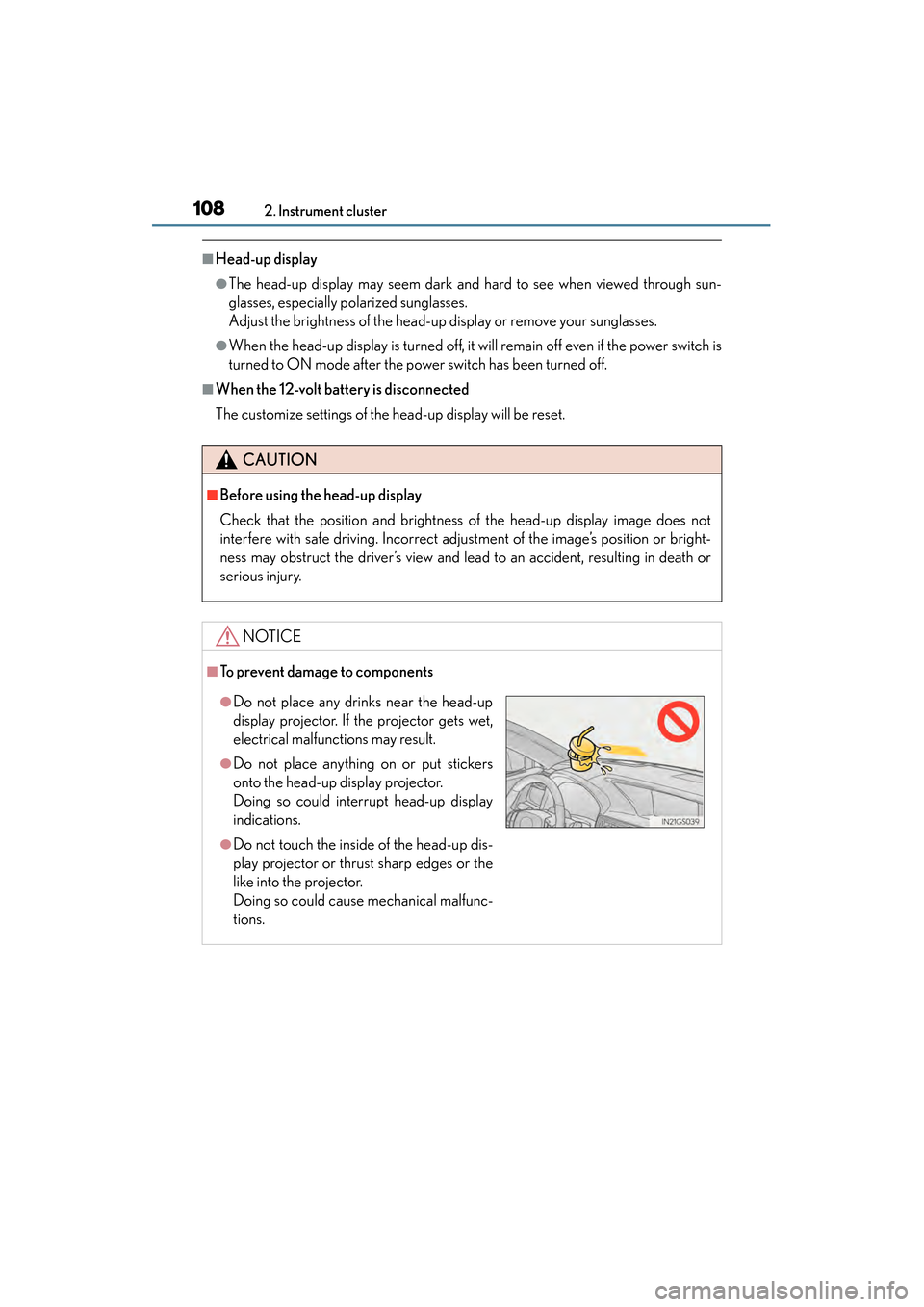
●Do not place any drinks near the head-up
display projector. If the projector gets wet,
electrical malfunctions may result.
●Do not place anything on or put stickers
onto the head-up display projector.
Doing so could interrupt head-up display
indications.
●Do not touch the inside of the head-up dis-
play projector or thrust sharp edges or the
like into the projector.
Doing so could cause mechanical malfunc-
tions.
GS450h_U.book Page 108 Monday, January 23, 2012 10:20 AM
Page 128 of 862
GS450h_U (OM30D01U)
1273-2. Opening, closing and locking the doors and trunk
3
Operation of each component
■Battery-saving function
The battery-saving function will be activated in order to prevent the electronic key
battery and the 12-volt battery from being discharged while the vehicle is not in
operation for a long time.
●In the following situations, the smart access system with push-button start may take
some time to unlock the doors.
• The electronic key has been left in an area of approximately 6 ft. (2 m) of theoutside of the vehicle for 10 minutes or longer.
• The smart access system with push-button start has not been used for 5 days or longer.
●If the smart access system with push-button start has not been used for 14 days or
longer, the doors cannot be unlocked at any doors except the driver’s door. In this
case, take hold of the driver’s door handle, or use the wireless remote control or the
mechanical key, to unlock the doors.
■Electronic Key battery-Saving Function
When battery-saving mode is set, battery depletion is minimized by stopping the
electronic key from receiving radio waves.
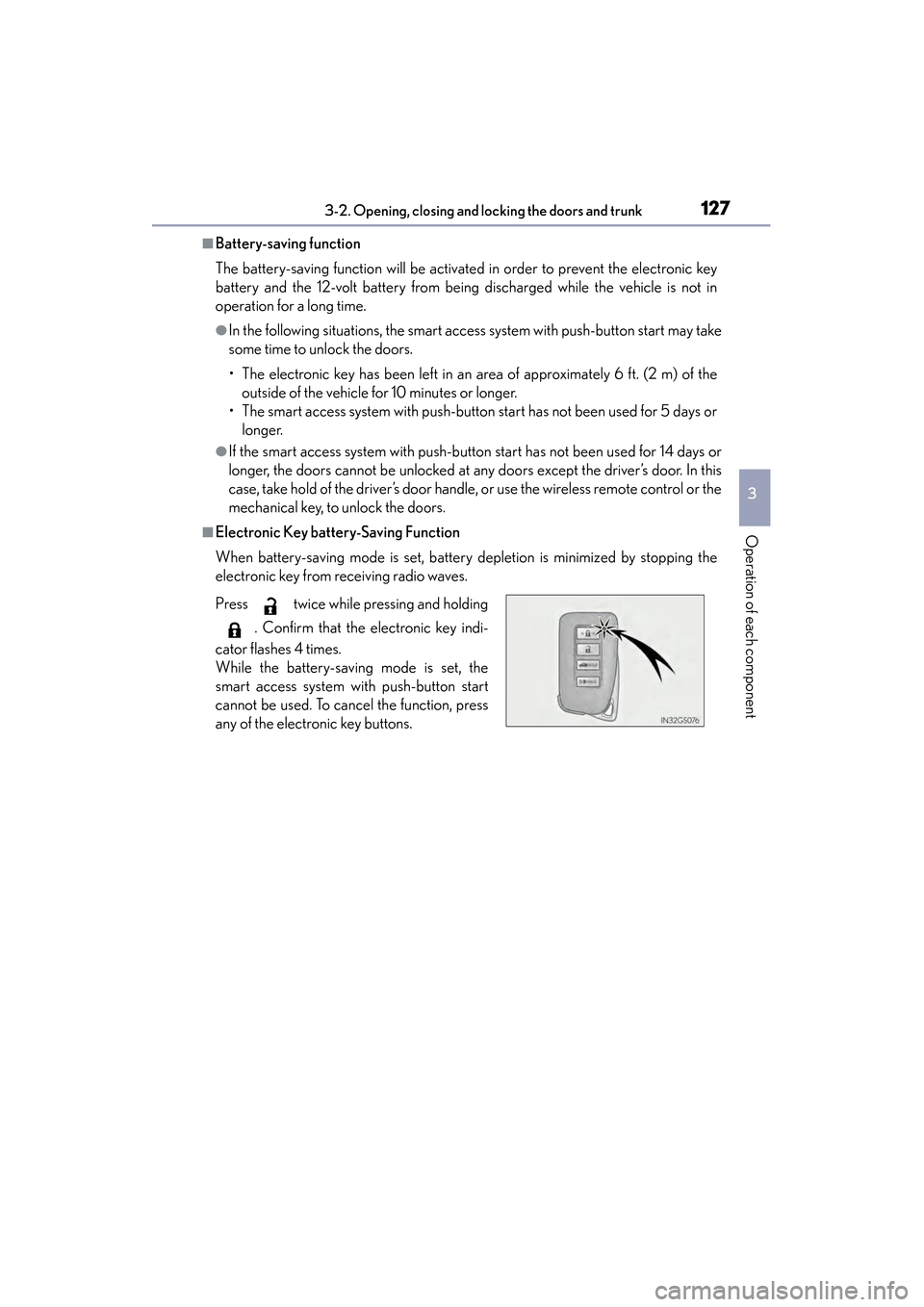
Press twice while pressing and holding
. Confirm that the electronic key indi-
cator flashes 4 times.
While the battery-saving mode is set, the
smart access system with push-button start
cannot be used. To cancel the function, press
any of the electronic key buttons.
GS450h_U.book Page 127 Monday, January 23, 2012 10:20 AM
Page 147 of 862
146
GS450h_U (OM30D01U)
3-2. Opening, closing and locking the doors and trunk
CAUTION
■Trunk easy closer (vehicles with power trunk opener and closer)
■Power trunk opener and closer (if equipped)
Observe the following precautions when operating the power trunk opener and
closer.
Failure to do so may cause serious injury.
●Check the safety of the surrounding area to make sure there are no obstacles or
anything that could cause any of your belongings to get caught.
●If anyone is in the vicinity, make sure they are safe and let them know that the
trunk is about to open or close.
●If the trunk closer switch is pressed while the trunk lid is opening during automatic
operation, the trunk lid stops opening. Take extra care when on an incline, as the
trunk lid may open or close suddenly.
●On an incline, the trunk lid may fall after it opens automatically. Make sure the
trunk lid is fully open and secure before using the trunk.
●In the following situations, the power trunk opener and closer may detect an
abnormality and automatic operation may be stopped. In this case, the trunk lid
has to be operated manually. Take extra care in this situation, as the stopped trunk
lid may suddenly fall, causing an accident.
• When the trunk lid contacts an obstacle
• When the 12-volt battery voltage suddenly drops, such as when the power switch is turned to ON mode or the hybrid system is started during automatic
operation
●Do not attach any accessories other than genuine Lexus parts to the trunk lid. The
power trunk opener and closer may not operate, causing itself to malfunction, or
the trunk lid may fall closed again after it is opened.
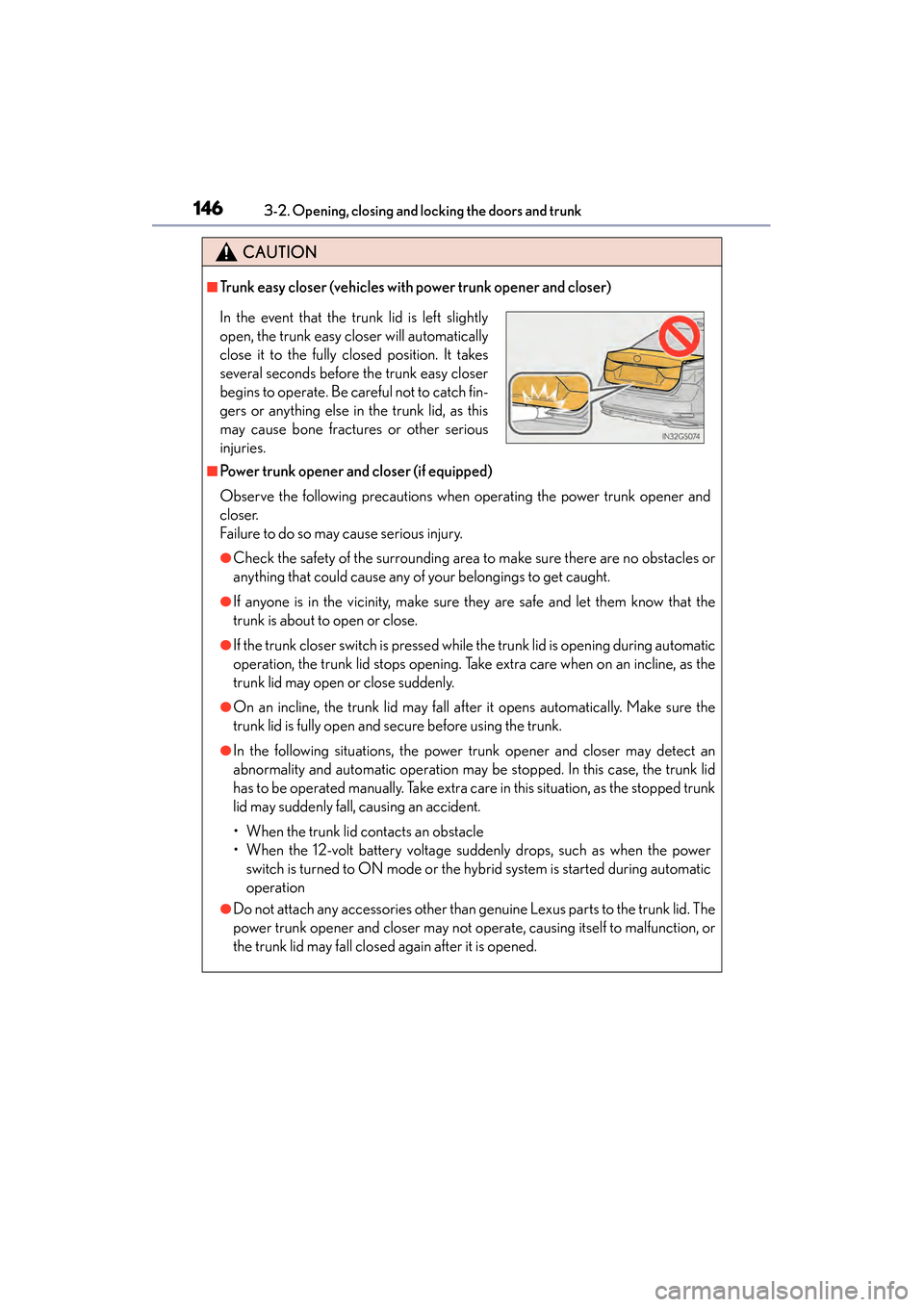
In the event that the trunk lid is left slightly
open, the trunk easy closer will automatically
close it to the fully closed position. It takes
several seconds before the trunk easy closer
begins to operate. Be careful not to catch fin-
gers or anything else in the trunk lid, as this
may cause bone fractures or other serious
injuries.
GS450h_U.book Page 146 Monday, January 23, 2012 10:20 AM
Page 167 of 862
166
GS450h_U (OM30D01U)
3-5. Opening, closing the windows and moon roof
■Door lock linked window operation
●The power windows can be opened and closed using the mechanical key.*
(→ P. 76 7 )
●The power windows can be opened using the wireless remote control.* (→ P. 1 3 4 )
*: These settings must be customized at your Lexus dealer.
■When the 12-volt battery is disconnected
The window lock switch is disabled. If necessary, press the window lock switch after
reconnecting the 12-volt battery.
■Power windows open warning buzzer
The buzzer sounds and a message is shown on the multi-information display in the
instrument cluster when the power switch is turned off and the driver’s door is
opened with the power windows open.
■Customization
Settings (e.g. linked door lock operation) can be changed.
(Customizable features: →P. 807)
CAUTION
Observe the following precautions.
Failure to do so may result in death or serious injury.
■Closing the windows
●Check to make sure that all passengers do not have any part of their body in a
position where it could be caught when a window is being operated.
●Do not allow children to operate the power windows.
Closing a power window on someone can cause serious injury, and in some
instances, even death.
■Jam protection function
●Never use any part of your body to intentionally activate the jam protection func-
tion.
●The jam protection function may not work if something gets caught just before
the window fully closes.
GS450h_U.book Page 166 Monday, January 23, 2012 10:20 AM
Page 193 of 862
192
GS450h_U (OM30D01U)
4-2. Driving procedures
■Auto power off function
If the vehicle is left in ACCESSORY mode for more than 20 minutes or ON mode
(the hybrid system is not operating) for more than an hour with the shift lever in P, the
power switch will automatically turn off. However, this function cannot entirely pre-
vent 12-volt battery discharge. Do not le ave the vehicle with the power switch in
ACCESSORY or ON mode for long periods of time when the hybrid system is not
operating.
■Sounds and vibrations specific to a hybrid vehicle
→ P. 7 3
■Electronic key battery depletion
→P. 1 3 2
■When the ambient temperature is low, such as during winter driving conditions
It may take time until the “READY” indicator comes on.
■Conditions affecting operation
→P. 1 2 8
■Notes for the entry function
→P. 1 2 9
■If the hybrid system does not start
●The immobilizer system may not have been deactivated. (→ P. 7 9 )
Contact your Lexus dealer.
●Check that the shift lever is securely set in P. The hybrid system may not start if the
shift lever is displaced out of P. “Shift to P position when Starting” will be displayed
on the multi-information display.
■Steering lock
After turning the power switch off and opening and closing the doors, the steering
wheel will be locked due to the steering lock function. Operating the power switch
again automatically cancels the steering lock.
GS450h_U.book Page 192 Monday, January 23, 2012 10:20 AM
Page 196 of 862
GS450h_U (OM30D01U)
1954-2. Driving procedures
4
Driving
NOTICE
■To prevent 12-volt battery discharge
●Do not leave the power switch in ACCESSORY or ON mode for long periods of
time without the hybrid system on.
●If “POWER ON” is displayed on the multi-information display, the power switch
is not off. Exit the vehicle after turning the power switch off.
●Do not stop the hybrid system when the shift lever is in a position other than P. If
the hybrid system is stopped in another shift lever position, the power switch will
not be turned off but instead be turned to ACCESSORY mode. If the vehicle is
left in ACCESSORY mode, 12-volt battery discharge may occur.
■Symptoms indicating a malfunction with the power switch
If the power switch seems to be operating somewhat differently than usual, such as
the switch sticking slightly, there may be a malfunction. Contact your Lexus dealer
immediately.
GS450h_U.book Page 195 Monday, January 23, 2012 10:20 AM
Page 218 of 862

GS450h_U (OM30D01U)
2174-3. Operating the lights and wipers
4
Driving
■If the “AFS OFF” indicator flashes
It may indicate a malfunction in the system. Contact your Lexus dealer.
■Customization
Settings (e.g. light sensor sensitivity) can be changed.
(Customizable features: →P. 807)
NOTICE
■To prevent 12-volt battery discharge
Do not leave the lights on longer than necessary when the hybrid system is off.
GS450h_U.book Page 217 Monday, January 23, 2012 10:20 AM
Page 310 of 862
GS450h_U (OM30D01U)
3094-5. Using the driving support systems
4
Driving
■When there is a malfunction in the system
If a system malfunction is detected due to any of the following reasons, warning mes-
sages will be displayed: (→P. 7 2 7 )
●There is a malfunction with the sensors
●The sensors have become dirty
●The outside temperature is extremely high or low
●The sensor voltage has become abnormal
■Certification for the BSM
XFor vehicles sold in the U.S.A.
FCC ID: OAYBSDTX
This device complies with part 15 of the FCC Rules. Operation is subject to the fol-
lowing three conditions:
(1) This device may not cause harmful interference.
(2) This device must accept any interference received, including interference that may cause undesired operation.
(3) This device may only work when the vehicle is in operation pursuant to § 15.252 (a) (4).
FCC WARNING
Changes or modifications not expressly approved by the party responsible for com-
pliance could void the user’s authority to operate the equipment.
XFor vehicles sold in Canada
IC: 4135A-BSDTX
This device complies with the radio standards specification RSS-220 of Industry
Canada. Operation is subject to the following two conditions:
(1) This device may not cause harmful interference.
(2) This device must accept any interference received, including interference that may cause undesired operation.
NOTE
During printing time of this user manual the approvals listed below are granted. Fur-
ther countries may become available or actual certification identifiers may be sub-
ject to change or update.
WA R N I N G
Changes or modifications not expressly approved by the party responsible for com-
pliance could void the user’s authority to operate the equipment.
GS450h_U.book Page 309 Monday, January 23, 2012 10:20 AM
Page 315 of 862
314
GS450h_U (OM30D01U)
4-5. Using the driving support systems
CAUTION
■Before using the Lexus night view
Never depend on this system only.
Lexus night view is intended as a supplemental aid to help you see pedestrians and
road conditions ahead of the vehicle. As there are limits to the system, do not rely
solely on the system while in use, and drive safely while observing the following
precautions.
■When using the Lexus night view
Observe the following precautions.
Failure to do so may cause an accident resulting in death or serious injury.
●Never drive while looking at the Lexus night view screen only.
●Do not look continuously at the Lexus night view screen while driving. Pedestri-
ans, objects etc. ahead of the vehicle may be overlooked by the system. The sys-
tem should always be used as a supplemental aid only.
●Lexus night view is designed to help you see objects better when driving in dark-
ness on a road with few curves. Do not use the Lexus night view in well-lit areas or
on roads with many curves or slopes. There may be areas that cannot be dis-
played by the system due to the road conditions (curve size, gradient, etc.)
●Lexus night view may be unable to project some features at an appropriate level
of brightness. Some or all parts of certain features may be dark or difficult to see.
Do not rely solely on the Lexus night view, and drive carefully while checking the
surroundings for safety, as you would with a normal vehicle. Also, the following
features and conditions may not be displayed clearly.
Features that are difficult to display:
• Clothing of a pedestrian made of a certain kind of material (ex. leather jackets)
• The characters on signs and billboards
• The information on road signs
Conditions in which display is difficult:
• Unfavorable weather conditions such as rain, fog, snowfall, snow storms etc.
• There are large puddles of water on the road surface following rainfall
• The area of the front windshield in front of the camera is fogged up, dirty or icy
• The areas around the headlights are covered with ice, snow, mud etc.
• The 12-volt battery voltage is remarkably low
• There are bright lights ahead of the vehicle
GS450h_U.book Page 314 Monday, January 23, 2012 10:20 AM
Page 320 of 862
319
GS450h_U (OM30D01U)4-6. Driving tips
4
Driving
Winter driving tips
●Use fluids that are appropriate to the prevailing outside temperatures.
• Engine oil
• Engine/power control unit coolant
•Washer fluid
●Have a service technician inspect the condition of the 12-volt battery.
●Have the vehicle fitted with four snow tires or purchase a set of tire
chains for the rear tires.
Ensure that all tires are the specified size and brand, and that chains match the
size of the tires.
Carry out the necessary preparatio ns and inspections before driving
the vehicle in winter. Always drive the vehicle in a manner appropriate
to the prevailing weather conditions.
Preparation for winter
GS450h_U.book Page 319 Monday, January 23, 2012 10:20 AM