reset Lexus GS450h 2013 User Guide
[x] Cancel search | Manufacturer: LEXUS, Model Year: 2013, Model line: GS450h, Model: Lexus GS450h 2013Pages: 862, PDF Size: 19.06 MB
Page 411 of 862
410
GS450h_U (OM30D01U)
5-3. Using the audio system
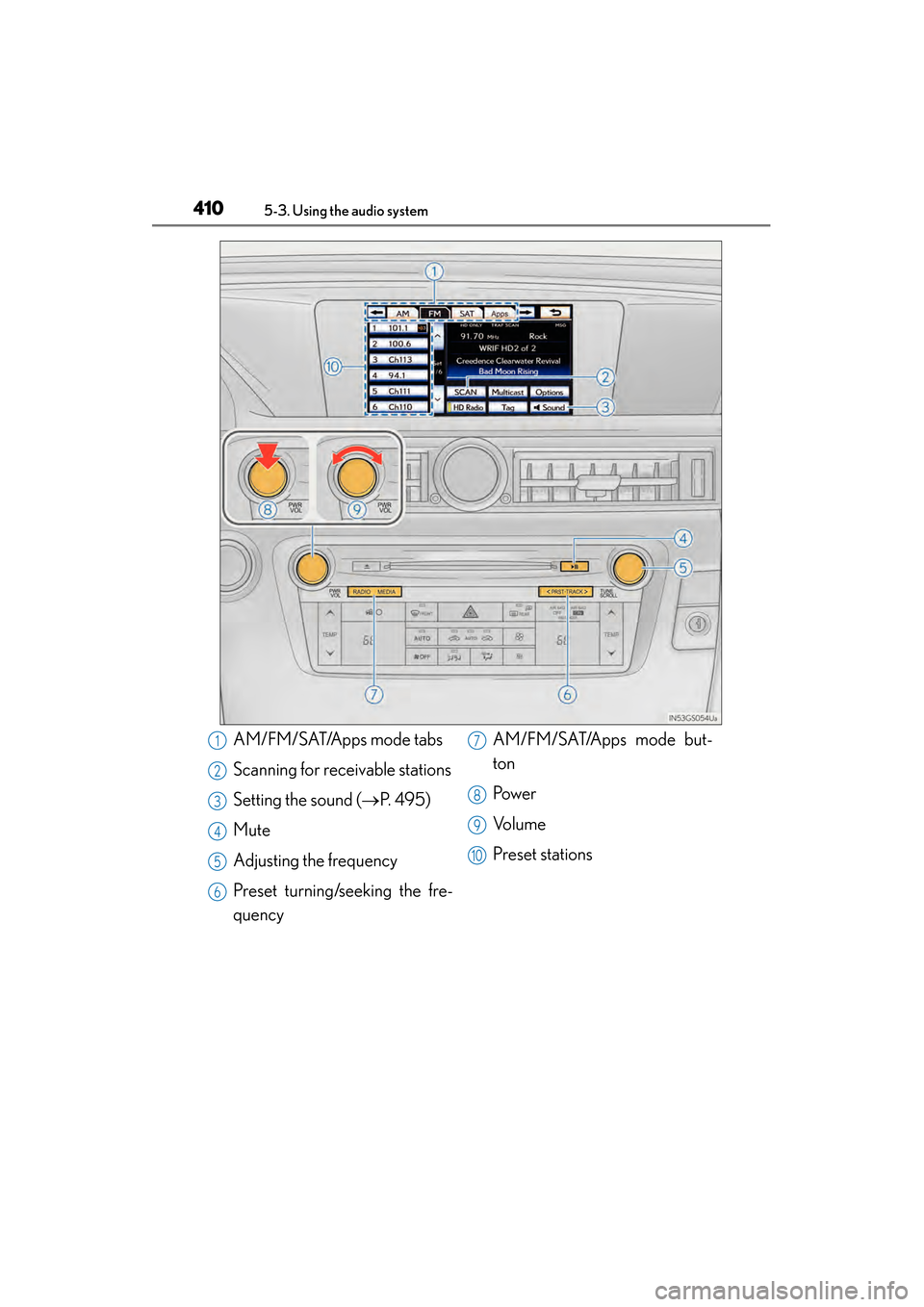
AM/FM/SAT/Apps mode tabs
Scanning for receivable stations
Setting the sound (→P. 495)
Mute
Adjusting the frequency
Preset turning/seeking the fre-
quency AM/FM/SAT/Apps mode but-
ton
Pow e r
Vo l u m e
Preset stations1
2
3
4
5
6
7
8
9
10
GS450h_U.book Page 410 Monday, January 23, 2012 10:20 AM
Page 412 of 862
GS450h_U (OM30D01U)
4115-3. Using the audio system
5
Interior features
■Seek tuning
Press and hold “<” or “>” on the “PRST•TRACK” button.
■Manual tuning
Turn the “TUNE/SCROLL” knob.
■Preset stations
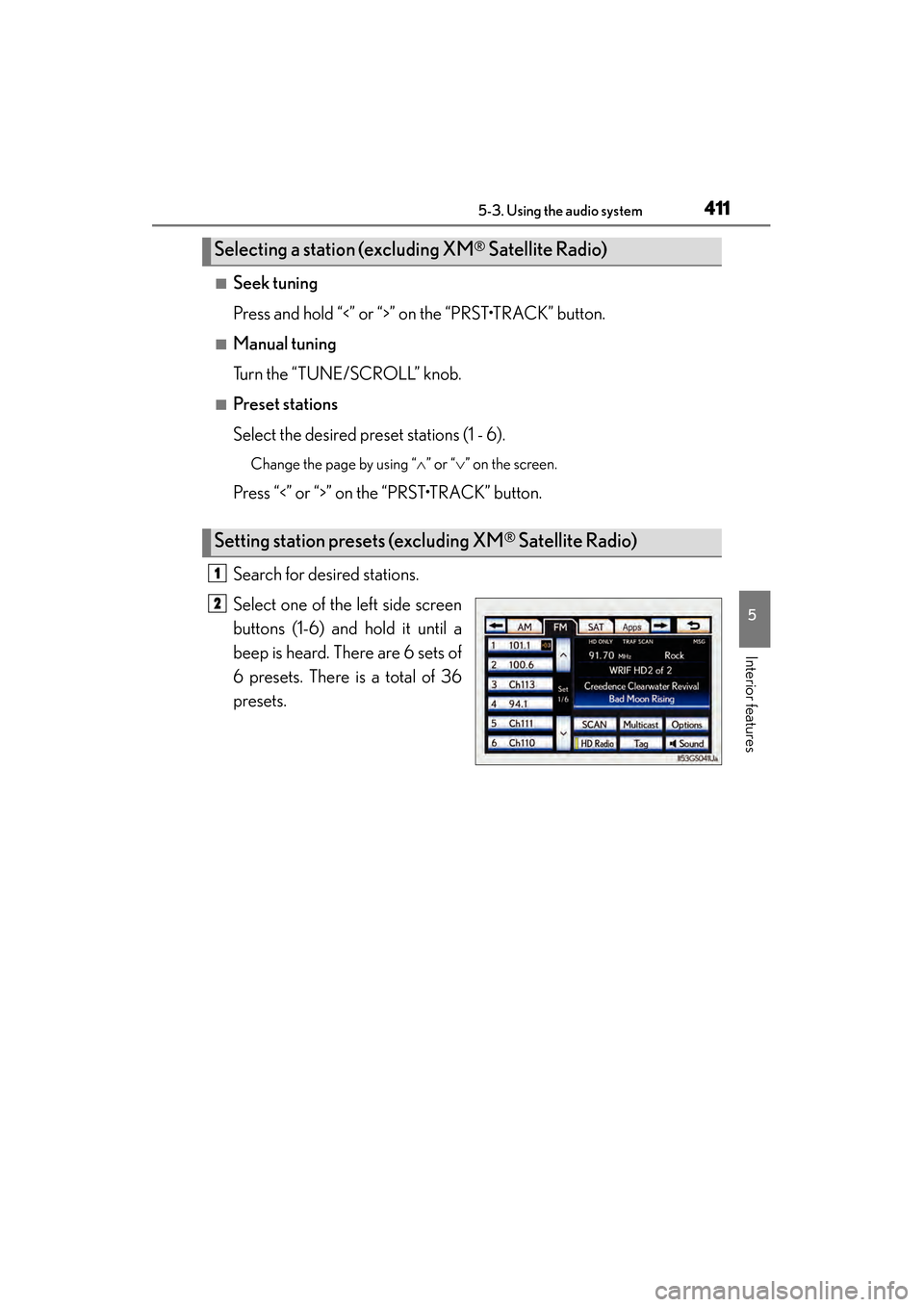
Select the desired preset stations (1 - 6).
Change the page by using “∧” or “∨ ” on the screen.
Press “<” or “>” on the “PRST•TRACK” button.
Search for desired stations.
Select one of the left side screen
buttons (1-6) and hold it until a
beep is heard. There are 6 sets of
6 presets. There is a total of 36
presets.
Selecting a station (excluding XM® Satellite Radio)
Setting station presets (excluding XM® Satellite Radio)
1
2
GS450h_U.book Page 411 Monday, January 23, 2012 10:20 AM
Page 420 of 862
GS450h_U (OM30D01U)
4195-3. Using the audio system
5
Interior features
■Receiving XM® Satellite Radio
Press the “RADIO” button.
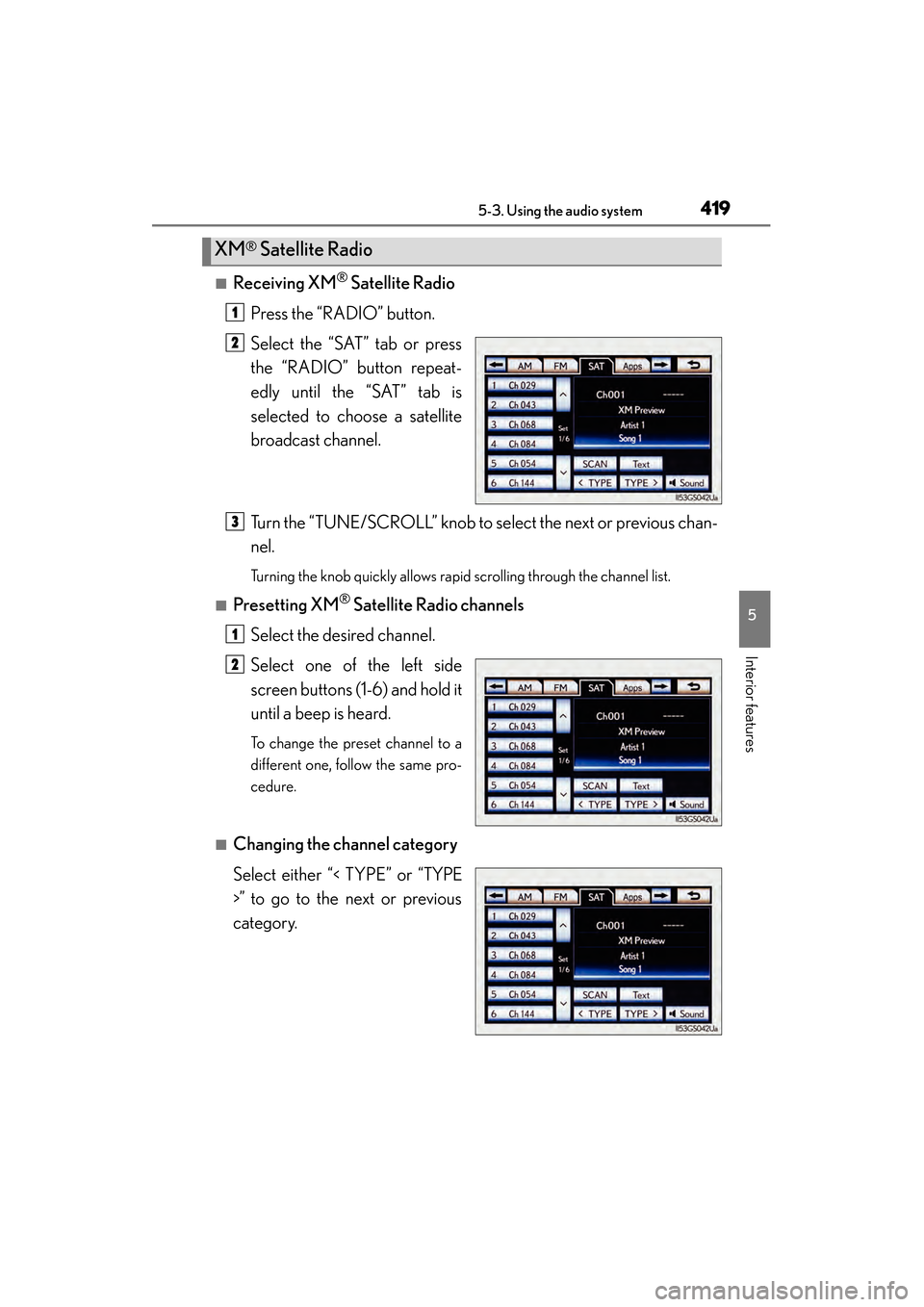
Select the “SAT” tab or press
the “RADIO” button repeat-
edly until the “SAT” tab is
selected to choose a satellite
broadcast channel.
Turn the “TUNE/SCROLL” knob to select the next or previous chan-
nel.
Turning the knob quickly allows rapid scrolling through the channel list.
■Presetting XM® Satellite Radio channels
Select the desired channel.
Select one of the left side
screen buttons (1-6) and hold it
until a beep is heard.
To change the preset channel to a
different one, follow the same pro-
cedure.
■Changing the channel category
Select either “< TYPE” or “TYPE
>” to go to the next or previous
category.
XM® Satellite Radio
1
2
3
1
2
GS450h_U.book Page 419 Monday, January 23, 2012 10:20 AM
Page 423 of 862
422
GS450h_U (OM30D01U)
5-3. Using the audio system
■If you select
The display returns to the previous screen.
■When the 12-volt battery is disconnected
All preset stations are erased.
■Reception sensitivity
●Cargo loaded on the roof luggage carrier, especially metal objects, may adversely
affect the reception of XM® Satellite Radio.
●Maintaining perfect radio reception at all times is difficult due to the continually
changing position of the antenna, differences in signal strength and surrounding
objects, such as trains, transmitters, etc.
●The radio antenna is mounted inside the rear window. To maintain clear radio
reception, do not attach metallic window tinting or other metallic objects to the
antenna wire mounted inside the rear window.
■HD Radio™ Technology troubleshooting guide
ExperienceCauseAction
Mismatch of time align-
ment- a user may hear a
short period of program-
ming replayed or an
echo, stutter or skip.The radio stations analog
and digital volume are not
properly aligned or the
station is in ballgame
mode.
None, radio broadcast
issue. A user can contact
the radio station.
Sound fades, blending in
and out.Radio is shifting between
analog and digital audio.
Reception issue, may
clear-up as the vehicle
continues to be driven.
Selecting “Analog” can
force radio in an analog
audio.
Audio mute condition
when an HD2 /HD3 mul-
ticast channel had been
playing.The radio does not have
access to digital signals at
the moment.
This is normal behavior,
wait until the digital signal
returns. If out of the cov-
erage area, seek a new
station.
Audio mute delay when
selecting an HD2 /HD3
multicast channel preset.
The digital multicast con-
tent is not available until
HD Radio™ broadcast
can be decoded and
make the audio available.
This takes up to 7 sec-
onds.
This is normal behavior,
wait for the audio to
become available.
GS450h_U.book Page 422 Monday, January 23, 2012 10:20 AM
Page 440 of 862
GS450h_U (OM30D01U)
4395-3. Using the audio system
5
Interior features
■Audio CD
Select “RAND” on the screen.
“RAND” appears on the screen.
To cancel, select “RAND” again.
■MP3/WMA disc
●Playing files from a particular folder in random order
Each time “RAND” is selected, the mode changes as follows:
random (1 folder random) → folder random (1 disc random) → off
●Playing all the files on a disc in random order
Select “RAND” repeatedly until “FLD.RAND” appears on the
screen.
To cancel, select “RAND” again.
When a file is skipped or the system is inoperative, select “RAND” to reset.
Random playback
GS450h_U.book Page 439 Monday, January 23, 2012 10:20 AM
Page 499 of 862
498
GS450h_U (OM30D01U)
5-3. Using the audio system
Using the rear seat audio controls∗
∗: If equipped
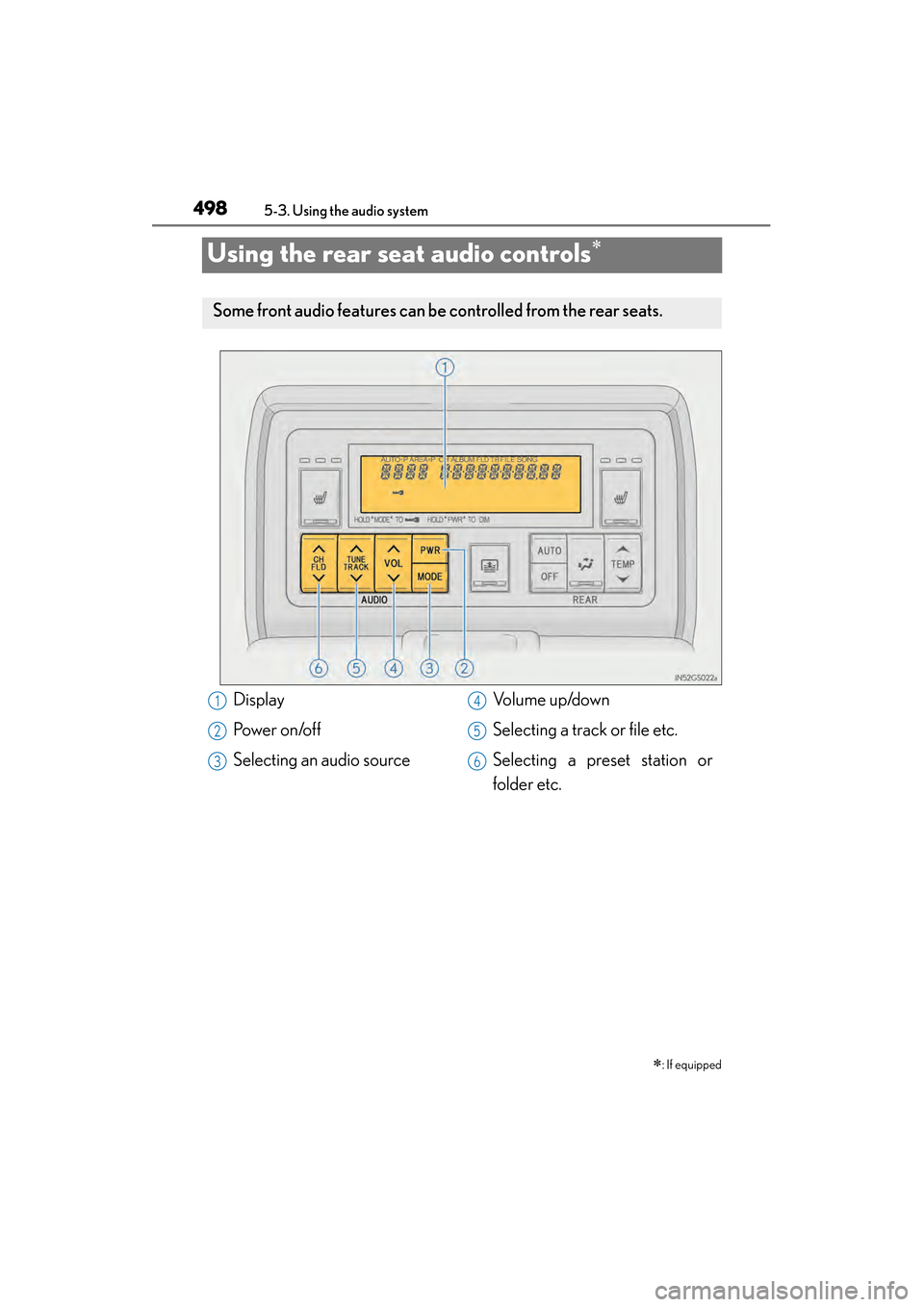
Some front audio features can be controlled from the rear seats.
Display
Po we r o n /o f f
Selecting an audio sourceVolume up/down
Selecting a track or file etc.
Selecting a preset station or
folder etc.1
2
3
4
5
6
GS450h_U.book Page 498 Monday, January 23, 2012 10:20 AM
Page 501 of 862
500
GS450h_U (OM30D01U)
5-3. Using the audio system
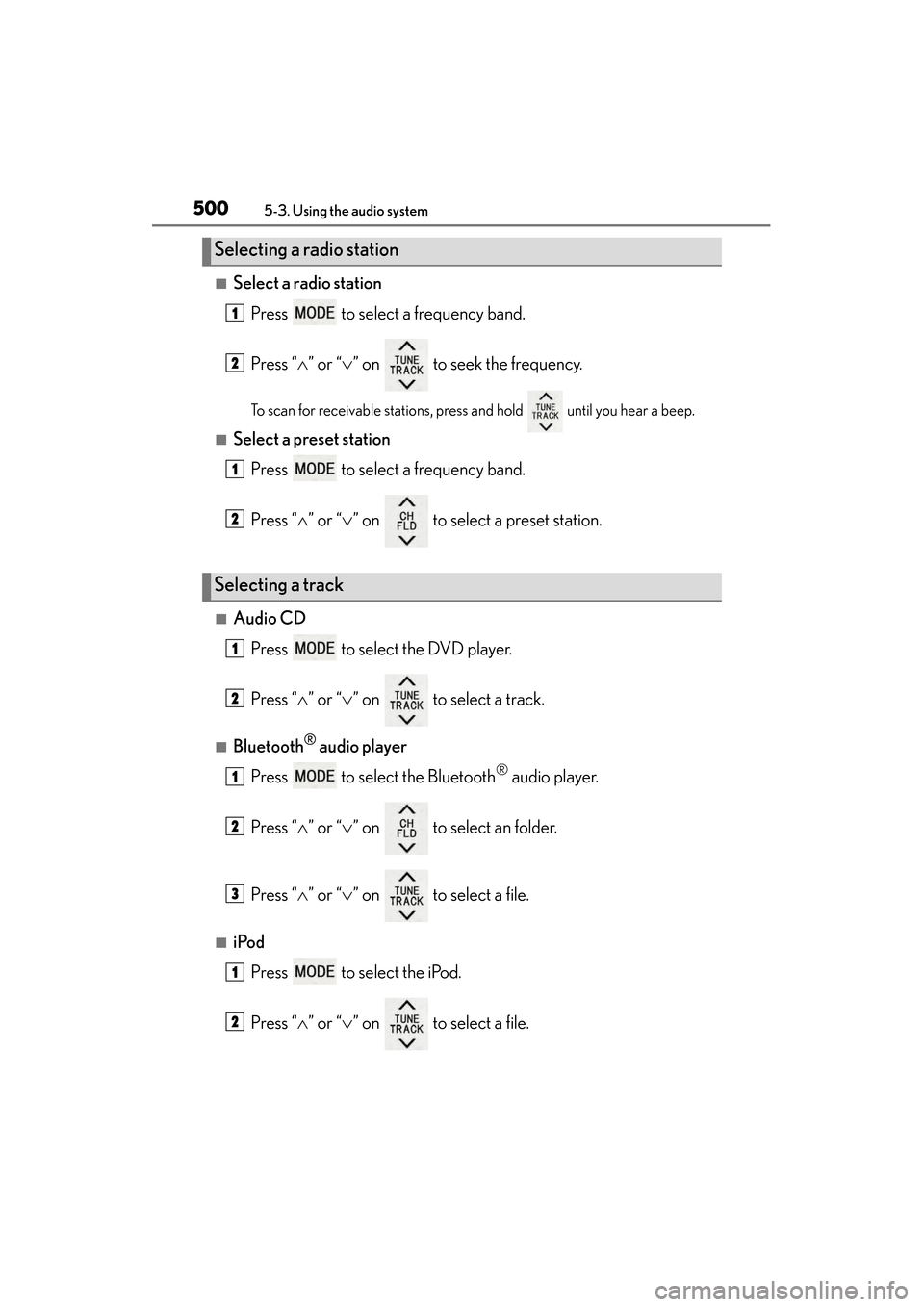
■Select a radio stationPress to select a frequency band.
Press “ ∧” or “ ∨” on to seek the frequency.
To scan for receivable stations, press and hold until you hear a beep.
■Select a preset station
Press to select a frequency band.
Press “ ∧” or “ ∨” on to select a preset station.
■Audio CD
Press to select the DVD player.
Press “ ∧” or “ ∨” on to select a track.
■Bluetooth® audio player
Press to select the Bluetooth
® audio player.
Press “ ∧” or “ ∨” on to select an folder.
Press “ ∧” or “ ∨” on to select a file.
■iPod
Press to select the iPod.
Press “ ∧” or “ ∨” on to select a file.
Selecting a radio station
Selecting a track
1
2
1
2
1
2
1
2
3
1
2
GS450h_U.book Page 500 Monday, January 23, 2012 10:20 AM
Page 505 of 862
504
GS450h_U (OM30D01U)
5-3. Using the audio system
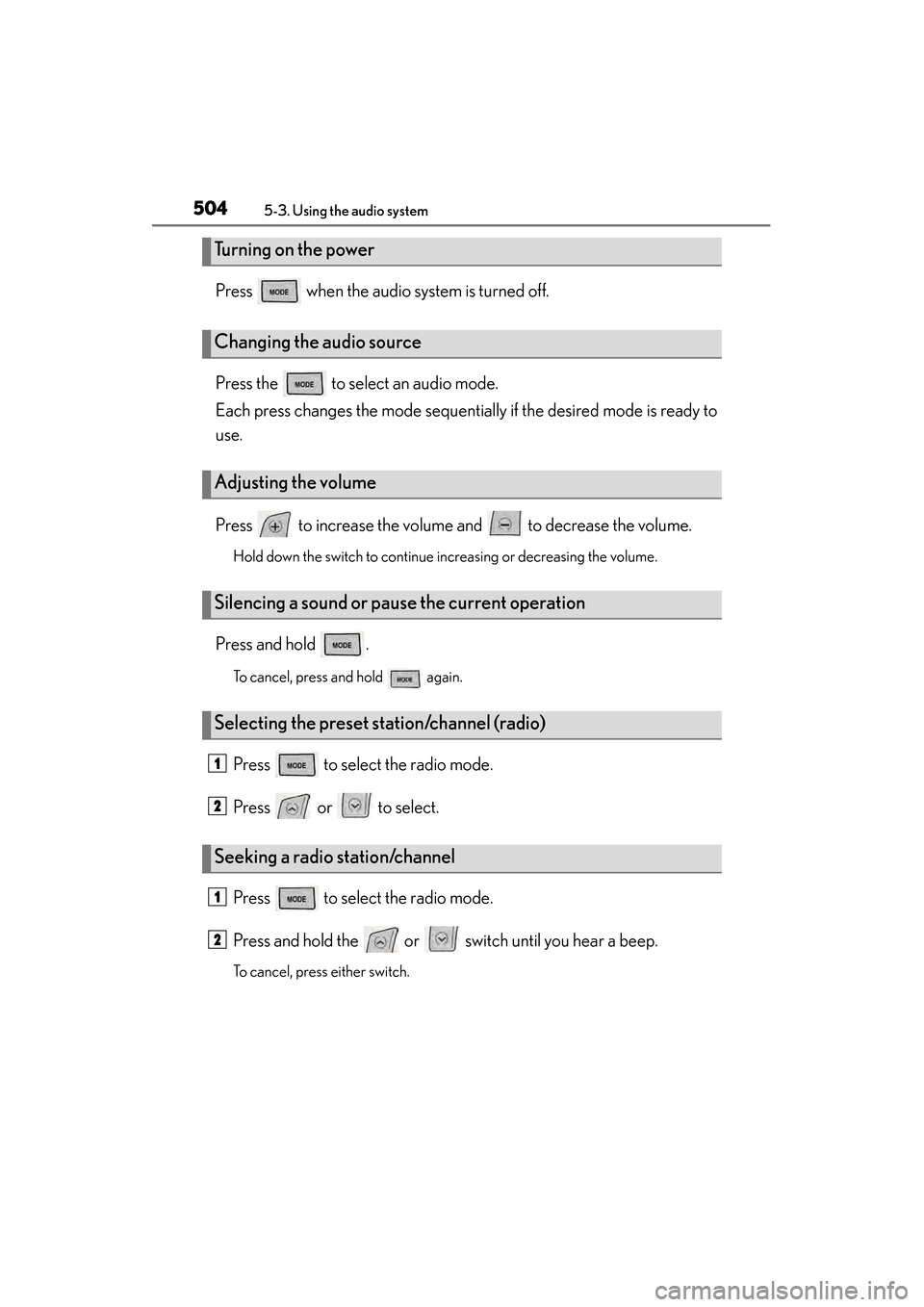
Press when the audio system is turned off.
Press the to select an audio mode.
Each press changes the mode sequentially if the desired mode is ready to
use.
Press to increase the volume and to decrease the volume.
Hold down the switch to continue increasing or decreasing the volume.
Press and hold .
To cancel, press and hold again.
Press to select the radio mode.
Press or to select.
Press to select the radio mode.
Press and hold the or switch until you hear a beep.
To cancel, press either switch.
Turning on the power
Changing the audio source
Adjusting the volume
Silencing a sound or pause the current operation
Selecting the preset station/channel (radio)
Seeking a radio station/channel
1
2
1
2
GS450h_U.book Page 504 Monday, January 23, 2012 10:20 AM
Page 625 of 862
624
GS450h_U (OM30D01U)
6-2. Maintenance
■Repair and replacement
It is recommended that genuine Lexus parts be used for repairs to ensure perfor-
mance of each system. If non-Lexus parts are used in replacement or if a repair shop
other than a Lexus dealer performs repairs, confirm the warranty coverage.
■Reset the maintenance data (U.S.A. only)
After the required maintenance is performed according to the maintenance sched-
ule, please reset the maintenance data.
To reset the data, follow the procedure described below:Switch the display to the trip meter “A” ( →P. 91) when the hybrid system is operat-
ing.
Turn the power switch off.
While pressing the “ODO TRIP” button ( →P. 91), turn the power switch to the
ON mode (do not start the hybrid system because otherwise the reset mode will
be canceled).
■Allow inspection and repairs to be performed by a Lexus dealer
●Lexus technicians are well-trained specialists and are kept up to date with the latest
service information. They are well informed about the operations of all systems on
your vehicle.
●Keep a copy of the repair order. It proves that the maintenance that has been per-
formed is under warranty coverage. If any problem should arise while your vehicle
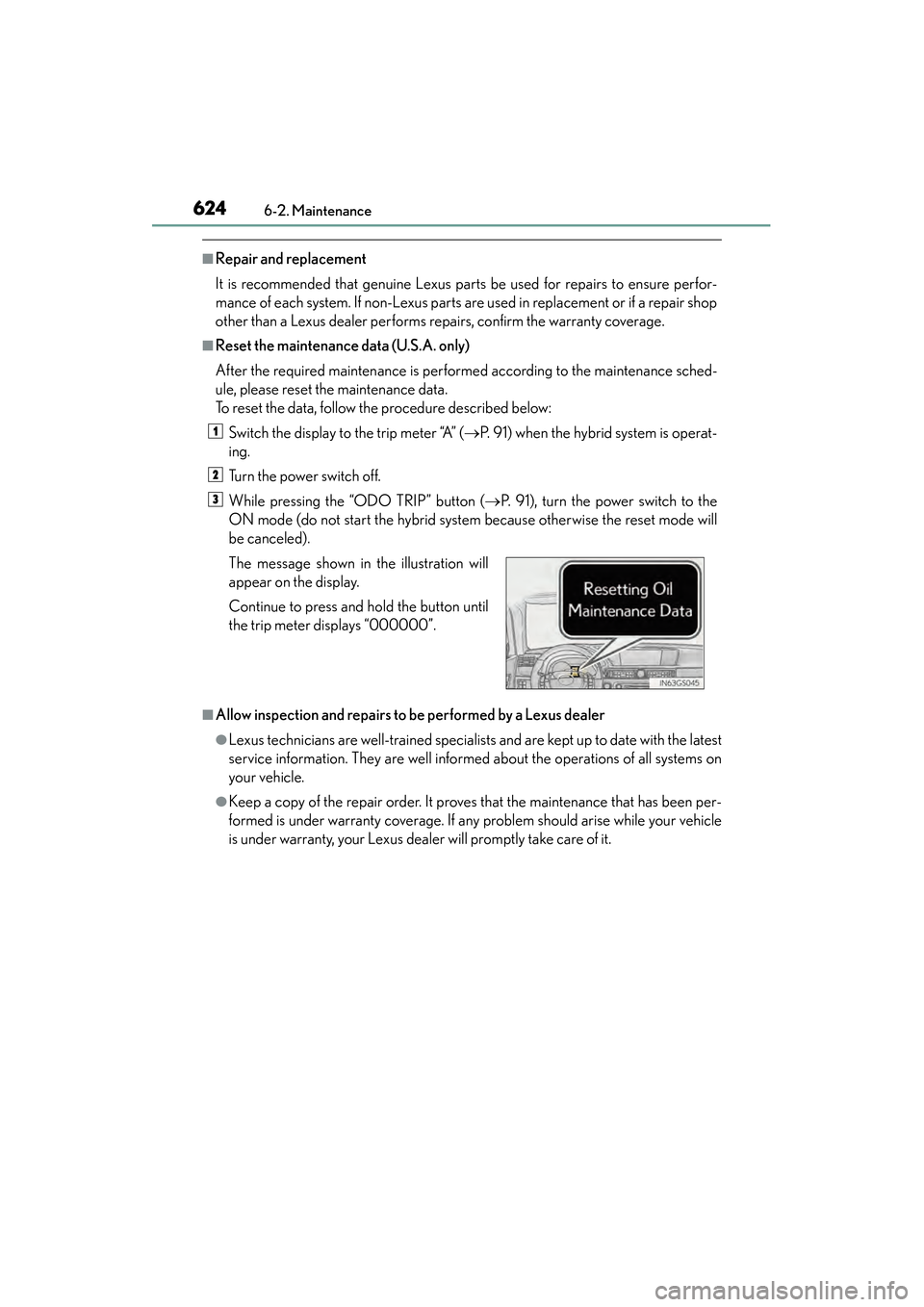
is under warranty, your Lexus dealer will promptly take care of it. The message shown in the illustration will
appear on the display.
Continue to press and hold the button until
the trip meter displays “000000”.
1
2
3
GS450h_U.book Page 624 Monday, January 23, 2012 10:20 AM
Page 655 of 862
654
GS450h_U (OM30D01U)
6-3. Do-it-yourself maintenance
■How to initialize the tire pressure warning system
Park the vehicle in a safe place and turn the power switch off.
Initialization cannot be performed while the vehicle is moving.
Adjust the tire inflation pressure to the specified cold tire inflation
pressure level. ( →P. 7 9 0 )
Make sure to adjust the tire pressure to the specified cold tire inflation pres-
sure level. The tire pressure warning system will operate based on this pressure
level.
Turn the power switch to ON mode.
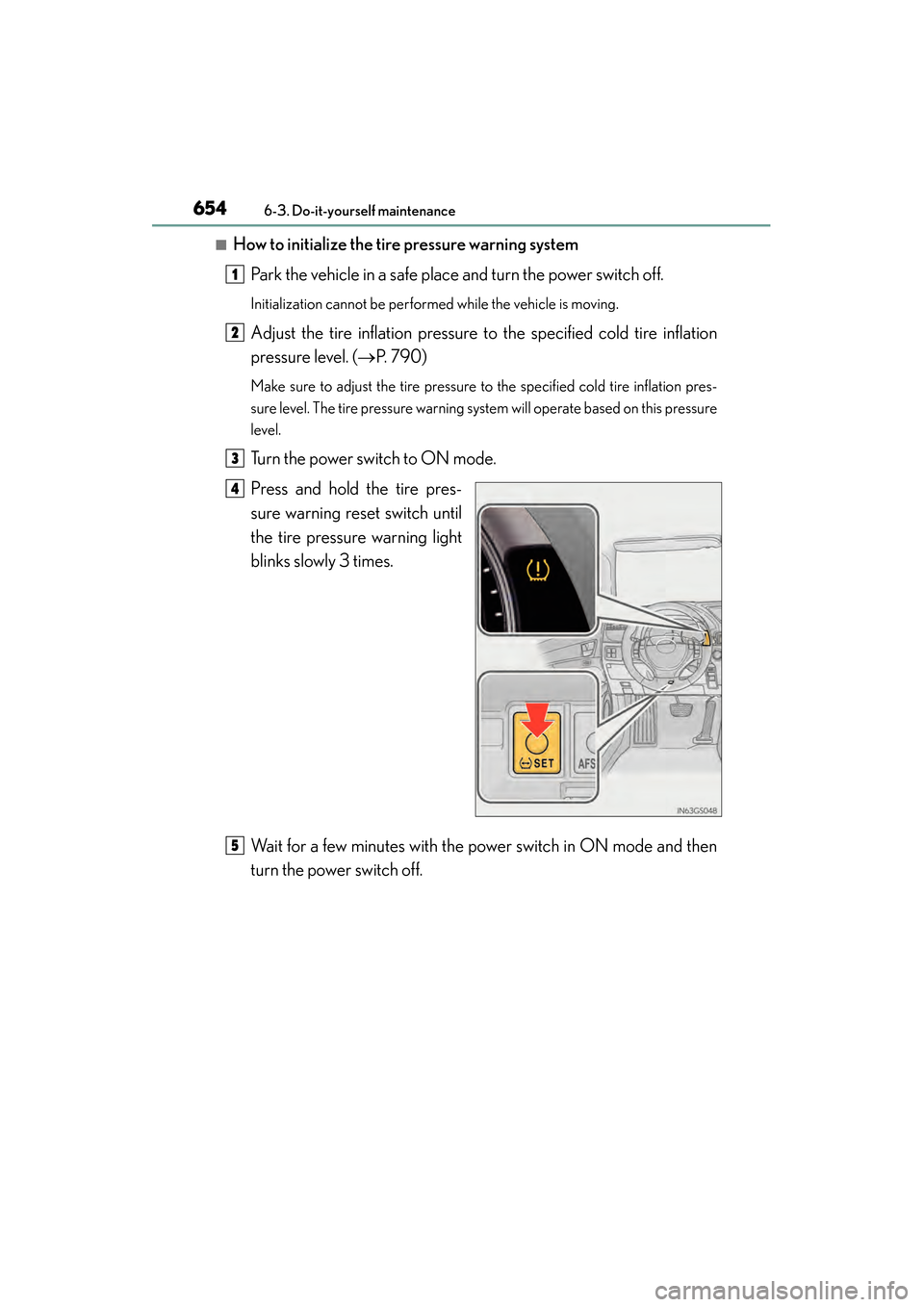
Press and hold the tire pres-
sure warning reset switch until
the tire pressure warning light
blinks slowly 3 times.
Wait for a few minutes with the power switch in ON mode and then
turn the power switch off.
1
2
3
4
5
GS450h_U.book Page 654 Monday, January 23, 2012 10:20 AM