roof Lexus GS450h 2013 Owner's Guide
[x] Cancel search | Manufacturer: LEXUS, Model Year: 2013, Model line: GS450h, Model: Lexus GS450h 2013Pages: 862, PDF Size: 19.06 MB
Page 286 of 862
GS450h_U (OM30D01U)
2854-5. Using the driving support systems
4
Driving
NOTICE
■How to use the camera
●The rear view monitor system may not operate properly in the following cases, or
if the precautions described below are not followed.
• If the back of the vehicle is hit, the position and mounting angle of the cameramay change.
• As the camera has a water proof construction, do not detach, disassemble or modify it. This may cause incorrect operation.
• Do not strongly rub the camera lens. If the camera lens is scratched, it cannot transmit a clear image.
• Do not allow organic solvent, car wax, window cleaner or glass coat to adhere to the camera. If this happens, wipe it off as soon as possible.
• If the temperature changes rapidly, such as when hot water is poured on the vehicle in cold weather, the system may not operate normally.
• When washing the vehicle, do not apply intensive bursts of water to the cam- era or camera area. Doing so may result in the camera malfunctioning.
• When the camera is used under fluorescent lights, sodium light or mercury light etc., the lights and the illuminated areas may appear to flicker.
●Do not expose the camera to strong impact as this could cause a malfunction. If
this happens, have the vehicle inspected by your Lexus dealer as soon as possi-
ble.
GS450h_U.book Page 285 Monday, January 23, 2012 10:20 AM
Page 319 of 862
318
GS450h_U (OM30D01U)
4-6. Driving tips
■Air conditioning
Use the air conditioning only when necessary. Doing so can help con-
trol excessive gasoline consumption.
In summer: In high temperatures, use the recirculated air mode. Doing
so will help to reduce the burden on the air conditioner and reduce fuel
consumption as well.
In winter: Because the gasoline engine will not automatically cut out
until the gasoline engine and the interior of the vehicle are warm, it will
consume fuel. Also, fuel consumption can be improved by avoiding
overuse of the heater.
■Checking tire inflation pressure
Make sure to check the tire inflation pressure frequently. Improper tire
inflation pressure can cause poor fuel consumption.
Also, as snow tires can cause large amounts of friction, their use on dry
roads can lead to poor fuel consumption. Use a tire that is appropriate
for the season.
■Luggage
Carrying heavy luggage can lead to poor fuel consumption. Avoid car-
rying unnecessary luggage. Installing a large roof rack can also cause
poor fuel consumption.
■Warming up before driving
Since the gasoline engine starts up and cuts out automatically when
cold, warming up the engine is unnecessary. Moreover, frequently driv-
ing short distances will cause the engine to repeatedly warm up, which
can lead to poor fuel consumption.
GS450h_U.book Page 318 Monday, January 23, 2012 10:20 AM
Page 321 of 862
320
GS450h_U (OM30D01U)
4-6. Driving tips
Perform the following according to the driving conditions:
●Do not try to forcibly open a window or move a wiper that is frozen.
Pour warm water over the frozen area to melt the ice. Wipe away the
water immediately to prevent it from freezing.
●To ensure proper operation of the climate control system fan, remove
any snow that has accumulated on the air inlet vents in front of the wind-
shield.
●Check for and remove any excess ice or snow that may have accumu-
lated on the exterior lights, vehicle’s roof, chassis, around the tires or on
the brakes.
●Remove any snow or mud from the bottom of your shoes before getting
in the vehicle.
Accelerate the vehicle slowly, keep a safe distance between you and the
vehicle ahead, and drive at a reduced speed suitable to road conditions.
Park the vehicle and move the shift lever to P without setting the parking
brake. The parking brake may freeze up, preventing it from being
released. If necessary, block the wheels to prevent inadvertent sliding or
creeping.
Before driving the vehicle
When driving the vehicle
When parking the vehicle
GS450h_U.book Page 320 Monday, January 23, 2012 10:20 AM
Page 363 of 862
3625-1. Remote Touch screen
GS450h_U (OM30D01U)
■When using the microphone
●It is unnecessary to speak directly into the microphone when giving a command.
●Wait for the confirmation beep before speaking a command.
●Voice commands may not be recognized if:
• Spoken too quickly.
• Spoken at a low or high volume.
• The roof or windows are open.
• Passengers are talking while voice commands are spoken.
• The air conditioning speed is set high.
• The air conditioning vents are turned towards the microphone.
●In the following conditions, the system may not recognize the command properly
and using voice commands may not be possible:
• The command is incorrect or unclear. Note that certain words, accents orspeech patterns may be difficult for the system to recognize.
• There is excessive background noise, such as wind noise.
■When searching for a track
●A USB memory or iPod must be connected to enable track searching and play-
back. ( →P. 477, 487)
●When a USB memory or iPod is connected, recognition data is created so tracks
can be searched using voice commands.
●Recognition data is updated under the following conditions:
• When the USB memory or iPod data has changed.
• When the voice recognition language is changed. ( →P. 339)
●While the recognition data is being created or being updated, a track search can-
not be performed using a voice command.
●While “Play Music” is displayed in the “Shortcut Menu” screen, say “Play Music” to
display the music screen from which searching for a track using a voice command
can be performed.
●When “Play Music” is dimmed in the “Shortcut Menu” screen, it is not possible to
search for a track using a voice command. In this situation, reduce the amount of
music data in the USB memory or iPod and update the recognition data to enable
searching by voice command.
GS450h_U.book Page 362 Monday, January 23, 2012 10:20 AM
Page 423 of 862
422
GS450h_U (OM30D01U)
5-3. Using the audio system
■If you select
The display returns to the previous screen.
■When the 12-volt battery is disconnected
All preset stations are erased.
■Reception sensitivity
●Cargo loaded on the roof luggage carrier, especially metal objects, may adversely
affect the reception of XM® Satellite Radio.
●Maintaining perfect radio reception at all times is difficult due to the continually
changing position of the antenna, differences in signal strength and surrounding
objects, such as trains, transmitters, etc.
●The radio antenna is mounted inside the rear window. To maintain clear radio
reception, do not attach metallic window tinting or other metallic objects to the
antenna wire mounted inside the rear window.
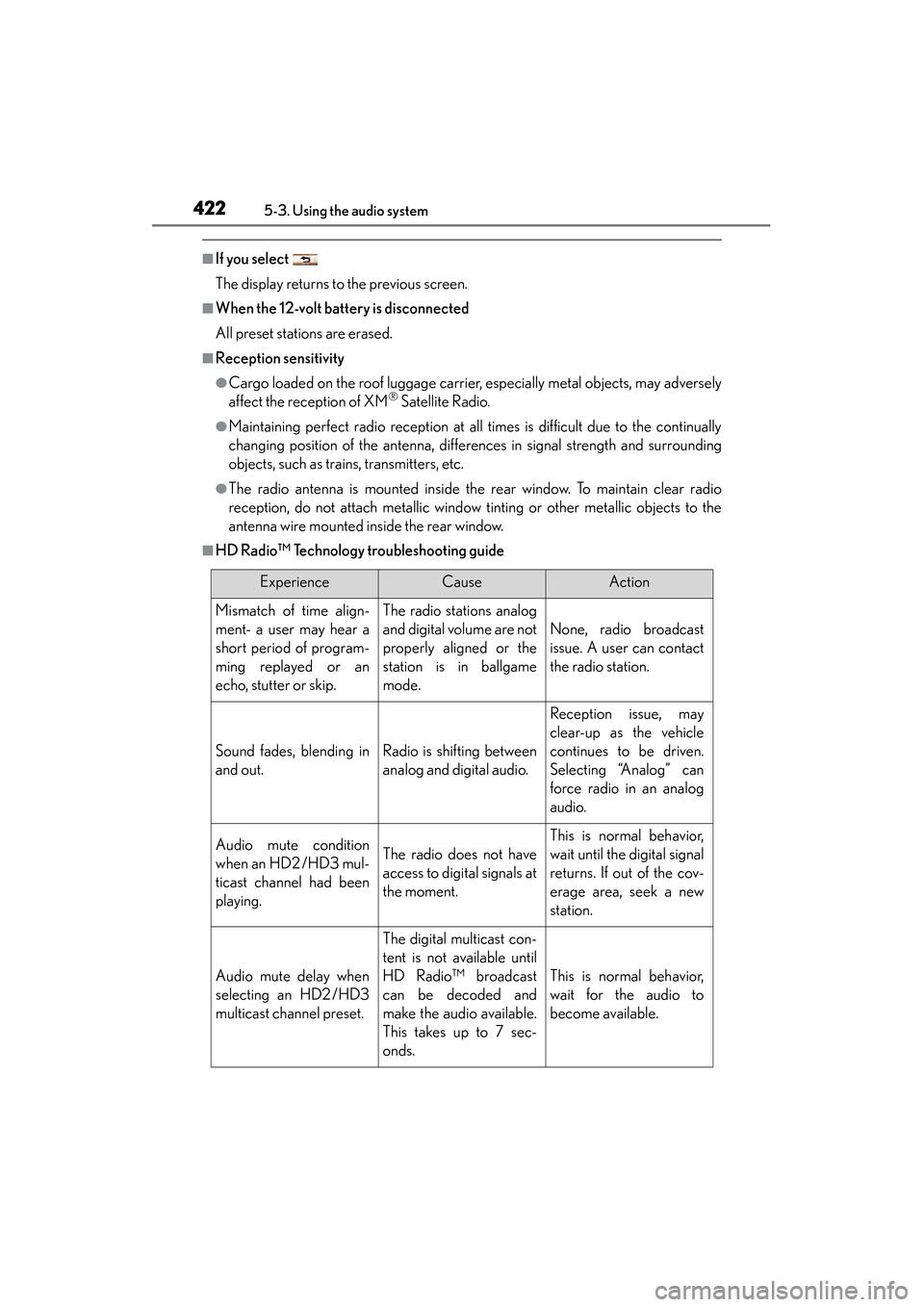
■HD Radio™ Technology troubleshooting guide
ExperienceCauseAction
Mismatch of time align-
ment- a user may hear a
short period of program-
ming replayed or an
echo, stutter or skip.The radio stations analog
and digital volume are not
properly aligned or the
station is in ballgame
mode.
None, radio broadcast
issue. A user can contact
the radio station.
Sound fades, blending in
and out.Radio is shifting between
analog and digital audio.
Reception issue, may
clear-up as the vehicle
continues to be driven.
Selecting “Analog” can
force radio in an analog
audio.
Audio mute condition
when an HD2 /HD3 mul-
ticast channel had been
playing.The radio does not have
access to digital signals at
the moment.
This is normal behavior,
wait until the digital signal
returns. If out of the cov-
erage area, seek a new
station.
Audio mute delay when
selecting an HD2 /HD3
multicast channel preset.
The digital multicast con-
tent is not available until
HD Radio™ broadcast
can be decoded and
make the audio available.
This takes up to 7 sec-
onds.
This is normal behavior,
wait for the audio to
become available.
GS450h_U.book Page 422 Monday, January 23, 2012 10:20 AM
Page 617 of 862
616
GS450h_U (OM30D01U)
6-1. Maintenance and care
Cleaning and protecting the vehicle exterior
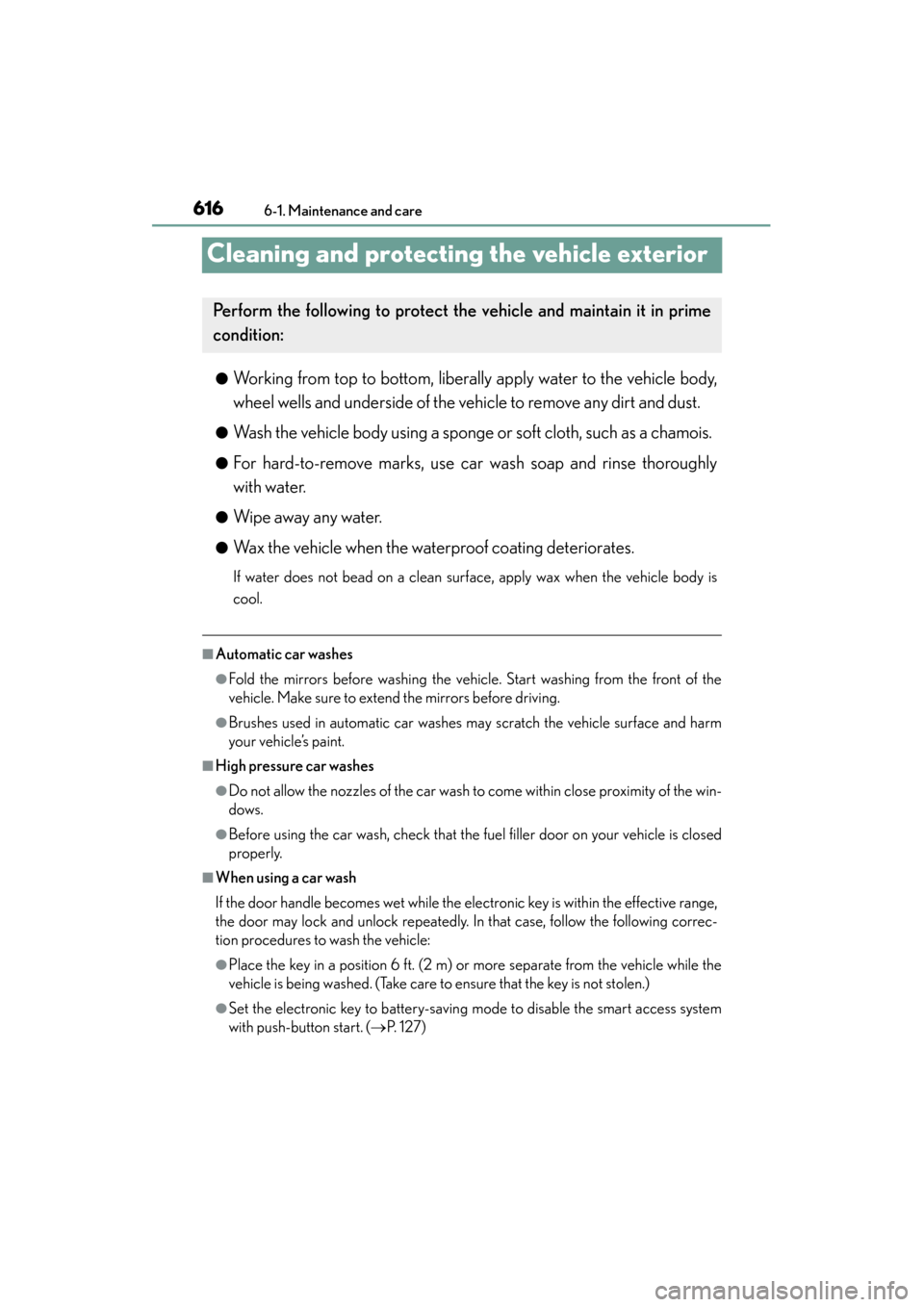
●Working from top to bottom, liberally apply water to the vehicle body,
wheel wells and underside of the vehicle to remove any dirt and dust.
●Wash the vehicle body using a sponge or soft cloth, such as a chamois.
●For hard-to-remove marks, use car wash soap and rinse thoroughly
with water.
●Wipe away any water.
●Wax the vehicle when the waterproof coating deteriorates.
If water does not bead on a clean surface, apply wax when the vehicle body is
cool.
■Automatic car washes
●Fold the mirrors before washing the vehicle. Start washing from the front of the
vehicle. Make sure to extend the mirrors before driving.
●Brushes used in automatic car washes may scratch the vehicle surface and harm
your vehicle’s paint.
■High pressure car washes
●Do not allow the nozzles of the car wash to come within close proximity of the win-
dows.
●Before using the car wash, check that the fuel filler door on your vehicle is closed
properly.
■When using a car wash
If the door handle becomes wet while the electronic key is within the effective range,
the door may lock and unlock repeatedly. In that case, follow the following correc-
tion procedures to wash the vehicle:
●Place the key in a position 6 ft. (2 m) or more separate from the vehicle while the
vehicle is being washed. (Take care to ensure that the key is not stolen.)
●Set the electronic key to battery-saving mode to disable the smart access system
with push-button start. (→P. 1 2 7 )
Perform the following to protect the vehicle and mainta in it in prime
condition:
GS450h_U.book Page 616 Monday, January 23, 2012 10:20 AM
Page 679 of 862

678
GS450h_U (OM30D01U)
6-3. Do-it-yourself maintenance
■Driver’s side instrument panel
FuseAmpereCircuit
1STOP7. 5Stop lights, high mounted stoplight
2P/ W- B5Power window master switch
3P/ S E AT 1 F/ L30Po w e r s e a t s
4D/L NO.125Po w e r d o o r l o c k s y s t e m
5NV-IR10Lexus night view
6FL S/HTR10Seat heaters/ventilators
7WIPER30Windshield wipers
8WIPER-IG5Windshield wipers
9LH-IG10
Seat belts, body ECU, AFS, overhead mod-
ule, raindrop sensor, inside rear view mirror,
lane camera sensor (LKA), head-up display,
shift lock system, intuitive parking assist, front
left-hand door ECU, driver monitor system,
Remote Touch screen, electric tilt and tele-
scopic steering column, power seats, moon
roof, windshield wiper de-icer, intuitive park-
ing assist switch, PTC heater, headlight
cleaner
10LH ECU-IG10
VDIM, ECB, D-SW MODULE (Blind Spot
Monitor, heated steering wheel), driver sup-
port system, AFS, EPB, air conditioning sys-
tem
GS450h_U.book Page 678 Monday, January 23, 2012 10:20 AM
Page 680 of 862
GS450h_U (OM30D01U)
6796-3. Do-it-yourself maintenance
6
Maintenance and care
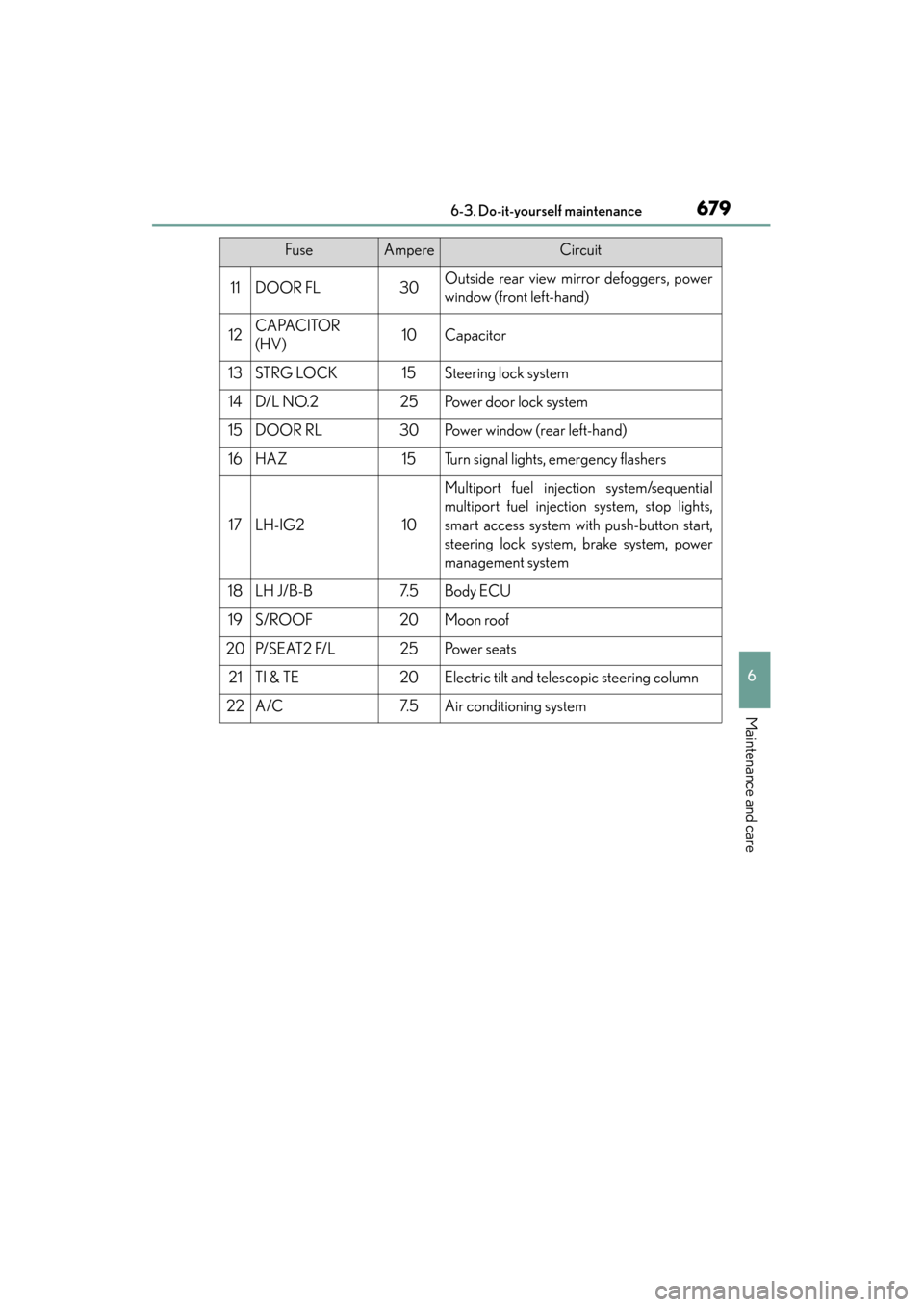
11DOOR FL30Outside rear view mirror defoggers, power
window (front left-hand)
12CAPACITOR
(HV)10Capacitor
13STRG LOCK15Steering lock system
14D/L NO.225Po w e r d o o r l o c k s y s t e m
15DOOR RL30Power window (rear left-hand)
16HAZ15Turn signal lights, emergency flashers
17LH-IG210
Multiport fuel injection system/sequential
multiport fuel injection system, stop lights,
smart access system with push-button start,
steering lock system, brake system, power
management system
18LH J/B-B7. 5Body ECU
19S/ROOF20Moon roof
20P/ S E AT 2 F/ L25Po w e r s e a t s
21TI & TE20Electric tilt and telescopic steering column
22A/C7. 5Air conditioning system
FuseAmpereCircuit
GS450h_U.book Page 679 Monday, January 23, 2012 10:20 AM
Page 730 of 862
7297-2. Steps to take in an emergency
GS450h_U (OM30D01U)
7
When trouble arises
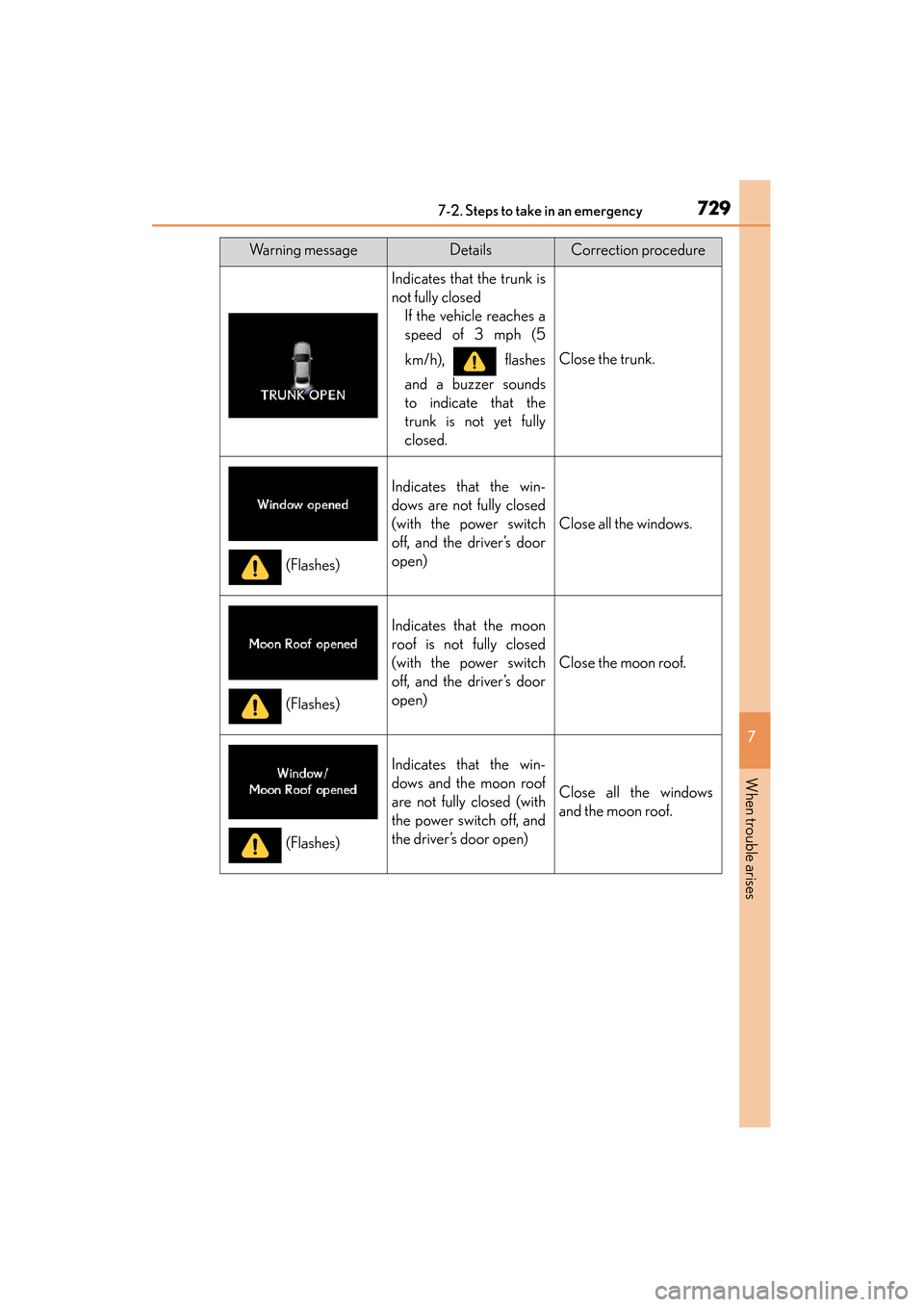
Indicates that the trunk is
not fully closedIf the vehicle reaches a
speed of 3 mph (5
km/h), flashes
and a buzzer sounds
to indicate that the
trunk is not yet fully
closed.
Close the trunk.
Indicates that the win-
dows are not fully closed
(with the power switch
off, and the driver’s door
open)
Close all the windows.
Indicates that the moon
roof is not fully closed
(with the power switch
off, and the driver’s door
open)
Close the moon roof.
Indicates that the win-
dows and the moon roof
are not fully closed (with
the power switch off, and
the driver’s door open)
Close all the windows
and the moon roof.
Warning messageDetailsCorrection procedure
(Flashes)
(Flashes)
(Flashes)
GS450h_U.book Page 729 Monday, January 23, 2012 10:20 AM
Page 768 of 862
767
GS450h_U (OM30D01U)
7
When trouble arises
7-2. Steps to take in an emergency
If the electronic key does not operate properly
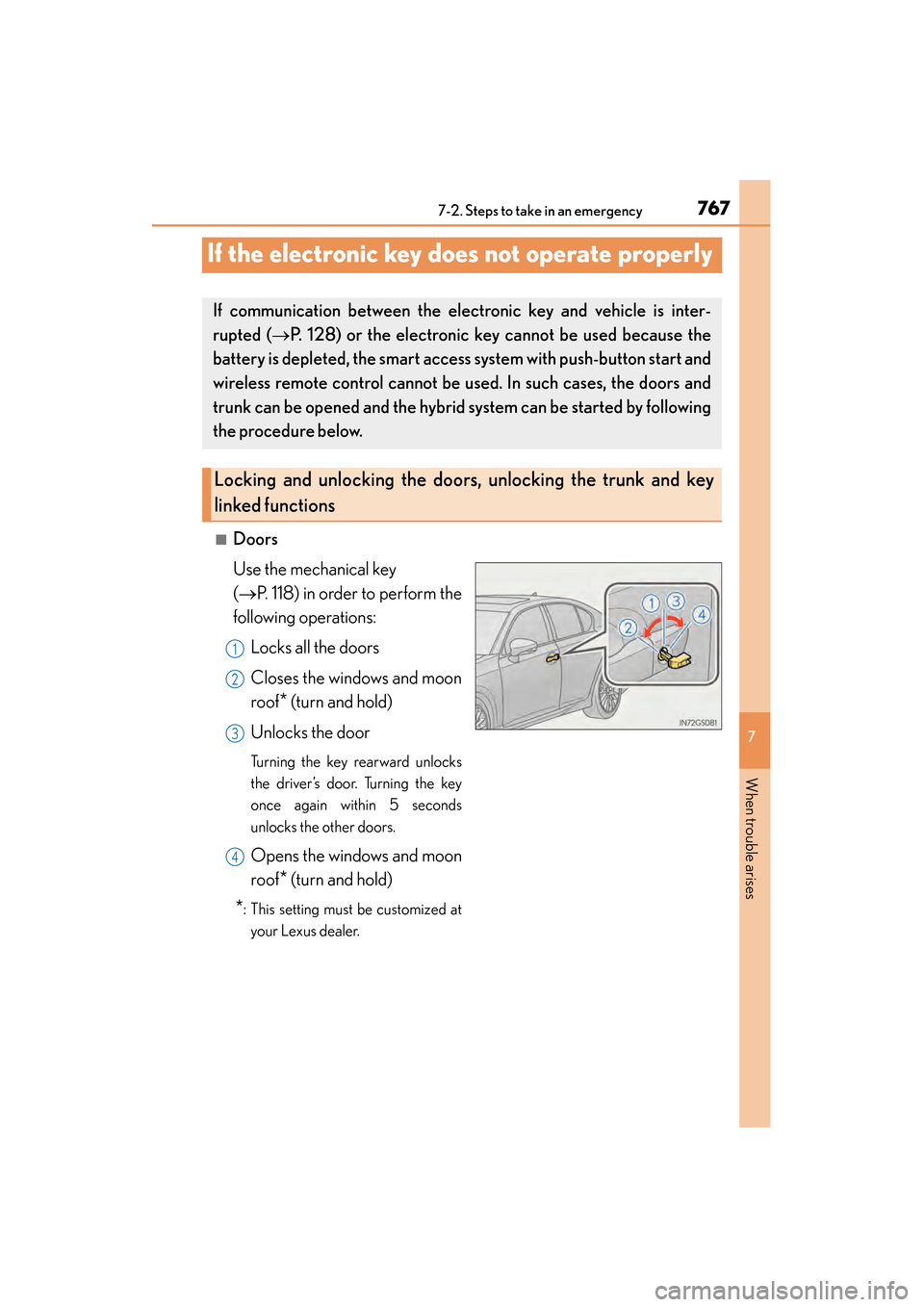
■Doors
Use the mechanical key
(→ P. 118) in order to perform the
following operations:
Locks all the doors
Closes the windows and moon
roof
* (turn and hold)
Unlocks the door
Turning the key rearward unlocks
the driver’s door. Turning the key
once again within 5 seconds
unlocks the other doors.
Opens the windows and moon
roof
* (turn and hold)
*: This setting must be customized at your Lexus dealer.
If communication between the electronic key and vehicle is inter-
rupted ( →P. 128) or the electronic key cannot be used because the
battery is depleted, the smart access system with push-button start and
wireless remote control cannot be used. In such cases, the doors and
trunk can be opened and the hybrid system can be started by following
the procedure below.
Locking and unlocking the doors, unlocking the trunk and key
linked functions
1
2
3
4
GS450h_U.book Page 767 Monday, January 23, 2012 10:20 AM