Brake assist Lexus GS450h 2013 Owner's Manual
[x] Cancel search | Manufacturer: LEXUS, Model Year: 2013, Model line: GS450h, Model: Lexus GS450h 2013Pages: 862, PDF Size: 19.06 MB
Page 4 of 862
3
1
8 7
6
5
4
3
2
GS450h_U (OM30D01U)
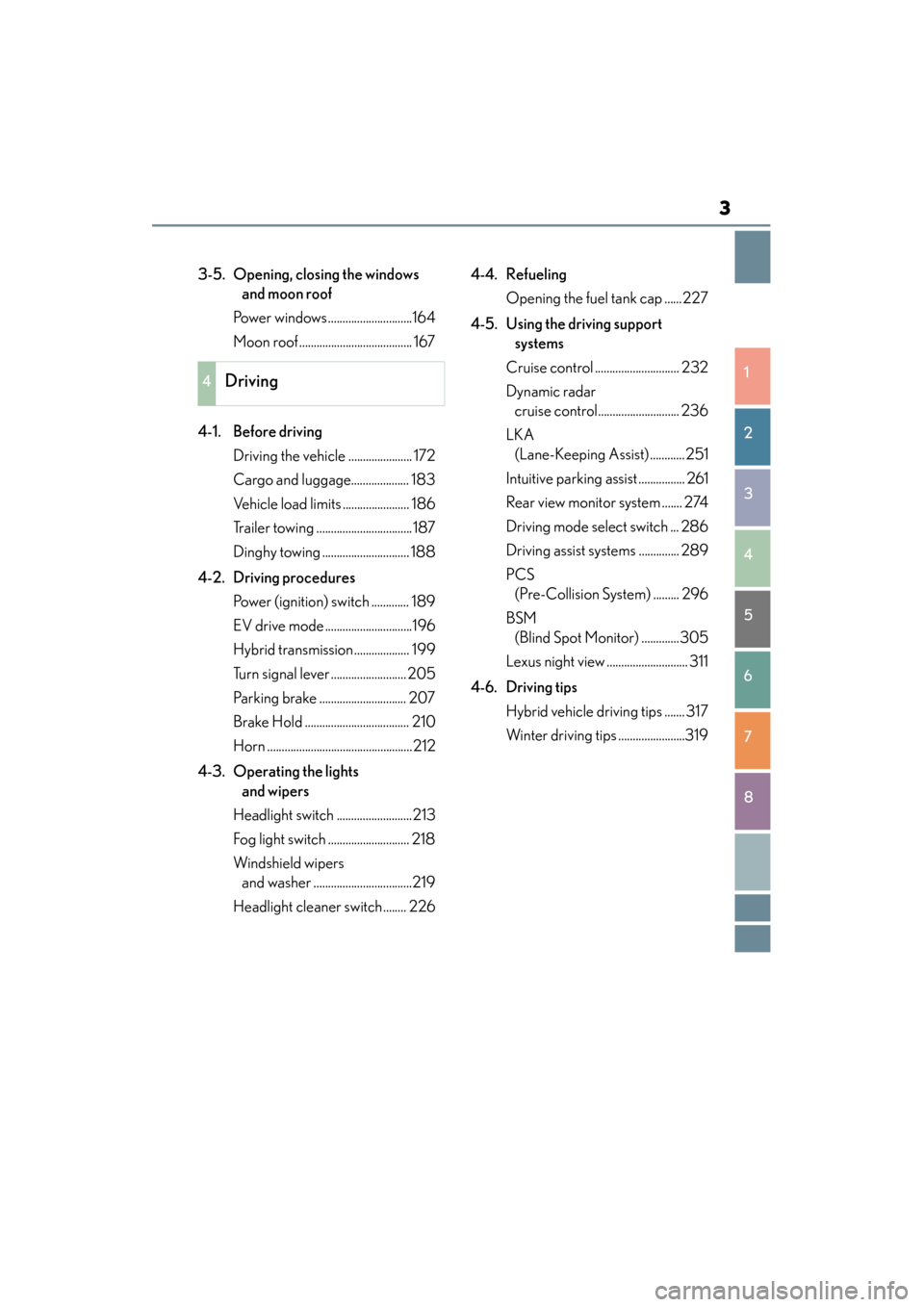
3-5. Opening, closing the windows and moon roof
Power windows.............................164
Moon roof ....................................... 167
4-1. Before driving Driving the vehicle ...................... 172
Cargo and luggage.................... 183
Vehicle load limits ....................... 186
Trailer towing ................................. 187
Dinghy towing .............................. 188
4-2. Driving procedures Power (ignition) switch ............. 189
EV drive mode ..............................196
Hybrid transmission................... 199
Turn signal lever .......................... 205
Parking brake .............................. 207
Brake Hold .................................... 210
Horn ..................................................212
4-3. Operating the lights and wipers
Headlight switch ..........................213
Fog light switch ............................ 218
Windshield wipers and washer ..................................219
Headlight cleaner switch ........ 226 4-4. Refueling
Opening the fuel tank cap ......227
4-5. Using the driving support systems
Cruise control ............................. 232
Dynamic radar cruise control............................ 236
LKA (Lane-Keeping Assist) ............251
Intuitive parking assist ................ 261
Rear view monitor system ....... 274
Driving mode select switch ... 286
Driving assist systems .............. 289
PCS (Pre-Collision System) ......... 296
BSM (Blind Spot Monitor) .............305
Lexus night view ............................ 311
4-6. Driving tips Hybrid vehicle driving tips ....... 317
Winter driving tips .......................319
4Driving
GS450h_U.book Page 3 Monday, January 23, 2012 10:20 AM
Page 12 of 862
GS450h_U (OM30D01U)
11
This vehicle is equipped with an event data recorder (EDR). The main purpose of an
EDR is to record, in certain crash or near crash-like situations, such as an air bag
deployment or hitting a road obstacle, data that will assist in understanding how a
vehicle’s systems performed. The EDR is designed to record data related to vehicle
dynamics and safety systems for a short period of time, typically 30 seconds or less.
The EDR in this vehicle is designed to record such data as:• How various systems in your vehicle were operating;
• Whether or not the driver and passenger safety belts were buckled/fastened;
• How far (if at all) the driver was depressing the accelerator and/or brake pedal;and,
• How fast the vehicle was traveling.
These data can help provide a better understanding of the circumstances in which
crashes and injuries occur.
NOTE: EDR data are recorded by your vehicle only if a non-trivial crash situation
occurs; no data are recorded by the EDR under normal driving conditions and no
personal data (e.g., name, gender, age, and crash location) are recorded. However,
other parties, such as law enforcement, could combine the EDR data with the type of
personally identifying data routinely acquired during a crash investigation.
To read data recorded by an EDR, special equipment is required, and access to the
vehicle or the EDR is needed. In addition to the vehicle manufacturer, other parties,
such as law enforcement, that have the special equipment, can read the information
if they have access to the vehicle or the EDR.
● Disclosure of the EDR data
Lexus will not disclose the data recorded in an EDR to a third party except when:
• An agreement from the vehicle’s owner (or the lessee for a leased vehicle) is obtained
• In response to an official request by the police, a court of law or a government agency
• For use by Lexus in a law suit
However, if necessary, Lexus may:
• Use the data for research on vehicle safety performance
• Disclose the data to a third party for research purposes without disclosing infor- mation about the specific vehicle or vehicle owner
Event data recorder
GS450h_U.book Page 11 Monday, January 23, 2012 10:20 AM
Page 88 of 862
GS450h_U (OM30D01U)
872. Instrument cluster
2
Instrument cluster
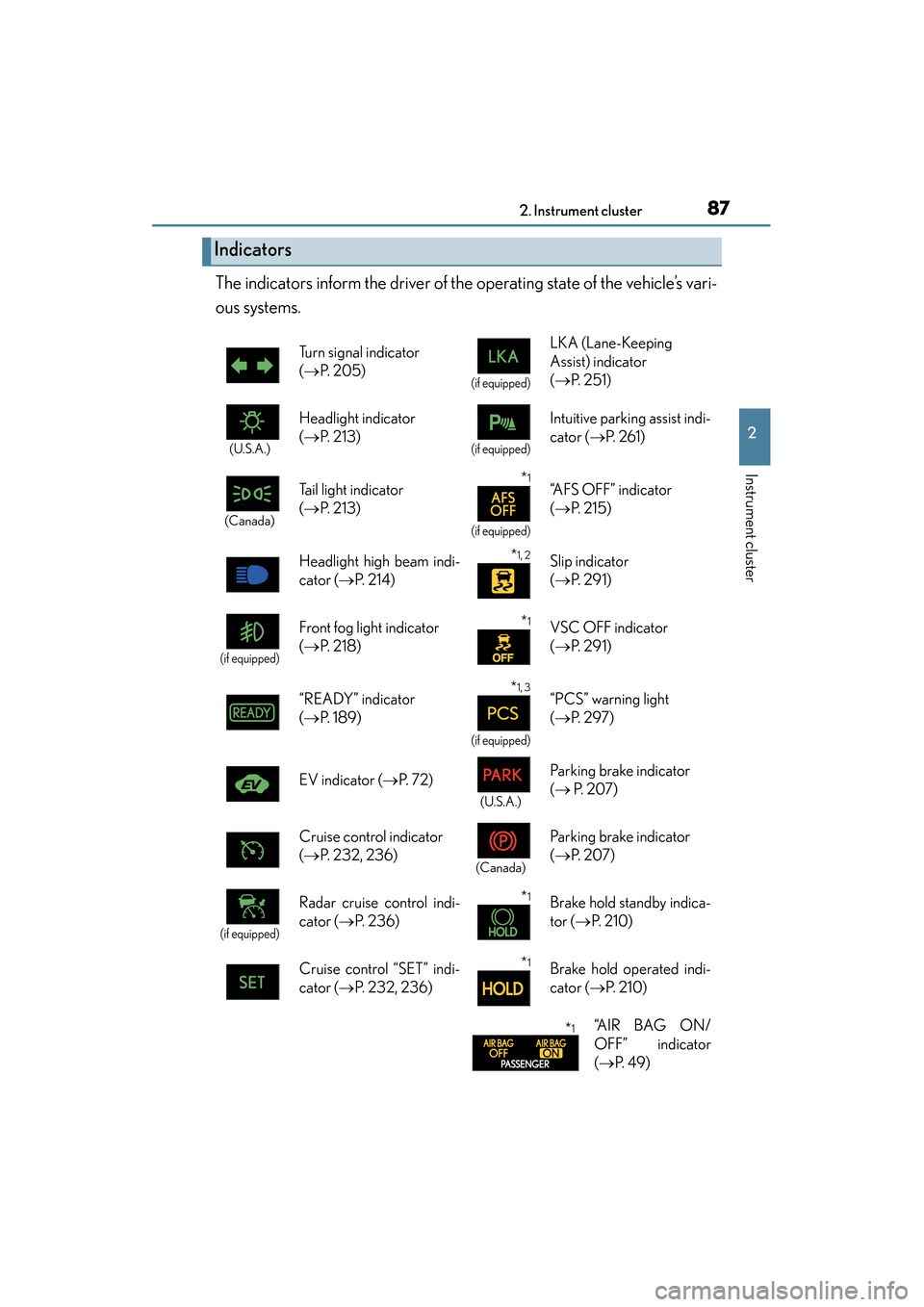
The indicators inform the driver of the operating state of the vehicle’s vari-
ous systems.
Indicators
Turn signal indicator
(→ P. 2 0 5 )
(if equipped)
LKA (Lane-Keeping
Assist) indicator
(→ P. 2 5 1 )
(U.S.A.)
Headlight indicator
(→ P. 2 1 3 )
(if equipped)
Intuitive parking assist indi-
cator ( →P. 2 6 1 )
(Canada)
Tail light indicator
(→ P. 2 1 3 ) *1
(if equipped)
“AFS OFF” indicator
(→ P. 2 1 5 )
Headlight high beam indi-
cator ( →P. 2 1 4 )
*1, 2 Slip indicator
(→ P. 2 9 1 )
(if equipped)
Front fog light indicator
(→ P. 2 1 8 )*1VSC OFF indicator
(→ P. 2 9 1 )
“READY” indicator
( → P. 1 8 9 )
*1, 3
(if equipped)
“PCS” warning light
(→ P. 2 9 7 )
EV indicator ( →P. 7 2 )
(U.S.A.)
Parking brake indicator
(→ P. 2 0 7 )
Cruise control indicator
( → P. 232, 236)
(Canada)
Parking brake indicator
(→ P. 2 0 7 )
(if equipped)
Radar cruise control indi-
cator ( →P. 2 3 6 )*1Brake hold standby indica-
tor ( →P. 2 1 0 )
Cruise control “SET” indi-
cator ( →P. 232, 236)
*1Brake hold operated indi-
cator ( →P. 2 1 0 )
*1“A I R B A G O N /
OFF” indicator
(→ P. 4 9 )
GS450h_U.book Page 87 Monday, January 23, 2012 10:20 AM
Page 172 of 862
171
GS450h_U (OM30D01U)
4Driving
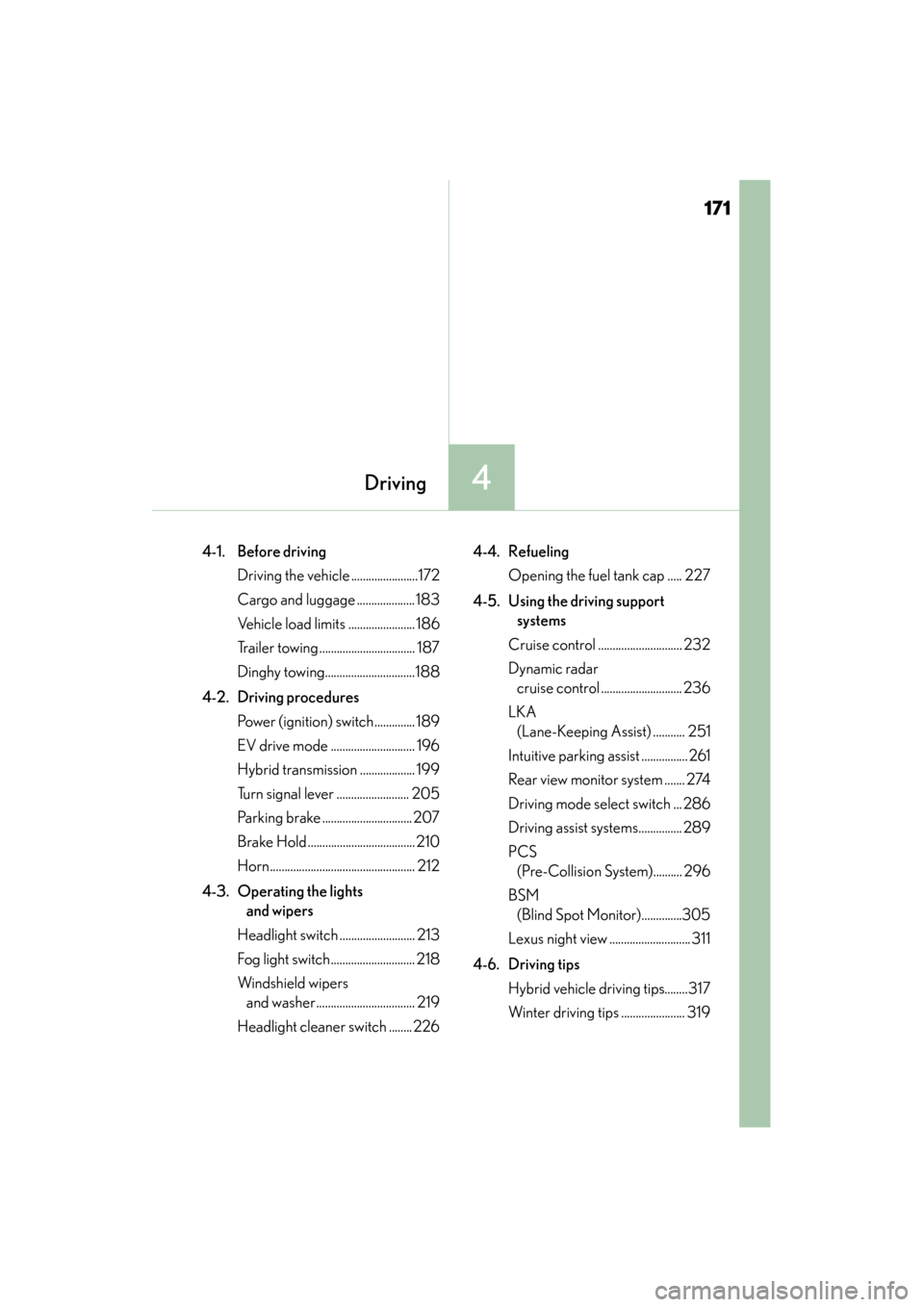
4-1. Before driving Driving the vehicle .......................172
Cargo and luggage .................... 183
Vehicle load limits ....................... 186
Trailer towing ................................. 187
Dinghy towing...............................188
4-2. Driving procedures Power (ignition) switch.............. 189
EV drive mode ............................. 196
Hybrid transmission ................... 199
Turn signal lever ......................... 205
Parking brake ............................... 207
Brake Hold ..................................... 210
Horn.................................................. 212
4-3. Operating the lights and wipers
Headlight switch .......................... 213
Fog light switch............................. 218
Windshield wipers and washer.................................. 219
Headlight cleaner switch ........ 226 4-4. Refueling
Opening the fuel tank cap ..... 227
4-5. Using the driving support systems
Cruise control ............................. 232
Dynamic radar cruise control ............................ 236
LKA (Lane-Keeping Assist) ........... 251
Intuitive parking assist ................ 261
Rear view monitor system ....... 274
Driving mode select switch ... 286
Driving assist systems............... 289
PCS (Pre-Collision System).......... 296
BSM (Blind Spot Monitor)..............305
Lexus night view ............................ 311
4-6. Driving tips Hybrid vehicle driving tips........317
Winter driving tips ...................... 319
GS450h_U.book Page 171 Monday, January 23, 2012 10:20 AM
Page 177 of 862
176
GS450h_U (OM30D01U)
4-1. Before driving
CAUTION
Observe the following precautions.
Failure to do so may result in death or serious injury.
■When driving the vehicle
●During normal driving, do not turn off the hybrid system. Turning the hybrid sys-
tem off while driving will not cause loss of steering or braking control, but the
power assist to these systems will be lost. This will make it more difficult to steer
and brake, so you should pull over and stop the vehicle as soon as it is safe to do
so.
However, in the event of an emergency, such as if it becomes impossible to stop
the vehicle in the normal way: →P. 7 0 3
●Use engine braking (downshift) to maintain a safe speed when driving down a
steep hill.
Using the brakes continuously may cause the brakes to overheat and lose effec-
tiveness. ( →P. 199)
●Do not adjust the positions of the steering wheel, the seat, or the inside or outside
rear view mirrors while driving.
Doing so may result in a loss of vehicle control.
●Always check that all passengers’ arms, heads or other parts of their body are not
outside the vehicle.
●Do not drive in excess of the speed limit. Even if the legal speed limit permits it, do
not drive over 85 mph (140 km/h) unless your vehicle has high-speed capability
tires. Driving over 85 mph (140 km/h) may result in tire failure, loss of control and
possible injury. Be sure to consult a tire dealer to determine whether the tires on
your vehicle are high-speed capability tires or not before driving at such speeds.
GS450h_U.book Page 176 Monday, January 23, 2012 10:20 AM
Page 181 of 862
180
GS450h_U (OM30D01U)
4-1. Before driving
CAUTION
■When taking a nap in the vehicle
Always turn the hybrid system off. Otherwise, if you accidentally move the shift
lever or depress the accelerator pedal, this could cause an accident or fire due to
hybrid system overheating. Additionally, if the vehicle is parked in a poorly venti-
lated area, exhaust gases may collect and enter the vehicle, leading to death or a
serious health hazard.
■When braking
●When the brakes are wet, drive more cautiously.
Braking distance increases when the brakes are wet, and this may cause one side
of the vehicle to brake differently than the other side. Also, the parking brake may
not securely hold the vehicle.
●If the power brake assist function does not operate, do not follow other vehicles
closely and avoid hills or sharp turns that require braking.
In this case, braking is still possible, but the brake pedal should be depressed
more firmly than usual. Also, the braking distance will increase.
●The brake system consists of 3 individual hydraulic systems; if one of the systems
fails, the other will still operate. In this case, the brake pedal should be depressed
more firmly than usual and the braking distance will increase.
If this happens, do not continue to drive the vehicle. Have your brakes fixed
immediately.
GS450h_U.book Page 180 Monday, January 23, 2012 10:20 AM
Page 195 of 862
194
GS450h_U (OM30D01U)
4-2. Driving procedures
CAUTION
■When starting the hybrid system
Always start the hybrid system while sitting in the driver’s seat. Do not depress the
accelerator pedal while starting the hybrid system under any circumstances.
Doing so may cause an accident resulting in death or serious injury.
■Caution while driving
If hybrid system failure occurs while the vehicle is moving, do not lock or open the
doors until the vehicle reaches a safe and complete stop. Activation of the steering
lock in this circumstance may lead to an accident, resulting in death or serious
injury.
■Stopping the hybrid system in an emergency
If you want to stop the hybrid system in an emergency while driving the vehicle,
press and hold the power switch for more than 2 seconds, or press it briefly 3 times
or more in succession. (→P. 7 0 3 )
However, do not touch the power switch while driving except in an emergency.
Turning the hybrid system off while driving will not cause loss of steering or braking
control, but the power assist to these systems will be lost. This will make it more dif-
ficult to steer and brake, so you should pull over and stop the vehicle as soon as it is
safe to do so.
GS450h_U.book Page 194 Monday, January 23, 2012 10:20 AM
Page 248 of 862
GS450h_U (OM30D01U)
2474-5. Using the driving support systems
4
Driving
CAUTION
■Before using dynamic radar cruise control
Do not overly rely on vehicle-to-vehicle distance control.
Be aware of the set speed. If automatic deceleration/acceleration is not appropri-
ate, adjust the vehicle speed, as well as the distance between your vehicle and vehi-
cles ahead by applying the brakes etc.
■Cautions regarding the driving assist systems
Observe the following precautions.
Failure to do so may cause an accident resulting in death or serious injury.
●Assisting the driver to measure following distance
The dynamic radar cruise control is only intended to help the driver in determin-
ing the following distance between the driver’s own vehicle and a designated
vehicle traveling ahead. It is not a mechanism that allows careless or inattentive
driving, and it is not a system that can assist the driver in low-visibility conditions. It
is still necessary for driver to pay close attention to the vehicle’s surroundings.
●Assisting the driver to judge proper following distance
The dynamic radar cruise control determines whether the following distance
between the driver’s own vehicle and a designated vehicle traveling ahead is
appropriate or not. It is not capable of making any other type of judgement.
Therefore, it is absolutely necessary for the driver to remain vigilant and to deter-
mine whether or not there is a possibility of danger in any given situation.
●Assisting the driver to operate the vehicle
The dynamic radar cruise control has no capability to prevent or avoid a collision
with a vehicle traveling ahead. Therefore, if there is ever any danger, the driver
must take immediate and direct control of the vehicle and act appropriately in
order to ensure the safety of all involved.
GS450h_U.book Page 247 Monday, January 23, 2012 10:20 AM
Page 272 of 862
GS450h_U (OM30D01U)
2714-5. Using the driving support systems
4
Driving
■Intuitive parking assist display
When an obstacle is detected while the rear view monitor system, is in use, the warn-
ing indicator will appear in the top right of the screen even if the display setting has
been set to off.
■Sensor detection information
●The sensor’s detection areas are limited to the areas around the vehicle’s front cor-
ner and rear bumpers.
●Certain vehicle conditions and the surrounding environment may affect the ability
of the sensor to correctly detect obstacles. Particular instances where this may
occur are listed below.
• There is dirt, snow or ice on the sensor. (Wiping the sensors will resolve thisproblem.)
• The sensor is frozen. (Thawing the area will resolve this problem.) In especially cold weather, if a sensor is frozen the screen may show an abnor-
mal display, or obstacles may not be detected.
• The sensor is covered in any way.
• The vehicle is leaning considerably to one side.
• On an extremely bumpy road, on an incline, on gravel, or on grass.
• The vicinity of the vehicle is noisy due to vehicle horns, motorcycle engines, air brakes of large vehicles, or other loud noises producing ultrasonic waves.
• There is another vehicle equipped with parking assist sensors in the vicinity.
• The sensor is coated with a sheet of spray or heavy rain.
• The vehicle is equipped with a fender pole or wireless antenna.
• Towing eyelets are installed.
• The bumper or sensor receives a strong impact.
• The vehicle is approaching a tall or curved curb.
• In harsh sunlight or intense cold weather.
• The area directly under the bumpers is not detected.
• If obstacles draw too close to the sensor.
• A non-genuine Lexus suspension (lowered suspension etc.) is installed.
• People may not be detected if they are wearing certain types of clothing.
In addition to the examples above, there are instances in which, because of their
shape, signs and other objects may be judged by the sensor to be closer than they
are.
GS450h_U.book Page 271 Monday, January 23, 2012 10:20 AM
Page 274 of 862

GS450h_U (OM30D01U)
2734-5. Using the driving support systems
4
Driving
CAUTION
■When using the intuitive parking assist
Observe the following precautions.
Failing to do so may result in the vehicle being unable to be driven safely and possi-
bly cause an accident.
●Do not use the sensor at speeds in excess of 6 mph (10 km/h).
●The sensors’ detection areas and reaction times are limited. When moving for-
ward or reversing, check the areas surrounding the vehicle (especially the sides
of the vehicle) for safety, and drive slowly, using the brake to control the vehicle’s
speed.
●Do not install accessories within the sensors’ detection areas.
NOTICE
■When using intuitive parking assist-sensor
In the following situations, the system may not function correctly due to a sensor
malfunction etc. Have the vehicle checked by your Lexus dealer.
●The intuitive parking assist operation display flashes, and a beep sounds when no
obstacles are detected.
●If the area around a sensor collides with something, or is subjected to strong
impact.
●If the bumper collides with something.
●If the display shows continuously without a beep.
●If a display error occurs, first check the sensor.
If the error occurs even if there is no ice, snow or mud on the sensor, it is likely that
the sensor is malfunctioning.
■Notes when washing the vehicle
Do not apply intensive bursts of water or steam to the sensor area.
Doing so may result in the sensor malfunctioning.
GS450h_U.book Page 273 Monday, January 23, 2012 10:20 AM