phone Lexus GS450h 2014 User Guide
[x] Cancel search | Manufacturer: LEXUS, Model Year: 2014, Model line: GS450h, Model: Lexus GS450h 2014Pages: 890, PDF Size: 40.62 MB
Page 376 of 890
375
GS450h_OM_OM30D52U_(U)5-1. Remote Touch screen
5
Interior features
Voice command system
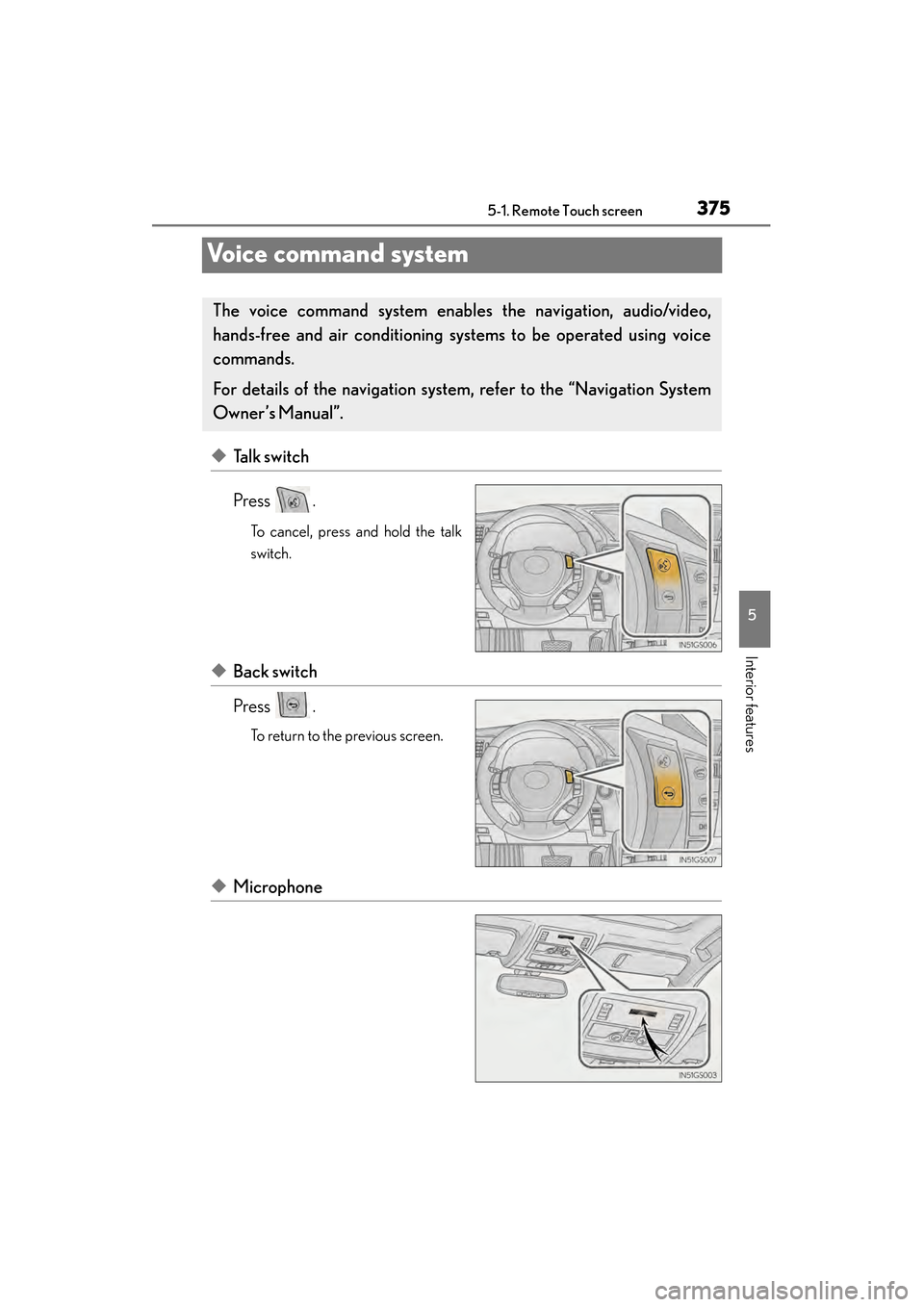
◆Talk switch
Press .
To cancel, press and hold the talk
switch.
◆Back switch
Press .
To return to the previous screen.
◆Microphone
The voice command sys tem enables the navigation, audio/video,
hands-free and air conditioning sys tems to be operated using voice
commands.
For details of the navigation system , refer to the “Navigation System
Owner’s Manual”.
GS450h_OM_OM30D52U_(U).book Page 375 Monday, July 29, 2013 12:07 PM
Page 379 of 890
3785-1. Remote Touch screen
GS450h_OM_OM30D52U_(U)Due to natural language speech recognition technology, this system
enables recognition of a command when spoken naturally. However, the
system cannot recognize every variation of each command. In some situa-
tions, it is possible to omit the command for the procedure and directly
state the desired operation. Not all voice commands are displayed in the
short cut menu.
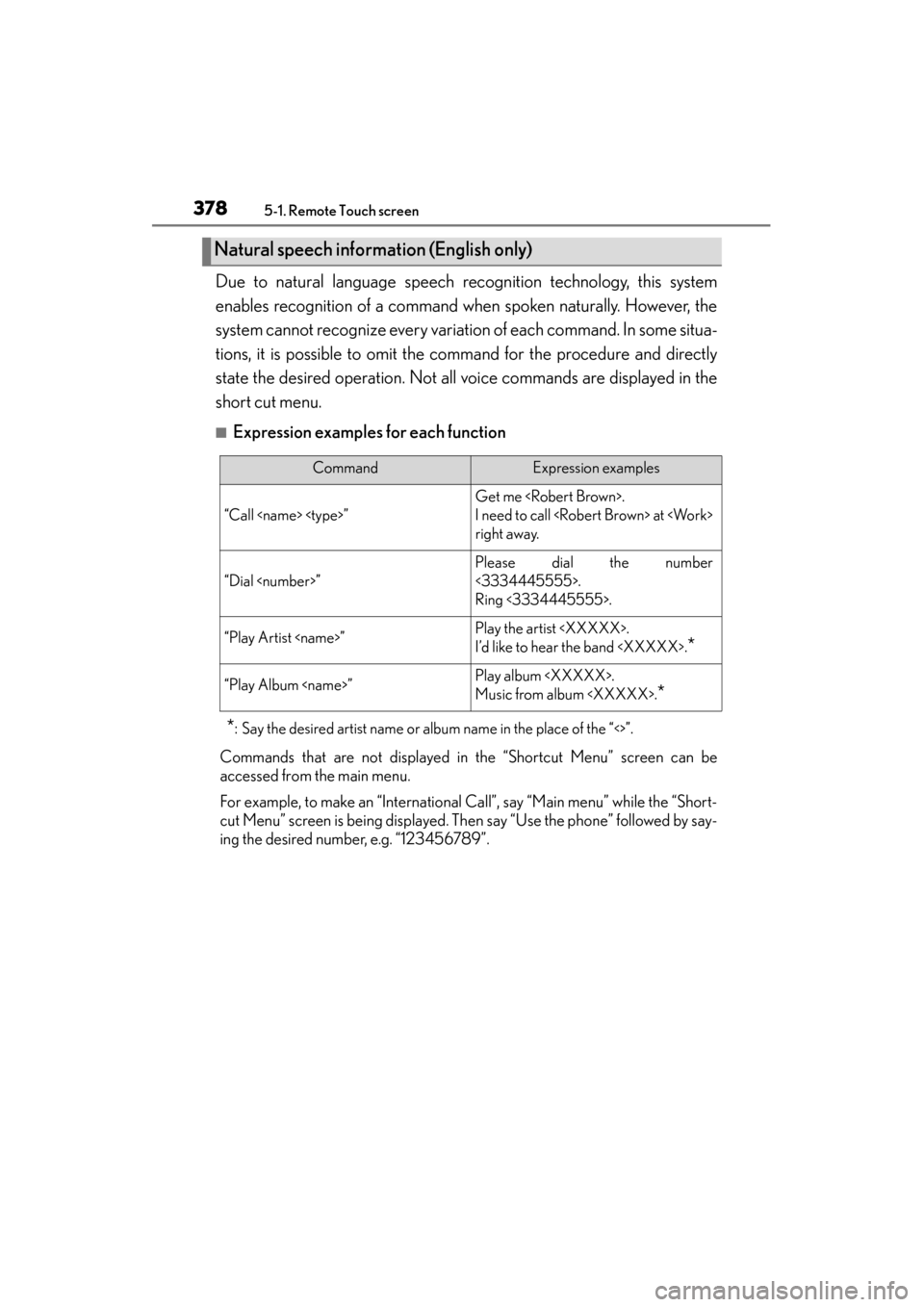
■Expression examples for each function
*: Say the desired artist name or album name in the place of the “<>”.
Commands that are not displayed in the “Shortcut Menu” screen can be
accessed from the main menu.
For example, to make an “International Call”, say “Main menu” while the “Short-
cut Menu” screen is being displayed. Then
say “Use the phone” followed by say-
ing the desired number, e.g. “123456789”.
Natural speech information (English only)
CommandExpression examples
“Call
Get me
I need to call
right away.
“Dial
Please dial the number
<3334445555>.
Ring <3334445555>.
“Play Artist
I’d like to hear the band
*
“Play Album
Music from album
*
GS450h_OM_OM30D52U_(U).book Page 378 Monday, July 29, 2013 12:07 PM
Page 381 of 890
3805-1. Remote Touch screen
GS450h_OM_OM30D52U_(U)Recognizable voice commands and their actions are shown below.
●For devices that are not installed in the vehicle, the related commands
will not be displayed in the “Shortcut Menu” screen. Also, according to
conditions, other commands may not be displayed in the “Shortcut
Menu” screen.
●Voice recognition language can be changed. (
→P. 361)
●Commands that have a “O” in the “Shortcut Menu” column in the fol-
lowing table can be recognized from the “Shortcut Menu” screen.
Commands that have a “—” in the Shortcut Menu column can only be
recognized from the screen that they are displayed in.
■Calling a phone ( →P. 544)
*: To use this function, say “Main menu” and then “Use the phone” while the “Short-
cut Menu” screen is being displayed.
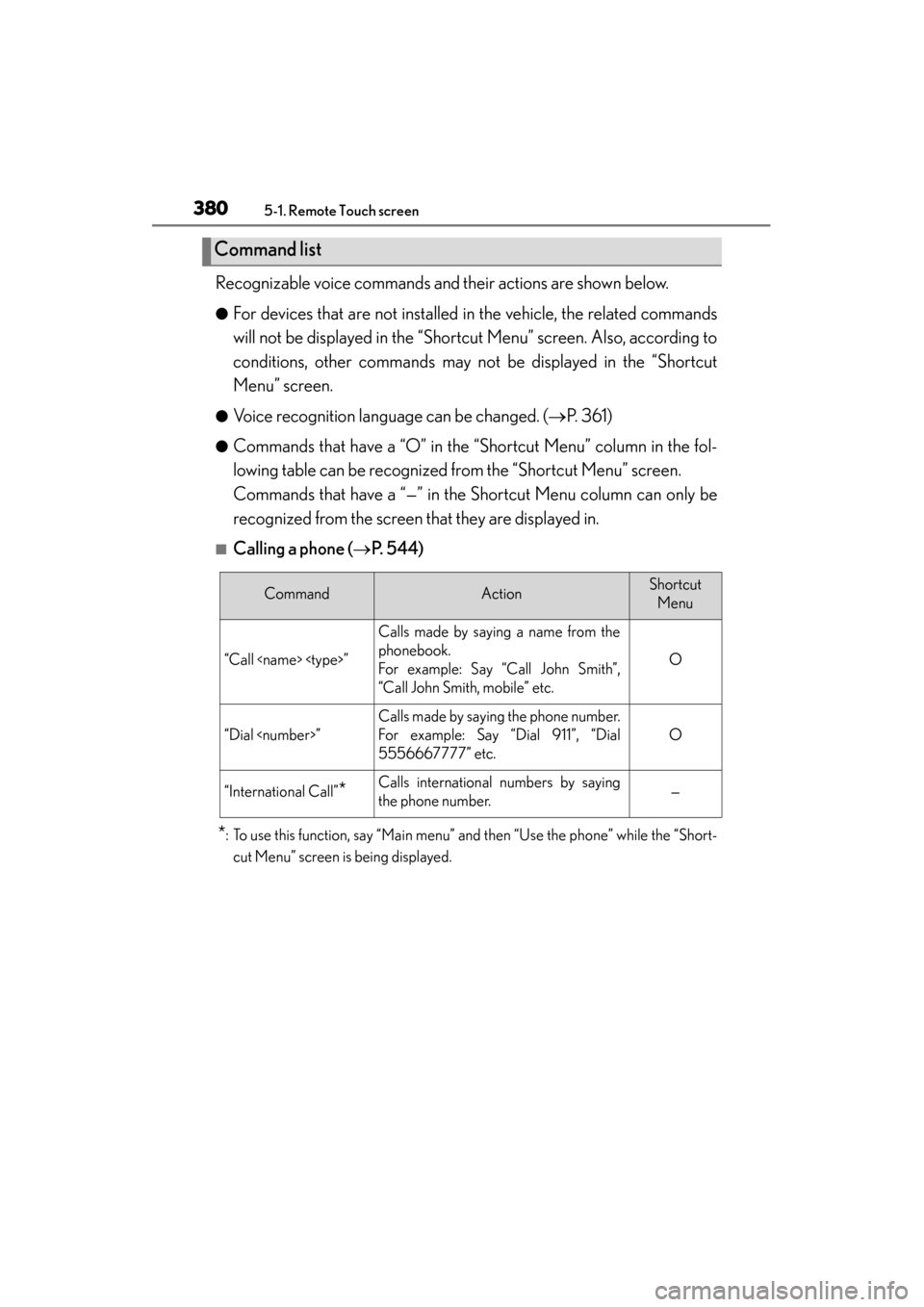
Command list
CommandActionShortcut Menu
“Call
Calls made by saying a name from the
phonebook.
For example: Say “Call John Smith”,
“Call John Smith, mobile” etc.
O
“Dial
Calls made by saying the phone number.
For example: Say “Dial 911”, “Dial
5556667777” etc.
O
“International Call”*Calls international numbers by saying
the phone number.—
GS450h_OM_OM30D52U_(U).book Page 380 Monday, July 29, 2013 12:07 PM
Page 385 of 890
3845-1. Remote Touch screen
GS450h_OM_OM30D52U_(U)
■When using the microphone
●It is unnecessary to speak directly into the microphone when giving a command.
●Wait for the confirmation beep before speaking a command.
●Voice commands may not be recognized if:
• Spoken too quickly.
• Spoken at a low or high volume.
• The roof or windows are open.
• Passengers are talking while voice commands are spoken.
• The air conditioning speed is set high.
• The air conditioning vents are turned towards the microphone.
●In the following conditions, the system may not recognize the command properly
and using voice commands may not be possible:
• The command is incorrect or unclear. Note that certain words, accents orspeech patterns may be difficult for the system to recognize.
• There is excessive background noise, such as wind noise.
■When searching for a track
●A USB memory or iPod must be connected to enable track searching and play-
back. ( →P. 5 0 1 , 5 1 1 )
●When a USB memory or iPod is connected, recognition data is created so tracks
can be searched using voice commands.
●Recognition data is updated under the following conditions:
• When the USB memory or iPod data has changed.
• When the voice recognition language is changed. ( →P. 3 6 1 )
●While the recognition data is being created or being updated, a track search can-
not be performed using a voice command.
●While “Play Music” is displayed in the “Shortcut Menu” screen, say “Play Music” to
display the music screen from which searching for a track using a voice command
can be performed.
●When “Play Music” is dimmed in the “Shortcut Menu” screen, it is not possible to
search for a track using a voice command. In this situation, reduce the amount of
music data in the USB memory or iPod and update the recognition data to enable
searching by voice command.
GS450h_OM_OM30D52U_(U).book Page 384 Monday, July 29, 2013 12:07 PM
Page 386 of 890
GS450h_OM_OM30D52U_(U)
3855-1. Remote Touch screen
5
Interior features
■Natural speech information
●The “Use the Phone” and “Play Music” commands displayed on the “Shortcut
Menu” screen can be operated using natural language speech recognition tech-
nology.
●If the command cannot be recognized completely, the command input screen will
be displayed. (Search results will be shown based on the part of the command that
was recognized.)
■When turning the audio system or air conditioning system on
●Commands relating to operation of the audio/video and air conditioning systems
can only be performed when the audio/video and air conditioning systems are
turned on.
●Expanded voice commands can be recognized when the “Shortcut Menu” screen
is displayed.
■The Gracenote® media database
Music recognition technology and related data are provided by Gracenote
®.
Gracenote is the industry standard in music recognition technology and related
content delivery. For more information visit www.gracenote.com
.
GS450h_OM_OM30D52U_(U).book Page 385 Monday, July 29, 2013 12:07 PM
Page 387 of 890
386
GS450h_OM_OM30D52U_(U)
5-1. Remote Touch screen
Mobile Assistant
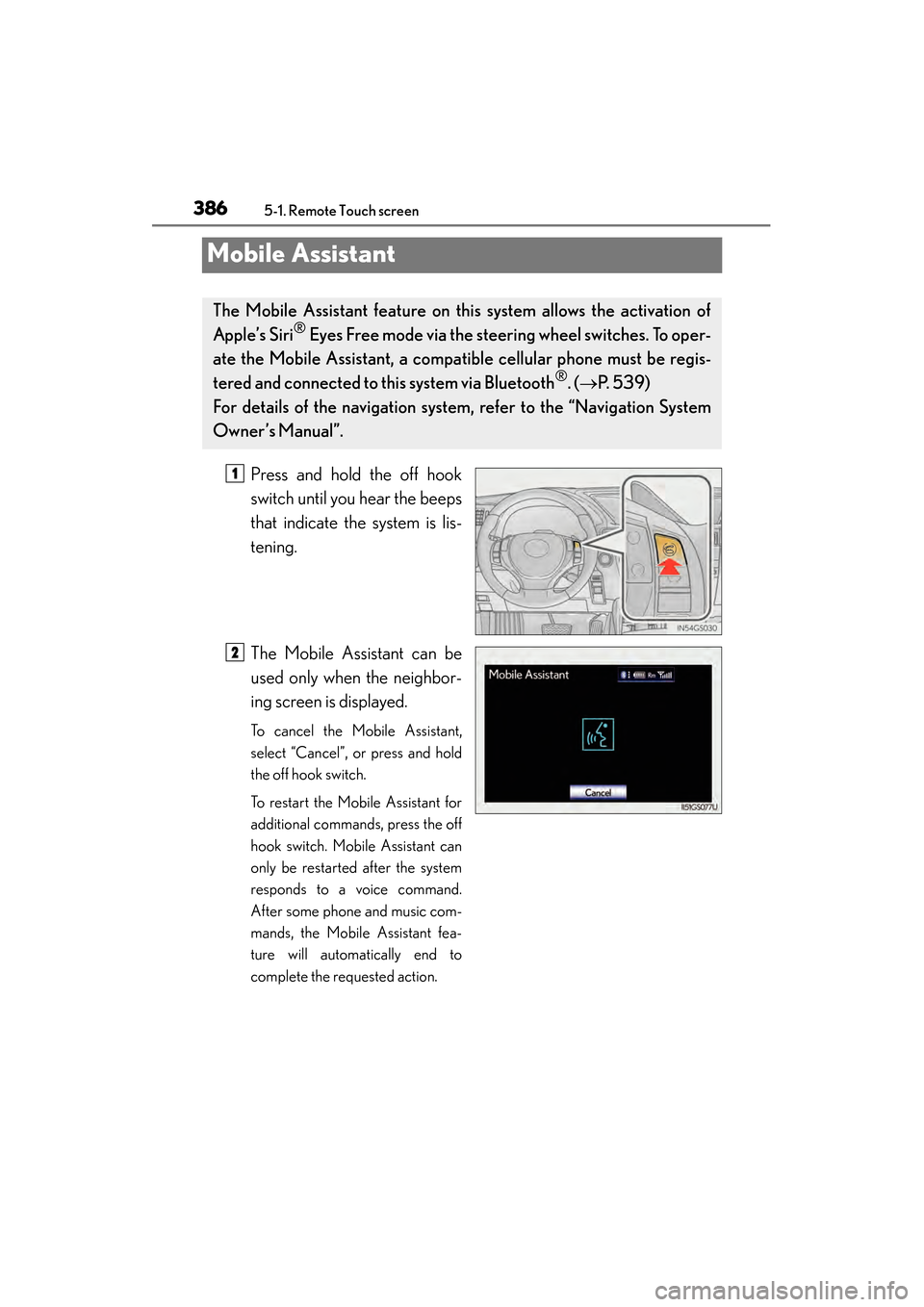
Press and hold the off hook
switch until you hear the beeps
that indicate the system is lis-
tening.
The Mobile Assistant can be
used only when the neighbor-
ing screen is displayed.
To cancel the Mobile Assistant,
select “Cancel”, or press and hold
the off hook switch.
To restart the Mobile Assistant for
additional commands, press the off
hook switch. Mobile Assistant can
only be restarted after the system
responds to a voice command.
After some phone and music com-
mands, the Mobile Assistant fea-
ture will automatically end to
complete the requested action.
The Mobile Assistant feature on this system allows the activation of
Apple’s Siri
® Eyes Free mode via the steering wheel switches. To oper-
ate the Mobile Assistant, a compat ible cellular phone must be regis-
tered and connected to this system via Bluetooth
®. ( → P. 5 3 9 )
For details of the navigation system , refer to the “Navigation System
Owner’s Manual”.
1
2
GS450h_OM_OM30D52U_(U).book Page 386 Monday, July 29, 2013 12:07 PM
Page 388 of 890
GS450h_OM_OM30D52U_(U)
3875-1. Remote Touch screen
5
Interior features
■Adjusting the volume
The volume of the Mobile Assistant can be adjusted using the “PWR/VOL” knob or
steering wheel volume switches. The Mobile Assistant and phone call volumes are
synchronized.
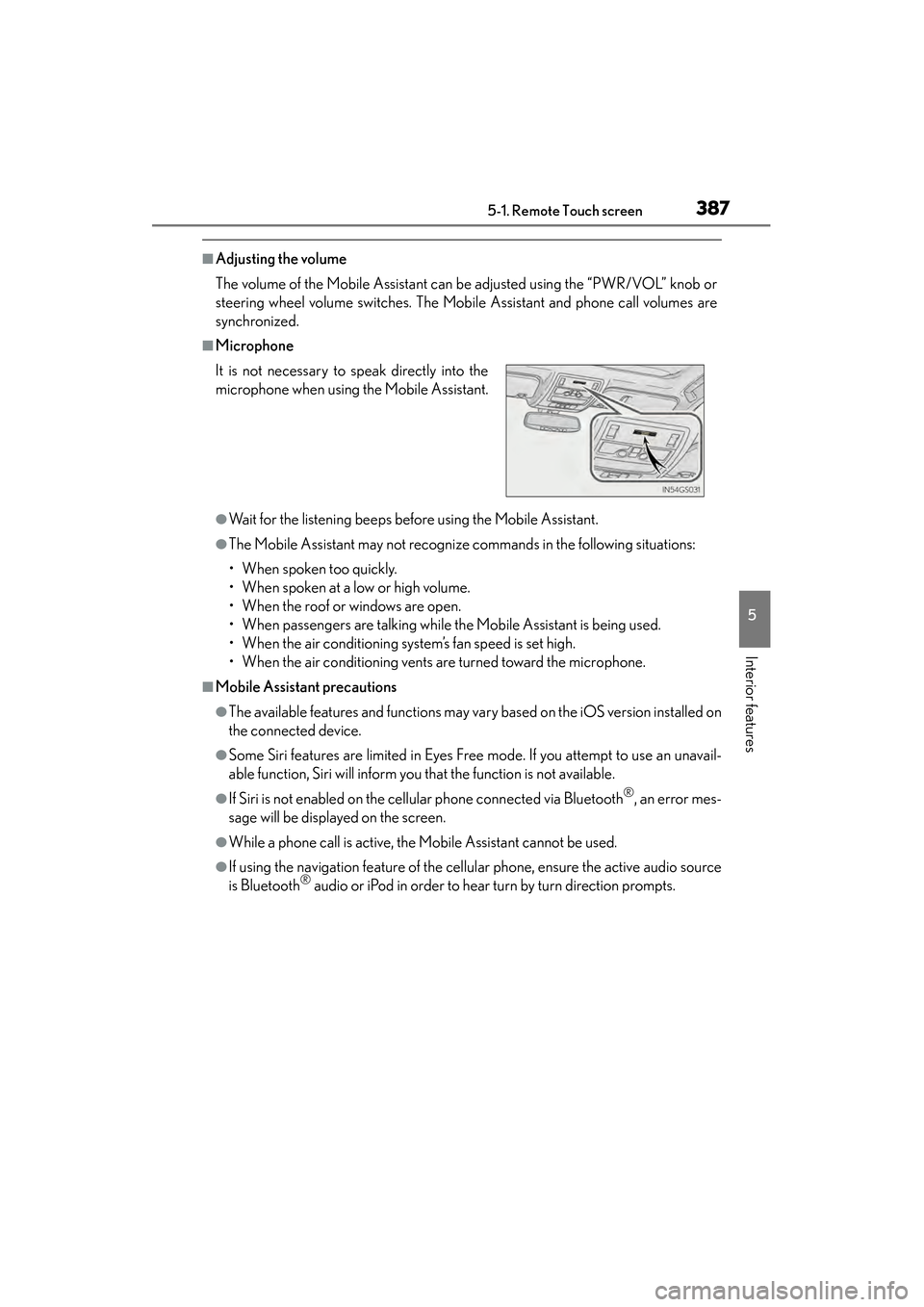
■Microphone
●Wait for the listening beeps before using the Mobile Assistant.
●The Mobile Assistant may not recognize commands in the following situations:
• When spoken too quickly.
• When spoken at a low or high volume.
• When the roof or windows are open.
• When passengers are talking while the Mobile Assistant is being used.
• When the air conditioning system’s fan speed is set high.
• When the air conditioning vents are turned toward the microphone.
■Mobile Assistant precautions
●The available features and functions may vary based on the iOS version installed on
the connected device.
●Some Siri features are limited in Eyes Free mode. If you attempt to use an unavail-
able function, Siri will inform you that the function is not available.
●If Siri is not enabled on the cellular phone connected via Bluetooth®, an error mes-
sage will be displayed on the screen.
●While a phone call is active, the Mobile Assistant cannot be used.
●If using the navigation feature of the cellular phone, ensure the active audio source
is Bluetooth® audio or iPod in order to hear turn by turn direction prompts.
It is not necessary to speak directly into the
microphone when using the Mobile Assistant.
GS450h_OM_OM30D52U_(U).book Page 387 Monday, July 29, 2013 12:07 PM
Page 415 of 890
414
GS450h_OM_OM30D52U_(U)
5-3. Using the audio system
■Using cellular phones
Interference may be heard through the audio system’s speakers if a cellular phone is
being used inside or close to the vehicle while the audio system is operating.
■When using the Remote Touch screen
Dimmed screen buttons cannot be operated.
■Ta b
Select or , located either side of the screen tabs, to display tabs from the pre-
vious or next page.
■About Dolby
Manufactured under license from Dolby Laboratories. Dolby and the double-D sym-
bol are trademarks of Dolby Laboratories.
CAUTION
■For vehicles sold in the U.S.A. and Canada
●Part 15 of the FCC Rules
FCC Warning:
Changes or modifications not expressly approved by the party responsible for
compliance could void the user’s authority to operate the equipment.
●Laser products
• USE OF CONTROL OR ADJUSTMENT OR PERFORMANCE OF PRO- CEDURES OTHER THAN THOSE SPECIFIED HEREIN MAY RESULT IN
HAZARDOUS RADIATION EXPOSURE.
• THE USE OF OPTICAL INSTRUMENTS WITH THIS PRODUCT WILL INCREASE EYE HAZARD.
NOTICE
■To prevent 12-volt battery discharge
Do not leave the audio system on longer than necessary when the hybrid system is
off.
■To avoid damaging the audio system
Take care not to spill drinks or other fluids on the audio system.
GS450h_OM_OM30D52U_(U).book Page 414 Monday, July 29, 2013 12:07 PM
Page 416 of 890
GS450h_OM_OM30D52U_(U)
4155-3. Using the audio system
5
Interior features
■Open source license
This product uses the following open source software.
●T- K e r n e l
This Product uses the Source Code of T-Kernel under T-License granted by the
T-Engine Forum (www.t-engine.org
).
●C Library
This product includes software developed by the University of California, Berkeley
and its contributors. This product includes software developed by the University of
California, Lawrence Berkeley Laboratory.
Copyright © 1982, 1985, 1993 The Regents of the University of California. All
rights reserved.
Copyright © 1982, 1986, 1993 The Regents of the University of California. All
rights reserved.
Copyright © 1982, 1986, 1989, 1993 The Regents of the University of California.
All rights reserved.
© UNIX System Laboratories, Inc. All or some portions of this file are derived from
material licensed to the University of California by American Telephone and
Telegraph Co. or Unix System Laboratories, Inc. and are reproduced herein with the
permission of UNIX System Laboratories, Inc.
Copyright © 1982, 1986, 1991, 1993, 1994 The Regents of the University of
California. All rights reserved.
© UNIX System Laboratories, Inc. All or some portions of this file are derived from
material licensed to the University of California by American Telephone and
Telegraph Co. or Unix System Laboratories, Inc. and are reproduced herein with the
permission of UNIX System Laboratories, Inc.
Copyright © 1983, 1990, 1993 The Regents of the University of California. All
rights reserved.
© UNIX System Laboratories, Inc. All or some portions of this file are derived from
material licensed to the University of California by American Telephone and
Telegraph Co. or Unix System Laboratories, Inc. and are reproduced herein with the
permission of UNIX System Laboratories, Inc.
Copyright © 1983, 1993 The Regents of the University of California. All rights
reserved.
Copyright © 1987, 1991, 1993 The Regents of the University of California. All rights
reserved.
Copyright © 1987, 1993 The Regents of the University of California. All rights
reserved.
Copyright © 1988 Regents of the University of California. All rights reserved.
Copyright © 1988 University of Utah.
GS450h_OM_OM30D52U_(U).book Page 415 Monday, July 29, 2013 12:07 PM
Page 417 of 890
416
GS450h_OM_OM30D52U_(U)
5-3. Using the audio system
Copyright © 1992, 1993 The Regents of the University of California. All rights
reserved. This code is derived from software contributed to Berkeley by the Systems
Programming Group of the University of Utah Computer Science Department and
Ralph Campbell.
Copyright © 1988, 1993 The Regents of the University of California. All rights
reserved.
Copyright © 1988, 1993 The Regents of the University of California. All rights
reserved. This code is derived from software contributed to Berkeley by Arthur
David Olson of the National Cancer Institute.
Copyright © 1989 The Regents of the University of California. All rights reserved.
Copyright © 1989 The Regents of the University of California. All rights reserved.
© UNIX System Laboratories, Inc. All or some portions of this file are derived from
material licensed to the University of California by American Telephone and
Telegraph Co. or Unix System Laboratories, Inc. and are reproduced herein with the
permission of UNIX System Laboratories, Inc.
Copyright © 1989, 1993 The Regents of the University of California. All rights
reserved.
Copyright © 1989, 1993 The Regents of the University of California. All rights
reserved.
© UNIX System Laboratories, Inc. All or some portions of this file are derived from
material licensed to the University of California by American Telephone and
Telegraph Co. or Unix System Laboratories, Inc. and are reproduced herein with the
permission of UNIX System Laboratories, Inc.
Copyright © 1990, 1993 The Regents of the University of California. All rights
reserved.
This code is derived from software contributed to Berkeley by Chris Torek.
Copyright © 1991, 1993 The Regents of the University of California. All rights
reserved.
Copyright © 1991, 1993 The Regents of the University of California. All rights
reserved.
This code is derived from software cont ributed to Berkeley by Berkeley Software
Design, Inc.
Copyright © 1992, 1993 The Regents of the University of California. All rights
reserved.
Copyright © 1992, 1993 The Regents of the University of California. All rights
reserved.
This code is derived from software contributed to Berkeley by Ralph Campbell.
Copyright © 1992, 1993 The Regents of the University of California. All rights
reserved.
GS450h_OM_OM30D52U_(U).book Page 416 Monday, July 29, 2013 12:07 PM