ECO mode Lexus GS450h 2014 Workshop Manual
[x] Cancel search | Manufacturer: LEXUS, Model Year: 2014, Model line: GS450h, Model: Lexus GS450h 2014Pages: 890, PDF Size: 40.62 MB
Page 508 of 890
GS450h_OM_OM30D52U_(U)
5075-3. Using the audio system
5
Interior features
●MP3 and WMA playback
• When a device containing MP3 or WMA files is connected, all files in the USBmemory device are checked. Once the file check is finished, the first MP3 or
WMA file is played. To make the file check finish more quickly, we recommend
that you do not include any files other than MP3 or WMA files or create any
unnecessary folders.
• When the USB device is connected and the audio source is changed to USB memory mode, the USB device will start playing the first file in the first folder. If
the same device is removed and reinserted (and the contents have not been
changed), the USB device will resume play from the same point in which it was
last used.
●Extensions
If the file extensions .mp3 and .wma are used for files other than MP3 and WMA
files, they will be skipped (not played).
●Playback
• To play MP3 files with steady sound quality, we recommend a fixed bit rate of atleast 128 kbps and a sampling frequency of 44.1 kHz.
• There is a wide variety of freeware and other encoding software for MP3 and WMA files on the market, and depending on the status of the encoding and the
file format, poor sound quality or noise at the start of playback may result. In
some cases, playback may not be possible at all.
• Microsoft, Windows, and Windows Media are registered trademarks of Microsoft Corporation in the U.S.A. and other countries.
GS450h_OM_OM30D52U_(U).book Page 507 Monday, July 29, 2013 12:07 PM
Page 517 of 890
516
GS450h_OM_OM30D52U_(U)
5-3. Using the audio system
■iPod cover art
●Depending on the iPod and the songs in the iPod, iPod cover art may be displayed.
This function can be changed to “On” or “Off”. (→P. 5 1 2 )
●It may take time to display iPod cover art, and the iPod may not be operated while
the cover art display is in process.
●Only iPod cover art that is saved in JPEG format can be displayed.
■iPod functions
●When the iPod connected to the system includes iPod video, the system can only
output the sound by selecting “Video” on the “iPod” screen.
●Depending on the iPod, the video sound may not be able to be heard.
●When an iPod is connected and the audio source is changed to iPod mode, the
iPod will resume play from the same point in which it was last used.
●Depending on the iPod that is connected to the system, certain functions may not
be available. If a function is unavailable due to a malfunction (as opposed to a sys-
tem specification), disconnecting the device and reconnecting it once again may
resolve the problem.
■When using an iPod
You maybe unable to use the instrument panel power outlet if the iPod is connected
to the USB port at the same time.
■Battery charge
When an iPod is connected using a genuine iPod cable, the iPod starts charging its
battery.
■Error messages for iPod
“iPod Error”:
This indicates a problem in the iPod or its connection.
“No music files found.”:
This indicates that there is no music data in the iPod.
“Please check the iPod firmware version.”:
This indicates that the software version is not compatible. Perform the iPod firmware
updates and try again.
“iPod authorization failed.”:
This indicates that it failed to authorize the iPod. Please check your iPod.
GS450h_OM_OM30D52U_(U).book Page 516 Monday, July 29, 2013 12:07 PM
Page 537 of 890
536
GS450h_OM_OM30D52U_(U)
5-4. Using the hands-free phone system (for cellular phone)
■Compatible models
This system supports the following service.
●Bluetooth® Specification Ver. 1.1 or higher (Recommended: Ver. 2.1+EDR or
higher)
●Profiles
• HFP (Hands Free Profile) Ver. 1.0 or higher (Recommended: Ver. 1.5 or higher)
• OPP (Object Push Profile) Ver. 1.1 or higher
• PBAP (Phone Book Access Profile) Ver. 1.0 or higher
• MAP (Message Access Profile) Ver. 1.0 or higher
• SPP (Serial Port Profile) Ver. 1.1 or higher
*
*
: This profile is necessary when using Apps. For details, refer to the “Navigation
System Owner’s Manual”
If your cellular phone does not support HFP, you cannot enter the Bluetooth
®
phone, and take OPP, PBAP, MAP or SPP service individually.
If the connected Bluetooth
® phone version is older than recommended or incom-
patible, this function may not be used.
Please go to http://www.lexus.com/MobileLink
to find approved Bluetooth®
phones for this system.
■Certification
FCC ID: AJDK041
IC: 775E-K041
This device complies with Part 15 of FCC Rules and Industry Canada licence-
exempt RSS standard(s). Operation is subject to the following two conditions: (1) this
device may not cause interference, and (2) this device must accept any interference,
including interference that may cause undesired operation of this device.
Le présent appareil est conforme aux la partie 15 des règles de la FCC et CNR
d’Industrie Canada applicables aux appareils radio exempts de licence. L’exploita-
tion est autorisée aux deux conditions suivantes: (1) l’appareil ne doit pas produire de
brouillage, et (2) l’utilisateur de l’appareil doit accepter tout brouillage radioélectri-
que subi, même si le brouillage est susceptible d’en compromettre le fonctionne-
ment.
For vehicles sold in Canada:
This device complies with RSS-310 of Industry Canada. Operation is subject to the
condition that this device does not cause harmful interference.
Cet appareil est conforme au CNR-310 d’Industrie Canada. Son exploitation est
autorisée sous réserve que l’appareil ne cause pas de brouillage préjudiciable.
GS450h_OM_OM30D52U_(U).book Page 536 Monday, July 29, 2013 12:07 PM
Page 544 of 890
GS450h_OM_OM30D52U_(U)
5435-4. Using the hands-free phone system (for cellular phone)
5
Interior features
■Reconnecting to the Bluetooth® phone
If the system cannot connect due to poor signal strength with the power switch in
ACCESSORY or ON mode, the system will automatically attempt to reconnect.
If the phone is turned off, the system will not attempt to reconnect. In this case, it must
be connected manually, or the phone must be re-selected or re-entered.
■Connecting the phone while Bluetooth® audio is playing
●Bluetooth® audio will stop temporarily.
●It may take time to connect.
■Connecting the phone while another Bluetooth® device is connected
When another Bluetooth
® device is currently connected, a confirmation message
will be displayed. To disconnect the Bluetooth® device, select “Yes”.
■Connecting the phone while 5 Bluetooth® devices have already been registered
When 5 Bluetooth
® devices have already been registered, a registered device
needs to be deleted. Select “Yes” to delete one or more.
Select the device to be deleted, then select “Remove”, and “Yes”.
■If the Bluetooth® phone has a Bluetooth® audio function
When the Bluetooth
® phone to be registered has a Bluetooth® audio function, this
audio function will be registered automatically at the same time and confirmation
message may be displayed. If this screen is displayed, select “Yes” to connect the
audio function or select “No” to cancel the connection.
GS450h_OM_OM30D52U_(U).book Page 543 Monday, July 29, 2013 12:07 PM
Page 618 of 890
GS450h_OM_OM30D52U_(U)
6175-7. Other interior features
5
Interior features
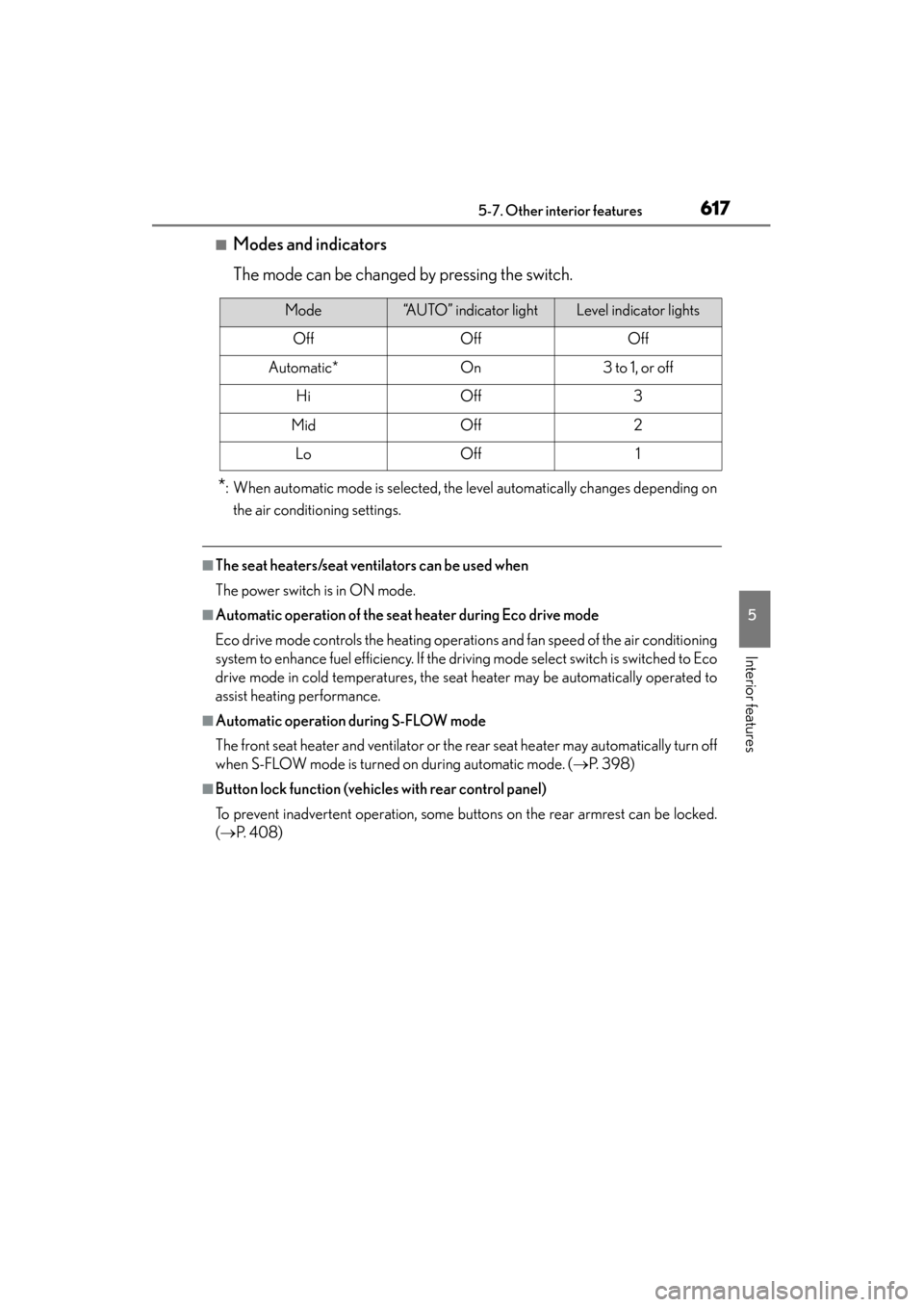
■Modes and indicators
The mode can be changed by pressing the switch.
*: When automatic mode is selected, the level automatically changes depending onthe air conditioning settings.
■The seat heaters/seat ventilators can be used when
The power switch is in ON mode.
■Automatic operation of the seat heater during Eco drive mode
Eco drive mode controls the heating operations and fan speed of the air conditioning
system to enhance fuel efficiency. If the driving mode select switch is switched to Eco
drive mode in cold temperatures, the seat heater may be automatically operated to
assist heating performance.
■Automatic operation during S-FLOW mode
The front seat heater and ventilator or the rear seat heater may automatically turn off
when S-FLOW mode is turned on during automatic mode. ( →P. 3 9 8 )
■Button lock function (vehicles with rear control panel)
To prevent inadvertent operation, some buttons on the rear armrest can be locked.
(→ P. 4 0 8 )
Mode“AUTO” indicator lightLevel indicator lights
OffOffOff
Automatic*On3 to 1, or off
HiOff3
MidOff2
LoOff1
GS450h_OM_OM30D52U_(U).book Page 617 Monday, July 29, 2013 12:07 PM
Page 637 of 890
636
GS450h_OM_OM30D52U_(U)
5-7. Other interior features
■Safety Connect Services Information
●Phone calls using the vehicles Bluetooth® technology will not be possible during
Safety Connect.
●Safety Connect is available beginning Fall 2009 on select Lexus models. Contact
with the Safety Connect response center is dependent upon the telematics device
being in operative condition, cellular connection availability, and GPS satellite sig-
nal reception, which can limit the ability to reach the response center or receive
emergency service support. Enrollment and Telematics Subscription Service
Agreement required. A variety of subscription terms is available; charges vary by
subscription term selected.
●Automatic Collision Notification, Emergency Assistance and Stolen Vehicle Loca-
tion will function in the United States, including Hawaii and Alaska, and in Canada,
and Enhanced Roadside Assistance will function in the United States (except
Hawaii) and in Canada. No Safety Connect services will function outside of the
United States in countries other than Canada.
●Safety Connect services are not subject to section 255 of the Telecommunications
Act and the device is not TTY compatible.
■Languages
The Safety Connect response center will offer support in multiple languages. The
Safety Connect system will offer voice prompts in English and Spanish. Please indi-
cate your language of choice when enrolling.
■When contacting the response center
You may be unable to contact the response center if the network is busy.
GS450h_OM_OM30D52U_(U).book Page 636 Monday, July 29, 2013 12:07 PM
Page 638 of 890
GS450h_OM_OM30D52U_(U)
6375-7. Other interior features
5
Interior features
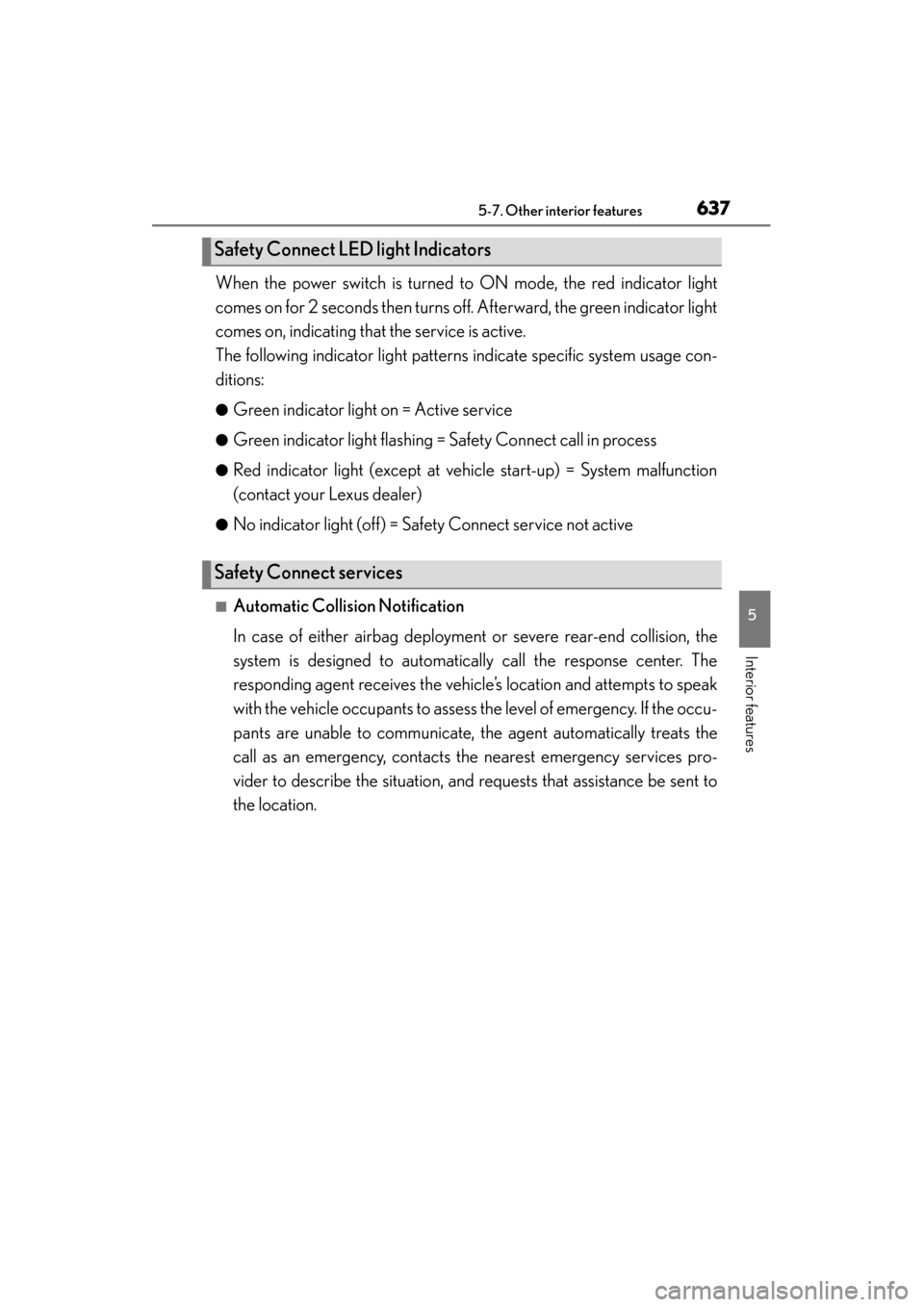
When the power switch is turned to ON mode, the red indicator light
comes on for 2 seconds then turns off. Afterward, the green indicator light
comes on, indicating that the service is active.
The following indicator light patterns indicate specific system usage con-
ditions:
●Green indicator light on = Active service
●Green indicator light flashing = Safety Connect call in process
●Red indicator light (except at vehicle start-up) = System malfunction
(contact your Lexus dealer)
●No indicator light (off) = Safety Connect service not active
■Automatic Collision Notification
In case of either airbag deployment or severe rear-end collision, the
system is designed to automatically call the response center. The
responding agent receives the vehicle’s location and attempts to speak
with the vehicle occupants to assess the level of emergency. If the occu-
pants are unable to communicate, the agent automatically treats the
call as an emergency, contacts the nearest emergency services pro-
vider to describe the situation, and requests that assistance be sent to
the location.
Safety Connect LED light Indicators
Safety Connect services
GS450h_OM_OM30D52U_(U).book Page 637 Monday, July 29, 2013 12:07 PM
Page 643 of 890
642
GS450h_OM_OM30D52U_(U)
6-1. Maintenance and care
Cleaning and protecting the vehicle exterior
●Working from top to bottom, liberally apply water to the vehicle body,
wheel wells and underside of the vehicle to remove any dirt and dust.
●Wash the vehicle body using a sponge or soft cloth, such as a chamois.
●For hard-to-remove marks, use car wash soap and rinse thoroughly
with water.
●Wipe away any water.
●Wax the vehicle when the waterproof coating deteriorates.
If water does not bead on a clean surface, apply wax when the vehicle body is
cool.
■Automatic car washes
●Fold the mirrors before washing the vehicle. Start washing from the front of the
vehicle. Make sure to extend the mirrors before driving.
●Brushes used in automatic car washes may scratch the vehicle surface and harm
your vehicle’s paint.
■High pressure car washes
●Do not allow the nozzles of the car wash to come within close proximity of the win-
dows.
●Before using the car wash, check that the fuel filler door on your vehicle is closed
properly.
■Notes for a smart access system with push-button start
If the door handle becomes wet while the electronic key is within the effective range,
the door may lock and unlock repeatedly. In that case, follow the following correc-
tion procedures to wash the vehicle:
●Place the key in a position 6 ft. (2 m) or more separate from the vehicle while the
vehicle is being washed. (Take care to ensure that the key is not stolen.)
●Set the electronic key to battery-saving mode to disable the smart access system
with push-button start. (→P. 1 2 9 )
Perform the following to protect the vehicle and mainta in it in prime
condition:
GS450h_OM_OM30D52U_(U).book Page 642 Monday, July 29, 2013 12:07 PM
Page 645 of 890
644
GS450h_OM_OM30D52U_(U)
6-1. Maintenance and care
CAUTION
■When washing the vehicle
Do not apply water to the inside of the engine compartment. Doing so may cause
the electrical components etc. to catch fire.
■When cleaning the windshield
●When the upper part of the windshield where the raindrop sensor is located is
touched by hand
●When a wet rag or similar is held close to the raindrop sensor
●If something bumps against the windshield
●If you directly touch the raindrop sensor body or if something bumps into the
raindrop sensor
■Precautions regarding the exhaust pipes
Exhaust gases cause the exhaust pipes to become quite hot.
When washing the vehicle, be careful not to touch the pipes until they have cooled
sufficiently, as touching hot exhaust pipes can cause burns.
■Precaution regarding the rear bumper with Blind Spot Monitor (if equipped)
If the paint of the rear bumper is chipped or scratched, the system may malfunc-
tion. If this occurs, consult your Lexus dealer.
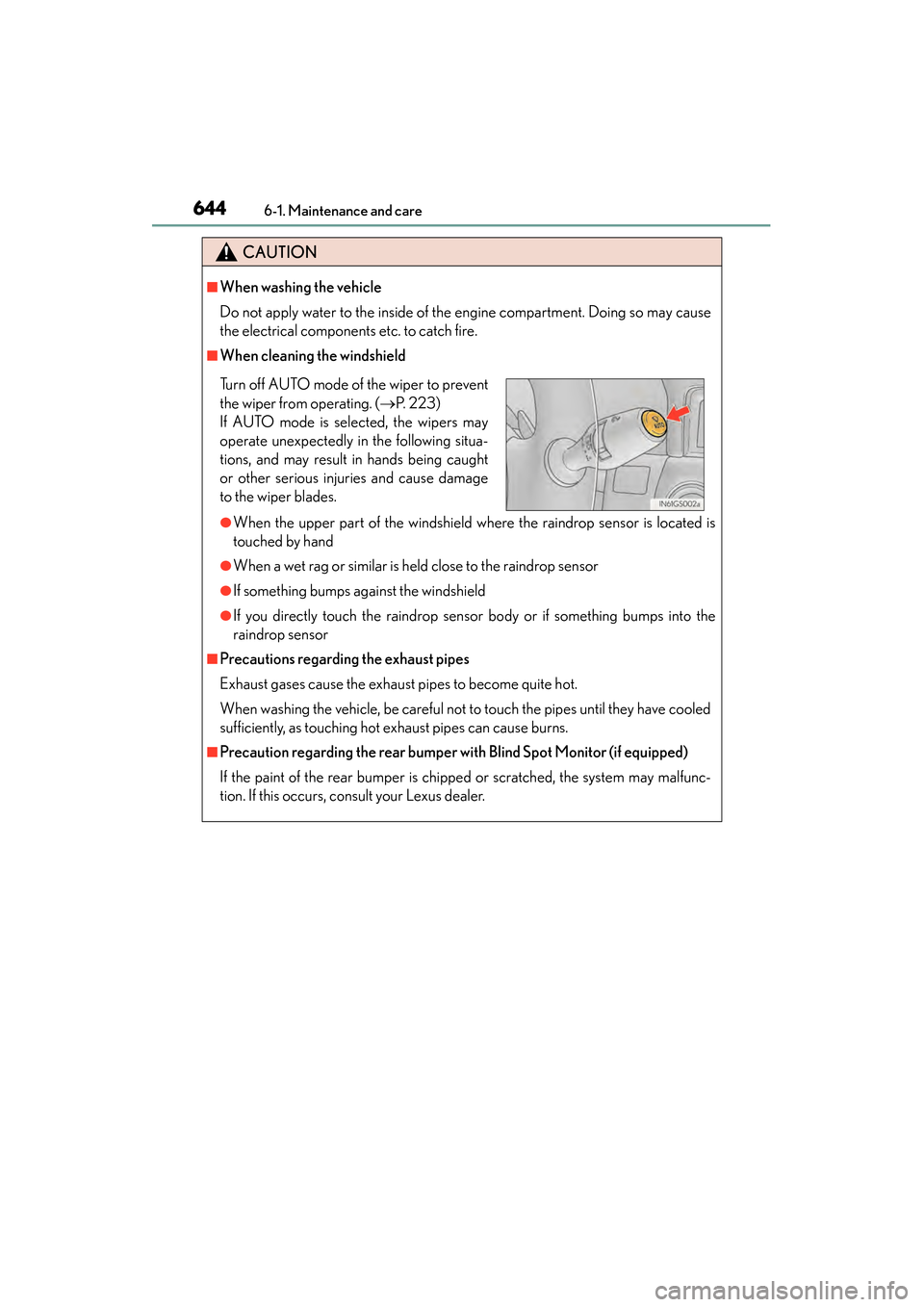
Turn off AUTO mode of the wiper to prevent
the wiper from operating. ( →P. 223)
If AUTO mode is selected, the wipers may
operate unexpectedly in the following situa-
tions, and may result in hands being caught
or other serious injuries and cause damage
to the wiper blades.
GS450h_OM_OM30D52U_(U).book Page 644 Monday, July 29, 2013 12:07 PM
Page 646 of 890
GS450h_OM_OM30D52U_(U)
6456-1. Maintenance and care
6
Maintenance and care
NOTICE
■To prevent paint deterioration and corrosion on the body and components (alu-
minum wheels etc.)
●Wash the vehicle immediately in the following cases:
• After driving near the sea coast
• After driving on salted roads
• If coal tar or tree sap is present on the paint surface
• If dead insects, insect droppings or bird droppings are present on the paintsurface
• After driving in an area contaminated with soot, oily smoke, mine dust, iron powder or chemical substances
• If the vehicle becomes heavily soiled with dust or mud
• If liquids such as benzene and gasoline are spilled on the paint surface
●If the paint is chipped or scratched, have it repaired immediately.
●To prevent the wheels from corroding, remove any dirt and store in a place with
low humidity when storing the wheels.
■Cleaning the exterior lights
●Wash carefully. Do not use organic substances or scrub with a hard brush.
This may damage the surfaces of the lights.
●Do not apply wax to the surfaces of the lights.
Wax may cause damage to the lenses.
■When using an automatic car wash
Turn off AUTO mode of the wiper to prevent the wiper from operating. ( →P. 223)
If AUTO mode is selected, the wipers may operate and the wiper blades may be
damaged.
GS450h_OM_OM30D52U_(U).book Page 645 Monday, July 29, 2013 12:07 PM