clock Lexus GS450h 2014 Owner's Manual
[x] Cancel search | Manufacturer: LEXUS, Model Year: 2014, Model line: GS450h, Model: Lexus GS450h 2014Pages: 890, PDF Size: 40.62 MB
Page 6 of 890
5
1
8 7
6
5
4
3
2
GS450h_OM_OM30D52U_(U)
9
5-4. Using the hands-free phone system (for cellular phone)
Hands-free system (for cellular phone) ................530
Using a Bluetooth
® phone .... 539
Setting the hands-free system (for cellular phone) ................ 559
Setting the Bluetooth
®............ 584
5-5. Using the interior lights Interior lights list ..........................597• Interior light............................ 598
• Personal lights .......................598
5-6. Using the storage features List of storage features ............600• Glove box ............................... 602
• Console box .......................... 603
• Cup holders ........................... 604
• Auxiliary boxes ..................... 606
Trunk features .............................. 607 5-7. Other interior features
Sun visors and vanity mirrors ................... 609
Clock ................................................610
Ashtrays ............................................ 611
Power outlets ................................. 612
Heated steering wheel .............. 614
Seat heaters/ seat ventilators ........................... 616
Armrest.......................................... 620
Rear sunshade/ rear door sunshades................ 621
Coat hooks ....................................624
Assist grips ................................... 625
Utility hook ....................................626
Garage door opener ................ 627
Safety Connect........................... 634
6-1. Maintenance and care Cleaning and protecting the vehicle exterior ................ 642
Cleaning and protecting the vehicle interior.................. 646
6-2. Maintenance Maintenance requirements ... 649
General maintenance.............. 652
Emission inspection and maintenance (I/M)
programs .................................... 656
6Maintenance and care
GS450h_OM_OM30D52U_(U).book Page 5 Monday, July 29, 2013 12:07 PM
Page 350 of 890
349
GS450h_OM_OM30D52U_(U)
5Interior features
5-4. Using the hands-free phone system (for cellular phone)
Hands-free system (for cellular phone) ................ 530
Using a Bluetooth
® phone ....539
Setting the hands-free system (for cellular phone) .................559
Setting the Bluetooth
®........... 584
5-5. Using the interior lights Interior lights list.......................... 597• Interior light ........................... 598
• Personal lights....................... 598
5-6. Using the storage features List of storage features............ 600• Glove box............................... 602
• Console box .......................... 603
• Cup holders........................... 604
• Auxiliary boxes..................... 606
Trunk features .............................. 607 5-7. Other interior features
Sun visors and vanity mirrors ...................609
Clock................................................ 610
Ashtrays ............................................ 611
Power outlets .................................612
Heated steering wheel ..............614
Seat heaters/ seat ventilators ...........................616
Armrest .......................................... 620
Rear sunshade/ rear door sunshades ................621
Coat hooks ................................... 624
Assist grips.................................... 625
Utility hook.................................... 626
Garage door opener.................627
Safety Connect ........................... 634
GS450h_OM_OM30D52U_(U).book Page 349 Monday, July 29, 2013 12:07 PM
Page 461 of 890
460
GS450h_OM_OM30D52U_(U)
5-3. Using the audio system
■Selecting a track
Select “<” or “>” on the screen to select the next/previous track.
Press “<” or “>” on the “PRST•TRACK” button or turn the “TUNE/
SCROLL” knob to select the desired track number.
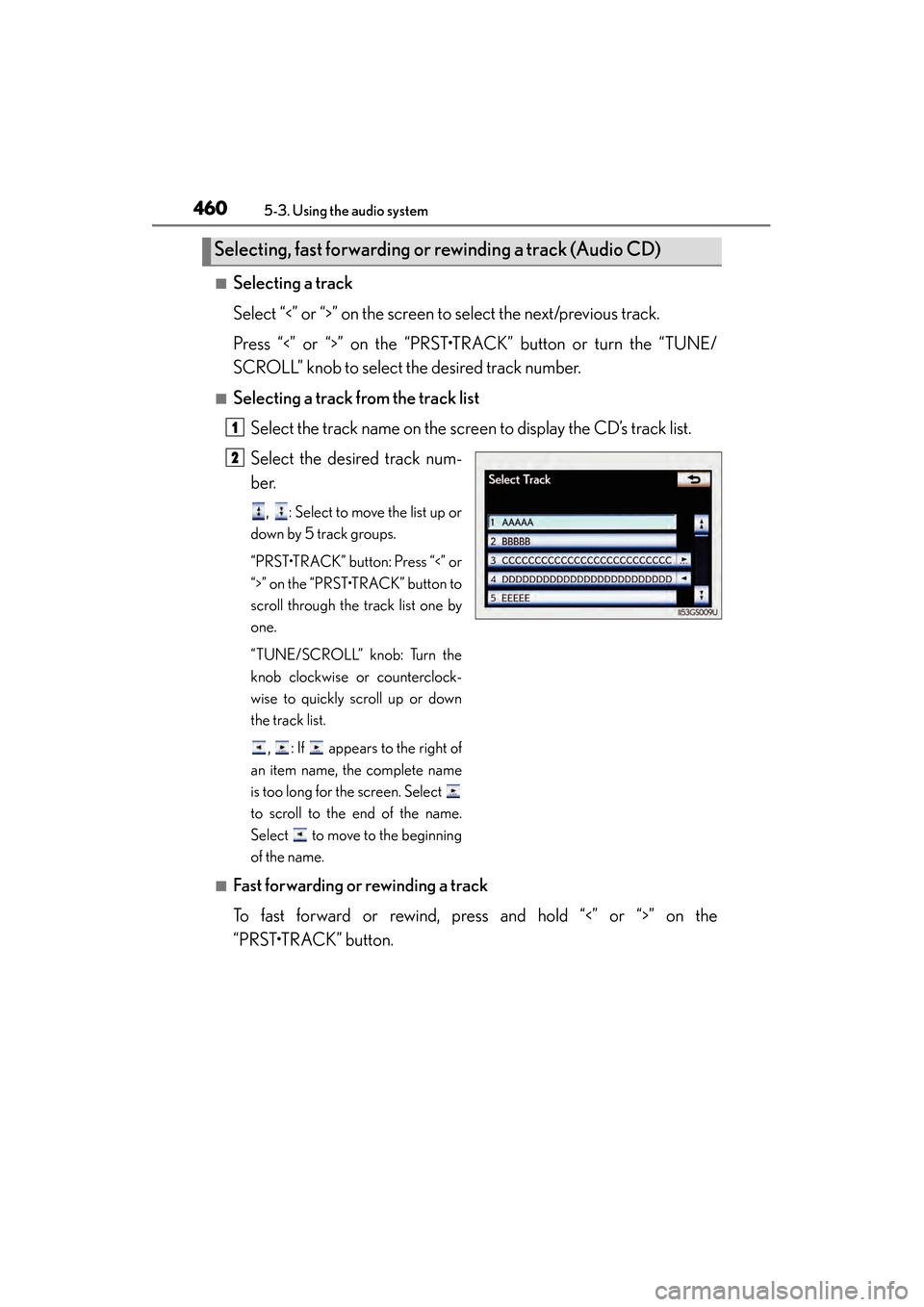
■Selecting a track from the track listSelect the track name on the screen to display the CD’s track list.
Select the desired track num-
ber.
, : Select to move the list up or
down by 5 track groups.
“PRST•TRACK” button: Press “<” or
“>” on the “PRST•TRACK” button to
scroll through the track list one by
one.
“TUNE/SCROLL” knob: Turn the
knob clockwise or counterclock-
wise to quickly scroll up or down
the track list.
, : If appears to the right of
an item name, the complete name
is too long for the screen. Select
to scroll to the end of the name.
Select to move to the beginning
of the name.
■Fast forwarding or rewinding a track
To fast forward or rewind, press and hold “<” or “>” on the
“PRST•TRACK” button.
Selecting, fast forwarding or rewinding a track (Audio CD)
1
2
GS450h_OM_OM30D52U_(U).book Page 460 Monday, July 29, 2013 12:07 PM
Page 462 of 890
GS450h_OM_OM30D52U_(U)
4615-3. Using the audio system
5
Interior features
■Selecting a folder
Select “
<” or “>” on the screen to select the next/previous folder.
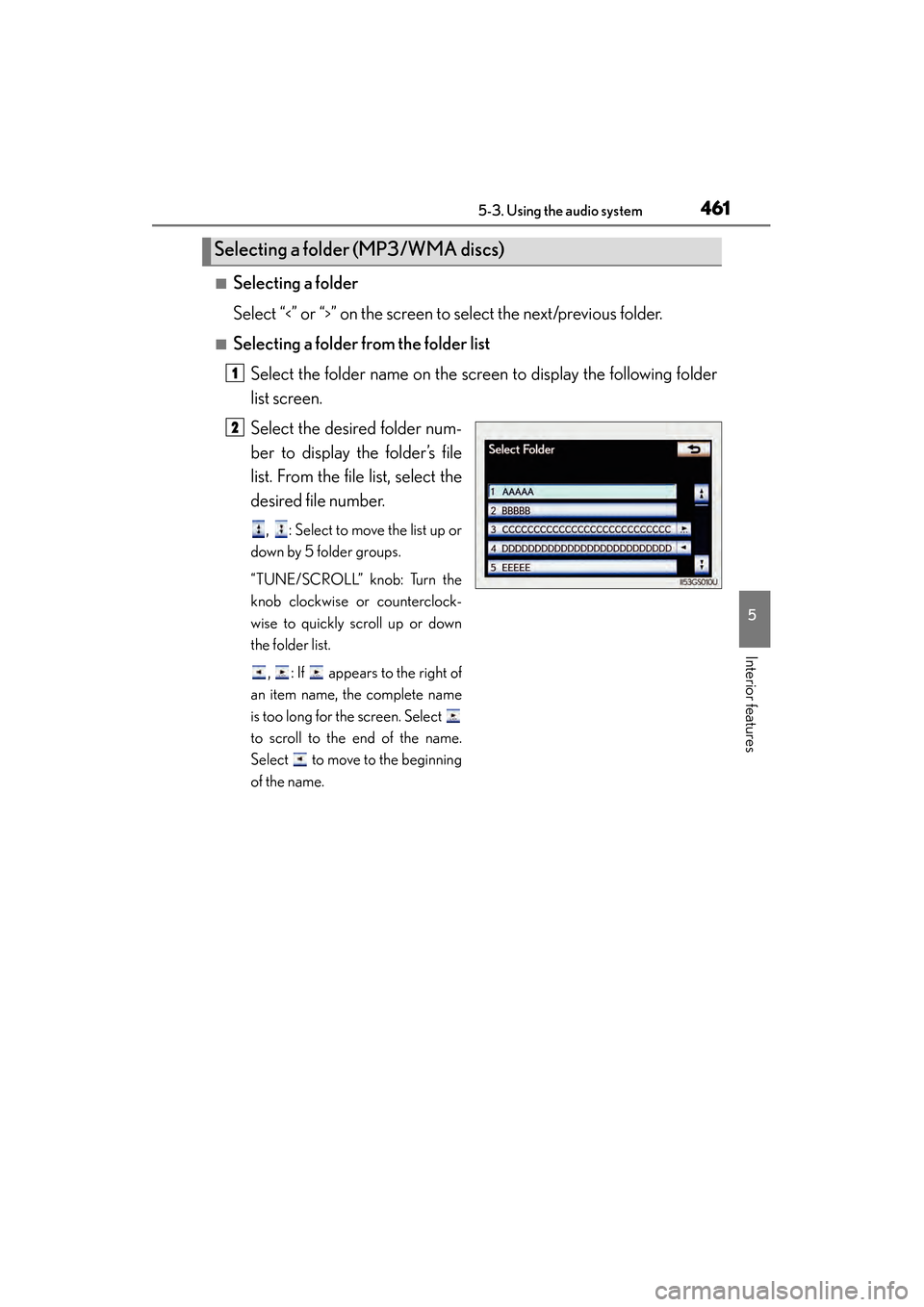
■Selecting a folder from the folder listSelect the folder name on the screen to display the following folder
list screen.
Select the desired folder num-
ber to display the folder’s file
list. From the file list, select the
desired file number.
, : Select to move the list up or
down by 5 folder groups.
“TUNE/SCROLL” knob: Turn the
knob clockwise or counterclock-
wise to quickly scroll up or down
the folder list.
, : If appears to the right of
an item name, the complete name
is too long for the screen. Select
to scroll to the end of the name.
Select to move to the beginning
of the name.
Selecting a folder (MP3/WMA discs)
1
2
GS450h_OM_OM30D52U_(U).book Page 461 Monday, July 29, 2013 12:07 PM
Page 463 of 890
462
GS450h_OM_OM30D52U_(U)
5-3. Using the audio system
■Selecting a file
Select “<” or “>” on the screen to select the next/previous file.
Press “<” or “>” on the “PRST•TRACK” button or turn the “TUNE/
SCROLL” knob to select the desired file number.
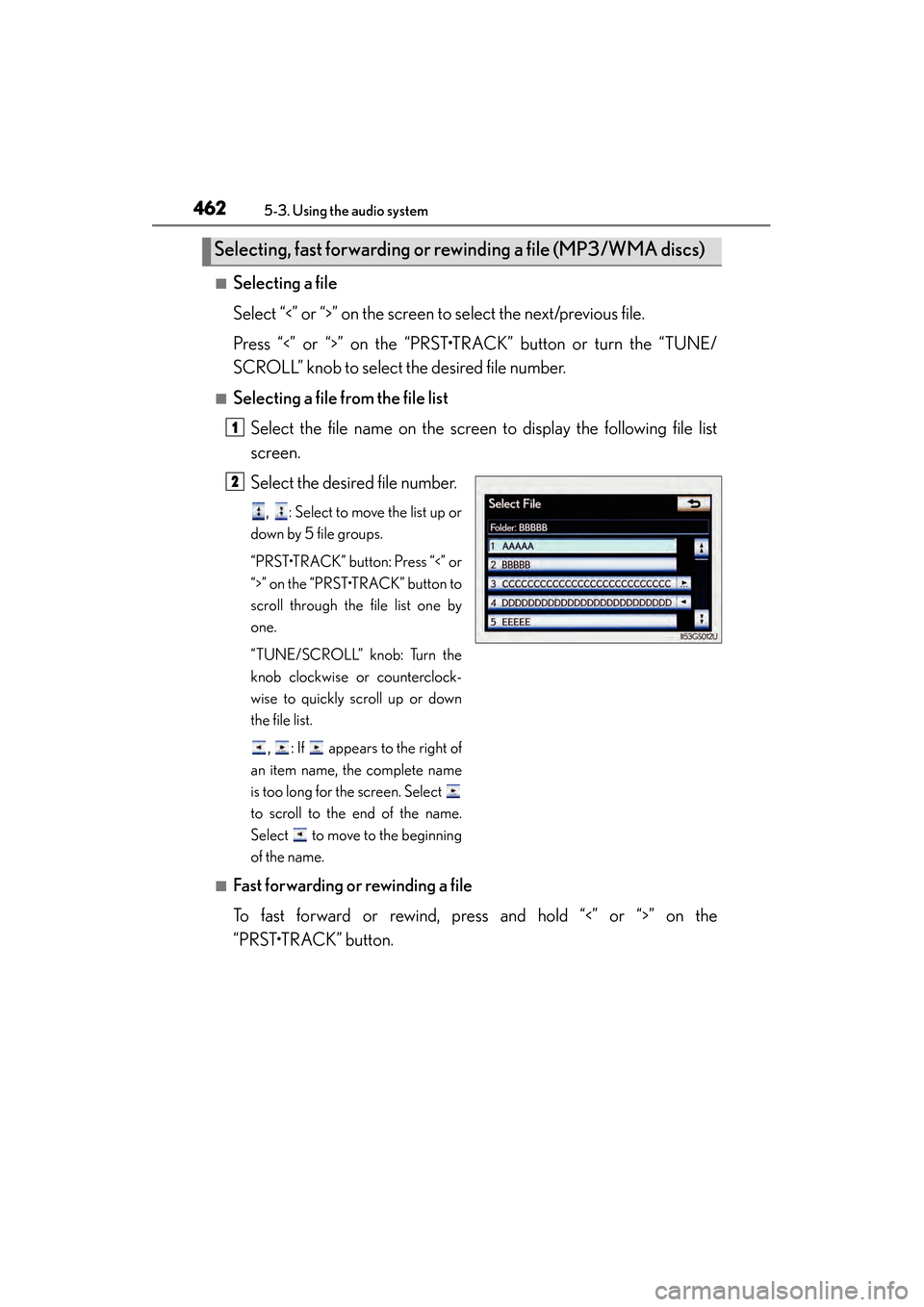
■Selecting a file from the file listSelect the file name on the screen to display the following file list
screen.
Select the desired file number.
, : Select to move the list up or
down by 5 file groups.
“PRST•TRACK” button: Press “<” or
“>” on the “PRST•TRACK” button to
scroll through the file list one by
one.
“TUNE/SCROLL” knob: Turn the
knob clockwise or counterclock-
wise to quickly scroll up or down
the file list.
, : If appears to the right of
an item name, the complete name
is too long for the screen. Select
to scroll to the end of the name.
Select to move to the beginning
of the name.
■Fast forwarding or rewinding a file
To fast forward or rewind, press and hold “<” or “>” on the
“PRST•TRACK” button.
Selecting, fast forwarding or rewinding a file (MP3/WMA discs)
1
2
GS450h_OM_OM30D52U_(U).book Page 462 Monday, July 29, 2013 12:07 PM
Page 495 of 890
494
GS450h_OM_OM30D52U_(U)
5-3. Using the audio system
■On the audio top screen
Select “<” or “>” on the screen to select the next/previous folder/album.
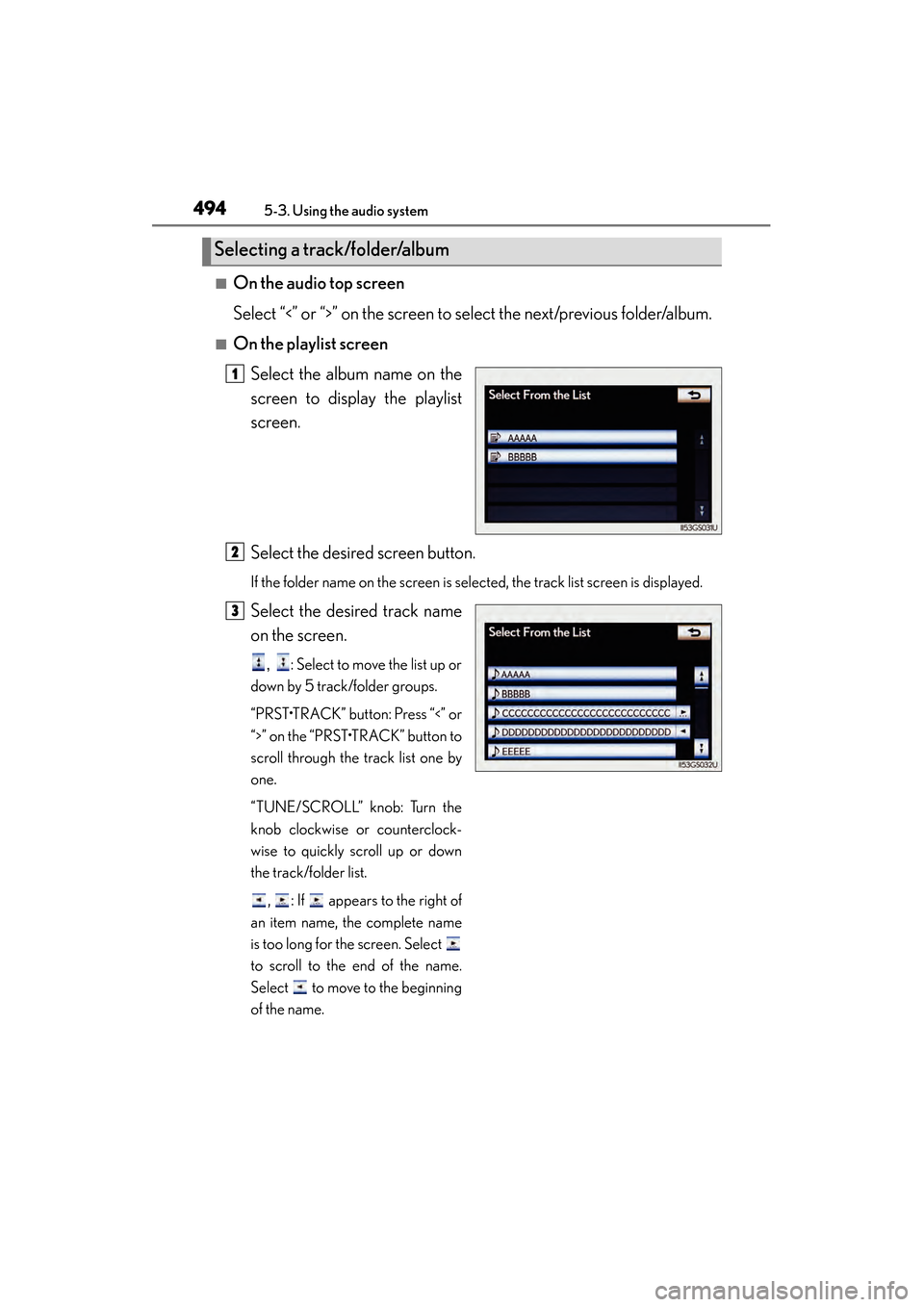
■On the playlist screenSelect the album name on the
screen to display the playlist
screen.
Select the desired screen button.
If the folder name on the screen is selected, the track list screen is displayed.
Select the desired track name
on the screen.
, : Select to move the list up or
down by 5 track/folder groups.
“PRST•TRACK” button: Press “<” or
“>” on the “PRST•TRACK” button to
scroll through the track list one by
one.
“TUNE/SCROLL” knob: Turn the
knob clockwise or counterclock-
wise to quickly scroll up or down
the track/folder list.
, : If appears to the right of
an item name, the complete name
is too long for the screen. Select
to scroll to the end of the name.
Select to move to the beginning
of the name.
Selecting a track/folder/album
1
2
3
GS450h_OM_OM30D52U_(U).book Page 494 Monday, July 29, 2013 12:07 PM
Page 496 of 890
GS450h_OM_OM30D52U_(U)
4955-3. Using the audio system
5
Interior features
■On the audio top screen
Turn the “TUNE/SCROLL” knob or press “<” or “>” on the
“PRST•TRACK” button to select the desired track number.
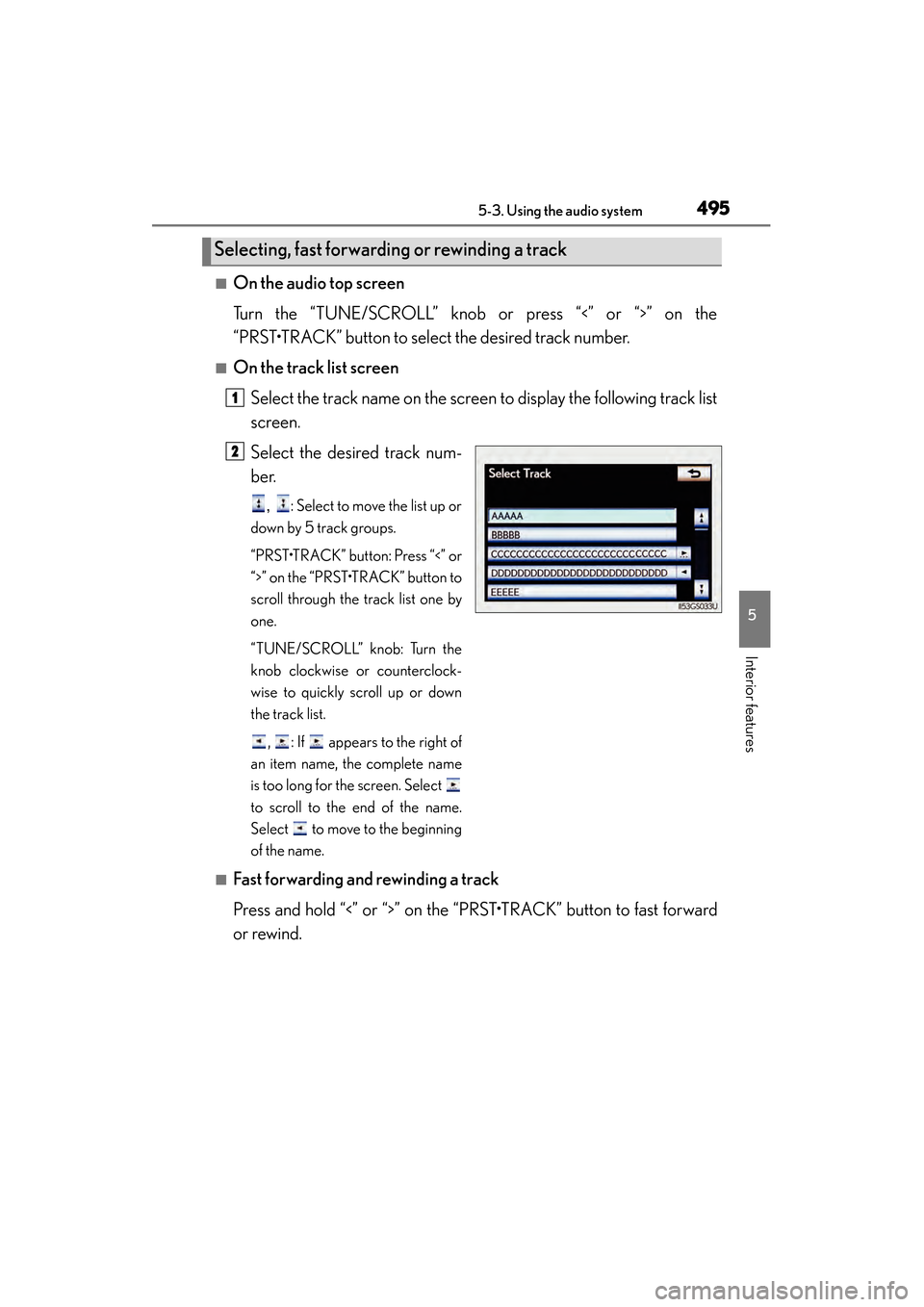
■On the track list screenSelect the track name on the screen to display the following track list
screen.
Select the desired track num-
ber.
, : Select to move the list up or
down by 5 track groups.
“PRST•TRACK” button: Press “<” or
“>” on the “PRST•TRACK” button to
scroll through the track list one by
one.
“TUNE/SCROLL” knob: Turn the
knob clockwise or counterclock-
wise to quickly scroll up or down
the track list.
, : If appears to the right of
an item name, the complete name
is too long for the screen. Select
to scroll to the end of the name.
Select to move to the beginning
of the name.
■Fast forwarding and rewinding a track
Press and hold “<” or “>” on the “PRST•TRACK” button to fast forward
or rewind.
Selecting, fast forwarding or rewinding a track
1
2
GS450h_OM_OM30D52U_(U).book Page 495 Monday, July 29, 2013 12:07 PM
Page 503 of 890
502
GS450h_OM_OM30D52U_(U)
5-3. Using the audio system
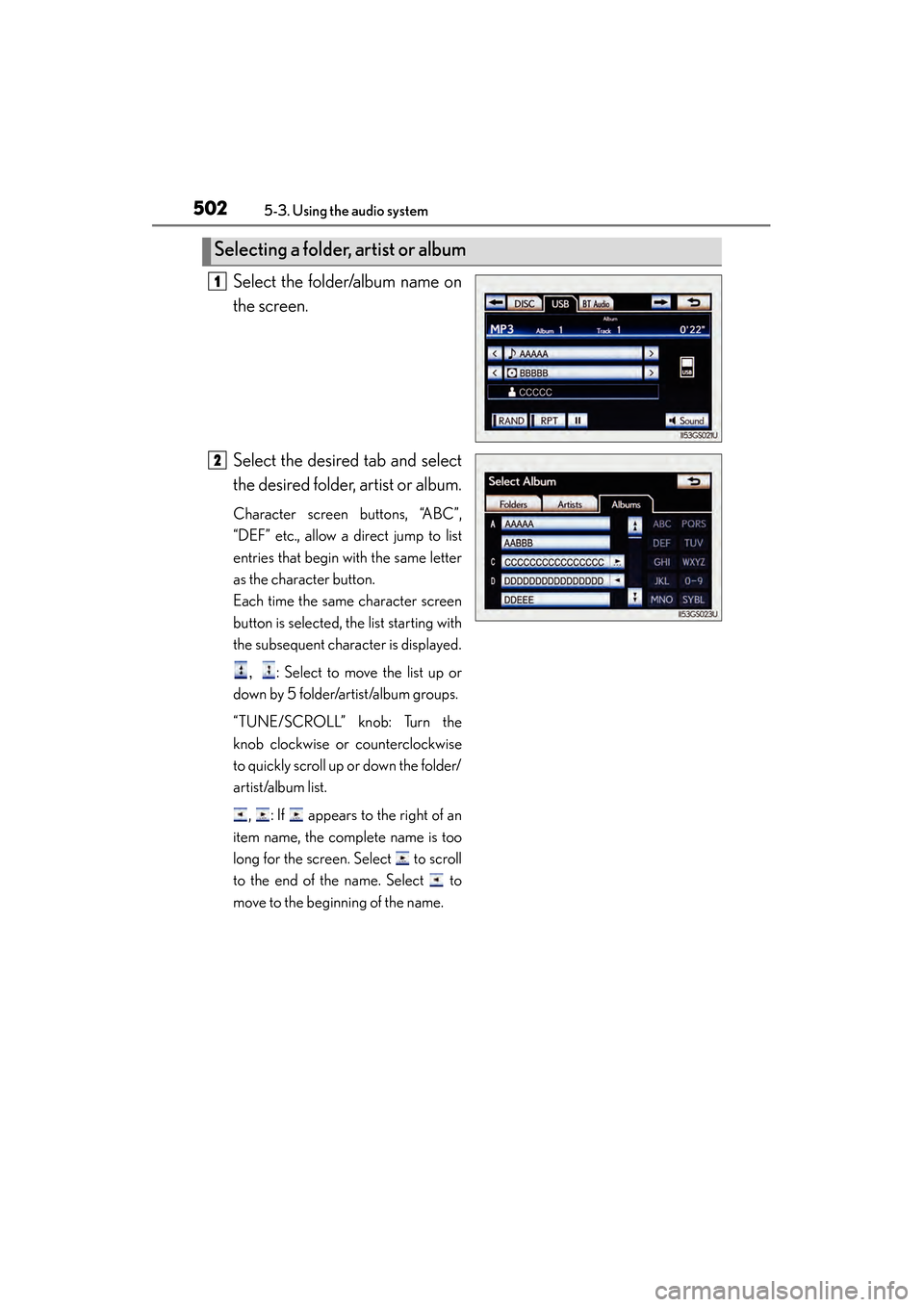
Select the folder/album name on
the screen.
Select the desired tab and select
the desired folder, artist or album.
Character screen buttons, “ABC”,
“DEF” etc., allow a direct jump to list
entries that begin with the same letter
as the character button.
Each time the same character screen
button is selected, the list starting with
the subsequent character is displayed., : Select to move the list up or
down by 5 folder/artist/album groups.
“TUNE/SCROLL” knob: Turn the
knob clockwise or counterclockwise
to quickly scroll up or down the folder/
artist/album list.
, : If appears to the right of an
item name, the complete name is too
long for the screen. Select to scroll
to the end of the name. Select to
move to the beginning of the name.
Selecting a folder, artist or album
1
2
GS450h_OM_OM30D52U_(U).book Page 502 Monday, July 29, 2013 12:07 PM
Page 504 of 890
GS450h_OM_OM30D52U_(U)
5035-3. Using the audio system
5
Interior features
■Selecting one file/track at a time
Select “<” or “>” on the screen to select the next/previous file/track.
Turn the “TUNE/SCROLL” knob or press “<” or “>” on the
“PRST•TRACK” button to select the desired file/track.
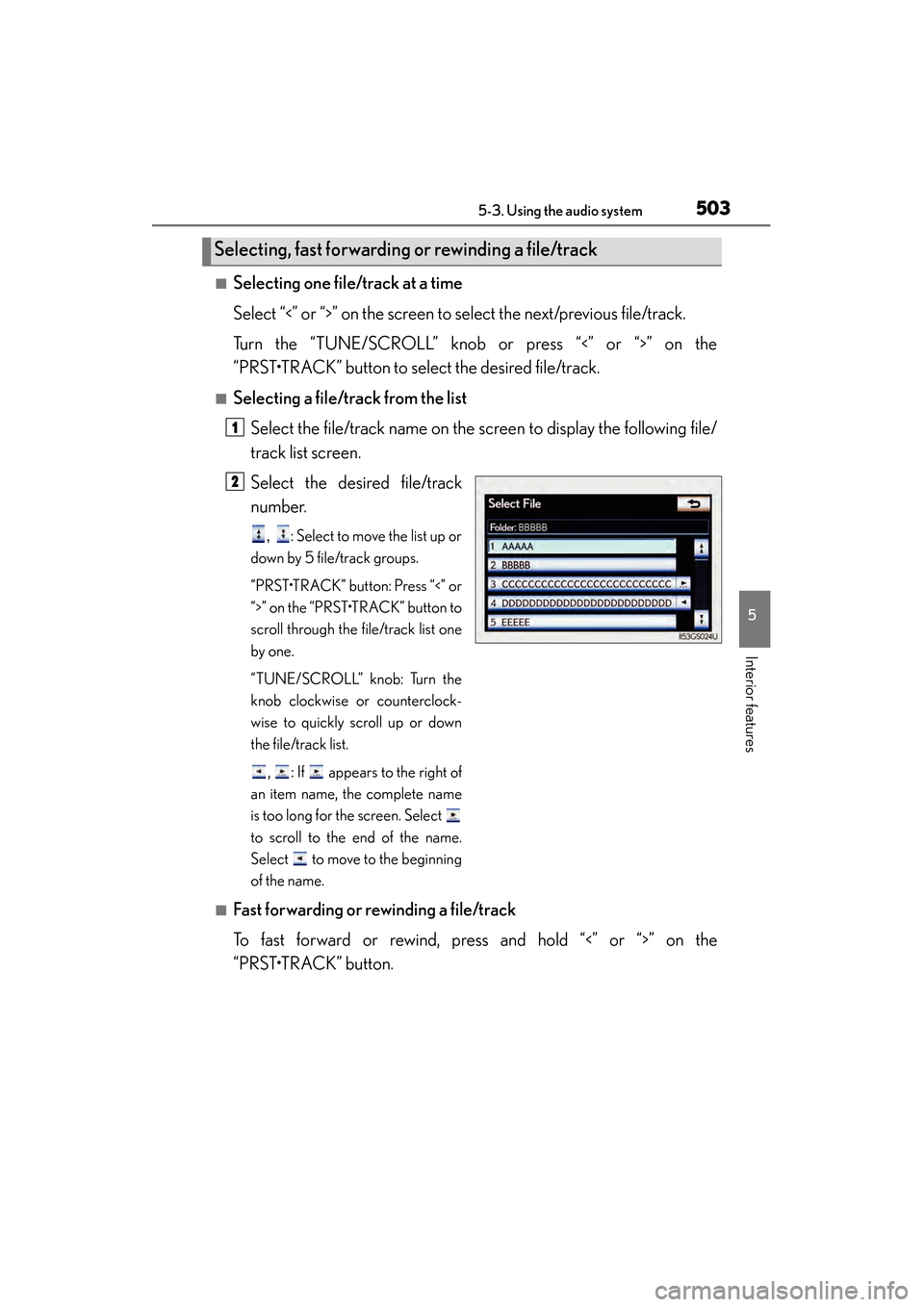
■Selecting a file/track from the listSelect the file/track name on the screen to display the following file/
track list screen.
Select the desired file/track
number.
, : Select to move the list up or
down by 5 file/track groups.
“PRST•TRACK” button: Press “<” or
“>” on the “PRST•TRACK” button to
scroll through the file/track list one
by one.
“TUNE/SCROLL” knob: Turn the
knob clockwise or counterclock-
wise to quickly scroll up or down
the file/track list.
, : If appears to the right of
an item name, the complete name
is too long for the screen. Select
to scroll to the end of the name.
Select to move to the beginning
of the name.
■Fast forwarding or rewinding a file/track
To fast forward or rewind, press and hold “<” or “>” on the
“PRST•TRACK” button.
Selecting, fast forwarding or rewinding a file/track
1
2
GS450h_OM_OM30D52U_(U).book Page 503 Monday, July 29, 2013 12:07 PM
Page 515 of 890
514
GS450h_OM_OM30D52U_(U)
5-3. Using the audio system
■Selecting one track at a time
Select “<” or “>” on the screen to select the next/previous track.
Turn the “TUNE/SCROLL” knob or press “<” or “>” on the
“PRST•TRACK” button to select the desired track.
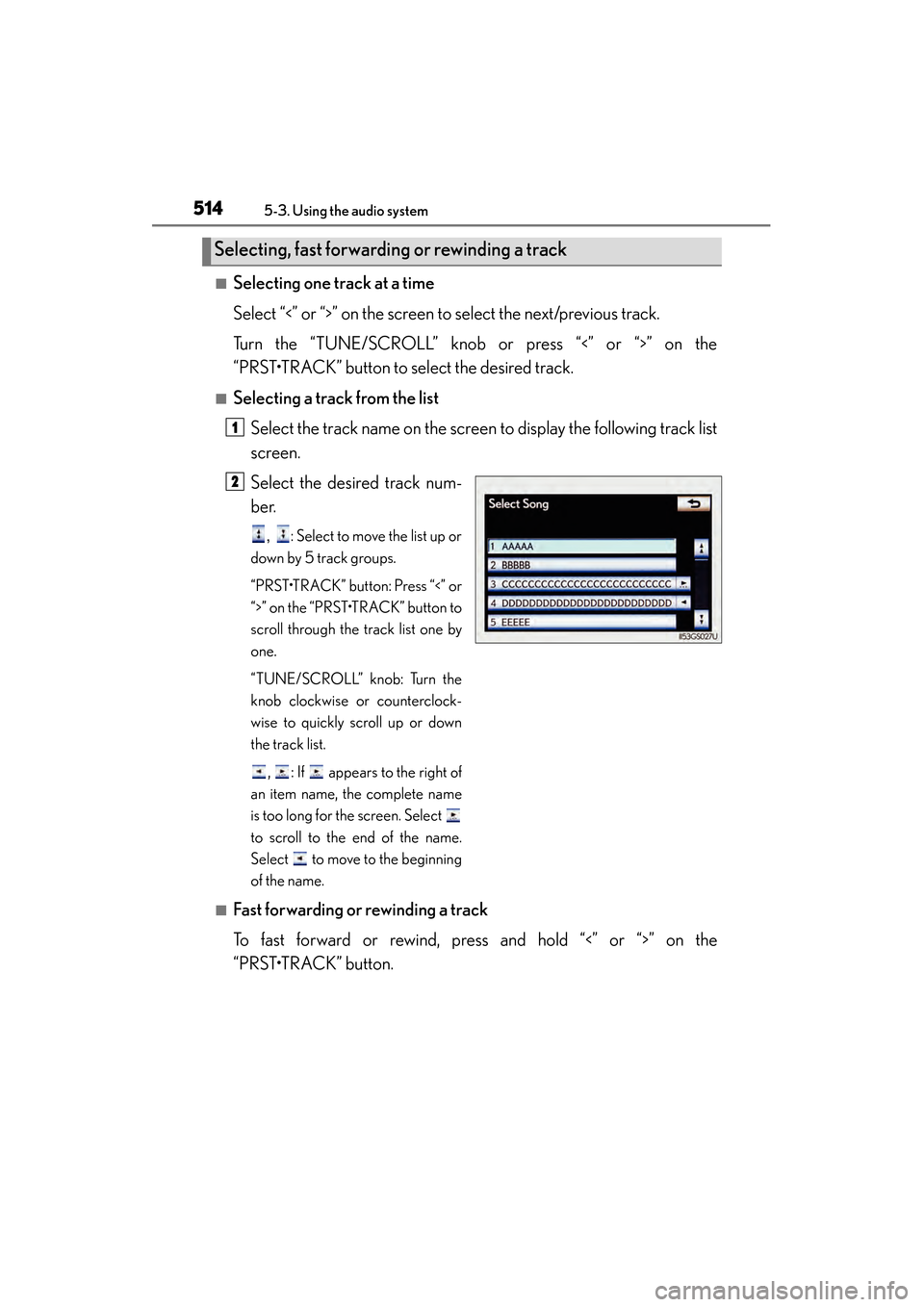
■Selecting a track from the listSelect the track name on the screen to display the following track list
screen.
Select the desired track num-
ber.
, : Select to move the list up or
down by 5 track groups.
“PRST•TRACK” button: Press “<” or
“>” on the “PRST•TRACK” button to
scroll through the track list one by
one.
“TUNE/SCROLL” knob: Turn the
knob clockwise or counterclock-
wise to quickly scroll up or down
the track list.
, : If appears to the right of
an item name, the complete name
is too long for the screen. Select
to scroll to the end of the name.
Select to move to the beginning
of the name.
■Fast forwarding or rewinding a track
To fast forward or rewind, press and hold “<” or “>” on the
“PRST•TRACK” button.
Selecting, fast forwarding or rewinding a track
1
2
GS450h_OM_OM30D52U_(U).book Page 514 Monday, July 29, 2013 12:07 PM