flat tire Lexus GS450h 2014 Owner's Manual
[x] Cancel search | Manufacturer: LEXUS, Model Year: 2014, Model line: GS450h, Model: Lexus GS450h 2014Pages: 890, PDF Size: 40.62 MB
Page 7 of 890
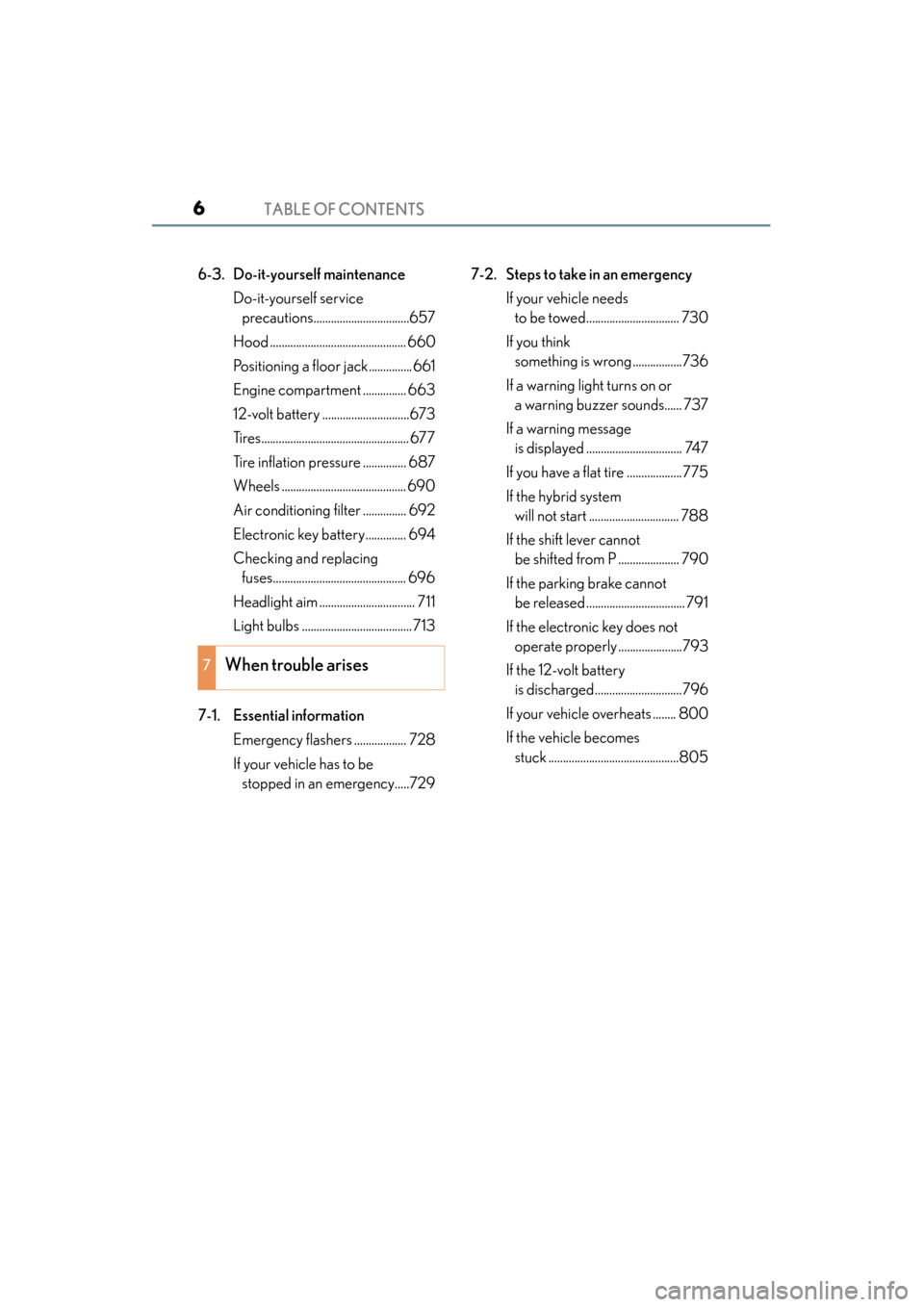
TABLE OF CONTENTS6
GS450h_OM_OM30D52U_(U)
6-3. Do-it-yourself maintenanceDo-it-yourself service precautions.................................657
Hood ............................................... 660
Positioning a floor jack............... 661
Engine compartment ............... 663
12-volt battery ..............................673
Tires................................................... 677
Tire inflation pressure ............... 687
Wheels ........................................... 690
Air conditioning filter ............... 692
Electronic key battery.............. 694
Checking and replacing fuses.............................................. 696
Headlight aim ................................. 711
Light bulbs ......................................713
7-1. Essential information Emergency flashers .................. 728
If your vehicle has to be stopped in an emergency.....729 7-2. Steps to take in an emergency
If your vehicle needs to be towed................................ 730
If you think something is wrong .................736
If a warning light turns on or a warning buzzer sounds...... 737
If a warning message is displayed ................................. 747
If you have a flat tire ...................775
If the hybrid system will not start ............................... 788
If the shift lever cannot be shifted from P ..................... 790
If the parking brake cannot be released .................................. 791
If the electronic key does not operate properly ......................793
If the 12-volt battery is discharged..............................796
If your vehicle overheats ........ 800
If the vehicle becomes stuck .............................................805
7When trouble arises
GS450h_OM_OM30D52U_(U).book Page 6 Monday, July 29, 2013 12:07 PM
Page 18 of 890
17Pictorial index
GS450h_OM_OM30D52U_(U)
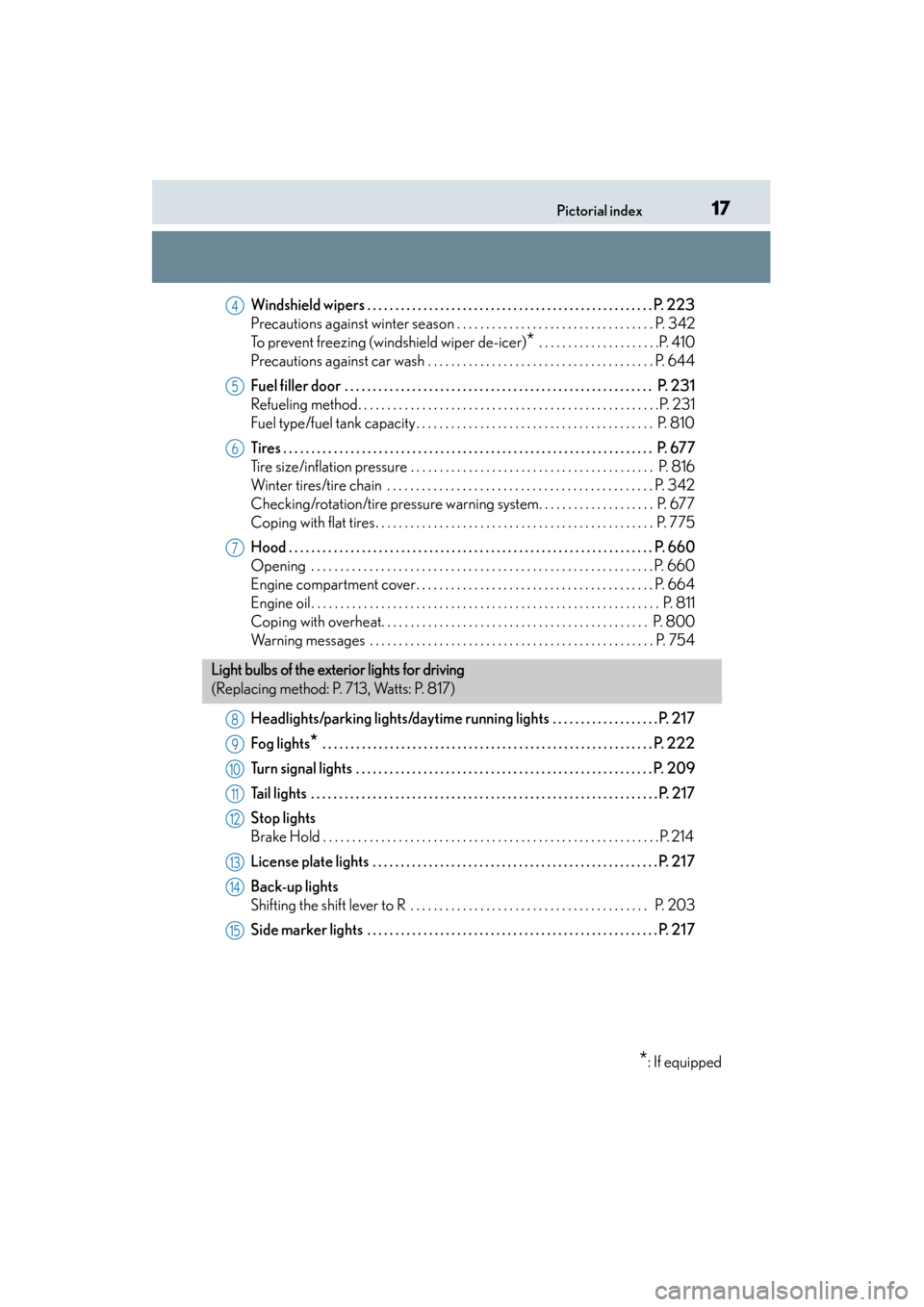
Windshield wipers . . . . . . . . . . . . . . . . . . . . . . . . . . . . . . . . . . . . . . . . . . . . . . . . . . . P. 223
Precautions against winter season . . . . . . . . . . . . . . . . . . . . . . . . . . . . . . . . . . P. 342
To prevent freezing (windshield wiper de-icer)
* . . . . . . . . . . . . . . . . . . . . .P. 410
Precautions against car wash . . . . . . . . . . . . . . . . . . . . . . . . . . . . . . . . . . . . . . . P. 644
Fuel filler door . . . . . . . . . . . . . . . . . . . . . . . . . . . . . . . . . . . . . . . . . . . . . . . . . . . . . . . P. 2 3 1
Refueling method. . . . . . . . . . . . . . . . . . . . . . . . . . . . . . . . . . . . . . . . . . . . . . . . . . . .P. 231
Fuel type/fuel tank capacity . . . . . . . . . . . . . . . . . . . . . . . . . . . . . . . . . . . . . . . . . P. 810
Tires . . . . . . . . . . . . . . . . . . . . . . . . . . . . . . . . . . . . . . . . . . . . . . . . . . . . . . . . . . . . . . . . . . P. 677
Tire size/inflation pressure . . . . . . . . . . . . . . . . . . . . . . . . . . . . . . . . . . . . . . . . . . P. 816
Winter tires/tire chain . . . . . . . . . . . . . . . . . . . . . . . . . . . . . . . . . . . . . . . . . . . . . . P. 342
Checking/rotation/tire pressure warning system. . . . . . . . . . . . . . . . . . . . P. 677
Coping with flat tires. . . . . . . . . . . . . . . . . . . . . . . . . . . . . . . . . . . . . . . . . . . . . . . . P. 775
Hood . . . . . . . . . . . . . . . . . . . . . . . . . . . . . . . . . . . . . . . . . . . . . . . . . . . . . . . . . . . . . . . . . P. 660
Opening . . . . . . . . . . . . . . . . . . . . . . . . . . . . . . . . . . . . . . . . . . . . . . . . . . . . . . . . . . . P. 660
Engine compartment cover. . . . . . . . . . . . . . . . . . . . . . . . . . . . . . . . . . . . . . . . . P. 664
Engine oil . . . . . . . . . . . . . . . . . . . . . . . . . . . . . . . . . . . . . . . . . . . . . . . . . . . . . . . . . . . . P. 811
Coping with overheat. . . . . . . . . . . . . . . . . . . . . . . . . . . . . . . . . . . . . . . . . . . . . . P. 800
Warning messages . . . . . . . . . . . . . . . . . . . . . . . . . . . . . . . . . . . . . . . . . . . . . . . . . P. 754
Headlights/parking lights/daytime running lights . . . . . . . . . . . . . . . . . . . P. 217
Fog lights
* . . . . . . . . . . . . . . . . . . . . . . . . . . . . . . . . . . . . . . . . . . . . . . . . . . . . . . . . . . . P. 222
Turn signal lights . . . . . . . . . . . . . . . . . . . . . . . . . . . . . . . . . . . . . . . . . . . . . . . . . . . . . P. 209
Tail lights . . . . . . . . . . . . . . . . . . . . . . . . . . . . . . . . . . . . . . . . . . . . . . . . . . . . . . . . . . . . . . P. 217
Stop lights
Brake Hold . . . . . . . . . . . . . . . . . . . . . . . . . . . . . . . . . . . . . . . . . . . . . . . . . . . . . . . . . . P . 214
License plate lights . . . . . . . . . . . . . . . . . . . . . . . . . . . . . . . . . . . . . . . . . . . . . . . . . . . P. 21 7
Back-up lights
Shifting the shift lever to R . . . . . . . . . . . . . . . . . . . . . . . . . . . . . . . . . . . . . . . . . P. 203
Side marker lights . . . . . . . . . . . . . . . . . . . . . . . . . . . . . . . . . . . . . . . . . . . . . . . . . . . . P. 21 7
4
5
6
7
Light bulbs of the exterior lights for driving
(Replacing method: P. 713, Watts: P. 817)
*: If equipped
8
9
10
11
12
13
14
15
GS450h_OM_OM30D52U_(U).book Page 17 Monday, July 29, 2013 12:07 PM
Page 97 of 890
96
GS450h_OM_OM30D52U_(U)
2. Instrument cluster
Multi-information display
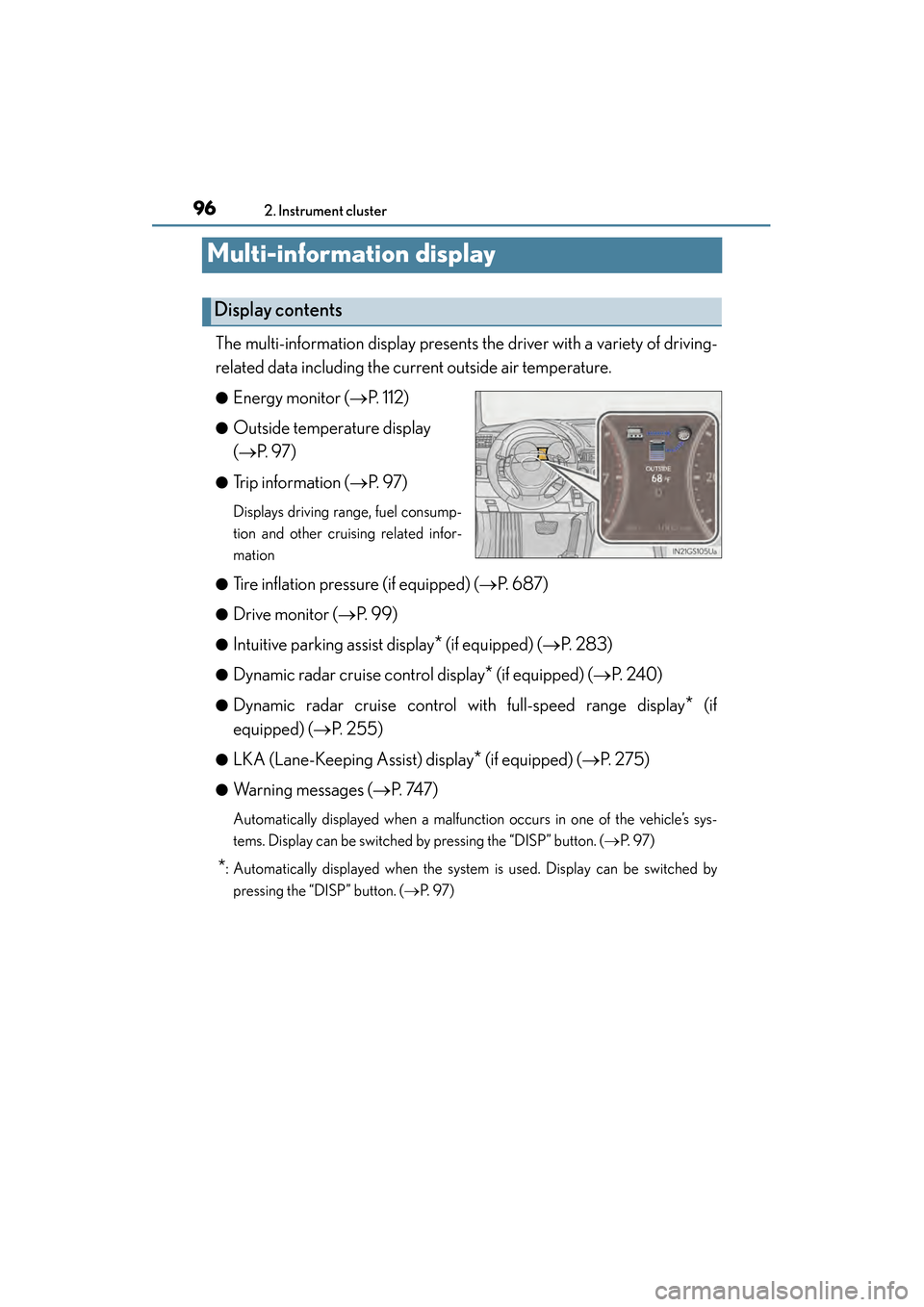
The multi-information display presents the driver with a variety of driving-
related data including the current outside air temperature.
●Energy monitor (→P. 112)
●Outside temperature display
(→ P. 9 7 )
●Trip information ( →P. 9 7 )
Displays driving range, fuel consump-
tion and other cruising related infor-
mation
●
Tire inflation pressure (if equipped) ( →P. 6 8 7 )
●Drive monitor ( →P. 99)
●Intuitive parking assist display* (if equipped) (→ P. 2 8 3 )
●Dynamic radar cruise control display* (if equipped) (→P. 2 4 0 )
●Dynamic radar cruise control with full-speed range display* (if
equipped) ( →P. 255)
●LKA (Lane-Keeping Assist) display* (if equipped) (→ P. 2 7 5 )
●Warning messages ( →P. 74 7 )
Automatically displayed when a malfunction occurs in one of the vehicle’s sys-
tems. Display can be switched by pressing the “DISP” button. (→ P. 9 7 )
*: Automatically displayed when the system is used. Display can be switched by
pressing the “DISP” button. ( →P. 9 7 )
Display contents
GS450h_OM_OM30D52U_(U).book Page 96 Monday, July 29, 2013 12:07 PM
Page 100 of 890
GS450h_OM_OM30D52U_(U)
992. Instrument cluster
2
Instrument cluster
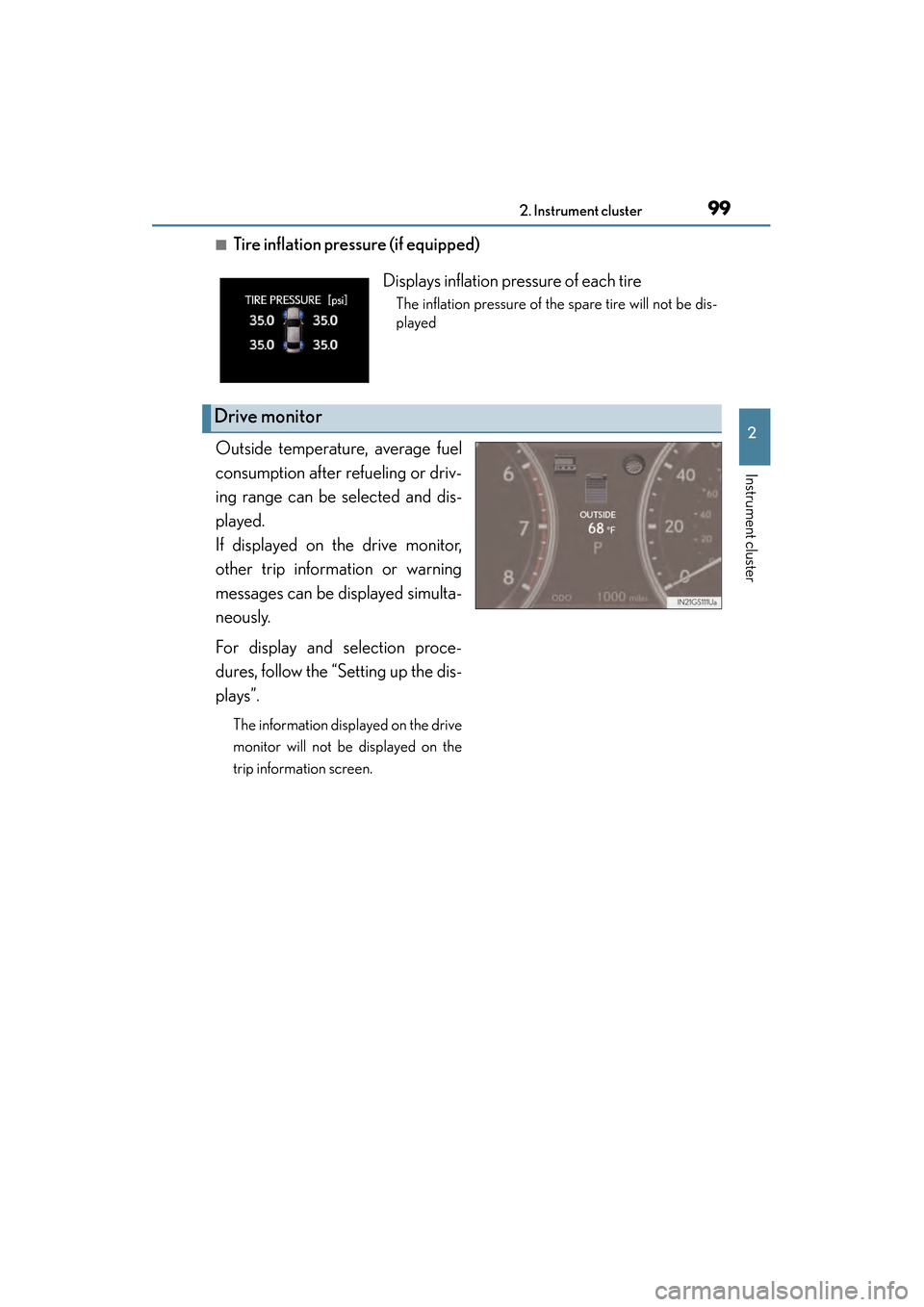
■Tire inflation pressure (if equipped)
Outside temperature, average fuel
consumption after refueling or driv-
ing range can be selected and dis-
played.
If displayed on the drive monitor,
other trip information or warning
messages can be displayed simulta-
neously.
For display and selection proce-
dures, follow the “Setting up the dis-
plays”.
The information displayed on the drive
monitor will not be displayed on the
trip information screen.
Displays inflation pressure of each tire
The inflation pressure of the spare tire will not be dis-
played
Drive monitor
GS450h_OM_OM30D52U_(U).book Page 99 Monday, July 29, 2013 12:07 PM
Page 103 of 890
102
GS450h_OM_OM30D52U_(U)
2. Instrument cluster
■System check display
After turning the power switch to ON mode, “SYSTEM CHECK” is displayed while
system operation is checked.
■Outside temperature display
In the following situations, the correct outside temperature may not be displayed, or
the display may take longer than normal to change.
●When stopped, or driving at low speeds (less than 12 mph [20 km/h])
●When the outside temperature has changed suddenly (at the entrance/exit of a
garage, tunnel, etc.)
■Setting display automatic cancelation
In the following situations, setting display in which the settings can be changed
through the “DISP” button will automatically be turned off.
●When a warning message appears while the setting display is displayed
●When the vehicle begins to move while the setting display is displayed
■Tire inflation pressure (if equipped)
●It may take a few minutes to display the tire inflation pressure after the power switch
is turned to ON mode. It may also take a few minutes to display the tire inflation
pressure after inflation pressure has been adjusted.
●“---” may be displayed if the tire information cannot be determined due to unfavor-
able radio wave conditions.
●Tire inflation pressure changes with temperature. The displayed values may also be
different from the values measured using a tire pressure gauge.
■Liquid crystal display
Small spots or light spots may appear on the display. This phenomenon is character-
istic of liquid crystal displays, and there is no problem continuing to use the display.
■Customization
Setting of available languages can be changed. (Customizable features: →P. 8 3 3 )
GS450h_OM_OM30D52U_(U).book Page 102 Monday, July 29, 2013 12:07 PM
Page 186 of 890
GS450h_OM_OM30D52U_(U)
1854-1. Before driving
4
Driving
NOTICE
■When driving the vehicle
●Do not depress the accelerator and brake pedals at the same time during driving,
as this may restrain driving torque.
●Do not use the accelerator pedal or depress the accelerator and brake pedals at
the same time to hold the vehicle on a hill.
■When parking the vehicle
Always shift the shift lever to P. Failure to do so may cause the vehicle to move or
the vehicle may accelerate suddenly if the accelerator pedal is accidentally
depressed.
■Avoiding damage to vehicle parts
●Do not turn the steering wheel fully in either direction and hold it there for an
extended period of time.
Doing so may damage the power steering motor.
●When driving over bumps in the road, drive as slowly as possible to avoid damag-
ing the wheels, underside of the vehicle, etc.
■If you get a flat tire while driving
A flat or damaged tire may cause the following situations. Hold the steering wheel
firmly and gradually depress the brake pedal to slow down the vehicle.
●It may be difficult to control your vehicle.
●The vehicle will make abnormal sounds or vibrations.
●The vehicle will lean abnormally.
Information on what to do in case of a flat tire ( →P. 7 7 5 )
GS450h_OM_OM30D52U_(U).book Page 185 Monday, July 29, 2013 12:07 PM
Page 278 of 890
GS450h_OM_OM30D52U_(U)
2774-5. Using the driving support systems
4
Driving
■If there are lane markers on only one side of the vehicle
The lane keeping assist function will not operate. Also, the lane departure warning
will not operate for the side on which lane markers could not be recognized.
■Conditions in which the function may not operate correctly
In the following conditions, the LKA system functions may not operate, or it may not
be possible to ensure adequate performance. Also, the camera sensor may be
unable to recognize lane lines causing the lane departure warning function to oper-
ate incorrectly, or the lane keeping assist function may not operate properly. How-
ever, this does not indicate a malfunction.
●When driving through an area with no lane markers, such as a tollbooth, a crossing
or before a ticket checkpoint
●When driving on a sharp curve
●When lanes are extremely narrow or extremely wide
●When the vehicle leans to one side an unusual amount due to a heavy load or
improper tire inflation pressure
●When the following distance between your vehicle and the vehicle ahead is
extremely short
●When the lane markers are yellow (These may be more difficult for the system to
recognize compared to white markers.)
●When the lane markers are broken, “Botts’ dots”, “Raised pavement marker” or
stones
●When lane markers are obscured or partially obscured by sand, dirt, etc.
●When there are shadows on the road running parallel with lane markers, or if a
shadow covers the lane markers
●When driving on a particularly bright road surface, such as concrete
●When driving on a road surface that is bright due to reflected light
●When driving in a location where the light level changes rapidly, such as the
entrance to or exit from a tunnel
●When sunlight or the headlights of oncoming vehicles are shining directly into the
camera lens
●When driving on roads that are branching or merging
●When driving on a road surface that is wet due to rain, previous rainfall, standing
water, etc.
●When the vehicle experiences strong up-and-down motion such as when driving
on an extremely rough road or on a seam in the pavement
●When headlight brightness at nighttime is reduced due to dirt on the lenses, or
when the headlights are misaligned
●When driving with a strong crosswind
GS450h_OM_OM30D52U_(U).book Page 277 Monday, July 29, 2013 12:07 PM
Page 280 of 890
GS450h_OM_OM30D52U_(U)
2794-5. Using the driving support systems
4
Driving
CAUTION
■Situations unsuitable for LKA
Do not use LKA in any of the following situations.
Otherwise, the system may not function correctly and could result in an accident.
●When driving with snow tires, tire chains, a spare tire, or similar equipment
●When the tires have been excessively worn, or when the tire inflation pressure is
low.
●When there are objects or structures along the roadside that might be misinter-
preted as lane markers (such as guardrails, curb, reflector posts, etc.)
●When driving on snowy roads
●When pavement lane markers are difficult to see due to rain, snow, fog, sand, dirt,
etc.
●When there are visible lines on the pavement from road repairs, or if the remains
of old lane markers are still visible on the road
●When driving on slippery roads, such as those covered with rain, ice or snow
●When driving in a lane other than the driving or passing lanes on a freeway or
highway
●When driving on a road with lane closures due to maintenance, or when driving
in a temporary lane
●When emergency towing
NOTICE
■To prevent damage to or incorrect operation of the LKA system
●Do not modify the headlights or attach stickers to the surface of the lights.
●Do not modify the suspension or sun visor, or replace them with non-genuine
parts.
●Do not install or place anything on the hood or the grille. Also, do not install a
grille guard (bull bars, kangaroo bar etc.).
●Do not modify the sun visor or replace it with anything other than a genuine
Lexus product.
●If your windshield needs repairs, contact your Lexus dealer.
GS450h_OM_OM30D52U_(U).book Page 279 Monday, July 29, 2013 12:07 PM
Page 304 of 890
GS450h_OM_OM30D52U_(U)
3034-5. Using the driving support systems
4
Driving
CAUTION
■When using the rear view monitor system
The rear view monitor system is a supplemental device intended to assist the driver
when backing up. When backing up, be sure to check visually behind and all
around the vehicle before proceeding.
Observe the following precautions to avoid an accident that could result in death
or serious injuries.
●Never depend on the rear view monitor system entirely when backing up. The
image and the position of the guide lines displayed on the screen may differ from
the actual state.
Use caution, just as you would when backing up any vehicle.
●Be sure to back up slowly, depressing the brake pedal to control vehicle speed.
●The instructions given are only guidelines.
When and how much to turn the steering wheel will vary according to traffic con-
ditions, road surface conditions, vehicle condition, etc. when parking. It is neces-
sary to be fully aware of this before using the rear view monitor system.
●When parking, be sure to check that the parking space will accommodate your
vehicle before maneuvering into it.
●Do not use the rear view monitor system in the following cases:
• On icy or slick road surfaces, or in snow
• When using tire chains or the compact spare tire
• When the trunk lid is not closed completely
• On roads that are not flat or straight, such as curves or slopes.
●In low temperatures, the screen may darken or the image may become faint. The
image could distort when the vehicle is moving, or you may become unable to
see the image on the screen. Be sure to check direct visually and with the mirrors
all around the vehicle before proceeding.
●If the tire sizes are changed, the position of the fixation guide lines displayed on
the screen may change.
●The camera uses a special lens. The distances between objects and pedestrians
that appear in the image displayed on the screen will differ from the actual dis-
tances. (→P. 2 9 7 )
GS450h_OM_OM30D52U_(U).book Page 303 Monday, July 29, 2013 12:07 PM
Page 315 of 890
314
GS450h_OM_OM30D52U_(U)
4-5. Using the driving support systems
CAUTION
■Replacing tires
Make sure that all tires are of the specified size, brand, tread pattern and total load
capacity. In addition, make sure that the tires are inflated to the recommended tire
inflation pressure level.
The ABS, TRAC and VSC systems will not function correctly if different tires are
installed on the vehicle.
Contact your Lexus dealer for further information when replacing tires or wheels.
■Handling of tires and the suspension
Using tires with any kind of problem or modifying the suspension will affect the
driving assist systems, and may cause a system to malfunction.
GS450h_OM_OM30D52U_(U).book Page 314 Monday, July 29, 2013 12:07 PM