oil Lexus GS450h 2016 Owner's Manual / LEXUS 2016 GS450H OWNERS MANUAL (OM30E99U)
[x] Cancel search | Manufacturer: LEXUS, Model Year: 2016, Model line: GS450h, Model: Lexus GS450h 2016Pages: 544, PDF Size: 11.6 MB
Page 6 of 544
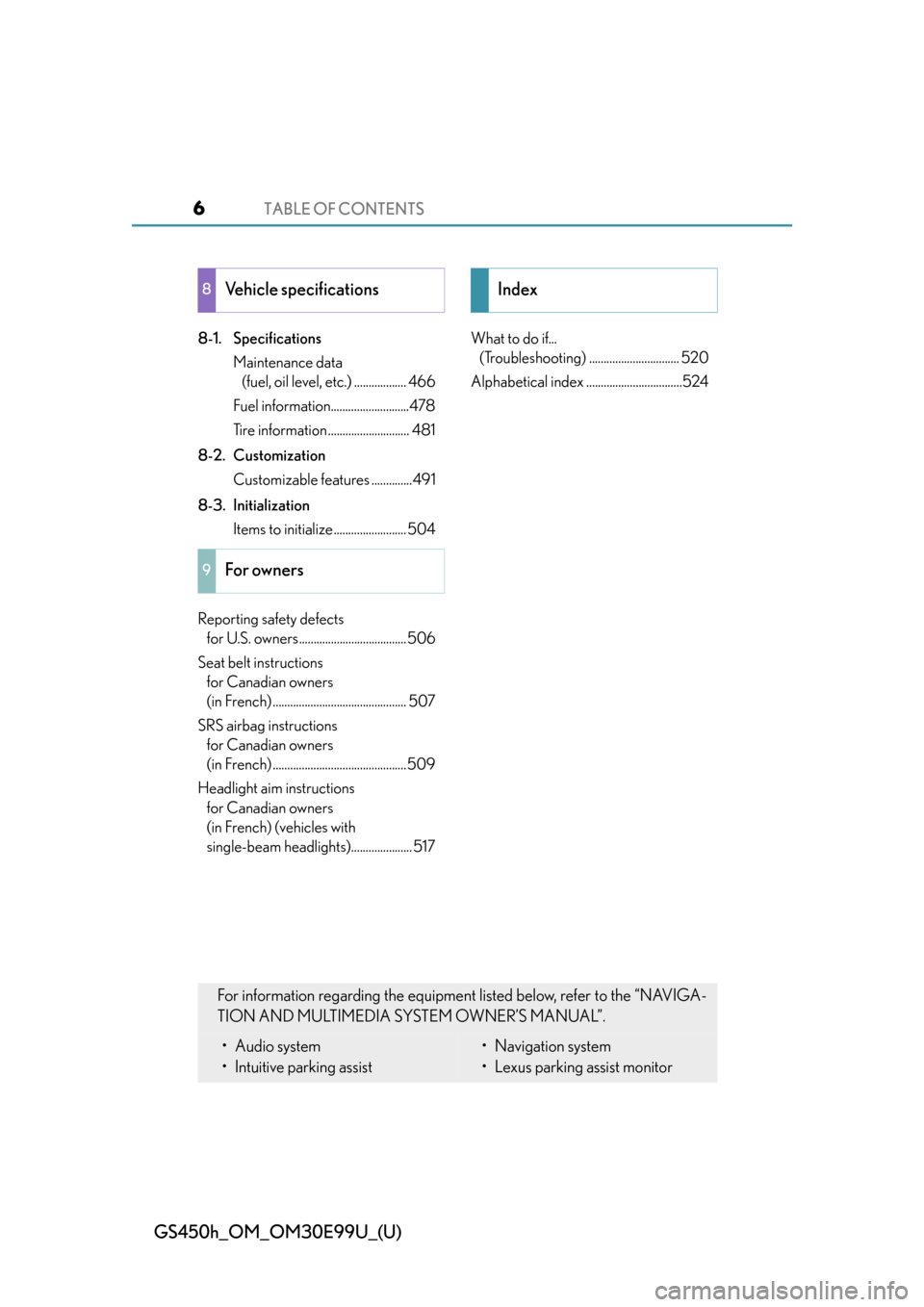
TABLE OF CONTENTS6
GS450h_OM_OM30E99U_(U)
8-1. SpecificationsMaintenance data (fuel, oil level, etc.) .................. 466
Fuel information...........................478
Tire information............................ 481
8-2. Customization Customizable features ..............491
8-3. Initialization Items to initialize ......................... 504
Reporting safety defects for U.S. owners..................................... 506
Seat belt instructions for Canadian owners
(in French) .............................................. 507
SRS airbag instructions for Canadian owners
(in French) ..............................................509
Headlight aim instructions for Canadian owners
(in French) (vehicles with
single-beam headlights)..................... 517 What to do if...
(Troubleshooting) ............................... 520
Alphabetical index .................................524
8Vehicle specifications
9For owners
Index
For information regarding the equipment listed below, refer to the “NAVIGA-
TION AND MULTIMEDIA SYSTEM OWNER’S MANUAL”.
• Audio system
• Intuitive parking assist• Navigation system
• Lexus parking assist monitor
Page 15 of 544
15Pictorial index
GS450h_OM_OM30E99U_(U)
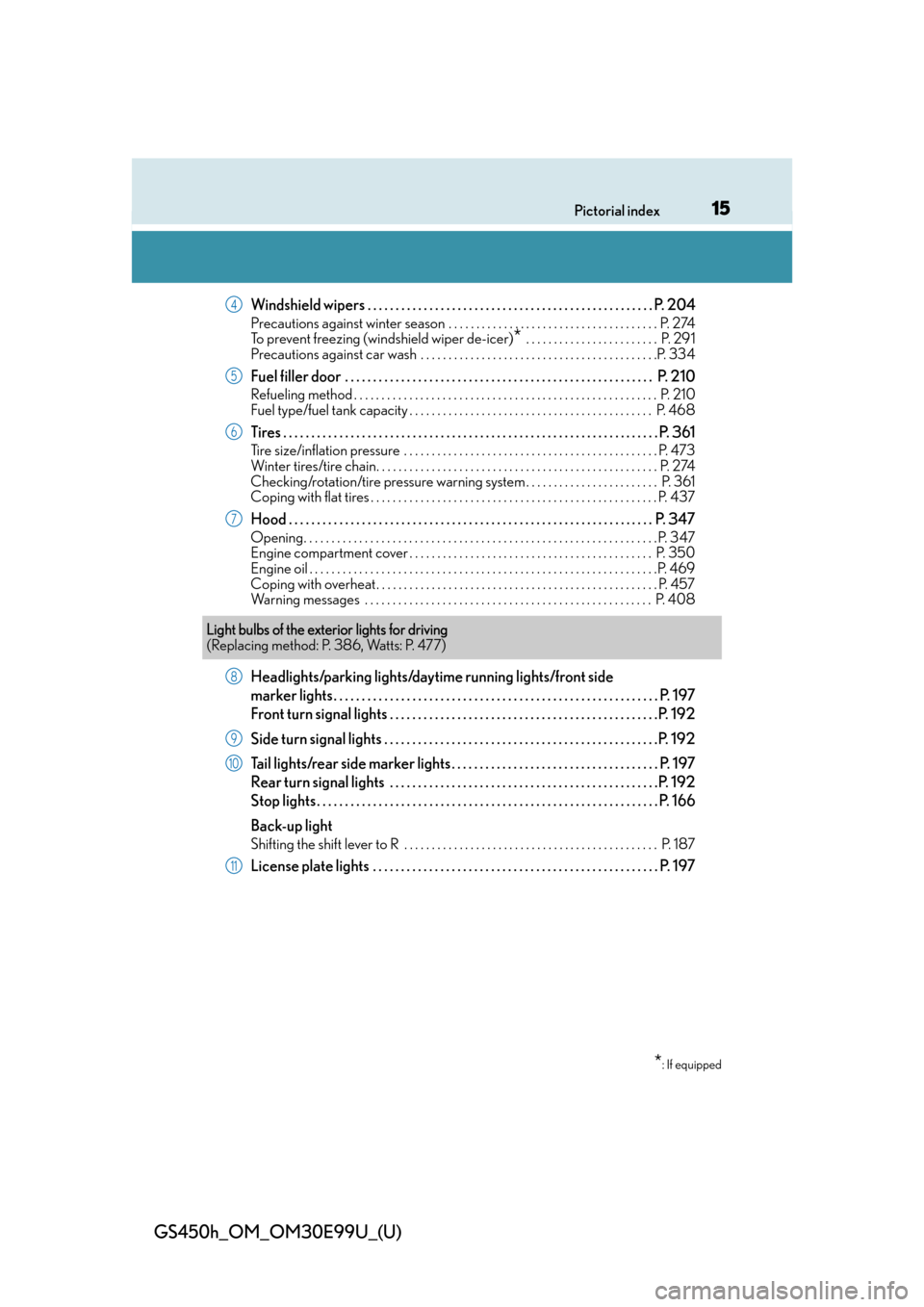
Windshield wipers . . . . . . . . . . . . . . . . . . . . . . . . . . . . . . . . . . . . . . . . . . . . . . . . . . . P. 204
Precautions against winter season . . . . . . . . . . . . . . . . . . . . . . . . . . . . . . . . . . . . . . P. 274
To prevent freezing (windshield wiper de-icer)
* . . . . . . . . . . . . . . . . . . . . . . . . P. 291
Precautions against car wash . . . . . . . . . . . . . . . . . . . . . . . . . . . . . . . . . . . . . . . . . . .P. 334
Fuel filler door . . . . . . . . . . . . . . . . . . . . . . . . . . . . . . . . . . . . . . . . . . . . . . . . . . . . . . . P. 210
Refueling method . . . . . . . . . . . . . . . . . . . . . . . . . . . . . . . . . . . . . . . . . . . . . . . . . . . . . . . P . 210
Fuel type/fuel tank capacity . . . . . . . . . . . . . . . . . . . . . . . . . . . . . . . . . . . . . . . . . . . . P. 468
Tires . . . . . . . . . . . . . . . . . . . . . . . . . . . . . . . . . . . . . . . . . . . . . . . . . . . . . . . . . . . . . . . . . . . P. 361
Tire size/inflation pressure . . . . . . . . . . . . . . . . . . . . . . . . . . . . . . . . . . . . . . . . . . . . . . P. 473
Winter tires/tire chain. . . . . . . . . . . . . . . . . . . . . . . . . . . . . . . . . . . . . . . . . . . . . . . . . . . P. 274
Checking/rotation/tire pressure warning system . . . . . . . . . . . . . . . . . . . . . . . . P. 361
Coping with flat tires . . . . . . . . . . . . . . . . . . . . . . . . . . . . . . . . . . . . . . . . . . . . . . . . . . . . P. 437
Hood . . . . . . . . . . . . . . . . . . . . . . . . . . . . . . . . . . . . . . . . . . . . . . . . . . . . . . . . . . . . . . . . . P. 347
Opening. . . . . . . . . . . . . . . . . . . . . . . . . . . . . . . . . . . . . . . . . . . . . . . . . . . . . . . . . . . . . . . . P. 347
Engine compartment cover . . . . . . . . . . . . . . . . . . . . . . . . . . . . . . . . . . . . . . . . . . . . P. 350
Engine oil . . . . . . . . . . . . . . . . . . . . . . . . . . . . . . . . . . . . . . . . . . . . . . . . . . . . . . . . . . . . . . .P. 469
Coping with overheat . . . . . . . . . . . . . . . . . . . . . . . . . . . . . . . . . . . . . . . . . . . . . . . . . . . P. 457
Warning messages . . . . . . . . . . . . . . . . . . . . . . . . . . . . . . . . . . . . . . . . . . . . . . . . . . . . P. 408
Headlights/parking lights/dayti me running lights/front side
marker lights . . . . . . . . . . . . . . . . . . . . . . . . . . . . . . . . . . . . . . . . . . . . . . . . . . . . . . . . . .P. 197
Front turn signal lights . . . . . . . . . . . . . . . . . . . . . . . . . . . . . . . . . . . . . . . . . . . . . . . .P. 192
Side turn signal lights . . . . . . . . . . . . . . . . . . . . . . . . . . . . . . . . . . . . . . . . . . . . . . . . .P. 192
Tail lights/rear side marker lights . . . . . . . . . . . . . . . . . . . . . . . . . . . . . . . . . . . . . P. 197
Rear turn signal lights . . . . . . . . . . . . . . . . . . . . . . . . . . . . . . . . . . . . . . . . . . . . . . . .P. 192
Stop lights . . . . . . . . . . . . . . . . . . . . . . . . . . . . . . . . . . . . . . . . . . . . . . . . . . . . . . . . . . . . . P. 166
Back-up light
Shifting the shift lever to R . . . . . . . . . . . . . . . . . . . . . . . . . . . . . . . . . . . . . . . . . . . . . . P. 18 7
License plate lights . . . . . . . . . . . . . . . . . . . . . . . . . . . . . . . . . . . . . . . . . . . . . . . . . . . P. 197
4
5
6
7
Light bulbs of the exterior lights for driving
(Replacing method: P. 386, Watts: P. 477)
*: If equipped
8
9
10
11
Page 97 of 544
GS450h_OM_OM30E99U_(U)
972. Instrument cluster
2
Instrument cluster
■Display off
A blank screen is displayed
*1: Displayed when the item is set in “Drive Info 1”, “Drive Info 2” or “Drive Info 3”.
( P. 4 9 2 )
*2: The function can be reset by pressing th e of the meter control switches for longer
than 1 second when the item to reset is displayed.
If there is more than one item that can be reset, the item selection screen will appear.
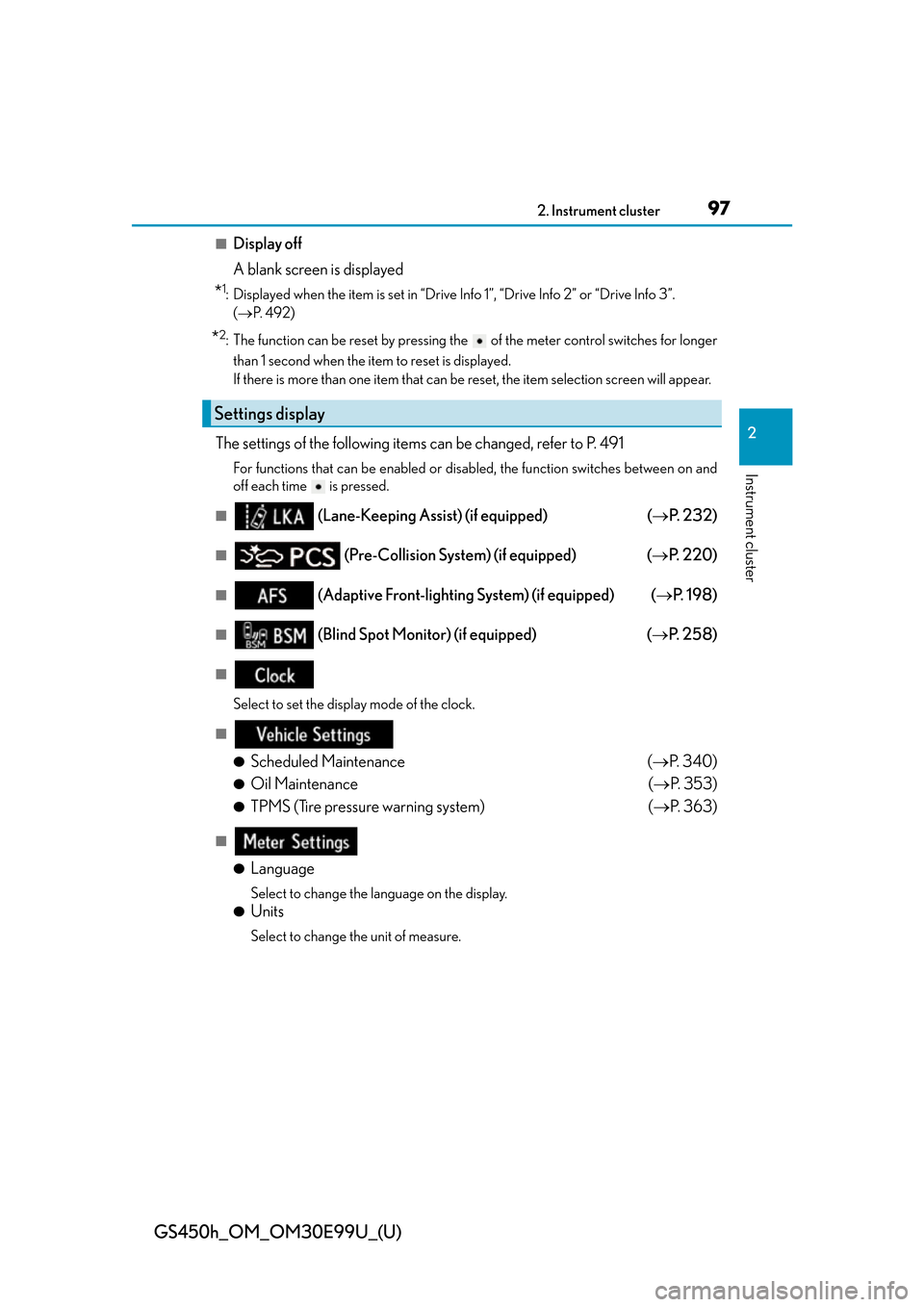
The settings of the following items can be changed, refer to P. 491
For functions that can be enabled or disabled, the function switches between on and
off each time is pressed.
■ (Lane-Keeping Assist) (if equipped) ( P. 232)
■ (Pre-Collision System) (if equipped) ( P. 220)
■ (Adaptive Front-lighting System) (if equipped) ( P. 1 9 8 )
■ (Blind Spot Monitor) (if equipped) ( P. 2 5 8 )
■
Select to set the display mode of the clock.
■
●
Scheduled Maintenance ( P. 3 4 0 )
●Oil Maintenance ( P. 3 5 3 )
●TPMS (Tire pressure warning system) ( P. 363)
■
●
Language
Select to change the la nguage on the display.
●Units
Select to change the unit of measure.
Settings display
Page 135 of 544
GS450h_OM_OM30E99U_(U)
1353-2. Opening, closing and locking the doors and trunk
3
Operation of each component
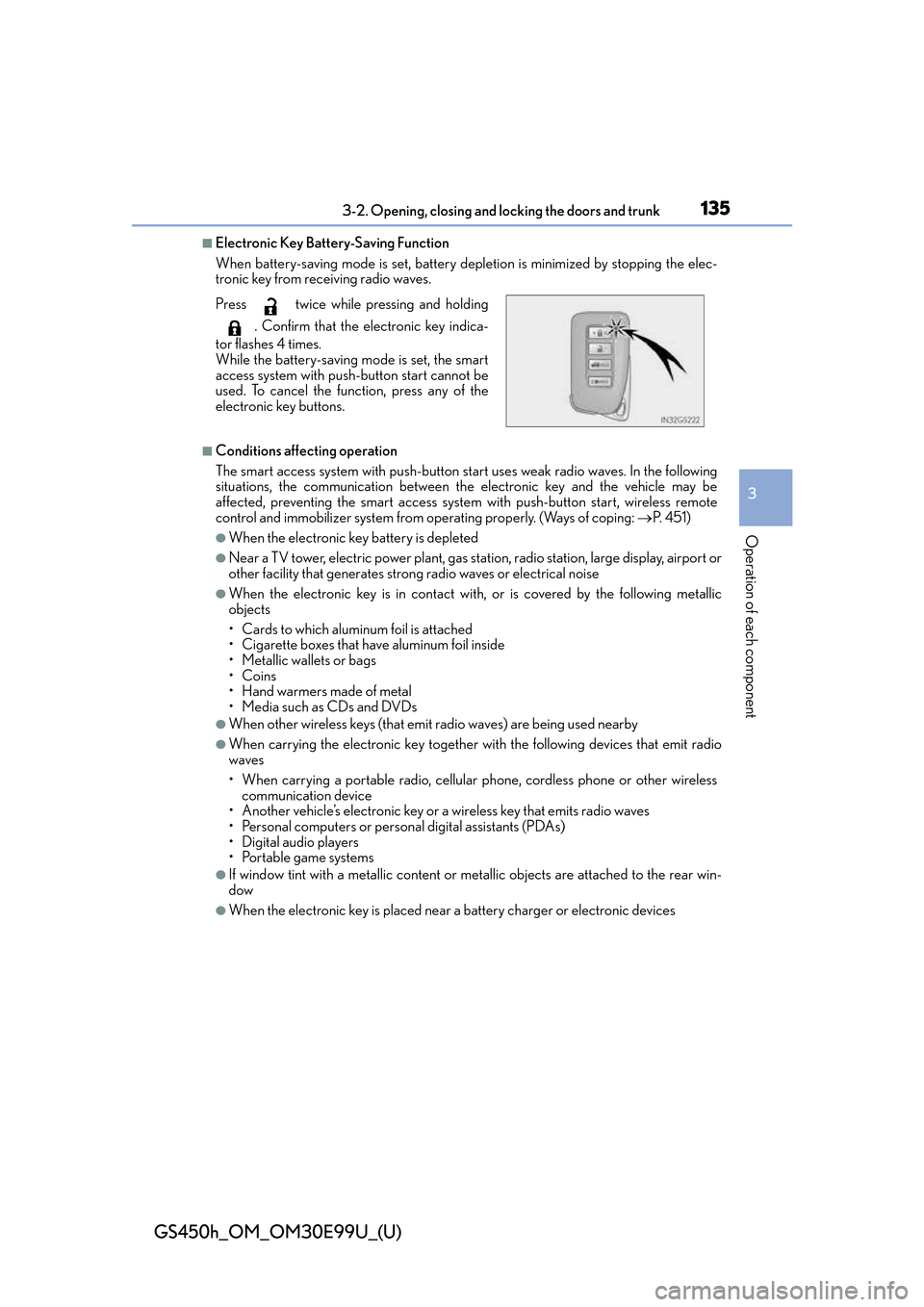
■Electronic Key Battery-Saving Function
When battery-saving mode is set, battery depletion is minimized by stopping the elec-
tronic key from receiving radio waves.
■Conditions affecting operation
The smart access system with push-button start uses weak radio waves. In the following
situations, the communication between th e electronic key and the vehicle may be
affected, preventing the smart access system with push-button start, wireless remote
control and immobilizer system from operating properly. (Ways of coping: P. 4 5 1 )
●When the electronic key battery is depleted
●Near a TV tower, electric powe r plant, gas station, radio station, large display, airport or
other facility that generates strong radio waves or electrical noise
●When the electronic key is in contact wi th, or is covered by the following metallic
objects
• Cards to which aluminum foil is attached
• Cigarette boxes that have aluminum foil inside
• Metallic wallets or bags
•Coins
•Hand warmers made of metal
• Media such as CDs and DVDs
●When other wireless keys (that emit radio waves) are being used nearby
●When carrying the electronic key together with the following devices that emit radio
waves
• When carrying a portable radio, cellular phone, cordless phone or other wireless
communication device
• Another vehicle’s electronic key or a wireless key that emits radio waves
• Personal computers or personal digital assistants (PDAs)
• Digital audio players
• Portable game systems
●If window tint with a metallic content or me tallic objects are attached to the rear win-
dow
●When the electronic key is placed near a battery charger or electronic devices
Press twice while pressing and holding
. Confirm that the electronic key indica-
tor flashes 4 times.
While the battery-saving mode is set, the smart
access system with push-button start cannot be
used. To cancel the function, press any of the
electronic key buttons.
Page 173 of 544
GS450h_OM_OM30E99U_(U)
1734-1. Before driving
4
Driving
NOTICE
■If you get a flat tire while driving
A flat or damaged tire may cause the following situations. Hold the steering wheel
firmly and gradually depress the brak e pedal to slow down the vehicle.
●It may be difficult to control your vehicle.
●The vehicle will make abnormal sounds or vibrations.
●The vehicle will lean abnormally.
Information on what to do in case of a flat tire ( P. 4 3 7 )
■When encountering flooded roads
Do not drive on a road that has flooded after heavy rain etc. Doing so may cause the
following serious damage to the vehicle:
●Engine stalling
●Short in electrical components
●Engine damage caused by water immersion
In the event that you drive on a flooded road and the vehicle is flooded, be sure to have
your Lexus dealer check the following:
●Brake function
●Changes in quantity and quality of oil and fluid used for the engine, hybrid transmis-
sion, differential, etc.
●Lubricant condition for the propeller shaft, bearings and suspension joints (where
possible), and the function of all joints, bearings, etc.
Page 217 of 544
GS450h_OM_OM30E99U_(U)
2174-5. Using the driving support systems
4
Driving
WA R N I N G
■To avoid malfunction of the camera sensor
Observe the following precautions.
Otherwise, the camera sensor may not operate properly, possibly leading to an acci-
dent resulting in death or serious injury.
●Keep the windshield clean at all times.
• If the windshield is dirty or covered with an oily film, water droplets, snow, etc.,
clear the windshield.
• If a glass coating agent is applied to the windshield, it will still be necessary to use
the windshield wipers to remove water drop lets from the area of the windshield in
front of the camera sensor.
• If the inner side of the windshield where th e camera sensor is installed is dirty, con-
tact your Lexus dealer.
●If the part of the windshield in front of th e camera sensor is fogged up or covered with
condensation or ice, use the windshield defogger to remove the fog, condensation or
ice. ( P. 2 9 1 )
●If water droplets cannot be properly remove d from the area of the windshield in front
of the camera sensor by the windshield wipers, replace the wiper insert or wiper
blade.
If the wiper inserts or wiper blades need to be replaced, contact your Lexus dealer.
●Do not attach window tinting to the windshield.
●Replace the windshield if it is damaged or cracked.
If the windshield needs to be re placed, contact your Lexus dealer.
●Do not get the camera sensor wet.
●Do not allow bright lights to shine into the camera sensor.
●Do not dirty or damage the camera sensor.
When cleaning the inside of the windshield , do not allow glass cleaner to contact the
lens. Also, do not touch the lens.
If the lens is dirty or damage d, contact your Lexus dealer.
●Do not subject the camera sensor to a strong impact.
●Do not change the installation position or di rection of the camera sensor or remove it.
●Do not disassemble the camera sensor.
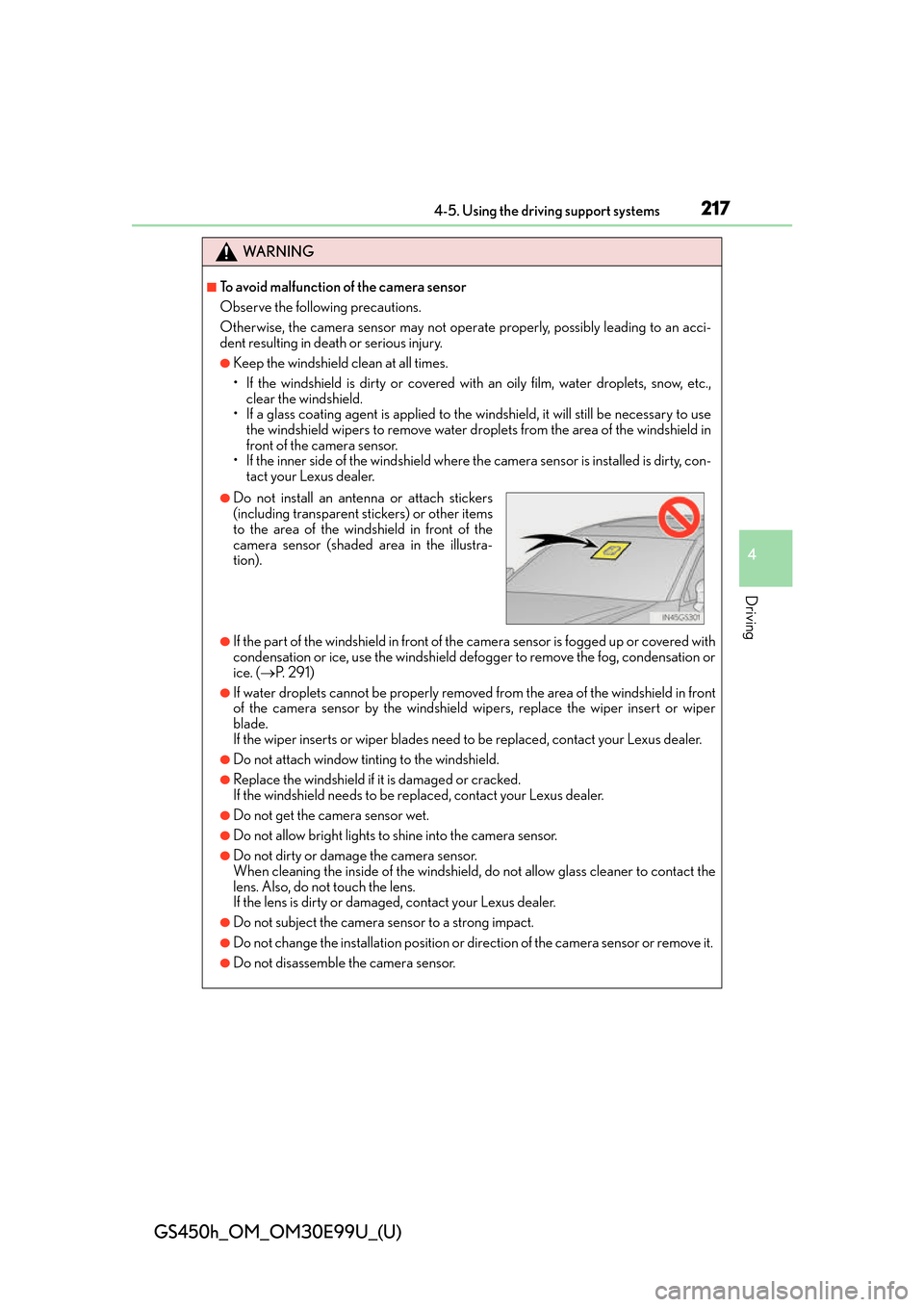
●Do not install an antenna or attach stickers
(including transparent stickers) or other items
to the area of the windshield in front of the
camera sensor (shaded area in the illustra-
tion).
Page 274 of 544
274
GS450h_OM_OM30E99U_(U)
4-6. Driving tips
Winter driving tips
●Use fluids that are appropriate to the prevailing outside temperatures. •Engine oil
• Engine/power control unit coolant
• Washer fluid
●Have a service technician inspect the condition of the 12-volt battery.
●Have the vehicle fitted with four snow tires or purchase a set of tire chains for
the rear tires.
*
Ensure that all tires are the specified size and brand, and that chains match the size
of the tires.
*: Tire chains cannot be mounted on vehicles with front and rear tires of differing
sizes and vehicles with LDH and 19-inch tires.
Perform the following according to the driving conditions:
●Do not try to forcibly open a window or move a wiper that is frozen. Pour
warm water over the frozen area to melt the ice. Wipe away the water imme-
diately to prevent it from freezing.
●To ensure proper operation of the climate control system fan, remove any
snow that has accumulated on the air inlet vents in front of the windshield.
●Check for and remove any excess ice or snow that may have accumulated on
the exterior lights, vehicle’s roof, chassis, around the tires or on the brakes.
●Remove any snow or mud from the bottom of your shoes before getting in the
vehicle.
Carry out the necessary preparations and inspections before driving the vehi-
cle in winter. Always drive the vehicle in a manner appropriate to the prevail-
ing weather conditions.
Preparation for winter
Before driving the vehicle
Page 332 of 544
332
GS450h_OM_OM30E99U_(U)
6-1. Maintenance and care
Cleaning and protecting the vehicle exterior
●Working from top to bottom, liberally apply water to the vehicle body, wheel
wells and underside of the vehicle to remove any dirt and dust.
●Wash the vehicle body using a sponge or soft cloth, such as a chamois.
●For hard-to-remove marks, use car wash soap and rinse thoroughly with
water.
●Wipe away any water.
●Wax the vehicle when the waterproof coating deteriorates.
If water does not bead on a clean surface, apply wax when the vehicle body is cool.
■Self-restoring coat
The vehicle body has a self-restoring coating that is resistant to small surface scratches
caused in a car wash etc.
●The coating lasts for 5 to 8 years from when the vehicle is delivered from the plant.
●The restoration time differs depending on the depth of the scratch and outside temper-
ature. The restoration time may become shor ter when the coating is warmed by apply-
ing warm water.
●Deep scratches caused by keys, coins, etc. cannot be restored.
●Do not use wax that contain abrasives.
■Automatic car washes
●Fold the mirrors before washing the vehicle. Start washing from the front of the vehicle.
Make sure to extend th e mirrors before driving.
●Brushes used in automatic car washes may scratch the vehicle surface and harm your
vehicle’s paint.
●Rear spoiler (if equipped) may not be wash able in some automatic car washes. There
may also be an increased risk of damage to vehicle.
■High-pressure car washes
●Do not allow the nozzles of the car wash to come within close proximity of the windows.
●Before using the car wash, check that the fuel filler door on your vehicle is closed prop-
erly.
Perform the following to protect the ve hicle and maintain it in prime condi-
tion:
Page 335 of 544
GS450h_OM_OM30E99U_(U)
3356-1. Maintenance and care
6
Maintenance and care
NOTICE
■To prevent paint deterioration and corrosion on the body and components (aluminum
wheels etc.)
●Wash the vehicle immediately in the following cases:
• After driving near the sea coast
• After driving on salted roads
• If coal tar, pollen or tree sap is present on the paint surface
• If dead insects, insect droppings or bird droppings are present on the paint surface
• After driving in an area contaminated wi th soot, oily smoke, mine dust, iron pow-
der or chemical substances
• If the vehicle becomes heavily soiled with dust or mud
• If liquids such as benzene and gaso line are spilled on the paint surface
●If the paint is chipped or scratched, have it repaired immediately.
●To prevent the wheels from corroding, remo ve any dirt and store in a place with low
humidity when storing the wheels.
■Cleaning the exterior lights
●Wash carefully. Do not use organic substances or scrub with a hard brush.
This may damage the su rfaces of the lights.
●Do not apply wax to the surfaces of the lights.
Wax may cause damage to the lenses.
■When using an automatic car wash
Turn off AUTO mode of the wiper to prevent the wiper from operating. (P. 2 0 4 )
If AUTO mode is selected, the wipers may operate and the wiper blades may be dam-
aged.
■When using a high-pressure car wash
●When washing the vehicle, do not let water from the high-pressure washer directly hit
the camera or the area around the camera. Due to the shock from high-pressure
water, it is possible that the device may not operate normally.
●Do not bring the nozzle tip close to boots (rubber or resin manufactured cover), con-
nectors or the following parts. The parts may be damaged if they come into contact
with high-pressure water.
• Traction related parts
• Suspension parts •Steering parts
•Brake parts
Page 340 of 544
340
GS450h_OM_OM30E99U_(U)
6-2. Maintenance
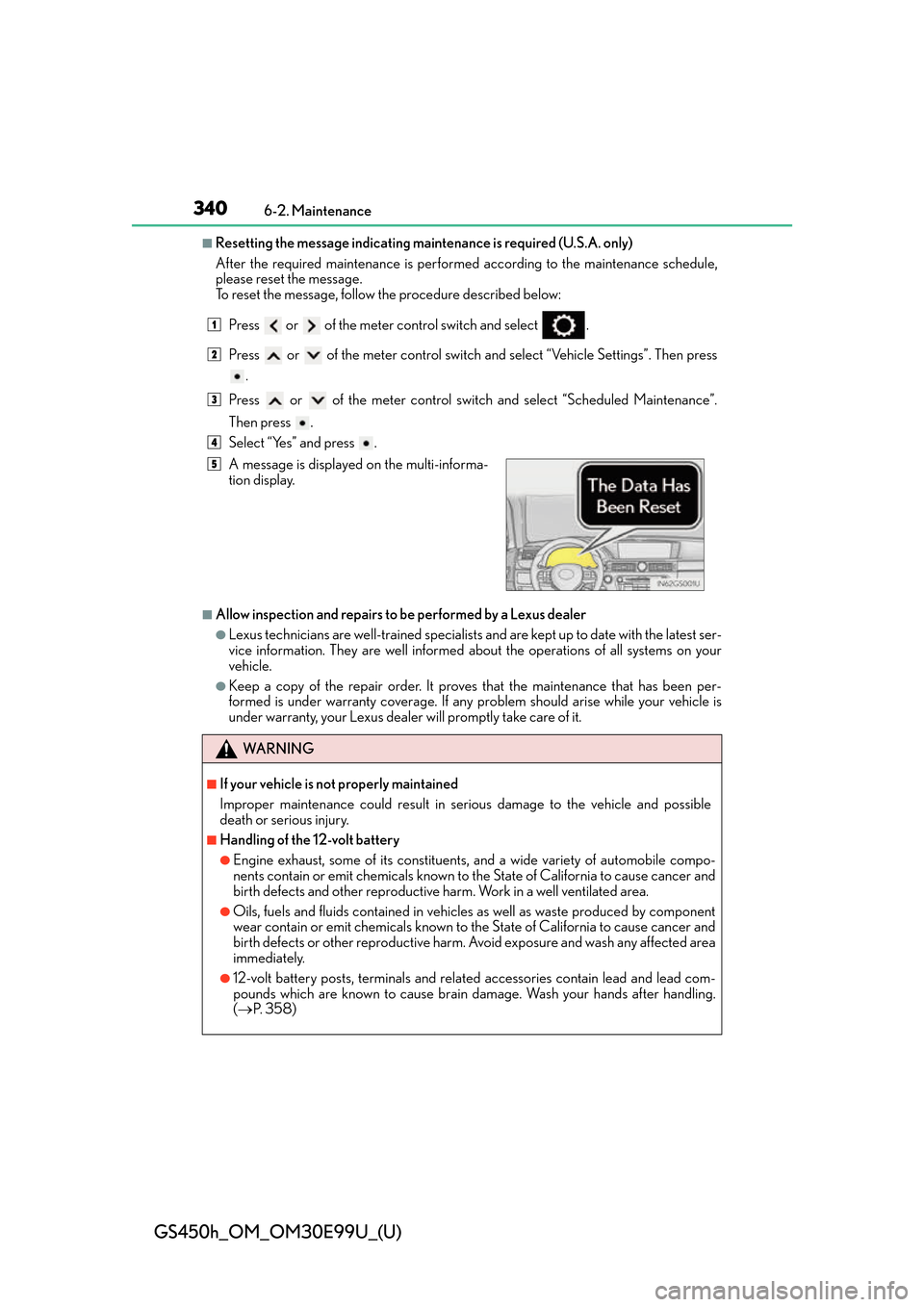
■Resetting the message indicating maintenance is required (U.S.A. only)
After the required maintenance is performed according to the maintenance schedule,
please reset the message.
To reset the message, follow the procedure described below:Press or of the meter co ntrol switch and select .
Press or of the meter control switch an d select “Vehicle Settings”. Then press
.
Press or of the meter control switch and select “Scheduled Maintenance”.
Then press .
Select “Yes” and press .
■Allow inspection and repairs to be performed by a Lexus dealer
●Lexus technicians are well-trained specialists an d are kept up to date with the latest ser-
vice information. They are well informed ab out the operations of all systems on your
vehicle.
●Keep a copy of the repair order. It proves that the maintenance that has been per-
formed is under warranty coverage. If any problem should arise while your vehicle is
under warranty, your Lexus dealer will promptly take care of it.
A message is displayed on the multi-informa-
tion display.
WA R N I N G
■If your vehicle is not properly maintained
Improper maintenance could result in se
rious damage to the vehicle and possible
death or serious injury.
■Handling of the 12-volt battery
●Engine exhaust, some of its constituents , and a wide variety of automobile compo-
nents contain or emit chemicals known to the State of California to cause cancer and
birth defects and other reproductive harm. Work in a well ventilated area.
●Oils, fuels and fluids contained in vehicles as well as waste produced by component
wear contain or emit chemicals known to the State of California to cause cancer and
birth defects or other reproductive harm. Avoid exposure and wash any affected area
immediately.
●12-volt battery posts, terminals and related accessories contain lead and lead com-
pounds which are known to cause brain damage. Wash your hands after handling.
( P. 3 5 8 )
1
2
3
4
5