phone Lexus GS450h 2016 Owner's Manual / LEXUS 2016 GS450H QUICK GUIDE OWNERS MANUAL (OM30F38U)
[x] Cancel search | Manufacturer: LEXUS, Model Year: 2016, Model line: GS450h, Model: Lexus GS450h 2016Pages: 98, PDF Size: 2.91 MB
Page 2 of 98
2
GS450h_QG_OM30F38U_(U)
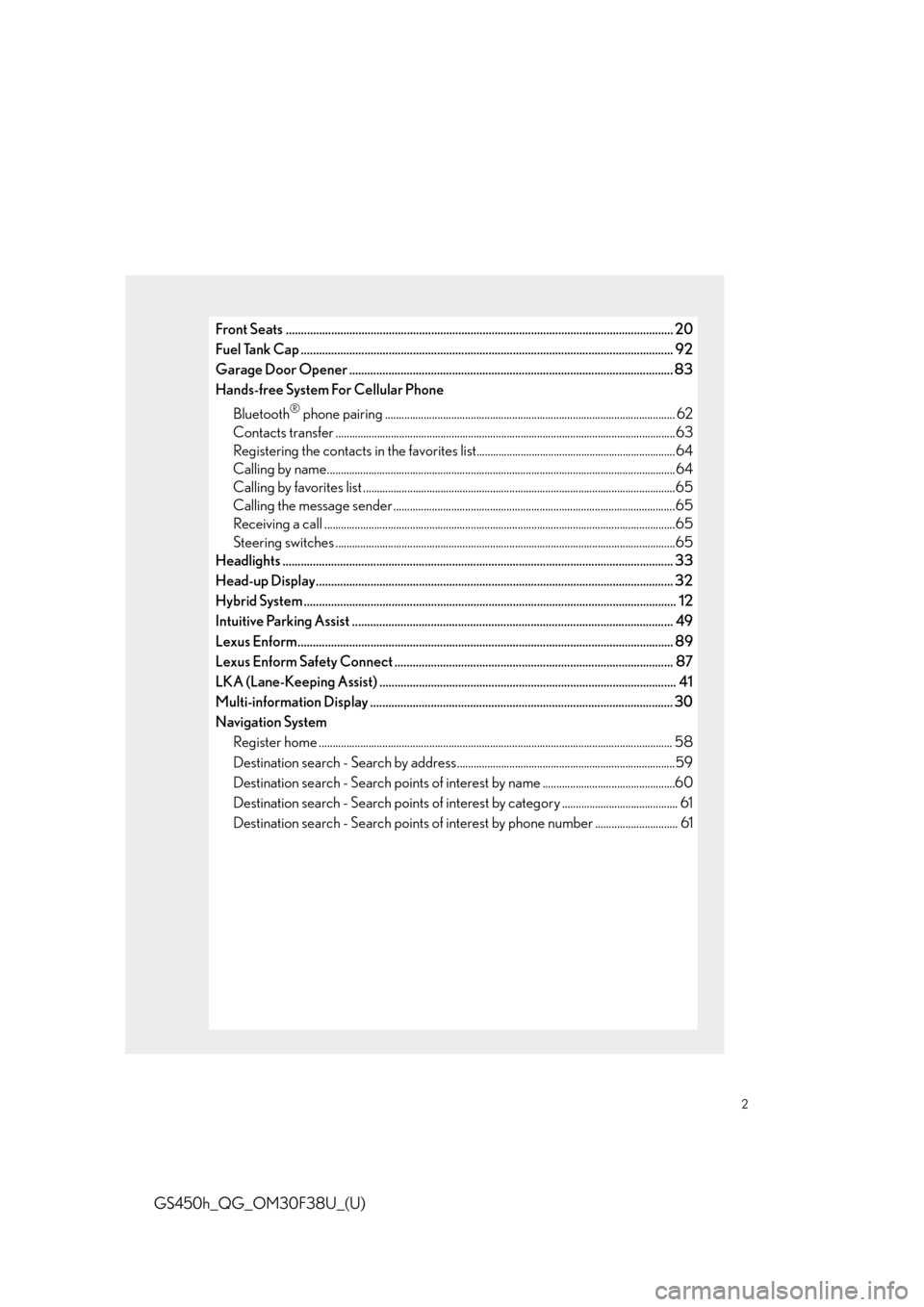
Front Seats ................................................................................................................................ 20
Fuel Tank Cap .................................................................................................................. ......... 92
Garage Door Opener ........................................................................................................... 83
Hands-free System For Cellular Phone
Bluetooth
® phone pairing ......................................................................................................... 62
Contacts transfer .............................................................................................................. .............63
Registering the contacts in the favorites list........................................................................ 64
Calling by name................................................................................................................ ..............64
Calling by favorites list ...................................................................................................... ...........65
Calling the message sender ..................................................................................................... .65
Receiving a call ............................................................................................................... ................65
Steering switches .............................................................................................................. .............65
Headlights ..................................................................................................................... ............ 33
Head-up Display...................................................................................................................... 32
Hybrid System .................................................................................................................. ......... 12
Intuitive Parking Assist ....................................................................................................... ... 49
Lexus Enform................................................................................................................... ......... 89
Lexus Enform Safety Connect ............................................................................................ 87
LKA (Lane-Keeping Assist) .................................................................................................. 41
Multi-information Display .................................................................................................... 30
Navigation System
Register home .................................................................................................................. .............. 58
Destination search - Search by address ...............................................................................59
Destination search - Search points of intere st by name ................................................60
Destination search - Search points of interest by category .......................................... 61
Destination search - Search points of intere st by phone number .............................. 61
Page 8 of 98
8
GS450h_QG_OM30F38U_(U)
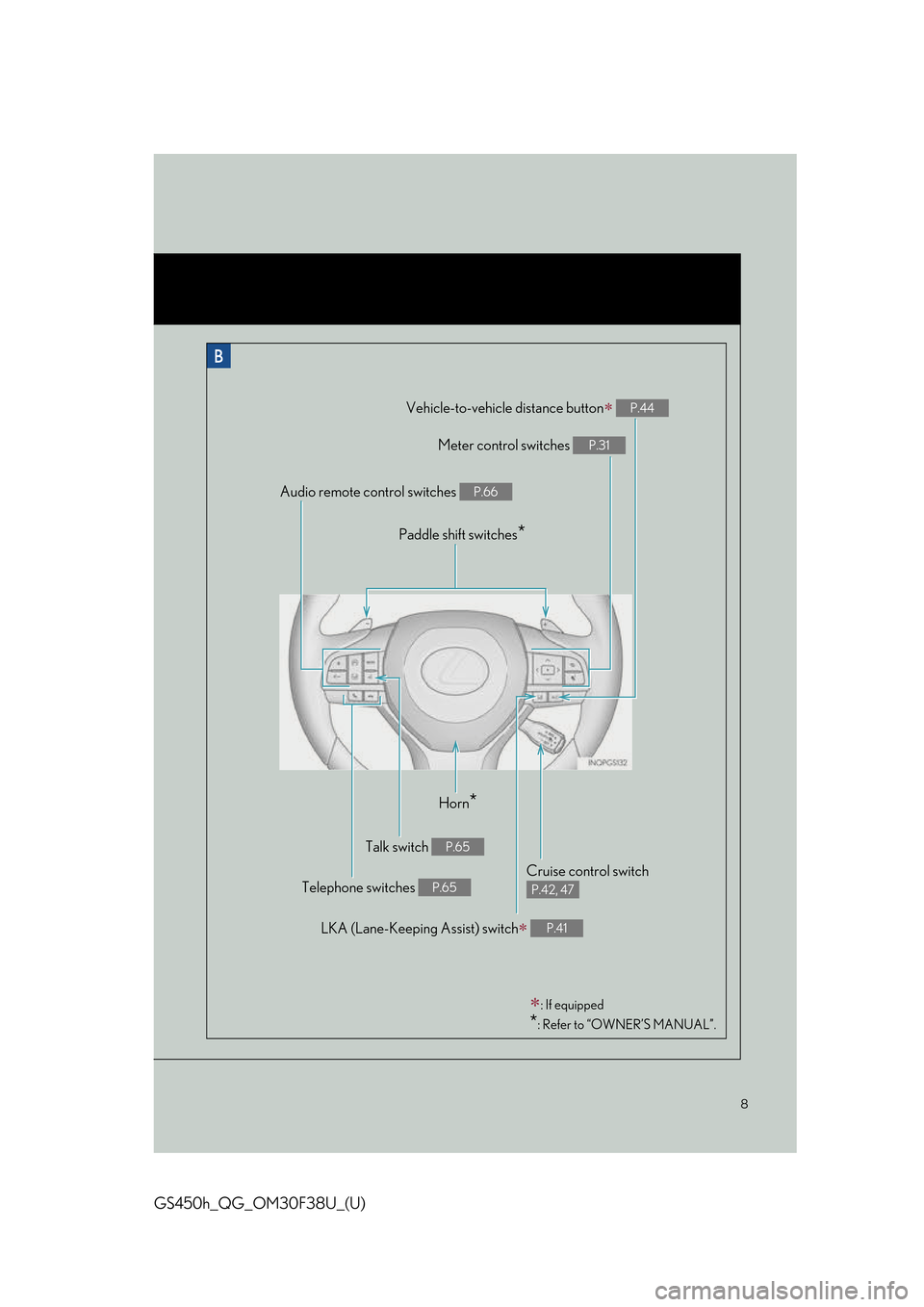
: If equipped
*: Refer to “OWNER’S MANUAL”.
Horn*
Talk switch P.65
Telephone switches P.65
LKA (Lane-Keeping Assist) switch P.41
Cruise control switch
P.42, 47
Vehicle-to-vehicle distance button P.44
Meter control switches P.31
Paddle shift switches*
Audio remote control switches P.66
Page 55 of 98
55
GS450h_QG_OM30F38U_(U)
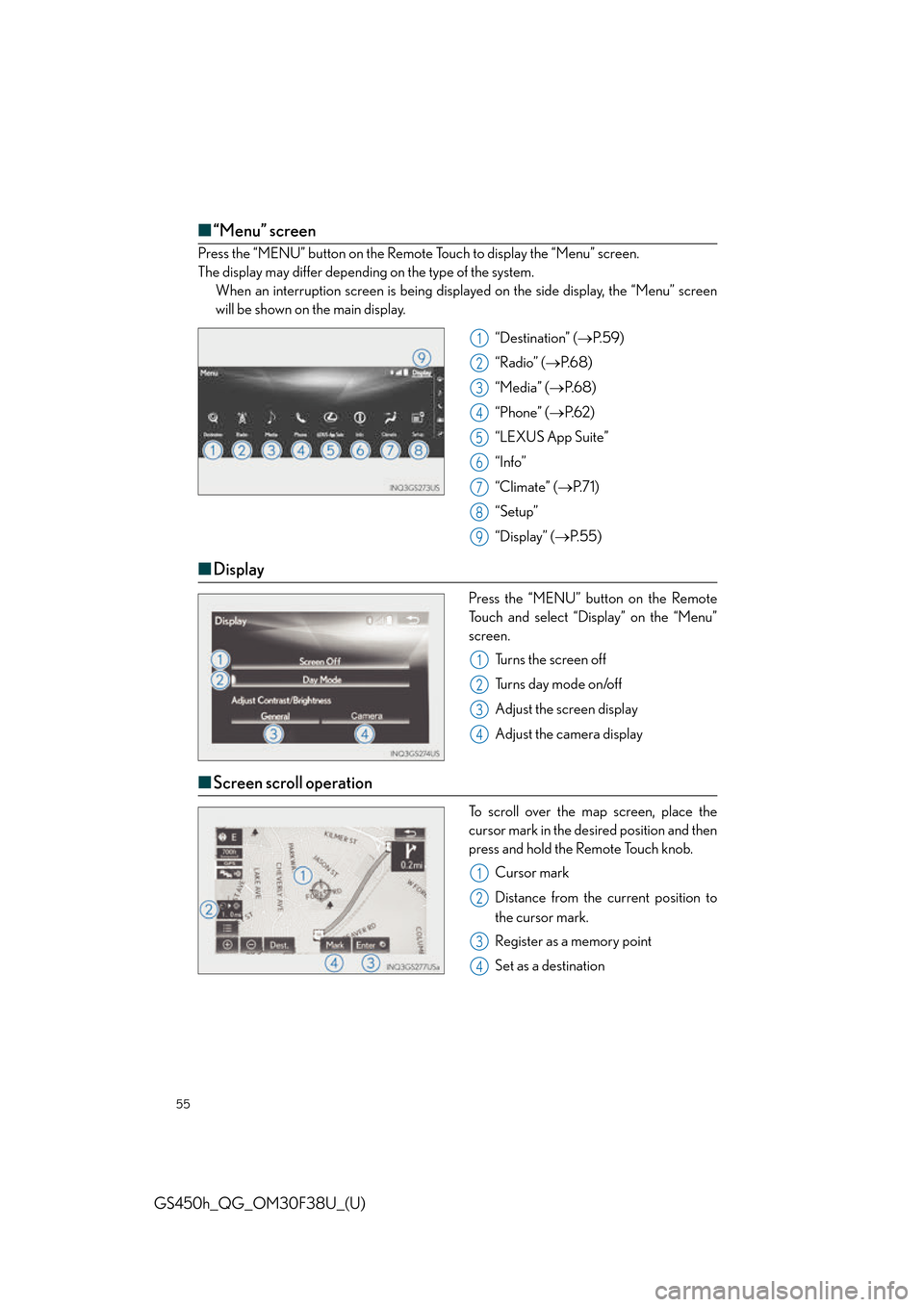
■“Menu” screen
Press the “MENU” button on the Remote Touch to display the “Menu” screen.
The display may differ depending on the type of the system.
When an interruption screen is being displa yed on the side display, the “Menu” screen
will be shown on the main display.
“Destination” (P. 5 9 )
“Radio” ( P. 6 8 )
“Media” ( P. 6 8 )
“Phone” ( P. 6 2 )
“LEXUS App Suite”
“Info”
“Climate” ( P. 7 1 )
“Setup”
“Display” ( P. 5 5 )
■Display
Press the “MENU” button on the Remote
Touch and select “Display” on the “Menu”
screen.
Turns the screen off
Turns day mode on/off
Adjust the screen display
Adjust the camera display
■Screen scroll operation
To scroll over the map screen, place the
cursor mark in the desired position and then
press and hold the Remote Touch knob.
Cursor mark
Distance from the current position to
the cursor mark.
Register as a memory point
Set as a destination
1
2
3
4
5
6
7
8
9
1
2
3
4
1
2
3
4
Page 57 of 98
57
GS450h_QG_OM30F38U_(U)
12.3-inch Display
■Full screen display
The following functions can be displayed full screen:
■Split-screen display
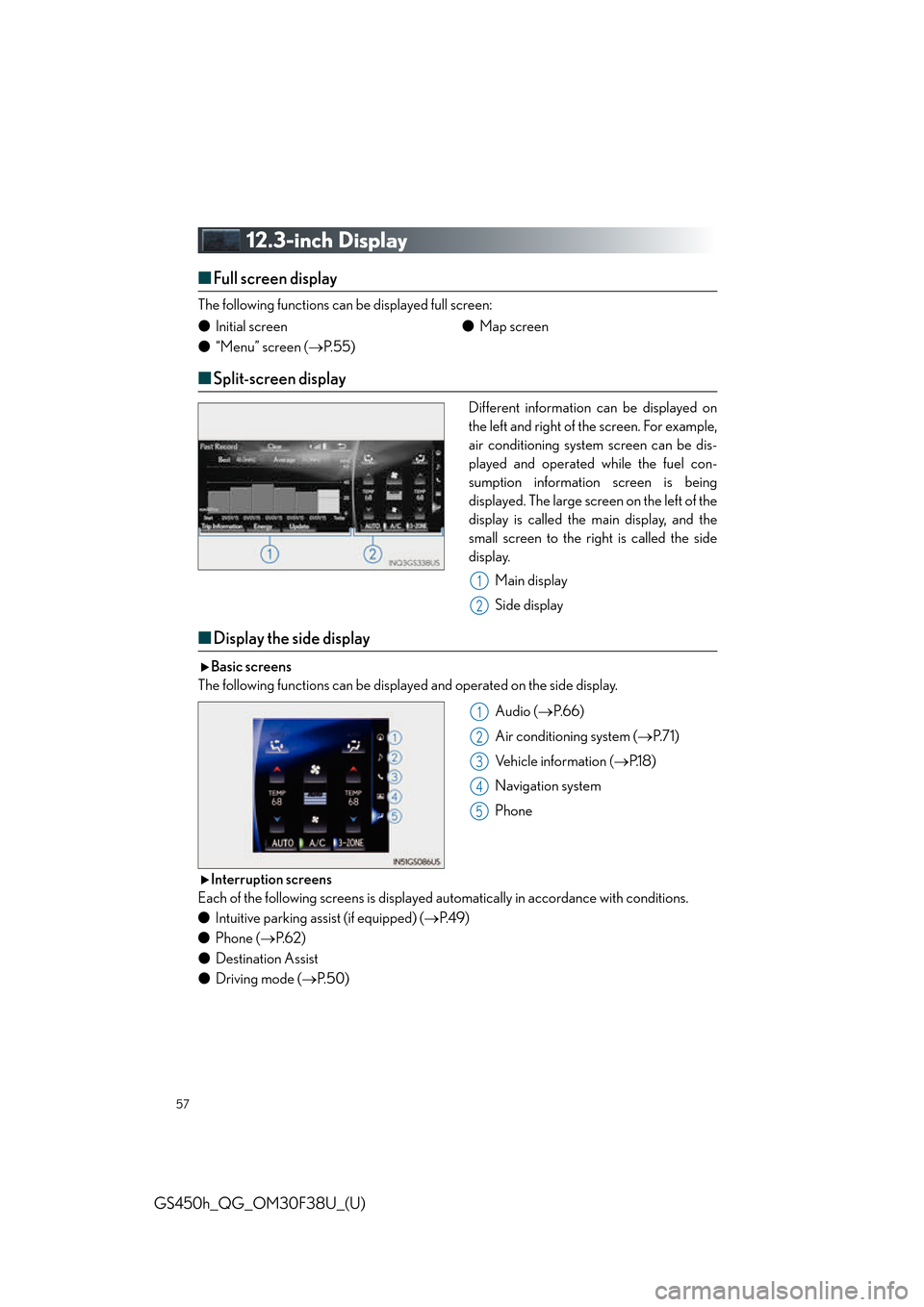
Different information can be displayed on
the left and right of the screen. For example,
air conditioning system screen can be dis-
played and operated while the fuel con-
sumption information screen is being
displayed. The large screen on the left of the
display is called the main display, and the
small screen to the right is called the side
display.
Main display
Side display
■Display the side display
Basic screens
The following functions can be displaye d and operated on the side display.
Audio (P.66)
Air conditioning system ( P. 7 1 )
Vehicle information ( P.1 8 )
Navigation system
Phone
Interruption screens
Each of the following screens is displayed au tomatically in accordance with conditions.
● Intuitive parking assist (if equipped) ( P. 4 9 )
● Phone ( P. 6 2 )
● Destination Assist
● Driving mode ( P. 5 0 )
●
Initial screen
● “Menu” screen ( P. 5 5 ) ●
Map screen
1
2
1
2
3
4
5
Page 61 of 98
61
GS450h_QG_OM30F38U_(U)
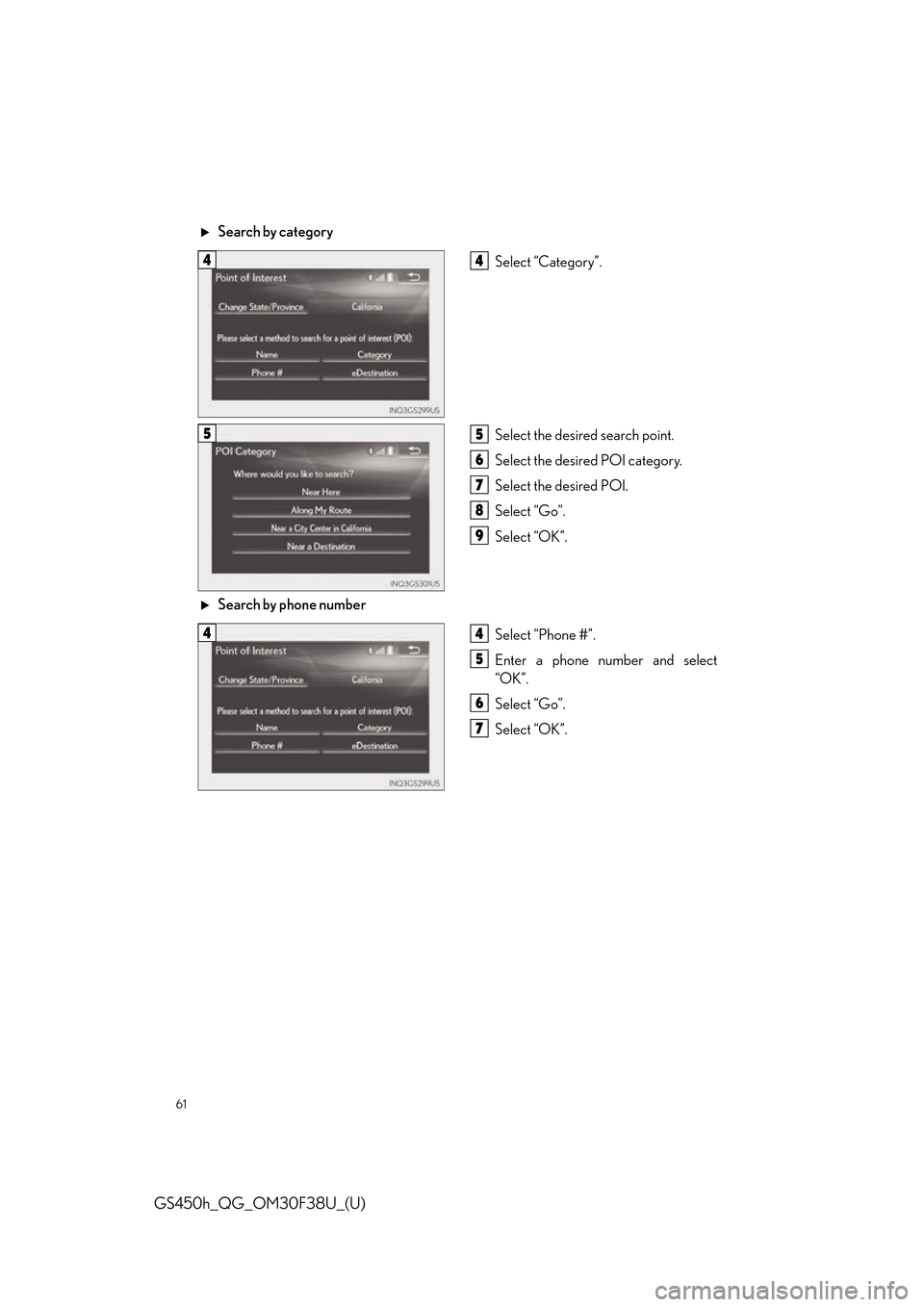
Search by categorySelect “Category”.
Select the desired search point.
Select the desired POI category.
Select the desired POI.
Select “Go”.
Select “OK”.
Search by phone number Select “Phone #”.
Enter a phone number and select
“OK”.
Select “Go”.
Select “OK”.
44
55
6
7
8
9
44
5
6
7
Page 62 of 98
62
GS450h_QG_OM30F38U_(U)
Hands-free System For Cellular Phone
■Bluetooth® phone pairing
To use the hands-free system, it is necessary to register a Bluetooth® phone with the system.
Please refer to the cellular phone manufacturer’s user guide for pairing procedures, or go to
http://www.lexus.com/MobileLink
for more phone information.
Turn the Bluetooth
® connection set-
ting of your cellular phone on.
Press the “MENU” button on the
Remote Touch.
Please refer to page 54 for the
Remote Touch operation.
Select “Phone”.
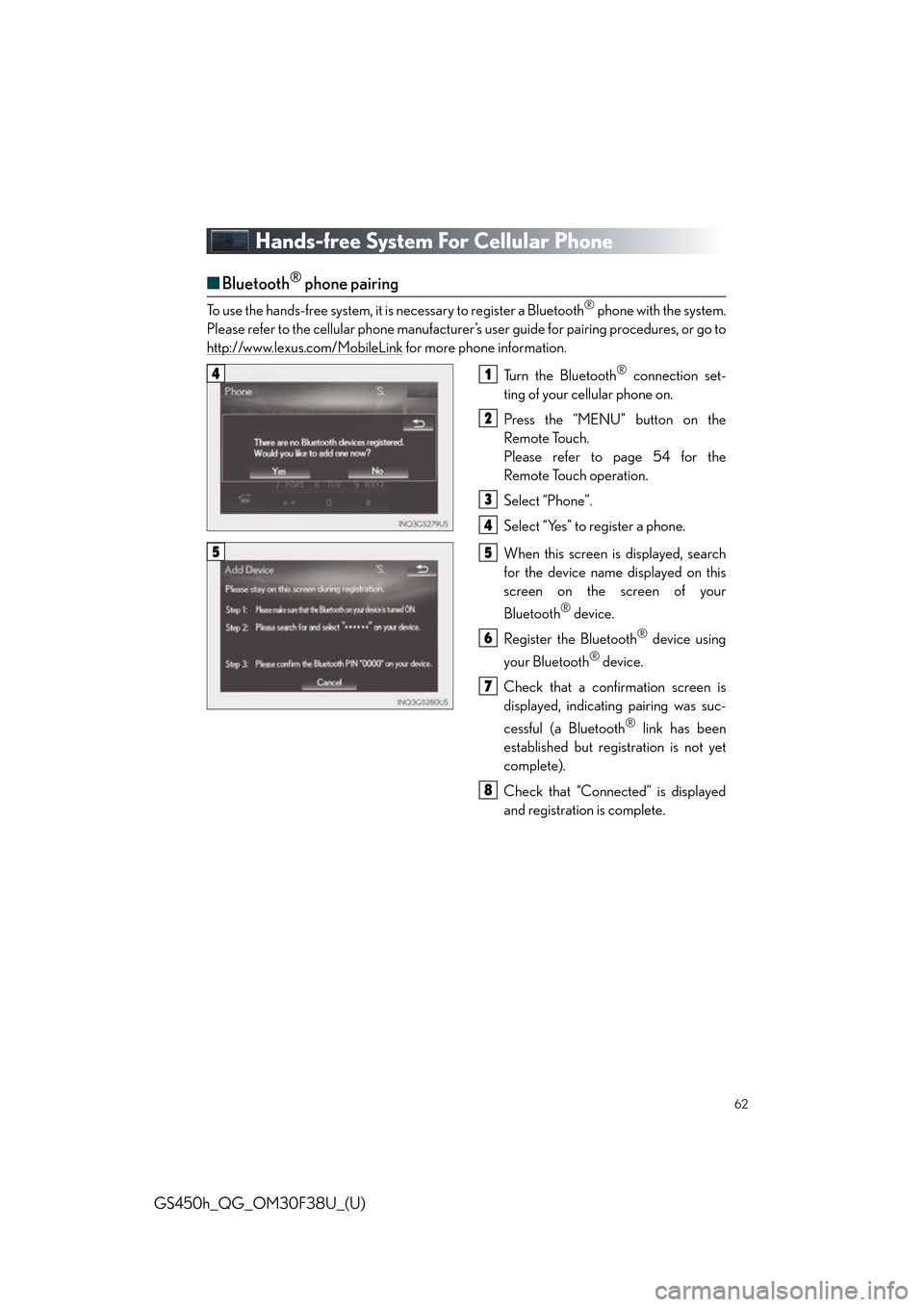
Select “Yes” to register a phone.
When this screen is displayed, search
for the device name displayed on this
screen on the screen of your
Bluetooth
® device.
Register the Bluetooth
® device using
your Bluetooth
® device.
Check that a confirmation screen is
displayed, indicating pairing was suc-
cessful (a Bluetooth
® link has been
established but registration is not yet
complete).
Check that “Connected” is displayed
and registration is complete.
41
2
3
4
55
6
7
8
Page 63 of 98
63
GS450h_QG_OM30F38U_(U)
■Contacts transfer
Press the “MENU” button on the
Remote Touch.
Please refer to page 54 for the
Remote Touch operation.
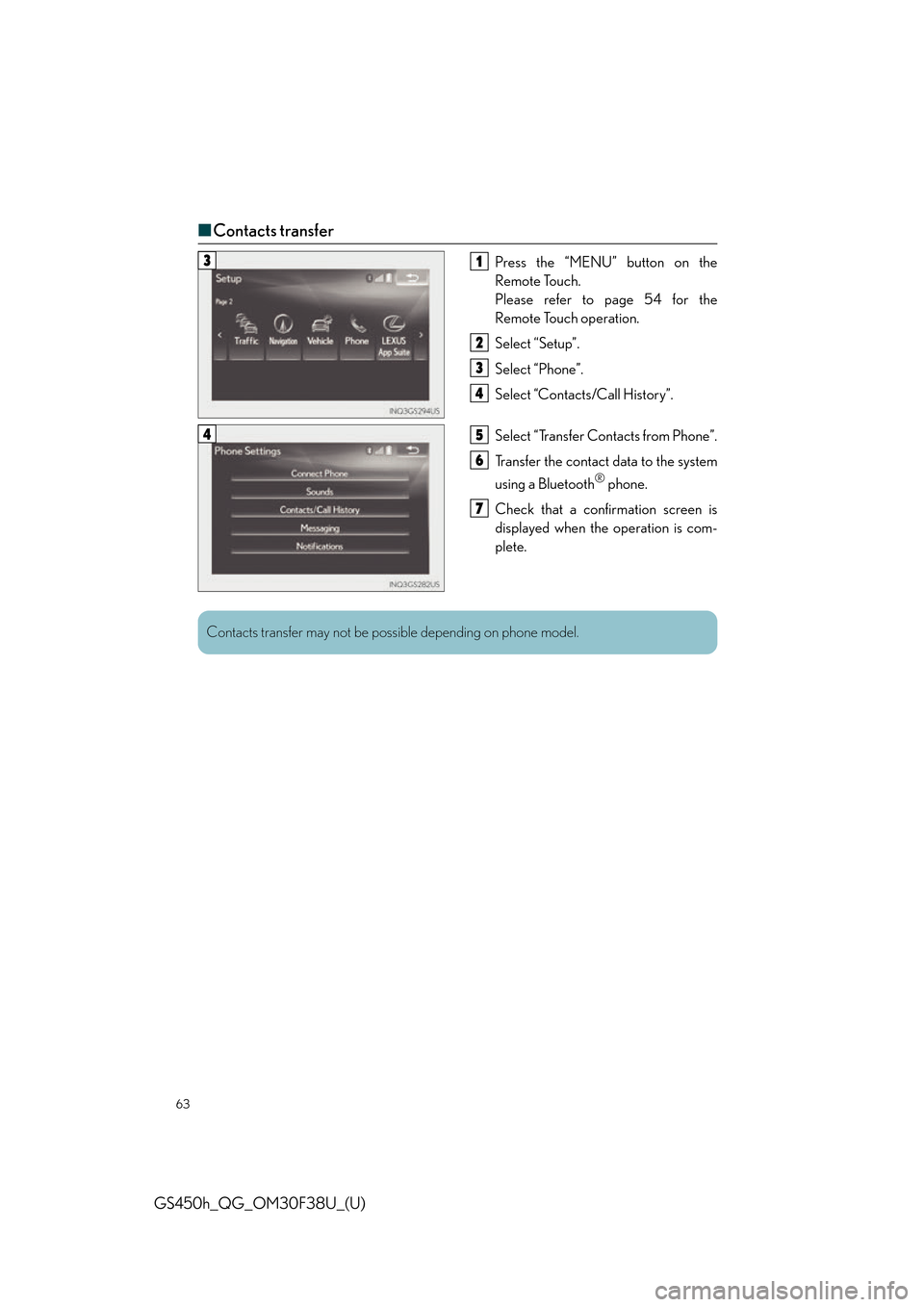
Select “Setup”.
Select “Phone”.
Select “Contacts/Call History”.
Select “Transfer Contacts from Phone”.
Transfer the contact data to the system
using a Bluetooth
® phone.
Check that a confirmation screen is
displayed when the operation is com-
plete.
31
2
3
4
45
6
7
Contacts transfer may not be po ssible depending on phone model.
Page 64 of 98
64
GS450h_QG_OM30F38U_(U)
■Registering the contacts in the favorites list
Press the “MENU” button on the
Remote Touch.
Please refer to page 54 for the
Remote Touch operation.
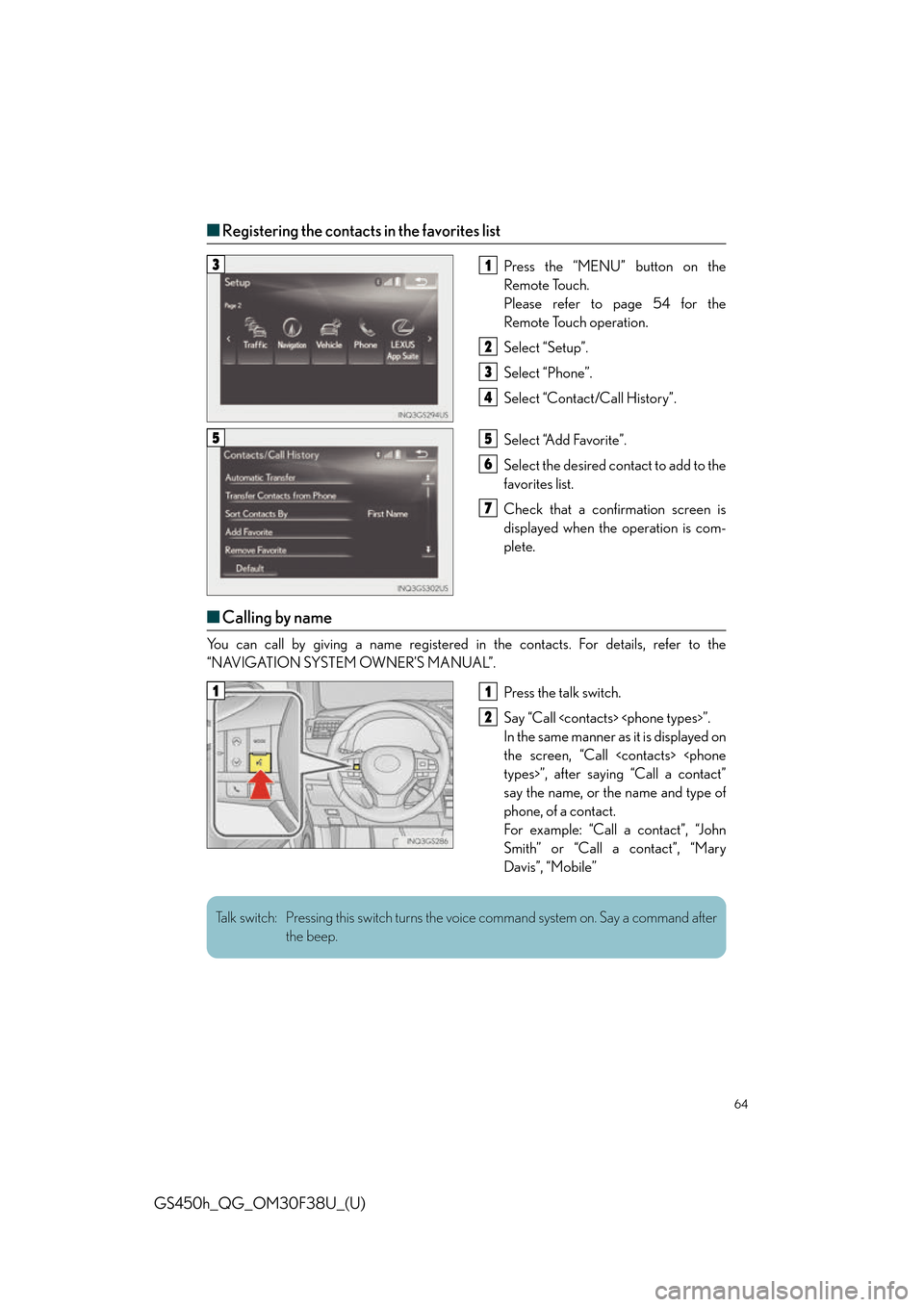
Select “Setup”.
Select “Phone”.
Select “Contact/Call History”.
Select “Add Favorite”.
Select the desired contact to add to the
favorites list.
Check that a confirmation screen is
displayed when the operation is com-
plete.
■Calling by name
You can call by giving a name registered in the contacts. For details, refer to the
“NAVIGATION SYSTEM OWNER’S MANUAL”.
Press the talk switch.
Say “Call
In the same manner as it is displayed on
the screen, “Call
say the name, or the name and type of
phone, of a contact.
For example: “Call a contact”, “John
Smith” or “Call a contact”, “Mary
Davis”, “Mobile”
31
2
3
4
55
6
7
11
2
Talk switch: Pressing this switch turns the voice command system on. Say a command after the beep.
Page 65 of 98
65
GS450h_QG_OM30F38U_(U)
■Calling by favorites list
Press the “MENU” button on the Remote Touch.
Please refer to page 54 for the Remote Touch operation.
Select “Phone”.
Select the “Favorites” tab and select the desired contact.
Select the desired number.
Check that the “Call” screen is displayed.
■Calling the message sender
Press the “MENU” button on the Remote Touch.
Please refer to page 54 for the Remote Touch operation.
Select “Phone”.
Select .
Select the desired message.
Select “Call”.
Check that the “Call” screen is displayed.
■Receiving a call
When a call is received, this screen is displayed with a sound.
12.3-inch display: Call screen can also be displayed on the side display.
Press the switch on the steering wheel to talk on the phone.
To refuse to receive the call, press the switch on the steering wheel.
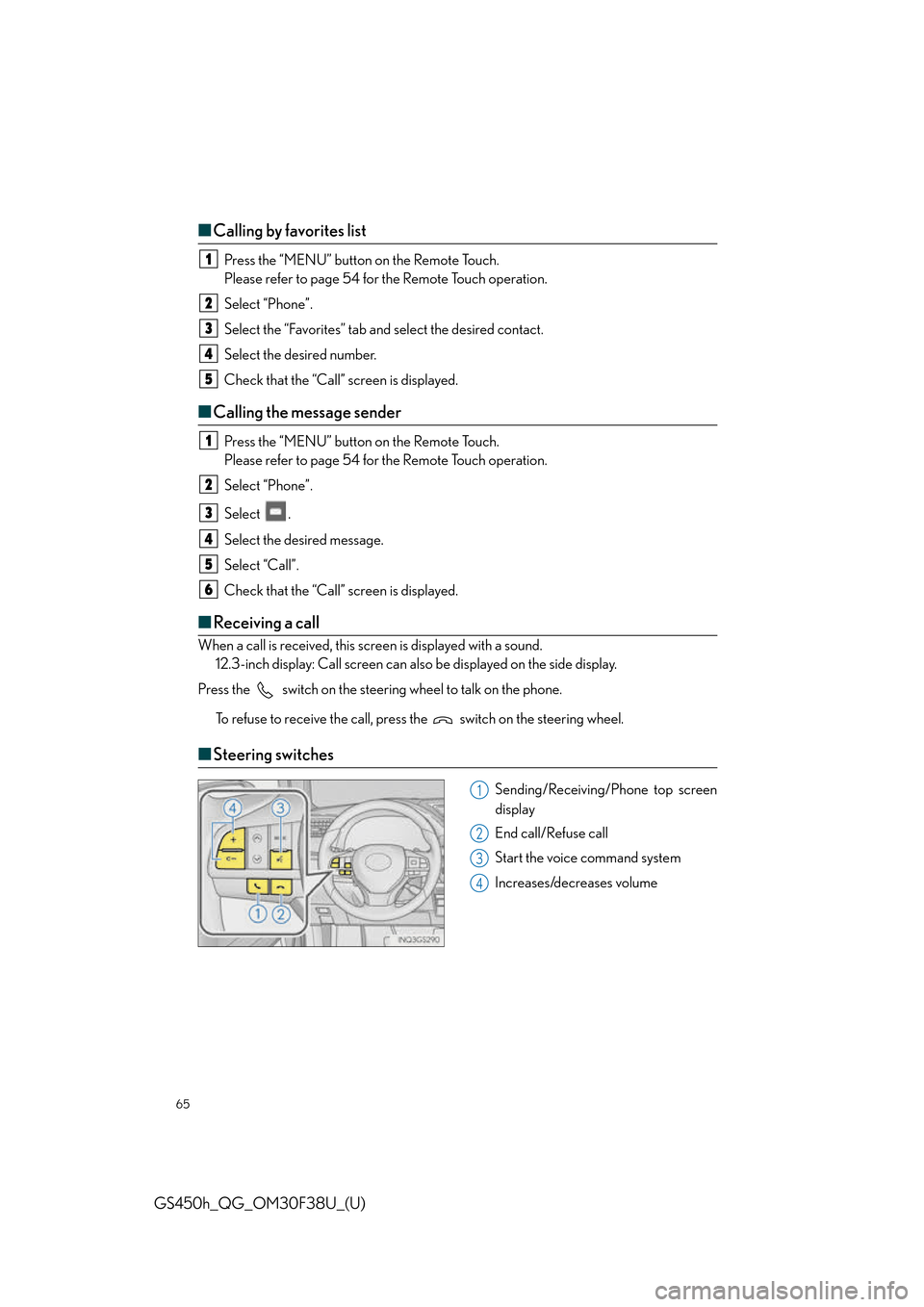
■Steering switches
Sending/Receiving/Phone top screen
display
End call/Refuse call
Start the voice command system
Increases/decreases volume
1
2
3
4
5
1
2
3
4
5
6
1
2
3
4
Page 78 of 98
78
GS450h_QG_OM30F38U_(U)
Voice Command System
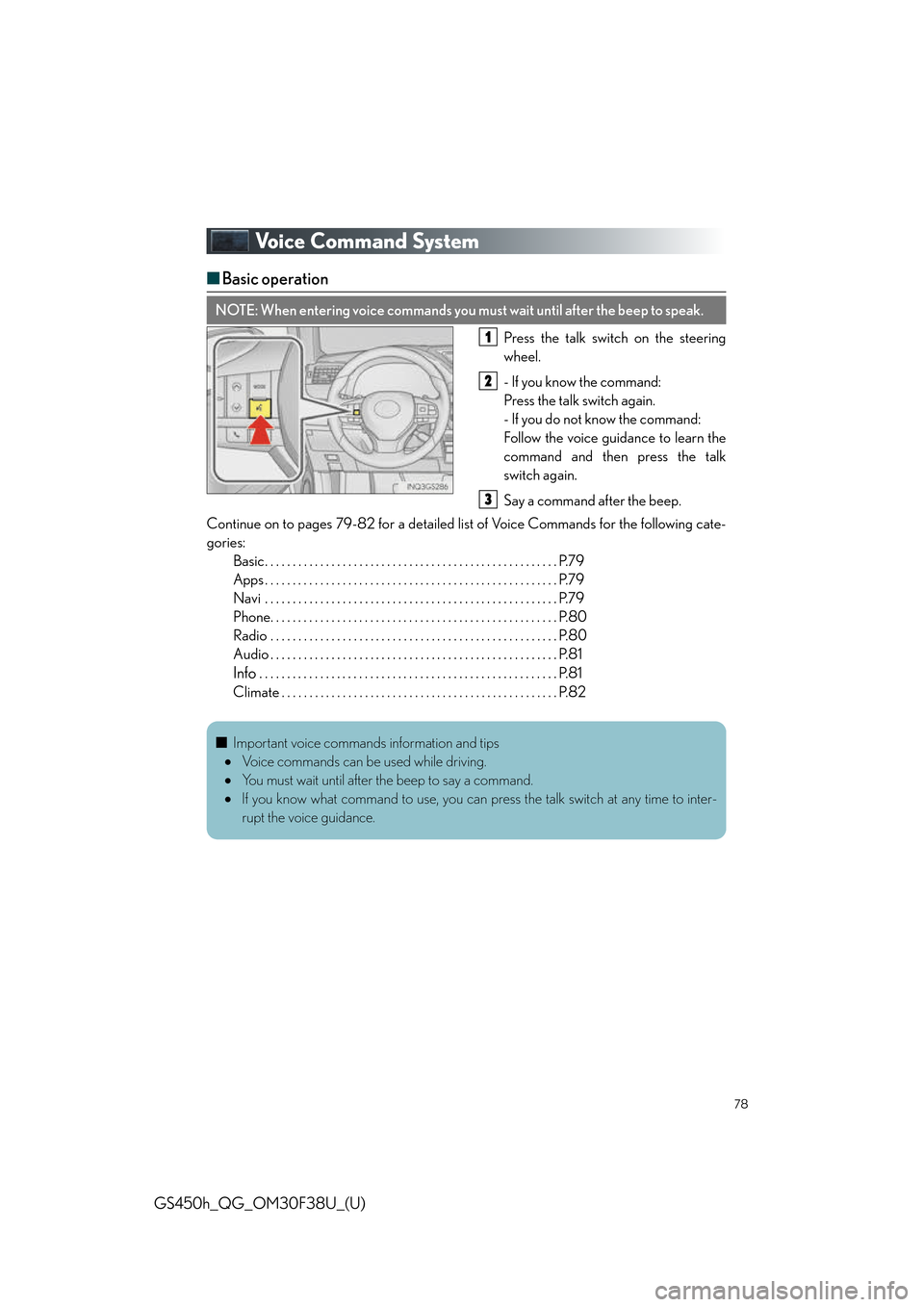
■Basic operation
Press the talk switch on the steering
wheel.
- If you know the command:
Press the talk switch again.
- If you do not know the command:
Follow the voice guidance to learn the
command and then press the talk
switch again.
Say a command after the beep.
Continue on to pages 79-82 for a detailed li st of Voice Commands for the following cate-
gories: Basic. . . . . . . . . . . . . . . . . . . . . . . . . . . . . . . . . . . . . . . . . . . . . . . . . . . . . P.79
Apps . . . . . . . . . . . . . . . . . . . . . . . . . . . . . . . . . . . . . . . . . . . . . . . . . . . . . P.79
Navi . . . . . . . . . . . . . . . . . . . . . . . . . . . . . . . . . . . . . . . . . . . . . . . . . . . . . P.79
Phone. . . . . . . . . . . . . . . . . . . . . . . . . . . . . . . . . . . . . . . . . . . . . . . . . . . . P.80
Radio . . . . . . . . . . . . . . . . . . . . . . . . . . . . . . . . . . . . . . . . . . . . . . . . . . . . P.80
Audio . . . . . . . . . . . . . . . . . . . . . . . . . . . . . . . . . . . . . . . . . . . . . . . . . . . . P.81
Info . . . . . . . . . . . . . . . . . . . . . . . . . . . . . . . . . . . . . . . . . . . . . . . . . . . . . . P.81
Climate . . . . . . . . . . . . . . . . . . . . . . . . . . . . . . . . . . . . . . . . . . . . . . . . . . P.82
NOTE: When entering voice commands you must wait until after the beep to speak.
1
2
3
■ Important voice commands information and tips
Voice commands can be used while driving.
You must wait until after the beep to say a command.
If you know what command to use, you can press the talk switch at any time to inter-
rupt the voice guidance.