ECO mode Lexus GS450h 2017 User Guide
[x] Cancel search | Manufacturer: LEXUS, Model Year: 2017, Model line: GS450h, Model: Lexus GS450h 2017Pages: 600, PDF Size: 149.98 MB
Page 114 of 600
1142. Instrument cluster
GS450h_300h_OM_OM30F92E_(EE)
■Energy monitor
P. 126
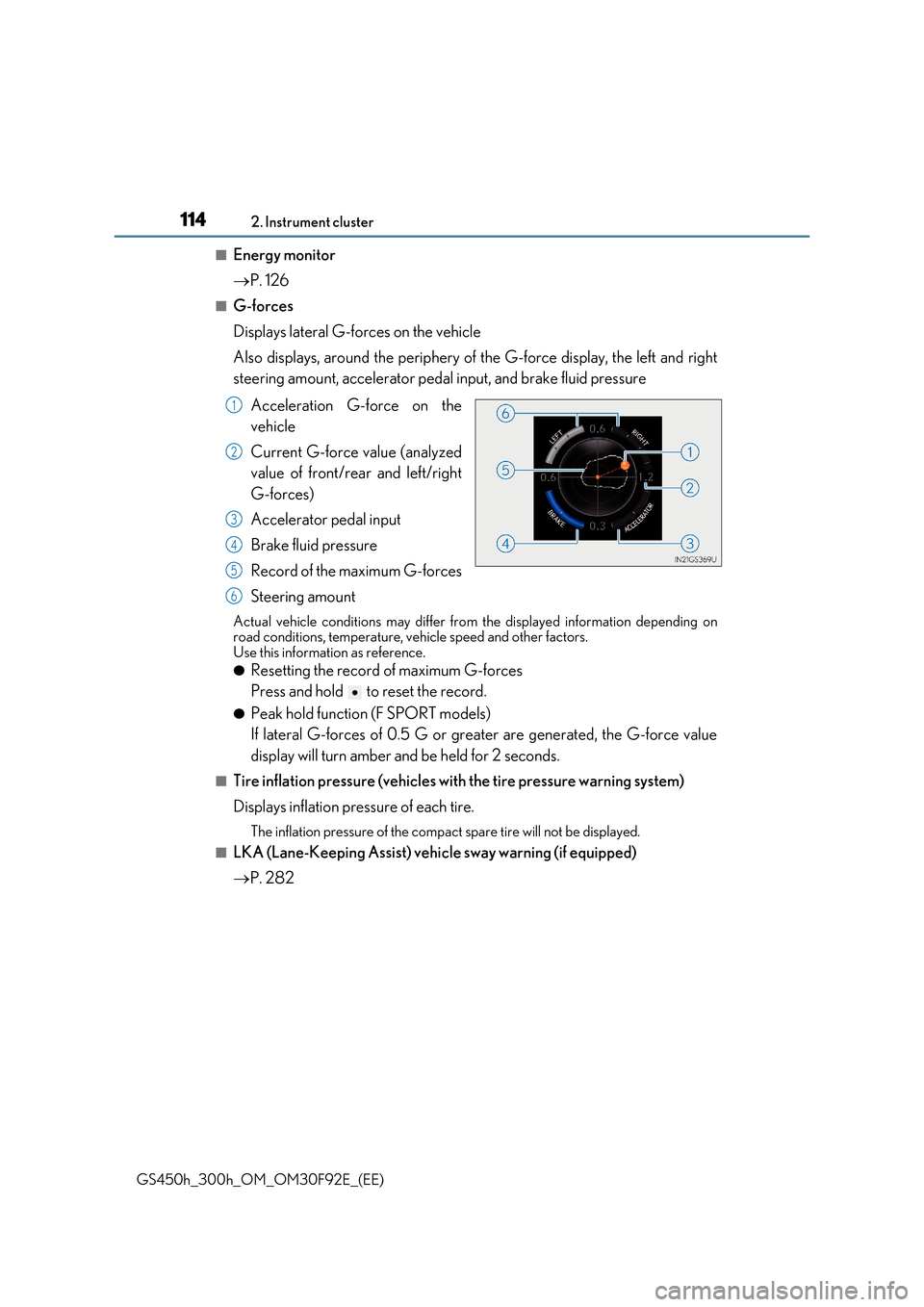
■G-forces
Displays lateral G-forces on the vehicle
Also displays, around the periphery of the G-force display, the left and right
steering amount, accelerator pedal input, and brake fluid pressure
Acceleration G-force on the
vehicle
Current G-force value (analyzed
value of front/rear and left/right
G-forces)
Accelerator pedal input
Brake fluid pressure
Record of the maximum G-forces
Steering amount
Actual vehicle conditions may differ from the displayed information depending on road conditions, temperature, vehicle speed and other factors.Use this information as reference.
●Resetting the record of maximum G-forces
Press and hold to reset the record.
●Peak hold function (F SPORT models)
If lateral G-forces of 0.5 G or grea ter are generated, the G-force value
display will turn amber and be held for 2 seconds.
■Tire inflation pressure (vehicles with the tire pressure warning system)
Displays inflation pressure of each tire.
The inflation pressure of the compac t spare tire will not be displayed.
■LKA (Lane-Keeping Assist) vehicle sway warning (if equipped)
P. 282
1
2
3
4
5
6
Page 115 of 600
1152. Instrument cluster
2
Instrument cluster
GS450h_300h_OM_OM30F92E_(EE)
■Display off
A blank screen is displayed
*1: Displayed when the item is set in “Drive Info 1”, “Drive Info 2” or “Drive Info 3”.
( P. 562)
*2: The function can be reset by pressing the of the meter control switches for longer
than 1 second when the item to reset is displayed.
If there is more than one item that can be reset, the item selection screen will appear.
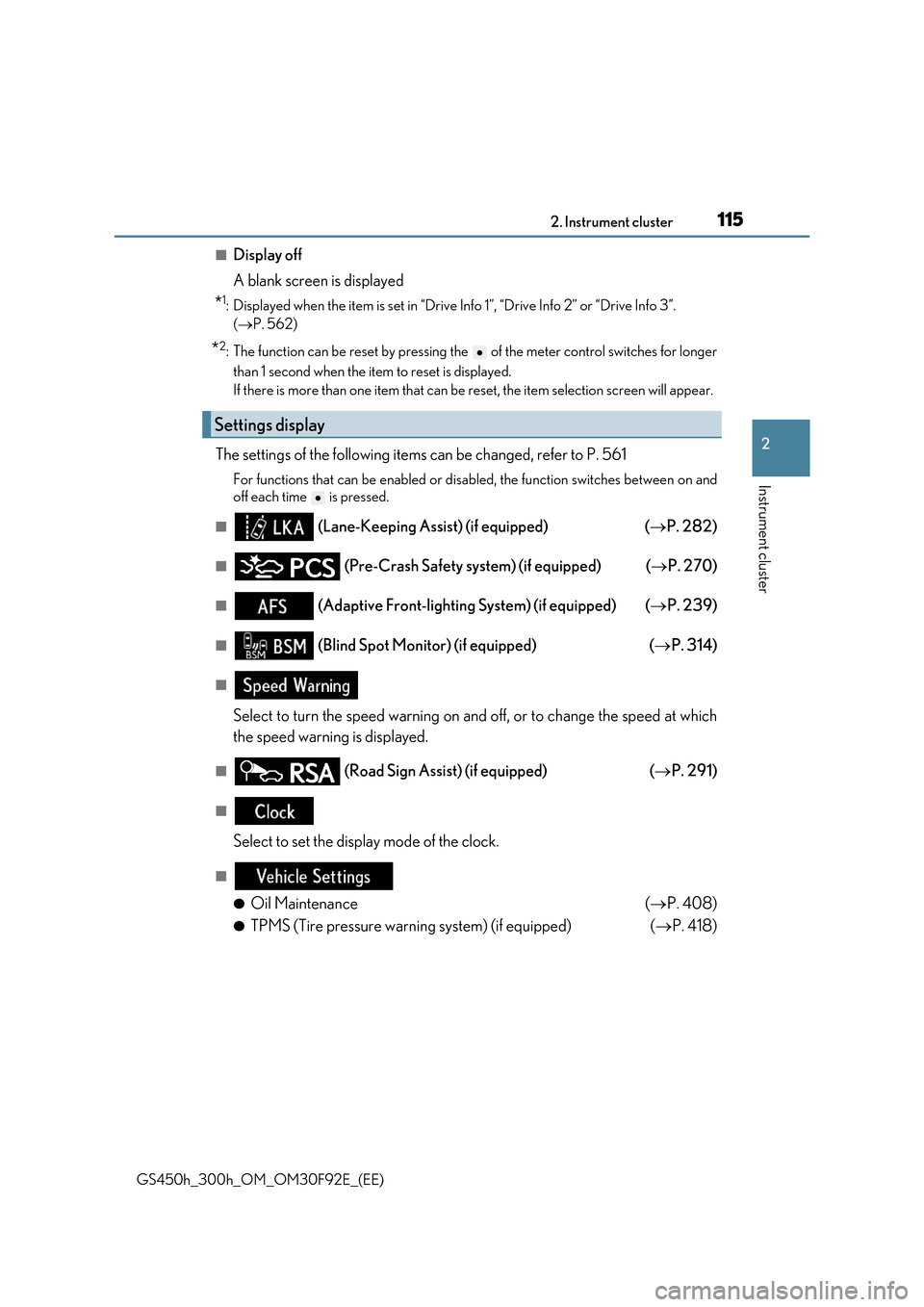
The settings of the following items can be changed, refer to P. 561
For functions that can be enabled or disabled, the function switches between on and
off each time is pressed.
■ (Lane-Keeping Assist) (if equipped) ( P. 282)
■ (Pre-Crash Safety system) (if equipped) (P. 270)
■ (Adaptive Front-lighting System) (if equipped) (P. 239)
■ (Blind Spot Monitor) (if equipped) (P. 314)
■
Select to turn the speed warning on and off, or to change the speed at which
the speed warning is displayed.
■ (Road Sign Assi st) (if equipped) (P. 291)
■
Select to set the display mode of the clock.
■
●Oil Maintenance ( P. 408)
●TPMS (Tire pressure warning system) (if equipped) (P. 418)
Settings display
Page 117 of 600
1172. Instrument cluster
2
Instrument cluster
GS450h_300h_OM_OM30F92E_(EE)
■G-force display
●The G-force values may not be zero even when the vehicle is parked, such as when it is parked on an incline.
●Depending on the vehicle usage conditions, the brake fluid pressure display may not
reach its maximum reading even though the brake pedal is fully depressed.
●If a 12-volt battery terminal is disconnected and reconnected, the steering amount dis- play may be disabled temporarily. After driv ing the vehicle for a while, the display will
be enabled.
●Depending on the condition of the vehicle, the brake fluid pressure display may change even when the brake pedal is not depressed.
■System check display
After turning the power switch to ON mode , opening image is displayed while system operation is checked. When the system check is complete, the normal screen will return.
■Suspension of the settings display
In the following situations, the settings disp lay using the meter control switches will be suspended.
●When a warning message appears on the multi-information display
●When the vehicle begins to move
■Tire inflation pressure (if equipped)
●It may take a few minutes to display the tire inflation pressure after the power switch is turned to ON mode. It may also take a few minutes to display the tire inflation pressureafter inflation pressure has been adjusted.
●“---” may be displayed if the tire information cannot be determined due to unfavorableradio wave conditions.
●Tire inflation pressure changes with temperature. The displayed values may also be dif-
ferent from the values measured using a tire pressure gauge.
■When disconnecting and reconnecting 12-volt battery terminals
The drive information will be reset.
■Liquid crystal display
P. 109
Page 124 of 600
1242. Instrument cluster
GS450h_300h_OM_OM30F92E_(EE)
Display of the following screens can be switched on or off.
●Audio display
●Route guidance display (vehicles with navigation system)
■Changing the settings
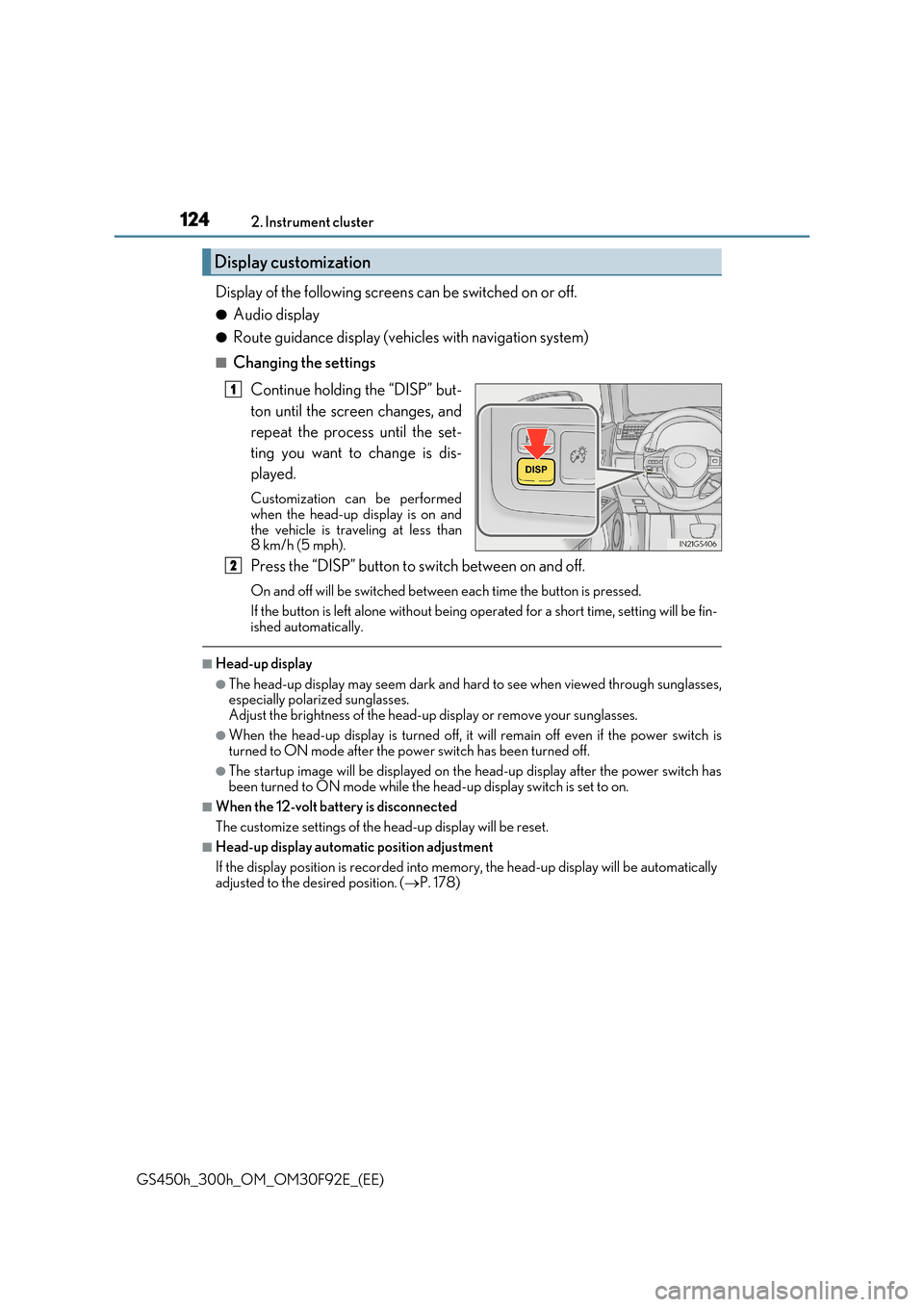
Continue holding the “DISP” but-
ton until the screen changes, and
repeat the process until the set-
ting you want to change is dis-
played.
Customization can be performed
when the head-up display is on and the vehicle is traveling at less than8 km/h (5 mph).
Press the “DISP” button to switch between on and off.
On and off will be switched between each time the button is pressed.
If the button is left alone without being operated for a short time, setting will be fin-
ished automatically.
■Head-up display
●The head-up display may seem dark and hard to see when viewed through sunglasses, especially polarized sunglasses.Adjust the brightness of the head-up display or remove your sunglasses.
●When the head-up display is turned off, it will remain off even if the power switch is turned to ON mode after the power switch has been turned off.
●The startup image will be displayed on the head-up display after the power switch has
been turned to ON mode while the head-up display switch is set to on.
■When the 12-volt battery is disconnected
The customize settings of the head-up display will be reset.
■Head-up display automatic position adjustment
If the display position is recorded into me mory, the head-up display will be automatically adjusted to the desired position. ( P. 178)
Display customization
1
2
Page 129 of 600
1292. Instrument cluster
2
Instrument cluster
GS450h_300h_OM_OM30F92E_(EE)
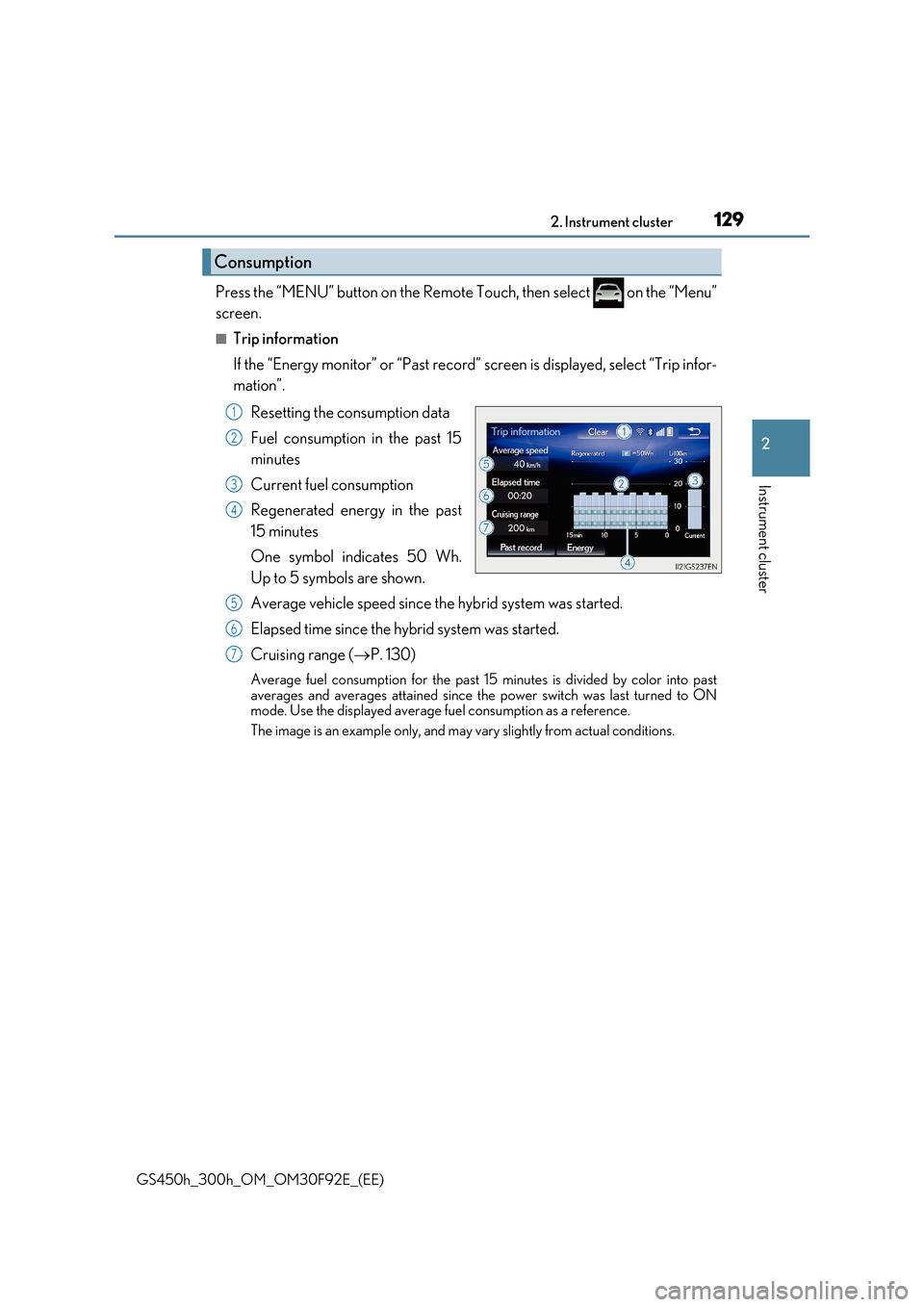
Press the “MENU” button on the Remote Touch, then select on the “Menu”
screen.
■Trip information
If the “Energy monitor” or “Past record” screen is displayed, select “Trip infor-
mation”.
Resetting the consumption data
Fuel consumption in the past 15
minutes
Current fuel consumption
Regenerated energy in the past
15 minutes
One symbol indicates 50 Wh.
Up to 5 symbols are shown.
Average vehicle speed since the hybrid system was started.
Elapsed time since the hybrid system was started.
Cruising range ( P. 130)
Average fuel consumption for the past 15 minutes is divided by color into past
averages and averages attained since the power switch was last turned to ON mode. Use the displayed average fuel consumption as a reference.
The image is an example only, and may vary slightly from actual conditions.
Consumption
1
2
3
4
5
6
7
Page 154 of 600
1543-2. Opening, closing and locking the doors and trunk
GS450h_300h_OM_OM30F92E_(EE)
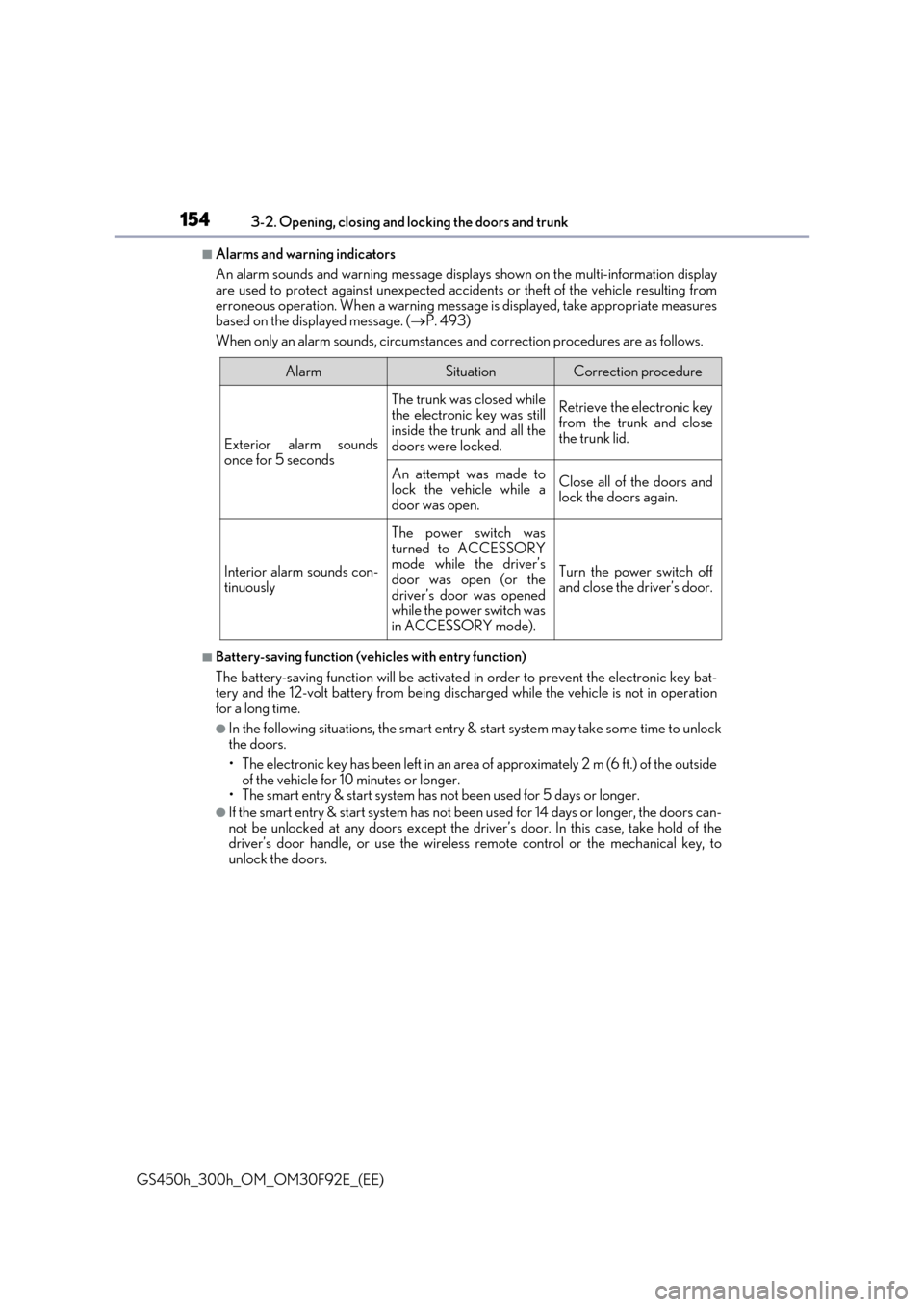
■Alarms and warning indicators
An alarm sounds and warning message displa ys shown on the multi-information display are used to protect against unexpected accidents or theft of the vehicle resulting from
erroneous operation. When a warning message is displayed, take appropriate measures based on the displayed message. ( P. 493)
When only an alarm sounds, circumstances and correction procedures are as follows.
■Battery-saving function (vehicles with entry function)
The battery-saving function will be activated in order to prevent the electronic key bat- tery and the 12-volt battery from being discharged while the vehicle is not in operationfor a long time.
●In the following situations, the smart entry & start system may take some time to unlock the doors.
• The electronic key has been left in an area of approximately 2 m (6 ft.) of the outside
of the vehicle for 10 minutes or longer. • The smart entry & start system has not been used for 5 days or longer.
●If the smart entry & start system has not been used for 14 days or longer, the doors can-not be unlocked at any doors except the driver’s door. In this case, take hold of thedriver’s door handle, or use the wireless remote control or the mechanical key, to
unlock the doors.
AlarmSituationCorrection procedure
Exterior alarm sounds once for 5 seconds
The trunk was closed whilethe electronic key was still
inside the trunk and all the doors were locked.
Retrieve the electronic keyfrom the trunk and closethe trunk lid.
An attempt was made tolock the vehicle while a
door was open.
Close all of the doors and lock the doors again.
Interior alarm sounds con-tinuously
The power switch wasturned to ACCESSORYmode while the driver’s
door was open (or the driver’s door was openedwhile the power switch was
in ACCESSORY mode).
Turn the power switch off and close the driver’s door.
Page 156 of 600
1563-2. Opening, closing and locking the doors and trunk
GS450h_300h_OM_OM30F92E_(EE)
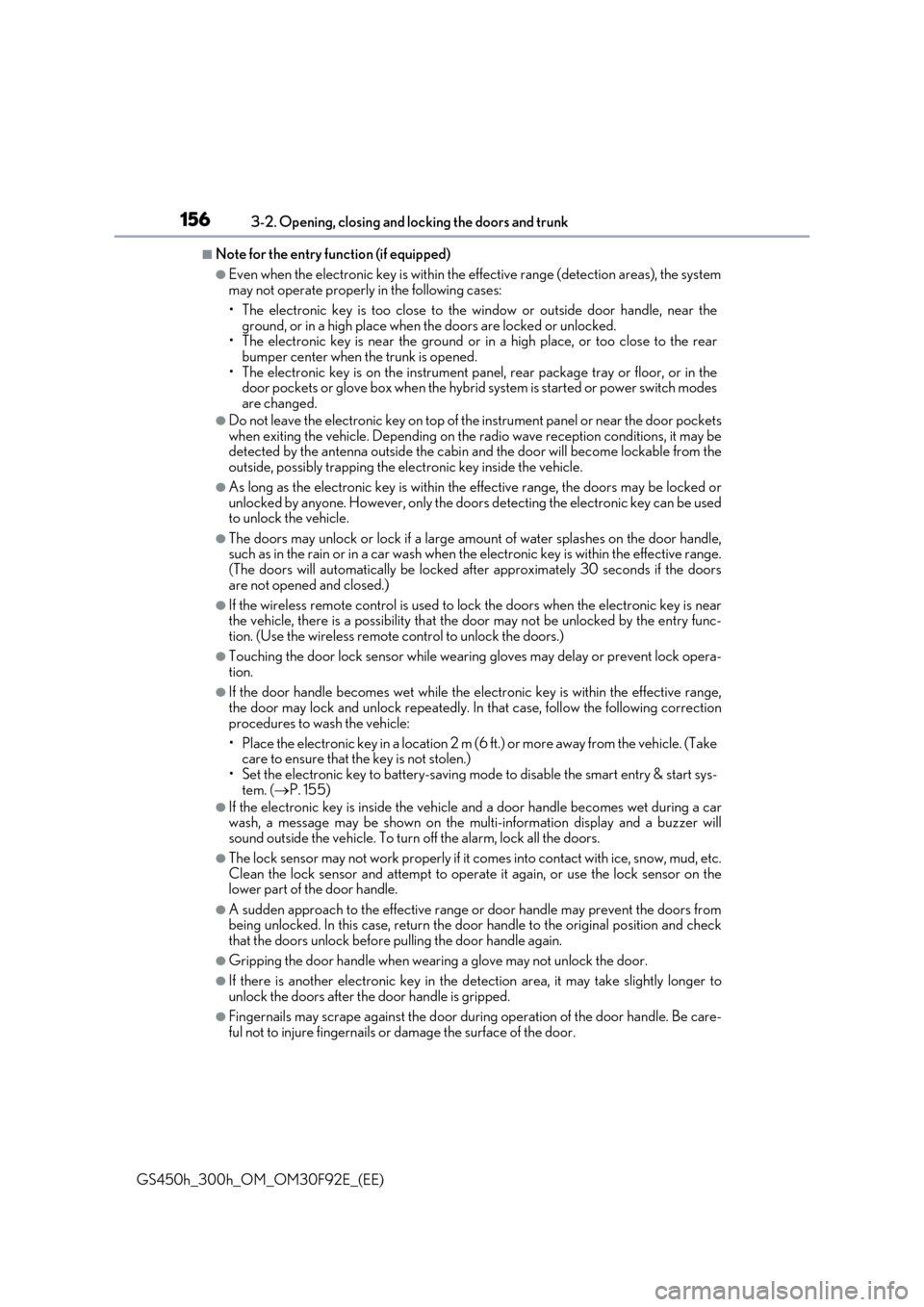
■Note for the entry function (if equipped)
●Even when the electronic key is within the effective range (detection areas), the system may not operate properly in the following cases:
• The electronic key is too close to the window or outside door handle, near the ground, or in a high place when the doors are locked or unlocked.• The electronic key is near the ground or in a high place, or too close to the rear
bumper center when the trunk is opened. • The electronic key is on the instrument pa nel, rear package tray or floor, or in the door pockets or glove box when the hybrid system is started or power switch modes
are changed.
●Do not leave the electronic key on top of th e instrument panel or near the door pockets
when exiting the vehicle. Depending on the radio wave reception conditions, it may be detected by the antenna outside the cabin and the door will become lockable from theoutside, possibly trapping the electronic key inside the vehicle.
●As long as the electronic key is within the effective range, the doors may be locked orunlocked by anyone. However, only the doors detecting the electronic key can be usedto unlock the vehicle.
●The doors may unlock or lock if a large amou nt of water splashes on the door handle, such as in the rain or in a car wash when the electronic key is within the effective range.(The doors will automatically be locked after approximately 30 seconds if the doors
are not opened and closed.)
●If the wireless remote control is used to lock the doors when the electronic key is near the vehicle, there is a possibility that the d oor may not be unlocked by the entry func-
tion. (Use the wireless remote control to unlock the doors.)
●Touching the door lock sensor while wearin g gloves may delay or prevent lock opera- tion.
●If the door handle becomes wet while the electronic key is within the effective range,the door may lock and unlock repeatedly. In that case, follow the following correction
procedures to wash the vehicle:
• Place the electronic key in a location 2 m (6 ft.) or more away from the vehicle. (Take care to ensure that the key is not stolen.)
• Set the electronic key to battery-saving mode to disable the smart entry & start sys- tem. ( P. 155)
●If the electronic key is inside the vehicle and a door handle becomes wet during a car wash, a message may be shown on the mult i-information display and a buzzer will sound outside the vehicle. To turn off the alarm, lock all the doors.
●The lock sensor may not work properly if it comes into contact with ice, snow, mud, etc. Clean the lock sensor and attempt to operate it again, or use the lock sensor on thelower part of the door handle.
●A sudden approach to the effective range or door handle may prevent the doors frombeing unlocked. In this case, return the door handle to the original position and check that the doors unlock before pulling the door handle again.
●Gripping the door handle when wearing a glove may not unlock the door.
●If there is another electronic key in the de tection area, it may take slightly longer to unlock the doors after the door handle is gripped.
●Fingernails may scrape against the door duri ng operation of the door handle. Be care- ful not to injure fingernails or damage the surface of the door.
Page 176 of 600
1763-3. Adjusting the seats
GS450h_300h_OM_OM30F92E_(EE)
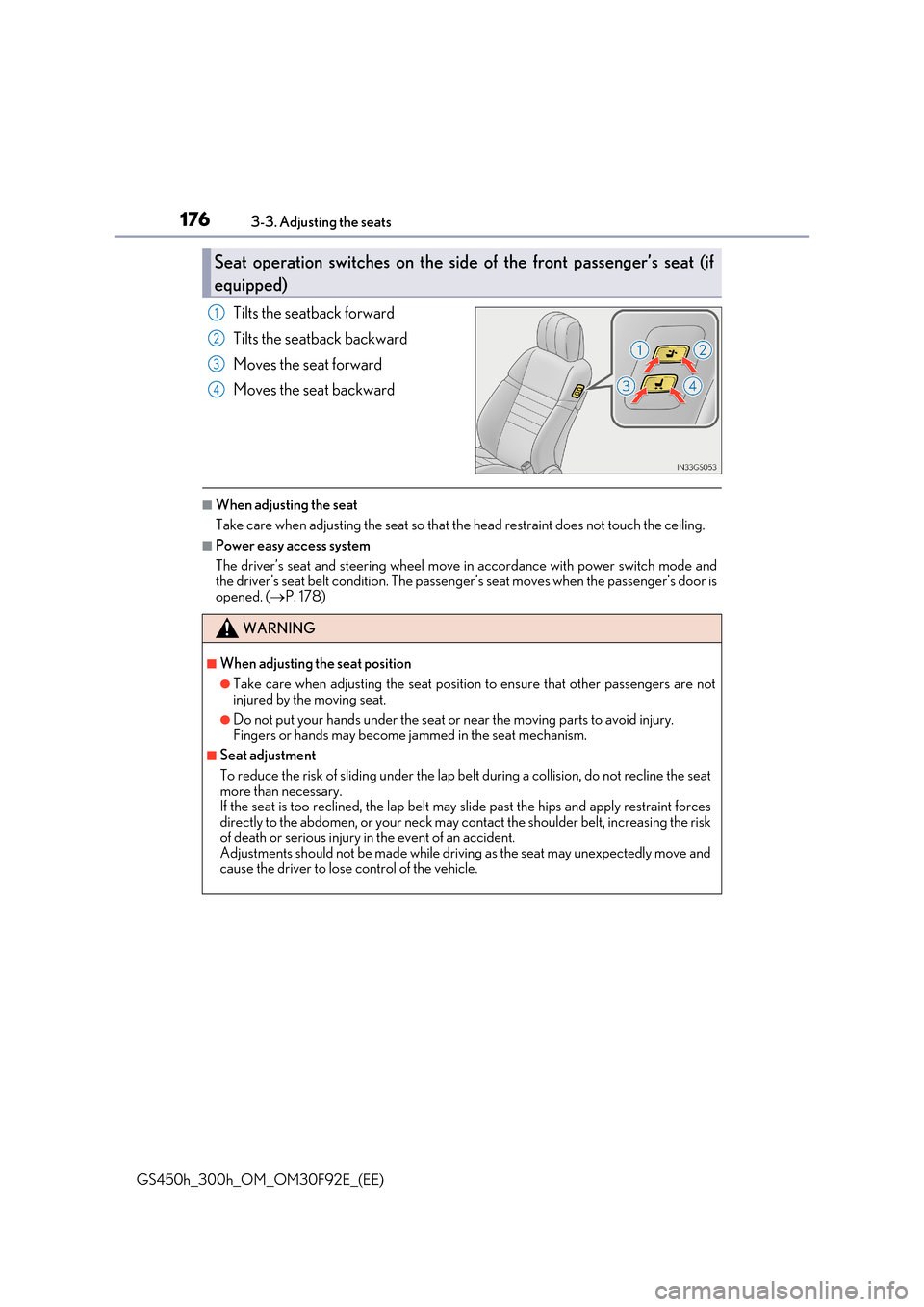
Tilts the seatback forward
Tilts the seatback backward
Moves the seat forward
Moves the seat backward
■When adjusting the seat
Take care when adjusting the seat so that the head restraint does not touch the ceiling.
■Power easy access system
The driver’s seat and steering wheel move in accordance with power switch mode and the driver’s seat belt condition. The passeng er’s seat moves when the passenger’s door is
opened. ( P. 178)
Seat operation switches on the side of the front passenger’s seat (if
equipped)
1
2
3
4
WARNING
■When adjusting the seat position
●Take care when adjusting the seat position to ensure that other passengers are not injured by the moving seat.
●Do not put your hands under the seat or near the moving parts to avoid injury.Fingers or hands may become jammed in the seat mechanism.
■Seat adjustment
To reduce the risk of sliding under the lap be lt during a collision, do not recline the seat more than necessary.If the seat is too reclined, th e lap belt may slide past the hips and apply restraint forces
directly to the abdomen, or your neck may contact the shoulder belt, increasing the risk of death or serious injury in the event of an accident.Adjustments should not be made while driving as the seat may unexpectedly move and
cause the driver to lose control of the vehicle.
Page 179 of 600
1793-3. Adjusting the seats
3
Operation of each component
GS450h_300h_OM_OM30F92E_(EE)
■Operation of the power easy access system
When exiting the vehicle, the power easy access system may not operate if the seat is already close to the rearmost position, etc.
■Customization
The seat movement amount settings of the power easy access system can be custom- ized. (Customizable features: P. 561)
Your preferred driving position (the position of the driver’s seat, steering wheel,
outside rear view mirrors and HUD [head-up display] [if equipped]) can be
recorded and recalled by pressing a button.
Three different driving positions can be recorded into memory.
■Recording procedure
Check that the shift lever is in P.
Turn the power switch to ON mode.
Adjust the driver’s seat, steering wheel, outside rear view mirrors and HUD
(head-up display) (if equipped) to the desired positions.
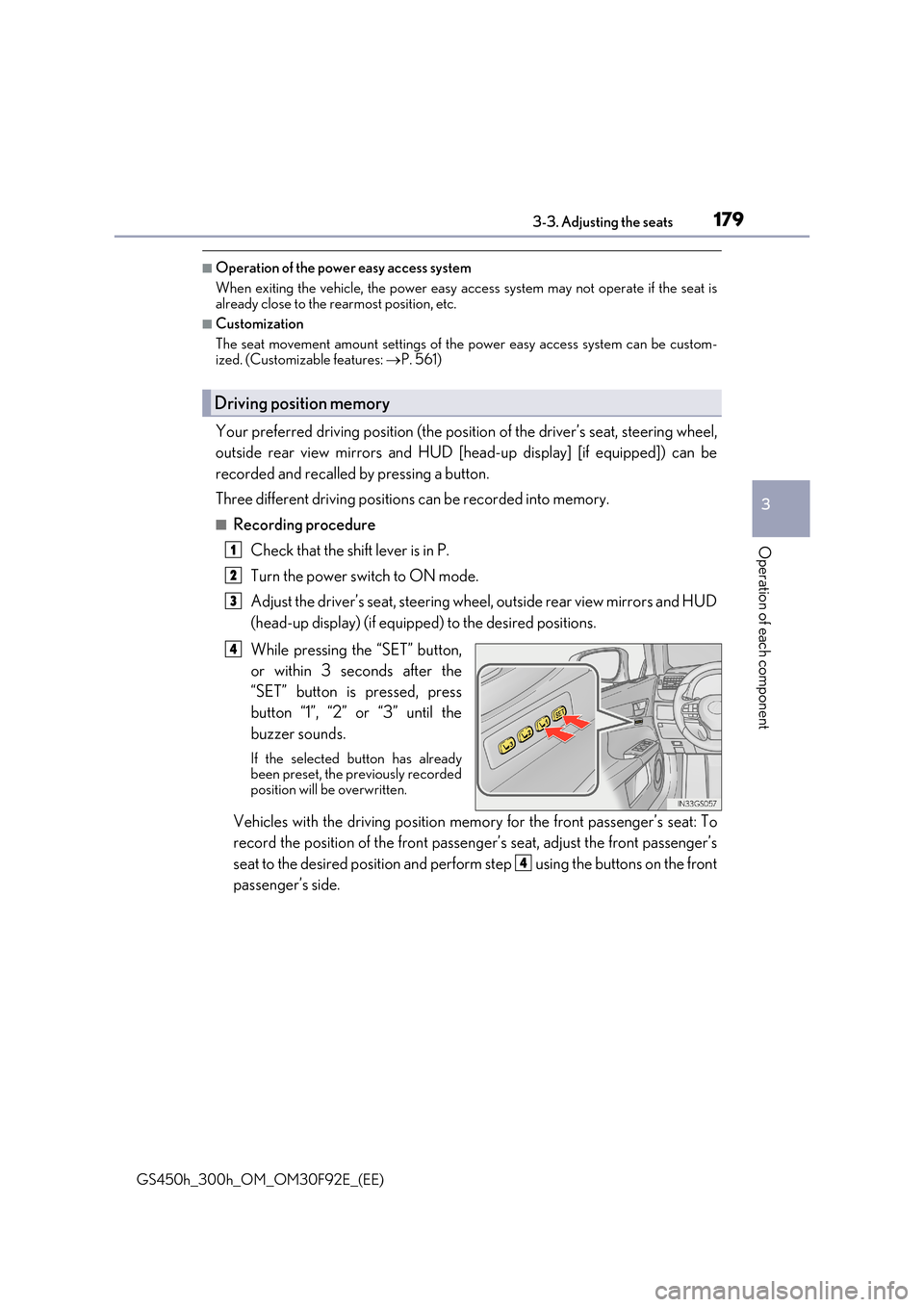
While pressing the “SET” button,
or within 3 seconds after the
“SET” button is pressed, press
button “1”, “2” or “3” until the
buzzer sounds.
If the selected button has already been preset, the previously recordedposition will be overwritten.
Vehicles with the driving position memory for the front passenger’s seat: To
record the position of the front passeng er’s seat, adjust the front passenger’s
seat to the desired position and perfor m step using the buttons on the front
passenger’s side.
Driving position memory
1
2
3
4
4
Page 180 of 600
1803-3. Adjusting the seats
GS450h_300h_OM_OM30F92E_(EE)
■Recall procedure
Check that the shift lever is in P.
Turn the power switch to ON mode.
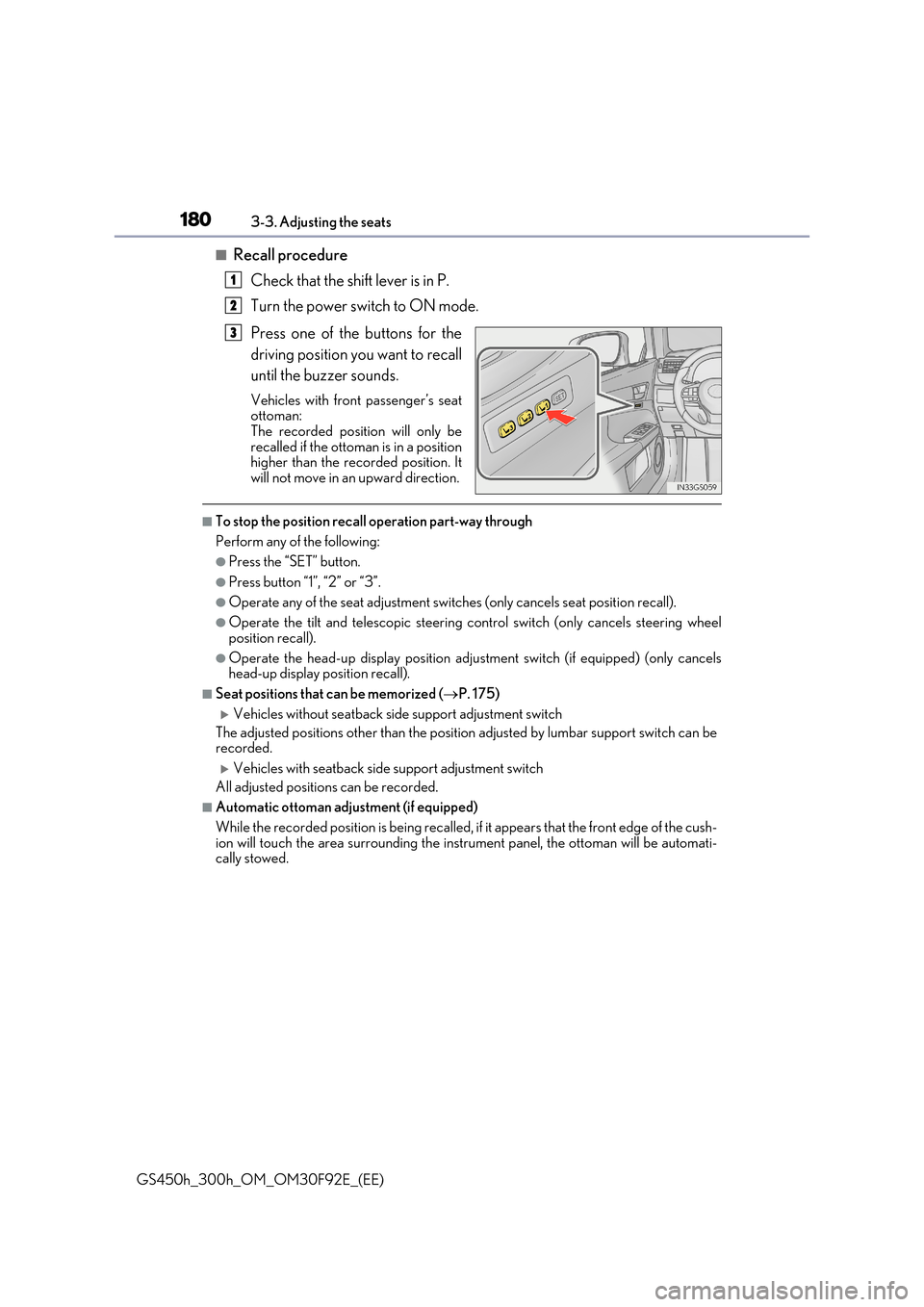
Press one of the buttons for the
driving position you want to recall
until the buzzer sounds.
Vehicles with front passenger’s seat ottoman:
The recorded position will only be recalled if the ottoman is in a positionhigher than the recorded position. It
will not move in an upward direction.
■To stop the position recall operation part-way through
Perform any of the following:
●Press the “SET” button.
●Press button “1”, “2” or “3”.
●Operate any of the seat adjustment switches (only cancels seat position recall).
●Operate the tilt and telescopic steering control switch (only cancels steering wheel
position recall).
●Operate the head-up display position adju stment switch (if equipped) (only cancels head-up display position recall).
■Seat positions that can be memorized ( P. 175)
Vehicles without seatback side support adjustment switch
The adjusted positions other than the position adjusted by lumbar support switch can be recorded.
Vehicles with seatback side support adjustment switch
All adjusted positions can be recorded.
■Automatic ottoman adjustment (if equipped)
While the recorded position is being recalled, if it appears that the front edge of the cush-
ion will touch the area surrounding the instrument panel, the ottoman will be automati- cally stowed.
1
2
3