lock Lexus GS450h 2018 / LEXUS 2018 GS450H (OM30G62U) Owner's Guide
[x] Cancel search | Manufacturer: LEXUS, Model Year: 2018, Model line: GS450h, Model: Lexus GS450h 2018Pages: 548, PDF Size: 9.93 MB
Page 73 of 548
731-2. Hybrid system
GS450h_OM_OM30G62U_(U)
1
For safety and security
WARNING
■Hybrid battery (traction battery)
●Never resell, hand over or modify the hybrid battery. To prevent accidents, hybrid
batteries that have been removed from a disposed vehicle are collected through
Lexus dealer. Do not dispose of the battery yourself.
Unless the battery is properly collected, the following may occur, resulting in death
or serious injury:
• The hybrid battery may be illegally dispos ed of or dumped, and it is hazardous to
the environment or someone may touch a high voltage part, resulting in an electric
shock.
• The hybrid battery is intended to be used exclusively with your hybrid vehicle. If the hybrid battery is used outside of your vehicle or modified in any way, accidents
such as electric shock, heat generation , smoke generation, an explosion and elec-
trolyte leakage may occur.
When reselling or handing over your vehicle, the possibility of an accident is
extremely high because the person receiving the vehicle may not be aware of these
dangers.
●If your vehicle is disposed of without the hybrid battery having been removed, there is
a danger of serious electric shock if high voltage parts, cables and their connectors
are touched. In the event that your vehicle must be disposed of, the hybrid battery
must be disposed of by your Lexus dealer or a qualified service shop. If the hybrid bat-
tery is not disposed of properly, it may cause electric shock that can result in death or
serious injury.
NOTICE
■Hybrid battery (traction ba ttery) air intake vents
●Do not place objects that will block the air in take vents. When the air intake vents are
blocked, battery operations will be rest ricted, leading to poor fuel economy.
●Clean the air intake vents regularly to prevent the hybrid battery (traction battery)
from overheating.
●Do not get water or foreign materials in the air intake vents as this may cause a short
circuit and damage the hybrid battery (traction battery).
●Do not carry large amounts of water such as water cooler bottles in the vehicle. If
water spills onto the hybrid battery (tract ion battery), the battery may be damaged.
Have the vehicle inspected by your Lexus dealer.
Page 77 of 548
771-3. Theft deterrent system
GS450h_OM_OM30G62U_(U)
1
For safety and security
Alarm
The alarm uses light and sound to give an alert when an intrusion is detected.
The alarm is triggered in the following situations when the alarm is set:
●A locked door is unlocked or opened in any way other than using the entry
function, wireless remote control or mech anical key. (The doors will lock again
automatically.)
●A locked trunk is unlocked or opened in any way other than using the entry
function or wireless remote control.
●The hood is opened.
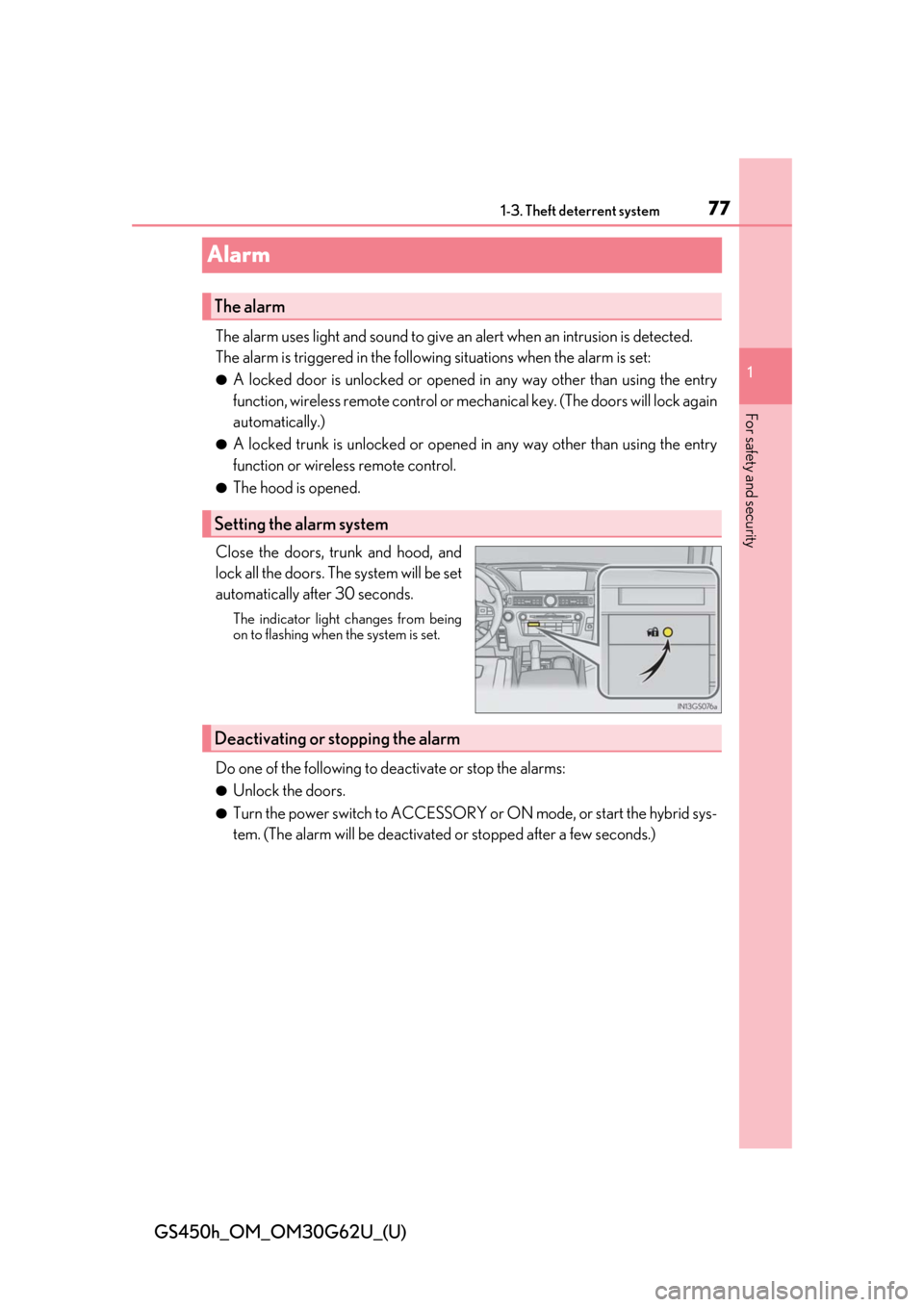
Close the doors, trunk and hood, and
lock all the doors. The system will be set
automatically after 30 seconds.
The indicator light changes from being
on to flashing when the system is set.
Do one of the following to de activate or stop the alarms:
●Unlock the doors.
●Turn the power switch to ACCESSORY or ON mode, or start the hybrid sys-
tem. (The alarm will be deactivated or stopped after a few seconds.)
The alarm
Setting the alarm system
Deactivating or stopping the alarm
Page 78 of 548
781-3. Theft deterrent system
GS450h_OM_OM30G62U_(U)
■System maintenance
The vehicle has a maintenance-free type alarm system.
■Items to check before locking the vehicle
To prevent unexpected triggering of the alarm and vehicle theft, make sure of the follow-
ing:
●Nobody is in the vehicle.
●The windows and moon roof are closed before the alarm is set.
●No valuables or other personal items are left in the vehicle.
■Triggering of the alarm
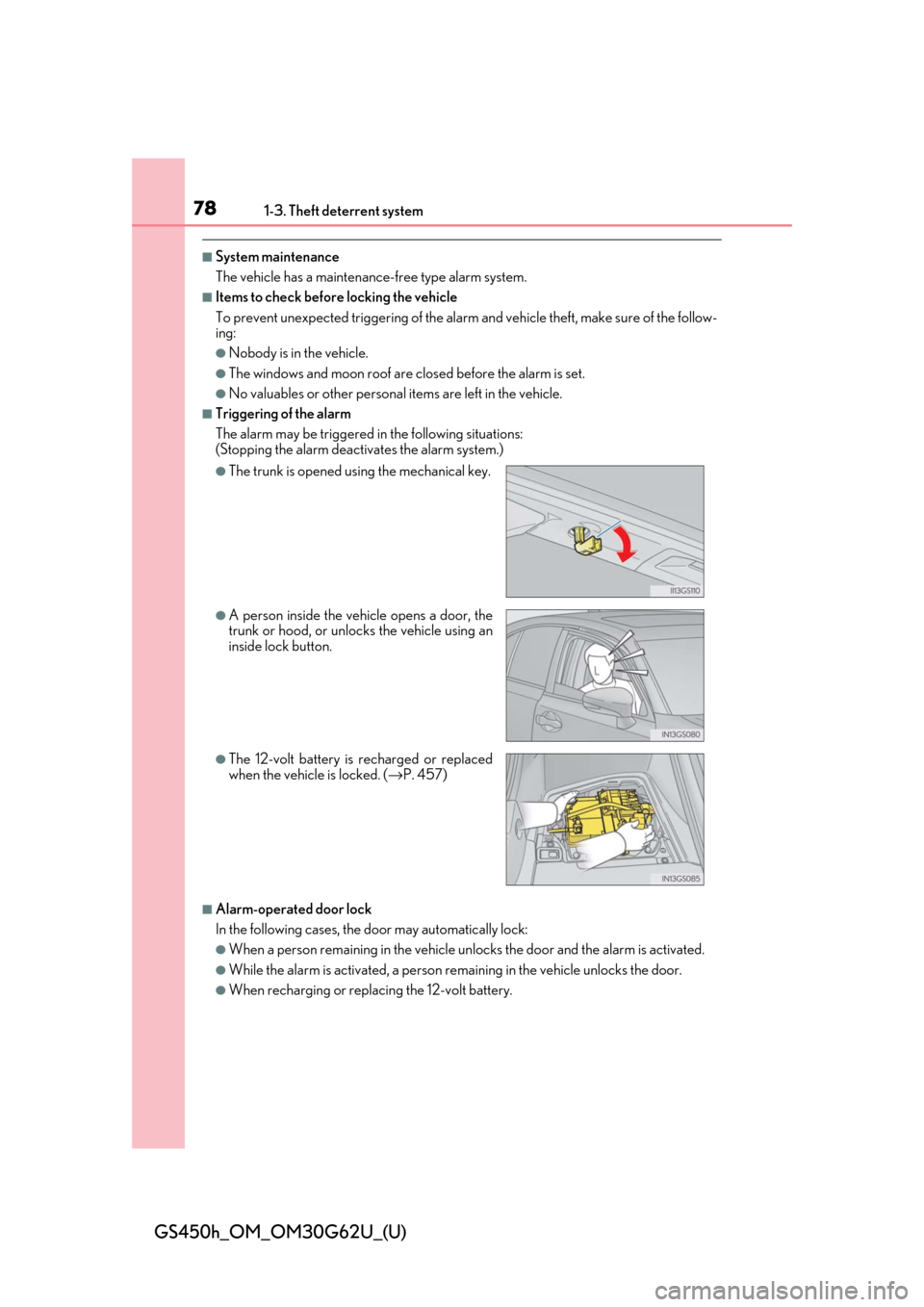
The alarm may be triggered in the following situations:
(Stopping the alarm deactivates the alarm system.)
■Alarm-operated door lock
In the following cases, the door may automatically lock:
●When a person remaining in the vehicle un locks the door and the alarm is activated.
●While the alarm is activated, a person remaining in the vehicle unlocks the door.
●When recharging or replacing the 12-volt battery.
●The trunk is opened using the mechanical key.
●A person inside the vehicle opens a door, the
trunk or hood, or unlocks the vehicle using an
inside lock button.
●The 12-volt battery is recharged or replaced
when the vehicle is locked. ( →P. 457)
Page 89 of 548

GS450h_OM_OM30G62U_(U)
892. Instrument cluster
2
Instrument cluster
Engine coolant temperature gauge
Displays the engine coolant temperature
Tachometer/Hybrid System Indicator
Tachometer:
Displays the engine speed in revolutions per minute.
Hybrid System Indicator:
Displays hybrid system outp ut or regeneration level (→P. 92)
Outside temperature
Displays the outside temperature within the range of -40 °F (-40 °C) to 122 °F
(50 °C). Low outside temperature indicator comes on when the ambient temperature
is 37 °F (3 °C) or lower.
Clock
Time displayed is linked to the anal og clock on the instrument panel. (→P. 315)
Speedometer
Displays the vehicle speed
Fuel gauge
Displays the quantity of fuel remaining in the tank
Multi-information display
Presents the driver with a variety of driving-related data ( →P. 95)
Displays warning me ssages in case of a malfunction ( →P. 410)
Odometer, trip meter and maintenance required information display
Odometer:
Displays the total distance the vehicle has been driven
Trip meter:
Displays the distance the vehi cle has been driven since the meter was last reset. Trip
meters “A” and “B” can be used to record and display different distances inde-
pendently.
Maintenance required information: • Displays the maintenance required inform ation when the power switch is in ON
mode.
• It can be reset from of th e multi-information display. (→P. 95)
Shift position and shift range
Displays the selected shift posi tion or selected shift range (→P. 189)
1
2
3
4
5
6
7
8
9
Page 93 of 548
GS450h_OM_OM30G62U_(U)
932. Instrument cluster
2
Instrument cluster
■Tachometer
Hybrid System Indicator switches to the tachometer when driving mode is in sport mode.
The settings of the tachometer display can be changed on the multi-information display.
( → P. 95)
■Engine speed
On hybrid vehicles, engine speed is precisel y controlled in order to help improve fuel
efficiency and reduce exhaust emissions etc.
There are times when the engine speed that is displayed may differ even when vehicle
operation and driving conditions are the same.
■Outside temperature display
●In the following situations, the correct outside temperature may not be displayed, or the
display may take longer than normal to change.
• When stopped, or driving at low speeds (less than 12 mph [20 km/h])
• When the outside temperature has changed suddenly (at the entrance/exit of a garage, tunnel, etc.)
• When the vehicle is parked in direct sunlight
●When “--” or “E” is displayed, the system may be malfunctioning.
Take your vehicle to your Lexus dealer.
■Pop-up display
In some situations, a pop-up display will be temporarily displayed on the multi-informa-
tion display or the odometer/trip meter/maintenance required information screen.
The pop-up display function can be set on/off. ( →P. 495)
■Liquid crystal display
Small spots or light spots may appear on the display. This phenomenon is characteristic
of liquid crystal displays, and there is no problem continuing to use the display.
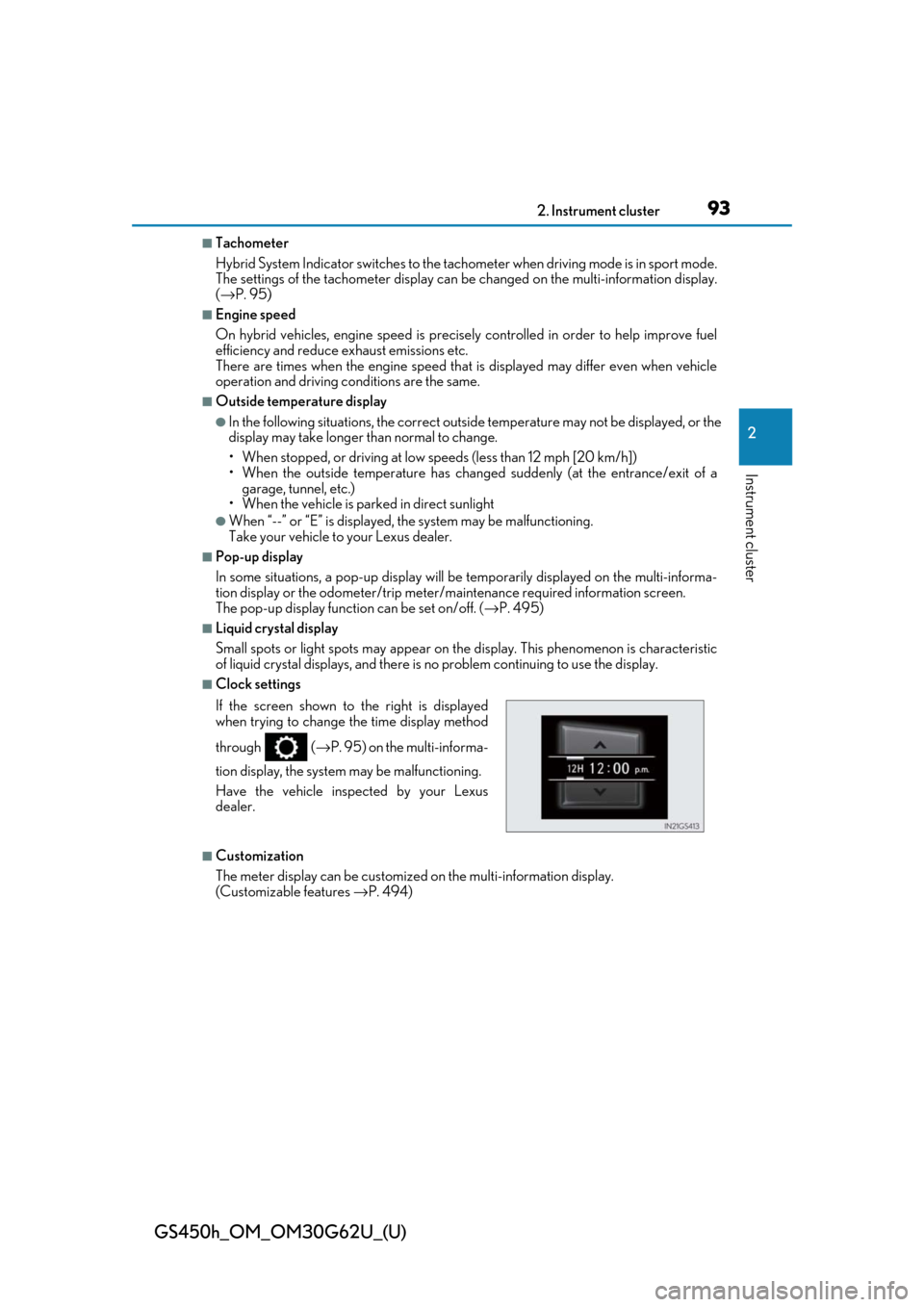
■Clock settings
■Customization
The meter display can be customized on the multi-information display.
(Customizable features →P. 494)
If the screen shown to the right is displayed
when trying to change the time display method
through (
→P. 95) on the multi-informa-
tion display, the system may be malfunctioning.
Have the vehicle inspected by your Lexus
dealer.
Page 99 of 548
GS450h_OM_OM30G62U_(U)
992. Instrument cluster
2
Instrument cluster
■Display off
A blank screen is displayed
*1: Displayed when the item is set in “Drive Info 1”, “Drive Info 2” or “Drive Info 3”.
( → P. 495)
*2: The function can be reset by pressing th e of the meter control switches for longer
than 1 second when the item to reset is displayed.
If there is more than one item that can be reset, the item selection screen will appear.
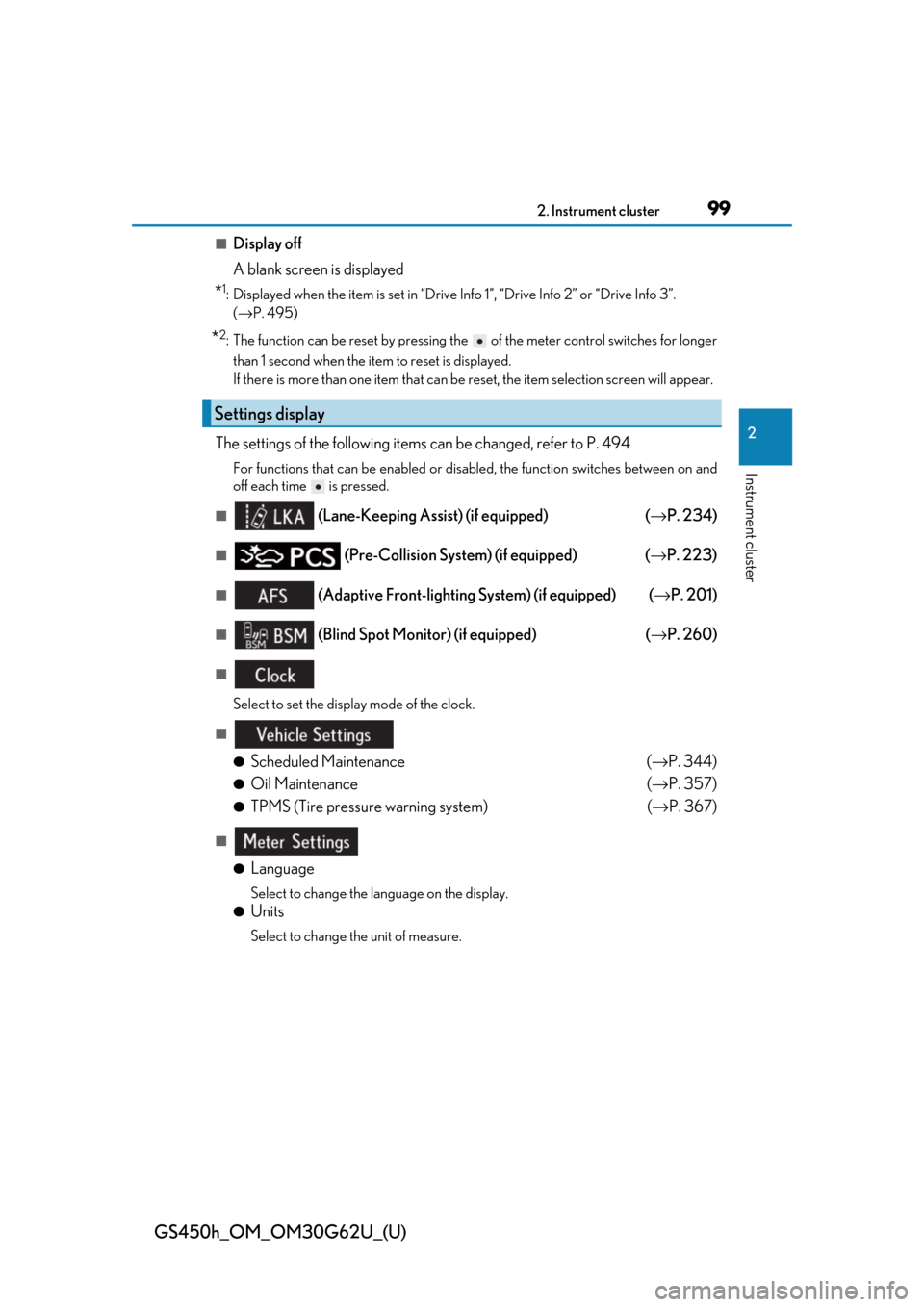
The settings of the following items can be changed, refer to P. 494
For functions that can be enabled or disabled, the function switches between on and
off each time is pressed.
■ (Lane-Keeping Assist) (if equipped) (→ P. 234)
■ (Pre-Collision System) (if equipped) ( →P. 223)
■ (Adaptive Front-lighting System) (if equipped) ( →P. 201)
■ (Blind Spot Monitor) (if equipped) (→ P. 260)
■
Select to set the display mode of the clock.
■
●
Scheduled Maintenance (→ P. 344)
●Oil Maintenance (→ P. 357)
●TPMS (Tire pressure warning system) (→ P. 367)
■
●
Language
Select to change the la nguage on the display.
●Units
Select to change the unit of measure.
Settings display
Page 117 of 548

117
GS450h_OM_OM30G62U_(U)
3
Operation of
each component
3-1. Key information
Keys ....................................................118
3-2. Opening, closing and locking the doors and trunk
Doors ................................................122
Trunk ................................................ 128
Smart access system with push-button start ............ 135
3-3. Adjusting the seats Front seats...................................... 143
Driving position memory ......... 145
Head restraints ............................ 150
3-4. Adjusting the steering wheel and mirrors
Steering wheel ............................. 153
Inside rear view mirror ............. 154
Outside rear view mirrors....... 156
3-5. Opening, closing the windows and moon roof
Power windows ........................... 160
Moon roof ...................................... 163
Page 118 of 548
118
GS450h_OM_OM30G62U_(U)
3-1. Key information
Keys
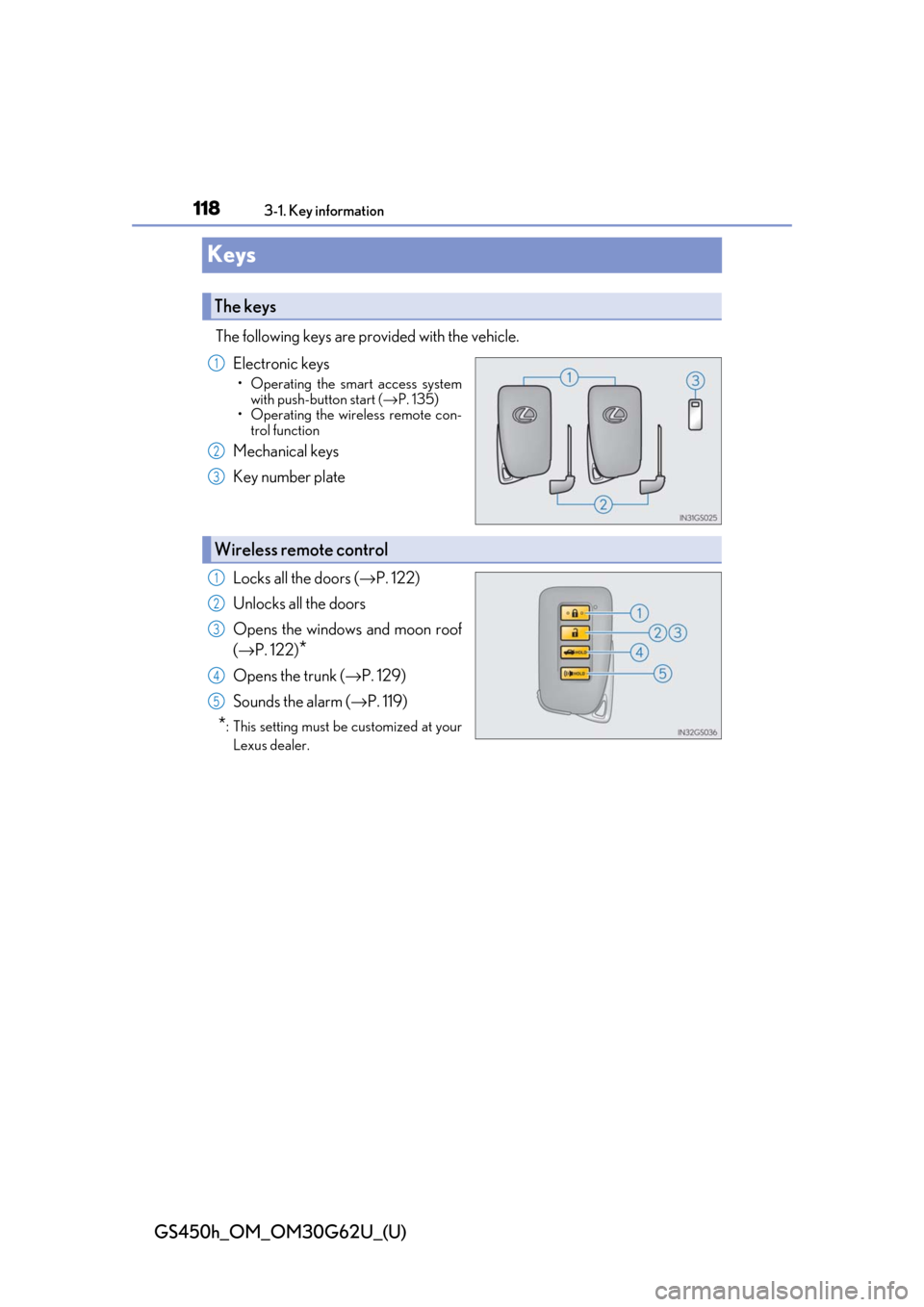
The following keys are provided with the vehicle.Electronic keys
• Operating the smart access systemwith push-button start ( →P. 135)
• Operating the wireless remote con-
trol function
Mechanical keys
Key number plate
Locks all the doors ( →P. 122)
Unlocks all the doors
Opens the windows and moon roof
(→ P. 122)
*
Opens the trunk ( →P. 129)
Sounds the alarm ( →P. 119)
*: This setting must be customized at your
Lexus dealer.
The keys
1
2
3
Wireless remote control
1
2
3
4
5
Page 119 of 548
GS450h_OM_OM30G62U_(U)
1193-1. Key information
3
Operation of each component
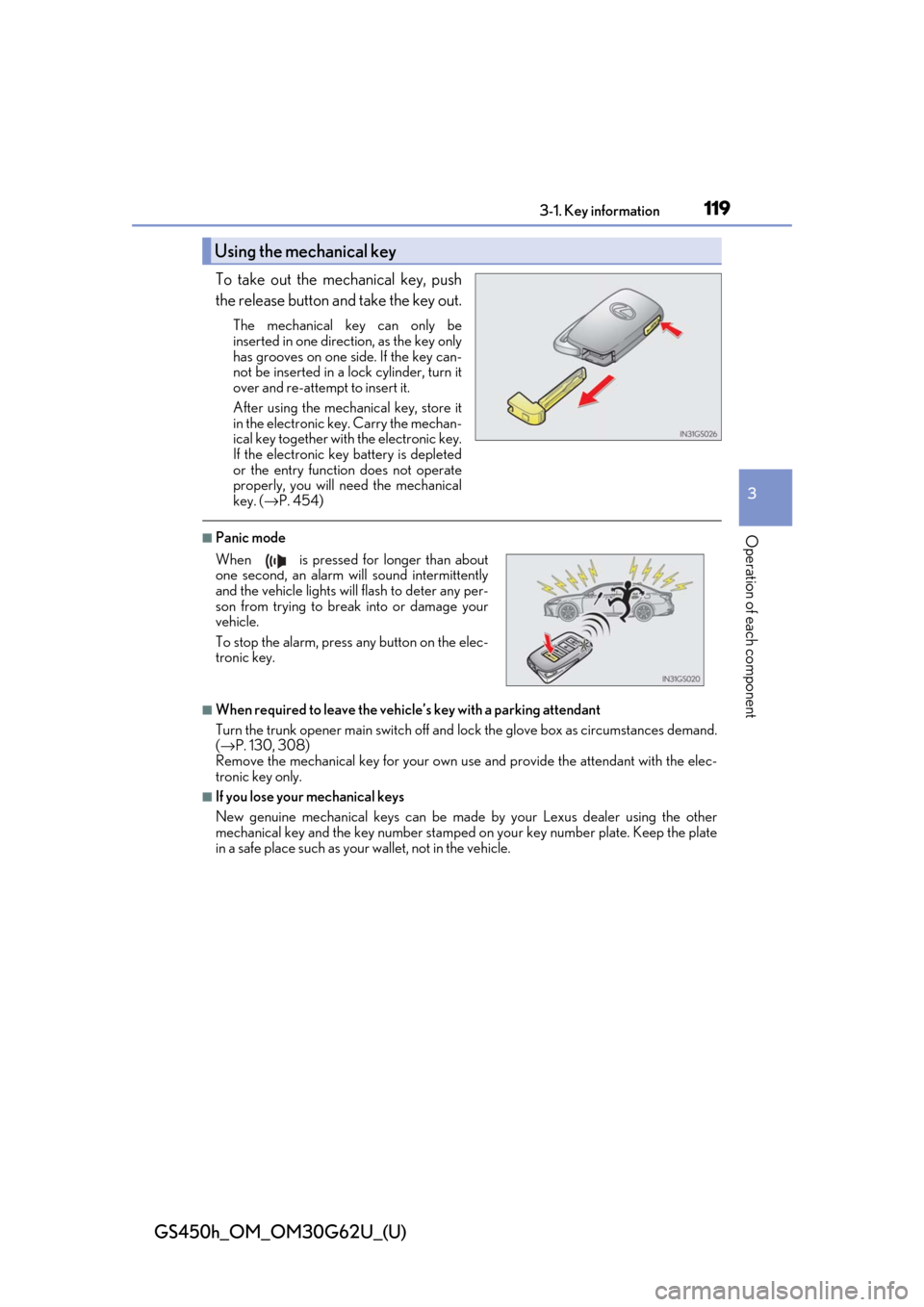
To take out the mechanical key, push
the release button and take the key out.
The mechanical key can only be
inserted in one direction, as the key only
has grooves on one side. If the key can-
not be inserted in a lock cylinder, turn it
over and re-attempt to insert it.
After using the mechanical key, store it
in the electronic key. Carry the mechan-
ical key together with the electronic key.
If the electronic key battery is depleted
or the entry function does not operate
properly, you will need the mechanical
key. ( →P. 454)
■Panic mode
■When required to leave the vehicle’s key with a parking attendant
Turn the trunk opener main switch off and lock the glove box as circumstances demand.
( → P. 130, 308)
Remove the mechanical key for your own use and provide the attendant with the elec-
tronic key only.
■If you lose your mechanical keys
New genuine mechanical keys can be made by your Lexus dealer using the other
mechanical key and the key number stamped on your key number plate. Keep the plate
in a safe place such as your wallet, not in the vehicle.
Using the mechanical key
When is pressed for longer than about
one second, an alarm will sound intermittently
and the vehicle lights will flash to deter any per-
son from trying to break into or damage your
vehicle.
To stop the alarm, press any button on the elec-
tronic key.
Page 122 of 548
122
GS450h_OM_OM30G62U_(U)
3-2. Opening, closing and locking the doors and trunk
Doors
◆Smart access system with push-button start
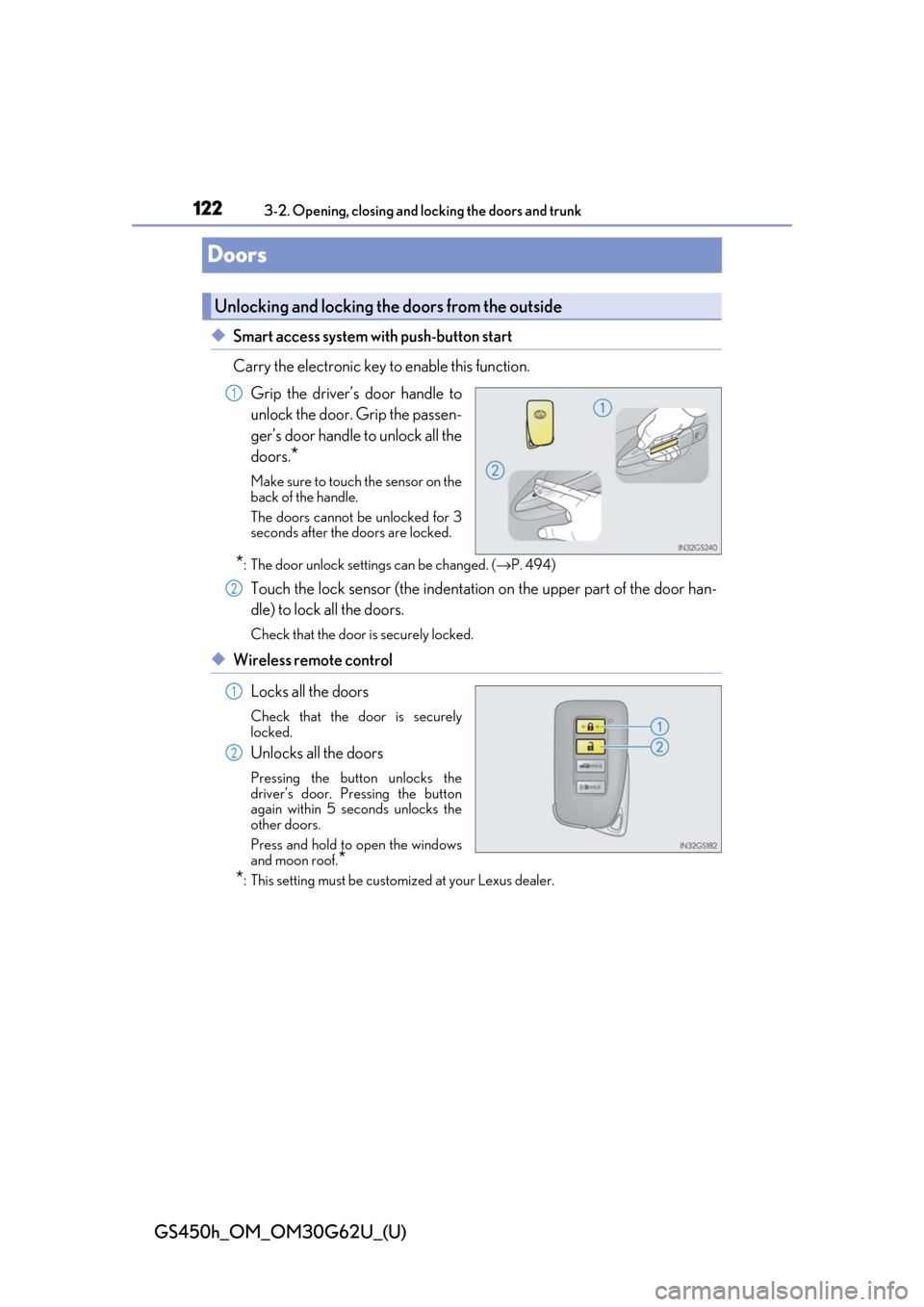
Carry the electronic key to enable this function.
Grip the driver’s door handle to
unlock the door. Grip the passen-
ger’s door handle to unlock all the
doors.
*
Make sure to touch the sensor on the
back of the handle.
The doors cannot be unlocked for 3
seconds after the doors are locked.
*: The door unlock settings can be changed. ( →P. 494)
Touch the lock sensor (the indentation on the upper part of the door han-
dle) to lock all the doors.
Check that the door is securely locked.
◆Wireless remote control
Locks all the doors
Check that the door is securely
locked.
Unlocks all the doors
Pressing the button unlocks the
driver’s door. Pressing the button
again within 5 seconds unlocks the
other doors.
Press and hold to open the windows
and moon roof.
*
*
: This setting must be custom ized at your Lexus dealer.
Unlocking and locking the doors from the outside
1
2
1
2