maintenance Lexus GS450h 2018 Owner's Manual / LEXUS 2018 GS450H OWNER'S MANUAL (OM30G62U)
[x] Cancel search | Manufacturer: LEXUS, Model Year: 2018, Model line: GS450h, Model: Lexus GS450h 2018Pages: 548, PDF Size: 9.93 MB
Page 1 of 548

GS450h_OM_OM30G62U_(U)
Pictorial indexSearch by illustration
1For safety
and securityMake sure to read through them
2Instrument clusterHow to read the gauges and meters, the variety of
warning lights and indicators, etc.
3Operation of
each componentOpening and closing the doors and windows,
adjustment before driving, etc.
4DrivingOperations and advice which are necessary for driving
5Interior featuresUsage of the interior features, etc.
6Maintenance
and careCaring for your vehicle and maintenance procedures
7When trouble
arisesWhat to do in case of malfunction or emergency
8Vehicle
specificationsVehicle specifications, customizable features, etc.
9For owners
Reporting safety defects for U.S. owners, and seat belt,
SRS airbag and headlight aim instructions for Canadian
owners
IndexSearch by symptom
Search alphabetically
Page 4 of 548

TABLE OF CONTENTS4
GS450h_OM_OM30G62U_(U)
5-1. Remote Touch screenRemote Touch/12.3-inch display.......................................... 282
5-2. Using the air conditioning system and defogger
Front automatic air conditioning system ........ 287
Rear air conditioning system.......................................... 298
Heated steering wheel/ seat heaters/seat
ventilators.................................... 301
5-3. Using the interior lights Interior lights list ......................... 304• Interior lights ..........................305
• Personal lights.......................305
5-4. Using the storage features List of storage features ............ 307• Glove box ...............................308
• Console box ..........................308
• Cup holders ...........................309
• Auxiliary boxes ........................ 311
Trunk features ...............................312 5-5. Using the other interior features
Other interior features ..............314• Sun visors ..................................314
• Vanity mirrors .........................314
• Clock ..........................................315
• Power outlets ..........................315
• Armrest...................................... 317
•Rear sunshade/rear door sunshades ........... 318
• Coat hooks............................. 320
• Assist grips ............................. 320
Garage door opener .................321
LEXUS Enform Safety Connect...................................... 329
6-1. Maintenance and care Cleaning and protecting the vehicle exterior ................ 336
Cleaning and protecting the vehicle interior.................. 340
6-2. Maintenance Maintenance requirements ............................ 343
General maintenance.............. 345
Emission inspection and maintenance (I/M)
programs.................................... 348
5Interior features
6Maintenance and care
Page 5 of 548

5
1
8 7
6
5
4
3
2
GS450h_OM_OM30G62U_(U)
9
6-3. Do-it-yourself maintenanceDo-it-yourself service precautions................................ 349
Hood ................................................ 351
Positioning a floor jack ............ 352
Engine compartment ............... 353
12-volt battery ............................. 362
Tires ................................................. 365
Tire inflation pressure .............. 375
Wheels ........................................... 378
Air conditioning filter ...............380
Electronic key battery.............. 382
Checking and replacing fuses.............................................. 384
Headlight aim (vehicles with single-beam head lights) ...... 389
Light bulbs ......................................391
7-1. Essential information Emergency flashers .................. 396
If your vehicle has to be stopped in an emergency.... 397 7-2. Steps to take in an emergency
If your vehicle needs to be towed ............................... 398
If you think something is wrong................ 403
If a warning light turns on or a warning buzzer sounds .... 404
If a warning message is displayed ................................. 410
If you have a flat tire ....................441
If the hybrid system will not start ............................... 450
If the parking brake cannot be released................................ 452
If the electronic key does not operate properly..................... 454
If the 12-volt battery is discharged............................. 457
If your vehicle overheats...........461
If the vehicle becomes stuck ............................................. 466
7When trouble arises
Page 6 of 548

TABLE OF CONTENTS6
GS450h_OM_OM30G62U_(U)
8-1. SpecificationsMaintenance data (fuel, oil level, etc.) .................. 470
Fuel information .......................... 481
Tire information .......................... 484
8-2. Customization Customizable features ............ 494
8-3. Initialization Items to initialize......................... 507
Reporting safety defects for U.S. owners ..................................... 510
Seat belt instructions for Canadian owners
(in French)................................................. 511
SRS airbag instructions for Canadian owners
(in French)............................................... 513
Headlight aim instructions for Canadian owners
(in French) (vehicles with
single-beam headlights).....................521 What to do if...
(Troubleshooting)............................... 524
Alphabetical inde x ................................ 528
8Vehicle specifications
9For owners
Index
For information regarding the equipment listed below, refer to the “NAVIGA-
TION AND MULTIMEDIA SYSTEM OWNER’S MANUAL”.
• Audio system
• Intuitive parking assist• Navigation system
• Lexus parking assist monitor
Page 69 of 548

691-2. Hybrid system
GS450h_OM_OM30G62U_(U)
1
For safety and security
■Vehicle proximity notification system
In the following cases, the vehicle proximity notification system may be difficult for sur-
rounding people to hear.
●In very noisy areas
●In the wind or the rain
Also, as the vehicle proximity notification system is installed on the front of the vehicle, it
may be more difficult to hear from the re ar of the vehicle compared to the front.
■Maintenance, repair, recycling, and disposal
Contact your Lexus dealer regarding mainte nance, repair, recycling and disposal. Do
not dispose of the vehicle yourself.
■Customization
Settings (e.g. on/off operation of the EV indicator) can be changed.
(Customizable features: →P. 494)
Page 74 of 548
741-3. Theft deterrent system
GS450h_OM_OM30G62U_(U)
Immobilizer system
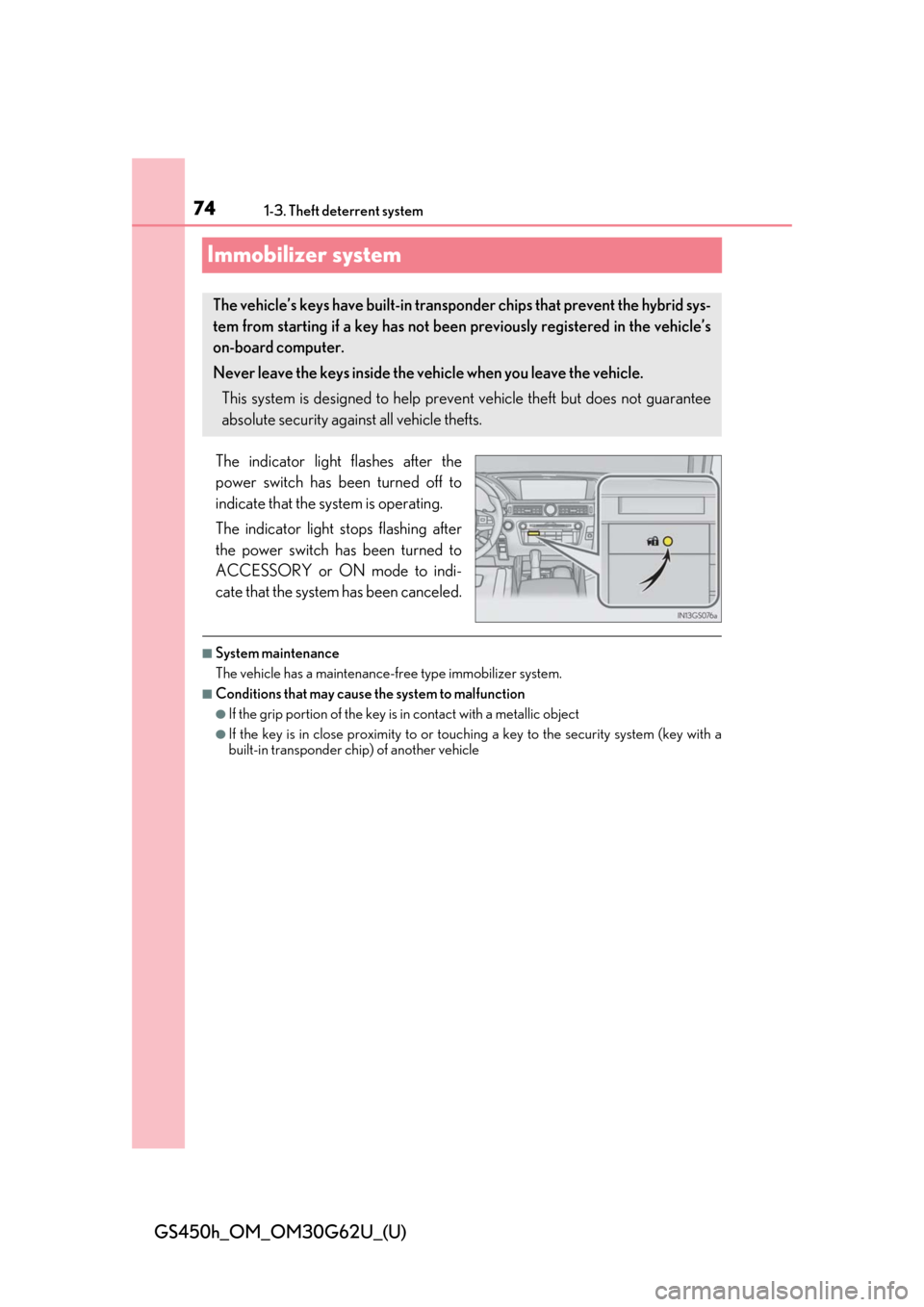
The indicator light flashes after the
power switch has been turned off to
indicate that the system is operating.
The indicator light stops flashing after
the power switch has been turned to
ACCESSORY or ON mode to indi-
cate that the system has been canceled.
■System maintenance
The vehicle has a maintenance-free type immobilizer system.
■Conditions that may cause the system to malfunction
●If the grip portion of the key is in contact with a metallic object
●If the key is in close proximity to or touchi ng a key to the security system (key with a
built-in transponder ch ip) of another vehicle
The vehicle’s keys have built-in transp onder chips that prevent the hybrid sys-
tem from starting if a key has not been previously registered in the vehicle’s
on-board computer.
Never leave the keys inside the vehicle when you leave the vehicle.
This system is designed to help prev ent vehicle theft but does not guarantee
absolute security against all vehicle thefts.
Page 78 of 548
781-3. Theft deterrent system
GS450h_OM_OM30G62U_(U)
■System maintenance
The vehicle has a maintenance-free type alarm system.
■Items to check before locking the vehicle
To prevent unexpected triggering of the alarm and vehicle theft, make sure of the follow-
ing:
●Nobody is in the vehicle.
●The windows and moon roof are closed before the alarm is set.
●No valuables or other personal items are left in the vehicle.
■Triggering of the alarm
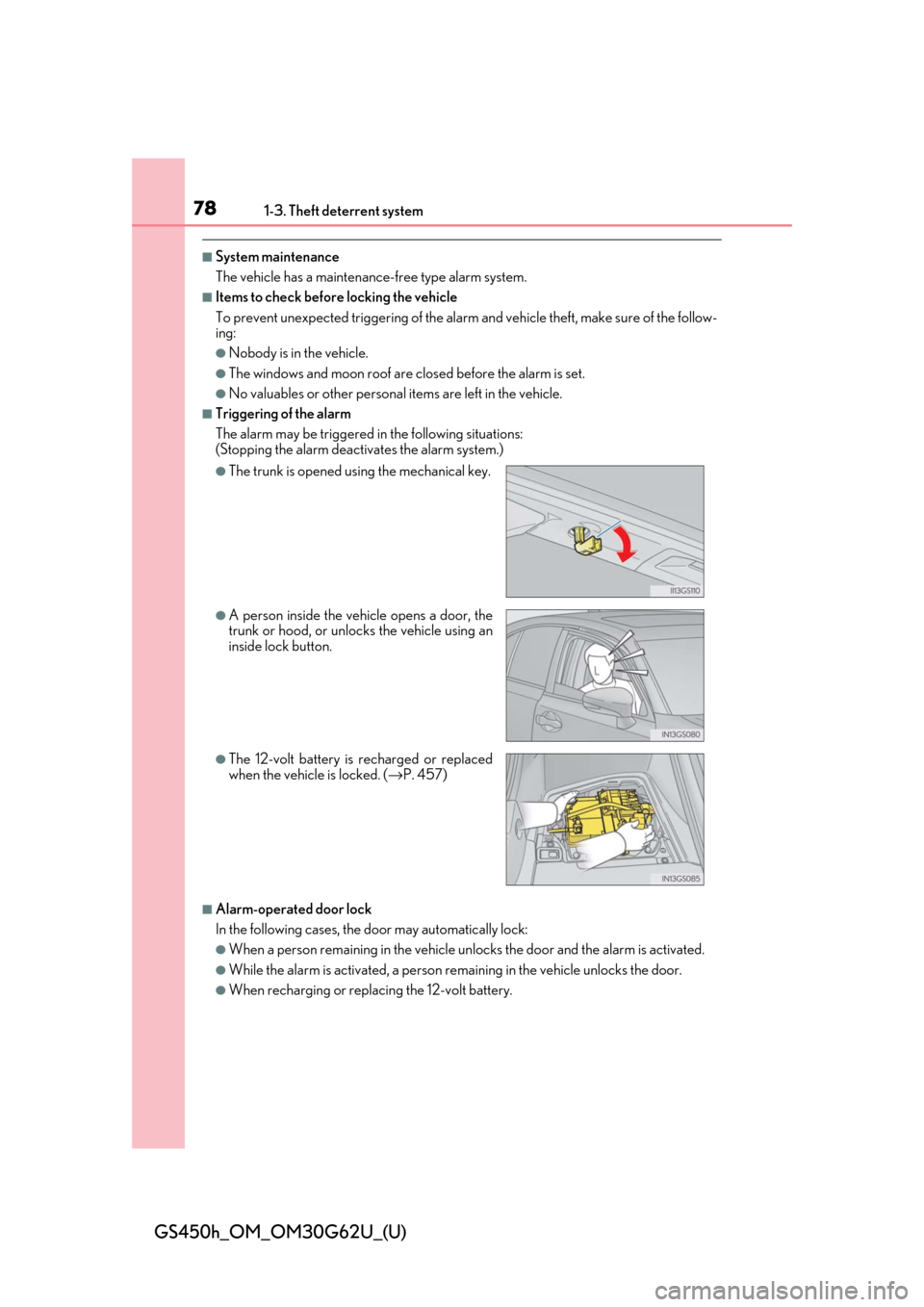
The alarm may be triggered in the following situations:
(Stopping the alarm deactivates the alarm system.)
■Alarm-operated door lock
In the following cases, the door may automatically lock:
●When a person remaining in the vehicle un locks the door and the alarm is activated.
●While the alarm is activated, a person remaining in the vehicle unlocks the door.
●When recharging or replacing the 12-volt battery.
●The trunk is opened using the mechanical key.
●A person inside the vehicle opens a door, the
trunk or hood, or unlocks the vehicle using an
inside lock button.
●The 12-volt battery is recharged or replaced
when the vehicle is locked. ( →P. 457)
Page 89 of 548

GS450h_OM_OM30G62U_(U)
892. Instrument cluster
2
Instrument cluster
Engine coolant temperature gauge
Displays the engine coolant temperature
Tachometer/Hybrid System Indicator
Tachometer:
Displays the engine speed in revolutions per minute.
Hybrid System Indicator:
Displays hybrid system outp ut or regeneration level (→P. 92)
Outside temperature
Displays the outside temperature within the range of -40 °F (-40 °C) to 122 °F
(50 °C). Low outside temperature indicator comes on when the ambient temperature
is 37 °F (3 °C) or lower.
Clock
Time displayed is linked to the anal og clock on the instrument panel. (→P. 315)
Speedometer
Displays the vehicle speed
Fuel gauge
Displays the quantity of fuel remaining in the tank
Multi-information display
Presents the driver with a variety of driving-related data ( →P. 95)
Displays warning me ssages in case of a malfunction ( →P. 410)
Odometer, trip meter and maintenance required information display
Odometer:
Displays the total distance the vehicle has been driven
Trip meter:
Displays the distance the vehi cle has been driven since the meter was last reset. Trip
meters “A” and “B” can be used to record and display different distances inde-
pendently.
Maintenance required information: • Displays the maintenance required inform ation when the power switch is in ON
mode.
• It can be reset from of th e multi-information display. (→P. 95)
Shift position and shift range
Displays the selected shift posi tion or selected shift range (→P. 189)
1
2
3
4
5
6
7
8
9
Page 91 of 548
GS450h_OM_OM30G62U_(U)
912. Instrument cluster
2
Instrument cluster
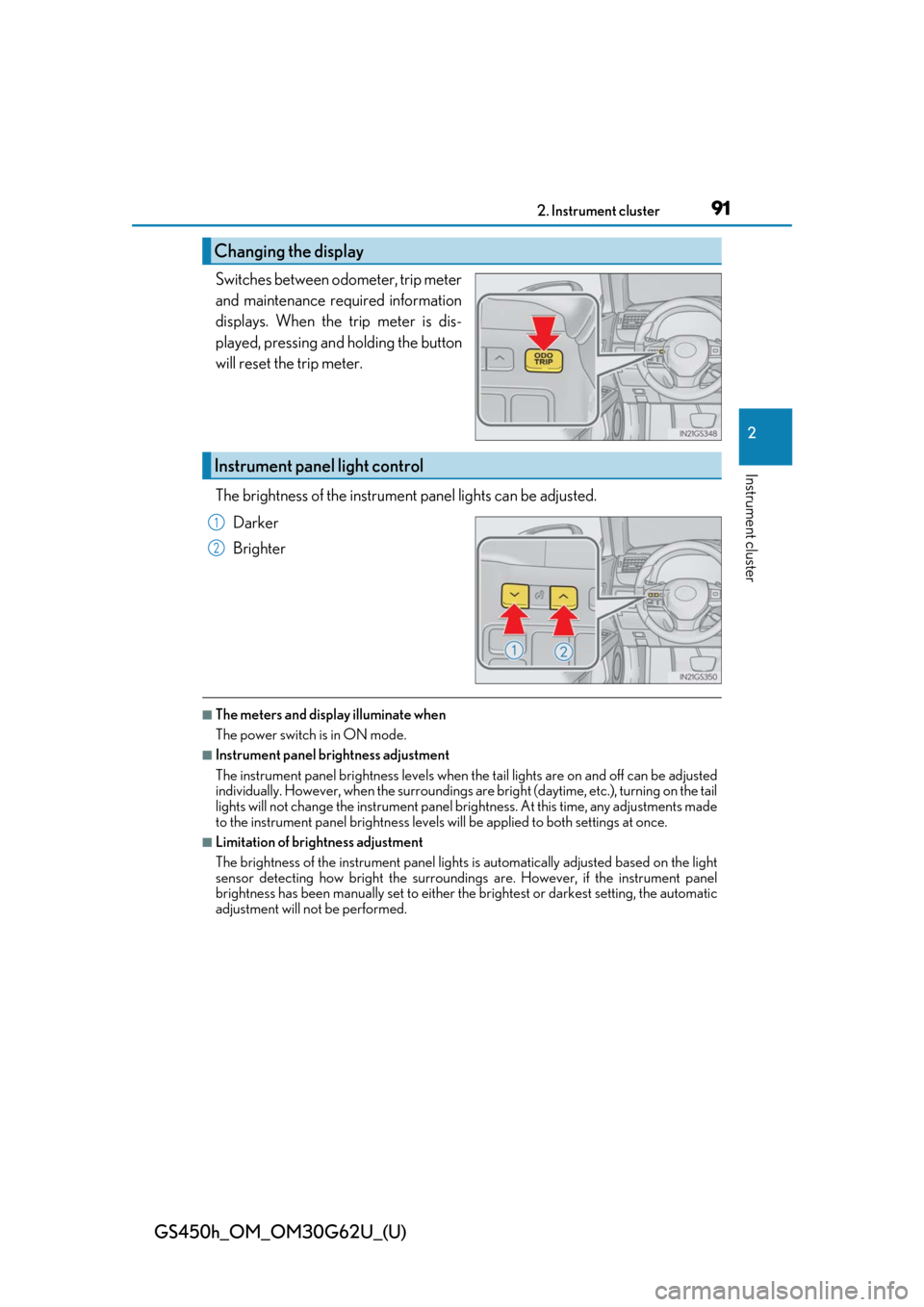
Switches between odometer, trip meter
and maintenance required information
displays. When the trip meter is dis-
played, pressing and holding the button
will reset the trip meter.
The brightness of the instrument panel lights can be adjusted.
Darker
Brighter
■The meters and display illuminate when
The power switch is in ON mode.
■Instrument panel brightness adjustment
The instrument panel brightness levels when the tail lights are on and off can be adjusted
individually. However, when the surroundings are bright (daytime, etc.), turning on the tail
lights will not change the inst rument panel brightness. At th is time, any adjustments made
to the instrument panel brightness levels will be applied to both settings at once.
■Limitation of brightness adjustment
The brightness of the instrument panel lights is automatically adjusted based on the light
sensor detecting how bright the surroundings are. However, if the instrument panel
brightness has been manually set to either the brightest or darkest setting, the automatic
adjustment will not be performed.
Changing the display
Instrument panel light control
1
2
Page 93 of 548
GS450h_OM_OM30G62U_(U)
932. Instrument cluster
2
Instrument cluster
■Tachometer
Hybrid System Indicator switches to the tachometer when driving mode is in sport mode.
The settings of the tachometer display can be changed on the multi-information display.
( → P. 95)
■Engine speed
On hybrid vehicles, engine speed is precisel y controlled in order to help improve fuel
efficiency and reduce exhaust emissions etc.
There are times when the engine speed that is displayed may differ even when vehicle
operation and driving conditions are the same.
■Outside temperature display
●In the following situations, the correct outside temperature may not be displayed, or the
display may take longer than normal to change.
• When stopped, or driving at low speeds (less than 12 mph [20 km/h])
• When the outside temperature has changed suddenly (at the entrance/exit of a garage, tunnel, etc.)
• When the vehicle is parked in direct sunlight
●When “--” or “E” is displayed, the system may be malfunctioning.
Take your vehicle to your Lexus dealer.
■Pop-up display
In some situations, a pop-up display will be temporarily displayed on the multi-informa-
tion display or the odometer/trip meter/maintenance required information screen.
The pop-up display function can be set on/off. ( →P. 495)
■Liquid crystal display
Small spots or light spots may appear on the display. This phenomenon is characteristic
of liquid crystal displays, and there is no problem continuing to use the display.
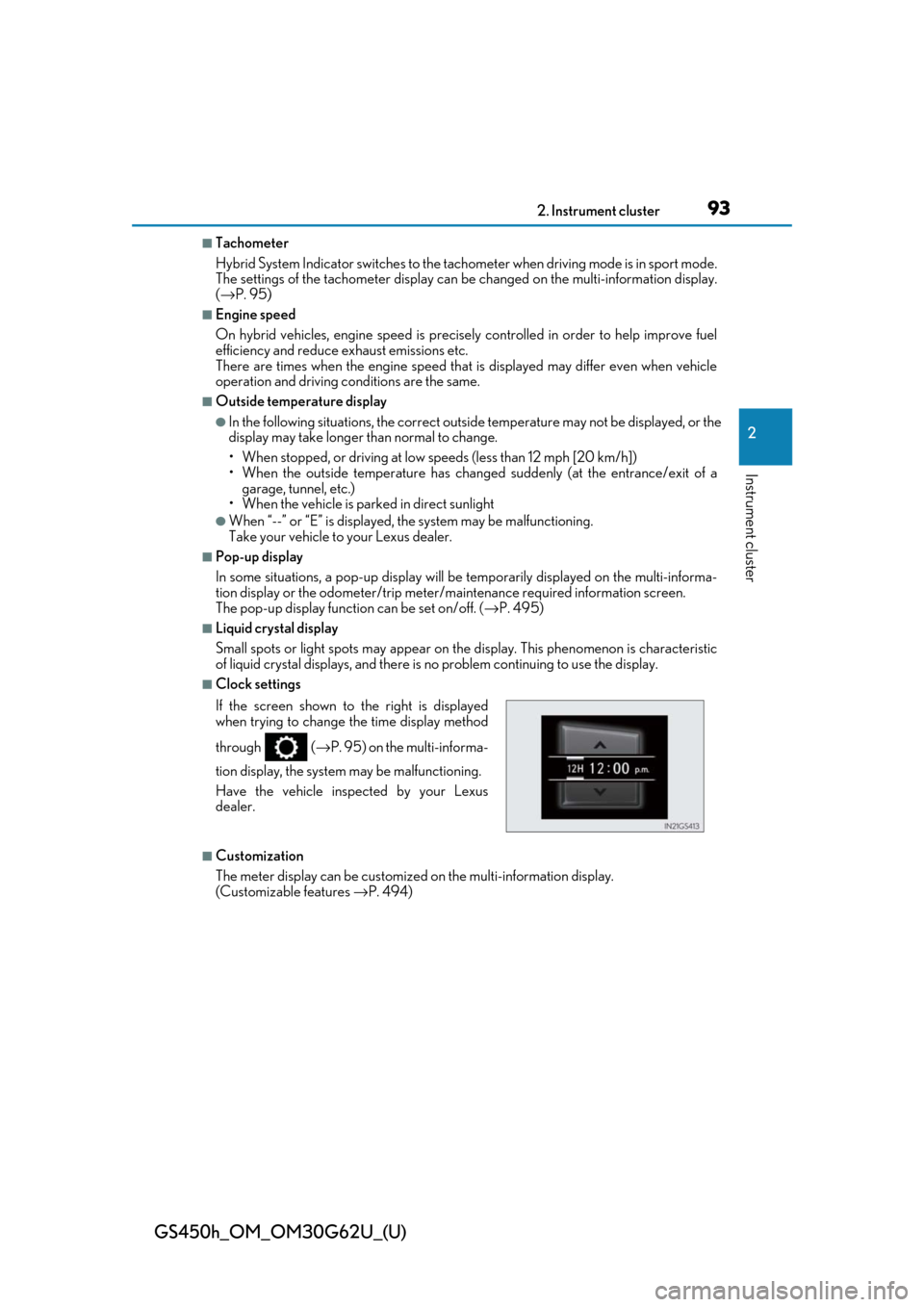
■Clock settings
■Customization
The meter display can be customized on the multi-information display.
(Customizable features →P. 494)
If the screen shown to the right is displayed
when trying to change the time display method
through (
→P. 95) on the multi-informa-
tion display, the system may be malfunctioning.
Have the vehicle inspected by your Lexus
dealer.