audio Lexus GX460 2010 Navigation Manual
[x] Cancel search | Manufacturer: LEXUS, Model Year: 2010, Model line: GX460, Model: Lexus GX460 2010Pages: 428, PDF Size: 6.27 MB
Page 339 of 428

SETUP
338
No.Function
1The voice guidance volume can
be adjusted or switched off. (See
“
DVoice volume” on page 338.)
2Voice guidance during route guid-
ance can be set to“On”or“Off” .
3Voice guidance during audio sys-
tem use can be set to “On”or
“Off” .
4Voice recognition talkback can be
set to “On”or“Off” .
5
When “On”is selected, the voice
command system can be oper-
ated without pressing the talk
switch more than once.
6
When using the traffic information
function, voice guidance can be
set to “On” or“Off” . (See “
DTraf-
fic voice guidance” on page 339.)
7When using the XM NavWeather t
function, the severe weather war-
ning can be set to “On”or“Off” .
8
Voice guidance projection can be
set to the “Center” position or the
“Driver” position. (See “
DVoice
guidance speaker” on page 339.)
DVoice volume
The voice guidance volume can be ad-
justed or switched off.
1. Push the “SETUP” button.
2. Touch “Voice” on the “Setup”
screen.
3. Select the desired level by touching
the number.
If voice guidance is not needed, touch
“Off” to disable the feature.
When selected, the number or “Off”will
be highlighted.
4. Touch “Save”.
GX460 Navi (U)
OM60E73U
Finish
09.09.24
Page 354 of 428
SETUP
353
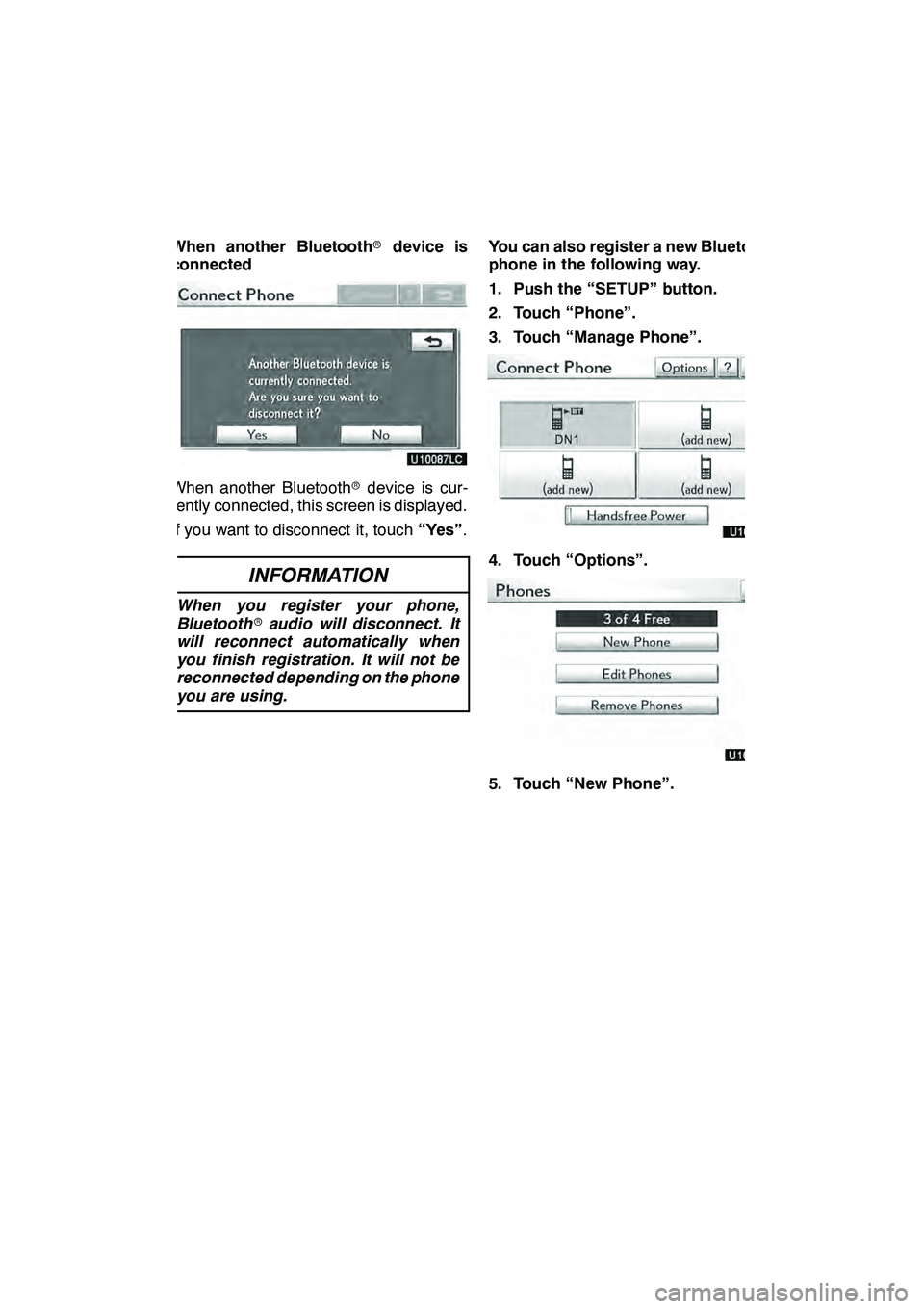
When another Bluetoothrdevice is
connected
When another Bluetooth rdevice is cur-
rently connected, this screen is displayed.
If you want to disconnect it, touch “Yes”.
INFORMATION
When you register your phone,
Bluetooth raudio will disconnect. It
will reconnect automatically when
you finish registration. It will not be
reconnected depending on the phone
you are using.
You can also register a new Bluetooth r
phone in the following way.
1. Push the “SETUP” button.
2. Touch “Phone”.
3. Touch “Manage Phone”.
4. Touch “Options”.
5. Touch “New Phone”.
GX460 Navi (U)
OM60E73U
Finish
09.09.24
11
Page 356 of 428
SETUP
355
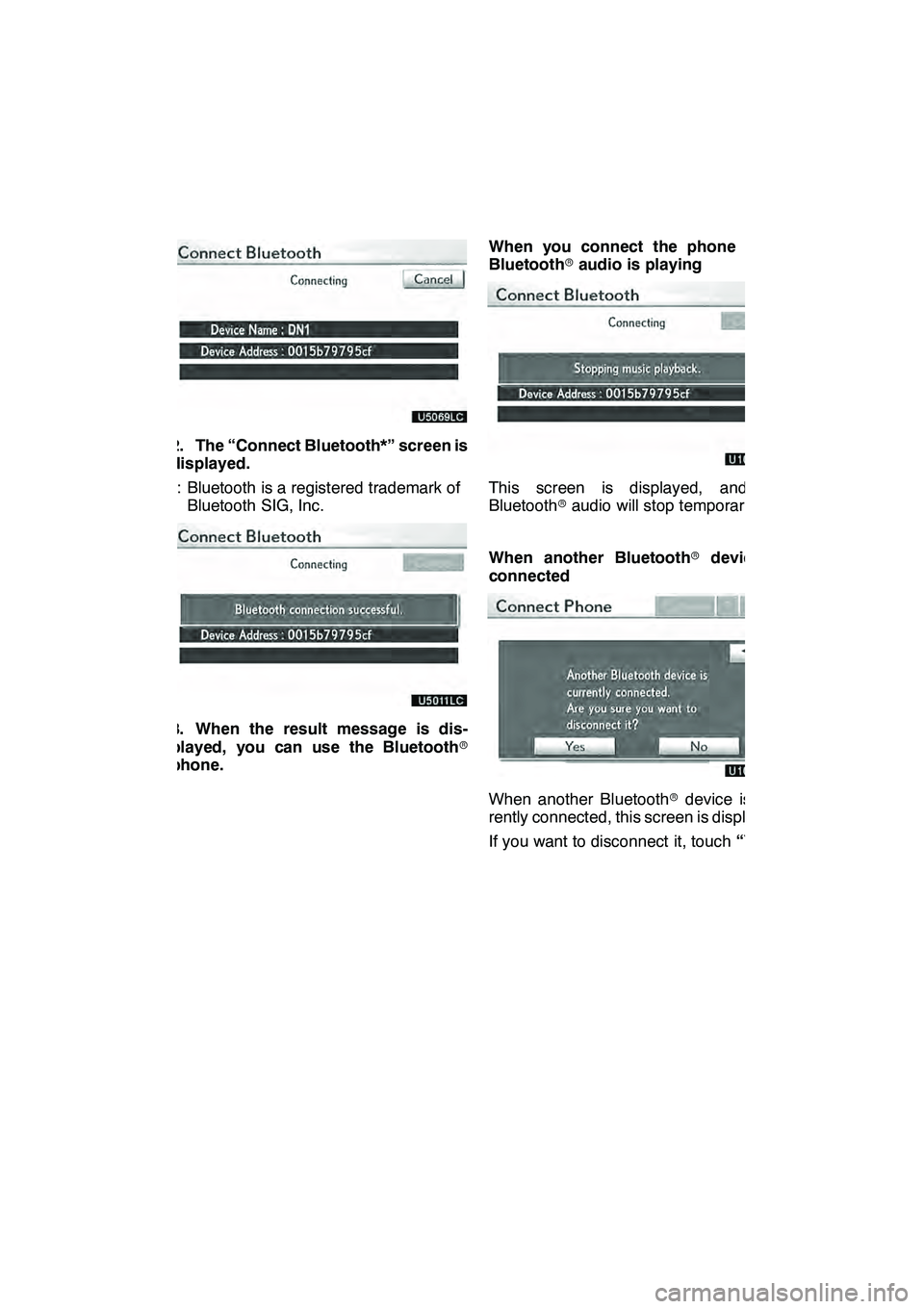
2. The “Connect Bluetooth*” screen is
displayed.
*: Bluetooth is a registered trademark ofBluetooth SIG, Inc.
3. When the result message is dis-
played, you can use the Bluetooth r
phone. When you connect the phone while
Bluetooth
raudio is playing
This screen is displayed, and the
Bluetooth raudio will stop temporarily.
When another Bluetooth rdevice is
connected
When another Bluetooth rdevice is cur-
rently connected, this screen is displayed.
If you want to disconnect it, touch “Yes”.
GX460 Navi (U)
OM60E73U
Finish
09.09.24
11
Page 363 of 428
SETUP
362
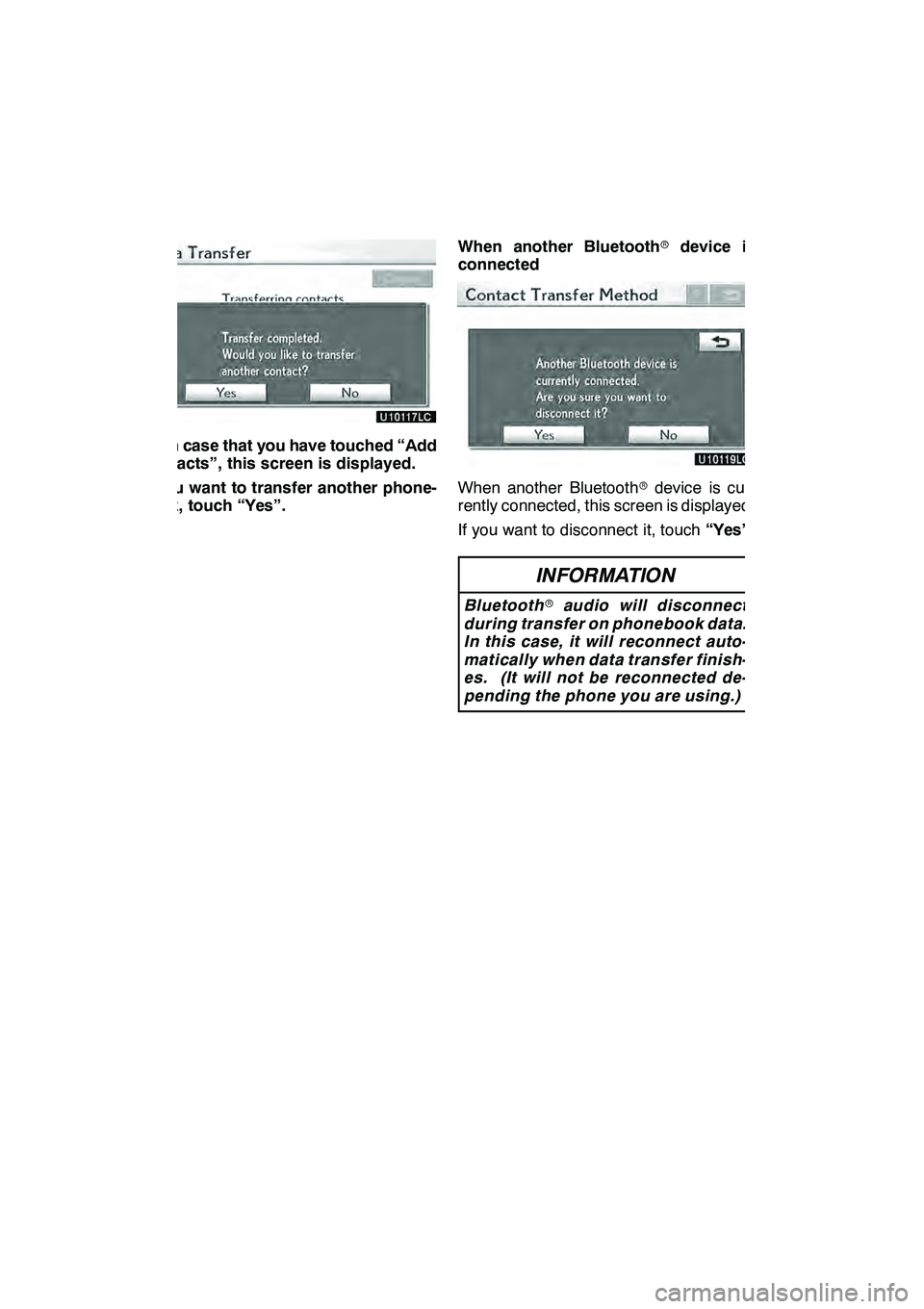
4. In case that you have touched “Add
Contacts”, this screen is displayed.
If you want to transfer another phone-
book, touch “Yes”.When another Bluetooth
rdevice is
connected
When another Bluetooth rdevice is cur-
rently connected, this screen is displayed.
If you want to disconnect it, touch “Yes”.
INFORMATION
Bluetooth raudio will disconnect
during transfer on phonebook data.
In this case, it will reconnect auto-
matically when data transfer finish-
es. (It will not be reconnected de-
pending the phone you are using.)
GX460 Navi (U)
OM60E73U
Finish
09.09.24
Page 383 of 428

SETUP
382
1. Touch “Handsfree Power”.
2. Touch “On” or “Off”.
3. Touch “Save”.
In case that the state of “Handsfree
Power” is changed from “Off” into
“On”, Bluetoothrconnection will be-
gin.
When you connect the phone while
Bluetooth raudio is playing
This screen is displayed, and the
Bluetooth raudio will stop temporarily.
GX460 Navi (U)
OM60E73U
Finish
09.09.24
Page 384 of 428

SETUP
383
Editing the device name
1. Touch “Edit” of “Device Name”.
2. Use the software keyboard to input
the device name.
INFORMATION
The device names are common
Bluetoothraudio and Bluetooth r
phone.
If you change the device name of the
phone, the device name of the audio
will change at same time.
However, passcodes can be set sep-
arately.
Editing the passcode
1. Touch “Edit” of “Passcode”.
2. Input a passcode and touch “OK”.
GX460 Navi (U)
OM60E73U
Finish
09.09.24
11
Page 385 of 428

SETUP
384 D
Initializing the Bluetoothrsettings
You can initialize the settings.
1. Touch “Default”.
2. Touch “Yes”.
If the state of “Handsfree Power” is
changed from “Off”into“On” , Bluetooth r
connection will begin. If you connect a phone while
Bluetooth
raudio is playing
This screen is displayed, and the
Bluetooth raudio will stop temporarily.
GX460 Navi (U)
OM60E73U
Finish
09.09.24
Page 389 of 428

SETUP
388
The portable player to connect can be
selected. The registered audio informa-
tion can be confirmed and edited.
DSelecting a portable player
If you register a second portable player,
either one can be selected for connec-
tion.
1. Push the “SETUP” button.
2. Touch “Audio” on “Setup” screen.
3. Touch “Select Portable Player” on
“Audio Settings” screen.
You can select from a maximum of two
Bluetooth rportable players.
“Empty” is displayed when you have not
registered a portable player yet. The
Bluetooth rmark is displayed when you
choose the portable player.
4. Select desired portable player and
then touch “OK”.
Although you can register up to two porta-
ble players in the system, only one porta-
ble player can function at a time.
GX460 Navi (U)
OM60E73U
Finish
09.09.24
Audio settings —
— Select portable player
Page 391 of 428

SETUP
390 D
Selecting Connection method
The connection method can be se-
lected.
From Vehicle: Connect the audio sys-
tem to the portable player.
From Portable Player: Connect the por-
table player to the audio system.
Select desired connection method
“From Vehicle” or “From Portable
Player” and then touch “Save”.
INFORMATION
If the connection method is set to
“From Portable Player”, “Auto
Bluetooth
∗Connect” cannot be
selected.
∗: Bluetooth is a registered trademark of Bluetooth SIG.Inc. The Bluetooth
raudio settings can be
set.
DRegistering your portable player
1. Touch “Bluetooth∗Audio Setting”
on “Audio Settings” screen.
2. Touch “Register” of “Bluetooth∗
Audio” on “BT Audio Settings” screen.∗: Bluetooth is a registered trademark of Bluetooth SIG.Inc.
GX460 Navi (U)
OM60E73U
Finish
09.09.24
— SettingBluetooth raudio
Page 392 of 428

SETUP
391
3. When this screen is displayed, enter
the passcode displayed on the screen
into the portable player.
For the operation of the portable player,
see the manual that comes with it.
If you want to cancel the entry, touch“Can-
cel” .
4. When the connection is complete,
this screen is displayed.
You do not need to enter the portable play-
er in case of using the same one.
When this screen is displayed, follow the
guidance on the screen to try connection
again. When another Bluetooth
rdevice is
connected
When the Bluetooth rdevice is currently
connected, this screen is displayed.
If you want to disconnect it, touch “Yes”.
INFORMATION
If the device corresponds with both
Bluetooth rphone and Bluetooth r
audio, register and connect the
Bluetooth rphone first or a
connection failure may occur when
registering the Bluetooth raudio.
GX460 Navi (U)
OM60E73U
Finish
09.09.24
11