wheel Lexus GX460 2010 Repair Manual
[x] Cancel search | Manufacturer: LEXUS, Model Year: 2010, Model line: GX460, Model: Lexus GX460 2010Pages: 830, PDF Size: 17.01 MB
Page 296 of 830

295
2-4. Using other driving systems
2
When driving
GX460_CANADA (OM60F29U)
Guidance DisplayVehicle StatusProcedure
SHIFT TO L4
LOOSE ROCK, MOGUL or
ROCK mode is selected when the
four-wheel drive control switch is in
H4Set the four-wheel
drive control switch
to L4
STOP THE VEHI-
CLE AND SHIFT
THE AUTO-
MATIC TRANS-
MISSION TO NThe four-wheel drive control switch
has been shifted to H4 or L4 and
LOOSE ROCK, MOGUL or
ROCK mode is selected, but the
automatic transmission is not in N
position or the vehicle is not stopped
Stop the vehicle
completely and shift
the shift lever into N
ACCELERATE
OR DECELER-
AT E
The center differential lock/unlock
switch is pressed when Multi-terrain
Select is operating, but the center
differential cannot be switched
between lock and unlockDrive straight ahead
while accelerating or
decelerating, or
drive in reverse
RETURN THE
FOUR-WHEEL
DRIVE CON-
TROL SWITCHThe four-wheel drive control switch
is shifted when Multi-terrain Select is
operating, but the transfer cannot be
shifted to H4 or L4 positionReturn the four-
wheel drive control
switch to L4 or H4
MULTI-TERRAIN
SELECT NOT
AVA I L A B L E
The vehicle speed exceeds approxi-
mately 7 mph (12 km/h) or the VSC,
EFI, 4WD and/or Multi-terrain
Select system may be malfunction-
ingReduce vehicle
speed
If the system is still
not available, contact
your Lexus dealer
GX460_CANADA.book Page 295 Thursday, February 4, 2010 11:54 AM
Page 297 of 830

296
2-4. Using other driving systems
GX460_CANADA (OM60F29U)
■The Multi-terrain Select can be operated when
●Vehicle speed is less than 7 mph (12 km/h)
●Crawl Control is off
■When using Multi-terrain Select
The following functions cannot be switched on or off.
●VSC
●Active TRAC
●Second start mode
A message will be shown on the multi-information display stating that these func-
tions cannot be switched using the VSC OFF switch or the menu and “ENTER”
switches.
■When selecting a terrain mode
If you are unsure which mode is appropriate, select MOGUL when the four-wheel
drive control switch is in L4 or select MUD & SAND when it is in H4.
■When it is difficult to generate traction
MUD & SAND mode provides the largest amount of tire slippage, followed by
LOOSE ROCK, MOGUL and ROCK mode.
Drivability can be improved by selecting a mode which provides a smaller amount
of tire slippage than the current mode when the amount of tire slippage is large, or
conversely selecting a mode which provides a larger amount of tire slippage than
the current mode when the amount of tire slippage is small.
■When the vehicle is stuck
Switching the transfer and differential
For the operation of the following functions, refer to the following pages.
●Four-wheel drive system ( →P. 3 1 7 )
●Center differential lock ( →P. 3 1 8 )
GX460_CANADA.book Page 296 Thursday, February 4, 2010 11:54 AM
Page 298 of 830

297
2-4. Using other driving systems
2
When driving
GX460_CANADA (OM60F29U)
■When the TRAC or Active TRAC operates continuously
→P. 335
■When the four-wheel drive control switch is in L4 position
If the Multi-terrain Select system is not operating and the four-wheel drive control
switch is in L4, TRAC OFF will be shown on the multi-information display.
■When there is a malfunction in the system
The Multi-terrain Select indicator light will blink. Have the vehicle inspected by your
Lexus dealer immediately.
CAUTION
■When using the Multi-terrain Select
Observe the following precautions to avoid an accident that could result in death or
serious injuries:
●There is a chance that the selected mode may not be the most appropriate in
terms of road conditions such as pitch, slipperiness, undulation, etc. ( →P. 2 9 1 )
●Multi-terrain Select is not intended to expand the limits of the vehicle. Check the
road conditions thoroughly beforehand, and drive safely and carefully.
NOTICE
■Precaution for use
The Multi-terrain Select is intended for use during off-road driving. Do not use the
system at any other time.
GX460_CANADA.book Page 297 Thursday, February 4, 2010 11:54 AM
Page 310 of 830

309
2-4. Using other driving systems
2
When driving
GX460_CANADA (OM60F29U)
NOTICE
■When using the Multi-terrain Monitor
●Even if an obstacle is no longer visible on the side monitor, do not turn the steer-
ing wheel further in the direction the vehicle is turning until the vehicle has moved
completely past the obstacle. If the steering wheel is turned to full lock, the vehi-
cle will turn in the smallest possible turning circle, and may collide with the obsta-
cle.
●It may be difficult to judge distance with the image from the front camera due to
the characteristics of the lens. Drive carefully while checking the actual distance
to the obstacles displayed on the screen. Also, give your full attention to sudden
bumps in the road.
GX460_CANADA.book Page 309 Thursday, February 4, 2010 11:54 AM
Page 317 of 830
316
2-4. Using other driving systems
GX460_CANADA (OM60F29U)
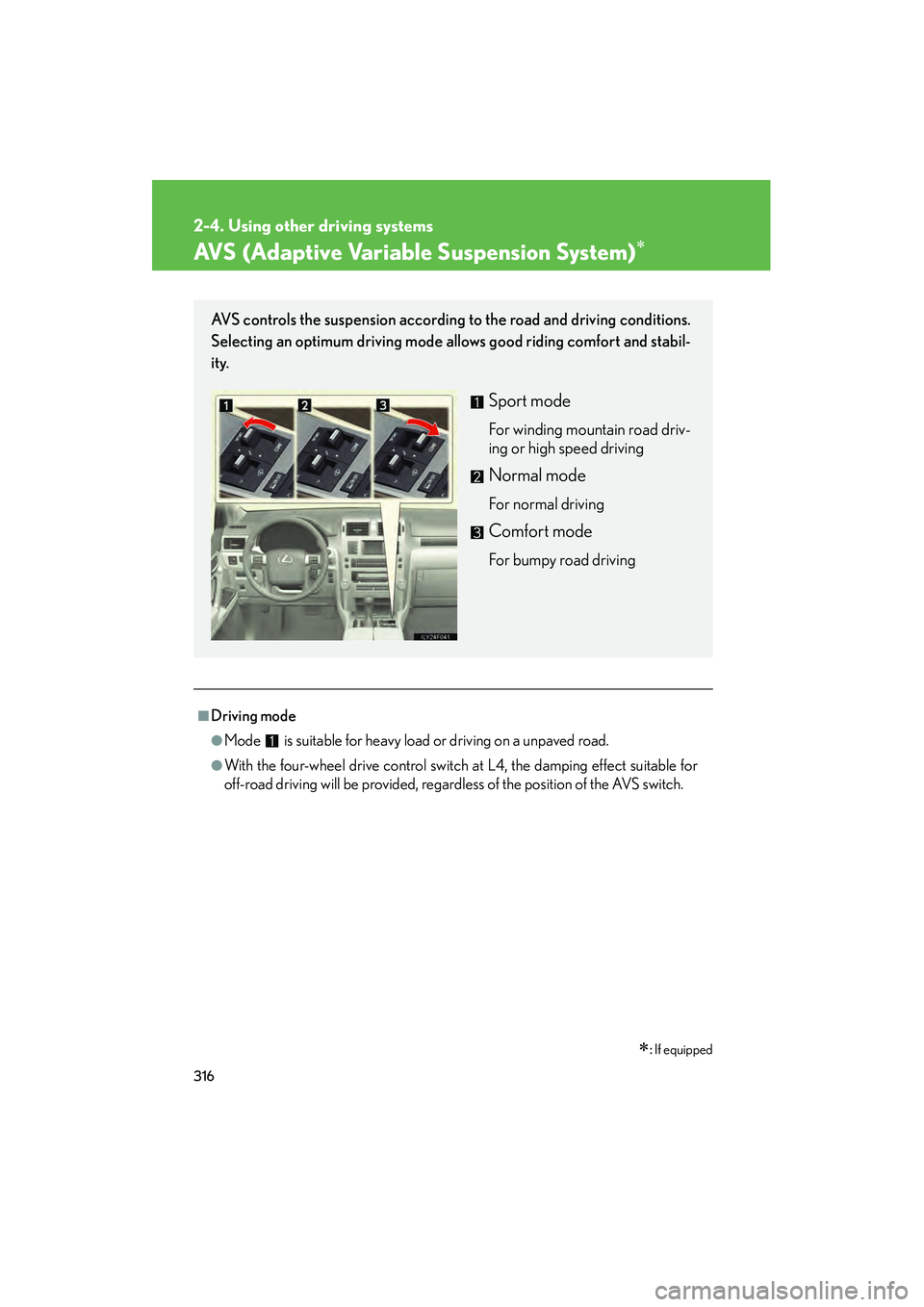
AVS (Adaptive Variable Suspension System)∗
∗: If equipped
■Driving mode
●Mode is suitable for heavy load or driving on a unpaved road.
●With the four-wheel drive control switch at L4, the damping effect suitable for
off-road driving will be provided, regardless of the position of the AVS switch.
AVS controls the suspension according to the road and driving conditions.
Selecting an optimum driving mode allows good riding comfort and stabil-
ity.
Sport mode
For winding mountain road driv-
ing or high speed driving
Normal mode
For normal driving
Comfort mode
For bumpy road driving
GX460_CANADA.book Page 316 Thursday, February 4, 2010 11:54 AM
Page 318 of 830

317
2-4. Using other driving systems
2
When driving
GX460_CANADA (OM60F29U)
Four-wheel drive system
Use the four-wheel drive control switch and center differential lock/unlock
switch to select the following transfer and center differential modes.
■Four-wheel drive control switch
H4 (high speed position)
Normal driving on all types of
roads.
L4 (low speed position)
Driving requiring maximum
power and traction such as
climbing or descending steep
hills, off-road driving, and hard
pulling in sand or mud, etc.
The low speed four-wheel
drive and VSC OFF indica-
tors will come on.
GX460_CANADA.book Page 317 Thursday, February 4, 2010 11:54 AM
Page 319 of 830

318
2-4. Using other driving systems
GX460_CANADA (OM60F29U)
■Center differential lock/unlock switch
Lock the center differential
when your vehicle’s wheels get
stuck in a ditch or when driving
on a slippery or bumpy surface.
The center differential lock indi-
cator will come on.
Unlock the center differential
after the wheels have been
freed, or after moving to a flat,
non-slippery surface.
To unlock the center differential,
push the switch again.
GX460_CANADA.book Page 318 Thursday, February 4, 2010 11:54 AM
Page 320 of 830
319
2-4. Using other driving systems
2
When driving
GX460_CANADA (OM60F29U)
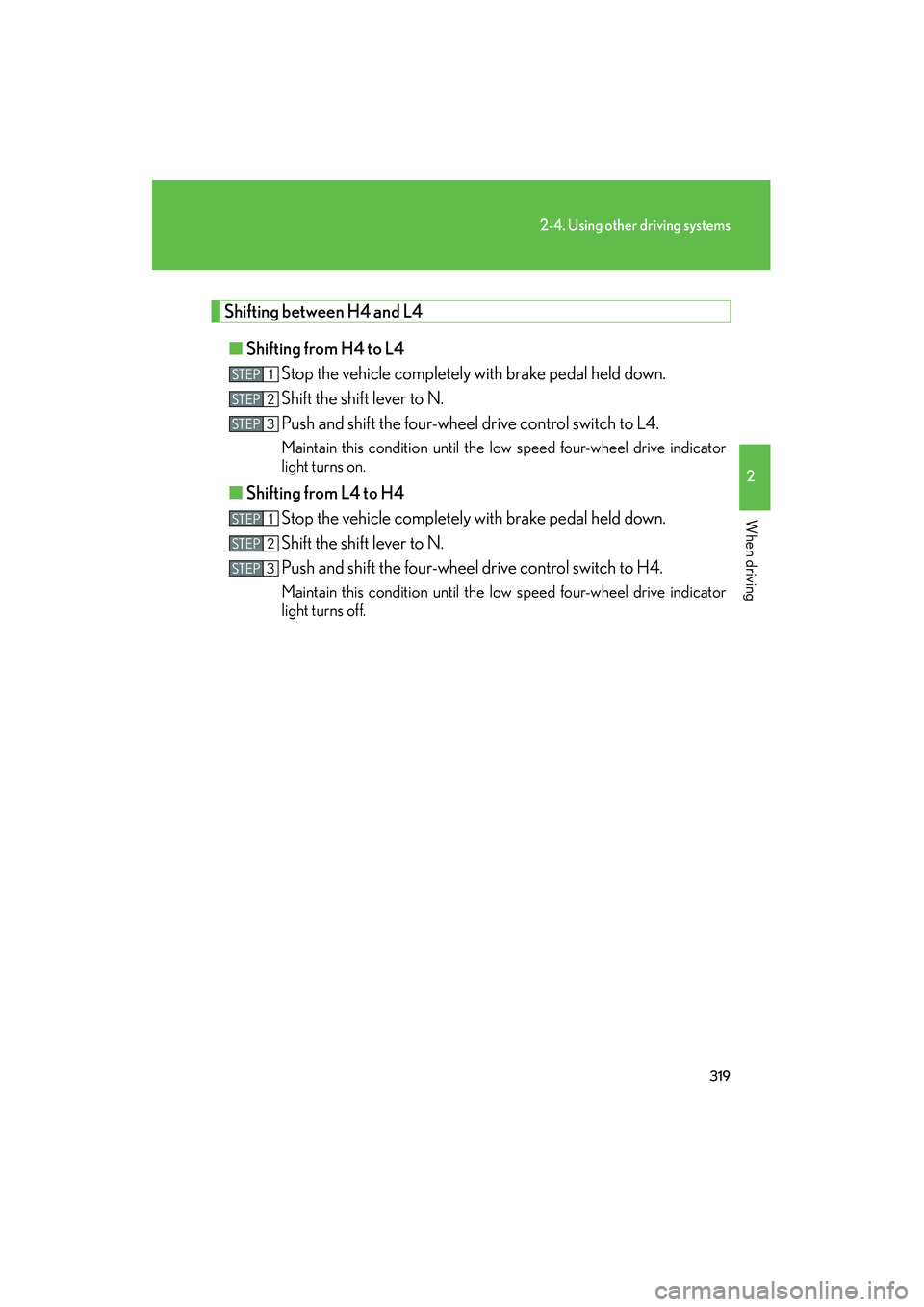
Shifting between H4 and L4■ Shifting from H4 to L4
Stop the vehicle completely with brake pedal held down.
Shift the shift lever to N.
Push and shift the four-wheel drive control switch to L4.
Maintain this condition until the low speed four-wheel drive indicator
light turns on.
■Shifting from L4 to H4
Stop the vehicle completely with brake pedal held down.
Shift the shift lever to N.
Push and shift the four-wheel drive control switch to H4.
Maintain this condition until the low speed four-wheel drive indicator
light turns off.
STEP1
STEP2
STEP3
STEP1
STEP2
STEP3
GX460_CANADA.book Page 319 Thursday, February 4, 2010 11:54 AM
Page 321 of 830

320
2-4. Using other driving systems
GX460_CANADA (OM60F29U)
■When the four-wheel drive control switch can be operated
●The “ENGINE START STOP” switch is in IGNITION ON mode.
●The shift lever is in the N position.
●The vehicle is stopped completely.
■The low speed four-wheel drive indicator light
●The indicator light blinks while switching between H4 and L4.
●If the low speed four-wheel drive indicator light continues to blink when you
operate the four-wheel drive control switch to the H4 or L4 position, stop the
vehicle completely, shift the shift lever securely into N and then operate the
switch again.
●If the shift lever is moved before the low speed four-wheel drive indicator turns
on/off, the transfer mode may not be shifted completely. The transfer mode dis-
engages both the front and rear drive shafts from the powertrain and allows the
vehicle to move regardless of the shift position. (At this time, the indicator blinks
and the buzzer sounds.)
Therefore, the vehicle is free to roll even if the shift lever is in P. You or someone
else could be seriously injured. You must complete the shifting of the transfer
mode and confirm that the indicator light has turned off (H4) or turned on (L4).
●If the engine coolant temperature is too low, the four-wheel drive control system
may not be able to shift. When the engine is warmer operate the switch again.
If the indicator continue to blink even if doing so, have the vehicle inspected by your
Lexus dealer as soon as possible. There may be a trouble in the four-wheel drive
system.
GX460_CANADA.book Page 320 Thursday, February 4, 2010 11:54 AM
Page 322 of 830

321
2-4. Using other driving systems
2
When driving
GX460_CANADA (OM60F29U)
■When the center differential lock/unlock switch can be operated
The “ENGINE START STOP” switch is in IGNITION ON mode.
■The center differential lock indicator light
●The indicator light blinks while locking/unlocking the center differential.
●If the center differential lock indicator light blinks and the buzzer sounds when
the center differential is locked, stop the slipping or spinning and push the
switch again.
If the indicator continue to blink even if doing so, have the vehicle inspected by your
Lexus dealer as soon as possible. There may be a trouble in the four-wheel drive
system.
■Locking/unlocking the center differential
●When the four-wheel drive control switch is in L4 with the center differential
locked, VSC is automatically turned off. (The center differential lock and VSC
OFF indicator light will come on.)
●If the operation is not completed, the center differential lock indicator blinks. If
the indicator light does not turn off when unlocking the center differential, drive
straight ahead while accelerating or decelerating, or drive in reverse.
●Avoid turning suddenly while the center differential is locked. If you do turn sud-
denly, the difference in turning speeds between the front and rear wheels may
have a similar effect to braking, thus making driving difficult.
GX460_CANADA.book Page 321 Thursday, February 4, 2010 11:54 AM