fuel consumption Lexus GX460 2010 Owner's Manual
[x] Cancel search | Manufacturer: LEXUS, Model Year: 2010, Model line: GX460, Model: Lexus GX460 2010Pages: 830, PDF Size: 17.01 MB
Page 205 of 830

204
2-2. Instrument cluster
GX460_CANADA (OM60F29U)
Multi-information display (Optitron meters)
The multi-information display presents the driver with a variety of driving-
related data.
●Trip information contents (→ P. 205)
Displays driving range, fuel consumption and other cruising-related infor-
mation.
●Electronic features control contents ( →P. 2 0 8 )
● Other contents ( →P. 2 0 8 )
GX460_CANADA.book Page 204 Thursday, February 4, 2010 11:54 AM
Page 207 of 830
206
2-2. Instrument cluster
GX460_CANADA (OM60F29U)●
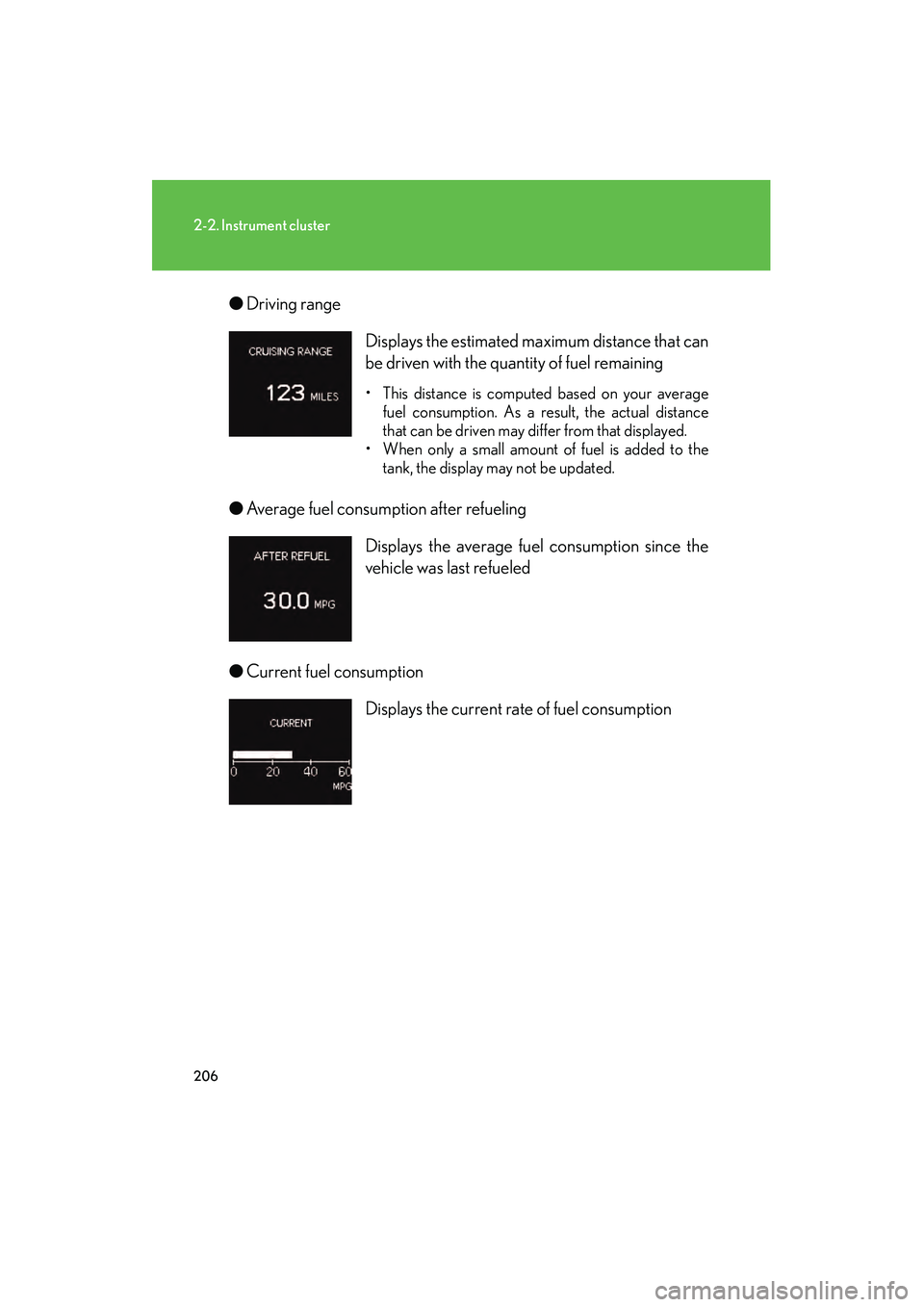
Driving range
● Average fuel consumption after refueling
● Current fuel consumption Displays the estimated maximum distance that can
be driven with the quantity of fuel remaining
• This distance is computed based on your average
fuel consumption. As a result, the actual distance
that can be driven may differ from that displayed.
• When only a small amount of fuel is added to the tank, the display may not be updated.
Displays the average fuel consumption since the
vehicle was last refueled
Displays the current rate of fuel consumption
GX460_CANADA.book Page 206 Thursday, February 4, 2010 11:54 AM
Page 208 of 830
207
2-2. Instrument cluster
2
When driving
GX460_CANADA (OM60F29U)●
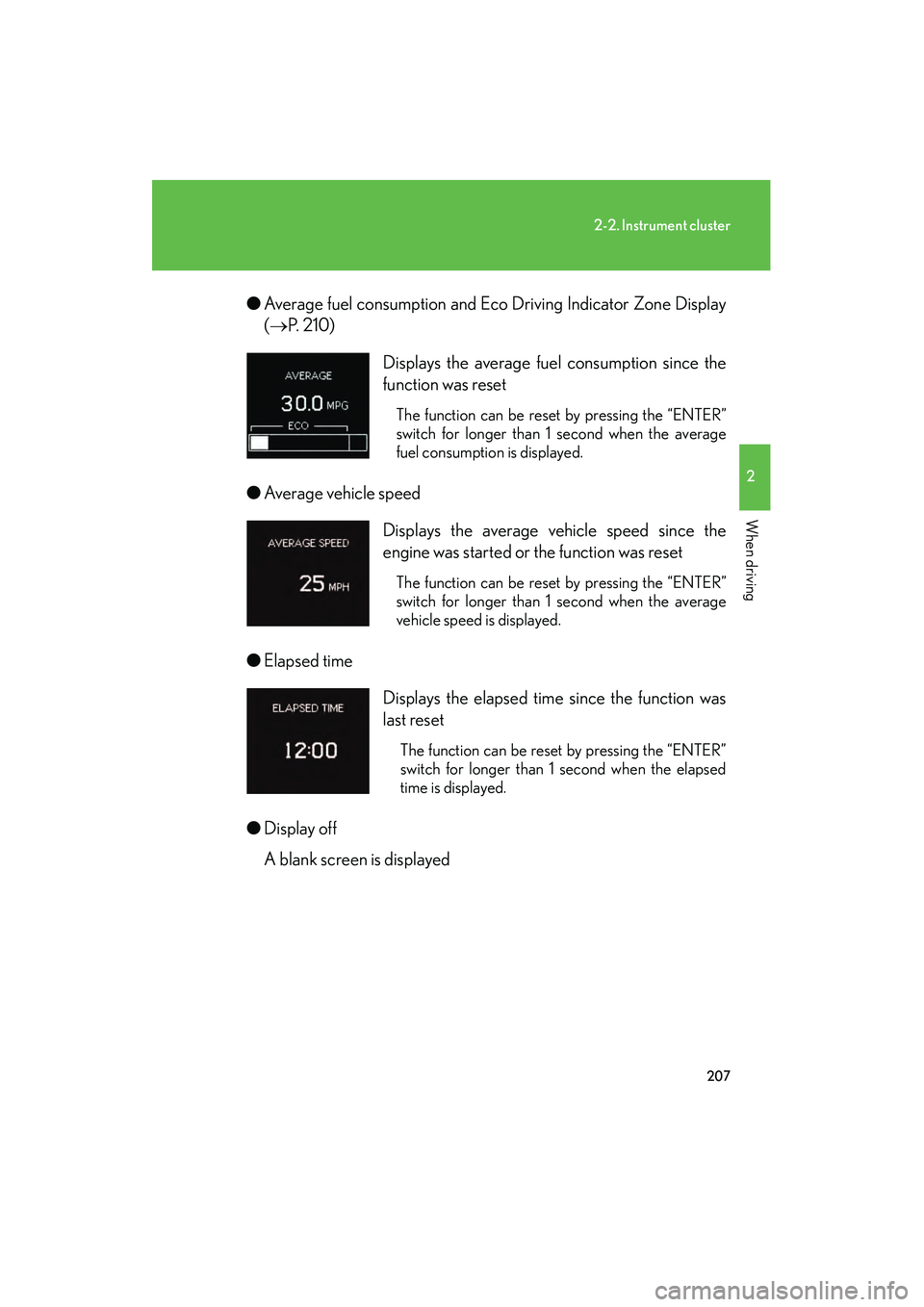
Average fuel consumption and Eco Driving Indicator Zone Display
(→ P. 2 1 0 )
● Average vehicle speed
● Elapsed time
● Display off
A blank screen is displayed Displays the average fuel consumption since the
function was reset
The function can be reset by pressing the “ENTER”
switch for longer than 1 second when the average
fuel consumption is displayed.
Displays the average vehicle speed since the
engine was started or the function was reset
The function can be reset by pressing the “ENTER”
switch for longer than 1 second when the average
vehicle speed is displayed.
Displays the elapsed time since the function was
last reset
The function can be reset by pressing the “ENTER”
switch for longer than 1 second when the elapsed
time is displayed.
GX460_CANADA.book Page 207 Thursday, February 4, 2010 11:54 AM
Page 212 of 830
211
2-2. Instrument cluster
2
When driving
GX460_CANADA (OM60F29U)
■When disconnecting and reconnecting battery terminals
The following information data will be reset:
●Average fuel consumption after refueling
●Average fuel consumption
●Average vehicle speed
●Elapsed time
CAUTION
■The multi-information display at low temperatures
Allow the interior of the vehicle to warm up before using the information display. At
extremely low temperatures, the information display monitor may respond slowly,
and display changes may be delayed.
For example, there is a lag between the driver’s shifting and the new gear number
appearing on the display. This lag could cause the driver to downshift again, causing
rapid and excessive engine braking and possibly an accident resulting in death or
serious injury.
GX460_CANADA.book Page 211 Thursday, February 4, 2010 11:54 AM
Page 214 of 830
213
2-2. Instrument cluster
2
When driving
GX460_CANADA (OM60F29U)
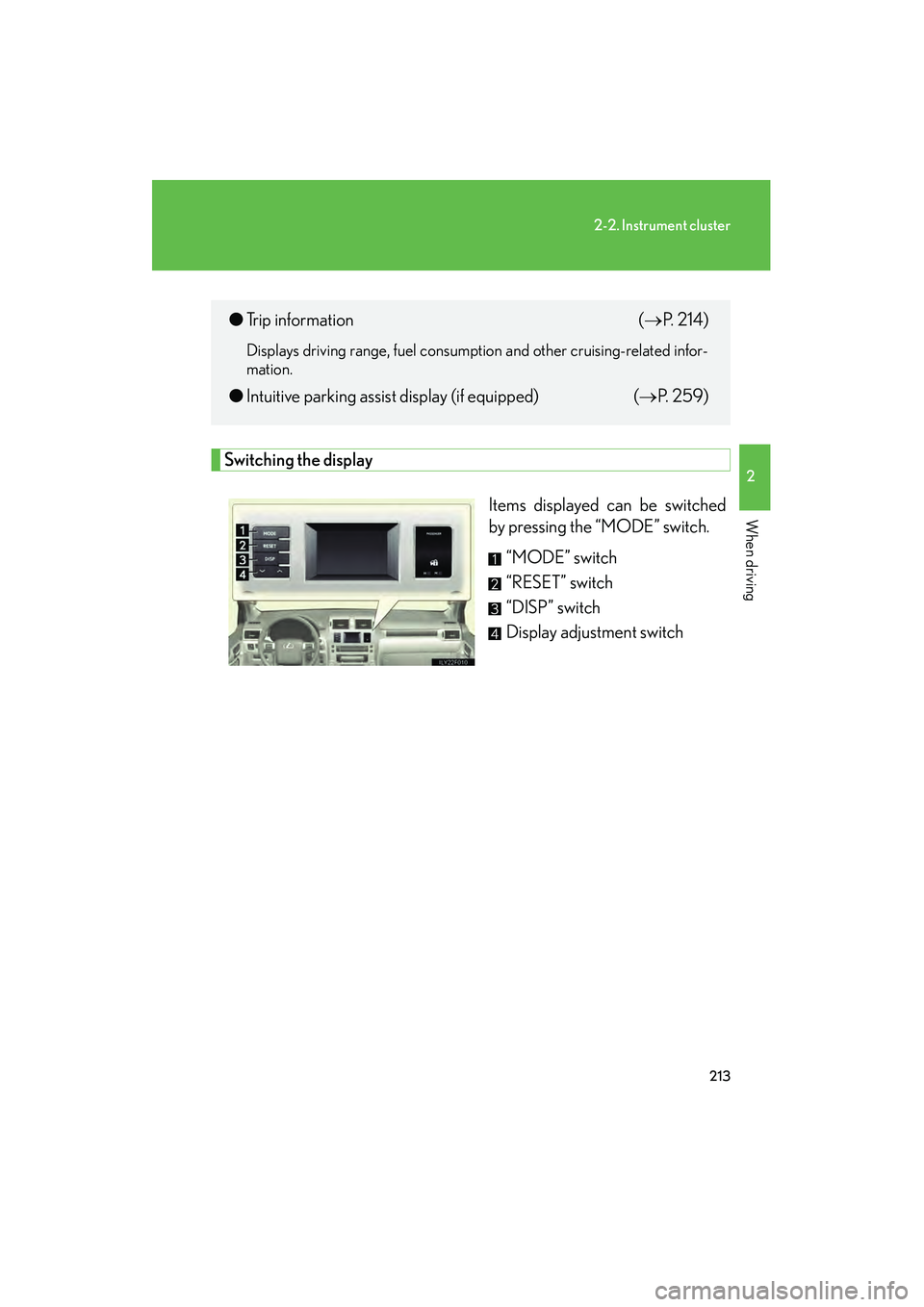
Switching the displayItems displayed can be switched
by pressing the “MODE” switch.“MODE” switch
“RESET” switch
“DISP” switch
Display adjustment switch
●Trip information ( →P. 2 1 4 )
Displays driving range, fuel consumption and other cruising-related infor-
mation.
●Intuitive parking assist display (if equipped) (→ P. 2 5 9 )
GX460_CANADA.book Page 213 Thursday, February 4, 2010 11:54 AM
Page 215 of 830

214
2-2. Instrument cluster
GX460_CANADA (OM60F29U)
Display items■ Driving range
Displays the estimated maximum
distance that can be driven with
the quantity of fuel remaining
This distance is computed based
on your average fuel consumption.
As a result, the actual distance that
can be driven may differ from that
displayed.
When only a small amount of fuel is
added to the tank, the display may
not be updated.
■Average fuel consumption after re fueling and current fuel consump-
tion
Displays the average fuel con-
sumption since the vehicle was last
refueled and the current rate of
fuel consumption
GX460_CANADA.book Page 214 Thursday, February 4, 2010 11:54 AM
Page 216 of 830

215
2-2. Instrument cluster
2
When driving
GX460_CANADA (OM60F29U)■
Average fuel consumption
Displays the average fuel con-
sumption since the function was
reset
The function can be reset by press-
ing and holding the “RESET” switch
when the average fuel consump-
tion is displayed.
■Average vehicle speed
Displays the average vehicle
speed since the function was reset
The function can be reset by press-
ing and holding the “RESET” switch
when the average vehicle speed is
displayed.
■Elapsed time
Displays the elapsed time since the
function was last reset
The function can be reset by press-
ing and holding the “RESET” switch
when the elapsed time is displayed.
■Air conditioning system display
→ P. 384
GX460_CANADA.book Page 215 Thursday, February 4, 2010 11:54 AM
Page 220 of 830
219
2-2. Instrument cluster
2
When driving
GX460_CANADA (OM60F29U)
■When disconnecting and reconnecting battery terminals
The following information data and settings will be reset:
●Average fuel consumption after refueling
●Average fuel consumption
●Average vehicle speed
●Elapsed time
■Customization
Setting of available languages can be changed.
(Customizable features →P. 7 8 3 )
NOTICE
■The multi-information display at low temperatures
Allow the interior of the vehicle to warm up before using the liquid crystal informa-
tion display. At extremely low temperatures, the information display monitor may
respond slowly, and display changes may be delayed.
GX460_CANADA.book Page 219 Thursday, February 4, 2010 11:54 AM
Page 366 of 830
365
2-5. Driving information
2
When driving
GX460_CANADA (OM60F29U)
Trailer towing
Your vehicle is designed primarily as a passenger-and-load carrying vehi-
cle. Towing a trailer will have an adverse effect on handling, performance,
braking, durability, and fuel consumption. For your safety and the safety of
others, do not overload the vehicle or trailer.
To tow a trailer safely, use extreme care and drive the vehicle in accor-
dance with the trailer’s characteristics and operating conditions. The vehi-
cle stability and braking performance are affected by trailer stability, brake
setting and performance, and the hitch.
Lexus warranties do not apply to damage or malfunction caused by towing
a trailer for commercial purposes.
Contact your Lexus dealer for further information about additional
requirements such as a towing kits, etc.
■ Weight limits
Confirm that the total trailer weight, gross vehicle weight, gross axle
weight and trailer tongue load are all within the limits.
GX460_CANADA.book Page 365 Thursday, February 4, 2010 11:54 AM