lock Lexus GX460 2012 Owner's Manual
[x] Cancel search | Manufacturer: LEXUS, Model Year: 2012, Model line: GX460, Model: Lexus GX460 2012Pages: 839, PDF Size: 11.4 MB
Page 364 of 839
362
2-5. Driving information
GX460_U.S.A. (OM60J00U)
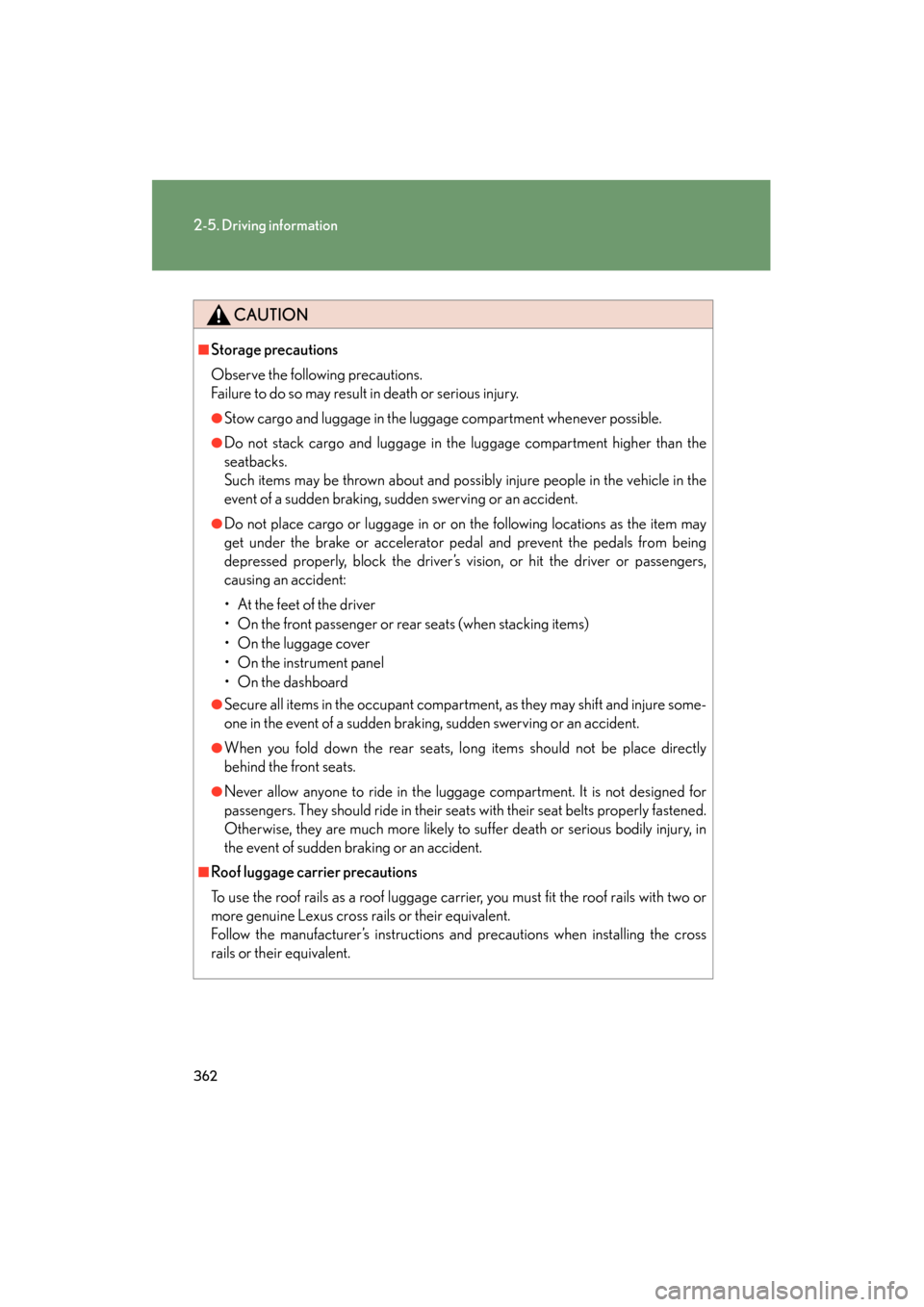
CAUTION
■Storage precautions
Observe the following precautions.
Failure to do so may result in death or serious injury.
●Stow cargo and luggage in the luggage compartment whenever possible.
●Do not stack cargo and luggage in the luggage compartment higher than the
seatbacks.
Such items may be thrown about and possibly injure people in the vehicle in the
event of a sudden braking, sudden swerving or an accident.
●Do not place cargo or luggage in or on the following locations as the item may
get under the brake or accelerator pedal and prevent the pedals from being
depressed properly, block the driver’s vision, or hit the driver or passengers,
causing an accident:
• At the feet of the driver
• On the front passenger or rear seats (when stacking items)
• On the luggage cover
• On the instrument panel
•On the dashboard
●Secure all items in the occupant compartment, as they may shift and injure some-
one in the event of a sudden braking, sudden swerving or an accident.
●When you fold down the rear seats, long items should not be place directly
behind the front seats.
●Never allow anyone to ride in the luggage compartment. It is not designed for
passengers. They should ride in their seats with their seat belts properly fastened.
Otherwise, they are much more likely to suffer death or serious bodily injury, in
the event of sudden braking or an accident.
■Roof luggage carrier precautions
To use the roof rails as a roof luggage carrier, you must fit the roof rails with two or
more genuine Lexus cross rails or their equivalent.
Follow the manufacturer’s instructions and precautions when installing the cross
rails or their equivalent.
Page 369 of 839
367
2-5. Driving information
2
When driving
GX460_U.S.A. (OM60J00U)
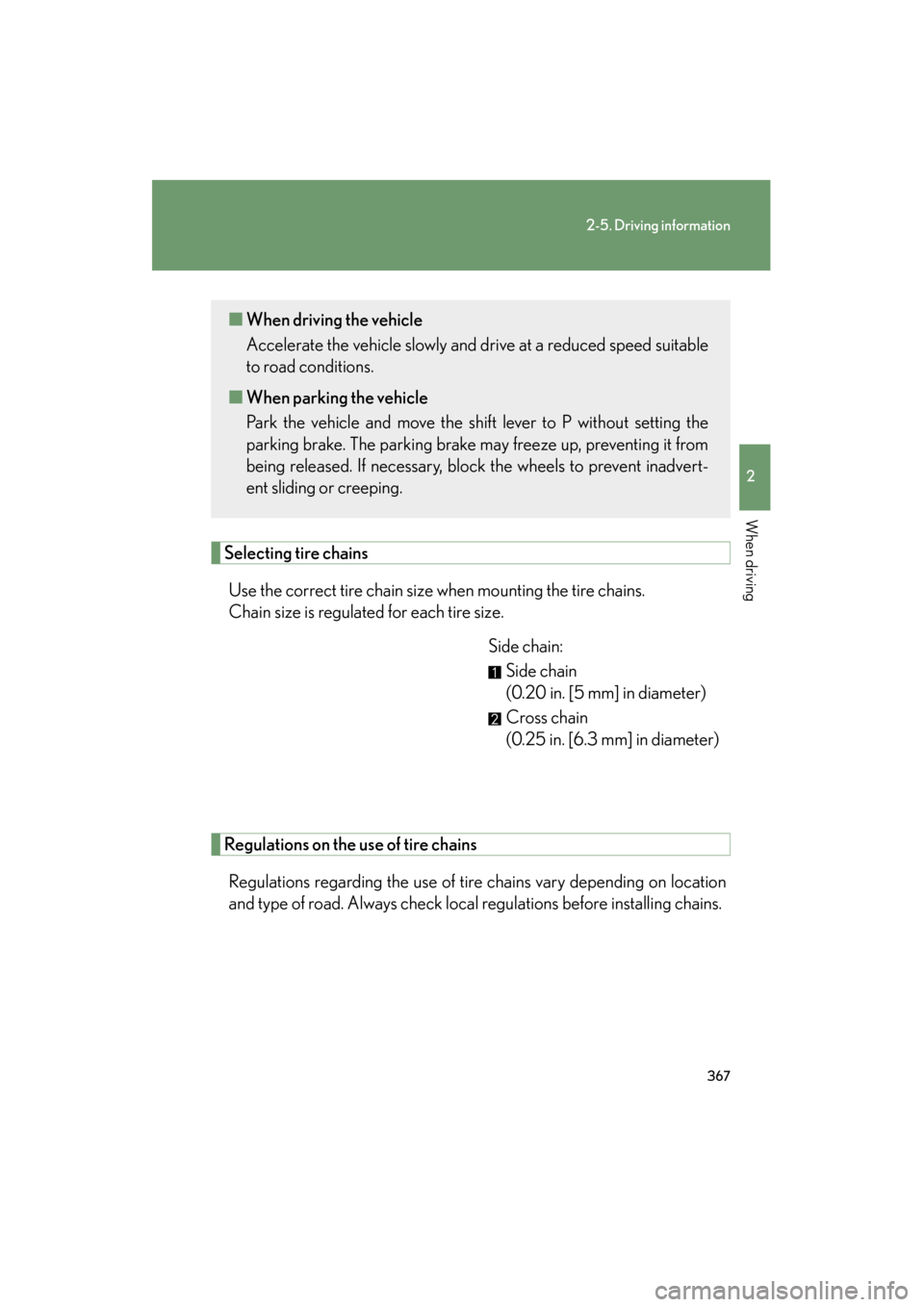
Selecting tire chainsUse the correct tire chain size when mounting the tire chains.
Chain size is regulated for each tire size. Side chain:Side chain
(0.20 in. [5 mm] in diameter)
Cross chain
(0.25 in. [6.3 mm] in diameter)
Regulations on the use of tire chains
Regulations regarding the use of tire chains vary depending on location
and type of road. Always check local regulations before installing chains.
■ When driving the vehicle
Accelerate the vehicle slowly and drive at a reduced speed suitable
to road conditions.
■ When parking the vehicle
Park the vehicle and move the shift lever to P without setting the
parking brake. The parking brake may freeze up, preventing it from
being released. If necessary, block the wheels to prevent inadvert-
ent sliding or creeping.
Page 380 of 839

378
2-5. Driving information
GX460_U.S.A. (OM60J00U)
Selecting trailer ballUse the correct trailer ball for your application. Trailer ball load rating
Matches or exceeds the gross
trailer weight rating of the trailer.
Ball diameter
Matches the size of the trailer cou-
pler. Most couplers are stamped
with the required trailer ball size.
Shank length
Protrudes beyond the bottom of
the lock washer and nut by at least
2 threads.
Shank diameter
Matches the ball mount hole diam-
eter size.
Trailer classTypical trailer ball
size
IV2 5/16 in.
II and III2 in.
I1 7/8 in.
Page 385 of 839
383
2-5. Driving information
2
When driving
GX460_U.S.A. (OM60J00U)●
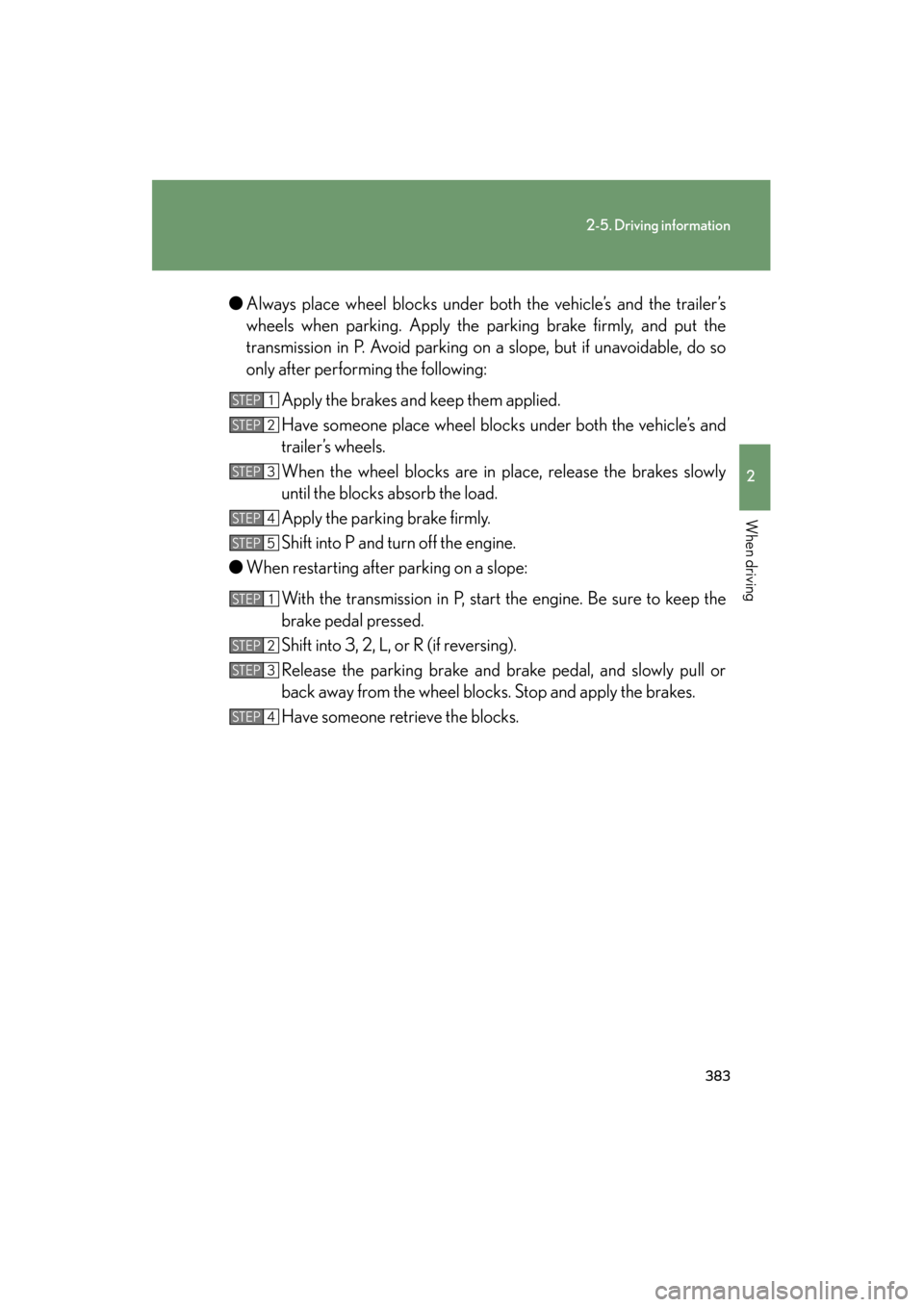
Always place wheel blocks under both the vehicle’s and the trailer’s
wheels when parking. Apply the parking brake firmly, and put the
transmission in P. Avoid parking on a slope, but if unavoidable, do so
only after performing the following:
Apply the brakes and keep them applied.
Have someone place wheel blocks under both the vehicle’s and
trailer’s wheels.
When the wheel blocks are in place, release the brakes slowly
until the blocks absorb the load.
Apply the parking brake firmly.
Shift into P and turn off the engine.
● When restarting after parking on a slope:
With the transmission in P, start the engine. Be sure to keep the
brake pedal pressed.
Shift into 3, 2, L, or R (if reversing).
Release the parking brake and brake pedal, and slowly pull or
back away from the wheel blocks. Stop and apply the brakes.
Have someone retrieve the blocks.
STEP1
STEP2
STEP3
STEP4
STEP5
STEP1
STEP2
STEP3
STEP4
Page 393 of 839
Interior features3
391
GX460_U.S.A. (OM60J00U)
3-3. Using the Bluetooth® audio
system
Bluetooth
® audio system .... 464
Using the Bluetooth
®
audio system ......................... 468
Operating a Bluetooth
® enabled
portable player ..................... 474
Setting up a Bluetooth
® enabled
portable player .................... 477
Bluetooth
® audio system
setup ....................................... 484
3-4. Using the hands-free system (for cellular phone)
Hands-free system for cellular phones.................... 485
Using the hands-free system (for cellular phones) ........... 489
Making a phone call .............. 497
Setting a cellular phone ...... 502
Security and system setup ........................................ 507
Using the phone book............. 511
3-5. Using the interior lights Interior lights list ...................... 519
• Personal/interior light main switch .............................. 520
• Personal/interior lights ......... 521 3-6. Using the storage features
List of storage features......... 523
• Glove box ................................. 525
• Console box............................. 526
• Coin holder .............................. 528
• Bottle holders/door pockets ....................................... 529
• Cup holders ............................. 530
• Auxiliary boxes ....................... 533
3-7. Other interior features Cool box ................................... 535
Sun visors ................................. 538
Vanity mirror ........................... 539
Clock ......................................... 540
Conversation mirror.............. 541
Power outlet (12 V DC)........ 542
Power outlet (120 V AC) ..... 544
Heated steering wheel ........ 549
Seat heaters and ventilators .............................. 551
Armrest .................................... 554
Coat hooks .............................. 555
Floor mat .................................. 556
Luggage compartment features .................................. 558
Garage door opener ............. 567
Compass ................................... 575
Safety Connect ...................... 580
Page 408 of 839
406
3-1. Using the air conditioning system and defogger
GX460_U.S.A. (OM60J00U)
■Air conditioning odors
●During use, various odors from inside and outside the vehicle may enter into
and accumulate in the air conditioning system. This may then cause odor to be
emitted from the vents.
●To reduce potential odors from occurring:
• It is recommended that the air conditioning system be set to outside air mode
prior to turning the vehicle off.
• The start timing of the blower may be delayed for a short period of time
immediately after the air conditioning system is started in AUTO mode.
■Customization
Settings (e.g. enable/disable automatic operation of the air conditioning compres-
sor when the “AUTO” switch ON) can be changed.
(Customizable features →P. 7 8 2 )
CAUTION
■To prevent the windshield from fogging up
Do not use during cool air operation in extremely humid weather. The dif-
ference between the temperature of the outside air and that of the windshield can
cause the outer surface of the windshield to fog up, blocking your vision.
NOTICE
■To prevent battery discharge
Do not leave the air conditioning system on longer than necessary when the engine
is stopped.
Page 460 of 839

458
3-2. Using the audio system
GX460_U.S.A. (OM60J00U)■
Adjusting sound quality
Turning the “TUNE/SEL” knob adjusts the level.
*: The sound quality level is adjusted individually in each audio mode.
Turning the Automatic Sound Levelizer (ASL) on/off
Turning the “TUNE/SEL” knob clockwise turns on the ASL, and turning
the “TUNE/SEL” knob counterclockwise turns off the ASL.
ASL automatically adjusts the volume an d tone quality according to the noise
level as you drive your vehicle.
Mode
displayedSound
quality modeLevelTu r n c o u n t e r - clockwiseTu r n
clockwise
“BAS”Bass*-5 to 5
LowHigh“MID”Mid-range*-5 to 5
“TRE”Tr e b l e*-5 to 5
“FAD”
Front/rear volume
balance
F7 to R7Shifts to rearShifts to front
“BAL”
Left/right volume
balance
L7 to R7Shifts to leftShifts to right
Page 496 of 839

494
3-4. Using the hands-free system (for cellular phone)
GX460_U.S.A. (OM60J00U)
“Setup”
“Security”
“Set PIN”Setting a PIN code
“Phbk Lock”Locking the phone book
“Phbk Unlock”Unlocking the phone book
“Phone
Setup”
“Pair Phone”Registering the cellular phone
to be used
“Connect”Selecting a cellular phone to be
used
“Change Name”Changing a registered name of
a cellular phone
“List Phones”Listing the registered cellular
phones
“Set Passkey”Changing the passkey
“Delete Phone”Deleting a registered cellular
phone
“System
Setup”
“Guidance Vol”Setting voice guidance volume
“Device Name”Displaying the Bluetooth®
device address and name
“Initialize”Initializing the system
First menuSecond menuThird menuOperation detail
Page 497 of 839

495
3-4. Using the hands-free system (for cellular phone)
3
Interior features
GX460_U.S.A. (OM60J00U)■
Using a short cut key
First menuSecond menuOperation detail
“Dial XXX (name)”-Dialing a name registered in the
phone book
“Phone book add
Entry”-Adding a new phone number
“Phone book Change
name”-Changing a registered name in
the phone book
“Phone book Delete
Entry”-Deleting the registered data
“Phone book List
names”-Listing the registered data
“Phone book Set
Speed Dial”-Setting speed dials
“Phone book Delete
Speed Dial”-Deleting speed dials
“Dial XXX (number)”-Dialing by inputting a number
“Phonebook”“Phonebook Unlock”Unlocking the phone book
“Phonebook Lock”Locking the phone book
Page 509 of 839

507
3-4. Using the hands-free system (for cellular phone)
3
Interior features
GX460_U.S.A. (OM60J00U)
Security and system setup
■Security setting items an d operation procedures
To enter the menu for each function, follow the steps below using a
voice command or the “TUNE/SEL” knob:
● Setting or changing the PIN (Personal Identification Number)
1. “Setup” → 2. “Security” → 3. “Set PIN”
● Locking the phone book
1. “Setup” → 2. “Security” → 3. “Phonebook Lock (Phbk Lock)”
● Unlocking the phone book
1. “Setup” → 2. “Security” →
3. “Phonebook Unlock (Phbk Unlock)”
■ System setup items and operation procedures
To enter the menu for each function, follow the steps below using the
“TUNE/SEL” knob:
● Setting voice guidance volume
1. “Setup” → 2. “System Setup” → 3. “Guidance Vol”
● Displaying the Bluetooth
® device address and name
1. “Setup” → 2. “System Setup” → 3. “Device Name”
● Initializing the system
1. “Setup” → 2. “System Setup” → 3. “Initialize”