Auxiliary box Lexus GX460 2012 Owner's Manual
[x] Cancel search | Manufacturer: LEXUS, Model Year: 2012, Model line: GX460, Model: Lexus GX460 2012Pages: 839, PDF Size: 11.4 MB
Page 7 of 839
1
2
3
4
5
6
7
5
GX460_U.S.A. (OM60J00U)
3-6. Using the storage featuresList of storage features............... 523
• Glove box .................................... 525
• Console box ................................ 526
• Coin holder................................. 528
• Bottle holders/door pockets .......................................... 529
• Cup holders................................ 530
• Auxiliary boxes.......................... 533
3-7. Other interior features Cool box ......................................... 535
Sun visors........................................ 538
Vanity mirror .................................. 539
Clock ................................................ 540
Conversation mirror.................... 541
Power outlet (12 V DC) ............ 542
Power outlet (120 V AC) ......... 544
Heated steering wheel............... 549
Seat heaters and ventilators ..... 551
Armrest ............................................ 554
Coat hooks .................................... 555
Floor mat.......................................... 556
Luggage compartment features......................................... 558
Garage door opener.................. 567
Compass.......................................... 575
Safety Connect ............................ 580 4-1. Maintenance and care
Cleaning and protecting the vehicle exterior.................. 588
Cleaning and protecting the vehicle interior .................... 593
4-2. Maintenance Maintenance requirements ..... 596
General maintenance ............... 598
Emission inspection and maintenance (I/M)
programs ...................................... 602
4-3. Do-it-yourself maintenance Do-it-yourself service precautions ................................. 603
Hood ................................................ 608
Engine compartment................. 609
Tires ................................................... 628
Tire inflation pressure................. 635
Wheels ............................................. 639
Air conditioning filter.................. 642
Electronic key battery ................ 644
Checking and replacing fuses ................................................ 647
Headlight aim (vehicles with low beam halogen bulbs) ............... 660
Light bulbs ....................................... 662
4Maintenance and care
Page 12 of 839
10
GX460_U.S.A. (OM60J00U)
Pictorial indexInterior
Seat belts P. 85
SRS driver airbag P. 122
Floor mat P. 556
Rear air conditioning system∗
Outer second seat heater switches
∗
P. 407
P. 552
Head restraints P. 82
Front seats P. 63
SRS side airbags P. 122
Console box∗
Cool box
∗
P. 526
P. 535
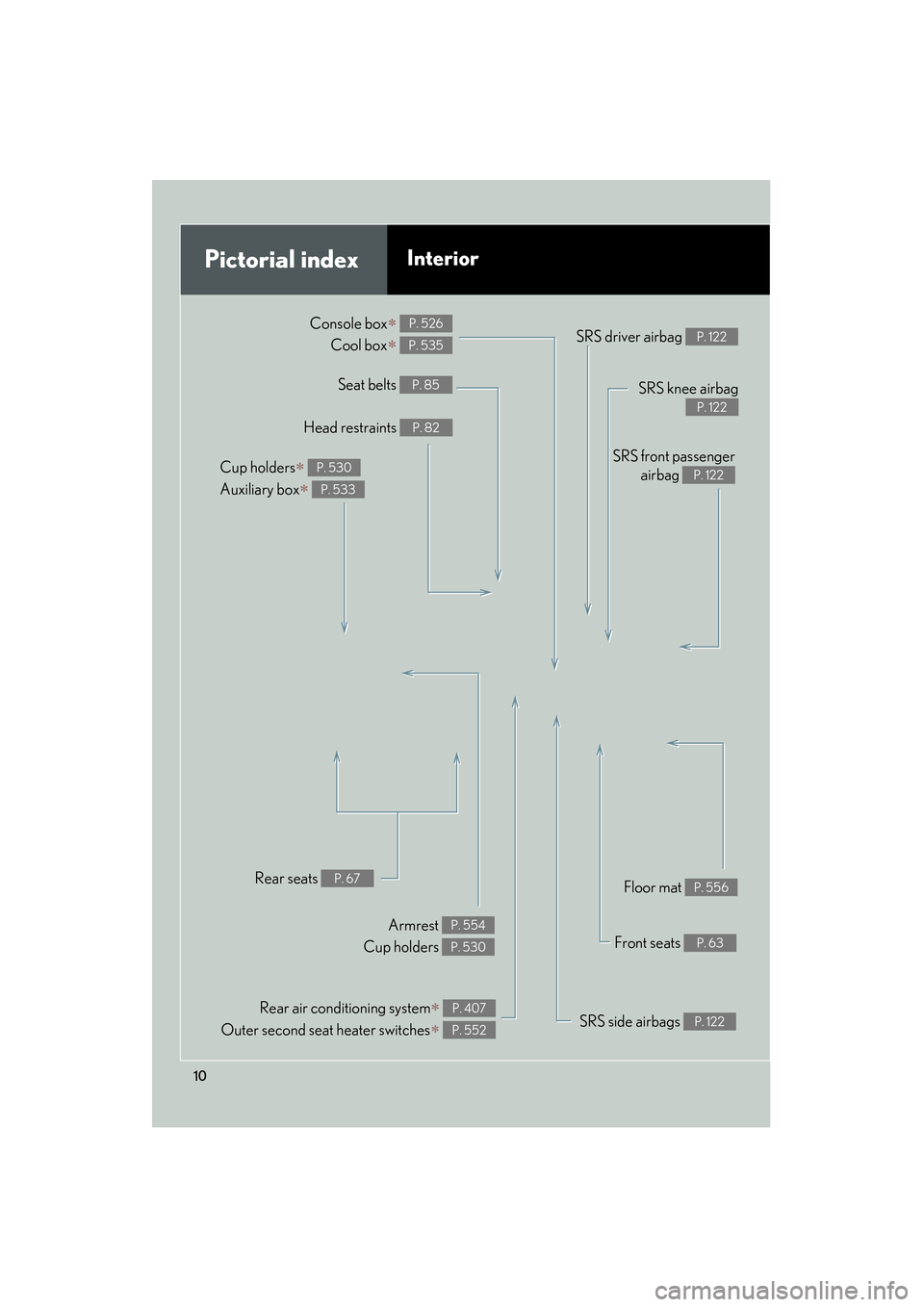
Cup holders∗
Auxiliary box
∗
P. 530
P. 533
Rear seats P. 67
Armrest
Cup holders P. 554
P. 530
SRS knee airbag
P. 122
SRS front passenger airbag
P. 122
Page 13 of 839
11
GX460_U.S.A. (OM60J00U)
Anti-glare inside rear view mirror Compass
∗
Garage door opener switches
P. 95
P. 575
P. 567
Personal/interior lights “SOS” button
∗
P. 520
P. 580
Vanity mirrors Sun visors P. 539
P. 538
Personal/interior lights P. 521
SRS curtain shield airbags P. 122
∗: If equipped
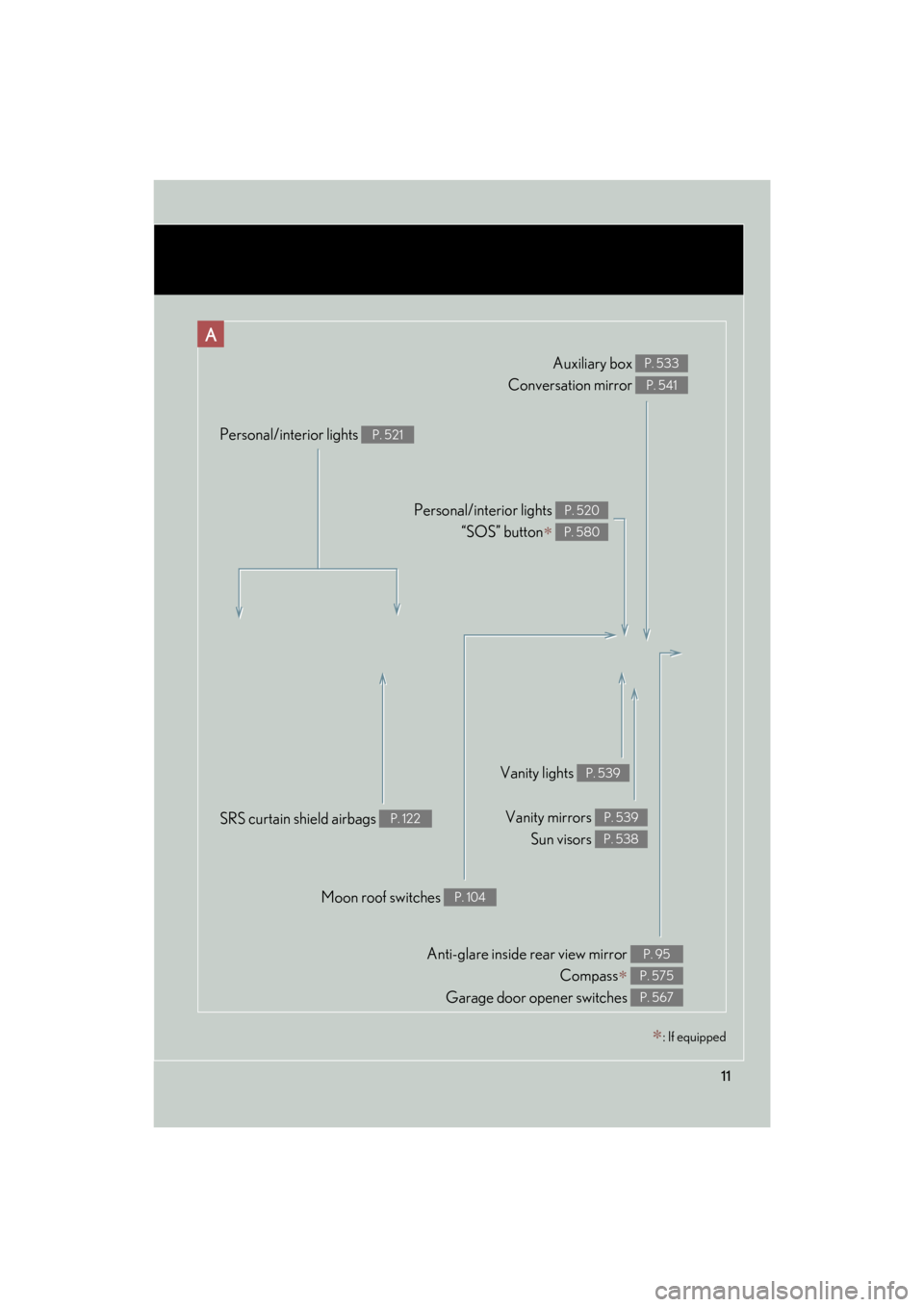
Auxiliary box
Conversation mirror P. 533
P. 541
A
Moon roof switches P. 104
Vanity lights P. 539
Page 393 of 839
Interior features3
391
GX460_U.S.A. (OM60J00U)
3-3. Using the Bluetooth® audio
system
Bluetooth
® audio system .... 464
Using the Bluetooth
®
audio system ......................... 468
Operating a Bluetooth
® enabled
portable player ..................... 474
Setting up a Bluetooth
® enabled
portable player .................... 477
Bluetooth
® audio system
setup ....................................... 484
3-4. Using the hands-free system (for cellular phone)
Hands-free system for cellular phones.................... 485
Using the hands-free system (for cellular phones) ........... 489
Making a phone call .............. 497
Setting a cellular phone ...... 502
Security and system setup ........................................ 507
Using the phone book............. 511
3-5. Using the interior lights Interior lights list ...................... 519
• Personal/interior light main switch .............................. 520
• Personal/interior lights ......... 521 3-6. Using the storage features
List of storage features......... 523
• Glove box ................................. 525
• Console box............................. 526
• Coin holder .............................. 528
• Bottle holders/door pockets ....................................... 529
• Cup holders ............................. 530
• Auxiliary boxes ....................... 533
3-7. Other interior features Cool box ................................... 535
Sun visors ................................. 538
Vanity mirror ........................... 539
Clock ......................................... 540
Conversation mirror.............. 541
Power outlet (12 V DC)........ 542
Power outlet (120 V AC) ..... 544
Heated steering wheel ........ 549
Seat heaters and ventilators .............................. 551
Armrest .................................... 554
Coat hooks .............................. 555
Floor mat .................................. 556
Luggage compartment features .................................. 558
Garage door opener ............. 567
Compass ................................... 575
Safety Connect ...................... 580
Page 442 of 839
440
3-2. Using the audio system
GX460_U.S.A. (OM60J00U)
Operating an iPod
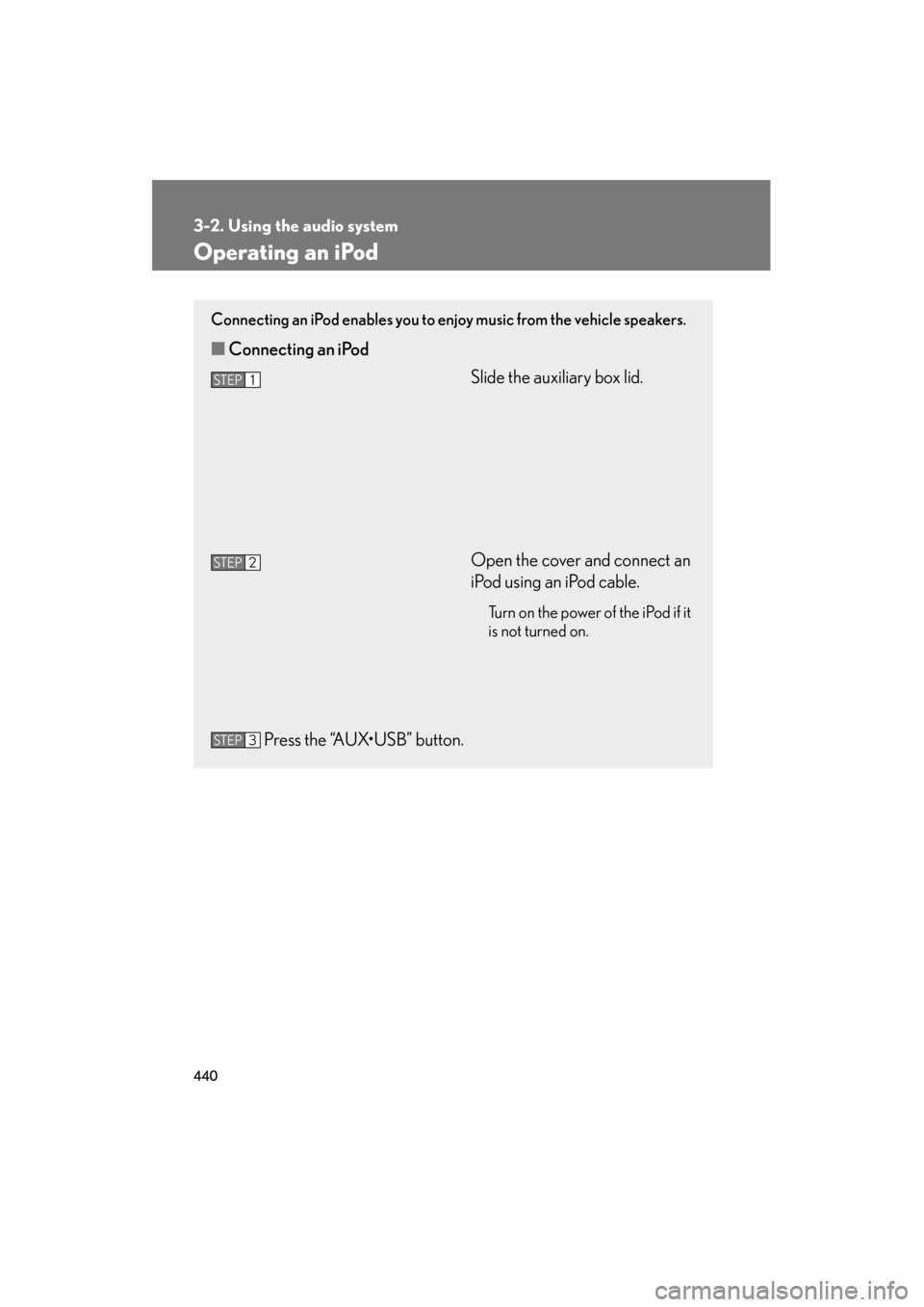
Connecting an iPod enables you to enjoy music from the vehicle speakers.
■Connecting an iPod
Slide the auxiliary box lid.
Open the cover and connect an
iPod using an iPod cable.
Turn on the power of the iPod if it
is not turned on.
Press the “AUX•USB” button.
STEP1
STEP2
STEP3
Page 450 of 839
448
3-2. Using the audio system
GX460_U.S.A. (OM60J00U)
Operating a USB memory
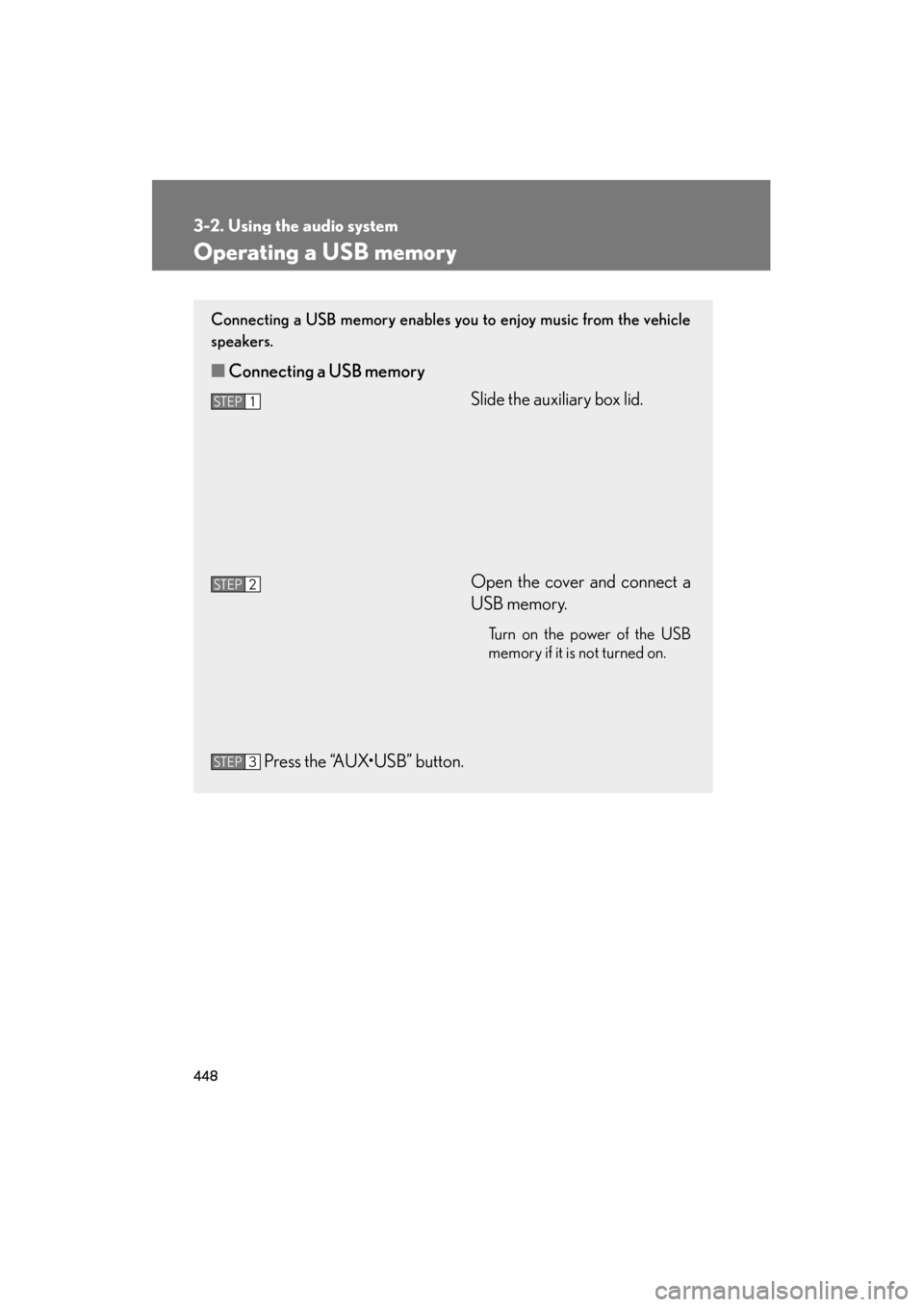
Connecting a USB memory enables you to enjoy music from the vehicle
speakers.
■Connecting a USB memory
Slide the auxiliary box lid.
Open the cover and connect a
USB memory.
Turn on the power of the USB
memory if it is not turned on.
Press the “AUX•USB” button.
STEP1
STEP2
STEP3
Page 461 of 839
459
3-2. Using the audio system
3
Interior features
GX460_U.S.A. (OM60J00U)
Using the AUX port
■Operating portable audio devices connected to the audio system
The volume can be adjusted using the vehicle’s audio controls. All other adjust-
ments must be made on the portable audio device itself.
■When using a portable audio device connected to the power outlet
Noise may occur during playback. Use the power source of the portable audio
device.
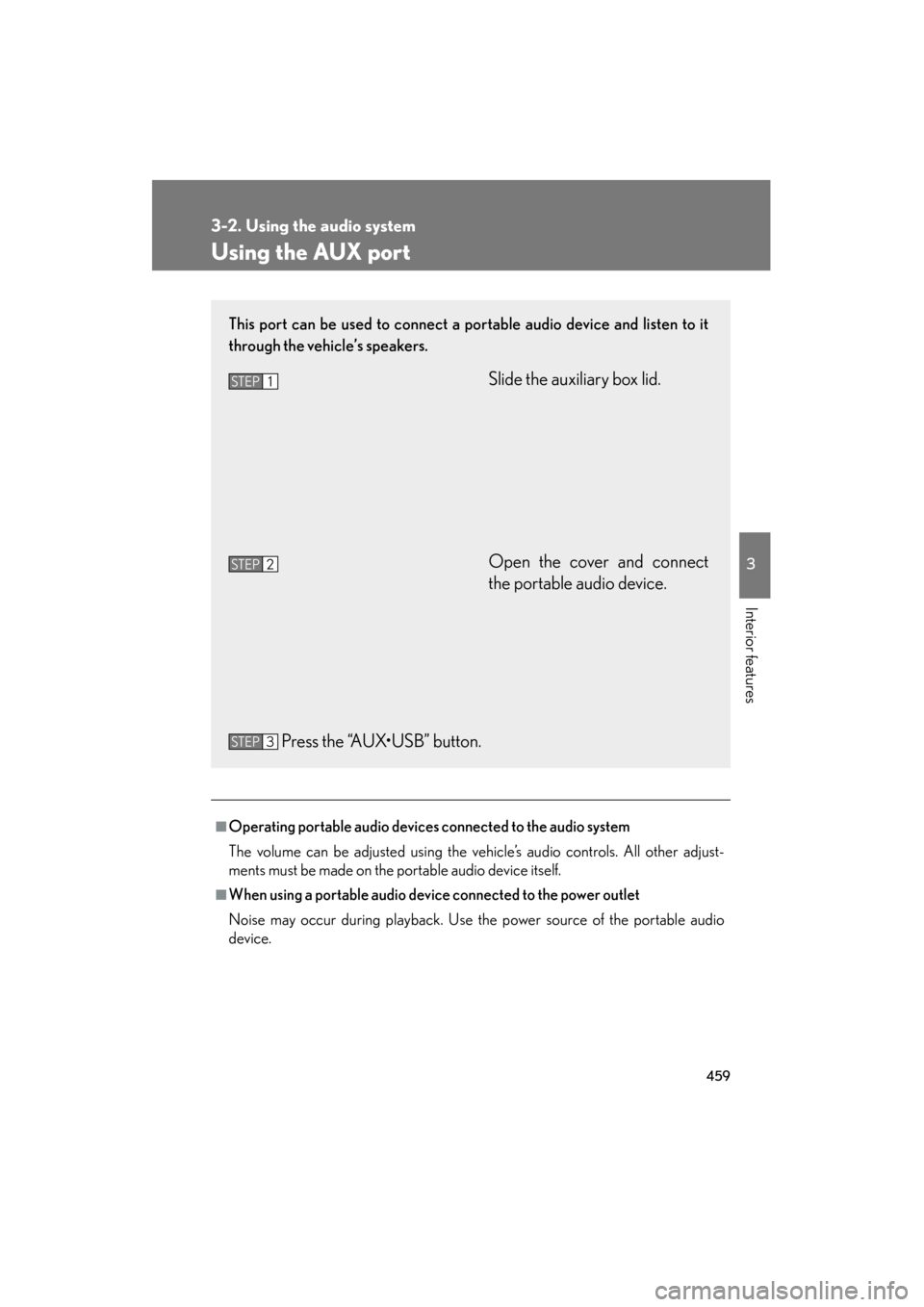
This port can be used to connect a portable audio device and listen to it
through the vehicle’s speakers.
Slide the auxiliary box lid.
Open the cover and connect
the portable audio device.
Press the “AUX•USB” button.STEP1
STEP2
STEP3
Page 525 of 839

523
3
Interior features
GX460_U.S.A. (OM60J00U)
3-6. Using the storage features
List of storage features
Cup holders
Auxiliary boxes
Bottle holders/door pockets
Glove box
Console box (if equipped)
Coin holder (if equipped)
Page 535 of 839
533
3-6. Using the storage features
3
Interior features
GX460_U.S.A. (OM60J00U)
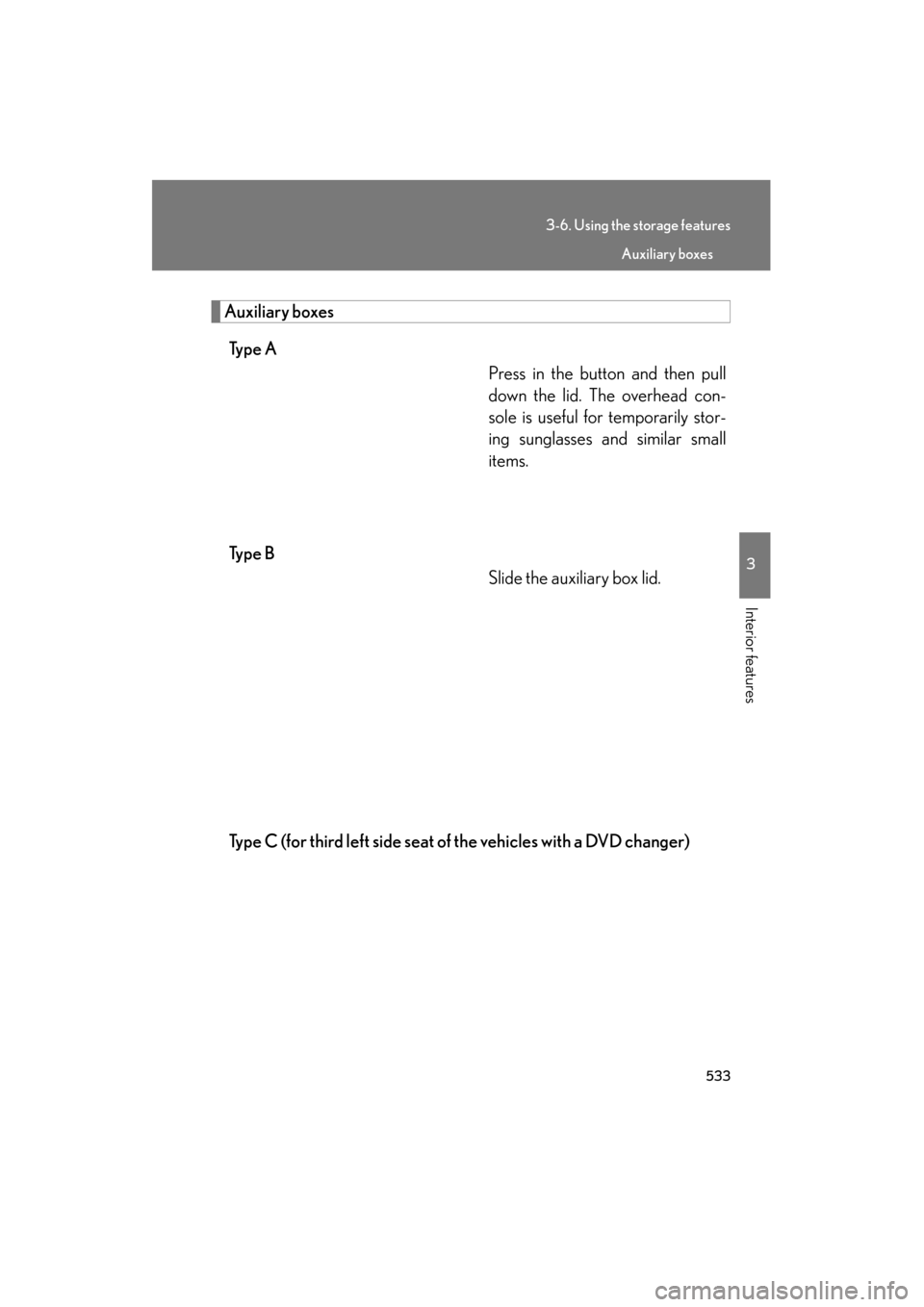
Auxiliary boxesTy p e A Press in the button and then pull
down the lid. The overhead con-
sole is useful for temporarily stor-
ing sunglasses and similar small
items.
Ty p e B Slide the auxiliary box lid.
Type C (for third left side seat of the vehicles with a DVD changer)
Auxiliary boxes
Page 536 of 839
534
3-6. Using the storage features
GX460_U.S.A. (OM60J00U)
■Auxiliary box light (type B)
●The auxiliary box light turns on when the tail lights are on.
●The brightness of the auxiliary box light changes in conjunction with the instru-
ment cluster light. (→P. 1 9 6 )
■Closing the auxiliary box lid
CAUTION
■Caution while driving
●Keep the auxiliary boxes closed. In the event of sudden braking or sudden swerv-
ing, an accident may occur due to an occupant being struck by an open auxiliary
box or the items stored inside.
●Do not place cups, aluminum cans or bottles in the box. They may be thrown out
of the box in the event of sudden braking, sudden swerving or an accident, result-
ing in injury. (type B and C)
■Items unsuitable for storing (type A)
●Do not store items heavier than 0.4 lb. (0.2 kg).
Doing so may cause the auxiliary box to open and the items inside may fall out,
resulting in an accident.
●Do not put large items in the overhead console.
The overhead console may not be able to be shut from the conversation mirror
state.
Slide the auxiliary box lid forward.
Auxiliary boxes