Downhill Lexus GX460 2012 Owner's Manual
[x] Cancel search | Manufacturer: LEXUS, Model Year: 2012, Model line: GX460, Model: Lexus GX460 2012Pages: 839, PDF Size: 11.4 MB
Page 5 of 839
1
2
3
4
5
6
7
3
GX460_U.S.A. (OM60J00U)
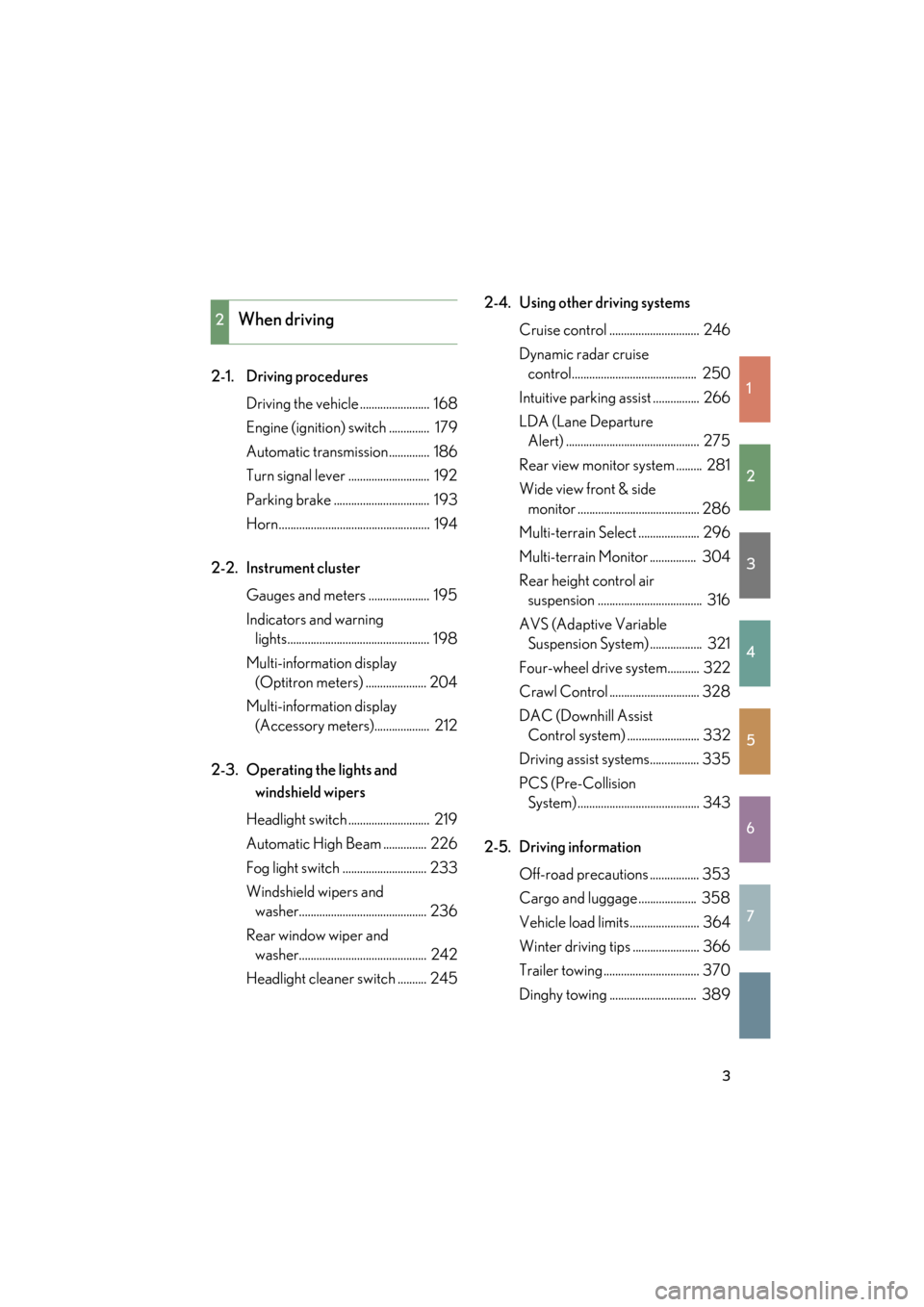
2-1. Driving proceduresDriving the vehicle ........................ 168
Engine (ignition) switch .............. 179
Automatic transmission.............. 186
Turn signal lever ............................ 192
Parking brake ................................. 193
Horn.................................................... 194
2-2. Instrument cluster Gauges and meters ..................... 195
Indicators and warning lights................................................. 198
Multi-information display (Optitron meters) ..................... 204
Multi-information display (Accessory meters)................... 212
2-3. Operating the lights and windshield wipers
Headlight switch ............................ 219
Automatic High Beam ............... 226
Fog light switch ............................. 233
Windshield wipers and washer............................................ 236
Rear window wiper and washer............................................ 242
Headlight cleaner switch .......... 245 2-4. Using other driving systems
Cruise control ............................... 246
Dynamic radar cruise control........................................... 250
Intuitive parking assist ................ 266
LDA (Lane Departure Alert) .............................................. 275
Rear view monitor system ......... 281
Wide view front & side monitor .......................................... 286
Multi-terrain Select ..................... 296
Multi-terrain Monitor ................ 304
Rear height control air suspension .................................... 316
AVS (Adaptive Variable Suspension System) .................. 321
Four-wheel drive system........... 322
Crawl Control ............................... 328
DAC (Downhill Assist Control system) ......................... 332
Driving assist systems................. 335
PCS (Pre-Collision System).......................................... 343
2-5. Driving information Off-road precautions ................. 353
Cargo and luggage .................... 358
Vehicle load limits........................ 364
Winter driving tips ....................... 366
Trailer towing ................................. 370
Dinghy towing .............................. 389
2When driving
Page 169 of 839

When driving2
167
GX460_U.S.A. (OM60J00U)
2-4. Using other driving systemsCruise control ......................... 246
Dynamic radar cruise control ................................... 250
Intuitive parking assist .......... 266
LDA (Lane Departure Alert)....................................... 275
Rear view monitor system ...................................... 281
Wide view front & side monitor ................................... 286
Multi-terrain Select .............. 296
Multi-terrain Monitor.......... 304
Rear height control air suspension .............................. 316
AVS (Adaptive Variable Suspension System)............. 321
Four-wheel drive system ..... 322
Crawl Control ........................ 328
DAC (Downhill Assist Control system) .................. 332
Driving assist systems ........... 335
PCS (Pre-Collision System) .................................. 343 2-5. Driving information
Off-road precautions ........... 353
Cargo and luggage ............... 358
Vehicle load limits .................. 364
Winter driving tips ................. 366
Trailer towing .......................... 370
Dinghy towing......................... 389
Page 203 of 839

201
2-2. Instrument cluster
2
When driving
GX460_U.S.A. (OM60J00U)
*1: These lights turn on when the “ENGINE START STOP” switch is turnedto IGNITION ON mode to indicate that a system check is being per-
formed. They will turn off after the engine is on, or after a few seconds.
There may be a malfunction in a system if the lights do not come on, or
turn off. Have the vehicle inspected by your Lexus dealer.
*2: The light flashes to indicate that the system is operating.
*3: The light comes on when pre-collision braking is disabled. The lightflashes faster than usual to indica te that the system is operating.
(if equipped)
Crawl Control indicator
(→ P. 3 2 8 )AIR BAG ON/OFF
indicator ( →P. 1 3 9 )
(if equipped)
Downhill assist control
system indicator
(→ P. 3 3 2 )
(if equipped)
Intuitive parking assist
indicator ( →P. 266)
“2nd STRT” indicator
(→ P. 1 8 8 )
(if equipped)
“AFS OFF” indicator
(→ P. 223)
Low speed four-wheel
drive indicator light
(→ P. 322)“RSCA OFF” indicator
(→ P. 1 3 7 )
Center differential lock
indicator ( →P. 3 2 3 )
(if equipped)
“PCS” warning
(→ P. 3 4 3 )
*1
*1
*1
*1
*1, 3
Page 257 of 839
255
2-4. Using other driving systems
2
When driving
GX460_U.S.A. (OM60J00U)
Driving in vehicle-to-vehicle distance control mode
This mode employs a sensor to detect the presence of vehicles up to
approximately 400 ft. (120 m) ahead, determines the current vehicle-to-
vehicle following the distance, and operates to maintain a suitable follow-
ing distance from the vehicle ahead.
Note that vehicle-to-vehicle distance will close in when traveling on long
downhill slopes.
Page 265 of 839

263
2-4. Using other driving systems
2
When driving
GX460_U.S.A. (OM60J00U)
CAUTION
■To avoid inadvertent cruise control activation
Switch the cruise control off using the “ON-OFF” button when not in use.
■Situations unsuitable for the dynamic radar cruise control
Do not use dynamic radar cruise control in any of the following situations.
Doing so may result in inappropriate speed control and could cause an accident
resulting in death or serious injury.
●In heavy traffic
●On roads with sharp bends
●On winding roads
●On slippery roads, such as those covered with rain, ice and snow
●On steep downhills, or where there are sudden changes between sharp up and
down gradients
●At entrances to expressways
●When weather conditions are bad enough that they may prevent the sensors
from functioning correctly (f og, snow, sandstorm, etc.)
●When a buzzer is heard often
●When towing a trailer or emergency towing
●In traffic conditions where the vehicle is repeatedly sped up and slowed down at
frequent intervals
Page 332 of 839
330
2-4. Using other driving systems
GX460_U.S.A. (OM60J00U)
■Automatic system cancelation
In the following situations, the system is canceled automatically:
At that time, the buzzer will sound, the slip indicator turns off, and the Crawl Con-
trol indicator flashes.
A notification will be displayed on the multi-information display for several seconds.
(→ P. 700)
●When the shift lever is moved to P or N.
●When the four-wheel drive control switch is in H4.
●When the driver’s door is opened.
When turning off Crawl Control while traveling, stop the vehicle before the Crawl
Control indicator turns off, or drive extremely carefully.
■Function limit
●In the following situations, you will be able to use brake control to drive downhill
at a fixed low speed, but you will be unable to use engine control to drive uphill
at a fixed low speed.
• When the driving mode is set to second start mode.
• When the vehicle speed is higher than 6 mph (10 km/h).
●In the following situation, engine control and brake control will stop temporarily:
At that time, the Crawl Control indicator flashes.
When the vehicle speed is higher than 15 mph (25 km/h).
■When the Crawl Control system is operated continuously
This may cause the brake actuator to overheat. In this case, the Crawl Control sys-
tem will stop operating, a buzzer will sound, the Crawl Control indicator will turn off
after flashing and the TRAC OFF will be shown on the multi-information display. In
this case, quickly stop the vehicle in a safe place and give the actuator adequate
time to cool off. Refrain from using the system until the message goes off. (The vehi-
cle can be driven normally during this time.)
Page 334 of 839
332
2-4. Using other driving systems
GX460_U.S.A. (OM60J00U)
DAC (Downhill Assist Control system)∗
∗: If equipped
The DAC helps to prevent excessive speed on steep downhill slopes.
The system will operate when the vehicle is traveling under 15 mph
(25 km/h) and the four-wheel drive control switch is in the L4 position.
■System operation
Shift the “DAC” switch to ON.
The downhill assist control indi-
cator light comes on and the
system will operate.
When the system is in operation,
the slip indicator light will flash,
and the stop lights/high
mounted stop lights will be lit.
■Turning off the system
Shift the “DAC” switch to OFF while the system is in operation. The
downhill assist control indicator will flash as the system gradually
ceases operation, and will turn off when the system is fully off.
Shift the “DAC” switch to ON while the downhill assist control indi-
cator is flashing to start the system again.
Page 335 of 839
333
2-4. Using other driving systems
2
When driving
GX460_U.S.A. (OM60J00U)
■Operating tips
The system will operate when the shift lever is in a position other than P, however to
make effective use of the system it is recommended that the shift lever be shifted to
2 or 1 range of S mode.
■If the four-wheel drive control switch is in H4
The system does not operate.
■When the downhill assist control system is operated continuously
This may cause the brake actuator to overheat. In this case, the downhill assist con-
trol system will stop operating, a buzzer will sound and the DAC indicator will start
flashing, and the TRAC OFF will be shown on the multi-information display. Refrain
from using the system until the DAC indicator stays on and the message goes off.
(The vehicle can be driven normally during this time.)
■Sounds and vibrations caused by the DAC
●A sound may be heard from the engine compartment when the engine is
started or just after the vehicle begins to move. This sound does not indicate that
a malfunction has occurred in DAC.
●Either of the following conditions may occur when the DAC is operating. None
of these are indicators that a malfunction has occurred.
• Vibrations may be felt through the vehicle body and steering.
• A motor sound may be heard after the vehicle comes to a stop.
■System malfunction
●The DAC indicator does not come on when the “ENGINE START STOP”
switch is turned to IGNITION ON mode.
●The “DAC” indicator does not come on when the “DAC” switch is pressed.
●The slip indicator comes on.
In the above cases, have your vehicle checked by your Lexus dealer.
Page 336 of 839
334
2-4. Using other driving systems
GX460_U.S.A. (OM60J00U)
CAUTION
■When using downhill assist control
Do not rely overmuch on the downhill assist control. This function does not extend
the vehicle’s performance limitations. Always thoroughly check the road conditions,
and drive safely.
■The system may not operate on the following surfaces, which may lead to an acci-
dent causing death or serious injury
●Slippery surfaces such as wet or muddy roads
●Icy surface
●Unpaved roads
Page 341 of 839

339
2-4. Using other driving systems
2
When driving
GX460_U.S.A. (OM60J00U)
■When the TRAC OFF is displayed on the multi-information display even if the
VSC OFF switch has not been pressed
TRAC/Active TRAC, hill-start assist control, downhill assist control and Crawl
Control cannot be operated. Contact your Lexus dealer.
■Hill-start assist control operation conditions
●The shift lever is in D or S.
●The brake pedal is not depressed.
■Sounds and vibrations caused by the ABS/Multi Terrain ABS, brake assist, VSC,
TRAC/Active TRAC and hill-start assist control systems
●A sound may be heard from the engine compartment when the engine is
started or just after the vehicle begins to move. This sound does not indicate that
a malfunction has occurred in any of these systems.
●Any of the following conditions may occur when the above systems are operat-
ing. None of these indicates that a malfunction has occurred.
• Vibrations may be felt through the vehicle body and steering.
• A motor sound may be heard after the vehicle comes to a stop.
• The brake pedal may pulsate slightly after the ABS/Multi Terrain ABS is acti-vated.
• The brake pedal may move down slightly after the ABS/Multi Terrain ABS is
activated.
■Reactivation of the TRAC or Active TRAC/VSC systems after turning off the
engine
Turning off the engine after turning off the TRAC or Active TRAC/VSC systems
will automatically reactivate them.
■Reactivation of the TRAC or Active TRAC system linked to vehicle speed
When only the TRAC or Active TRAC system is turned off, the TRAC or Active
TRAC system will turn on when vehicle speed increases. However, when both
TRAC or Active TRAC and VSC systems are turned off, the systems will not turn on
even when vehicle speed increases.