steering wheel Lexus GX460 2013 Specifications /
[x] Cancel search | Manufacturer: LEXUS, Model Year: 2013, Model line: GX460, Model: Lexus GX460 2013Pages: 844, PDF Size: 10.42 MB
Page 397 of 844

Interior features3
397
GX460_OM_OM60J63U_(U)
3-5. Using the interior lightsInterior lights list ..................... 525
• Personal/interior light main switch ............................... 526
• Personal/interior lights ........ 527
3-6. Using the storage features List of storage features ......... 529
• Glove box .................................. 531
• Console box ............................. 532
• Coin holder............................... 534
• Bottle holders/door pockets ...................................... 535
• Cup holders.............................. 536
• Auxiliary boxes....................... 539 3-7. Other interior features
Cool box .................................... 541
Sun visors ................................. 544
Vanity mirror ........................... 545
Clock ......................................... 546
Conversation mirror............. 547
Power outlet (12 V DC)........ 548
Power outlet (120 V AC) ..... 550
Heated steering wheel ........ 555
Seat heaters and ventilators ............................. 557
Armrest .................................... 560
Coat hooks ................................ 561
Assist grips ............................... 562
Floor mat .................................. 563
Luggage compartment features .................................. 565
Garage door opener ............. 574
Compass .................................. 582
Safety Connect ...................... 587
Page 419 of 844
419
3
Interior features
GX460_OM_OM60J63U_(U)
3-2. Using the audio system
Audio system
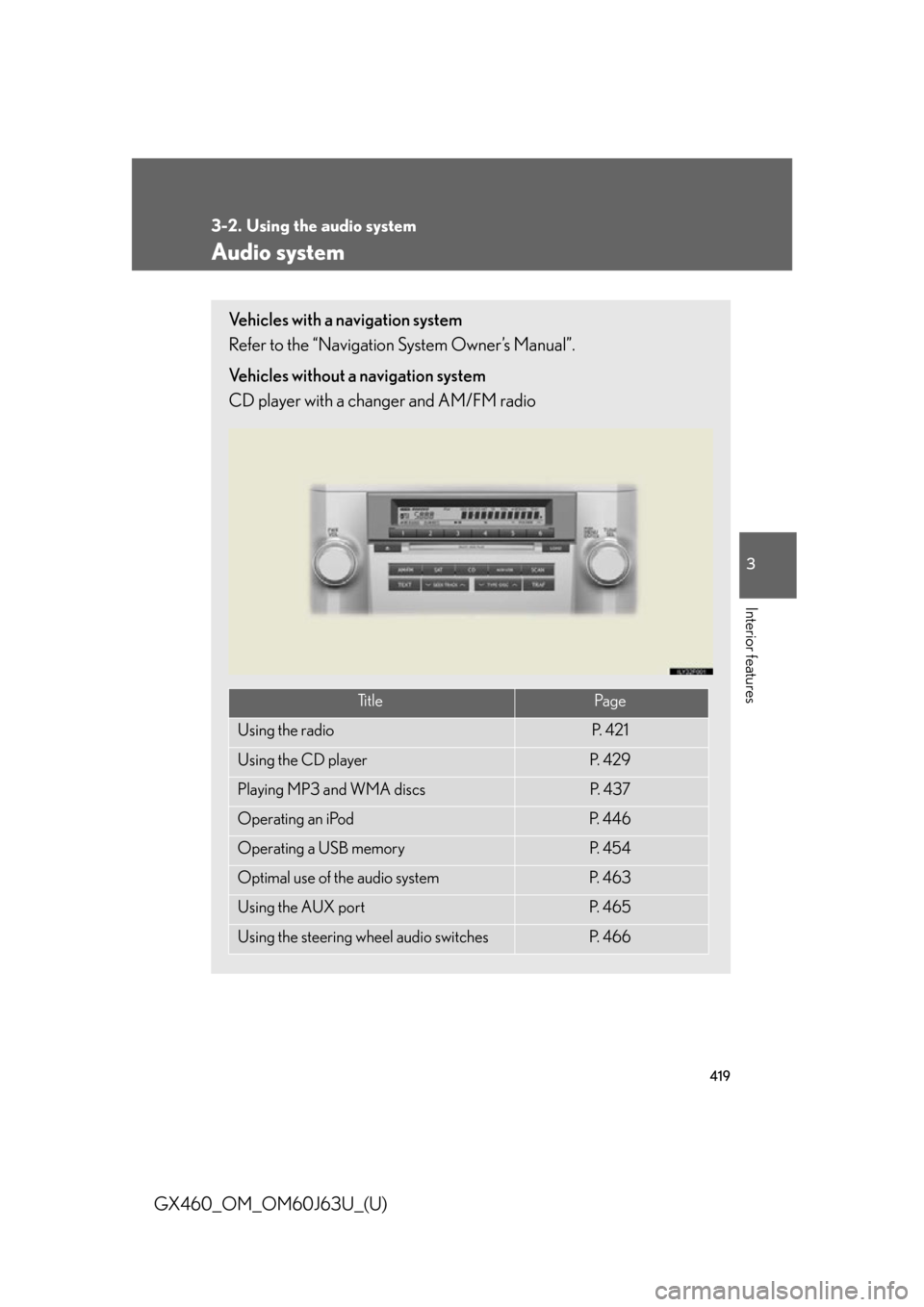
Vehicles with a navigation system
Refer to the “Navigation System Owner’s Manual”.
Vehicles without a navigation system
CD player with a changer and AM/FM radio
Ti t l ePa g e
Using the radioP. 4 2 1
Using the CD playerP. 4 2 9
Playing MP3 and WMA discsP. 4 3 7
Operating an iPodP. 4 4 6
Operating a USB memoryP. 4 5 4
Optimal use of the audio systemP. 4 6 3
Using the AUX portP. 4 6 5
Using the steering wheel audio switchesP. 4 6 6
Page 466 of 844
466
3-2. Using the audio system
GX460_OM_OM60J63U_(U)
Using the steering wheel audio switches
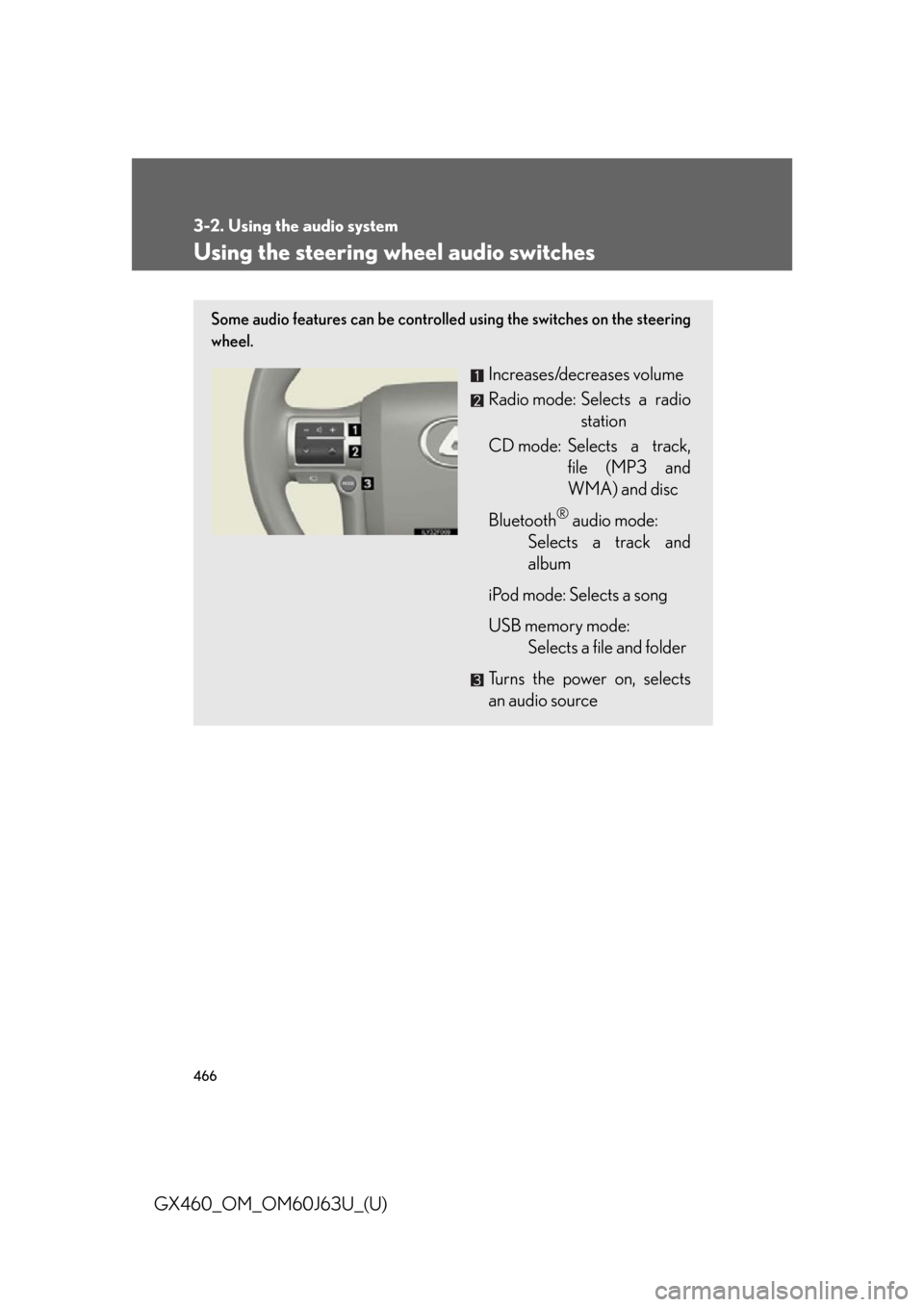
Some audio features can be controlled using the switches on the steering
wheel.
Increases/decreases volume
Radio mode: Selects a radio
station
CD mode: Selects a track, file (MP3 and
WMA) and disc
Bluetooth
® audio mode:
Selects a track and
album
iPod mode: Selects a song
USB memory mode: Selects a file and folder
Turns the power on, selects
an audio source
Page 469 of 844

469
3-2. Using the audio system
3
Interior features
GX460_OM_OM60J63U_(U)
■Canceling automatic selection of a radio station
Press again.
CAUTION
■To reduce the risk of an accident
Exercise care when operating the audio switches on the steering wheel.
Page 482 of 844

482
3-3. Using the Bluetooth® audio system
GX460_OM_OM60J63U_(U)
Scanning tracksPress the “SCAN” button.
To cancel, press the “SCAN” button again.
Switching the displayPress the “TEXT” button.
Each time the button is pressed, the display changes in the following order:
Elapsed time Album title Tr a c k t i t l e Artist name
Using the steering wheel audio switches
P. 4 6 6
■Bluetooth® audio system functions
Depending on the portable player that is connected to the system, certain functions
may not be available.
■Display
P. 4 3 3
■Error messages
“Memory Error”: This indicates a problem in the system.
Page 496 of 844

496
3-4. Using the hands-free system (for cellular phone)
GX460_OM_OM60J63U_(U)
■Steering wheel switches
Vo l u m e
The voice guidance volume can-
not be adjusted using this but-
ton.
Off-hook switch
Turns the hands-free system
on/starts a call
On-hook switch
Turns the hands-free system
off/ends a call/refuses a call
Talk switch
Turns the voice command
system on (press)/turns the
voice command system off
(press and hold)
■ Microphone
Page 555 of 844

555
3-7. Other interior features
3
Interior features
GX460_OM_OM60J63U_(U)
Heated steering wheel
: If equipped
■The heated steering wheel can be used when
The “ENGINE START STOP” switch is in IGNITION ON mode.
■Timer
The heated steering wheel will automatically turn off after about 30 minutes.
■If the indicator light flashes
Press the button to turn the heated steer ing wheel off and then press the button
again. If the indicator light still flashes, a malfunction may be occurring. Turn the
heated steering wheel off and have the vehicle inspected by your Lexus dealer.
The heated steering wheel heats the le ather portion of the steering wheel.
Turns the heater on/off
The indicator light comes on
when the heater is operating.
Page 556 of 844

556
3-7. Other interior features
GX460_OM_OM60J63U_(U)
CAUTION
■Burns
Care should be taken to prevent injury if anyone in the following categories comes
in contact with the steering wheel when the heated steering wheel is on:
●Babies, small children, the elderly, the sick and the physically challenged
●Persons with sensitive skin
●Pe r s o n s w h o a r e f a t i g u e d
●Persons who have taken alcohol or drugs that induce sleep (sleeping drugs, cold
remedies, etc.)
NOTICE
■To prevent battery discharge
Turn the heater off when the engine is not running.
Page 609 of 844

609
4-2. Maintenance
4
Maintenance and care
GX460_OM_OM60J63U_(U)
ItemsCheck points
Head restraints• Do the head restraints move smoothly and lock securely?
Indicators/buzzers• Do the indicators and buzzers
function properly?
Lights• Do all the lights come on?
Pa r k i n g b r a ke
• Does the parking brake lever or pedal move smoothly?
• When parked on a slope and the parking brake is on, is the vehicle
securely stopped?
Seat belts
• Do the seat belts operate smoothly?
• The seat belts should not be dam- aged.
Seats• Do the seat controls operate prop-erly?
Steering wheel
• Does the steering wheel rotate smoothly?
• Does the steering wheel have the
correct amount of free play?
• There should not be any strange sounds coming from the steering
wheel.
Page 686 of 844
686
5-1. Essential information
GX460_OM_OM60J63U_(U)
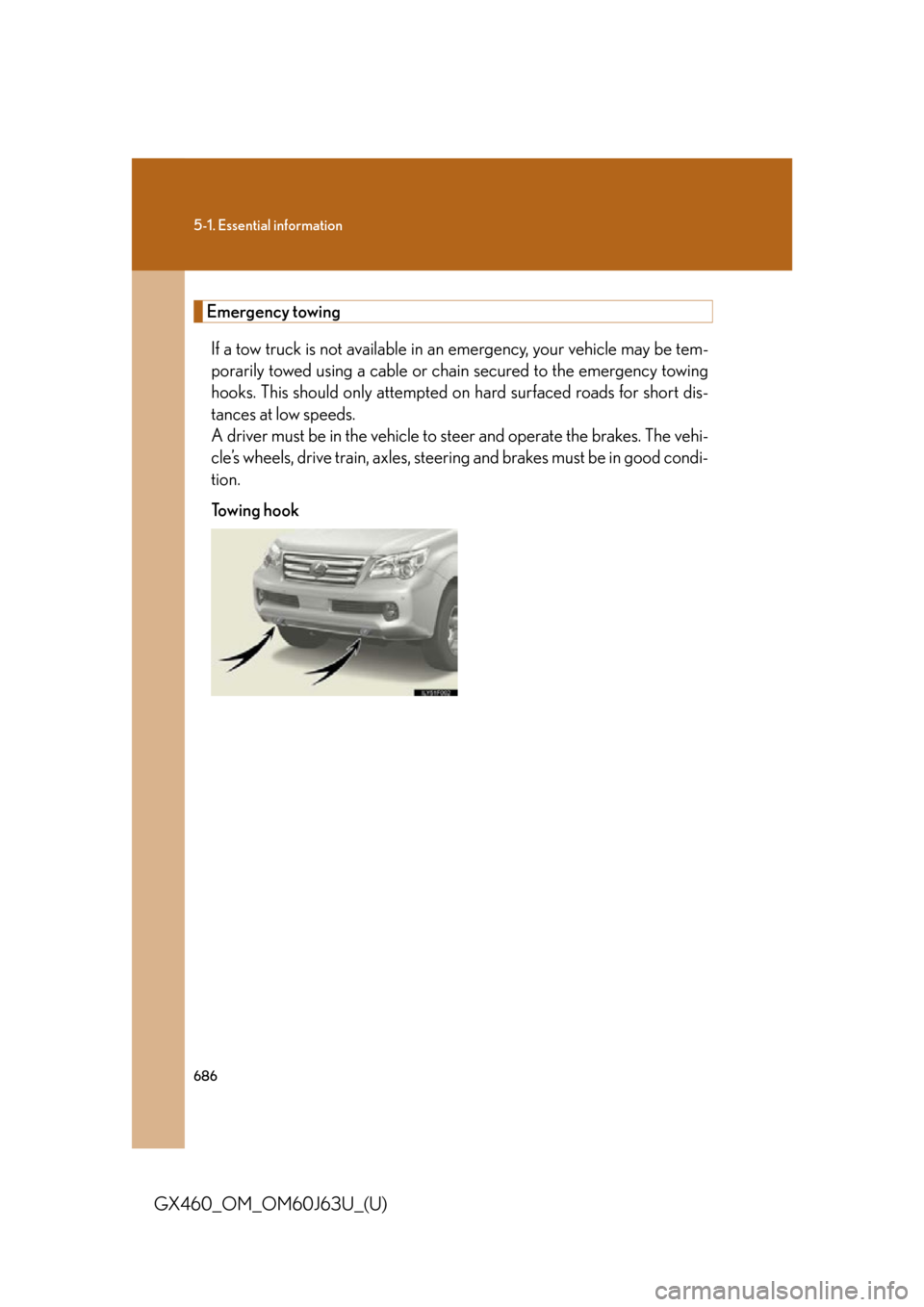
Emergency towingIf a tow truck is not available in an emergency, your vehicle may be tem-
porarily towed using a cable or chain secured to the emergency towing
hooks. This should only attempted on hard surfaced roads for short dis-
tances at low speeds.
A driver must be in the vehicle to s teer and operate the brakes. The vehi-
cle’s wheels, drive train, axles, steering and brakes must be in good condi-
tion.
Towing hook