display Lexus GX460 2014 Navigation Manual
[x] Cancel search | Manufacturer: LEXUS, Model Year: 2014, Model line: GX460, Model: Lexus GX460 2014Pages: 395, PDF Size: 18.34 MB
Page 362 of 395

361
2. LEXUS ENFORM WITH SAFETY CONNECT OPERATION
GX_EMVN_OM60K84U_(U)13.07.02 11:50
8
LEXUS ENFORM WITH SAFETY CONNECT
1Display the “Web Search” screen.
( → P.359)
2Select the desired application button to
search.
3Enter a search term, and select “Go”.
4Select “Call”.
5Select “Yes”.
“Cancel” : Select to cancel making a phone
call.
6Check that the “Call” screen is dis-
played.
MAKING A PHONE CALL
USING LEXUS App Suite
Phone calls can be made to locations
which were searched using LEXUS
App Suite.
z For phone operation and the function of
each screen button: →P. 3 1 0
z These application screens are shown for
illustrative purposes, and the actual
screens may vary ba sed on application.
GX_EMVN_OM60K84U_(U).book Page 361 Tuesday, July 2, 2013 11:51 AM
Page 363 of 395

362
2. LEXUS ENFORM WITH SAFETY CONNECT OPERATION
GX_EMVN_OM60K84U_(U)13.07.02 11:50
1Display the “LEXUS App Suite” screen.
(→ P.354)
2Select the desired application button.
3Select an input field on the screen.
4Enter a search term, and then select
“OK” .
5Entering characters will be reflected on
the character entering space.
App Suite KEYBOARD
OPERATION
Information can be entered into an ap-
plication by the software keyboard or
voice recognition function. For details
about the function and service of each
application, refer to
http://www.
lexus.com/enform/.
zThe keyboard layout can be changed.
(→ P. 5 5 )
USING THE SOFTWARE
KEYBOARD
zFor details on operating the keyboard:
→ P. 3 4
z These application screens are shown for
illustrative purposes, and the actual
screens will vary by application.
GX_EMVN_OM60K84U_(U).book Page 362 Tuesday, July 2, 2013 11:51 AM
Page 364 of 395

363
2. LEXUS ENFORM WITH SAFETY CONNECT OPERATION
GX_EMVN_OM60K84U_(U)13.07.02 11:50
8
LEXUS ENFORM WITH SAFETY CONNECT
1Display the “LEXUS App Suite” screen.
(→ P.354)
2Select the desired application button.
3Press the talk switch on the steering
wheel once the application screen is dis-
played. ( →P.280)
4System will prompt for user input.
zEnd of user’s speech will be detected auto-
matically, and the system will prompt for
any additional information if needed.
5Search results will be displayed on the
screen.ENTERING A KEYWORD
USING THE VOICE
RECOGNITION FUNCTION
z Alternatively, the application can be
opened by the launch Lexus App Suite
Vo i c e C o m m a n d . ( →P. 2 8 3 )
z These application screens are shown for
illustrative purposes, and the actual
screens will vary by application.
GX_EMVN_OM60K84U_(U).book Page 363 Tuesday, July 2, 2013 11:51 AM
Page 366 of 395

365
2. LEXUS ENFORM WITH SAFETY CONNECT OPERATION
GX_EMVN_OM60K84U_(U)13.07.02 11:50
8
LEXUS ENFORM WITH SAFETY CONNECT
5After the agent helps you determine
your location of choice, this screen is
displayed. Select the button of the
screen for the appropriate action.
“Mark”: Select to mark the POI on the
map screen.
“Enter ”: Select to set as a destination.
“Detail” : Select to display the detailed in-
formation.
z If is selected, the registered phone
number can be called.
GX_EMVN_OM60K84U_(U).book Page 365 Tuesday, July 2, 2013 11:51 AM
Page 370 of 395

369
2. LEXUS ENFORM WITH SAFETY CONNECT OPERATION
GX_EMVN_OM60K84U_(U)13.07.02 11:50
8
LEXUS ENFORM WITH SAFETY CONNECT
6Select the desired location.
7Select the desired appropriate action.
1Select “Options” .
2Select “Map Information” .
3Select “eDestination” .
zThe “eDestination” indicator illuminates.
“Mark” : Select to mark the POI on the
map screen.
“Go” : Select to set the POI as a destina-
tion with route directions.
z If is selected, the registered phone
number can be called.
DISPLAYING eDestination
ICONS
GX_EMVN_OM60K84U_(U).book Page 369 Tuesday, July 2, 2013 11:51 AM
Page 371 of 395

370
2. LEXUS ENFORM WITH SAFETY CONNECT OPERATION
GX_EMVN_OM60K84U_(U)13.07.02 11:50
4. Lexus Insider
1When the new message notification ap-
pears, any of the following options can
be selected.
“Listen Now” : Select to play newly received
Lexus Insider article(s).
“Listen Later”: Select to remove notifica-
tion screen without playing articles. Notifi-
cation will be displayed again when the
engine switch is turned to ACCESSORY or
IGNITION ON mode.
Lexus Insider is an optional service that
can send audio messages, or articles, to
participating owners’ vehicles via the
navigation system. Potential Lexus
Insider subjects might include, for exam-
ple, Lexus vehicle technology tips, up-
dates on regional Lexus events, or audio
excerpts from Lexus Magazine articles.NEW MESSAGE
NOTIFICATION
When the vehicle is first powered on and
a new Lexus Insider article is available, a
notification will appear on the navigation
screen.The notice will appear for only
approximately 6 seconds unless one of
the options listed is selected.
GX_EMVN_OM60K84U_(U).book Page 370 Tuesday, July 2, 2013 11:51 AM
Page 373 of 395
372
2. LEXUS ENFORM WITH SAFETY CONNECT OPERATION
GX_EMVN_OM60K84U_(U)13.07.02 11:50
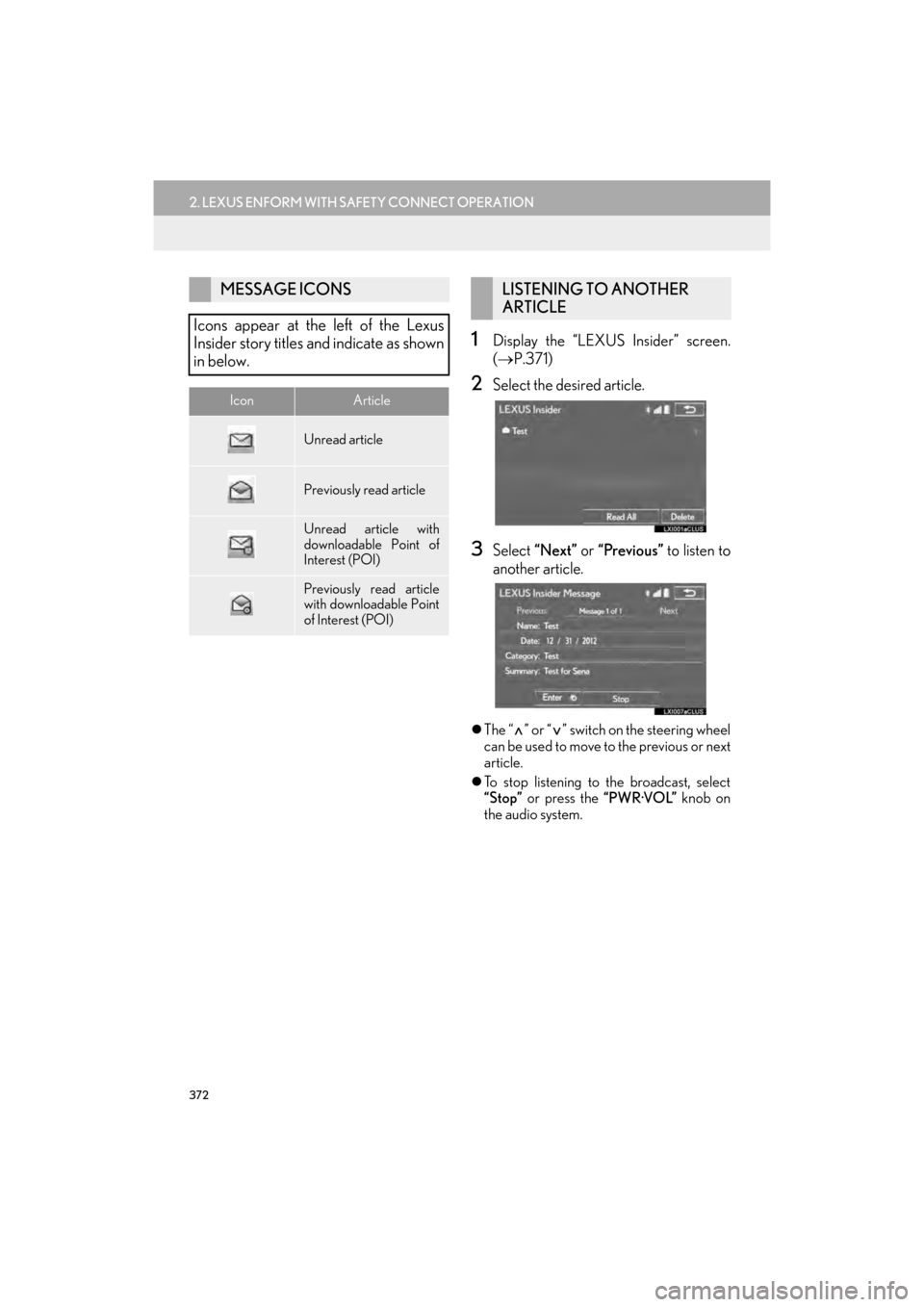
1Display the “LEXUS Insider” screen.
( → P.371)
2Select the desired article.
3Select “Next” or “Previous” to listen to
another article.
z The “ ” or “ ” switch on the steering wheel
can be used to move to the previous or next
article.
z To stop listening to the broadcast, select
“Stop” or press the “PWR·VOL” knob on
the audio system.
MESSAGE ICONS
Icons appear at the left of the Lexus
Insider story titles and indicate as shown
in below.
IconArticle
Unread article
Previously read article
Unread article with
downloadable Point of
Interest (POI)
Previously read article
with downloadable Point
of Interest (POI)
LISTENING TO ANOTHER
ARTICLE
GX_EMVN_OM60K84U_(U).book Page 372 Tuesday, July 2, 2013 11:51 AM
Page 374 of 395

373
2. LEXUS ENFORM WITH SAFETY CONNECT OPERATION
GX_EMVN_OM60K84U_(U)13.07.02 11:50
8
LEXUS ENFORM WITH SAFETY CONNECT
1Display the “LEXUS Insider” screen.
(→ P.371)
2Select the desired article.
3Select “Enter ”.
zIf a POI is contained, “Enter ” can be
selected to download a POI to the naviga-
tion system.
4Select “Go” to set the POI as a destina-
tion with route directions.
1Display the “LEXUS Insider” screen.
( → P.371)
2Select “Delete”.
3Select the item to be deleted and select
“Delete”.
4Select “Yes” when the confirmation
screen appears.
DOWNLOADING A POI
Some Lexus Insider stories will contain a
downloadable POI relevant to the con-
tent.DELETING Lexus Insider
ARTICLE
GX_EMVN_OM60K84U_(U).book Page 373 Tuesday, July 2, 2013 11:51 AM
Page 376 of 395

375
3. SETUP
GX_EMVN_OM60K84U_(U)13.07.02 11:50
8
LEXUS ENFORM WITH SAFETY CONNECT
1Display the “LEXUS App Suite Set-
tings” screen. (→P.374)
2Select the desired le vel by selecting the
appropriate number.
SCREEN FOR LEXUS App Suite
SETTINGS
No.FunctionPage
Select to set the voice guid-
ance volume.375
Select to set the pop up re-
minder for cellular phone
data usage.376
Select to set Lexus Insider
settings.376
Select to reset all setup
items.
VOICE VOLUME SETTINGS
The voice guidance volume can be ad-
justed.
GX_EMVN_OM60K84U_(U).book Page 375 Tuesday, July 2, 2013 11:51 AM
Page 377 of 395

376
3. SETUP
GX_EMVN_OM60K84U_(U)13.07.02 11:50
1Display the “LEXUS App Suite
Settings” screen. (→P.374)
2Select “Phone Data Plan Pop-Up” .
3Check the desired function to be oper-
ated.
1Display the “LEXUS App Suite
Settings” screen. (→P.374)
2Select “LEXUS Insider” .
3Select the items to be set.
PHONE DATA PLAN POP-UP
SETTINGS
The phone data plan pop-up can be set
when a paid application is downloaded.Lexus Insider SETTINGS
Lexus Insider settings, notification, and
opt in or out of article receipt can be
changed.
No.Function
Select to set the receiving of Lexus In-
sider articles yes/no.
Select to set the new message notifi-
cation on/off.
Select to reset all setup items.
GX_EMVN_OM60K84U_(U).book Page 376 Tuesday, July 2, 2013 11:51 AM