opening back Lexus GX460 2015 User Guide
[x] Cancel search | Manufacturer: LEXUS, Model Year: 2015, Model line: GX460, Model: Lexus GX460 2015Pages: 634, PDF Size: 19.09 MB
Page 106 of 634
GX 460 _O M_ OM6 0L 72U _( U)
1053-2. Opening, closing and locking the doors
3
Operation of each component
CAUTION
●Do not pull on the back door damper stay to close the back door, and do not hang on
the back door damper stay.
Doing so may cause hands to be caught or the back door damper stay to break, caus-
ing an accident.
●If a bicycle carrier or similar heavy object is attached to the back door, it may sud-
denly shut again after being opened, causing someone’s hands, head or neck to be
caught and injured. When installing an accessory part to the back door, using a genu-
ine Lexus part is recommended.
NOTICE
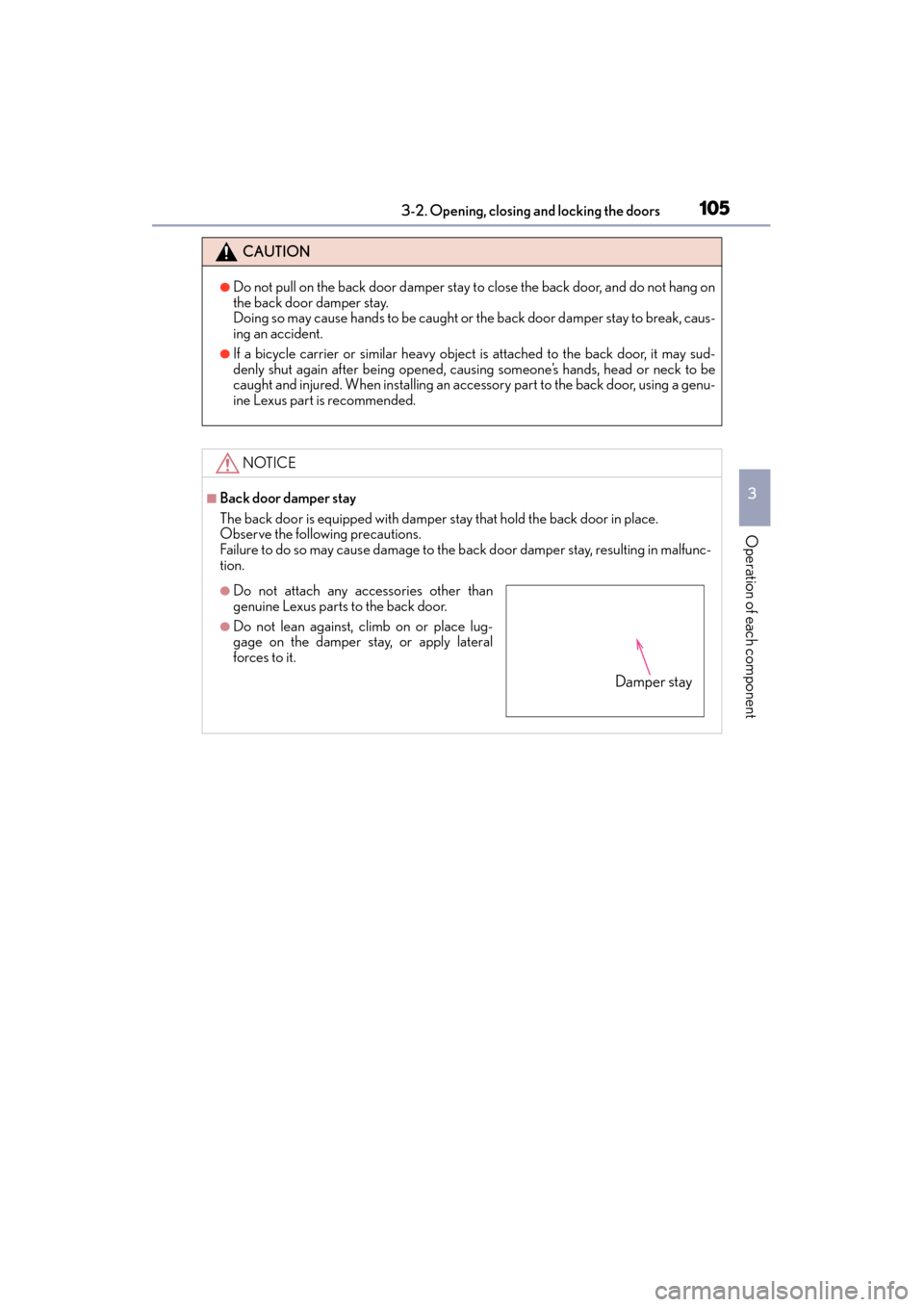
■Back door damper stay
The back door is equipped with damper stay that hold the back door in place.
Observe the following precautions.
Failure to do so may cause damage to the b ack door damper stay, resulting in malfunc-
tion.
●Do not attach any accessories other than
genuine Lexus parts to the back door.
●Do not lean against, climb on or place lug-
gage on the damper stay, or apply lateral
forces to it.
Damper stay
GX460_OM_OM60L72U_(U).book Page 105 Friday, May 16, 2014 3:03 PM
Page 107 of 634

106
GX 460 _O M_ OM6 0L 72U _( U)3-2. Opening, closing and locking the doors
Glass hatch
◆Glass hatch opener
Press the button to pop up the
glass hatch.
Raise
The glass hatch cannot be opened
when the back door is locked.
Unlock the back door to open the
glass hatch. (→ P. 1 0 1 )
◆Smart access system with push-button start
While carrying the electronic key,
press the button to pop up the
glass hatch.
Raise
The glass hatch can be opened even
when the back door is locked.
◆Wireless remote control
Press and hold the button to open
the glass hatch. The glass hatch will
pop up.
The glass hatch can be opened using the glass hatch opener or wireless
remote control.
Opening the glass hatch
1
2
1
2
GX460_OM_OM60L72U_(U).book Page 106 Friday, May 16, 2014 3:03 PM
Page 108 of 634
GX 460 _O M_ OM6 0L 72U _( U)
1073-2. Opening, closing and locking the doors
3
Operation of each component
■When opening the glass hatch
●Open the glass hatch slowly and carefully.
●Use the glass hatch opener or wireless remote control when the back door is closed.
■Operation signals (when opening with the wireless remote control)
A buzzer sounds once to indicate that the glass hatch have been opened.
■Opening the glass hatch while the rear window wiper is in operation
Rear window wiper operation will stop moving. Operation will recommence after the
glass hatch has been closed.
■Function to prevent the glass hatch being locked with the electronic key inside
●When all doors are being locked, closing th e glass hatch with the electronic key left
inside the luggage compartment will sound an alarm.
In this case, the glass hatch can be opened using the entry function.
●Even when the spare electronic key is put in the luggage compartment with all the
doors locked, the key confinement prevention function can be activated so the glass
hatch can be opened. In order to prevent theft, take all electronic keys with you when
leaving the vehicle.
●Even when the electronic key is put in the luggage compartment with all the doors are
locked, the key may not be detected depending on the places and the surrounding
radio wave conditions. In this case, the key confinement prevention function cannot be
activated, causing the doors to lock when the glass hatch is closed. Make sure to check
where the key is before closing the glass hatch.
■After closing the glass hatch
Check that the glass hatch is firmly locked. If it is not firmly locked, the rear window wiper
and washer will not operate correctly.
■Customization
The glass hatch opening operation can be changed. (Customizable features: →P. 5 8 6 )
GX460_OM_OM60L72U_(U).book Page 107 Friday, May 16, 2014 3:03 PM
Page 112 of 634

111
GX 460 _O M_ OM6 0L 72U _( U)3-2. Opening, closing and locking the doors
3
Operation of each component
Smart access system with push-button start
●Locks and unlocks the side doors (
→P. 9 4 )
●Locks and unlocks the back door ( →P. 1 0 1 )
●Opens the glass hatch ( →P. 1 0 6 )
●Starts the engine ( →P. 1 8 5 )
■Antenna location
The following operations can be performed simply by carrying the electronic
key on your person, for example in your pocket. The driver should always
carry the electronic key.
Antennas outside the cabin
Antennas inside the cabin
Antenna outside the luggage compartment1
2
3
GX460_OM_OM60L72U_(U).book Page 111 Friday, May 16, 2014 3:03 PM
Page 113 of 634
112
GX 460 _O M_ OM6 0L 72U _( U)3-2. Opening, closing and locking the doors
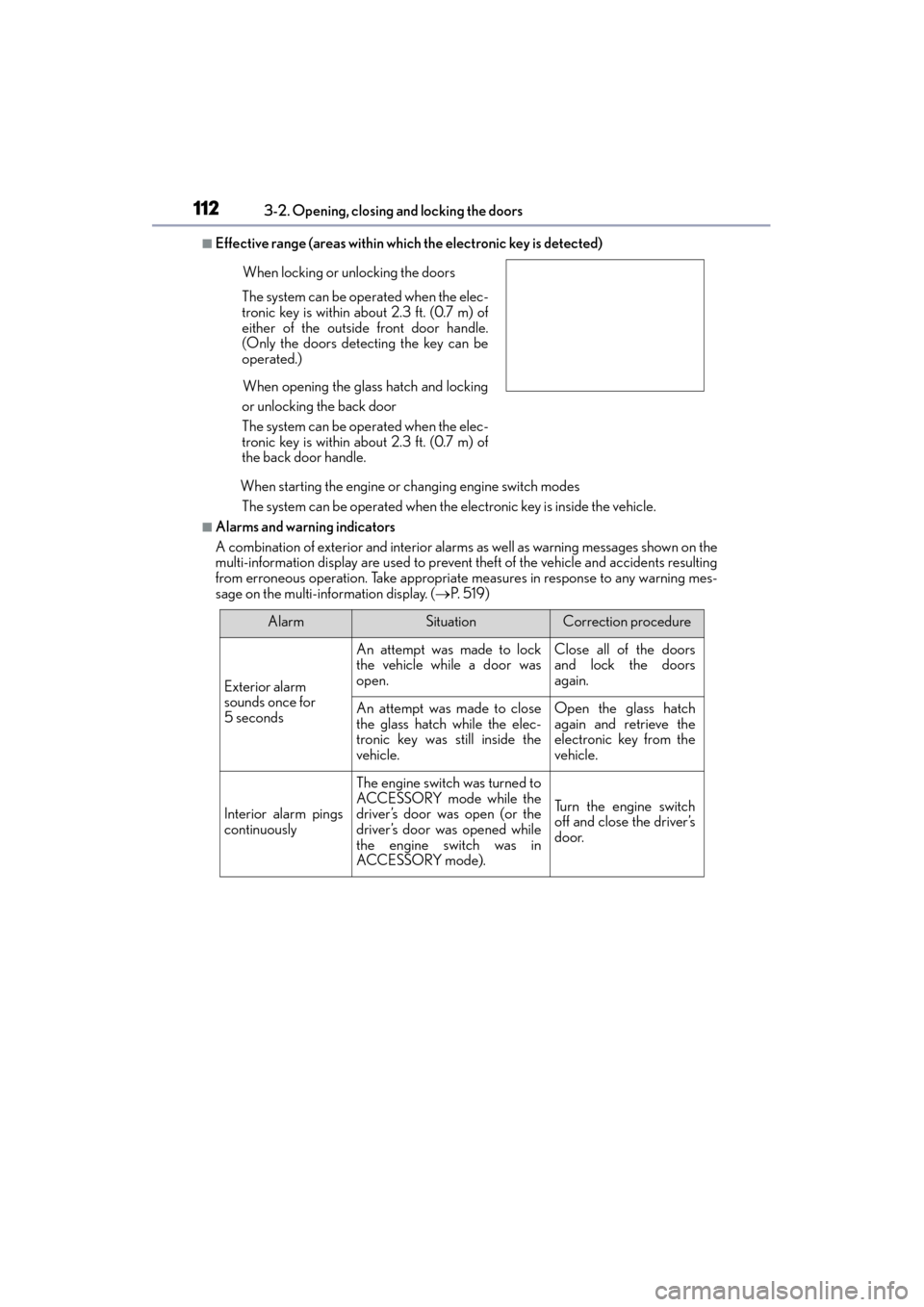
■Effective range (areas within which the electronic key is detected)
When starting the engine or changing engine switch modesThe system can be operated when the electronic key is inside the vehicle.
■Alarms and warning indicators
A combination of exterior and interior alarms as well as warning messages shown on the
multi-information display are used to prevent theft of the vehicle and accidents resulting
from erroneous operation. Take appropriate measures in response to any warning mes-
sage on the multi-information display. ( →P. 5 1 9 )
When locking or unlocking the doors
The system can be operated when the elec-
tronic key is within about 2.3 ft. (0.7 m) of
either of the outside front door handle.
(Only the doors detecting the key can be
operated.)
When opening the glass hatch and locking
or unlocking the back door
The system can be operated when the elec-
tronic key is within about 2.3 ft. (0.7 m) of
the back door handle.
AlarmSituationCorrection procedure
Exterior alarm
sounds once for
5 seconds
An attempt was made to lock
the vehicle while a door was
open.Close all of the doors
and lock the doors
again.
An attempt was made to close
the glass hatch while the elec-
tronic key was still inside the
vehicle.Open the glass hatch
again and retrieve the
electronic key from the
vehicle.
Interior alarm pings
continuously
The engine switch was turned to
ACCESSORY mode while the
driver’s door was open (or the
driver’s door was opened while
the engine switch was in
ACCESSORY mode).
Tu r n t h e e n g i n e s w i t c h
off and close the driver’s
door.
GX460_OM_OM60L72U_(U).book Page 112 Friday, May 16, 2014 3:03 PM
Page 152 of 634

GX 460 _O M_ OM6 0L 72U _( U)
1513-5. Opening, closing the windows and moon roof
3
Operation of each component
●If the moon roof tilts down but then tilts back up
Stop the vehicle.
Press and hold “ ∧” on the
*1 until the moon roof moves into the tilt up position
and stops.
Release “ ∧” on the once and then press and hold “ ∧” on the again.
*1
The moon roof will pause for approximatel y 10 seconds in the tilt up position.*2
Then it will adjust slightly and pause for approximately 1 second.
Finally, it will tilt down, open and close.
Check to make sure that the moon roof is completely closed and then release the
switch.
*1: If the switch is released at the incorrect time, the procedure will have to be per-
formed again from the beginning.
*2: If the switch is released after the above mentioned 10 second pause, automatic
operation will be disabled. In that case, press and hold “ ∨” on the or “ ∧” on the
and the moon roof will tilt up and pause for approximately 1 second. Then it
will tilt down, open and close. Check to ma ke sure that the moon roof is completely
closed and then release the switch.
If the moon roof does not fully close even after performing the above procedure cor-
rectly, have the vehicle inspected by your Lexus dealer.
■Customization
Settings (e.g. linked door lock operation) can be changed.
(Customizable features: →P. 5 8 6 )
1
2
3
4
GX460_OM_OM60L72U_(U).book Page 151 Friday, May 16, 2014 3:03 PM
Page 217 of 634
216
GX 460 _O M_ OM6 0L 72U _( U)4-4. Refueling
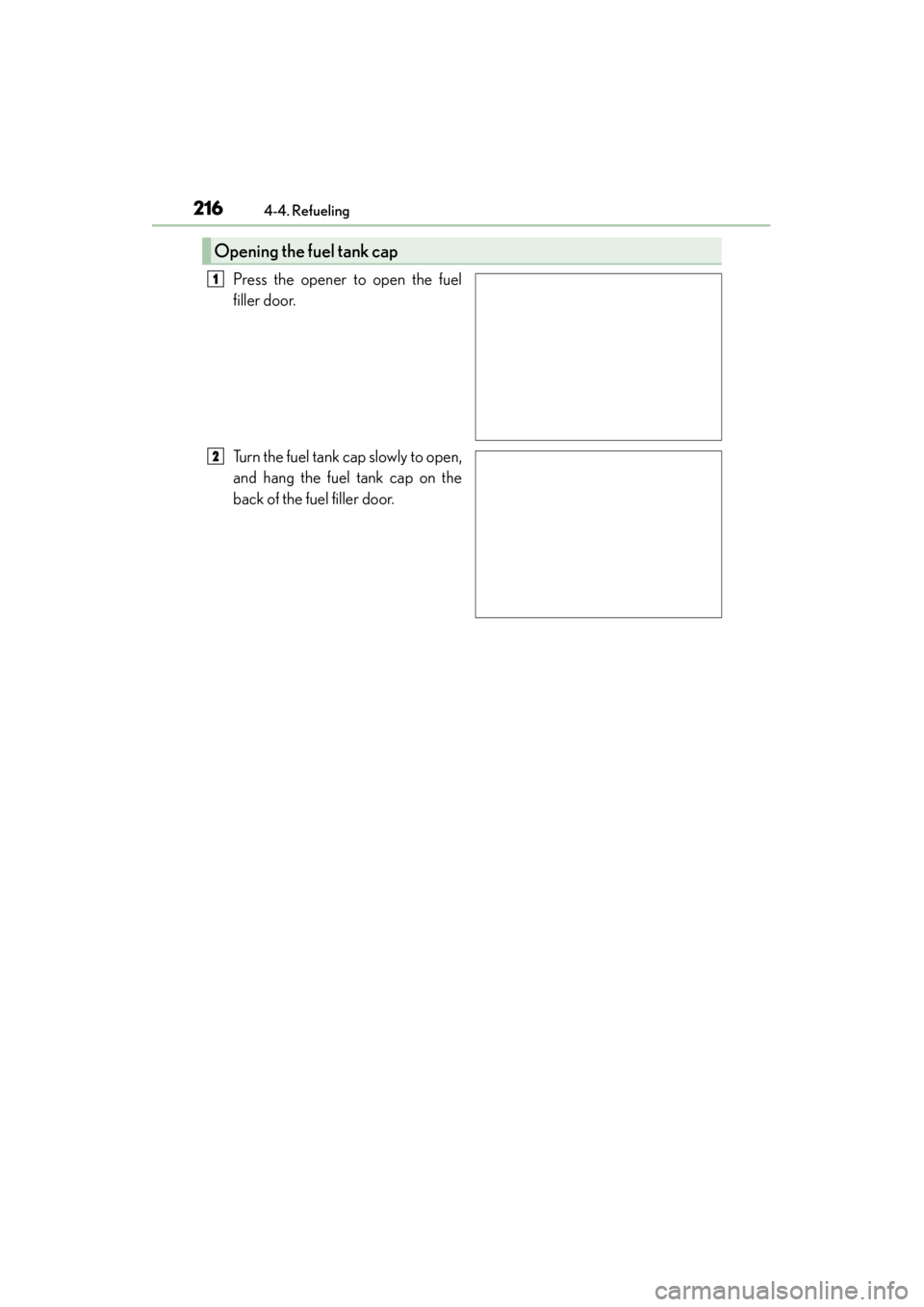
Press the opener to open the fuel
filler door.
Turn the fuel tank cap slowly to open,
and hang the fuel tank cap on the
back of the fuel filler door.
Opening the fuel tank cap
1
2
GX460_OM_OM60L72U_(U).book Page 216 Friday, May 16, 2014 3:03 PM
Page 392 of 634
GX 460 _O M_ OM6 0L 72U _( U)
3915-1. Using the air conditioning system and defogger
5
Interior features
■Using the automatic mode
Press the “AUTO” button.
Adjust the temperature setting.
To stop the operation, press the “OFF” button.
■If the system is operated manually in automatic mode
If the fan speed setting or air flow modes are operated, the automatic mode
indicator goes off. However, automatic mode for functions other than that
operated are maintained.
■Location of air outlets
The air outlets and air volume
changes according to the selected
air flow mode.
■Adjusting the position of and opening and closing the air outlets
Direct air flow to the left or right,
up or down.
Turn the knob fully to the back of
the vehicle to close the vent.
Air conditioning controls
Air outlets
1
2
3
1
2
GX460_OM_OM60L72U_(U).book Page 391 Friday, May 16, 2014 3:03 PM
Page 402 of 634
GX 460 _O M_ OM6 0L 72U _( U)
4015-3. Using the storage features
5
Interior features
●The console box light turns on when the tail lights are on.
●When using the console box lid as an armrest,
slide the console box lid forward or backward
as needed. Slide the lid while pulling up the
upper lever to release the lock.
●The tray in the console box slides forward/
backward.
●To remove the tray, lift up.
NOTICE
Do not insert items exceeding the height of the tray. Doing so may prevent opening and
closing of the lid.
GX460_OM_OM60L72U_(U).book Page 401 Friday, May 16, 2014 3:03 PM
Page 530 of 634

5297-2. Steps to take in an emergency
GX 460 _O M_ OM6 0L 72U _( U)
7
When trouble arises
Con-
tinuous
The driver’s door was opened when
the shift lever was not in P and the
engine switch was not turned off.
→ Shift the shift lever to P.
Con-
tinuousCon-
tinuous
The driver’s door was opened and
closed while the electronic key was
not in the vehicle, the shift lever was
not in P and the engine switch was
not turned off.
→Shift the shift lever to P.
→ Bring the electronic key back
into the vehicle.
OnceContin-
uous
• An attempt was made to lock
either front door by opening a
door and putting the inside lock
button into the lock position, then
closing the door with the elec-
tronic key still inside the vehicle.
• An attempt was made to lock the doors using the smart access sys-
tem with push-button start while
the electronic key was still inside
the vehicle.
→ Retrieve the electronic key
from the vehicle and lock the
doors again.
Interior
buzzerExteriorbuzzerWa r n i n g m e s s a g eDetails/Actions
(Flashes)
(Displayed alternately)
(Flashes)
(Flashes)
GX460_OM_OM60L72U_(U).book Page 529 Friday, May 16, 2014 3:03 PM