Light Lexus GX460 2017 Owner's Manual
[x] Cancel search | Manufacturer: LEXUS, Model Year: 2017, Model line: GX460, Model: Lexus GX460 2017Pages: 644, PDF Size: 20.93 MB
Page 356 of 644

354
GX 460 _O M_ OM6 0F 6 8U _(U )4-5. Using the driving support systems
■Sounds and vibrations caused by the ABS/Multi Terrain ABS, brake assist, TRAC/
Active TRAC, VSC/Trailer Sway Control and hill-start assist control systems
●A sound may be heard from the engine compartment when the engine is started or just
after the vehicle begins to move. This sound does not indicate that a malfunction has
occurred in any of these systems.
●Any of the following conditions may occur when the above systems are operating.
None of these indicates that a malfunction has occurred.
• Vibrations may be felt through the vehicle body and steering.
• A motor sound may be heard after the vehicle comes to a stop.
• The brake pedal may pulsate slightly after the ABS/Multi Terrain ABS is activated.
• The brake pedal may move down slightly after the ABS/Multi Terrain ABS is acti-
vated.
■Reactivation of the TRAC or Active TRAC/VSC/Trailer Sway Control systems after
turning off the engine
Turning off the engine after turning off the TRAC or Active TRAC/VSC/Trailer Sway
Control systems will automatically re-enabled them.
■Reactivation of the TRAC or Active TRAC system linked to vehicle speed
When only the TRAC or Active TRAC system is turned off, the TRAC or Active TRAC
system will turn on when vehicle speed increases. However, when both TRAC or Active
TRAC and VSC/Trailer Sway Control systems ar e turned off, the systems will not turn on
even when vehicle speed increases.
■When the brake system operates continuously
The brake actuator may overheat. In this case, the TRAC or Active TRAC and hill-start
assist control systems will stop operating, a buzzer will sound and the “TRAC OFF” will
be shown on the multi-information display. Refrain from using the system until the mes-
sage goes off. (There is no proble m with continuing normal driving.)
■If the slip indicator comes on...
It may indicate a malfunction in the TRAC/Active TRAC, VSC/Trailer Sway Control or
hill-start assist control system. Consult your Lexus dealer.
■KDSS
Some difference of vehicle height between left and right side can appear. This does not
indicate a malfunction in the KDSS system. For more information, contact your Lexus
dealer.
GX460_OM_OM60F68U_(U).book Page 354 Wednesday, June 8, 2016 6:37 PM
Page 357 of 644

GX 460 _O M_ OM6 0F 6 8U _(U )
3554-5. Using the driving support systems
4
Driving
CAUTION
■The ABS/Multi Terrain ABS does not operate effectively when
●The limits of tire gripping performance have been exceeded (such as excessively
worn tires on a snow covered road).
●The vehicle hydroplanes while driving at high speed on the wet or slick road.
■Stopping distance when the ABS/Multi Terrain ABS is operating may exceed that of
normal conditions
The ABS/Multi Terrain ABS is not designed to shorten the vehicle’s stopping distance.
Always maintain a safe distance from the vehicl e in front of you, especially in the follow-
ing situations:
●When driving on dirt, gravel or snow-covered roads
●When driving with tire chains
●When driving over bumps in the road
●When driving over roads with potholes or uneven surfaces
■TRAC/Active TRAC may not operate effectively when
Directional control and power may not be achievable while driving on slippery road
surfaces, even if the TRAC/Active TRAC system is operating.
Do not drive the vehicle in conditions where stability and power may be lost.
■Hill-start assist control does not operate effectively when
Do not overly rely on the hill-start assist control. The hill-start assist control may not
operate effectively on steep inclines and roads covered with ice.
■When the VSC/Trailer Sway Control is activated
The slip indicator light flas hes. Always drive carefully.
Reckless driving may cause an accident. Exercise particular care when the indicator
light flashes.
■When the TRAC or Active TRAC/VSC/Trailer Sway Control systems are turned off
Be especially careful and drive at a speed appropriate to the road conditions. As these
are the systems to help ensure vehicle stab ility and driving force, do not turn the TRAC
or Active TRAC/VSC/Trailer Sway Control systems off unless necessary.
GX460_OM_OM60F68U_(U).book Page 355 Wednesday, June 8, 2016 6:37 PM
Page 362 of 644
360
GX 460 _O M_ OM6 0F 6 8U _(U )4-5. Using the driving support systems
■The outside rear view mirror indicators visibility
When under strong sunlight, the outside rear
view mirror indicator may be difficult to
see.
■The Rear Cross Traffic Alert buzzer hearing
The Rear Cross Traffic Alert buzzer may be difficult to hear over loud noises such as high
audio volume.
■When there is a malfunction in the Blind Spot Monitor
If a system malfunction is detected due to any of the following reasons, warning mes-
sages will be displayed: ( →P. 5 3 1 , 5 3 2 )
●There is a malfunction with the sensors
●The sensors have become dirty
●The outside temperature is extremely high or low
●The sensor voltage has become abnormal
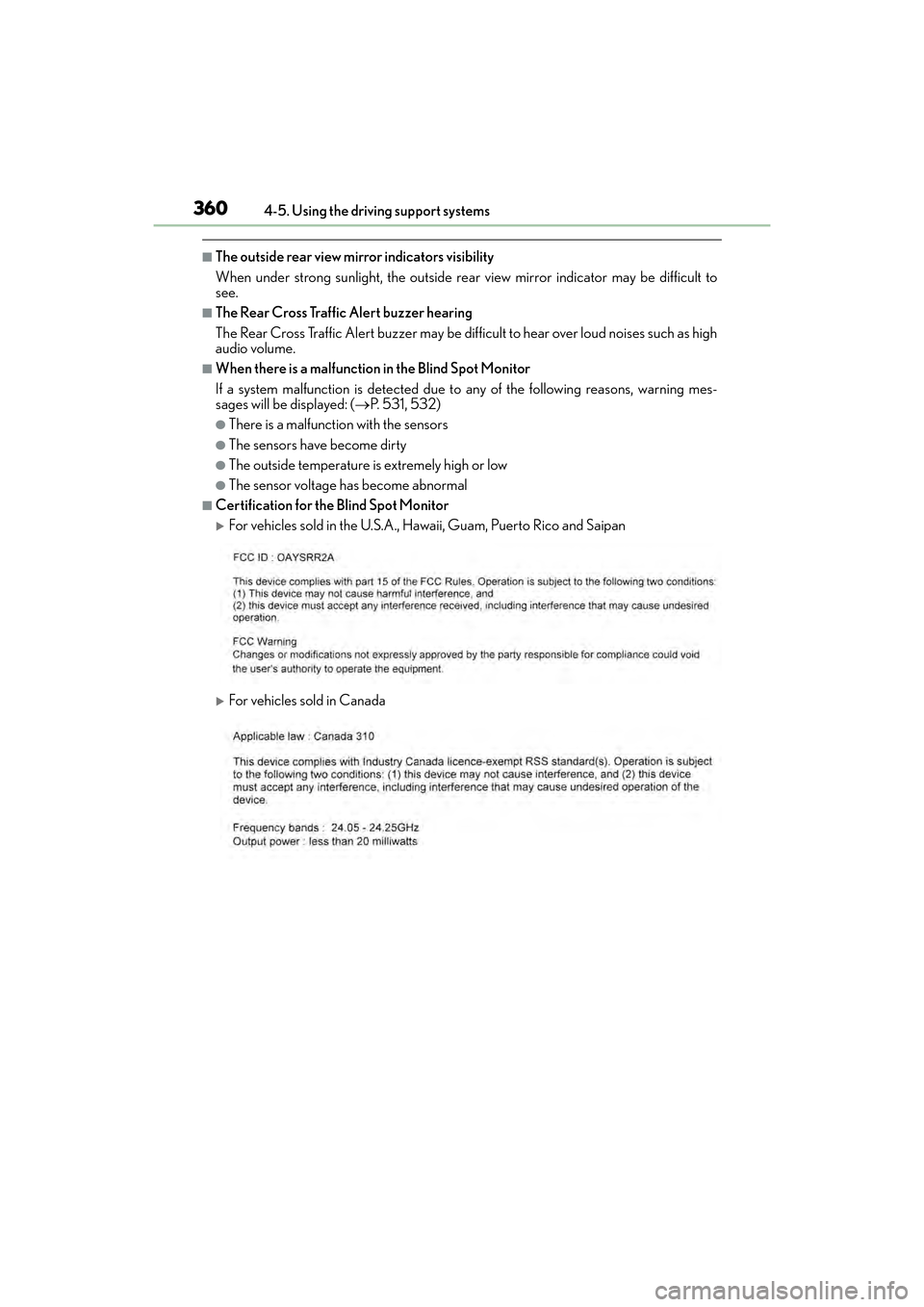
■Certification for the Blind Spot Monitor
XFor vehicles sold in the U.S.A., Hawaii, Guam, Puerto Rico and Saipan
XFor vehicles sold in Canada
GX460_OM_OM60F68U_(U).book Page 360 Wednesday, June 8, 2016 6:37 PM
Page 363 of 644
GX 460 _O M_ OM6 0F 6 8U _(U )
3614-5. Using the driving support systems
4
Driving
CAUTION
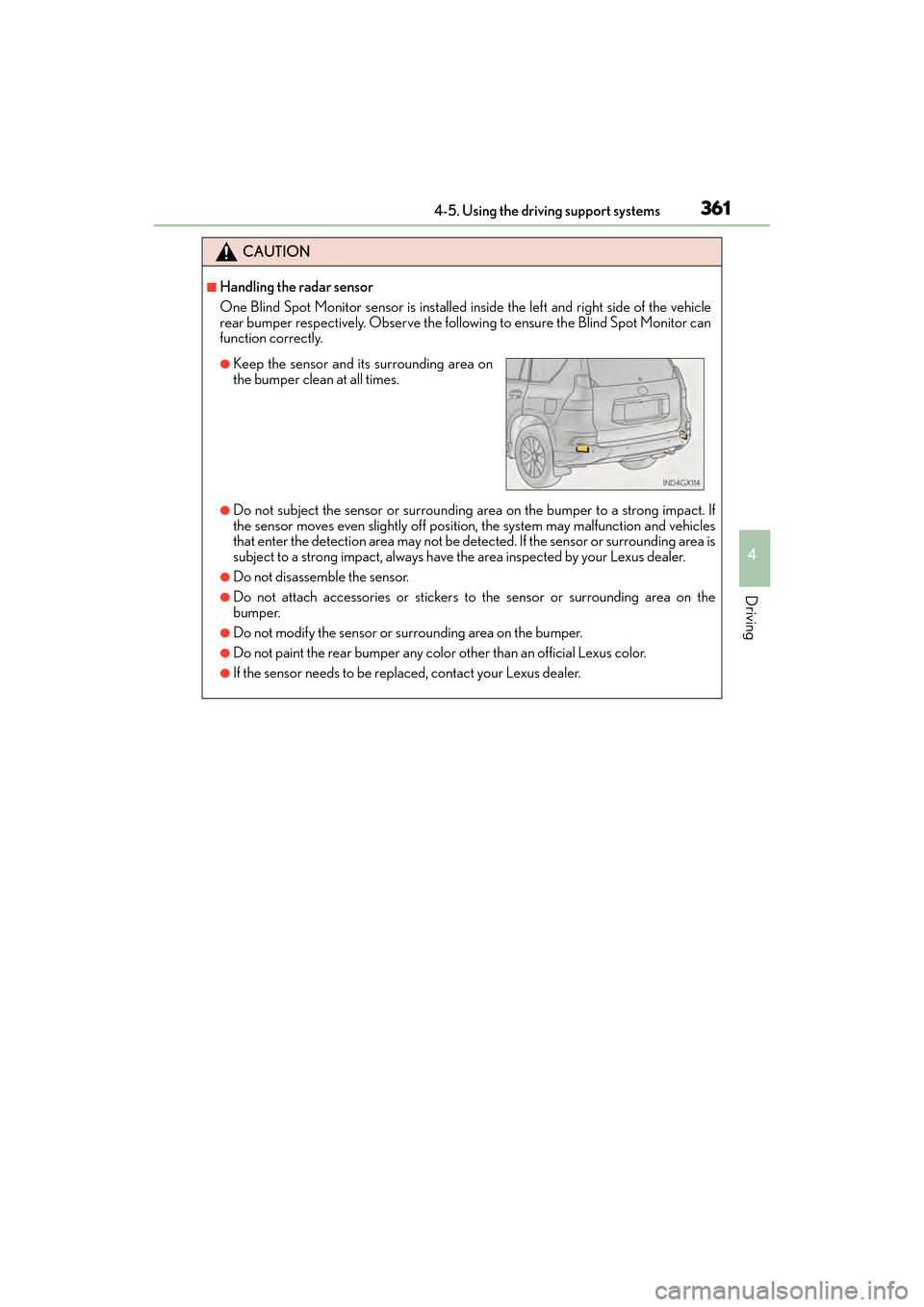
■Handling the radar sensor
One Blind Spot Monitor sensor is installed inside the left and right side of the vehicle
rear bumper respectively. Observe the following to ensure the Blind Spot Monitor can
function correctly.
●Do not subject the sensor or surrounding ar ea on the bumper to a strong impact. If
the sensor moves even slightly off positi on, the system may malfunction and vehicles
that enter the detection area may not be detected. If the sensor or surrounding area is
subject to a strong impact, always have the area inspected by your Lexus dealer.
●Do not disassemble the sensor.
●Do not attach accessories or stickers to the sensor or surrounding area on the
bumper.
●Do not modify the sensor or surrounding area on the bumper.
●Do not paint the rear bumper any color other than an official Lexus color.
●If the sensor needs to be replaced, contact your Lexus dealer.
●Keep the sensor and its surrounding area on
the bumper clean at all times.
GX460_OM_OM60F68U_(U).book Page 361 Wednesday, June 8, 2016 6:37 PM
Page 370 of 644
368
GX 460 _O M_ OM6 0F 6 8U _(U )4-5. Using the driving support systems
PCS (Pre-Collision system)∗
◆Pre-collision seat belts (front seat belts only)
If the system detects that a collision is unavoidable, the system will retract the
seat belt before the collision occurs.
The same will happen if the driver makes an emergency braking or loses con-
trol of the vehicle. (
→P. 3 1 )
However, when the VSC system is disabled, the system will not operate in the
event of skidding.
◆Pre-collision brake assist
When there is a high possibility of a frontal collision, the system applies
greater braking force in relation to how strongly the brake pedal is depressed.
◆Pre-collision braking
When there is a high possibility of a frontal collision, the system warns the
driver using a warning light, warning display and buzzer. If the system deter-
mines that a collision is unavoidable, the brakes are automatically applied to
reduce the collision speed. Pre-collision braking can be disabled using the
pre-collision braking off switch.
◆AVS (Adaptive Variable Suspension System) control (if equipped)
When the system determines that there is a high possibility of a frontal colli-
sion, the AVS optimizes the damping effect ( →P. 3 4 1 )
∗: If equipped
When the radar sensor detects possibility of a frontal collision, the pre-colli-
sion system such as the brakes and seat belts are automatically engaged to
lessen impact as well as vehicle damage.
GX460_OM_OM60F68U_(U).book Page 368 Wednesday, June 8, 2016 6:37 PM
Page 371 of 644
GX 460 _O M_ OM6 0F 6 8U _(U )
3694-5. Using the driving support systems
4
Driving
◆Driver monitor system (if equipped)
When the system determines that there is a possibility of a collision with the
vehicle in front, and the driver is not facing forward, PCS warnings are given in
advance to warn the driver. If the driver continues to not be facing forward,
and a high possibility of a collision with the vehicle in front is detected, PCS
informs the driver of high possibility of a collision with the vehicle in front by
performing slight braking to provide a physical warning (pre-collision alert
braking).
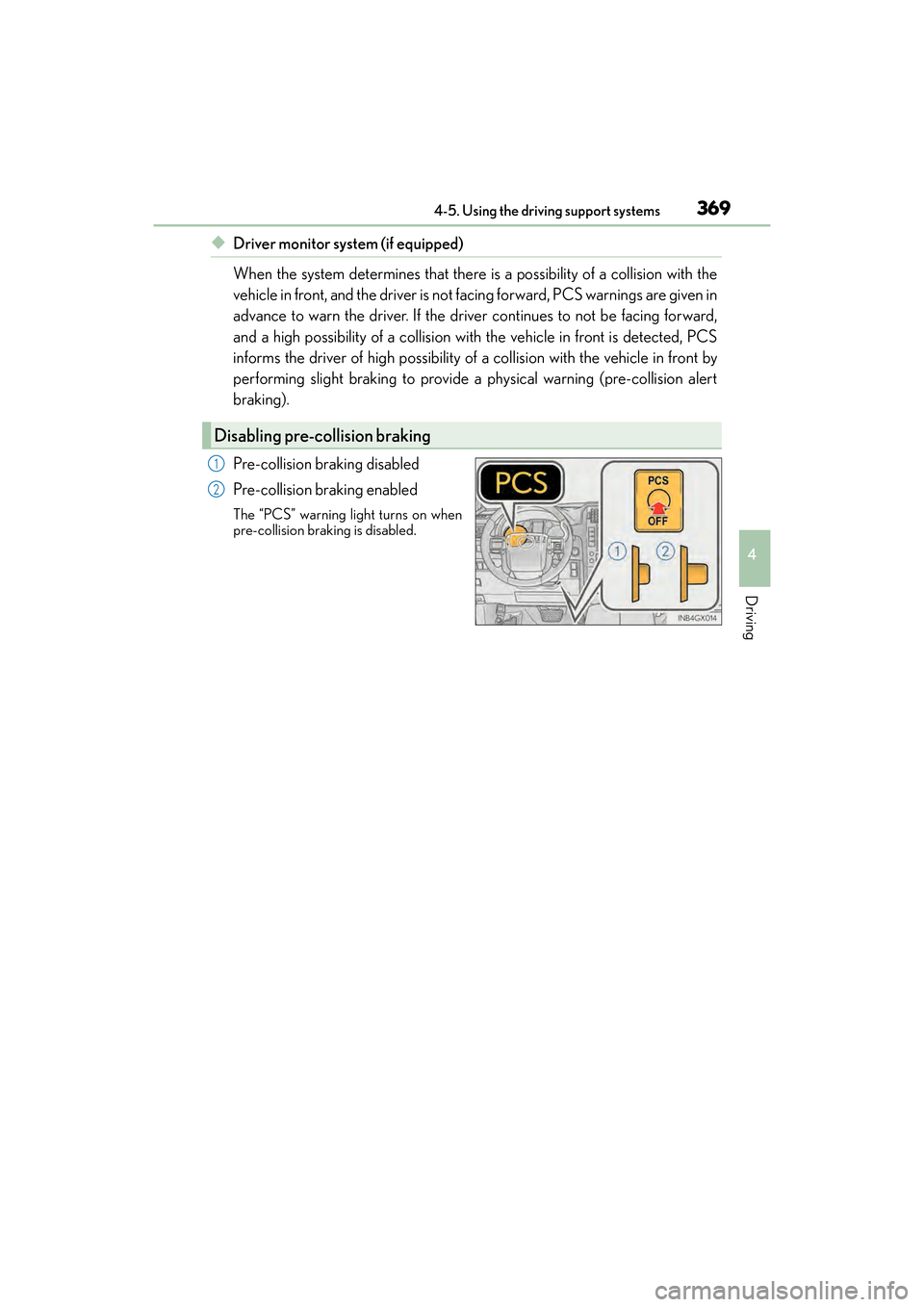
Pre-collision braking disabled
Pre-collision braking enabled
The “PCS” warning light turns on when
pre-collision braking is disabled.
Disabling pre-collision braking
1
2
GX460_OM_OM60F68U_(U).book Page 369 Wednesday, June 8, 2016 6:37 PM
Page 374 of 644
372
GX 460 _O M_ OM6 0F 6 8U _(U )4-5. Using the driving support systems
■Automatic cancelation of pre-collision system
When a malfunction occurs due to sensor contaminations, etc. that results in the sensors
being unable to detect obstacles, the pre-collis
ion system will be automatically disabled.
In this case, the system will not activat e even if there is a collision possibility.
■Obstacles not detected
The system cannot detect plastic obstacles such as pylons. There may also be occasions
when the system cannot detect pedestrians, animals, bicycles, motorcycles, trees, or
snowdrifts.
■Conditions that may trigger the system even if there is no possibility of a collision
In any of the following situations where the fr ontal area of the radar sensor is interrupted,
the radar sensor may detect possibility of a frontal collision and the system may be acti-
vated.
●When passing by an oncoming vehicle in a curve or a turn to the right or the left
●When rapidly approaching an obstacle ahead (e.g. preceding vehicle, toll gate barrier,
etc.)
●When there is a structural object (billboard , low ceiling, fluorescent light, etc.) above
the uphill road ahead
●When driving on a narrow road or through under a low overhead structure (bridge,
tunnel, fly-under, etc.)
●When driving on an uneven road surface
●When there is a metal object, bump, or protrusion on the road surface
●When vehicle’s front part is raised or lowered depending on loading conditions
●When the direction of radar sensor is misaligned by strong impact applied on an area
around the radar sensor, etc.
●When there is an obstacle (guard rail, etc.) by the roadside at the entrance to a curve
●When the front of your vehicle is pointing upwards (caused by towing a trailer, during
emergency towing or putting a heavy load in the luggage compartment etc.)
When the system is activated in the situations described above, there is also a possibility
that the seat belts will retract quickly and th e brakes may be applied with a force greater
than normal. When the seat belt is locked in the restricted position, stop the vehicle in a
safe place, release the seat belt and refasten it.
■When there is a malfunction in the system, or if the system is temporarily unusable
Warning lights will turn on or flash, an d warning messages will be displayed.
( → P. 5 2 1 , 5 3 2 )
GX460_OM_OM60F68U_(U).book Page 372 Wednesday, June 8, 2016 6:37 PM
Page 377 of 644

GX 460 _O M_ OM6 0F 6 8U _(U )
3754-5. Using the driving support systems
4
Driving
CAUTION
■When the sensor may not be correctly detecting the vehicle ahead
Apply the brakes as necessary in any of the following situations.
●When water or snow thrown up by the surrounding vehicles hinders the functioning
of the sensor
●When your vehicle is pointing upwards (caused by a heavy load in the luggage com-
partment etc.)
●Vehicles that cut in suddenly
●Vehicles with small rear ends (trailers with no load on board etc.)
●Motorcycles traveling in the same lane
■Handling the radar sensor
Observe the following to ensure the pre-collision system can function effectively:
●Keep the sensor and front grille cover clean at all times.
Clean the sensor and front grille cover with a soft cloth so you do not mark or dam-
age them.
●Do not subject the sensor or surrounding area to a strong impact.
If the sensor moves even slightly off position, the system may become inaccurate or
malfunction. If the sensor or surrounding area is subject to a strong impact, always
have the area inspected and adjusted by your Lexus dealer.
●Do not disassemble the sensor.
●Do not attach accessories or stickers to th e sensor, grille cover or surrounding area.
●Do not modify or paint the sensor and grille cover.
●If the sensor needs to be replaced, contact your Lexus dealer.
GX460_OM_OM60F68U_(U).book Page 375 Wednesday, June 8, 2016 6:37 PM
Page 378 of 644
376
GX 460 _O M_ OM6 0F 6 8U _(U )4-5. Using the driving support systems
CAUTION
■Handling the driver monitor sensor (v
ehicles with driver monitor sensor)
Observe the following to ensure the driver monitor sensor can function effectively.
Failure to do so may result in a malfunction or may prevent the system from correctly
determining the direction the driver is facing, resulting in an unexpected accident.
●Do not disassemble, damage, lift or pull on the sensor.
●Do not touch the sensor while driving.
●Do not wet or spill water on the sensor.
●Do not drop anything on or allow anything to hit against the sensor. Do not subject the
sensor to an impact.
●Make sure that there are no scratches, dirt or stickers on the side of the sensor that
faces the driver.
●Do not place any objects in front of the si de of the sensor that faces the driver or
cover the sensor.
■Determining the direction the driver is facing (vehicles with dr iver monitor sensor)
The direction the driver is facing may not be determined correctly if the following con-
ditions exist:
●There is an object between the driver monitor sensor and the driver’s face, such as
when the sensor is blocked.
●A part of the driver’s face is covered.
●The sensor or the driver’s face is exposed to intense light such as sunlight.
●The driving posture is improper.
NOTICE
■Precautions for cleaning the driver monitor sensor (vehicles with driver monitor sen-
sor)
●Gently wipe the sensor with a soft cloth to prevent damage.
●Wipe any excess dirt with a cloth dampened with neutral detergent, all liquids having
been wrung out of the cloth. After that, wipe again with a dry cloth.
●Do not use benzene, thinner, glass cleaners, wax, etc.
GX460_OM_OM60F68U_(U).book Page 376 Wednesday, June 8, 2016 6:37 PM
Page 379 of 644
377
GX 460 _O M_ OM6 0F 6 8U _(U )4-6. Driving tips
4
Driving
Winter driving tips
●Use fluids that are appropriate to the prevailing outside temperatures.
•Engine oil
• Engine coolant
•Washer fluid
●Have a service technician inspect the condition of the battery.
●Have the vehicle fitted with four snow tires or purchase a set of tire chains for
the rear tires.
Ensure that all tires are the same size and brand, and that chains match the size of the
tires.
Perform the following according to the driving conditions:
●Do not try to forcibly open a window or move a wiper that is frozen. Pour
warm water over the frozen area to melt the ice. Wipe away the water imme-
diately to prevent it from freezing.
●To ensure proper operation of the climate control system fan, remove any
snow that has accumulated on the air inlet vents in front of the windshield.
●Check for and remove any excess ice or snow that may have accumulated on
the exterior lights, vehicle’s roof, chassis, around the tires or on the brakes.
●Remove any snow or mud from the bottom of your shoes before getting in the
vehicle.
Carry out the necessary preparations and inspections before driving the vehi-
cle in winter. Always drive the vehicle in a manner appropriate to the prevail-
ing weather conditions.
Pre-winter preparations
Before driving the vehicle
GX460_OM_OM60F68U_(U).book Page 377 Wednesday, June 8, 2016 6:37 PM