change time Lexus GX460 2017 User Guide
[x] Cancel search | Manufacturer: LEXUS, Model Year: 2017, Model line: GX460, Model: Lexus GX460 2017Pages: 644, PDF Size: 20.93 MB
Page 194 of 644
192
GX 460 _O M_ OM6 0F 6 8U _(U )4-2. Driving procedures
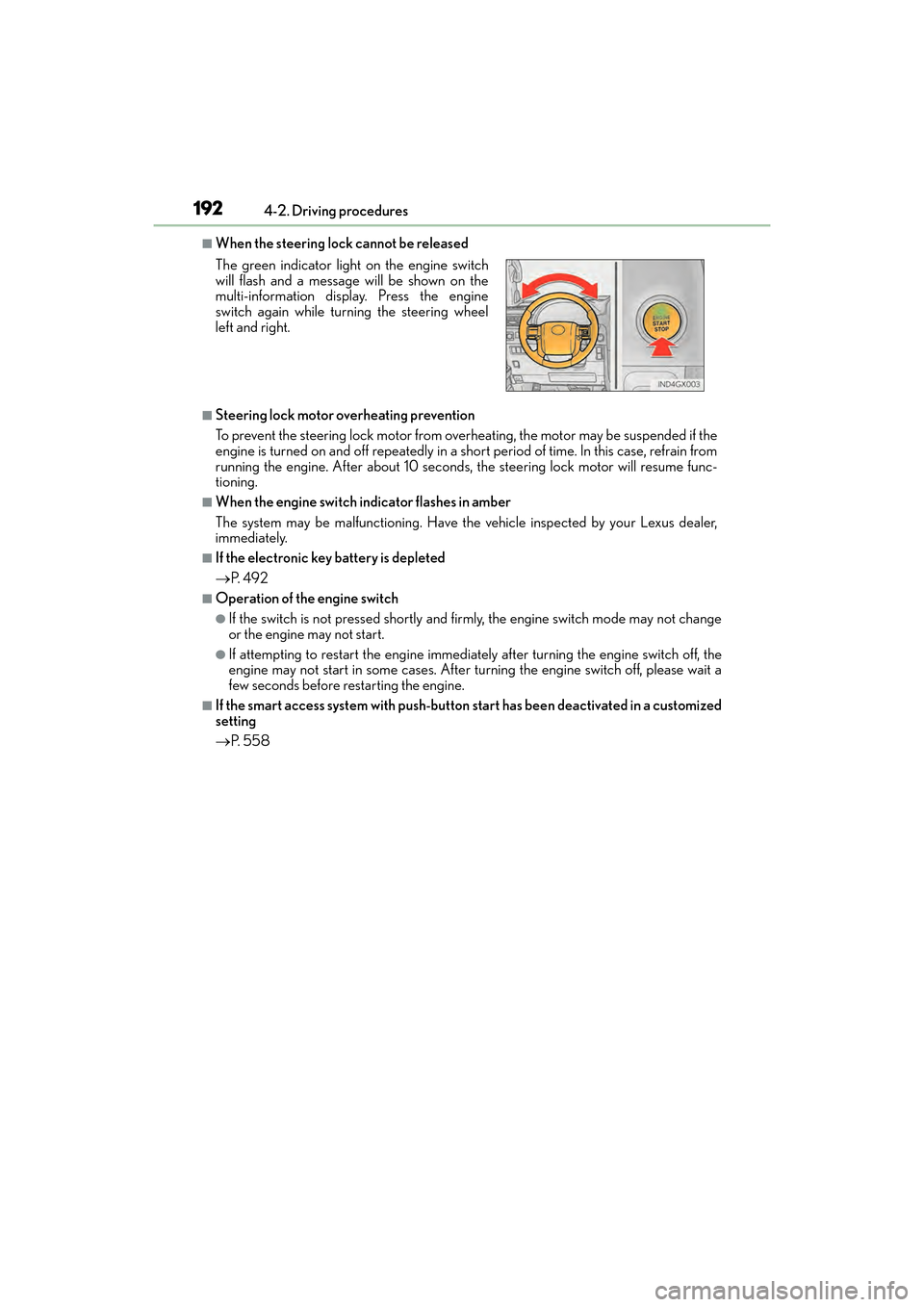
■When the steering lock cannot be released
■Steering lock motor overheating prevention
To prevent the steering lock motor from overheating, the motor may be suspended if the
engine is turned on and off repeatedly in a short period of time. In this case, refrain from
running the engine. After about 10 seconds, the steering lock motor will resume func-
tioning.
■When the engine switch indicator flashes in amber
The system may be malfunctioning. Have the vehicle inspected by your Lexus dealer,
immediately.
■If the electronic key battery is depleted
→
P. 4 9 2
■Operation of the engine switch
●If the switch is not pressed shortly and firmly, the engine switch mode may not change
or the engine may not start.
●If attempting to restart the engine immediately after turning the engine switch off, the
engine may not start in some cases. After turning the engine switch off, please wait a
few seconds before restarting the engine.
■If the smart access system with push-button start has been deactivated in a customized
setting
→ P. 5 5 8
The green indicator light
on the engine switch
will flash and a message will be shown on the
multi-information display. Press the engine
switch again while turning the steering wheel
left and right.
GX460_OM_OM60F68U_(U).book Page 192 Wednesday, June 8, 2016 6:37 PM
Page 206 of 644
204
GX 460 _O M_ OM6 0F 6 8U _(U )4-3. Operating the lights and wipers
■Daytime running light system
●To make your vehicle more visible to other drivers during daytime driving, the daytime
running lights turn on automatically whenev
er the engine is started and the parking
brake is released with the headlight switch off (type B only) or in the “AUTO” position.
(Illuminate brighter than the parking lights. ) Daytime running lights are not designed for
use at night.
For the U.S.A.: Daytime running lights can be turned off by operating the switch.
●Compared to turning on the headlights, the daytime running light system offers greater
durability and consumes less electricity, so it can help improve fuel economy.
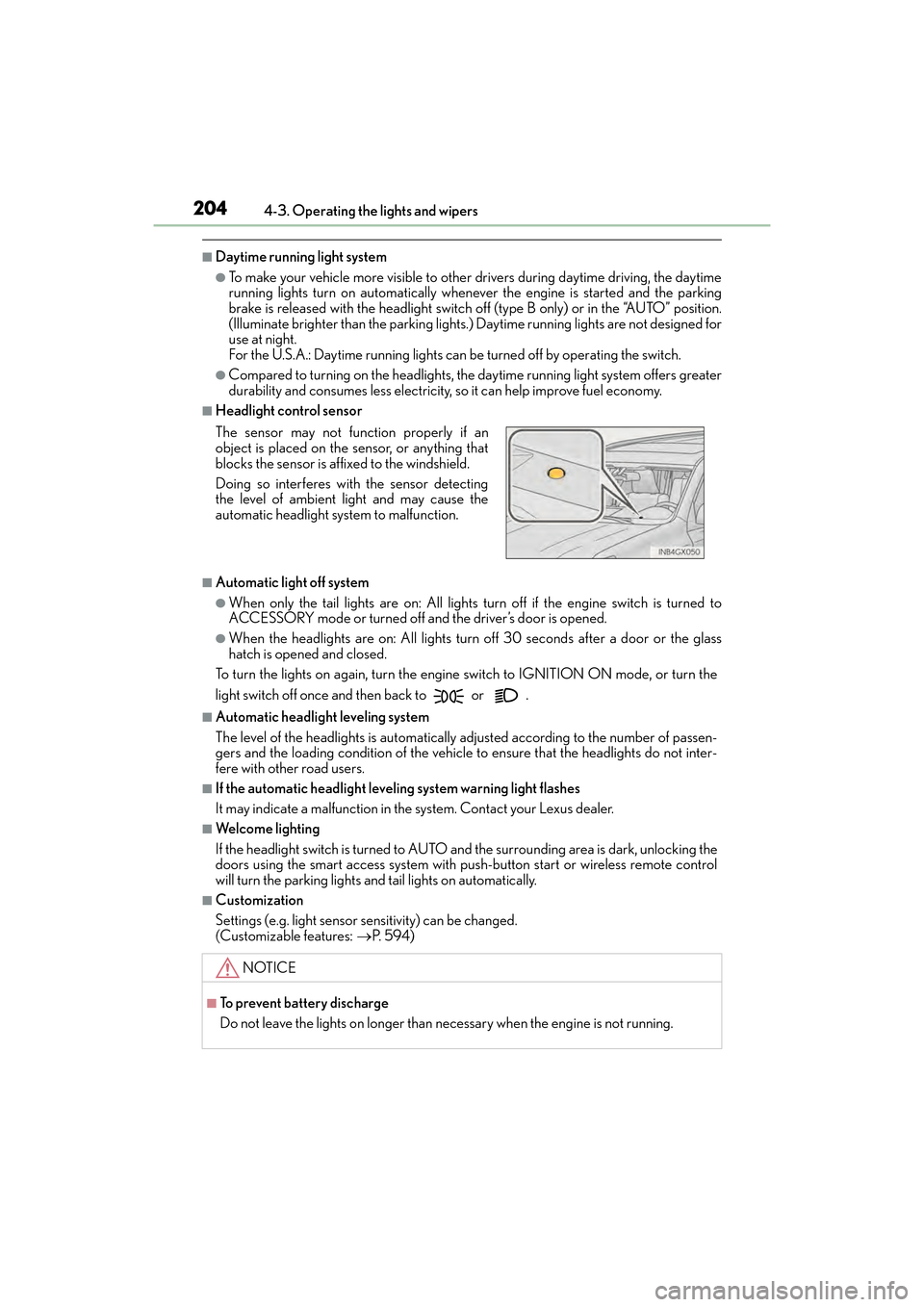
■Headlight control sensor
■Automatic light off system
●When only the tail lights are on: All lights turn off if the engine switch is turned to
ACCESSORY mode or turned of f and the driver’s door is opened.
●When the headlights are on: All lights turn off 30 seconds after a door or the glass
hatch is opened and closed.
To turn the lights on again, turn the engine switch to IGNITION ON mode, or turn the
light switch off once and then back to or .
■Automatic headlight leveling system
The level of the headlights is automatically adjusted according to the number of passen-
gers and the loading condition of the vehicle to ensure that the headlights do not inter-
fere with other road users.
■If the automatic headlight leveling system warning light flashes
It may indicate a malfunction in the system. Contact your Lexus dealer.
■Welcome lighting
If the headlight switch is turned to AUTO an d the surrounding area is dark, unlocking the
doors using the smart access system with push-button start or wireless remote control
will turn the parking lights an d tail lights on automatically.
■Customization
Settings (e.g. light sensor sensitivity) can be changed.
(Customizable features: →P. 5 9 4 )
The sensor may not function properly if an
object is placed on the sensor, or anything that
blocks the sensor is affixed to the windshield.
Doing so interferes with the sensor detecting
the level of ambient light and may cause the
automatic headlight system to malfunction.
NOTICE
■To prevent battery discharge
Do not leave the lights on longer than ne
cessary when the engine is not running.
GX460_OM_OM60F68U_(U).book Page 204 Wednesday, June 8, 2016 6:37 PM
Page 218 of 644
216
GX 460 _O M_ OM6 0F 6 8U _(U )4-3. Operating the lights and wipers
■Effects of vehicle speed on wiper operation
(vehicles with rain-sensing windshield wip-
ers)
With the settings other than “AUTO” also, the time until drip prevention wiper sweep
occurs is changed depending on vehicle speed.
With the low speed wiper operation selected, wiper operation will be switched from low
speed to intermittent wiper operation only when the vehicle is stationary. (However,
when the sensor sensitivity is adjusted to th e highest level, the mode cannot be switched.)
■If no windshield washer fluid sprays
Check that the washer nozzles are not blocked if there is washer fluid in the windshield
washer fluid reservoir.
CAUTION
■Caution regarding the use of windshield wipers in “AUTO” mode (vehicles with rain-
sensing windshield wipers)
The windshield wipers may operate unexpectedly if the sensor is touched or the wind-
shield is subject to vibration in “AUTO” mode. Take care that your fingers etc. anything
else does not become caught in the windshield wipers.
■Caution regarding the use of washer fluid
When it is cold, do not use the washer fl uid until the windshield becomes warm. The
fluid may freeze on the windshield and cause lo w visibility. This may lead to an accident,
resulting in death or serious injury.
NOTICE
■When the windshield is dry
Do not use the wipers, as they may damage the windshield.
■When the washer fluid tank is empty
Do not operate the switch continually as the washer fluid pump may overheat.
■When there is no washer fluid spray from the nozzle
Damage to the washer fluid pump may be caused if the lever is pulled toward you and
held continually.
■When a nozzle becomes blocked
Do not try to clear it with a pin or other object. The nozzle will be damaged.
GX460_OM_OM60F68U_(U).book Page 216 Wednesday, June 8, 2016 6:37 PM
Page 227 of 644
GX 460 _O M_ OM6 0F 6 8U _(U )
2254-5. Using the driving support systems
4
Driving
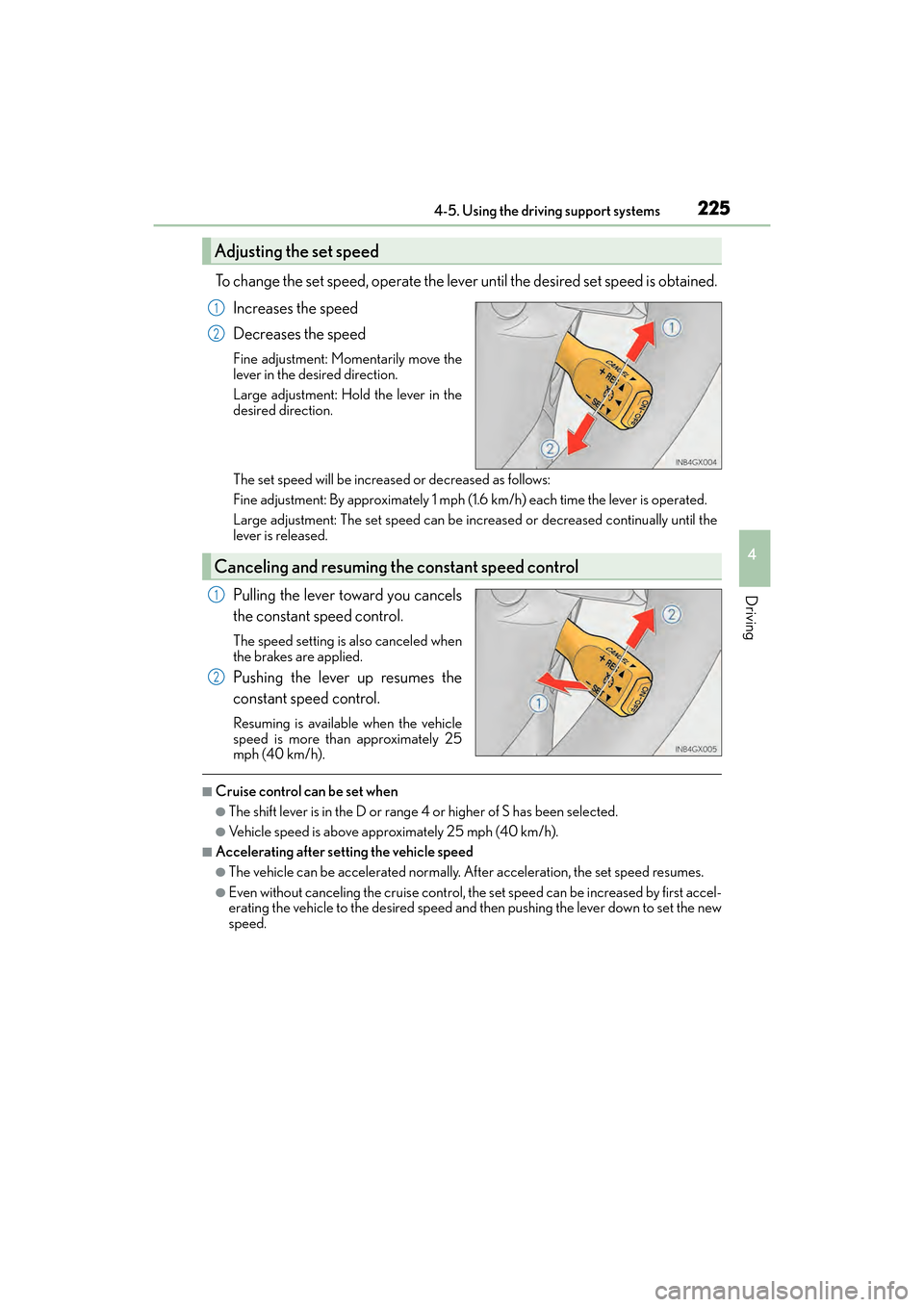
To change the set speed, operate the lever until the desired set speed is obtained.Increases the speed
Decreases the speed
Fine adjustment: Momentarily move the
lever in the desired direction.
Large adjustment: Hold the lever in the
desired direction.
The set speed will be increased or decreased as follows:
Fine adjustment: By approximately 1 mph (1.6 km/h) each time the lever is operated.
Large adjustment: The set speed can be increased or decreased continually until the
lever is released.
Pulling the lever toward you cancels
the constant speed control.
The speed setting is also canceled when
the brakes are applied.
Pushing the lever up resumes the
constant speed control.
Resuming is available when the vehicle
speed is more than approximately 25
mph (40 km/h).
■Cruise control can be set when
●The shift lever is in the D or range 4 or higher of S has been selected.
●Vehicle speed is above approximately 25 mph (40 km/h).
■Accelerating after setting the vehicle speed
●The vehicle can be accelerated normally. After acceleration, the set speed resumes.
●Even without canceling the cruise control, the set speed can be increased by first accel-
erating the vehicle to the desired speed and then pushing the lever down to set the new
speed.
Adjusting the set speed
1
2
Canceling and resuming the constant speed control
1
2
GX460_OM_OM60F68U_(U).book Page 225 Wednesday, June 8, 2016 6:37 PM
Page 230 of 644
228
GX 460 _O M_ OM6 0F 6 8U _(U )4-5. Using the driving support systems
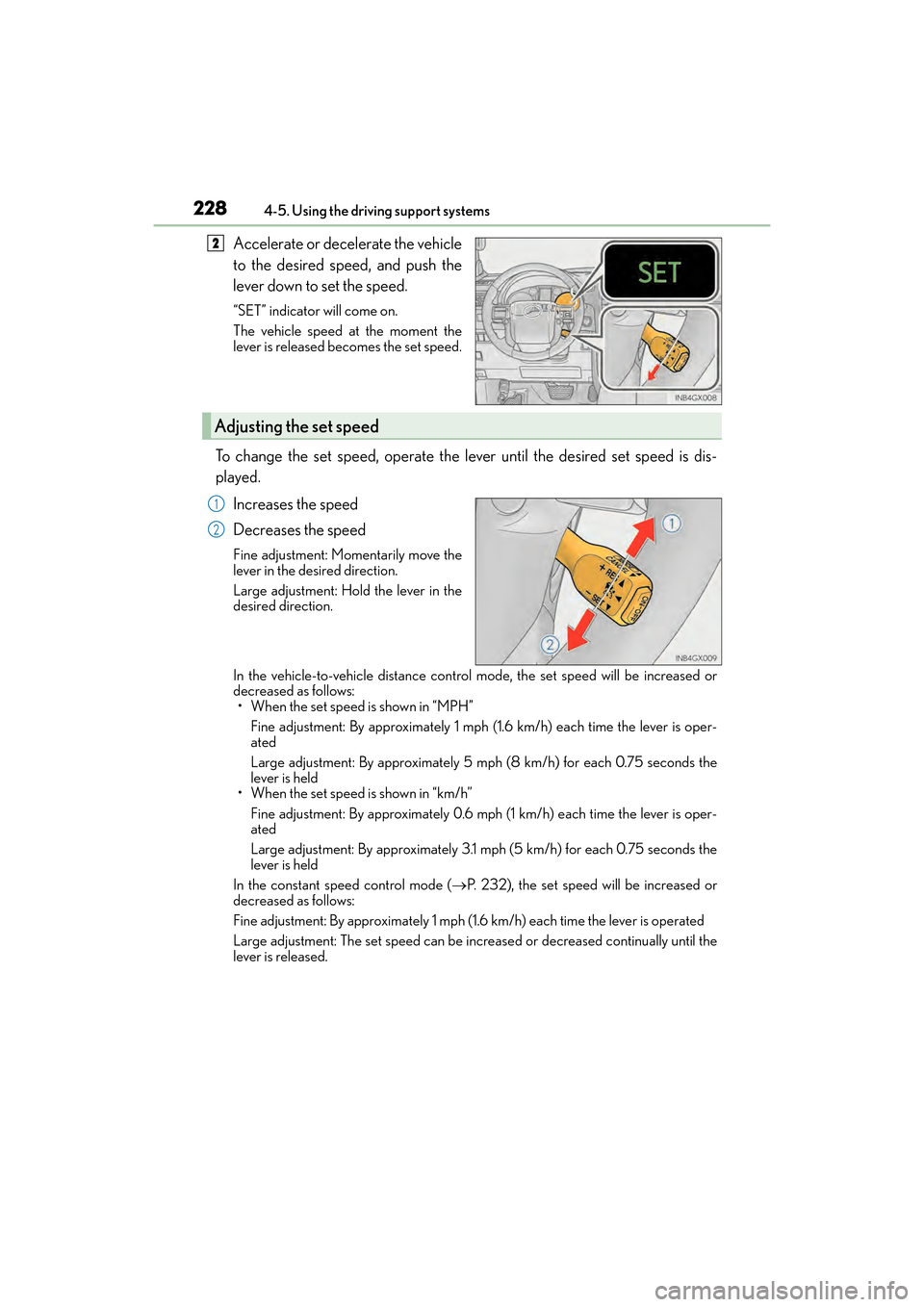
Accelerate or decelerate the vehicle
to the desired speed, and push the
lever down to set the speed.
“SET” indicator will come on.
The vehicle speed at the moment the
lever is released becomes the set speed.
To change the set speed, operate the lever until the desired set speed is dis-
played.
Increases the speed
Decreases the speed
Fine adjustment: Momentarily move the
lever in the desired direction.
Large adjustment: Hold the lever in the
desired direction.
In the vehicle-to-vehicle distance contro l mode, the set speed will be increased or
decreased as follows:
• When the set speed is shown in “MPH”
Fine adjustment: By approximately 1 mph (1.6 km/h) each time the lever is oper-
ated
Large adjustment: By approximately 5 mph (8 km/h) for each 0.75 seconds the
lever is held
• When the set speed is shown in “km/h”
Fine adjustment: By approximately 0.6 mph (1 km/h) each time the lever is oper-
ated
Large adjustment: By approximately 3.1 mph (5 km/h) for each 0.75 seconds the
lever is held
In the constant speed control mode ( →P. 232), the set speed will be increased or
decreased as follows:
Fine adjustment: By approximately 1 mph (1.6 km/h) each time the lever is operated
Large adjustment: The set speed can be increased or decreased continually until the
lever is released.
2
Adjusting the set speed
1
2
GX460_OM_OM60F68U_(U).book Page 228 Wednesday, June 8, 2016 6:37 PM
Page 243 of 644

GX 460 _O M_ OM6 0F 6 8U _(U )
2414-5. Using the driving support systems
4
Driving
■Conditions in which the function may not operate correctly
In the following conditions, th e camera sensor may be unable to recognize lane markers
causing the lane departure warning function to operate incorrectly. However, this does
not indicate a malfunction.
●When driving through an area with no lane markers, such as a tollbooth, a crossing or
before a ticket checkpoint
●When driving on a sharp curve
●When lane markers are extremely narrow or extremely wide
●When the vehicle leans to one side an unusual amount due to a heavy load or improper
tire inflation pressure
●When the following distance between your vehicle and the vehicle ahead is extremely
short
●When the lane markers are yellow (These ma y be more difficult for the system to rec-
ognize compared to white markers.)
●When the lane markers are broken, “Botts’ dots”, “Raised pavement marker” or stones
●When the lane markers are on a curb etc.
●When lane markers are obscured or partially obscured by sand, dirt, etc.
●When there are shadows on the road running parallel with lane markers, or if a shadow
covers the lane markers
●When driving on a particularly bright road surface, such as concrete
●When driving on a road surface that is bright due to reflected light
●When driving in a location where the light leve l changes rapidly, such as the entrance to
or exit from a tunnel
●When sunlight or the headlight s of oncoming vehicles are shining directly into the cam-
era lens
●When driving on roads that are branching or merging
●When driving on a road surface that is wet du e to rain, previous rainfall, standing water,
etc.
●When the vehicle experiences strong up-and-down motion such as when driving on an
extremely rough road or on a seam in the pavement
●When headlight brightness at nighttime is reduced due to dirt on the lenses, or when
the headlights are misaligned
●When driving on winding roads or roads that are uneven
●When driving on rough or unpaved roads
■When changing the tires
Depending on the tires used, such as snow tire, etc., sufficient performance may not be
maintainable.
■Warning messages and buzzers for LDA system
Warning messages and buzzers are used to indicate a system malfunction or to inform
the driver of the need for caution while driving. ( →P. 5 3 1 , 5 3 2 )
GX460_OM_OM60F68U_(U).book Page 241 Wednesday, June 8, 2016 6:37 PM
Page 245 of 644
GX 460 _O M_ OM6 0F 6 8U _(U )
2434-5. Using the driving support systems
4
Driving
NOTICE
■To prevent damage to or incorrect operation of the LDA system
●Do not modify the headlights or attach stickers to the surface of the lights.
●Do not modify the suspension or replace it with non-genuine parts.
●Do not install or place anything on the hood or the grille. Also, do not install a grille
guard (bull bars, kangaroo bar etc.).
●If your windshield needs repairs, contact your Lexus dealer.
■Camera sensor ( →P. 2 3 8 )
Observe the following to ensure that the LDA system functions correctly.
●Keep the windshield clean at all times.
Performance could be affected if the windshie ld is dirty, or if raindrops, condensation
or ice are adhering to the windshield.
●Do not spill liquid onto the camera sensor.
●Do not attach window tinting to the windshield.
●Do not install an antenna in front of the camera lens.
●If the windshield is fogged up, use the windshield defogger to remove fog from the
windshield.
When it is cold, using the he ater with air blowing to the feet may allow the upper part
of the windshield to fog up. This will have a negative effect on the images.
●Do not scratch the camera lens, or let it get dirty.
When cleaning the inside of the windshield, be careful not to get any glass cleaner
etc. on the lens. Also, do not touch the lens.
For lens repair, contact your Lexus dealer.
●Do not change the installation position or di rection of the camera sensor or remove it.
The direction of the camera sensor is precisely adjusted.
●Do not subject the camera sensor to strong impact or force, and do not disassemble
the camera sensor.
●Do not replace windshield with non-genuine windshield.
Contact your Lexus dealer.
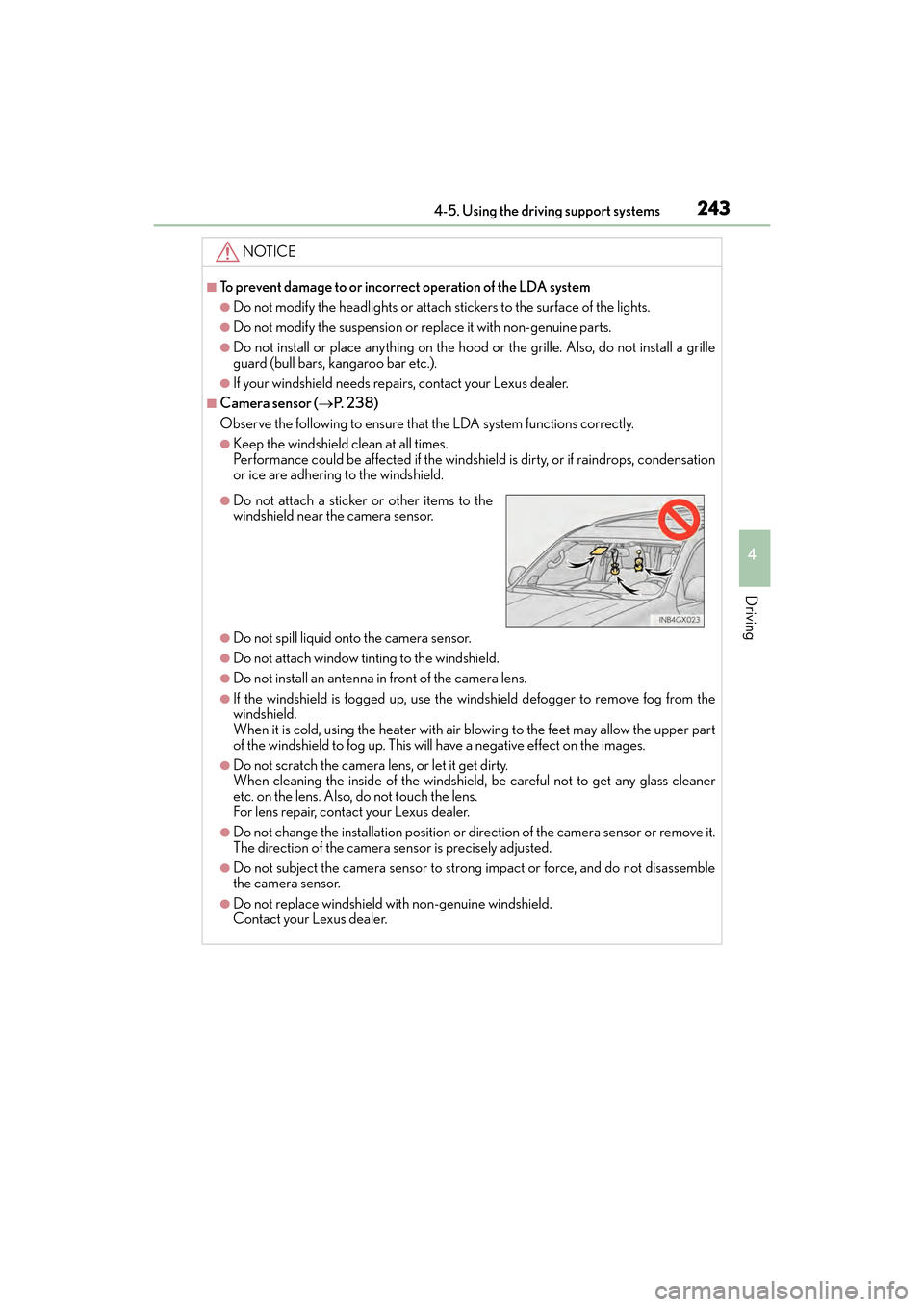
●Do not attach a sticker or other items to the
windshield near the camera sensor.
GX460_OM_OM60F68U_(U).book Page 243 Wednesday, June 8, 2016 6:37 PM
Page 251 of 644

GX 460 _O M_ OM6 0F 6 8U _(U )
2494-5. Using the driving support systems
4
Driving
You can change the buzzer sounds volume and the screen operating conditions.
Press the “SETUP” button.
Select “Vehicle”, and then select “LEXUS Park Assist”/“LEXUS Park Assist
Settings” on the screen.
Select the desired item.
The buzzer sounds volume can be adjusted.
On or off can be selected for intuitive parking assist display.
Front or rear center sensors display and tone indication can be set.
Setting up intuitive parking assist
1
2
3
XMultimedia screenXNavigation system screen
1
2
3
GX460_OM_OM60F68U_(U).book Page 249 Wednesday, June 8, 2016 6:37 PM
Page 295 of 644
GX 460 _O M_ OM6 0F 6 8U _(U )
2934-5. Using the driving support systems
4
Driving
■Changing the display in 3 screen mode
When in 3 screen mode, you can change the display from the simultaneous
display to each individual display.
The screen changes as follows with each press of the wide view front & side
monitor switch.
When the wide view front monitor was displayed the previous time:
When the side monitor was displayed the previous time:
The wide view front monitor and side monitor individual displays are not accessible
when the shift lever is in R.
■Automatic display mode
In this mode, the screen is switched automatically in response to vehicle
speed, in addition to screen switching by operating the wide view front & side
monitor switch.
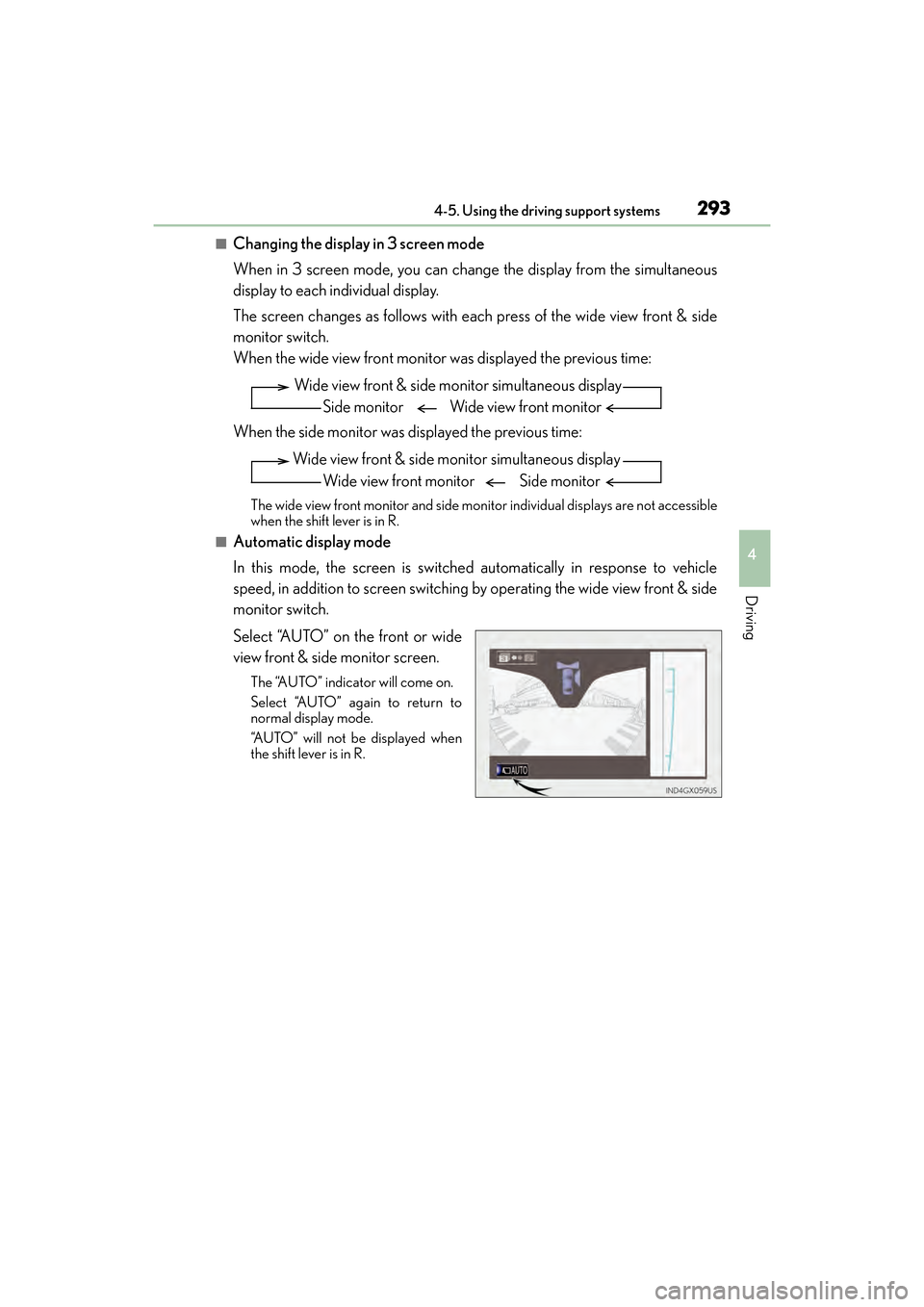
Select “AUTO” on the front or wide
view front & side monitor screen.
The “AUTO” indicator will come on.
Select “AUTO” again to return to
normal display mode.
“AUTO” will not be displayed when
the shift lever is in R.
Wide view front & side monitor simultaneous displaySide monitor Wide view front monitor
Wide view front & side monitor simultaneous display Wide view front monitor Side monitor
GX460_OM_OM60F68U_(U).book Page 293 Wednesday, June 8, 2016 6:37 PM
Page 297 of 644

GX 460 _O M_ OM6 0F 6 8U _(U )
2954-5. Using the driving support systems
4
Driving
●Individual display
Front wheel contact point
Shows the position of the vehicle’s front tire.
Vehicle front edge line
Shows the position of the vehicle’s leading edge.
Vehicle width line (blue)
Indicates the width of the vehicle including the outside rear view mirror.
Projected course line (yellow)
Displays a rough guide of the vehicle path that moves according to the steering wheel
position. Displayed along with the minimum projected turning circle.
Minimum projected turning circle (blue)
Displays the smallest turning circle projected by the system if the steering wheel is
turned to full lock. Displayed when the steer ing wheel is turned to the right (further
than 90 ° from straight ahead).
Projected course line switching button
The course line display mode will change as follows each time the switch is selected.
When the shift lever is in R, it will not be displayed.
Rear wheel contact point
Shows the position of the vehicle’s rear tire.
Individual display mode switching button
Switches the full view display mode or Front view enlarged display mode.
XFull view display modeXFront view enlarged display mode
1
2
3
4
5
6
7
8
GX460_OM_OM60F68U_(U).book Page 295 Wednesday, June 8, 2016 6:37 PM