engine Lexus GX460 2019 / LEXUS 2019 GX460 (OM60Q84U) Owner's Guide
[x] Cancel search | Manufacturer: LEXUS, Model Year: 2019, Model line: GX460, Model: Lexus GX460 2019Pages: 636, PDF Size: 11.11 MB
Page 121 of 636

GX460_OM_OM60Q84U_(U)
1213-2. Opening, closing and locking the doors
3
Operation of each component
■Battery-saving function
The battery-saving function w ill be activated in order to prevent the electronic key bat-
tery and the vehicle battery from being discharged while the vehicle is not in operation
for a long time.
●In the following situations, the smart acce ss system with push-button start may take
some time to unlock the doors.
• The electronic key has been le ft in an area of approximately 6 ft. (2 m) of the outside
of the vehicle for 10 minutes or longer.
• The smart access system with push-button st art has not been used for 5 days or lon-
ger.
●If the smart access system with push-button start has not been used for 14 days or lon-
ger, the doors cannot be unlocked at any doors except the driver’s door. In this case,
take hold of the driver’s d oor handle, or use the wireless remote control or the mechan-
ical key, to unlock the doors.
■Conditions affe cting operation
The smart access system with push-button st art uses weak radio waves. In the following
situations, the communication between the electronic key and the vehicle may be
affected, preventing the smar t access system with push-but ton start, wireless remote
control and engine immobilizer system from operating properly.
(Ways of coping: P. 556)
●When the electronic key battery is depleted
●Near a TV tower, electric power plant, gas st ation, radio station, large display, airport or
other facility that generates strong radio wave s or electrical noise
●When carrying a portable radio, cellular phone, cordless phone or other wireless com-
munication device
●When the electronic key is in contact wi th, or is covered by the following metallic
objects
• Cards to which aluminum foil is attached
• Cigarette boxes that have aluminum foil inside
• Metallic wallets or bags
•Coins
• Hand warmers made of metal
• Media such as CDs and DVDs
●When other wireless keys (that emit radio waves) are being used nearby
●When carrying the electronic key together with the following devices that emit radio
waves
• Another vehicle’s electronic key or a wireless key that emits radio waves
• Personal computers or person al digital assistants (PDAs)
• Digital audio players
• Portable game systems
●If window tint with a metallic content or me tallic objects are attached to the rear win-
dow
Page 122 of 636

122
GX460_OM_OM60Q84U_(U)3-2. Opening, closing and locking the doors
■Note for the entry function
●Even when the electronic key is within the effective range (detection areas), the system
may not operate properly
in the following cases:
• The electronic key is too close to the window or outside door handle, near the ground, or in a high place when the doors are locked or unlocked.
• The electronic key is near the ground or in a high place, or too close to the rear
bumper center when the glass hatch is opened.
• The electronic key is on the instrument pa nel, luggage cover or floor, or in the door
pockets or glove box when the engine is started or engine switch modes are
changed.
●Do not leave the electronic key on top of th e instrument panel or near the door pockets
when exiting the vehicle. Depending on the radio wave reception conditions, it may be
detected by the antenna outside the cabin an d the doors will become lockable from the
outside, possibly trapping the electronic key inside the vehicle.
●As long as the electronic key is within th e effective range, the doors may be locked or
unlocked by anyone. However, only the door s detecting the electronic key can be used
to unlock the vehicle.
●Even if the electronic key is not inside the vehicle, it may be possible to start the engine
if the electronic key is near the window.
●The doors may lock or unlock if a large amount of water splashes on the door handle,
such as in the rain or in a car wash, when th e electronic key is within the effective range.
(The doors will automatically be locked afte r approximately 60 seconds if the doors or
the glass hatch are not opened and closed.)
●If the wireless remote control is used to lo ck the doors when the electronic key is near
the vehicle, there is a possibility that the d oor may not be unlocked by the entry func-
tion. (Use the wireless remote control to unlock the doors.)
●Touching the door lock sensor while we aring gloves may prevent lock operation.
●If the door handle becomes wet while the el ectronic key is within the effective range,
the door may lock and unlock repeatedly. Pl ace the electronic key in a location 6 ft. (2
m) or more away from the vehicle. (Take ca re to ensure that the key is not stolen.)
●If the electronic key is inside the vehicle and a door handle becomes wet during a car
wash, a message may be shown on the mult i-information display and a buzzer will
sound outside the vehicle. To turn off the alarm, lock all the doors.
●The lock sensor may not work properly if it comes into contact with ice, snow, mud, etc.
Clean the lock sensor and attempt to operate it again, or use the lock sensor on the
lower part of the door handle.
●Fingernails may scrape against the door during operation of the door handle.
Be careful not to injure fingernails or damage the surface of the door.
●A sudden approach to the effective range or door handle may prevent the doors from
being unlocked. In this case, return the door handle to the original position and check
that the doors unlock before pulling the door handle again.
●Unlocking the vehicle may take more time if another electronic key is within the effec-
tive range.
Page 123 of 636

GX460_OM_OM60Q84U_(U)
1233-2. Opening, closing and locking the doors
3
Operation of each component
■When the vehicle is not driven for extended periods
●To prevent theft of the vehicle, do not leave the electronic key within 6 ft. (2 m) of the
vehicle.
●The smart access system wi th push-button start can be deactivated in advance.
( P. 592)
■To operate the system properly
Make sure to carry the electronic key when operating the system. Do not get the elec-
tronic key too close to the vehicle when operating the system from the outside of the
vehicle.
Depending on the position and holding condition of the electronic key, the key may not
be detected correctly and the system may not operate properly. (The alarm may go off
accidentally, or the door lock prev ention function may not operate.)
■If the smart access system with push-button start does not operate properly
●Locking and unlocking the doors: Use the mechanical key. (P. 556)
●Starting the engine: P. 557
■Customization
Settings (e. g. smart access system with push-button start) can be changed.
(Customizable features: P. 592)
■If the smart access system with push-button start has been deactivated in a customized
setting
●Locking and unlocking the doors:
Use the wireless remote cont rol or mechanical key. (P. 102, 556)
●Starting the engine and changing engine switch modes: P. 557
●Stopping the engine: P. 194
Page 136 of 636
136
GX460_OM_OM60Q84U_(U)3-3. Adjusting the seats
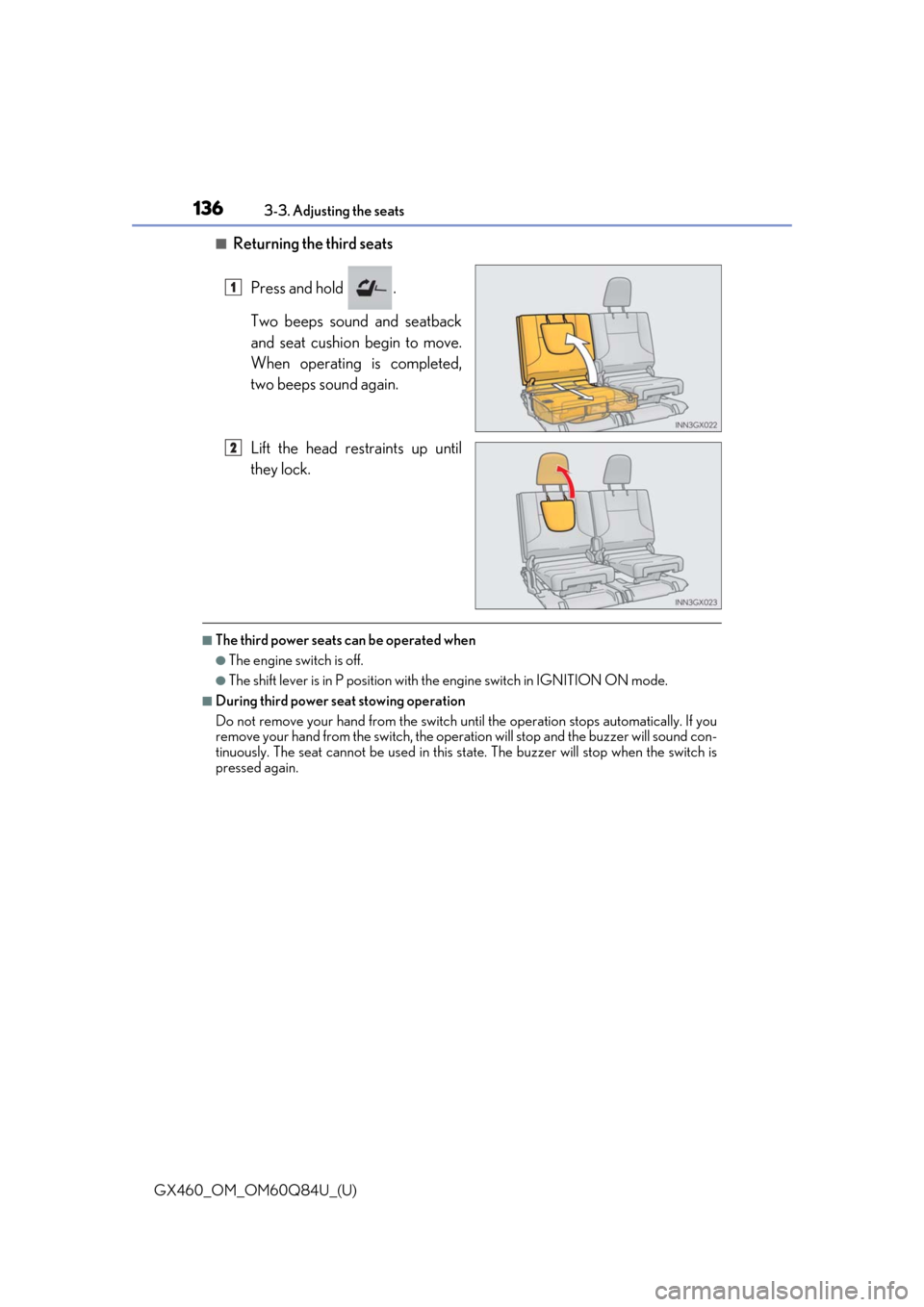
■Returning the third seats
Press and hold .
Two beeps sound and seatback
and seat cushion begin to move.
When operating is completed,
two beeps sound again.
Lift the head restraints up until
they lock.
■The third power seats can be operated when
●The engine switch is off.
●The shift lever is in P position with th e engine switch in IGNITION ON mode.
■During third power seat stowing operation
Do not remove your hand from the switch un til the operation stops automatically. If you
remove your hand from the switch, the operat ion will stop and the buzzer will sound con-
tinuously. The seat cannot be used in this state. The buzzer will stop when the switch is
pressed again.
1
2
Page 137 of 636
GX460_OM_OM60Q84U_(U)
1373-3. Adjusting the seats
3
Operation of each component
■Enlarging the luggage compartment
The third seat can be used for sitting when it is in the posi tion shown in step of the fold-
ing down the third seats. ( P. 134)
This can be convenient for enlarging the luggage compartment, for instance when the
luggage is against the back of the seatback.
■If the warning buzzer sounds continuously
If there is an abnormality in the system, the warning buzzer will sound continuously while
the engine switch is in IGNITION ON mode. In this case, take the following operations:
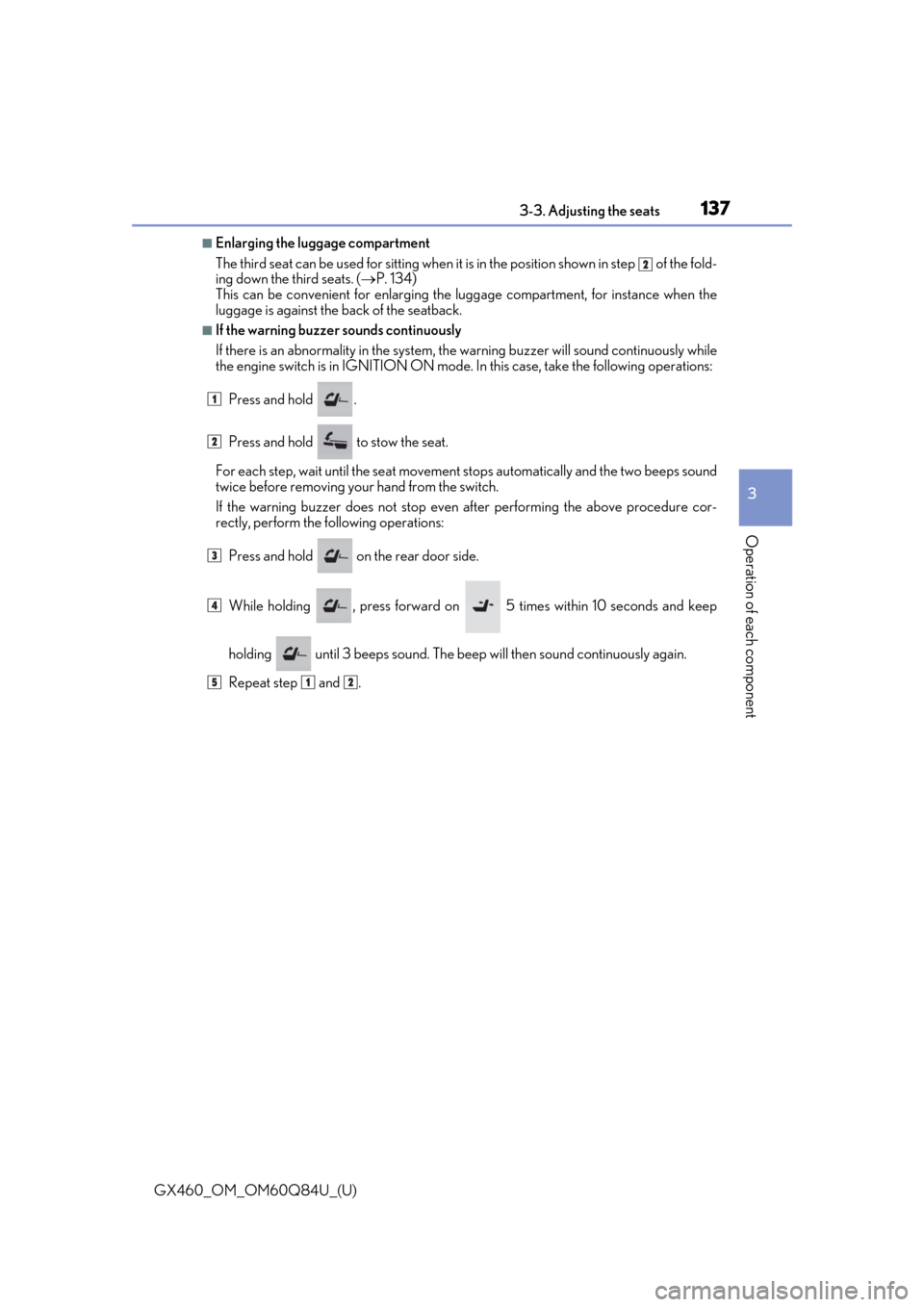
Press and hold .
Press and hold to stow the seat.
For each step, wait until the seat movement stops automati cally and the two beeps sound
twice before removing your hand from the switch.
If the warning buzzer does not stop even after performing the above procedure cor-
rectly, perform the following operations:
Press and hold on the rear door side.
While holding , press forward on 5 times within 10 seconds and keep
holding until 3 beeps sound. The beep will then sound continuously again.
Repeat step and .
2
1
2
3
4
512
Page 139 of 636
139
GX460_OM_OM60Q84U_(U)3-3. Adjusting the seats
3
Operation of each component
Driving position memory
The seat and steering wheel are automati
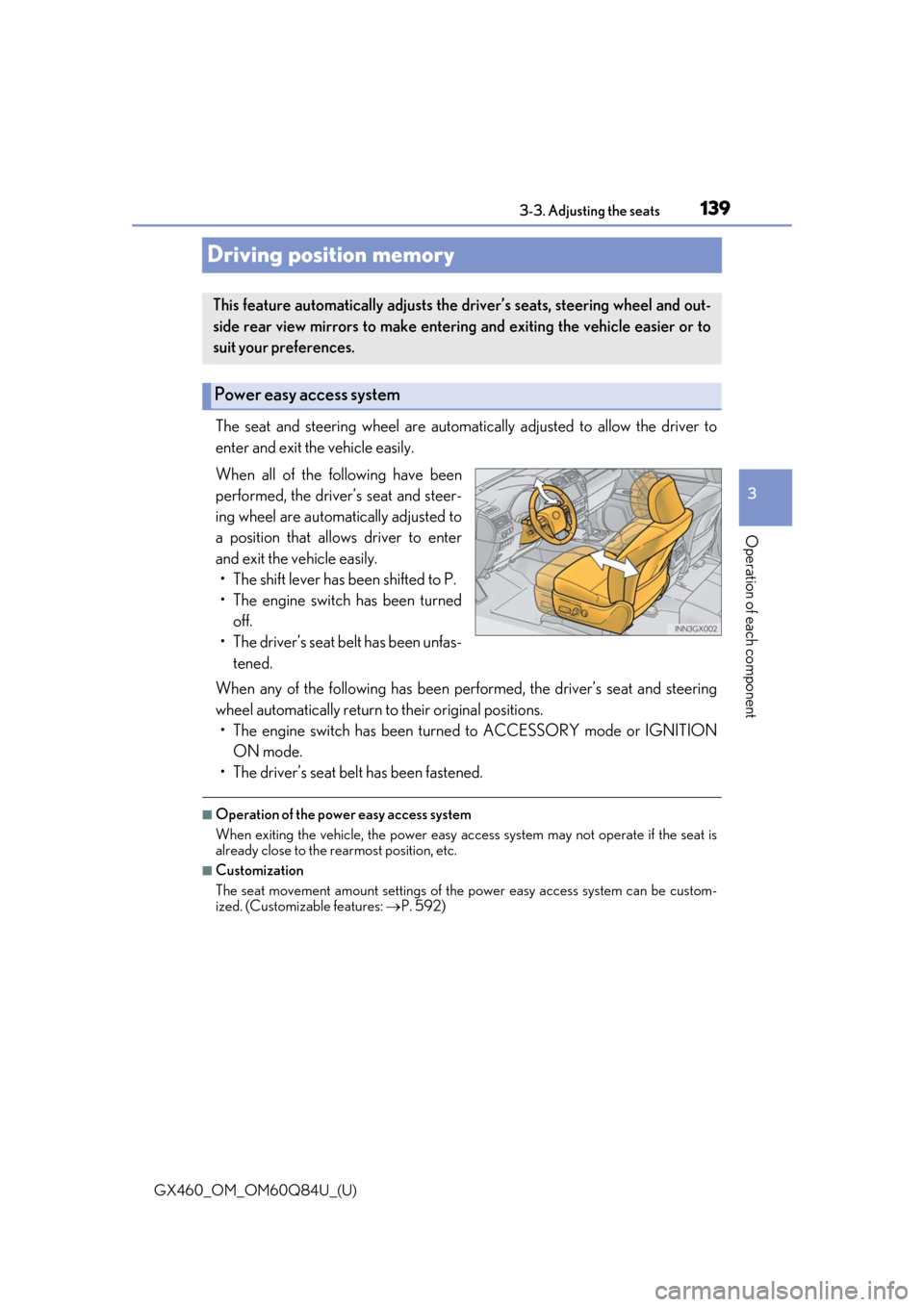
cally adjusted to allow the driver to
enter and exit the vehicle easily.
When all of the following have been
performed, the driver’s seat and steer-
ing wheel are automatically adjusted to
a position that allows driver to enter
and exit the vehicle easily. • The shift lever has been shifted to P.
• The engine switch has been turned off.
• The driver’s seat belt has been unfas- tened.
When any of the following has been perf ormed, the driver’s seat and steering
wheel automatically return to their original positions.
• The engine switch has been turn ed to ACCESSORY mode or IGNITION
ON mode.
• The driver’s seat belt has been fastened.
■Operation of the power easy access system
When exiting the vehicle, the power easy ac cess system may not operate if the seat is
already close to the rearmost position, etc.
■Customization
The seat movement amount settings of th e power easy access system can be custom-
ized. (Customizable features: P. 592)
This feature automatically adjusts the driver’s seats, steering wheel and out-
side rear view mirrors to make enteri ng and exiting the vehicle easier or to
suit your preferences.
Power easy access system
Page 140 of 636
140
GX460_OM_OM60Q84U_(U)3-3. Adjusting the seats
Your preferred driving position (the posi
tion of the driver’s seat, steering wheel
and outside rear view mirrors) can be recorded and recalled by pressing a but-
ton.
Two different driving positions can be recorded into memory.
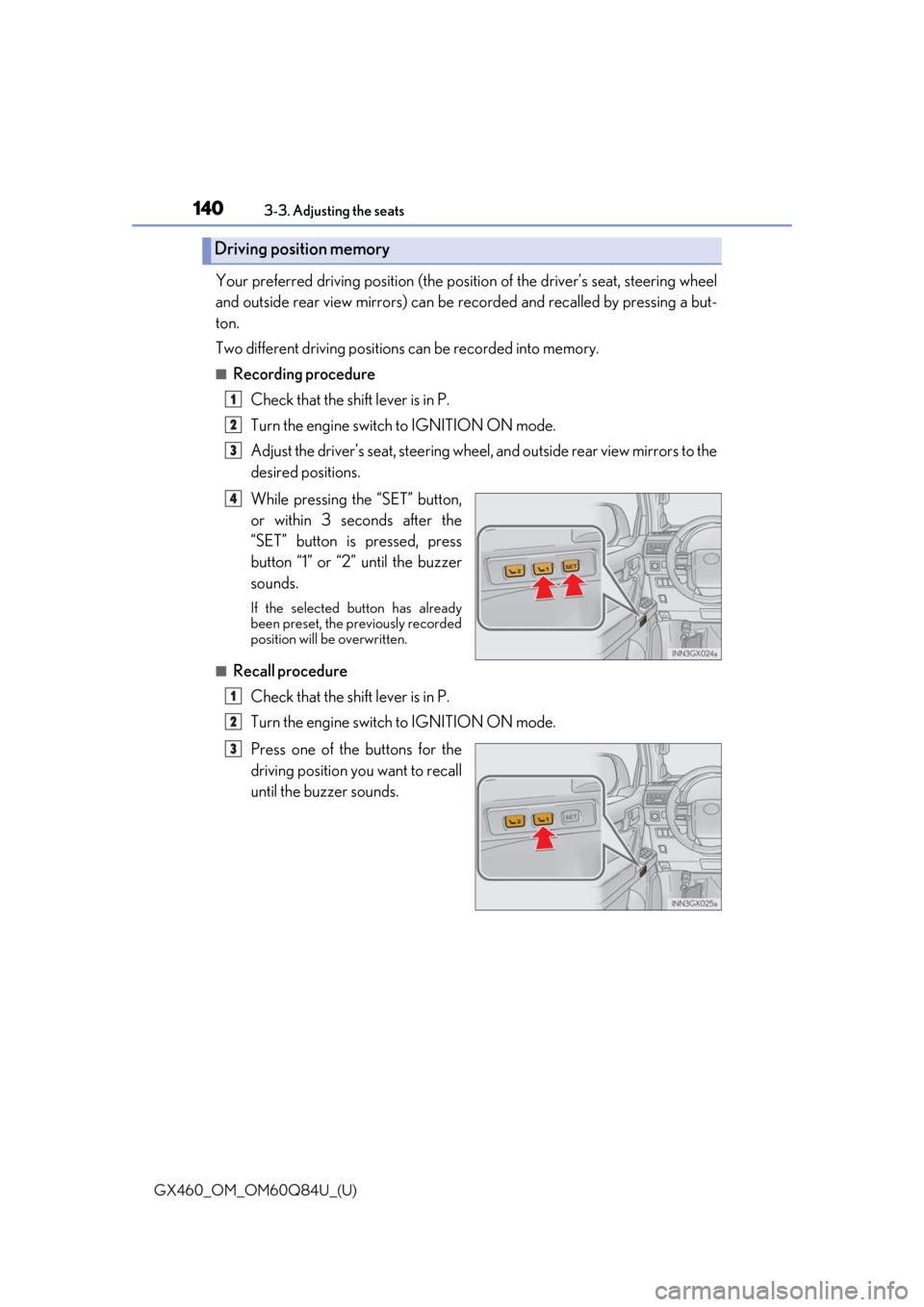
■Recording procedure
Check that the shift lever is in P.
Turn the engine switch to IGNITION ON mode.
Adjust the driver’s seat, steering wheel, and outside rear view mirrors to the
desired positions.
While pressing the “SET” button,
or within 3 seconds after the
“SET” button is pressed, press
button “1” or “2” until the buzzer
sounds.
If the selected button has already
been preset, the previously recorded
position will be overwritten.
■Recall procedureCheck that the shift lever is in P.
Turn the engine switch to IGNITION ON mode.
Press one of the buttons for the
driving position you want to recall
until the buzzer sounds.
Driving position memory
1
2
3
4
1
2
3
Page 141 of 636
GX460_OM_OM60Q84U_(U)
1413-3. Adjusting the seats
3
Operation of each component
■To stop the position recall operation part-way through
Perform any of the following:
●Press the “SET” button.
●Press button “1” or “2”.
●Operate any of the seat adjustment switches (only cancels seat position recall).
●Operate the tilt and telescopic steering control switch (only cancels steering wheel
position recall).
■Seat positions that can be memorized ( P. 126)
The adjusted positions other than the position adjusted by lumbar support switch can be
recorded.
■Operating the driving position memory after turning the engine switch off
Recorded seat positions can be activated up to 180 seconds after the driver’s door is
opened and another 60 seconds after it is closed again.
■In order to correctly use the driving position memory function
If a seat position is already in the furthest po ssible position and the seat is operated in the
same direction, the recorded position may be slightly different when it is recalled.
Each electronic key can be registered to recall your preferred driving position.
■Registering procedure
Record your driving position to button “1” or “2” before performing the follow-
ing:
Carry only the key you want to regist er, and then close the driver’s door.
If 2 or more keys are in the vehicle, the driving position cannot be recorded
properly.
Check that the shift lever is in P.
Turn the engine switch to IGNITION ON mode.
Recall the driving position that you want to record.
Memory recall function
1
2
3
Page 142 of 636
142
GX460_OM_OM60Q84U_(U)3-3. Adjusting the seats
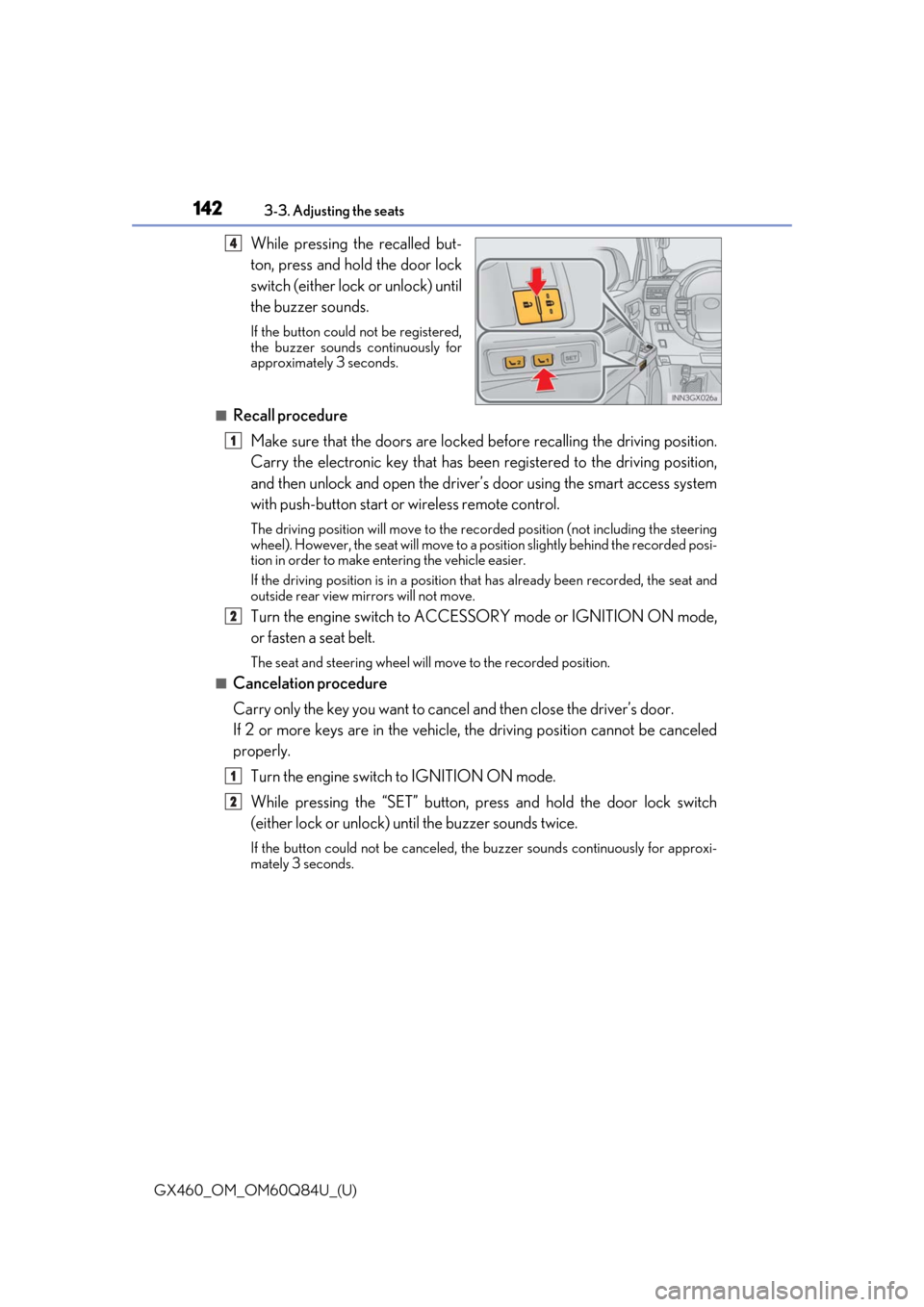
While pressing the recalled but-
ton, press and hold the door lock
switch (either lock or unlock) until
the buzzer sounds.
If the button could not be registered,
the buzzer sounds continuously for
approximately 3 seconds.
■Recall procedure
Make sure that the doors are locked before recalling the driving position.
Carry the electronic key that has been registered to the driving position,
and then unlock and open the driver’s door using the smart access system
with push-button start or wireless remote control.
The driving position will move to the recorded position (not including the steering
wheel). However, the seat will move to a position slightly behind the recorded posi-
tion in order to make entering the vehicle easier.
If the driving position is in a position th at has already been recorded, the seat and
outside rear view mirrors will not move.
Turn the engine switch to ACCESS ORY mode or IGNITION ON mode,
or fasten a seat belt.
The seat and steering wheel will move to the recorded position.
■Cancelation procedure
Carry only the key you want to cance l and then close the driver’s door.
If 2 or more keys are in the vehicle, the driving position cannot be canceled
properly.
Turn the engine switch to IGNITION ON mode.
While pressing the “SET” button, pr ess and hold the door lock switch
(either lock or unlock) un til the buzzer sounds twice.
If the button could not be canceled, the buzzer sounds continuously for approxi-
mately 3 seconds.
4
1
2
1
2
Page 148 of 636

1483-4. Adjusting the steering wheel and mirrors
GX460_OM_OM60Q84U_(U)
■The steering wheel can be adjusted when
The engine switch is in ACCESSORY or IGNITION ON mode
*.
*: If the driver’s seat belt is fastened, the steering wheel can be adjusted regardless of engine switch mode.
■Automatic adjustment of the steering position
A desired steering position ca n be entered to memory and recalled automatically by the
driving position memory system. ( P. 139)
CAUTION
Do not adjust the steering wheel while driving.
Doing so may cause the driver to mishandle the vehicle and cause an accident, result-
ing in death or serious injury.