audio Lexus GX460 2019 Owner's Manual / LEXUS 2019 GX460 OWNER'S MANUAL (OM60Q84U)
[x] Cancel search | Manufacturer: LEXUS, Model Year: 2019, Model line: GX460, Model: Lexus GX460 2019Pages: 636, PDF Size: 11.11 MB
Page 6 of 636
TABLE OF CONTENTS6
GX460_OM_OM60Q84U_(U)
8-1. SpecificationsMaintenance data (fuel, oil level, etc.) .................. 568
Fuel information ......................... 578
Tire information ........................... 581
8-2. Customization Customizable features ............ 592
Items to initialize......................... 603
Reporting safety defects for U.S. owners .................................... 606
Seat belt instructions for Canadian owners
(in French).............................................. 607
SRS airbag instructions for Canadian owners
(in French).............................................. 609
Headlight aim instructions for Canadian owners
(in French)................................................ 617 What to do if...
(Troubleshooting)............................... 620
Alphabetical inde x ................................ 624
8Vehicle specifications
9For owners
Index
For vehicles with a navigation system or a multimedia system, refer to the
“NAVIGATION SYSTEM OWNER’ S MANUAL” or “MULTIMEDIA
OWNER’S MANUAL” for information re garding the equipment listed below.
• Navigation system
• Audio/video system
• Rear seat entertainment system
• Hands-free system (for cellular phone)
• Lexus Enform
Page 17 of 636

17Pictorial index
GX460_OM_OM60Q84U_(U)
Multi-information display . . . . . . . . . . . . . . . . . . . . . . . . . . . . . . . . . . . . . . . . . . . . P. 90
Display . . . . . . . . . . . . . . . . . . . . . . . . . . . . . . . . . . . . . . . . . . . . . . . . . . . . . . . . . . . . . . . . . . P. 90
When the warning messages are displayed . . . . . . . . . . . . . . . . . . . . . . . . . . . . P. 526
Parking brake . . . . . . . . . . . . . . . . . . . . . . . . . . . . . . . . . . . . . . . . . . . . . . . . . . . . . . P. 20 5
Applying/releasing . . . . . . . . . . . . . . . . . . . . . . . . . . . . . . . . . . . . . . . . . . . . . . . . . . . . P. 2 05
Precautions against winter season . . . . . . . . . . . . . . . . . . . . . . . . . . . . . . . . . . . . . P. 382
Warning buzzer/message . . . . . . . . . . . . . . . . . . . . . . . . . . . . . . . . . . . . . . . . . . . . . P. 528
Turn signal lever . . . . . . . . . . . . . . . . . . . . . . . . . . . . . . . . . . . . . . . . . . . . . . . . . . . . P. 20 4
Headlight switch . . . . . . . . . . . . . . . . . . . . . . . . . . . . . . . . . . . . . . . . . . . . . . . . . . . . .P. 206
Headlights/parking lights/tail lights/daytime running lights . . . . . . . . . . . . P. 206
Fog lights
*1 . . . . . . . . . . . . . . . . . . . . . . . . . . . . . . . . . . . . . . . . . . . . . . . . . . . . . . . . . . . . . P. 21 5
Windshield wiper and washer switch . . . . . . . . . . . . . . . . . . . . . . . . . . . . . . . P. 217
Usage . . . . . . . . . . . . . . . . . . . . . . . . . . . . . . . . . . . . . . . . . . . . . . . . . . . . . . . . . . . . . . . . . . P. 217
Adding washer fluid . . . . . . . . . . . . . . . . . . . . . . . . . . . . . . . . . . . . . . . . . . . . . . . . . . . P. 473
Warning messages . . . . . . . . . . . . . . . . . . . . . . . . . . . . . . . . . . . . . . . . . . . . . . . . . . . . . P. 53 1
Emergency flasher switch . . . . . . . . . . . . . . . . . . . . . . . . . . . . . . . . . . . . . . . . . . P. 508
Fuel filler door opener. . . . . . . . . . . . . . . . . . . . . . . . . . . . . . . . . . . . . . . . . . . . . . . P. 227
Hood lock release lever . . . . . . . . . . . . . . . . . . . . . . . . . . . . . . . . . . . . . . . . . . . . .P. 460
Tilt and telescopic steering control switch . . . . . . . . . . . . . . . . . . . . . . . . . . P. 147
Adjustment . . . . . . . . . . . . . . . . . . . . . . . . . . . . . . . . . . . . . . . . . . . . . . . . . . . . . . . . . . . . . P. 147
Driving position memory. . . . . . . . . . . . . . . . . . . . . . . . . . . . . . . . . . . . . . . . . . . . . . . . P. 139
Air conditioning system . . . . . . . . . . . . . . . . . . . . . . . . . . . . . . . . . . . . . . . . . . . . P. 390
Usage . . . . . . . . . . . . . . . . . . . . . . . . . . . . . . . . . . . . . . . . . . . . . . . . . . . . . . . . . . . . . . . . . P. 390
Rear window defogger . . . . . . . . . . . . . . . . . . . . . . . . . . . . . . . . . . . . . . . . . . . . . . . . P. 395
Audio system*2
Hands-free system*2
*1: If equipped
*2: Refer to “NAVIGATION SY STEM OWNER’S MANUAL” or
“MULTIMEDIA OWNER’S MANUAL”.
4
5
6
7
8
9
10
11
12
13
Page 19 of 636
19Pictorial index
GX460_OM_OM60Q84U_(U)
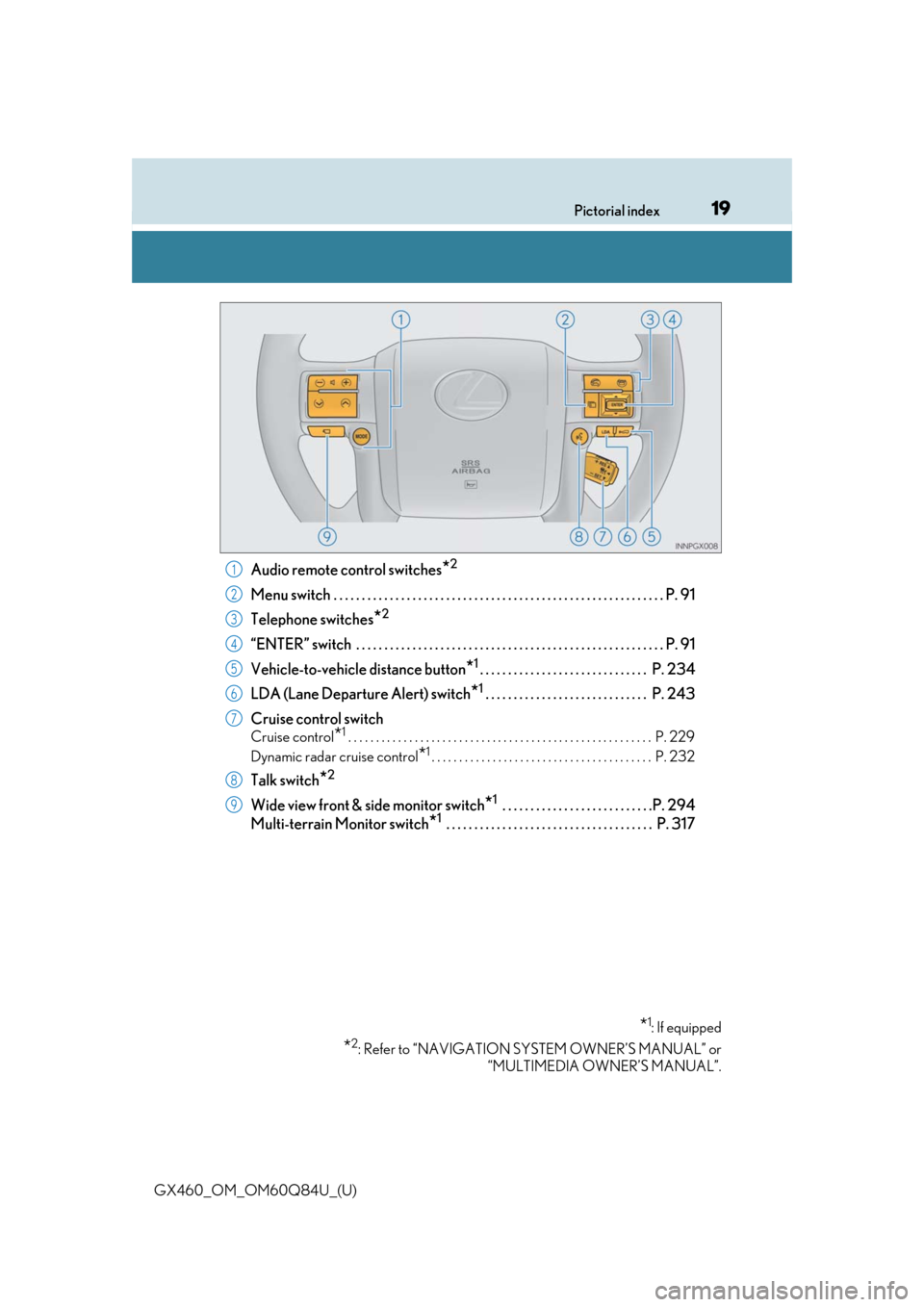
Audio remote control switches*2
Menu switch . . . . . . . . . . . . . . . . . . . . . . . . . . . . . . . . . . . . . . . . . . . . . . . . . . . . . . . . . . .P. 91
Telephone switches
*2
“ENTER” switch . . . . . . . . . . . . . . . . . . . . . . . . . . . . . . . . . . . . . . . . . . . . . . . . . . . . . . . P. 91
Vehicle-to-vehicle distance button
*1. . . . . . . . . . . . . . . . . . . . . . . . . . . . . . P. 234
LDA (Lane Departure Alert) switch
*1 . . . . . . . . . . . . . . . . . . . . . . . . . . . . . P. 243
Cruise control switch
Cruise control*1. . . . . . . . . . . . . . . . . . . . . . . . . . . . . . . . . . . . . . . . . . . . . . . . . . . . . . . P. 229
Dynamic radar cruise control
*1. . . . . . . . . . . . . . . . . . . . . . . . . . . . . . . . . . . . . . . . P. 232
Talk switch*2
Wide view front & side monitor switch*1 . . . . . . . . . . . . . . . . . . . . . . . . . . .P. 294
Multi-terrain Monitor switch
*1 . . . . . . . . . . . . . . . . . . . . . . . . . . . . . . . . . . . . . P. 317
*1: If equipped
*2: Refer to “NAVIGATION SY STEM OWNER’S MANUAL” or
“MULTIMEDIA OWNER’S MANUAL”.
1
2
3
4
5
6
7
8
9
Page 101 of 636
GX460_OM_OM60Q84U_(U)
1013-1. Key information
3
Operation of each component
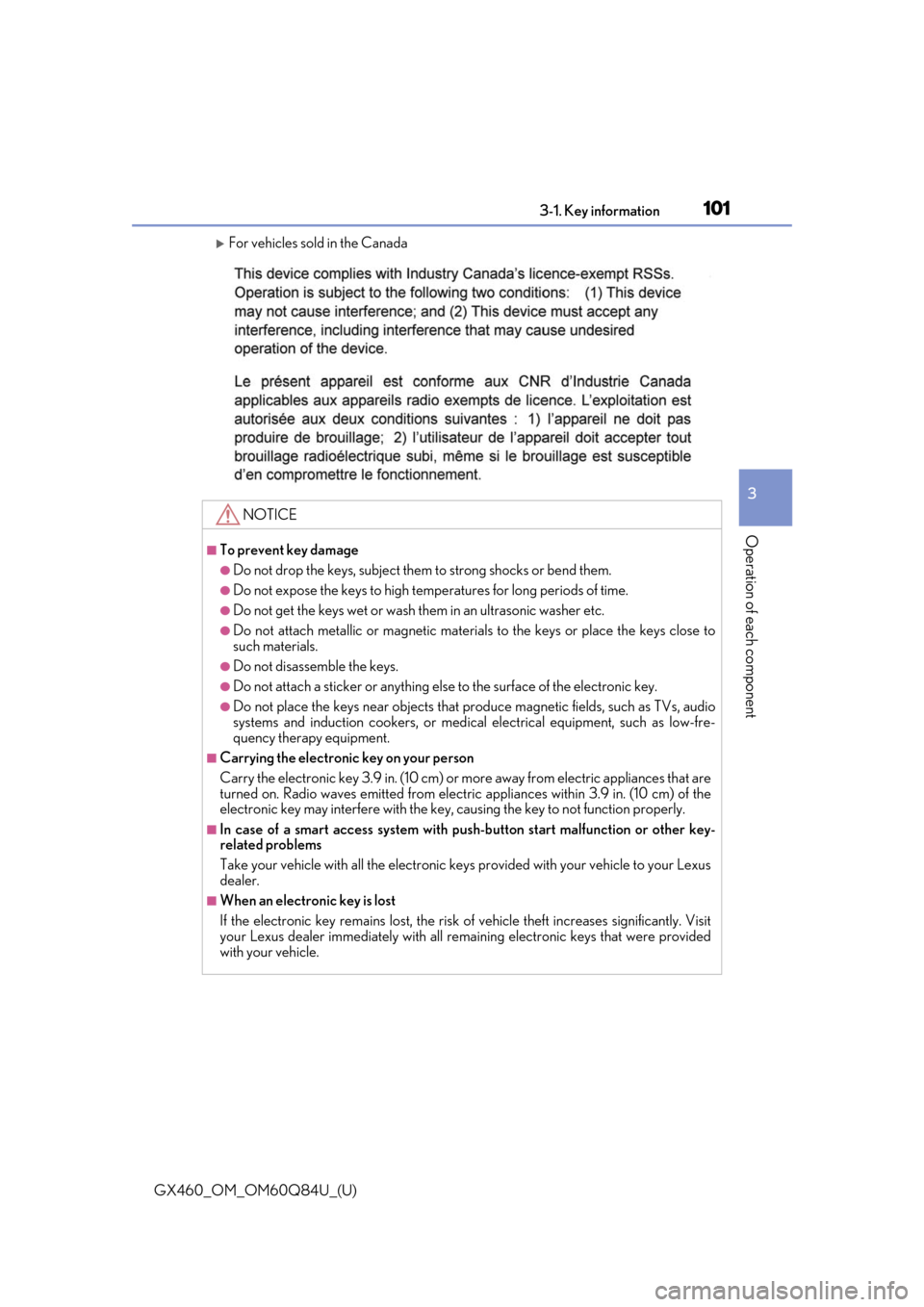
For vehicles sold in the Canada
NOTICE
■To prevent key damage
●Do not drop the keys, subject them to strong shocks or bend them.
●Do not expose the keys to high temp eratures for long periods of time.
●Do not get the keys wet or wash them in an ultrasonic washer etc.
●Do not attach metallic or magnetic materials to the keys or place the keys close to
such materials.
●Do not disassemble the keys.
●Do not attach a sticker or anything else to the surface of the electronic key.
●Do not place the keys near objects that pr oduce magnetic fields, such as TVs, audio
systems and induction cookers, or medical electrical equipment, such as low-fre-
quency therapy equipment.
■Carrying the electronic key on your person
Carry the electronic key 3.9 in. (10 cm) or mo re away from electric appliances that are
turned on. Radio waves emitted from electric appliances within 3.9 in. (10 cm) of the
electronic key may interfere with the key, causing the key to not function properly.
■In case of a smart access system with push-button start malfunction or other key-
related problems
Take your vehicle with all the electronic keys provided with your vehicle to your Lexus
dealer.
■When an electronic key is lost
If the electronic key re mains lost, the risk of vehicle th eft increases significantly. Visit
your Lexus dealer immediately with all rema ining electronic keys that were provided
with your vehicle.
Page 121 of 636

GX460_OM_OM60Q84U_(U)
1213-2. Opening, closing and locking the doors
3
Operation of each component
■Battery-saving function
The battery-saving function w ill be activated in order to prevent the electronic key bat-
tery and the vehicle battery from being discharged while the vehicle is not in operation
for a long time.
●In the following situations, the smart acce ss system with push-button start may take
some time to unlock the doors.
• The electronic key has been le ft in an area of approximately 6 ft. (2 m) of the outside
of the vehicle for 10 minutes or longer.
• The smart access system with push-button st art has not been used for 5 days or lon-
ger.
●If the smart access system with push-button start has not been used for 14 days or lon-
ger, the doors cannot be unlocked at any doors except the driver’s door. In this case,
take hold of the driver’s d oor handle, or use the wireless remote control or the mechan-
ical key, to unlock the doors.
■Conditions affe cting operation
The smart access system with push-button st art uses weak radio waves. In the following
situations, the communication between the electronic key and the vehicle may be
affected, preventing the smar t access system with push-but ton start, wireless remote
control and engine immobilizer system from operating properly.
(Ways of coping: P. 556)
●When the electronic key battery is depleted
●Near a TV tower, electric power plant, gas st ation, radio station, large display, airport or
other facility that generates strong radio wave s or electrical noise
●When carrying a portable radio, cellular phone, cordless phone or other wireless com-
munication device
●When the electronic key is in contact wi th, or is covered by the following metallic
objects
• Cards to which aluminum foil is attached
• Cigarette boxes that have aluminum foil inside
• Metallic wallets or bags
•Coins
• Hand warmers made of metal
• Media such as CDs and DVDs
●When other wireless keys (that emit radio waves) are being used nearby
●When carrying the electronic key together with the following devices that emit radio
waves
• Another vehicle’s electronic key or a wireless key that emits radio waves
• Personal computers or person al digital assistants (PDAs)
• Digital audio players
• Portable game systems
●If window tint with a metallic content or me tallic objects are attached to the rear win-
dow
Page 194 of 636
194
GX460_OM_OM60Q84U_(U)4-2. Driving procedures
Stop the vehicle.
Set the parking brake (
P. 205), and shift the shift lever to P.
Press the engine switch.
Release the brake pedal and check that the indicator on the engine switch is
off.
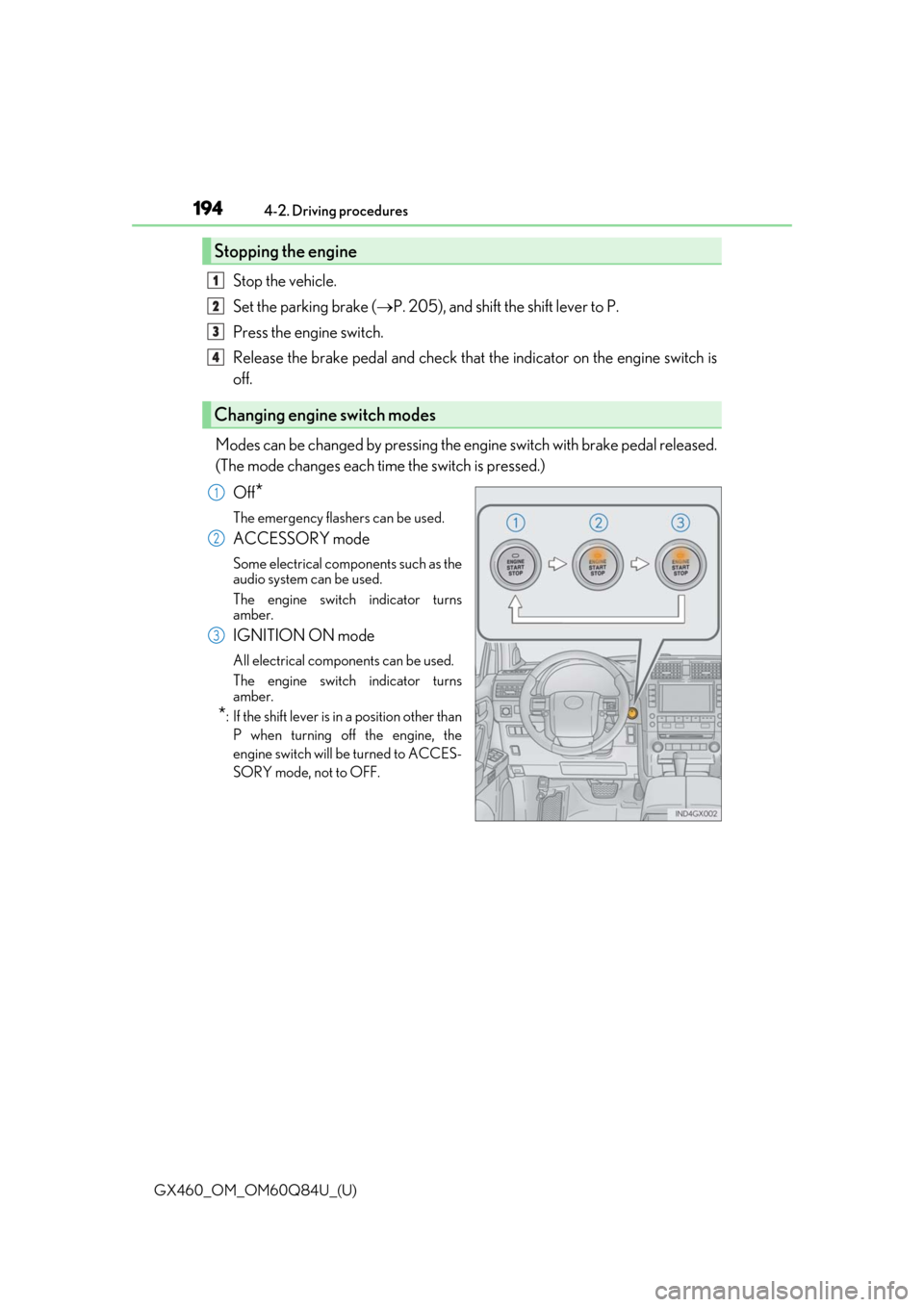
Modes can be changed by pressing the en gine switch with brake pedal released.
(The mode changes each time the switch is pressed.)
Off
*
The emergency flashers can be used.
ACCESSORY mode
Some electrical components such as the
audio system can be used.
The engine switch indicator turns
amber.
IGNITION ON mode
All electrical components can be used.
The engine switch indicator turns
amber.
*: If the shift lever is in a position other thanP when turning off the engine, the
engine switch will be turned to ACCES-
SORY mode, not to OFF.
Stopping the engine
Changing engine switch modes
1
2
3
4
1
2
3
Page 245 of 636

GX460_OM_OM60Q84U_(U)
2454-5. Using the driving support systems
4
Driving
■Temporary cancelation of the LDA system
If any of the following occurs, the LDA system will be temporarily canceled. The functions
will resume after the necessary oper ating conditions have returned.
●The turn signal lever is operated.
●The brake pedal is depressed.
●The vehicle speed deviates from the operating range of the LDA system.
●The lane lines cannot be recognized while driving.
●The wiper operates continuously.
●When the lane departure warning function is activated.
Once the lane departure warning function is activated, it will be temporarily canceled
and resume a few seconds later.
■The lane departure warning
Depending on the audio system sound level or air conditioning fan noise while the audio
system or air conditioning system is in use, it may be difficult to hear the warning sound.
■After the vehicle has been parked in the sun
The LDA system may not be available and a warning message ( P. 529) will be dis-
played for a while after driving has started. When the temperature in the cabin decreases
and the temperature around the camera sensor ( P. 243) becomes suitable for its
operation, the functions will begin to operate.
Page 256 of 636

256
GX460_OM_OM60Q84U_(U)4-5. Using the driving support systems
●The shape of the obstacle may prevent a sensor from detecting it. Pay particular atten-
tion to the following obstacles:
• Wires, fences, ropes, etc.
• Cotton, snow and other materi
als that absorb sound waves
• Sharply-angled objects
• Low obstacles
• Tall obstacles with upper sections projecting outwards in the direction of your vehi-
cle
●The following situations may occur during use.
• Depending on the shape of the obstacle and other factors, the detection distance
may shorten, or detect ion may be impossible.
• Obstacles may not be detected if they are too close to the sensor.
• There will be a short delay between obstacle detection and display. Even at slow speeds, there is a possibility th at the obstacle will come within the sensor’s detection
areas before the display is shown and the buzzer sounds.
• Thin posts or objects lower than the sens or may not be detected when approached,
even if they have been detected once.
• It might be difficult to hear beeps due to th e volume of audio system or air flow noise
of the air conditioning system.
■If a message is displayed on the multi-information display
P. 528
■Certification for the intuitive parking assist (Canada only)
This ISM device complies with Canadian ICES-001.
■Customization
Settings (e.g. buzzer sounds volume) can be changed.
(Customizable features: P. 592)
Page 364 of 636
364
GX460_OM_OM60Q84U_(U)4-5. Using the driving support systems
■The outside rear view mi
rror indicators visibility
When under strong sunlight, the outside rear view mirror indicator may be difficult to
see.
■The Rear Cross Traffic Alert buzzer hearing
The Rear Cross Traffic Alert buzzer may be difficult to hear over loud noises such as high
audio volume.
■When there is a malfunction in the Blind Spot Monitor
If a system malfunctio n is detected due to any of th e following reasons, warning mes-
sages will be displayed: ( P. 529, 530)
●There is a malfunction with the sensors
●The sensors have become dirty
●The outside temperature is extremely high or low
●The sensor voltage has become abnormal
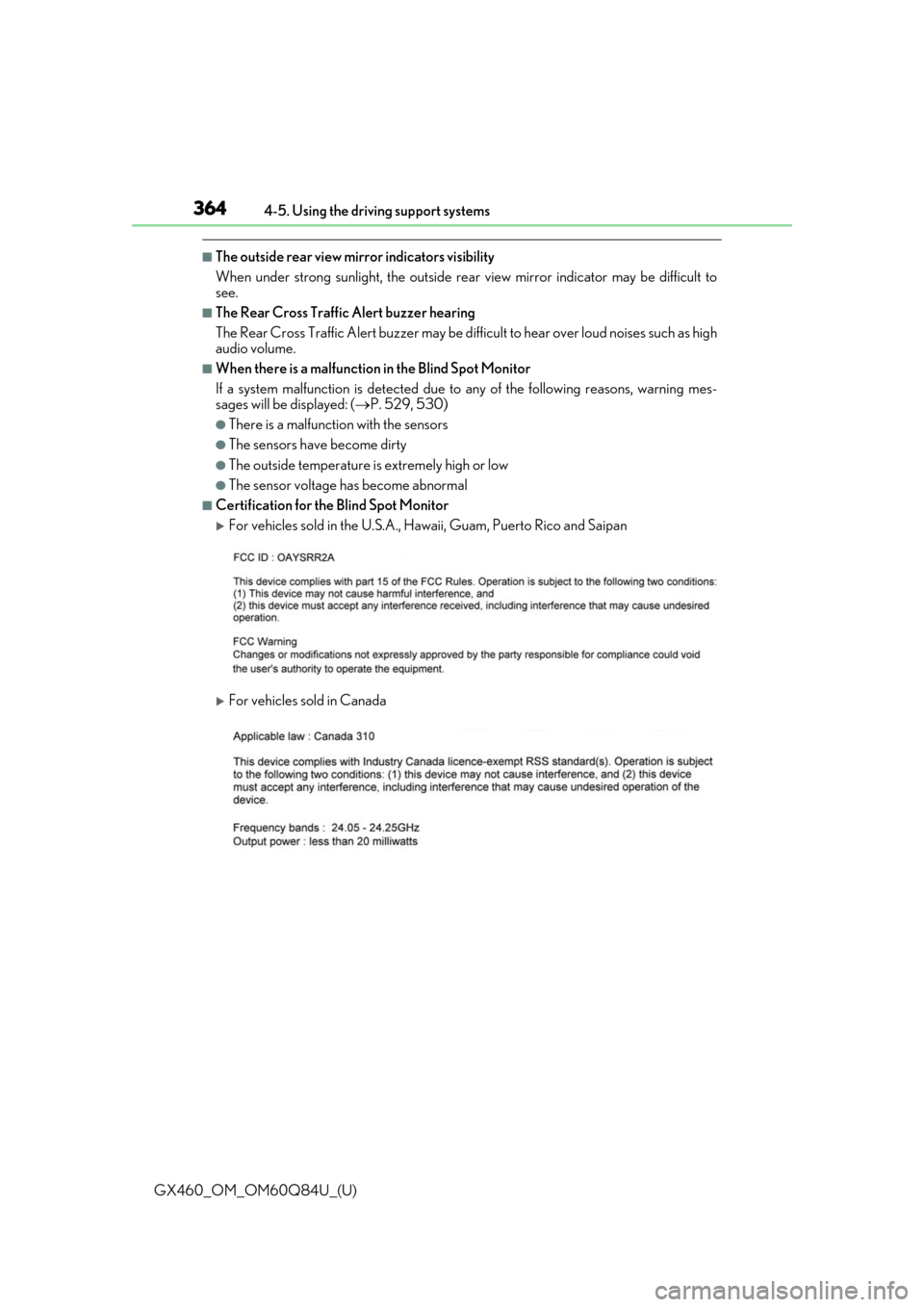
■Certification for the Blind Spot Monitor
For vehicles sold in the U.S.A., Hawaii, Guam, Puerto Rico and Saipan
For vehicles sold in Canada
Page 449 of 636
GX460_OM_OM60Q84U_(U)
4496-1. Maintenance and care
6
Maintenance and care
NOTICE
■Preventing damage to leather surfaces
Observe the following precautions to avoid damage to and deterioration of leather
surfaces:
●Remove any dust or dirt from leather surfaces immediately.
●Do not expose the vehicle to direct sunlight for extended periods of time. Park the
vehicle in the shade, especially during summer.
●Do not place items made of vinyl, plastic, or containing wax on the upholstery, as they
may stick to the leather su rface if the vehicle interior heats up significantly.
■When cleaning the inside of the windshield (vehicles with LDA [Lane Departure
Alert])
Be careful not to touch the camera sensor ( P. 243).
If the camera is accidentally scratched or hit, LDA may not operate properly or may
cause a malfunction.
■Water on the floor
Do not wash the vehicle floor with water.
Vehicle systems such as the audio system ma y be damaged if water comes into contact
with electrical components such as the au dio system above or under the floor of the
vehicle. Water may also cause the body to rust.
■Cleaning the inside of the rear window
●Do not use glass cleaner to clean the rear window, as this may cause damage to the
rear window defogger heater wires or antenna. Use a cloth dampened with luke-
warm water to gently wipe the window clean. Wipe th e window in strokes running
parallel to the heater wires or antenna.
●Be careful not to scratch or damage the heater wires or antenna.