rear view mirror Lexus GX460 2020 / LEXUS 2020 GX460 (OM60R27U) Owner's Guide
[x] Cancel search | Manufacturer: LEXUS, Model Year: 2020, Model line: GX460, Model: Lexus GX460 2020Pages: 620, PDF Size: 12.41 MB
Page 359 of 620
GX460_OM_OM60R27U_(U)
3594-5. Using the driving support systems
4
Driving
■The outside rear view mirror indicators visibility
When under strong sunlight, the outside rear view mirror indicator may be difficult to
see.
■The Rear Cross Traffic Alert buzzer hearing
The Rear Cross Traffic Alert buzzer may be difficult to hear over loud noises such as high
audio volume.
■When “BSM NOT AVAILABLE”/“ BSM not available” is shown on the multi-informa-
tion display
The sensor voltage has become abnormal, water, snow mud, etc., may be built up in the
vicinity of the sensor area of bumper ( P. 360). Removing the water, snow, mud, etc.,
from the vicinity of the sensor area bumper should return it to normal. Also, the sensor
may not function normally when used in extremely hot or cold weather.
■When “CHECK BSM SYSTEM”/“Check BSM sy stem” is shown on the multi-informa-
tion display
There may be a sensor malfunction or misa ligned. Have the vehicle inspected by your
Lexus dealer.
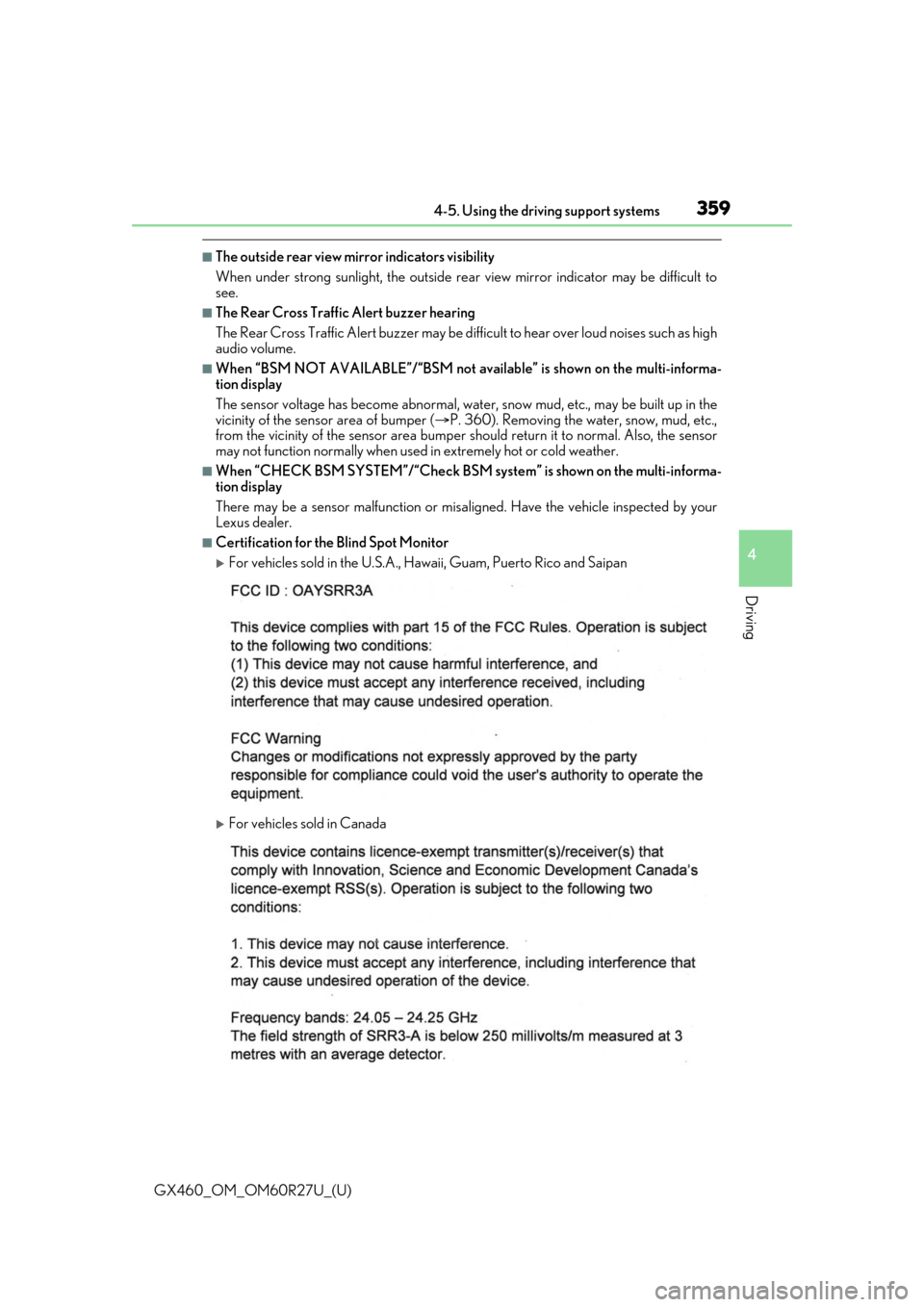
■Certification for the Blind Spot Monitor
For vehicles sold in the U.S.A., Hawaii, Guam, Puerto Rico and Saipan
For vehicles sold in Canada
Page 361 of 620
GX460_OM_OM60R27U_(U)
3614-5. Using the driving support systems
4
Driving
The Blind Spot Monitor function uses radar sensors to detect vehicles that are
traveling in an adjacent lane in the area that is not reflected in the outside rear
view mirror (the blind spot ), and advises the driver of the vehicles existence via
the outside rear view mirror indicator.
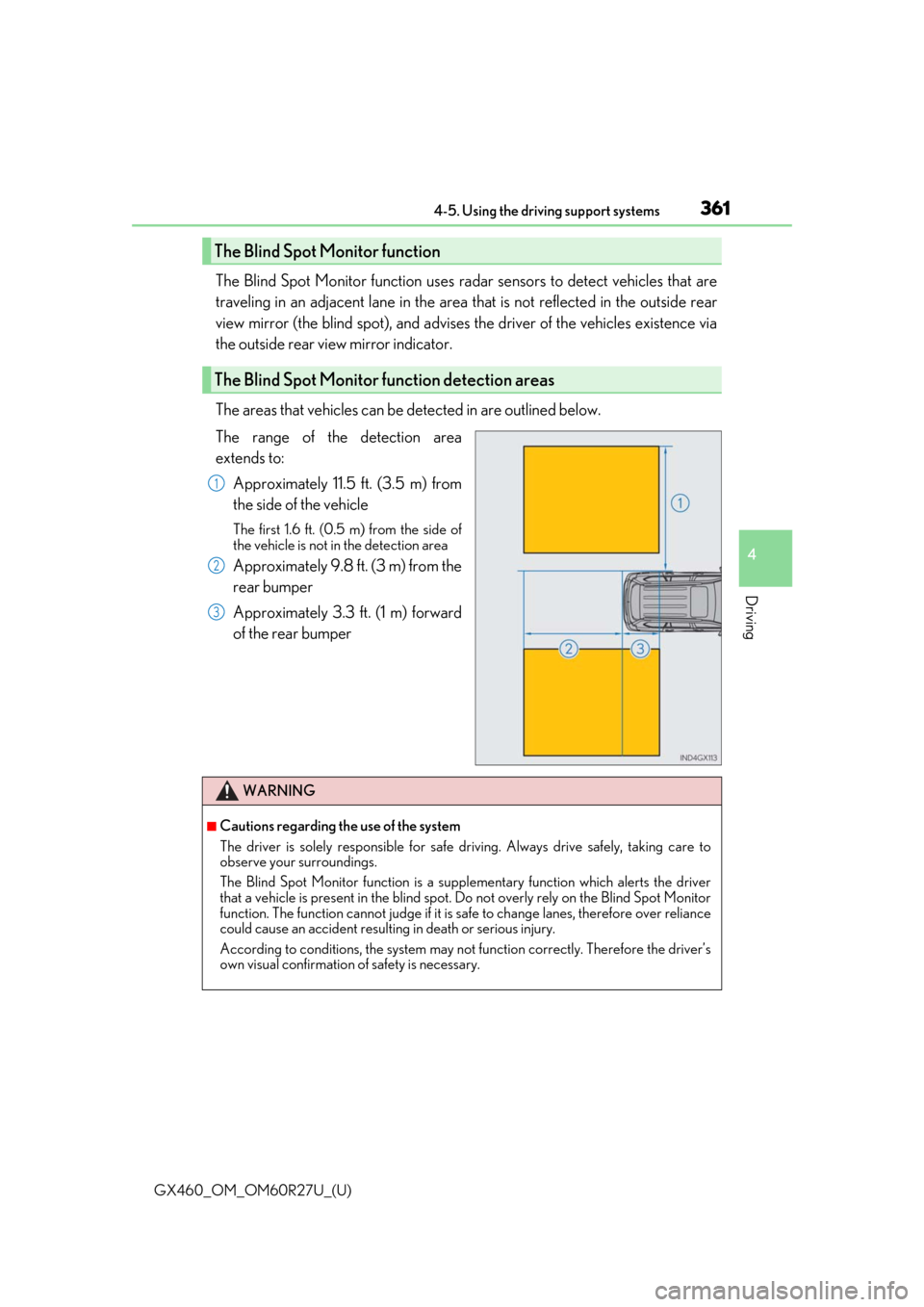
The areas that vehicles can be detected in are outlined below.
The range of the detection area
extends to:
Approximately 11.5 ft. (3.5 m) from
the side of the vehicle
The first 1.6 ft. (0.5 m) from the side of
the vehicle is not in the detection area
Approximately 9.8 ft. (3 m) from the
rear bumper
Approximately 3.3 ft. (1 m) forward
of the rear bumper
The Blind Spot Monitor function
The Blind Spot Monitor function detection areas
1
2
3
WARNING
■Cautions regarding the use of the system
The driver is solely responsible for safe driving. Always drive safely, taking care to
observe your surroundings.
The Blind Spot Monitor function is a supp lementary function which alerts the driver
that a vehicle is present in the blind spot. Do not overly rely on the Blind Spot Monitor
function. The function cannot judg e if it is safe to change lanes, therefore over reliance
could cause an accident resultin g in death or serious injury.
According to conditio ns, the system may not function correctly. Therefore the driver’s
own visual confirmation of safety is necessary.
Page 364 of 620
364
GX460_OM_OM60R27U_(U)4-5. Using the driving support systems
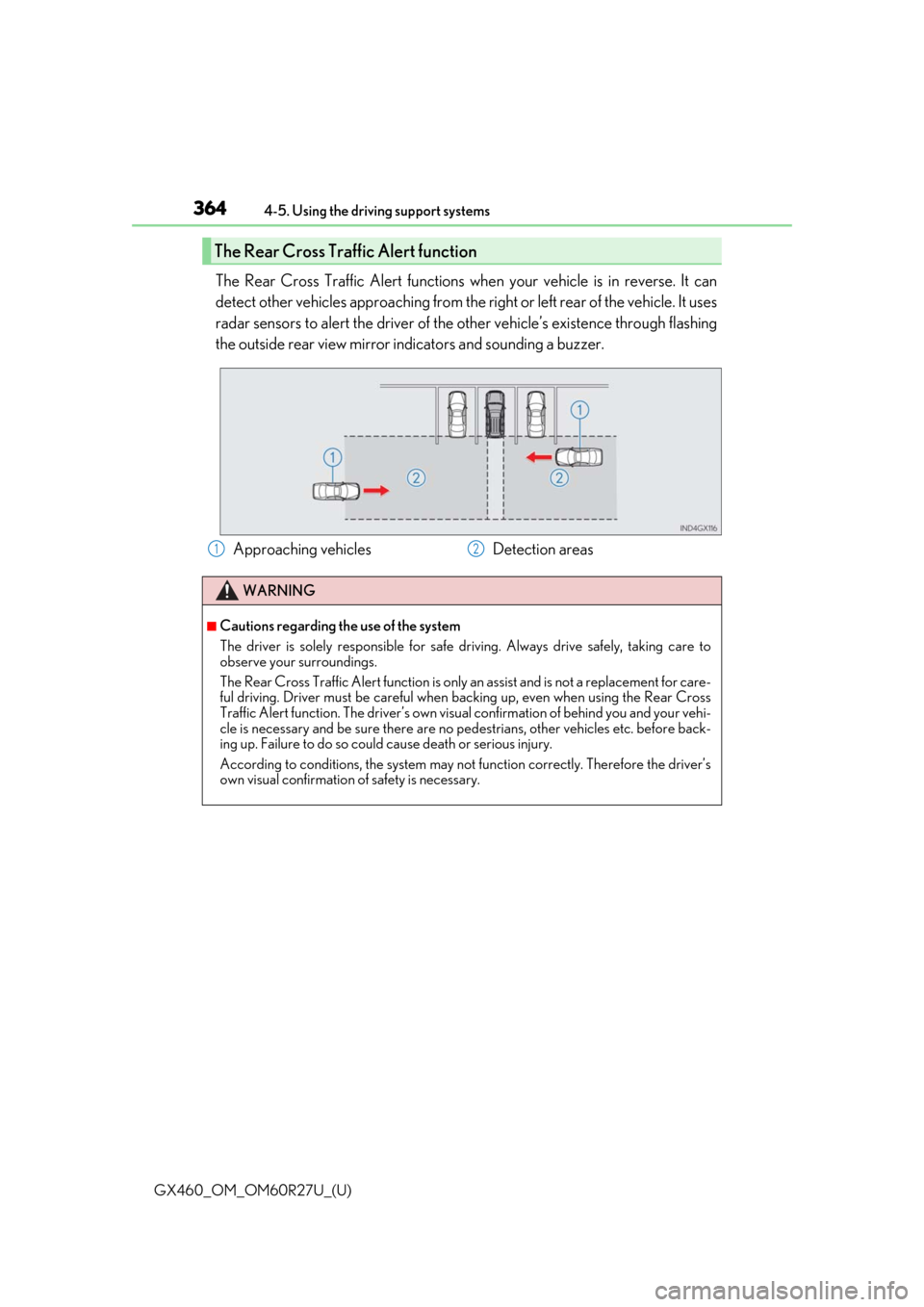
The Rear Cross Traffic Alert functions when your vehicle is in reverse. It can
detect other vehicles approaching from the ri
ght or left rear of the vehicle. It uses
radar sensors to alert the driver of the other vehicle’s existence through flashing
the outside rear view mirror indicators and sounding a buzzer.
The Rear Cross Traffic Alert function
Approaching vehicles Detection areas
WARNING
■Cautions regarding the use of the system
The driver is solely responsible for safe driving. Always drive safely, taking care to
observe your surroundings.
The Rear Cross Traffic Alert function is only an assist and is not a replacement for care-
ful driving. Driver must be careful when ba cking up, even when using the Rear Cross
Traffic Alert function. The driver’s own visual confirmation of behind you and your vehi-
cle is necessary and be sure there are no pe destrians, other vehicles etc. before back-
ing up. Failure to do so could cause death or serious injury.
According to conditio ns, the system may not function correctly. Therefore the driver’s
own visual confirmation of safety is necessary.
12
Page 381 of 620
GX460_OM_OM60R27U_(U)
3815-1. Using the air conditioning system and defogger
5
Interior features
■Defogging the rear window and outside rear view mirrors
Defoggers are used to defog the rear window, and to remove raindrops, dew
and frost from the outside rear view mirrors.
Press .
The defoggers will automatically turn off after a period of time.
■Micro dust and pollen filter mode
Pollen is removed from the air and the air flows to the upper part of the body.
Touch on the option control screen.
When the micro dust and pollen filter mo de is on, is displayed on the air
conditioning control screen.
In order to prevent the windshield from fo gging up when the outside air is cold, the
dehumidification function may operate.
The pollens are filtered out even if the mi cro dust and pollen filter mode is turned
off.
■Windshield wiper de-icer (if equipped)
This feature is used to prevent ice fr om building up on the windshield and
wiper blades.
Touch on the option control screen.
When the windshield wiper de-icer is on , is displayed on the air condition-
ing control screen.
The windshield wiper de-icer will automati cally turn off after a period of time.
■The windshield wiper de-icer can be operat ed when (vehicles with windshield wiper
de-icer)
The engine switch is in IGNITION ON mode.
■When the windshield wiper de-icer is on (vehicles with windshield wiper de-icer)
The windshield wiper de-icer will automatically turn off after approximately 15 minutes.
WARNING
■When the windshield wiper de-icer is on (vehicles with windshield wiper de-icer)
Do not touch the glass at the lower part of th e windshield or the side of the front pillars
as the surfaces can become very hot and burn you.
Page 385 of 620
GX460_OM_OM60R27U_(U)
3855-1. Using the air conditioning system and defogger
5
Interior features
WARNING
■To prevent the windshield from fogging up
●Do not use during cool air operation in extremely humid weather. The differ-
ence between the temperature of the outside air and that of the windshield can cause
the outer surface of the windshield to fog up, blocking your vision.
■To prevent burns
●Do not touch the rear view mirror surfaces when the outside rear view mirror defog-
gers are on.
●Do not touch the glass at lower part of the windshield or to the side of the front pillars
when the windshield wiper de-icer is on. (vehicles with windshield wiper de-icer)
NOTICE
■To prevent battery discharge
Do not leave the air conditioning system on longer than necessary when the engine is
off.
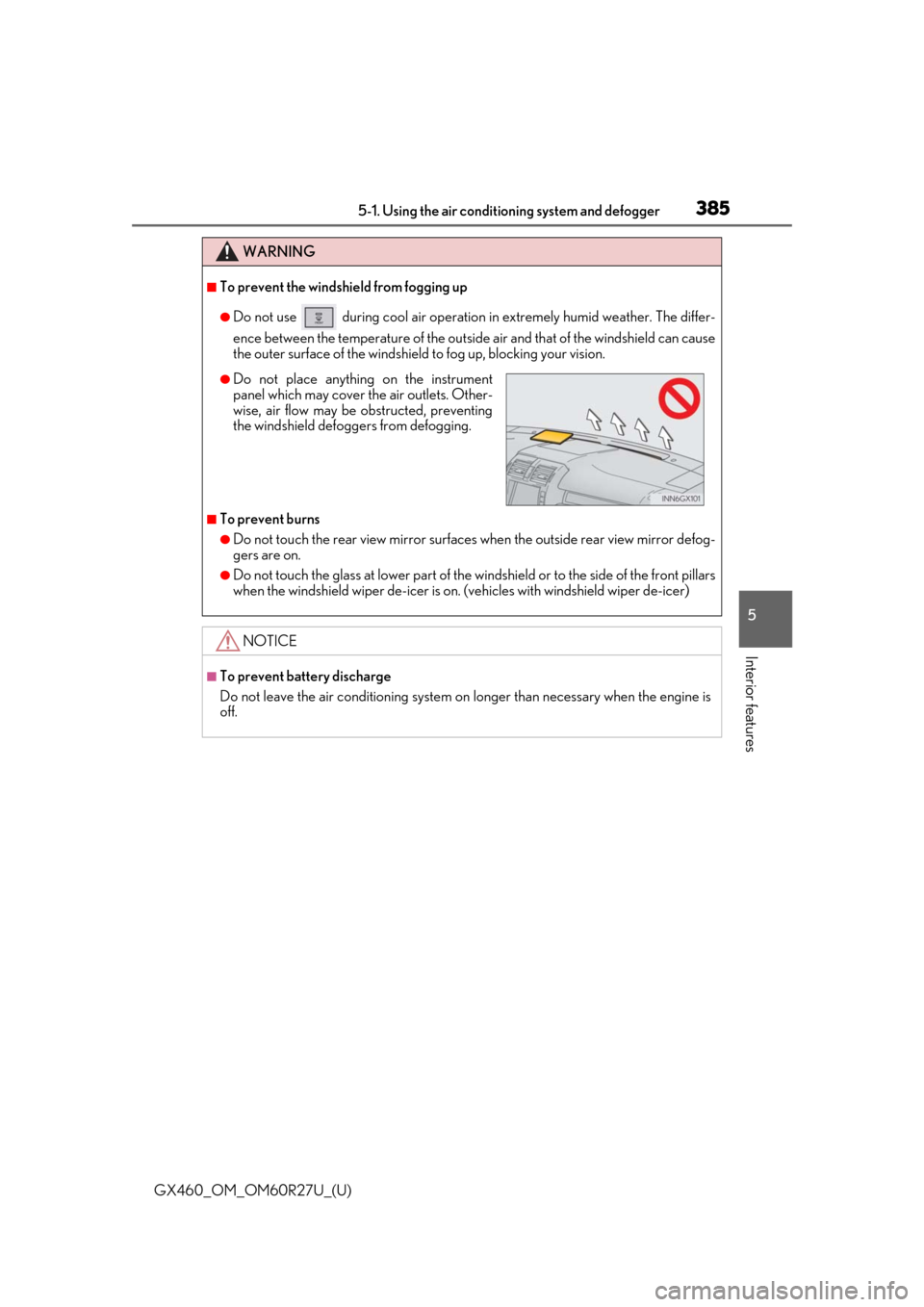
●Do not place anything on the instrument
panel which may cover th e air outlets. Other-
wise, air flow may be obstructed, preventing
the windshield defoggers from defogging.
Page 412 of 620

412
GX460_OM_OM60R27U_(U)5-4. Using the other interior features
The conversation mirror can provide the
driver and the front passenger with a
view of the rear seat area without the need to turn around.
Press in the button.
To use the overhead console when the conversation mirror is open, further extend the lid.
( P. 400)
Vehicles with navigation system
Refer to the “NAVIGATION SYSTEM OWNER’S MANUAL”.
Vehicles without navigation system
The clock can be adjusted by pressing the buttons.
Adjusts the hours
Adjusts the minutes
■The clock is displayed when
The engine switch is in IGNITION ON mode.
■When disconnecting and reconnecting battery terminals
The clock data will be reset.
Conversation mirror
Clock
1
2
Page 421 of 620
421
GX460_OM_OM60R27U_(U)5-4. Using the other interior features
5
Interior features
Compass
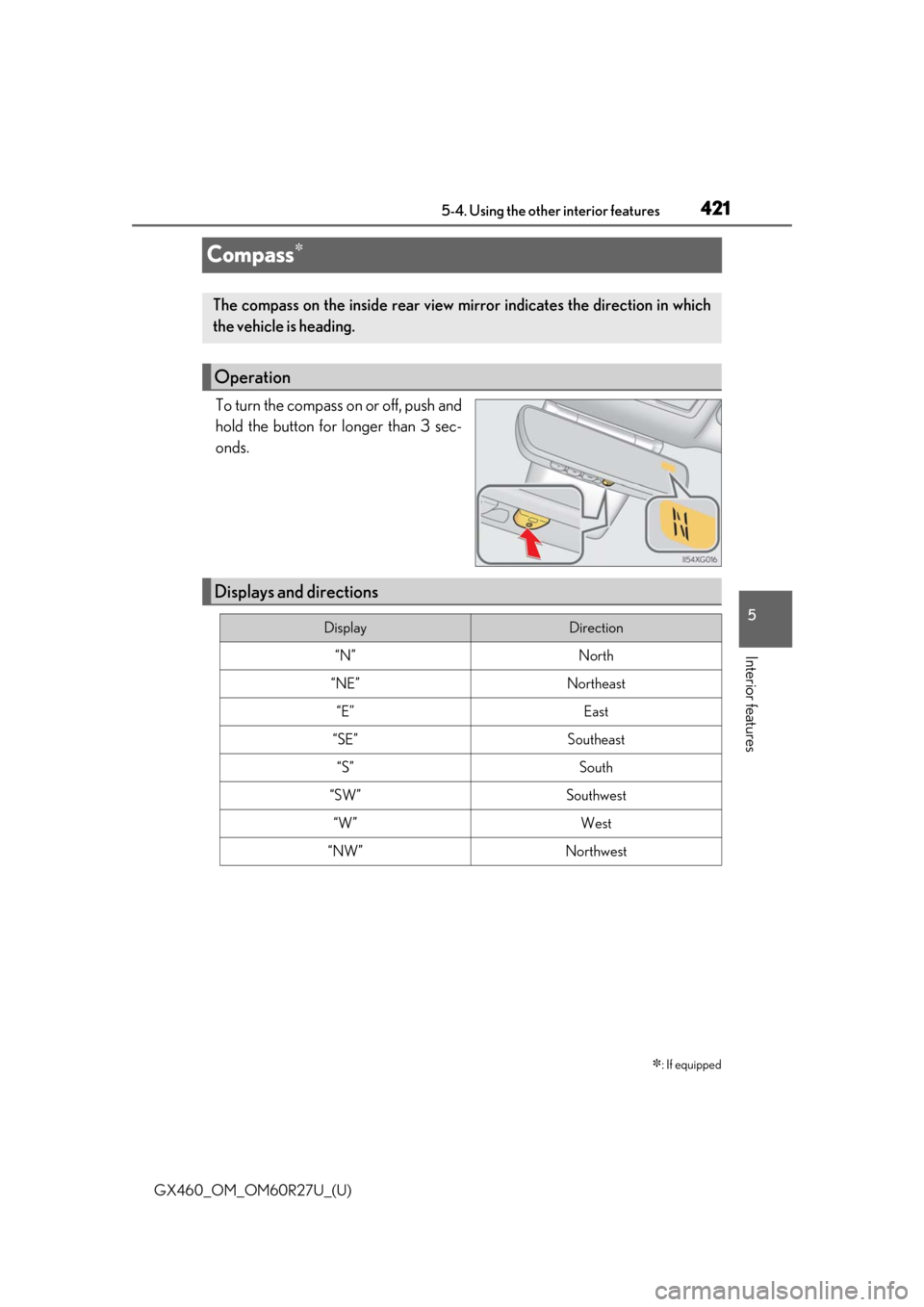
To turn the compass on or off, push and
hold the button for longer than 3 sec-
onds.
: If equipped
The compass on the inside rear view
mirror indicates the direction in which
the vehicle is heading.
Operation
Displays and directions
DisplayDirection
“N”North
“NE”Northeast
“E”East
“SE”Southeast
“S”South
“SW”Southwest
“W”West
“NW”Northwest
Page 424 of 620
424
GX460_OM_OM60R27U_(U)5-4. Using the other interior features
■Conditions unfavorable
to correct operation
The compass may not show the correct di rection in the following conditions:
●The vehicle is stopped immediately after turning.
●The vehicle is on an inclined surface.
●The vehicle is in a place where the earth’s magnetic field is subject to interference by
artificial magnetic fields (underground car park/parking lot, under a steel tower,
between buildings, roof car park/parking lot, near an intersection, near a large vehicle,
etc.).
●The vehicle has become magnetized.
(There is a magnet or metal object near the inside rear view mirror.)
●The battery has been disconnected.
●A door is open.
WARNING
■While driving the vehicle
Do not adjust the display. Adjust the di splay only when the vehicle is stopped.
■When doing the circling calibration
Secure a wide space, and watch out for people and vehicles in the vicinity. Do not vio-
late any local traffic rules while performing circling calibration.
NOTICE
■To avoid compass malfunctions
Do not place magnets or any metal objects near the inside rear view mirror.
Doing this may cause the compass sensor to malfunction.
■To ensure normal operation of the compass
●Do not perform circling calibration of the compass in a place where the earth’s mag-
netic field is subject to interferen ce by artificial magnetic fields.
●During calibration, do not operate electric systems (moon roof, power windows, etc.)
as they may interfere with the calibration.
Page 426 of 620
426
GX460_OM_OM60R27U_(U)5-4. Using the other interior features
■Programming the HomeLink®
Steps through must be performed
within 60 seconds, otherwise the
indicator light will stop flashing and pr ogramming will not be able to be com-
pleted.
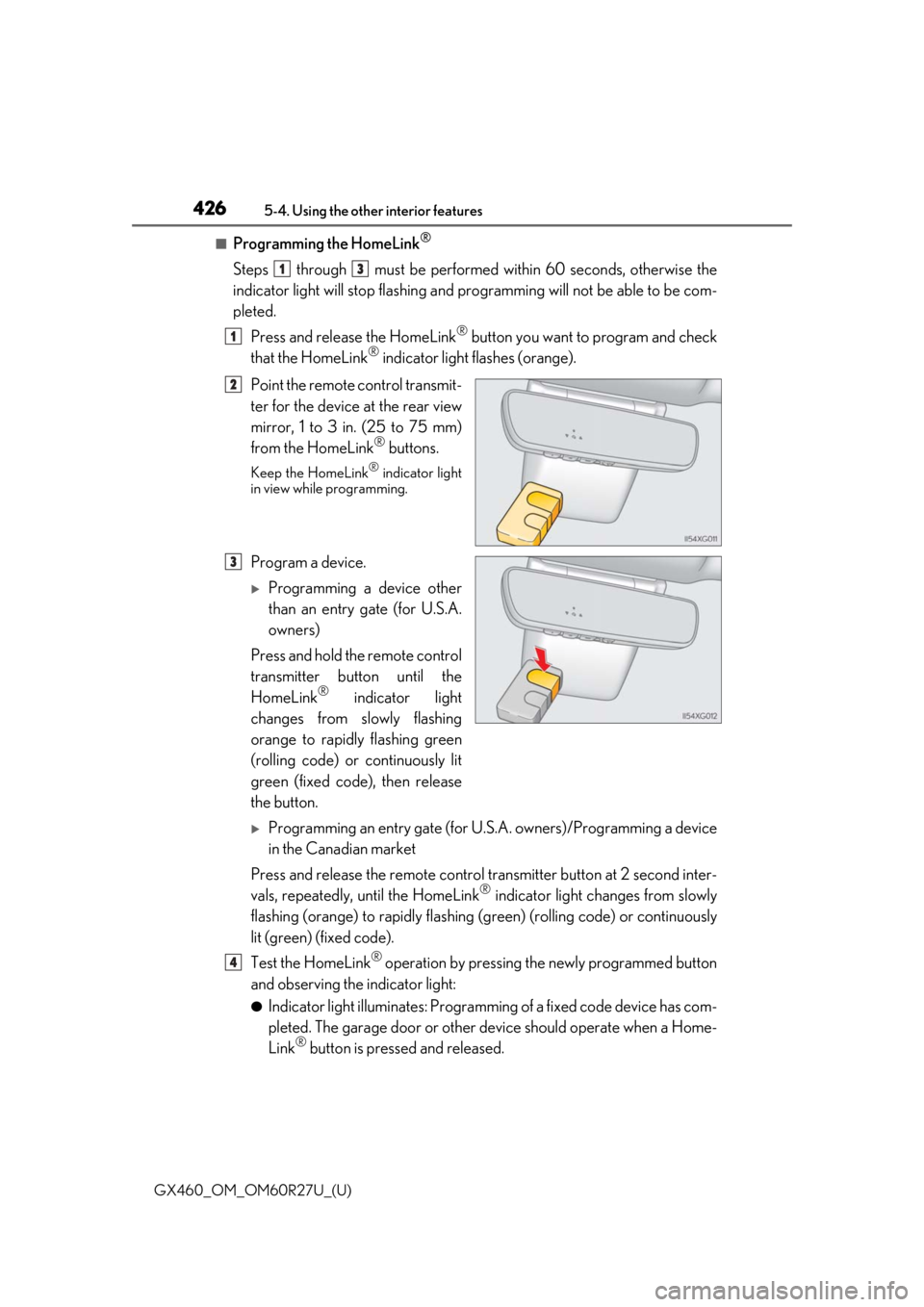
Press and release the HomeLink
® button you want to program and check
that the HomeLink® indicator light flashes (orange).
Point the remote control transmit-
ter for the device at the rear view
mirror, 1 to 3 in. (25 to 75 mm)
from the HomeLink
® buttons.
Keep the HomeLink® indicator light
in view while programming.
Program a device.
Programming a device other
than an entry gate (for U.S.A.
owners)
Press and hold the remote control
transmitter button until the
HomeLink
® indicator light
changes from slowly flashing
orange to rapidly flashing green
(rolling code) or continuously lit
green (fixed code), then release
the button.
Programming an entry gate (for U. S.A. owners)/Programming a device
in the Canadian market
Press and release the remote control transm itter button at 2 second inter-
vals, repeatedly, until the HomeLink
® indicator light changes from slowly
flashing (orange) to rapidly flashing (green) (rolling code) or continuously
lit (green) (fixed code).
Test the HomeLink
® operation by pressing the newly programmed button
and observing the indicator light:
●Indicator light illuminates: Programming of a fixed code device has com-
pleted. The garage door or other de vice should operate when a Home-
Link
® button is pressed and released.
13
1
2
3
4
Page 608 of 620
608Alphabetical index
GX460_OM_OM60R27U_(U)
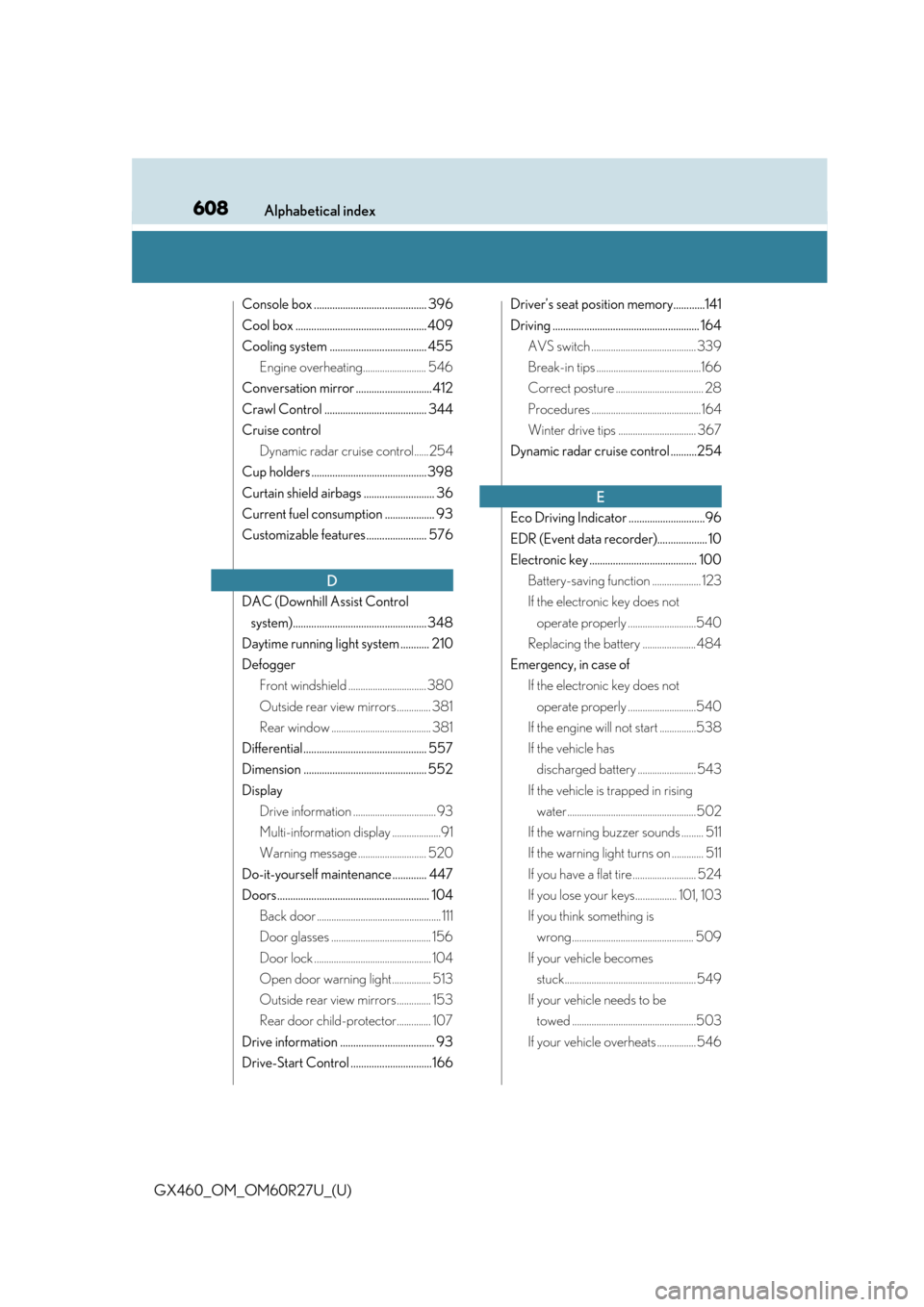
Console box ........................................... 396
Cool box .................................................. 409
Cooling system ..................................... 455Engine overheating.......................... 546
Conversation mirror ............................. 412
Crawl Control ....................................... 344
Cruise control Dynamic radar cruise control......254
Cup holders ............................................ 398
Curtain shield airbags ........................... 36
Current fuel consumption ................... 93
Customizable features ....................... 576
DAC (Downhill Assist Control system)................................................... 348
Daytime running light system ........... 210
Defogger Front windshield ................................ 380
Outside rear view mirrors .............. 381
Rear window ......................................... 381
Differential ............................................... 557
Dimension ............................................... 552
Display Drive information .................................. 93
Multi-information display ....................91
Warning message ............................ 520
Do-it-yourself maintenance ............. 447
Doors.......................................................... 104 Back door ................................................... 111
Door glasses ......................................... 156
Door lock ................................................ 104
Open door warning light................ 513
Outside rear view mirrors .............. 153
Rear door child-protector.............. 107
Drive information .................................... 93
Drive-Start Control ...............................166 Driver’s seat position memory............141
Driving ........................................................ 164
AVS switch ........................................... 339
Break-in tips ...........................................166
Correct posture .................................... 28
Procedures .............................................164
Winter drive tips ................................ 367
Dynamic radar cruise control ..........254
Eco Driving Indicator .............................96
EDR (Event data recorder)................... 10
Electronic key ......................................... 100 Battery-saving function .................... 123
If the electronic key does not operate properly ............................540
Replacing the battery ...................... 484
Emergency, in case of If the electronic key does not operate properly ............................540
If the engine will not start ...............538
If the vehicle has discharged battery ........................ 543
If the vehicle is trapped in rising water.....................................................502
If the warning buzzer sounds ......... 511
If the warning light turns on ............. 511
If you have a flat tire .......................... 524
If you lose your keys................. 101, 103
If you think something is wrong.................................................. 509
If your vehicle becomes stuck...................................................... 549
If your vehicle needs to be towed ...................................................503
If your vehicle overheats ................ 546
D
E