door lock Lexus GX470 2008 Specifications / LEXUS 2008 GX470 (OM60D82U) Owner's Guide
[x] Cancel search | Manufacturer: LEXUS, Model Year: 2008, Model line: GX470, Model: Lexus GX470 2008Pages: 458, PDF Size: 7.3 MB
Page 68 of 458

68
1-5. Refueling
Closing the fuel tank capWhen installing the cap, turn it
clockwise until one click is heard,
in order to fully close it.
The cap returns slightly when your
hand is released from the cap after
closure, however this does not
cause any problems.
Hang the fuel tank cap on the
back of the fuel filler door.STEP3
■Fuel types
Use premium unleaded gasoline. (91 Octane Rating [Research Octane Number
96] or higher)
■Fuel tank capacity
Approximately 23 gal. (87 L, 19.1 Imp. gal.)
Page 72 of 458

72
1-6. Theft deterrent system
Alarm
Deactivating or stopping the alarmDo one of the following:
● Unlock the doors using the key or the wireless remote control.
● Start the engine.
■Items to check before locking the vehicle
To prevent unintended triggering of the alar m, check that there is no one in the vehi-
cle, and that all windows and the moon roof are closed before locking the vehicle.
■When the battery is disconnected
Be sure to cancel the alarm system.
If the battery is discharged before canceling the alarm, the system may be triggered
when the battery is reconnected.
The system sounds the alarm and flashes lights when forcible entry is
detected.
To arm the alarm, exit the vehi-
cle, make sure that the doors
and hood are closed, and lock
all the doors.
The system will operate auto-
matically once the indicator
begins to flashing.
Page 110 of 458

110
2-1. Driving procedures
Driving the vehicle
Starting on a steep inclineFirmly set the parking brake and shift the shift lever to “D”.
Gently depress the accelerator pedal.
Release the parking brake.
The following procedures should be observed to ensure safe driving.
■ Starting the engine ( P. 1 1 8 )
■ Driving
With the brake pedal depressed, shift the shift lever to “D”. (P. 121)
Release the parking brake. ( P. 125)
Gradually release the brake peda l and gently push the accel-
erator pedal to accelerate the vehicle.
■ Stopping
With the shift lever in “D”, push the brake pedal.
If necessary, set the parking brake.
When the vehicle is stopped for an extended period of time, shift the
shift lever to “P” or “N”. ( P. 121)
■Parking the vehicle
With the shift lever in “D”, push the brake pedal.
Set the parking brake. ( P. 125)
Shift the shift lever to “P”. ( P. 121)
Turn the engine switch to stop the engine.
Lock the door, making sure that you have the key on your per-
son.
STEP1
STEP2
STEP3
STEP1
STEP2
STEP1
STEP2
STEP3
STEP4
STEP5
STEP1
STEP2
STEP3
Page 136 of 458

136
2-3. Operating the lights and windshield wipers
■Daytime running light system
To make your vehicle more visible to other drivers, the front turn signal lights turn on
automatically whenever the engine is started and the parking brake is released.
■Headlight control sensor
■Automatic light off system
The headlights and tail lights turn off 30 seconds after a door is opened or closed if
the engine switch is turned to the “ACC” or “LOCK” position while the headlights
are turned on. (The lights turn off immedi ately if the “LOCK” button on the key is
pressed after all doors are locked.)
To turn the lights on again, turn the engine switch to the “ON” position, or turn the
light switch “OFF” once and th en back to the or position.
■Customization that can be configured at Lexus dealer
Settings (e.g. light sensor sensitivity) can be changed.
(Customizable features P. 4 3 6 )
NOTICE
■To prevent battery discharge
Do not leave the lights on longer than necessary when the engine is not running.
The sensor may not function properly if an
object is placed on the sensor, or anything
that blocks the sensor is affixed to the wind-
shield.
Doing so interferes with the sensor detecting
the level of ambient light and may cause the
automatic headlight system to malfunction.
Page 191 of 458
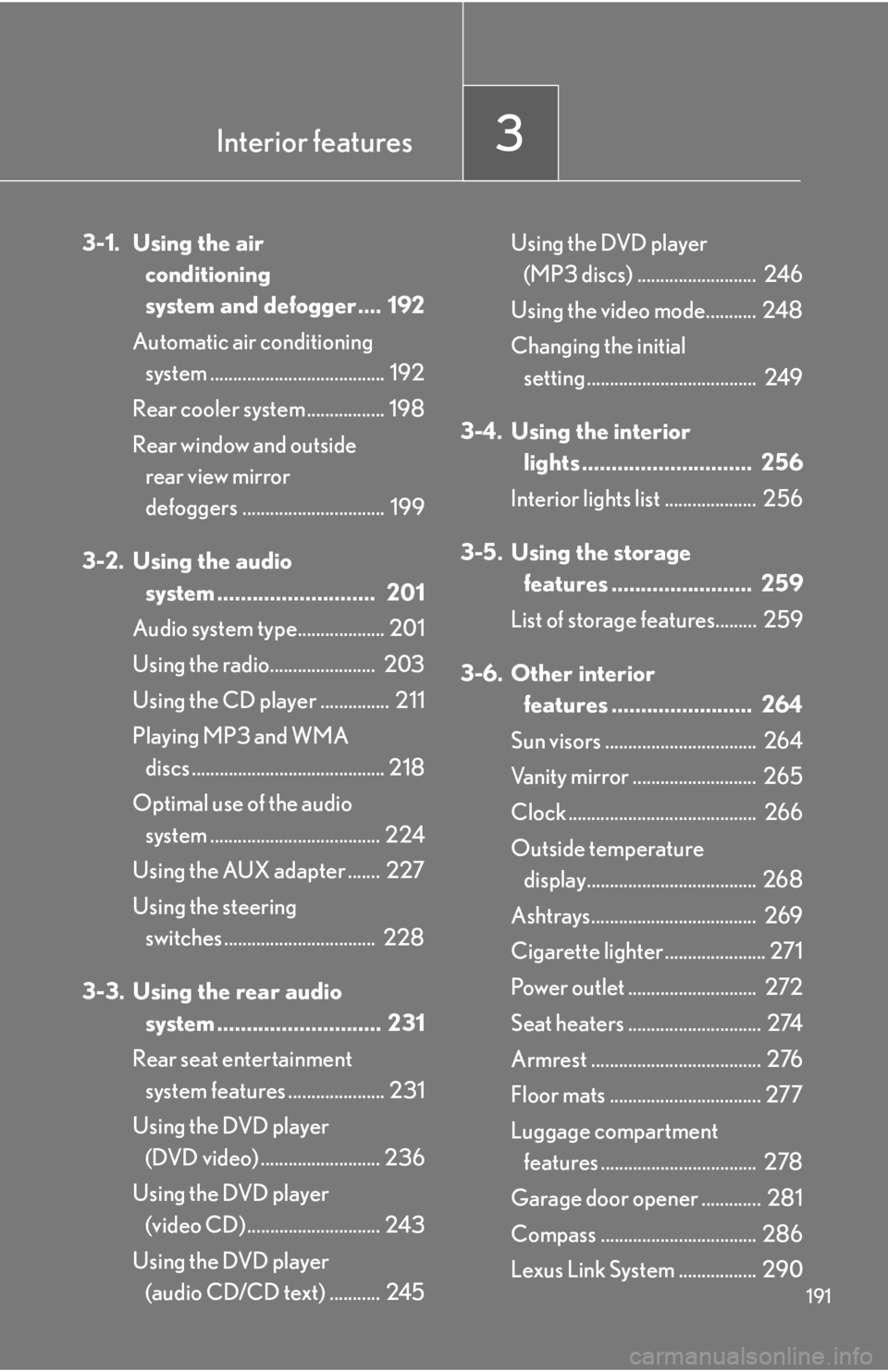
Interior features3
191
3-1. Using the air conditioning
system and defogger .... 192
Automatic air conditioning system ...................................... 192
Rear cooler system ................. 198
Rear window and outside rear view mirror
defoggers ............................... 199
3-2. Using the audio system ........................... 201
Audio system type................... 201
Using the radio....................... 203
Using the CD player ............... 211
Playing MP3 and WMA discs .......................................... 218
Optimal use of the audio system ..................................... 224
Using the AUX adapter ....... 227
Using the steering switches ................................. 228
3-3. Using the rear audio system ............................ 231
Rear seat entertainment system features ..................... 231
Using the DVD player (DVD video) .......................... 236
Using the DVD player (video CD) ............................. 243
Using the DVD player (audio CD/CD text) ........... 245 Using the DVD player
(MP3 discs) .......................... 246
Using the video mode........... 248
Changing the initial setting ..................................... 249
3-4. Using the interior lights ............................. 256
Interior lights list .................... 256
3-5. Using the storage features ........................ 259
List of storage features......... 259
3-6. Other interior features ........................ 264
Sun visors ................................. 264
Vanity mirror ........................... 265
Clock ......................................... 266
Outside temperature display..................................... 268
Ashtrays.................................... 269
Cigarette lighte r ...................... 271
Power outlet ............................ 272
Seat heaters ............................. 274
Armrest ..................................... 276
Floor mats ................................. 277
Luggage compartment features .................................. 278
Garage door opener ............. 281
Compass .................................. 286
Lexus Link System ................. 290
Page 256 of 458
256
3-4. Using the interior lights
Interior lights list
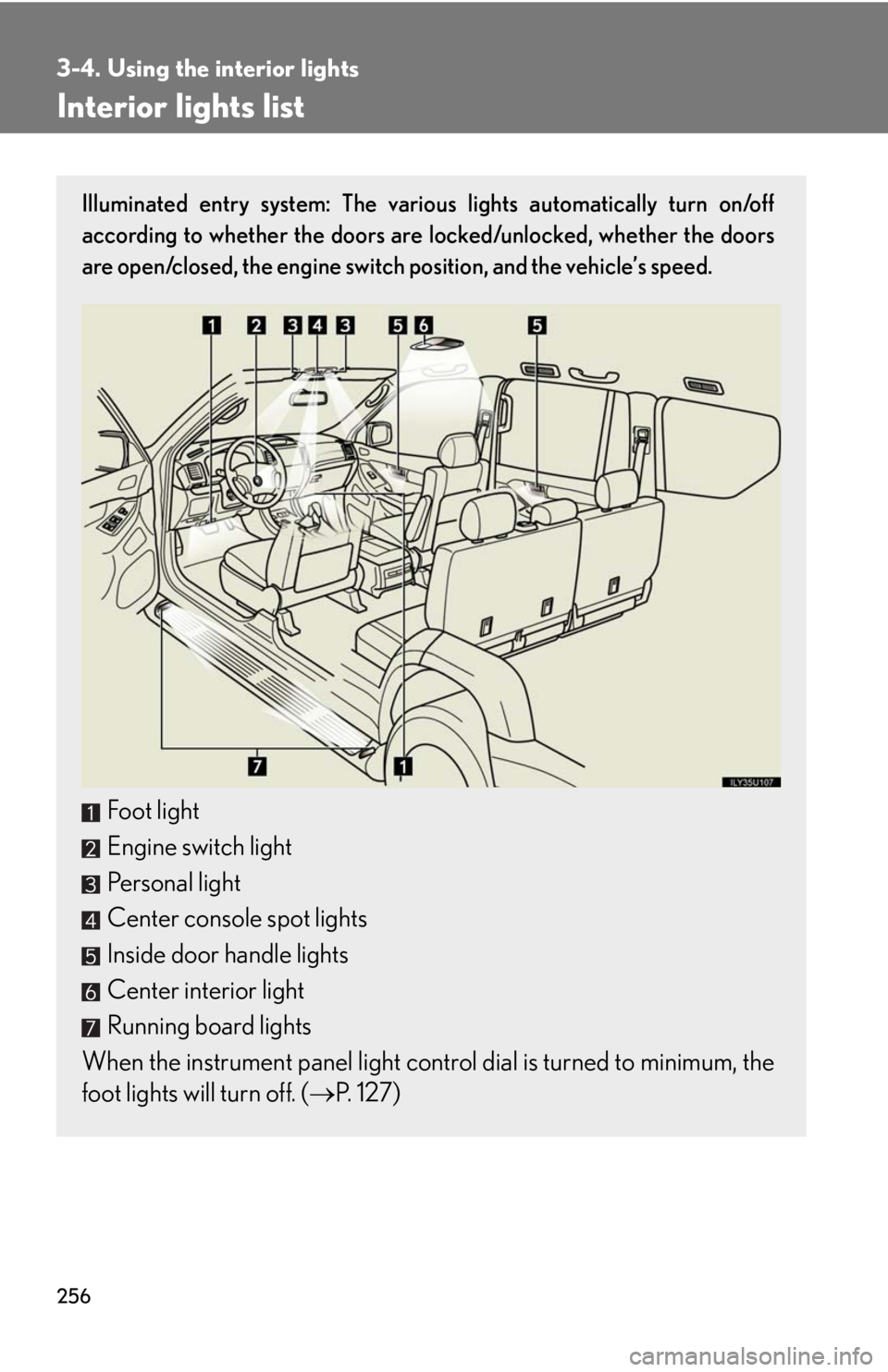
Illuminated entry system: The various lights automatically turn on/off
according to whether the doors are locked/unlocked, whether the doors
are open/closed, the engine switch position, and the vehicle’s speed.
Foot light
Engine switch light
Personal light
Center console spot lights
Inside door handle lights
Center interior light
Running board lights
When the instrument panel light contro l dial is turned to minimum, the
foot lights will turn off. ( P. 1 2 7 )
Page 259 of 458

259
3
Interior features
3-5. Using the storage features
List of storage features
Glove boxOpen
Lock with the key
Unlock with the key
Glove box
Overhead console
Cup holders
Door pocket
Console box
Page 281 of 458
281
3-6. Other interior features
3
Interior features
Garage door opener
The garage door opener (HomeLink Universal Transceiver) is manufactured
under license from HomeLink.
Programming the HomeLink (for U.S.A. owners)
The HomeLink
compatible transceiver in your vehicle has 3 buttons
which can be programmed to operate 3 different devices. Refer to the
programming method below appropriate for the device.
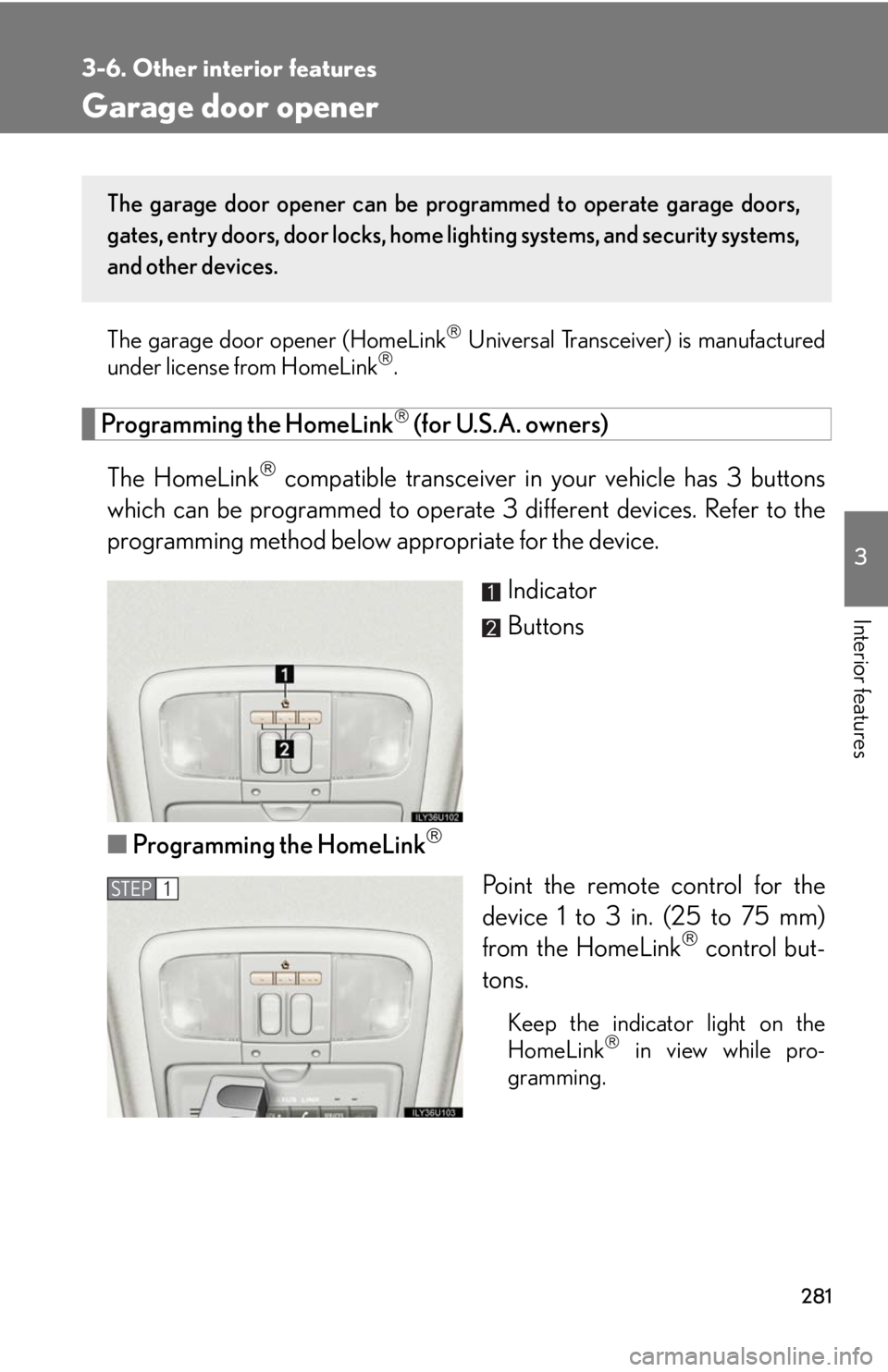
Indicator
Buttons
■ Programming the HomeLink
Point the remote control for the
device 1 to 3 in . (25 to 75 mm)
from the HomeLink
control but-
tons.
Keep the indicator light on the
HomeLink in view while pro-
gramming.
The garage door opener can be pr ogrammed to operate garage doors,
gates, entry doors, door locks, home lighting systems, and security systems,
and other devices.
STEP1
Page 284 of 458
284
3-6. Other interior features
Test the operation of the HomeLink by pressing the newly pro-
grammed button. Check to see if the gate/device operates cor-
rectly.
Repeat the steps above to program another device for each of
the remaining HomeLink
buttons.
■ Programming other devices
To program other devices such as home security systems, home door
locks or lighting, contact your au thorized Lexus dealer for assistance.
■ Reprogramming a button
The individual HomeLink
buttons cannot be erased but can be
reprogrammed. To reprogram a button, follow the “Basic program-
ming” instructions.
Operating the HomeLink
Press the appropriate HomeLink button. The HomeLink indicator
light on the HomeLink transceiver should turn on.
The HomeLink continues to send a signal fo r up to 20 seconds as long as
the button is pressed.
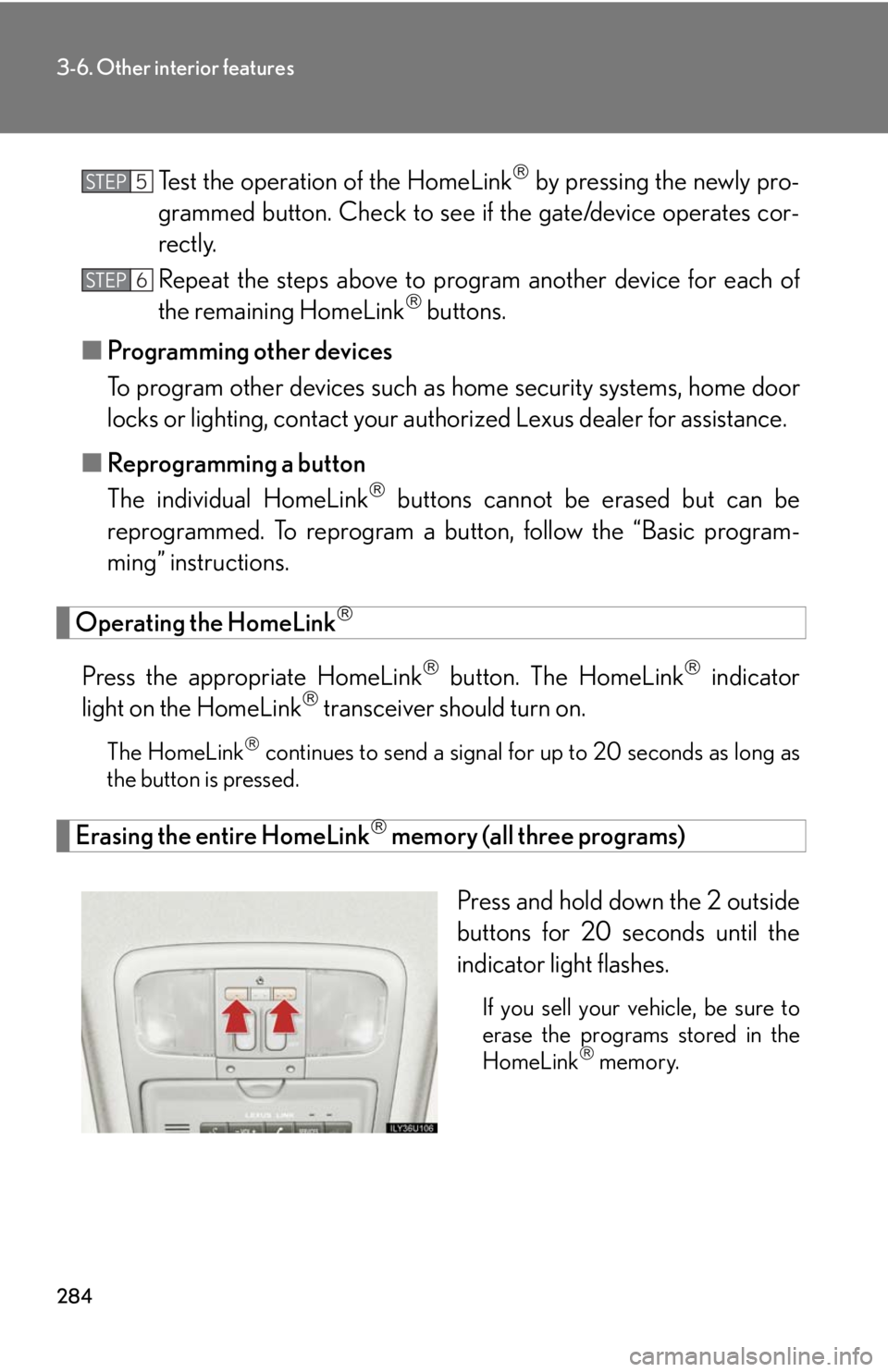
Erasing the entire HomeLink memory (all three programs)
Press and hold down the 2 outside
buttons for 20 seconds until the
indicator light flashes.
If you sell your vehicle, be sure to
erase the programs stored in the
HomeLink
memory.
STEP5
STEP6
Page 288 of 458

288
3-6. Other interior features
Wait a few seconds until the compass direction is displayed.
The calibration is complete.
■Circling calibration
If “C” appears on the display, drive
the vehicle at 5 mph (8 km/h) or
less in a circle until a direction is
displayed.
If there is not enough space to
drive in a circle, drive around the
block until the direction is dis-
played.
STEP4
■Conditions unfavorable to correct operation
The compass may not show the correct direction in the following conditions:
●The vehicle is stopped immediately after turning.
●The vehicle is on an inclined surface.
●The vehicle is in a place where the earth’s magnetic field is subject to interfer-
ence by artificial magnetic fields (underground car park/parking lot, under a
steel tower, between buildings, roof car pa rk/parking lot, near an intersection,
near a large vehicle, etc.).
●The vehicle has become magnetized.
(There is a magnet or metal object near the inside rear view mirror.)
●The battery has been disconnected.
●A door is open.