navigation Lexus HS250h 2010 User Guide
[x] Cancel search | Manufacturer: LEXUS, Model Year: 2010, Model line: HS250h, Model: Lexus HS250h 2010Pages: 611, PDF Size: 11 MB
Page 118 of 611

116
1-8. Safety information
HS250h_U_75033U(Canada)
Front passenger occupant classification system
Your vehicle is equipped with a front passenger occupant classification sys-
tem. This system detects the conditions of the front passenger seat and
activates or deactivates the devices for the front passenger.
SRS warning light
“AIR BAG OFF” indicator light
“AIR BAG ON” indicator light
Front passenger’s seat belt reminder light
With out
navigation system
With navigation system
Page 167 of 611

165
2-2. Instrument cluster
2
When driving
HS250h_U_75033U(Canada)
Indicators and warning lights
The indicator and warning lights on the instrument cluster and center
panel inform the driver of the status of the vehicle’s various systems.
Instrument cluster
Center panel (without a navigation system)
Center panel (with a navigation system)
Page 173 of 611

171
2-2. Instrument cluster
2
When driving
HS250h_U_75033U(Canada)
Display order may vary depending on vehicle condition.
Electronic feature control contentsSetting electronic feature controls
AFS (if equipped)→P. 1 8 5
Intuitive parking assist
(if equipped)Refer to “Navigation System
Owner’s Manual”.
Other contentsDe ta ils
Customization ( →P. 5 74 )
Settings of functions such as the
door lock and light illumination time
can be changed
Dynamic radar cruise control
(if equipped) ( →P. 2 0 5 )Automatically displayed when using
the dynamic radar cruise control
LKA (Lane Keeping Assist)
(if equipped) ( →P. 2 1 7 )Automatically displayed when using
the lane keeping assist
PCS (Pre-Collision System)
(if equipped) ( →P. 232, 502, 505)Automatically displayed if there is a
possibility of collision.
Page 174 of 611

172
2-2. Instrument cluster
HS250h_U_75033U(Canada)
Trip information■ Energy monitor
Displays the status of the hybrid system ( →P. 32)
■ Total distance/Total average fuel consumption
Displays the total distance and average fuel consumption since the last
reset.
Press the “ENTER” switch for 1 second or more when the total distance and
the average fuel consumption is displayed.
“Past Record” screen on the navigation system (if equipped) will also be
reset. ( →P. 3 6 )
■Current fuel consumption/Average fuel consumption after refueling
Displays the instant fuel consumption and average fuel consumption
after refueling.
■ Cruising range
Displays the estimated maximum distan ce that can be driven with the
quantity of fuel remaining.
• This distance is computed based on your average fuel consumption. As a result, the actual distance that can be driven may differ from that dis-
played.
• When only a small amount of fuel is added to the tank, the display may not be updated.
Other contentsDe ta ils
Wa r n i n g m e s s a g e ( →P. 5 0 1 )
Automatically displayed when a mal-
function occurs in any of the vehi-
cle's systems
Page 177 of 611

175
2-2. Instrument cluster
2
When driving
HS250h_U_75033U(Canada)
Head-up display∗∗
: If equipped
The head-up display can be used to project vehicle speed and other infor-
mation onto the windshield.
Head-up display
Display brightness will change
automatically according to the
brightness of the surrounding
area.
Turn-by-turn navigation
switch
Used to turn the turn-by-turn
navigation on or off.
HUD (Head-up Display)
main switch
HUD (Head-up Display)
contrast adjustment switch
Used to adjust the display
brightness to the desired level.
HUD (Head-up Display)
position adjustment switch
Page 179 of 611

177
2-2. Instrument cluster
2
When driving
HS250h_U_75033U(Canada)
HUD (Head-up Display) main switchPressing the switch turns the head-
up display on/off and changes the
vehicle speed display units as fol-
lows:
Vehicles sold in the U.S.A.
OFF → ON (mph) → ON (km/h)
→ OFF
Except vehicles sold in the U.S.A.
OFF → ON (km/h) → ON (mph)
→ OFF
When the head-up display is on, a
prolonged press will turn the touch
tracer display or audio display
ON/OFF. ( →P. 181)
●Turn-by-turn navigation
Displays a notification of upcoming intersections
during navigation system route guidance
●Touch tracer display
Displays the switch operation status when the
steering switch is operated.
Page 180 of 611

178
2-2. Instrument cluster
HS250h_U_75033U(Canada)
Turn-by-turn navigation switchPressing the switch turns the turn-
by-turn navigation on/off, when the
head-up display is on.
The switch indicator illuminates
while the turn-by-turn navigation is
active.
Display adjustmentThe display position and brightness of the head-up display can be
changed when necessary.
■ Adjusting display contrast
Brighter
Darker
■ Adjusting display position
Higher
Lower
Page 182 of 611

180
2-2. Instrument cluster
HS250h_U_75033U(Canada)■
Touch tracer display
Only the switch that is being
operated is highlighted, and
thus, the driver can perceive
which button is being operated.
The applicable switch displayed
on the head-up display will
change in response to the
switch operation.
Taking your finger off the steering
switch returns the display to the
vehicle speed indication.
It is possible to turn the touch
tracer display ON/OFF as neces-
sary. (→P. 181)
Turn-by-turn navigation
When the vehicle approaches an
intersection, the direction the vehi-
cle should go is guided by the
arrow.
When the vehicle approaches an
intersection, the route guidance
will start and the distance
* to the
intersection will also be displayed.
The animation guidance changes
according to the vehicle conditions
(running or stopped).
*:The distance decreases in incre- ments of 50 yards and the dis-
tance indication will disappear
when the vehicle passes through
the intersection.
Page 254 of 611

252
HS250h_U_75033U(Canada)
3-1. Using the air conditioning system and defogger
Automatic air conditioning system
Air outlets and fan speed are automatically adjusted according to the tem-
perature setting.
Vehicles with a navigation system
Owners of models equipped with a navigation system should refer to
the “Navigation System Owner’s Manual”.
Vehicles without a navigation system
Automatic
mode button
Driver’s side
temperature display
Dual
mode
button
Fan speed control buttons Air outlet display
Fan speed display
Passenger’s side
temperature display
Driver’s side
temperature
control buttons Outside/recirculated air
mode buttonWindshield
defogger button Passenger’s side
temperature
control buttons
Micro dust
and pollen
filter mode
button
“OFF” button Air outlet selector button
Cooling and
dehumidification
function on/off
button
Page 264 of 611
262
HS250h_U_75033U(Canada)
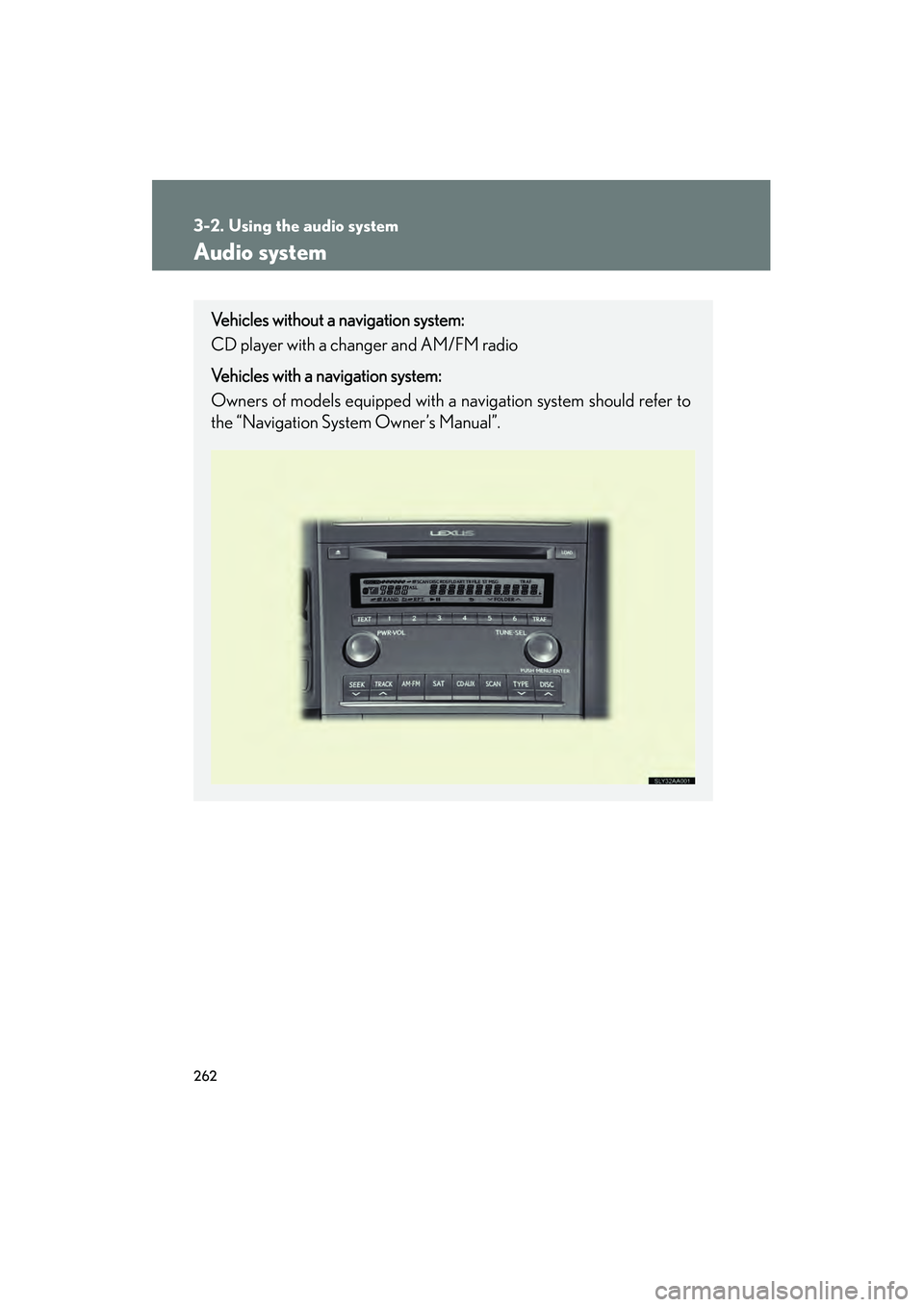
3-2. Using the audio system
Audio system
Vehicles without a navigation system:
CD player with a changer and AM/FM radio
Vehicles with a navigation system:
Owners of models equipped with a navigation system should refer to
the “Navigation System Owner’s Manual”.