change time Lexus HS250h 2010 Owner's Guide
[x] Cancel search | Manufacturer: LEXUS, Model Year: 2010, Model line: HS250h, Model: Lexus HS250h 2010Pages: 611, PDF Size: 11 MB
Page 301 of 611
299
3-2. Using the audio system
3
Interior features
HS250h_U_75033U(Canada)
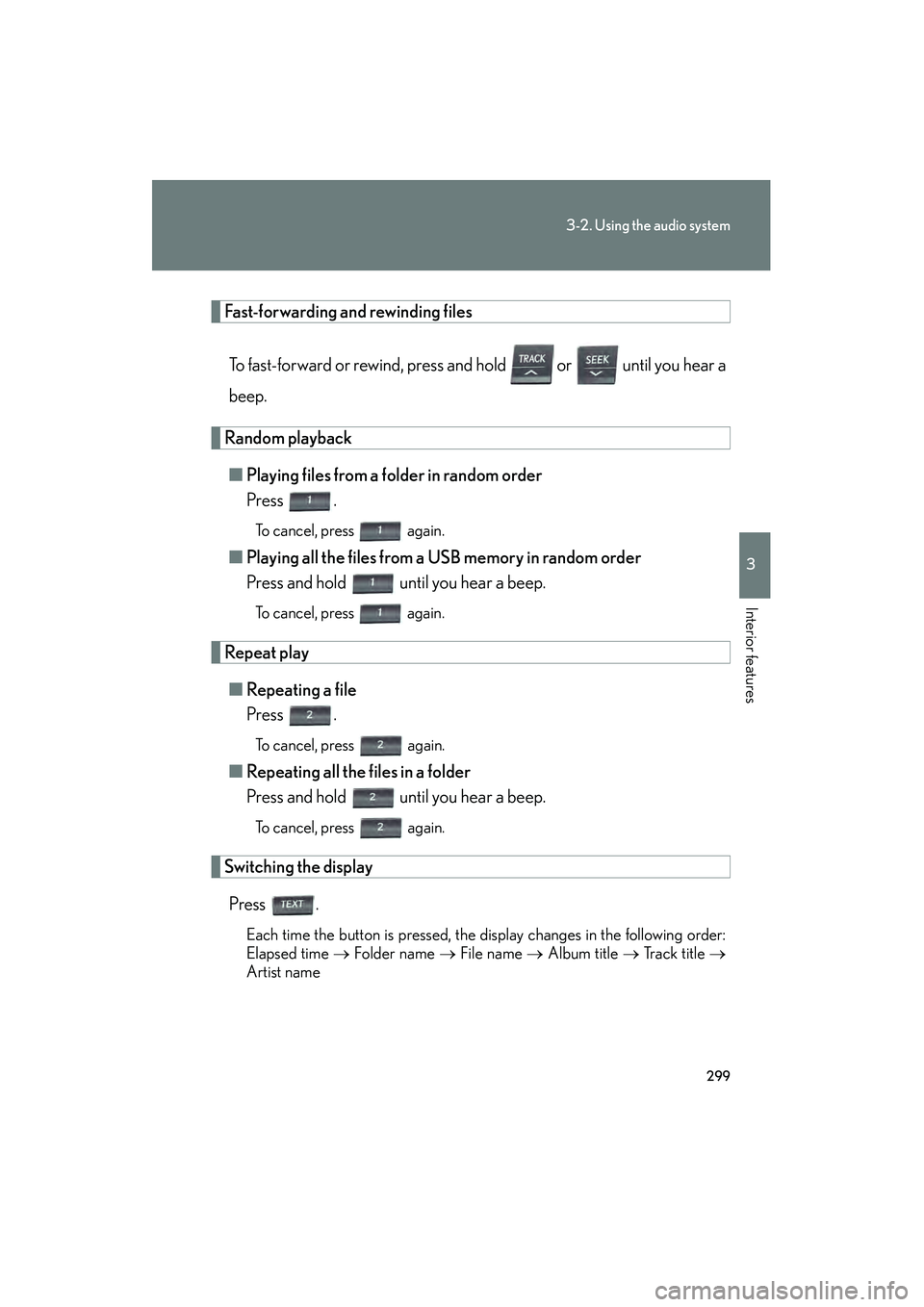
Fast-forwarding and rewinding filesTo fast-forward or rewind, press and hold or until you hear a
beep.
Random playback■ Playing files from a folder in random order
Press .
To cancel, press again.
■Playing all the files from a USB memory in random order
Press and hold until you hear a beep.
To cancel, press again.
Repeat play
■ Repeating a file
Press .
To cancel, press again.
■Repeating all the files in a folder
Press and hold until you hear a beep.
To cancel, press again.
Switching the display
Press .
Each time the button is pressed, the display changes in the following order:
Elapsed time → Folder name → File name → Album title → Track title →
Artist name
Page 311 of 611

309
3-2. Using the audio system
3
Interior features
HS250h_U_75033U(Canada)
Changing the audio sourcePress when the audio system is turned on. The audio source
changes as follows each time the button is pressed. If no discs are
inserted in the player, that mode will be skipped. FM1 →FM2 →SAT1 →SAT2 →SAT3 →CD player →
Bluetooth
® audio →AUX →iPod or USB memory→
AM→ FM1
Adjusting the volume
Press “+” on to increase the volume and “-” to decrease the vol-
ume.
Hold down the button to continue increasing or decreasing the volume.
Selecting a radio station Press to select radio mode.
Press “∧” or “ ∨” on to select a radio station.
To scan for receivable stations, press and hold “ ∧” or “ ∨” on the button
until you hear a beep.
Selecting a track/file or song
Press to select CD, Bluetooth
® audio, iPod or USB mem-
ory mode.
Press “ ∧” or “ ∨” on to select the desired track/file or song.
Page 319 of 611
317
3-3. Using the Bluetooth® audio system
3
Interior features
HS250h_U_75033U(Canada)Guidance for registration completion is heard.
If the portable player has a Bluetooth
® phone, the phone can be regis-
tered at the same time. A voice guidance instruction to register a Blue-
tooth
® phone is heard.
Select “Yes” or “No” using a voice command or .
(Bluetooth
® phone →P. 3 3 0 )
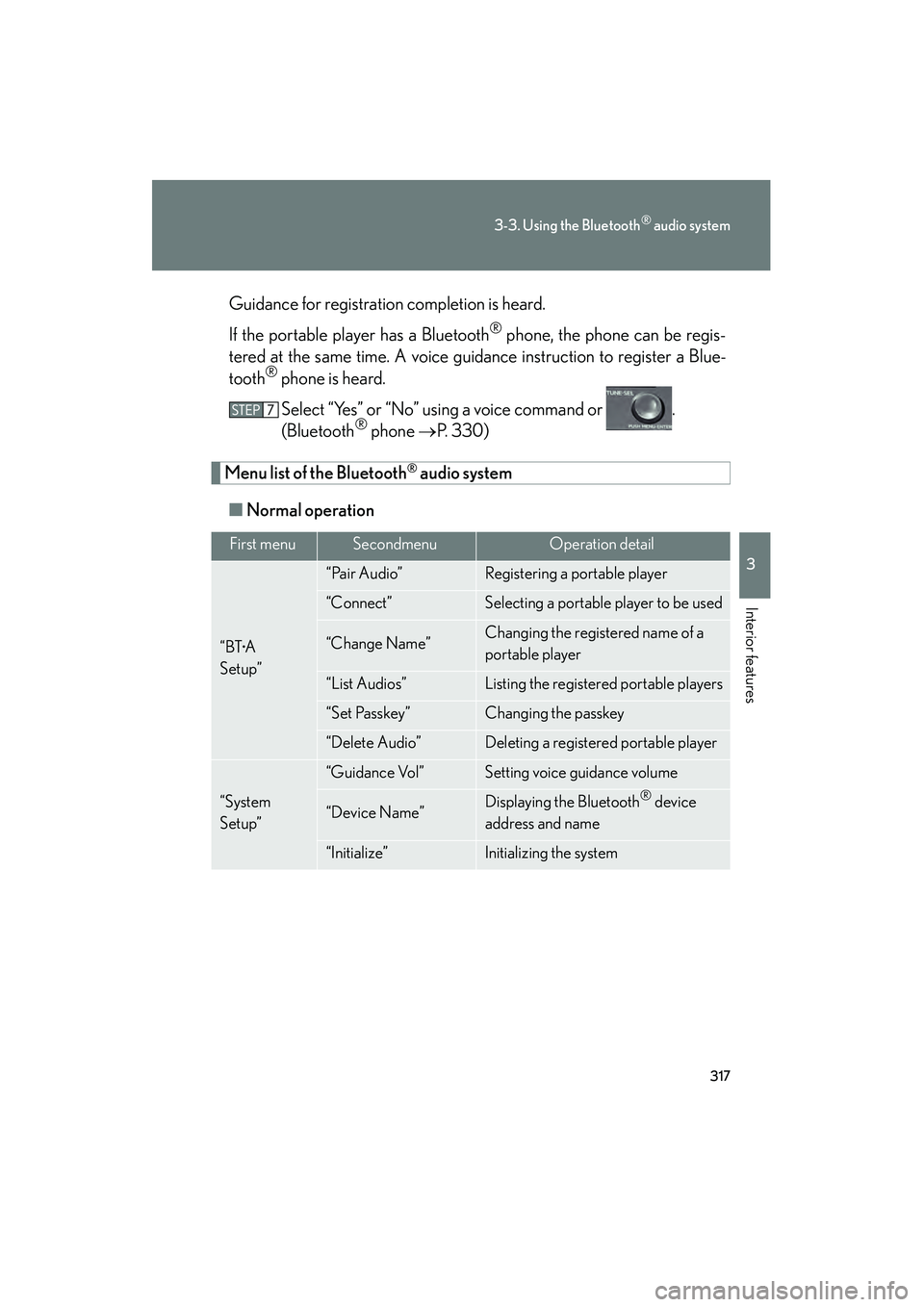
Menu list of the Bluetooth® audio system
■ Normal operation
First menuSecondmenuOperation detail
“BT•A
Setup”
“Pair Audio”Registering a portable player
“Connect”Selecting a portable player to be used
“Change Name”Changing the registered name of a
portable player
“List Audios”Listing the registered portable players
“Set Passkey”Changing the passkey
“Delete Audio”Deleting a registered portable player
“System
Setup”
“Guidance Vol”Setting voice guidance volume
“Device Name”Displaying the Bluetooth® device
address and name
“Initialize”Initializing the system
Page 323 of 611
321
3-3. Using the Bluetooth® audio system
3
Interior features
HS250h_U_75033U(Canada)
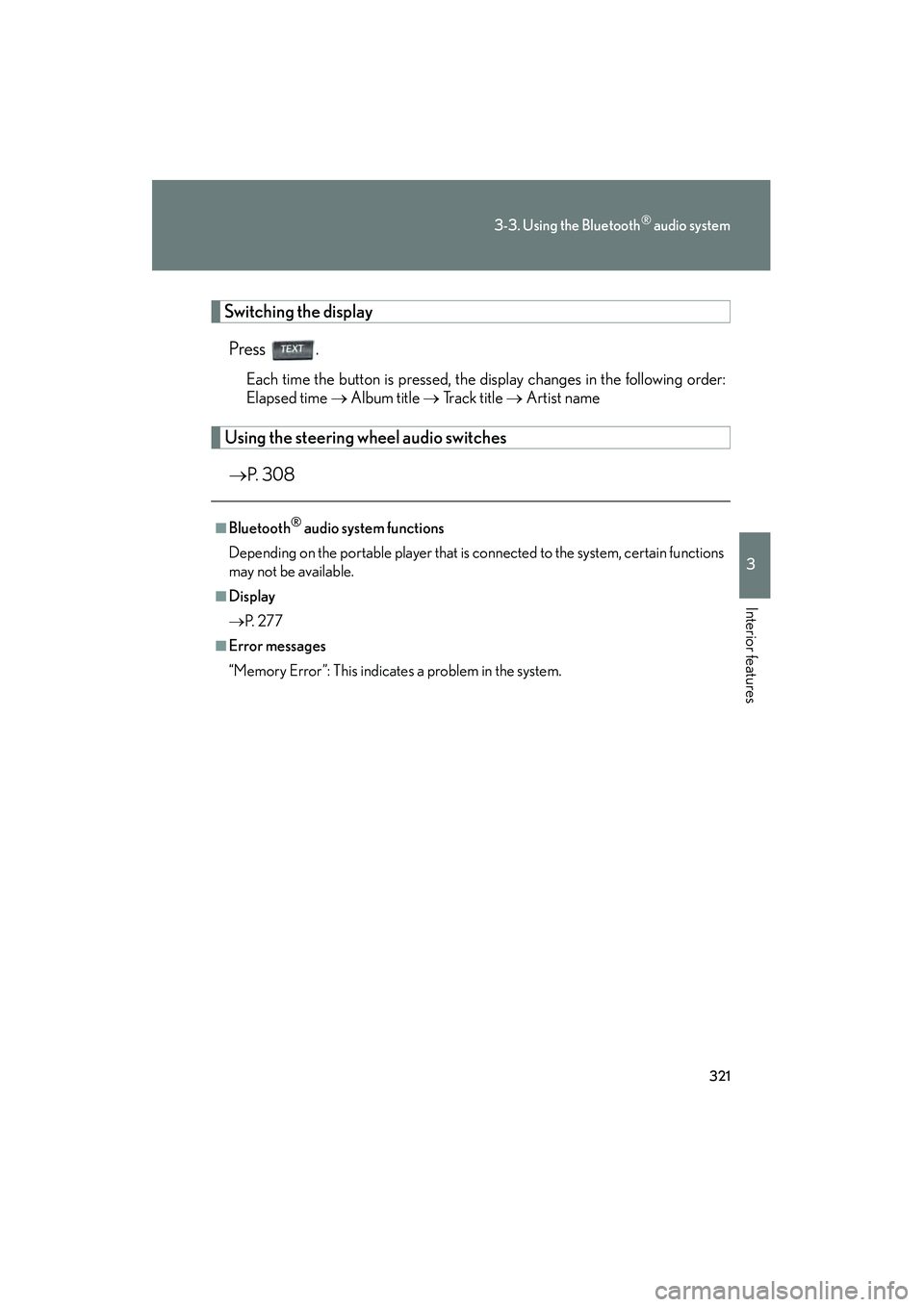
Switching the displayPress .
Each time the button is pressed, the display changes in the following order:
Elapsed time → Album title → Track title → Artist name
Using the steering wh eel audio switches
→ P. 308
■Bluetooth® audio system functions
Depending on the portable player that is connected to the system, certain functions
may not be available.
■Display
→ P. 2 7 7
■Error messages
“Memory Error”: This indicates a problem in the system.
Page 364 of 611

362
3-5. Using the interior lights
HS250h_U_75033U(Canada)
■Illuminated entry system
The lights automatically turn on/off according to “POWER” switch mode, the pres-
ence of the electronic key, whether the doors are locked/unlocked, and whether
the doors are opened/closed.
■To prevent 12-volt battery discharge
If the interior lights remain on when the door is not fully closed and the interior light
switch (door position on/ off) is on, the lights will go off automatically after 20 min-
utes.
■Customization
Settings (e.g. the time elapsed before the lights turn off) can be changed. (Custom-
izable features →P. 5 74 )
Personal lights
Page 381 of 611
379
3-7. Other interior features
3
Interior features
HS250h_U_75033U(Canada)
However, the rear sunshade is raised again if any of the following occurs:
●The button is pressed again.
●The shift lever is shifted to P.
●The shift lever is shifted out of P or R, and the vehicle reaches a speed of 9 mph
(15 km/h).
If the hybrid system is turned off when the rear sunshade has been lowered due to
the reverse operation feature, it will not be raised even when the hybrid system is
turned on again and the vehicle reaches a speed of 9 mph (15 km/h). To raise the
sunshade again, press the button.
■When the reverse operation feature does not operate
The rear sunshade may not lower or rise automatically. In this case, press the switch
to lower or raise the rear sunshade.
■Customization
Settings (e.g. time elapsed before the reverse operation) can be changed.
(Customizable features: →P. 5 74 )
CAUTION
■When the rear sunshade is being raised or lowered
Do not place fingers or other objects in the fastener section or in the opening.
They may get caught, causing injury.
NOTICE
■To prevent 12-volt battery discharge
Do not operate the rear sunshade when the hybrid system is off.
■To ensure normal operation of the sunshade
Observe the following precautions:
●Do not place excessive load on the motor or other components.
●Do not place objects where they may hinder opening and closing operations.
●Do not attach items to the rear sunshade.
●Keep the opening clean and clear of obstructions.
●Do not operate the rear sunshade continuously for long periods of time.
Page 444 of 611
442
4-3. Do-it-yourself maintenance
HS250h_U_75033U(Canada)
■If you press the tire pressure warning reset switch accidentally
If initialization is performed, adjust the tire inflation pressure to the specified level
and initialize the tire pressure warning system again.
■When the initialization of the tire pressure warning system has failed
Initialization can be completed in a few minutes. However, in the following cases,
the settings have not been recorded and the system will not operate properly. If
repeated attempts to record tire inflation pressure settings are unsuccessful, have
the vehicle inspected by your Lexus dealer.
●When operating the tire pressure warning reset switch, the tire pressure warn-
ing light does not flash 3 times and the setting message does not appear on the
multi-information display.
●After carrying out the initialization procedure, the tire pressure warning light
flashes for 1 minute then stays on after driving for 20 minutes.
■Tire pressure warning system certification
MODEL/FCC IDs:
Tr a n s m i t t e r : PA X P M V 1 0 7 J
Receiver: HYQ13BCX
IC (Canada) IDs:
Tr a n s m i t t e r : 3 7 2 9 A - P M V 1 0 7 J
Receiver: 1551A-13BCX
For vehicles sold in the U.S.A.
This device complies with Part 15 of the FCC Rules. Operation is subject to the fol-
lowing two conditions: (1) this device may not cause harmful interference, and (2)
this device must accept any interference received, including interference that may
cause undesired operation.
FCC WARNING:
Changes or modifications not expressly approved by the party responsible for
compliance could void the user’s authority to operate the equipment.
For vehicles sold in Canada
Operation is subject to the following two conditions: (1) this device may not cause
interference, and (2) this device must accept any interference, including interfer-
ence that may cause undesired operation of the device.
Page 510 of 611
508
5-2. Steps to take in an emergency
HS250h_U_75033U(Canada)
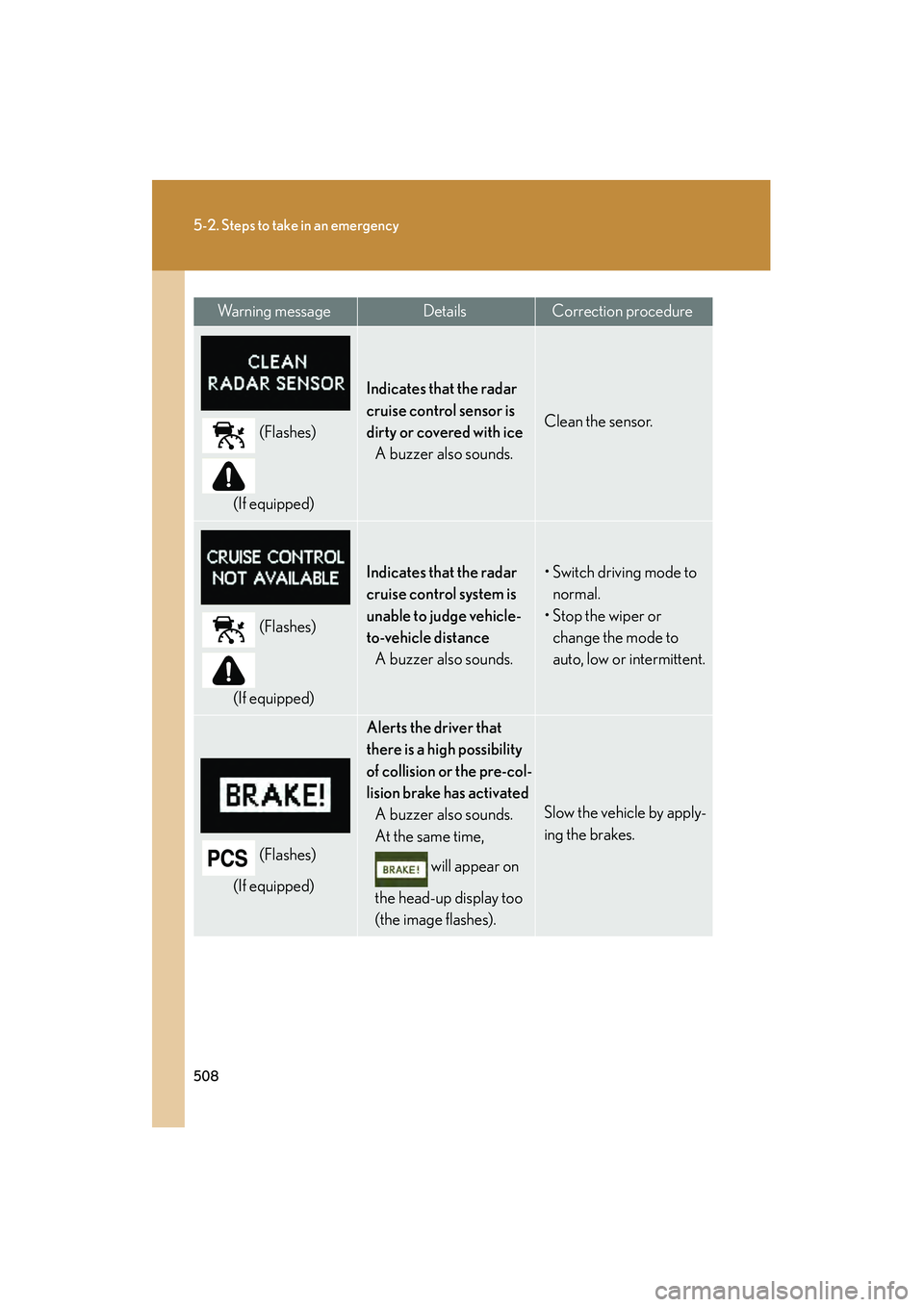
(Flashes)
(If equipped)
Indicates that the radar
cruise control sensor is
dirty or covered with ice A buzzer also sounds.
Clean the sensor.
(Flashes)
(If equipped)
Indicates that the radar
cruise control system is
unable to judge vehicle-
to-vehicle distance A buzzer also sounds.• Switch driving mode to normal.
• Stop the wiper or change the mode to
auto, low or intermittent.
(Flashes)
(If equipped)
Alerts the driver that
there is a high possibility
of collision or the pre-col-
lision brake has activated A buzzer also sounds.
At the same time,
will appear on
the head-up display too
(the image flashes).
Slow the vehicle by apply-
ing the brakes.
Wa r n i n g m e s s a g eDetailsCorrection procedure
Page 512 of 611

510
5-2. Steps to take in an emergency
HS250h_U_75033U(Canada)
Alerts the driver that the
vehicle is out of the lanes
(while the LKA system is
operating).A buzzer also sounds.
The lane markings and/
or the steering wheel
marking flash.
At the same time,
will appear on
the head-up display (the
image flashes).
Check the road condi-
tions and drive the vehicle
at a safe speed.
Indicates that the hybrid
system has overheated A buzzer also sounds.Stop and check.
(→ P. 5 4 1 )
(Flashes)
Indicates that the traction
battery is low
The warning buzzer
sounds intermittently.
When stopping the vehi-
cle for a long period of
time, change the shift
position to P. The battery
cannot be charged with
the shift position in N.
(Flashes)
Indicates that the traction
battery power has
dropped because a long
period of time has
elapsed after changing
the shift position to NThe warning buzzer
sounds continuously.
Restart the hybrid system
when starting the vehicle.
Wa r n i n g m e s s a g eDetailsCorrection procedure
Page 519 of 611

5
When trouble arises
517
5-2. Steps to take in an emergency
HS250h_U_75033U(Canada)
Once
(Flashes)
• When the doors were unlocked
with the
mechanical key
and then the
“POWER”
switch was
pressed, the
electronic key
could not be
detected in the
vehicle.
• The electronic key could not be
detected in the
vehicle even
after the
“POWER”
switch was
pressed two
consecutive
times.
Touch the elec-
tronic key to the
“POWER” switch
while depressing
the brake pedal.
Once
(Flashes)
An attempt was
made to start the
hybrid system
with the shift posi-
tion in N.Change the shift
position to P and
start the hybrid
system.
Interior buzzerExterior buzzerWa r n i n g m e s s a g eDetailsCorrection
procedure