mirror Lexus HS250h 2010 Owner's Guide
[x] Cancel search | Manufacturer: LEXUS, Model Year: 2010, Model line: HS250h, Model: Lexus HS250h 2010Pages: 611, PDF Size: 11 MB
Page 142 of 611
140
2-1. Driving procedures
HS250h_U_75033U(Canada)
CAUTION
●Do not select shift position R when the vehicle is rolling forward, do not select D
when moving in reverse, and do not press the P position switch before the vehicle
stops fully. Doing so will cause the buzzer to sound and the shift position to
change to N. In addition, excessive force will be applied to the powertrain and
damage may result.
●Do not change the shift position to N while the vehicle is moving.
Doing so may cause insufficient engine braking, resulting in an accident.
●Do not turn the hybrid system off while driving.
The power steering and brake actuator will not operate properly if the hybrid sys-
tem is off.
●Use engine braking (shift position B) to maintain a safe speed when driving down
a steep hill.
Using the brakes continuously may cause the brakes to overheat and lose effec-
tiveness. (→P. 1 5 3 )
●Do not adjust the positions of the steering wheel, the seat, or the inside or outside
rear view mirrors while driving.
Doing so may result in a loss of vehicle control that can cause accidents, resulting
in death or serious injury.
●Always check that all passengers' arms, heads or other parts of their body are not
outside the vehicle, as this may result in death or serious injury.
●Do not drive in excess of the speed limit. Even if the legal speed limit permits it, do
not drive over 85 mph (140 km/h) unless your vehicle has high-speed capability
tires. Driving over 85 mph (140 km/h) may result in tire failure, loss of control and
possible injury. Be sure to consult a tire dealer to determine whether the tires on
your vehicle are high-speed capability tires or not before driving at such speeds.
■When driving on slippery road surfaces
●Sudden braking, acceleration and steering may cause tire slippage and reduce
your ability to control the vehicle, resulting in an accident.
●Abrupt changes from shift position D to B and rapid changes in the engine speed
could cause the vehicle to skid, resulting in an accident.
●After driving through a puddle, lightly depress the brake pedal to make sure that
the brakes are functioning properly. Wet brake pads may prevent the brakes from
functioning properly. If the brakes on only one side are wet and not functioning
properly, steering control may be affected, resulting in an accident.
Page 193 of 611
191
2-3. Operating the lights and windshield wipers
2
When driving
HS250h_U_75033U(Canada)
●The following factors may affect the amount of time taken to turn high beam on
or off:
• The brightness of headlights, fog lights, and tail lights of oncoming and pre-ceding vehicles
• Road conditions (wetness, ice, snow etc.)
• The number of passengers and amount of baggage
●High beam may be turned on or off when unexpected by the driver.
●In the situations below, the system may not be able to correctly detect the sur-
rounding brightness levels, and may flash or expose nearby pedestrians to the
high beam. Therefore, you should consider turning the high beams on or off
manually rather than relying on the Automatic High Beam System.
• In bad weather (rain, snow, fog, sandstorms etc.)
• The windshield is obscured by fog, mist, ice, dirt etc.
• The windshield is cracked or damaged.
• The inside rear view mirror or camera sensor is deformed or dirty.
• Surrounding brightness levels are equal to those of headlights, tail lights or fog lights.
• Vehicles ahead have headlights that are either switched off, dirty, are chang-
ing color, or have are not aimed properly.
• When driving through an area of intermittently changing brightness and darkness
• When frequently and repeatedly driving ascending/descending roads, or roads with rough, bumpy or uneven surfaces (such as stone-paved roads,
gravel tracks etc.)
• When frequently and repeatedly taking curves or driving on a winding road
• There is a highly reflective object ahead of the vehicle, such as a sign or a mir- ror.
• The vehicle’s headlights are damaged or dirty.
• The vehicle is listing or tilting, due to a flat tire, a trailer being towed etc.
• The Automatic High Beam indicator is flashing.
• The high beam and low beam are repeatedly being switched between in an abnormal manner.
• The driver believes that the high beam may be causing problems or distress to other drivers or pedestrians nearby.
Page 194 of 611

192
2-3. Operating the lights and windshield wipers
HS250h_U_75033U(Canada)
■If the Automatic High Beam indicator flashes
It may indicate a malfunction in the system. Contact your Lexus dealer.
■Temporary lowering sensor sensitivity
The sensitivity of the sensor can be temporarily lowered.
To lower the sensitivity, push and hold the “AUTO” button on the inside rear view
mirror for 15 to 20 seconds, and release. The indicator light on the inside rear view
mirror will flash to indicate that the sensitivity has been lowered.
When the “POWER” switch is turned off, the sensitivity will be returned to its nor-
mal level.
■Customization that can be configured at your Lexus dealer
The Automatic High Beam can be turned off.
Page 195 of 611

193
2-3. Operating the lights and windshield wipers
2
When driving
HS250h_U_75033U(Canada)
NOTICE
■Limitations of the Automatic High Beam
Do not rely on the Automatic High Beam. Always drive safely, taking care to
observe your surroundings and turning high beam on or off manually if necessary.
■Notes when using the Automatic High Beam system
●Do not touch the camera sensor.
●Do not subject the inside rear view mirror or the camera sensor to a strong
impact.
●Do not disassemble the camera sensor.
●Do not spill liquid onto the inside rear view mirror or the camera sensor.
●Do not apply window tinting or stickers to the camera sensor or the area of wind-
shield near the camera sensor.
●Do not place items on the dashboard. There is a possibility that the camera sensor
will mistake items reflected in the windshield for streetlights, the headlights of
other vehicles, etc.
●Do not install a parking tag or any other accessories near or around the inside
rear view mirror and the camera sensor.
●Do not overload the vehicle.
●Do not modify the vehicle.
●Do not replace windshield with non-genuine windshield.
Contact your Lexus dealer.
Observe the following to ensure that the
Automatic High Beam functions correctly.
Page 226 of 611

224
2-4. Using other driving systems
HS250h_U_75033U(Canada)
NOTICE
■Camera sensor
●Keep the windshield clean at all times.
LKA performance may deteriorate due to the presence of raindrops, condensa-
tion, ice or snow on the windshield.
●Do not attach a sticker or other items to the windshield near the camera sensor.
●When adjusting the rear-view mirror, make sure that it does not block the camera
lens.
●When it is cold, using the heater with air blowing to the feet may allow the upper
part of the windshield to fog up. This will have a negative effect on the images. In
such a case, use the windshield defogger to provide warm, dry air to the wind-
shield.
●Do not place anything on the dashboard.
The camera sensor may recognize the image reflected on the windshield as lane
markers by mistake.
●Do not scratch the camera lens, or let it get dirty.
●Do not change the installation position of the camera sensor or remove it. The
direction of the camera sensor is precisely adjusted.
●Do not subject the camera sensor to strong impact or force, and do not disas-
semble the camera sensor.
Observe the following to ensure that the LKA
system functions correctly.
Page 253 of 611

Interior features3
251
HS250h_U_75033U(Canada)
3-3. Using the Bluetooth® audio
system
Bluetooth
® audio system ...... 311
Using the Bluetooth®
audio system .......................... 314
Operating a Bluetooth
®
enabled portable player..... 319
Setting up a Bluetooth
®
enabled portable player... 322
Bluetooth
® audio system
setup ........................................ 327
3-4. Using the hands-free phone system (for cellular phones)
Hands-free system for cellular phones.................... 328
Using the hands-free system (for cellular
phones) .................................. 332
Making a phone call ............. 340
Setting a cellular phone ....... 345
Security and system setup ....................................... 350
Using the phone book........... 354 3-5. Using the interior lights
Interior lights list .................... 360
• Interior lights ......................... 361
• Personal lights ...................... 361
3-6. Using the storage features List of storage features......... 363
• Glove box .............................. 364
• Console box ......................... 365
• Cup holders .......................... 367
• Bottle holders....................... 369
• Auxiliary boxes .................... 370
3-7. Other interior features Sun visors .................................. 371
Vanity mirrors ......................... 372
Clock ......................................... 373
Power outlets ........................... 374
Seat heaters and ventilators ............................. 375
Armrest ..................................... 377
Rear sunshade ........................ 378
Floor mat .................................. 380
Trunk compartment features ................................... 381
Garage door opener ............ 383
Compass ................................... 391
Safety Connect ...................... 395
Page 262 of 611
260
3-1. Using the air conditioning system and defogger
HS250h_U_75033U(Canada)
Rear window defogger switch
■Operating conditions
The “POWER” switch is in ON mode.
■The outside rear view mirror defoggers
Turning the rear window defogger on will turn the outside rear view mirror defog-
gers on.
CAUTION
■When the outside rear view mirror defoggers are on
Do not touch the outside surface of the rear view mirrors, as they can become very
hot and burn you.
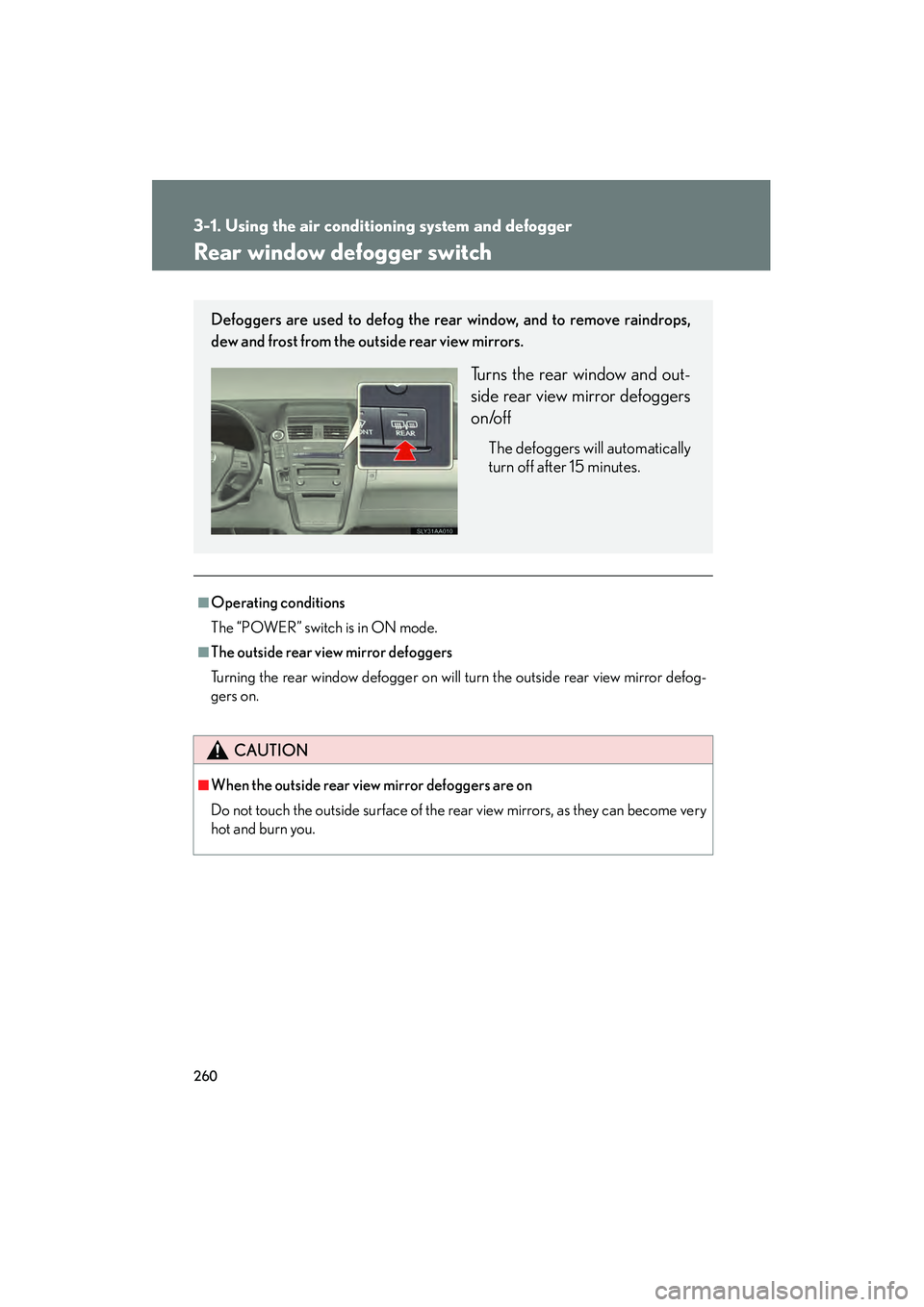
Defoggers are used to defog the rear window, and to remove raindrops,
dew and frost from the outside rear view mirrors.
Turns the rear window and out-
side rear view mirror defoggers
on/off
The defoggers will automatically
turn off after 15 minutes.
Page 374 of 611
372
3-7. Other interior features
HS250h_U_75033U(Canada)
Vanity mirrors
NOTICE
■To prevent 12-volt battery discharge
Do not leave the vanity lights on for extended periods while the hybrid system is off.
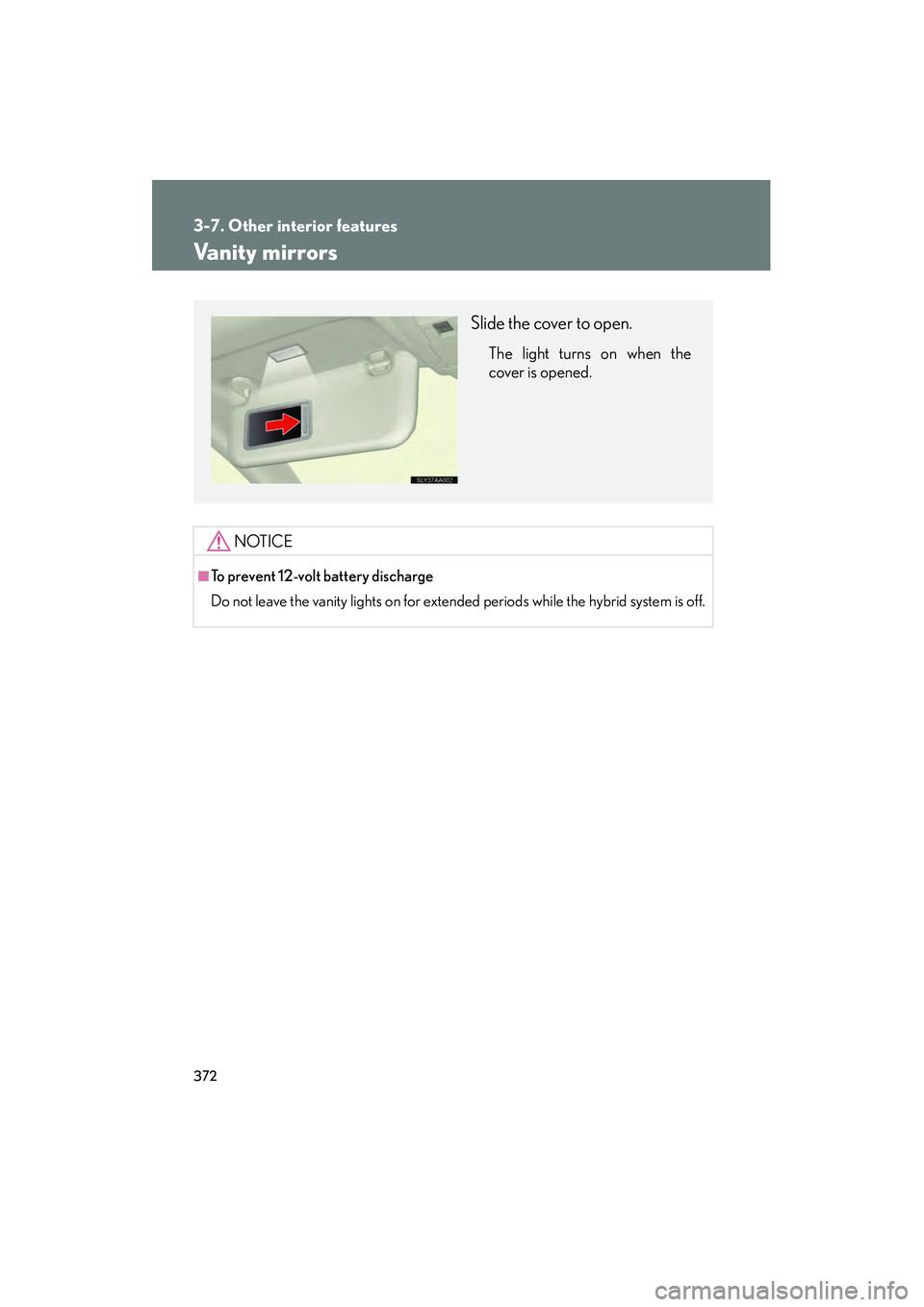
Slide the cover to open.
The light turns on when the
cover is opened.
Page 385 of 611

383
3-7. Other interior features
3
Interior features
HS250h_U_75033U(Canada)
Garage door opener
The garage door opener (HomeLink Universal Transceiver) is manufactured
under license from HomeLink.
Programming the HomeLink (for U.S.A. owners)
The HomeLink
compatible transceiver in your vehicle has 3 buttons
which can be programmed to operate 3 different devices. Refer to the
programming method below appropriate for the device.
Overhead console type
Indicator light
Buttons
Inside rear view mirror type Indicator light
Buttons
The garage door opener can be programmed to operate garage doors,
gates, entry doors, door locks, home lighting systems, security systems, and
other devices.
Page 386 of 611

384
3-7. Other interior features
HS250h_U_75033U(Canada)■
Programming HomeLink
Overhead console type
Point the remote control transmit-
ter for the device 1 to 3 in. (25 to
75 mm) from the HomeLink
but-
tons.
Keep the HomeLink indicator
light in view while programming.
Inside rear view mirror type
Point the remote control transmit-
ter for the device 1 to 3 in. (25 to
75 mm) from the HomeLink
but-
tons.
Keep the HomeLink indicator
light in view while programming.
Overhead console type
Press and hold one of the
HomeLink
buttons and the trans-
mitter button. When the
HomeLink
indicator light
changes from a slow to a rapid
flash, you can release both buttons.
If the HomeLink indicator light
comes on but does not flash, or
flashes rapidly for 2 seconds and
remains lit, the HomeLink
button
is already programmed. Use the
other buttons or follow the “Repro-
gramming a HomeLink
button”
instructions. ( →P. 3 8 8 )