warning light Lexus HS250h 2011 Hybrid system / LEXUS 2011 HS250H (OM75037U) User Guide
[x] Cancel search | Manufacturer: LEXUS, Model Year: 2011, Model line: HS250h, Model: Lexus HS250h 2011Pages: 628, PDF Size: 10.69 MB
Page 137 of 628
When driving2
137
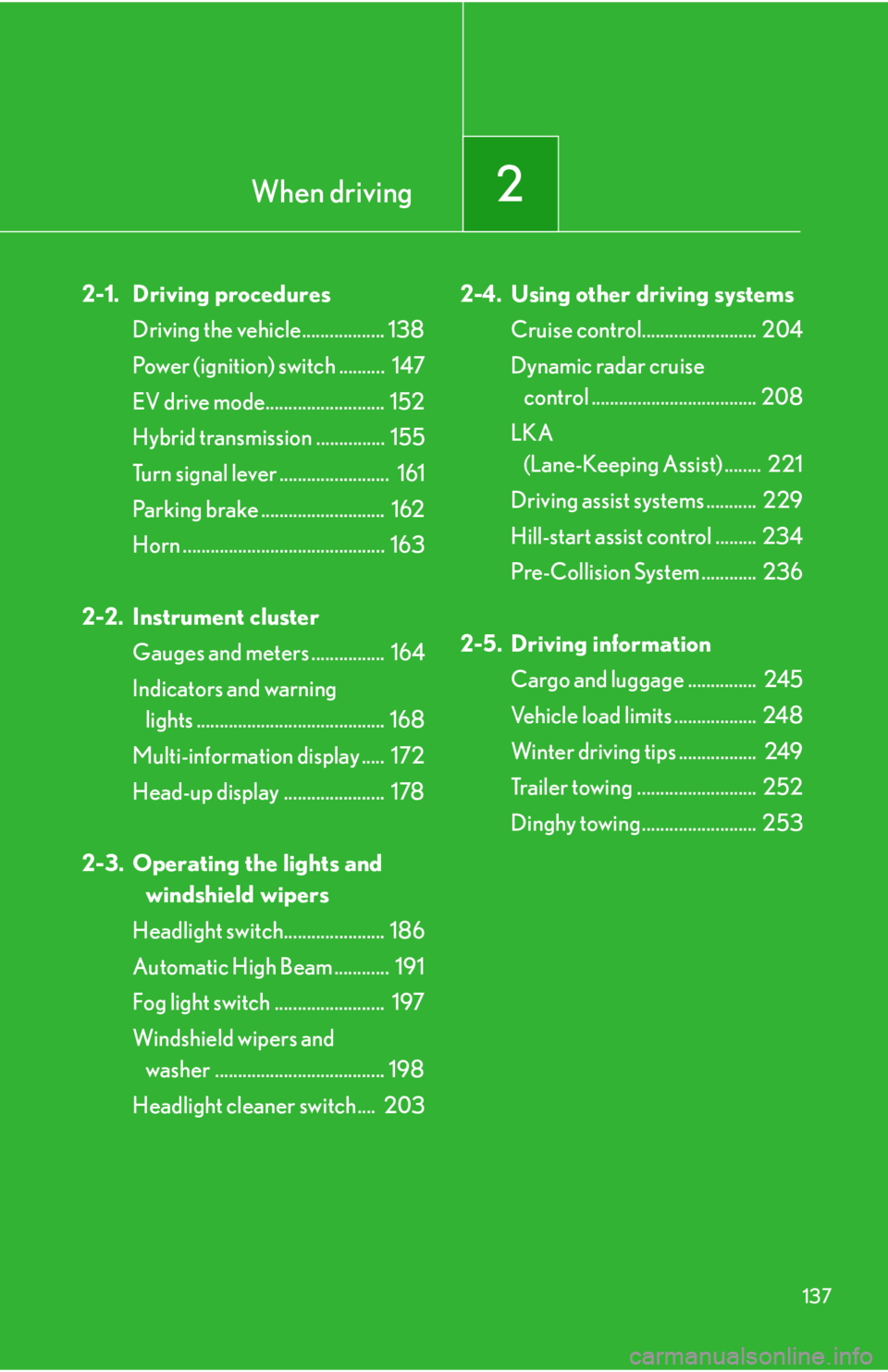
2-1. Driving proceduresDriving the vehicle.................. 138
Power (ignition) switch .......... 147
EV drive mode.......................... 152
Hybrid transmission ............... 155
Turn signal lever ........................ 161
Parking brake ........................... 162
Horn ............................................ 163
2-2. Instrument cluster Gauges and meters ................ 164
Indicators and warning lights ......................................... 168
Multi-information display ..... 172
Head-up display ...................... 178
2-3. Operating the lights and windshield wipers
Headlight switch...................... 186
Automatic High Beam ............ 191
Fog light switch ........................ 197
Windshield wipers and washer ..................................... 198
Headlight cleaner switch.... 203 2-4. Using other driving systems
Cruise control......................... 204
Dynamic radar cruise control .................................... 208
LKA (Lane-Keeping Assist) ........ 221
Driving assist systems ........... 229
Hill-start assist control ......... 234
Pre-Collision System ............ 236
2-5. Driving information Cargo and luggage ............... 245
Vehicle load limits .................. 248
Winter driving tips ................. 249
Trailer towing .......................... 252
Dinghy towing ......................... 253
Page 145 of 628
145
2-1. Driving procedures
2
When driving
CAUTION
■When taking a nap in the vehicle
Always turn the hybrid system off. Otherwise, if you accidentally move the shift
lever or depress the accelerator pedal, this could cause an accident or fire due to
hybrid system overheating. Additionally, if the vehicle is parked in a poorly venti-
lated area, exhaust gases may collect and enter the vehicle, leading to death or a
serious health hazard.
■When braking
●When the brakes are wet, drive more cautiously.
Braking distance increases when the brakes are wet, and this may cause one side
of the vehicle to brake differently than the other side. Also, the parking brake may
not securely hold the vehicle.
●If the power brake assist function does not operate, do not follow other vehicles
closely and avoid downhill or sharp turns that require braking.
In this case, braking is still possible, but it will require more force on the pedal than
usual. Braking distance may also increase.
●The brake system consists of 2 individual hydraulic systems; if one of the systems
fails, the others will still operate. In th is case, the brake pedal should be depressed
more firmly than usual and the braking distance will increase. If this happens, do
not continue to drive the vehicle. If the brake system warning light (red indicator)
comes on while driving, immediately stop the vehicle in a safe place and contact
your Lexus dealer.
NOTICE
■When driving the vehicle
●Do not depress the accelerator and brake pe dals at the same time during driving.
If the brake pedal is depressed whil e driving with the accelerator pedal
depressed, driving torque may be restrained.
●Do not use the accelerator pedal or depress the accelerator and brake pedals at
the same time to hold the vehicle on a hill.
■When parking the vehicle
Be sure to firmly apply the parking brake an d set the shift position to P. Failure to do
so may cause the vehicle to move or the vehicle may accelerate suddenly if the
accelerator pedal is accidentally depressed.
Page 167 of 628

167
2-2. Instrument cluster
2
When driving
NOTICE
■To prevent damage to the hybrid system and its components
A high engine coolant temperature warning light (P. 498) is installed instead of
an engine coolant temperature gauge. If the high engine coolant temperature
warning light illuminates or flashes, the vehicle may be overheating. Immediately
stop the vehicle in a safe area ( P. 5 4 8 ) .
Page 168 of 628
168
2-2. Instrument cluster
Indicators and warning lights
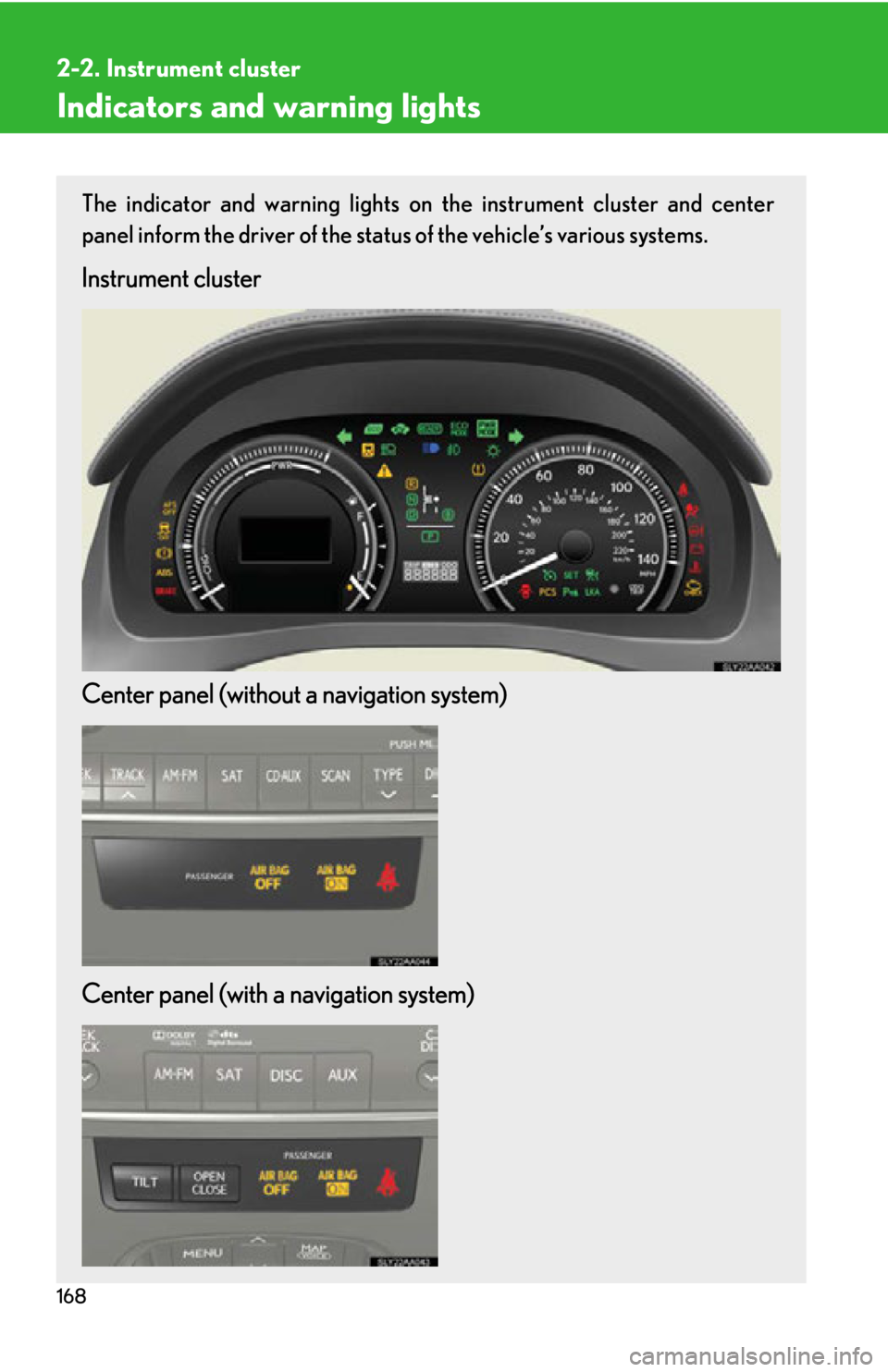
The indicator and warning lights on the instrument cluster and center
panel inform the driver of the status of the vehicle’s various systems.
Instrument cluster
Center panel (without a navigation system)
Center panel (with a navigation system)
Page 170 of 628
170
2-2. Instrument cluster
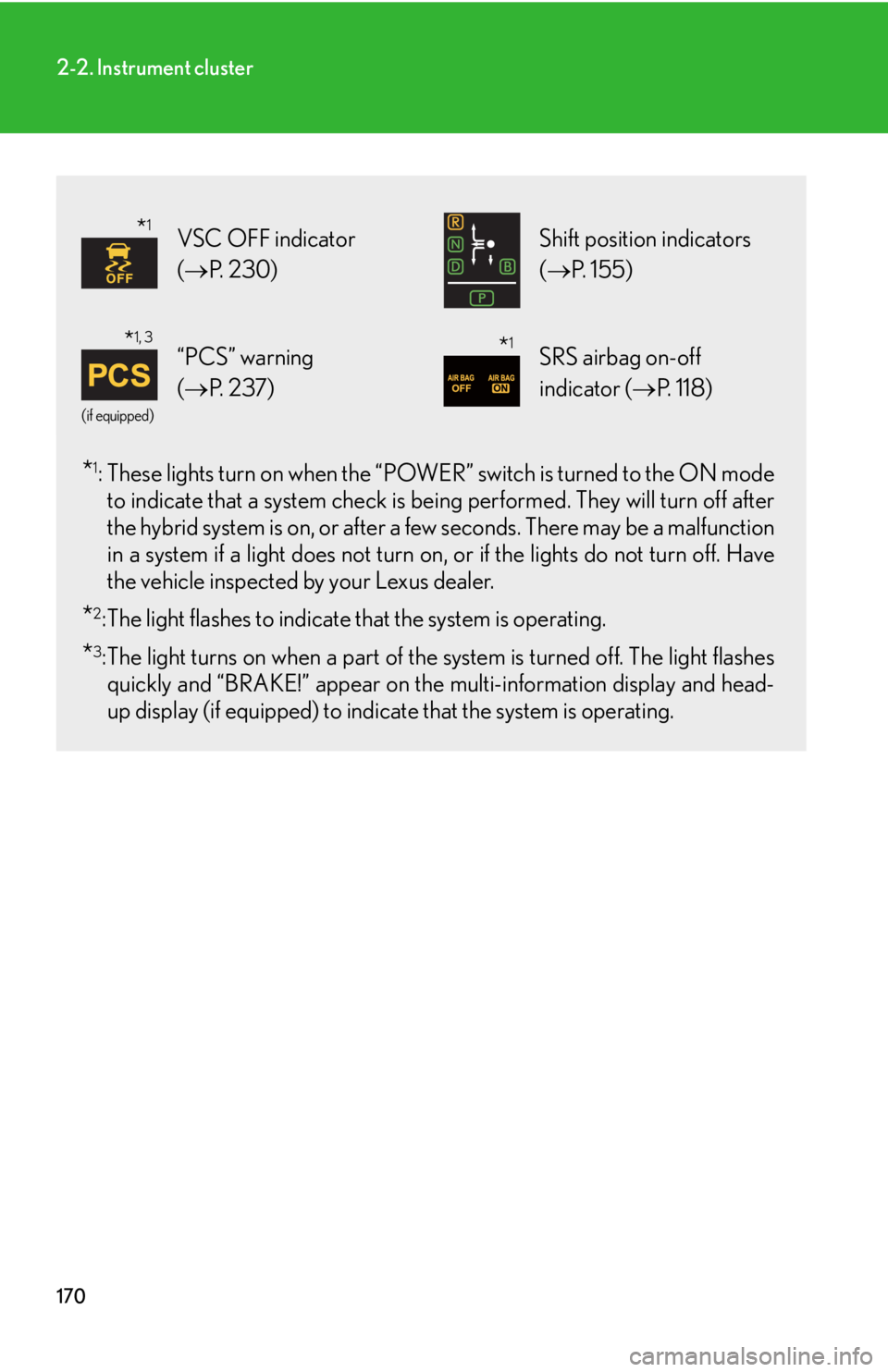
*1: These lights turn on when the “POWER” switch is turned to the ON mode
to indicate that a system check is be ing performed. They will turn off after
the hybrid system is on, or after a fe w seconds. There may be a malfunction
in a system if a light does not turn on , or if the lights do not turn off. Have
the vehicle inspected by your Lexus dealer.
*2: The light flashes to indicate that the system is operating.
*3:The light turns on when a part of the system is turned off. The light flashes quickly and “BRAKE!” appear on the multi-information display and head-
up display (if equipped) to indicat e that the system is operating.
VSC OFF indicator
(P. 2 3 0 ) Shift position indicators
(P. 1 5 5 )
(if equipped)
“PCS” warning
(P. 2 3 7 )SRS airbag on-off
indicator ( P. 118)
*1
*1, 3*1
Page 171 of 628
171
2-2. Instrument cluster
2
When driving
CAUTION
■If a safety system warning light does not come on
Should a safety system light such as the ABS and SRS airbag warning light not
come on when you start the hybrid system , this could mean that these systems are
not available to help protect you in an accid ent, which could result in death or seri-
ous injury. Have the vehicle inspected by your Lexus dealer immediately if this
occurs.
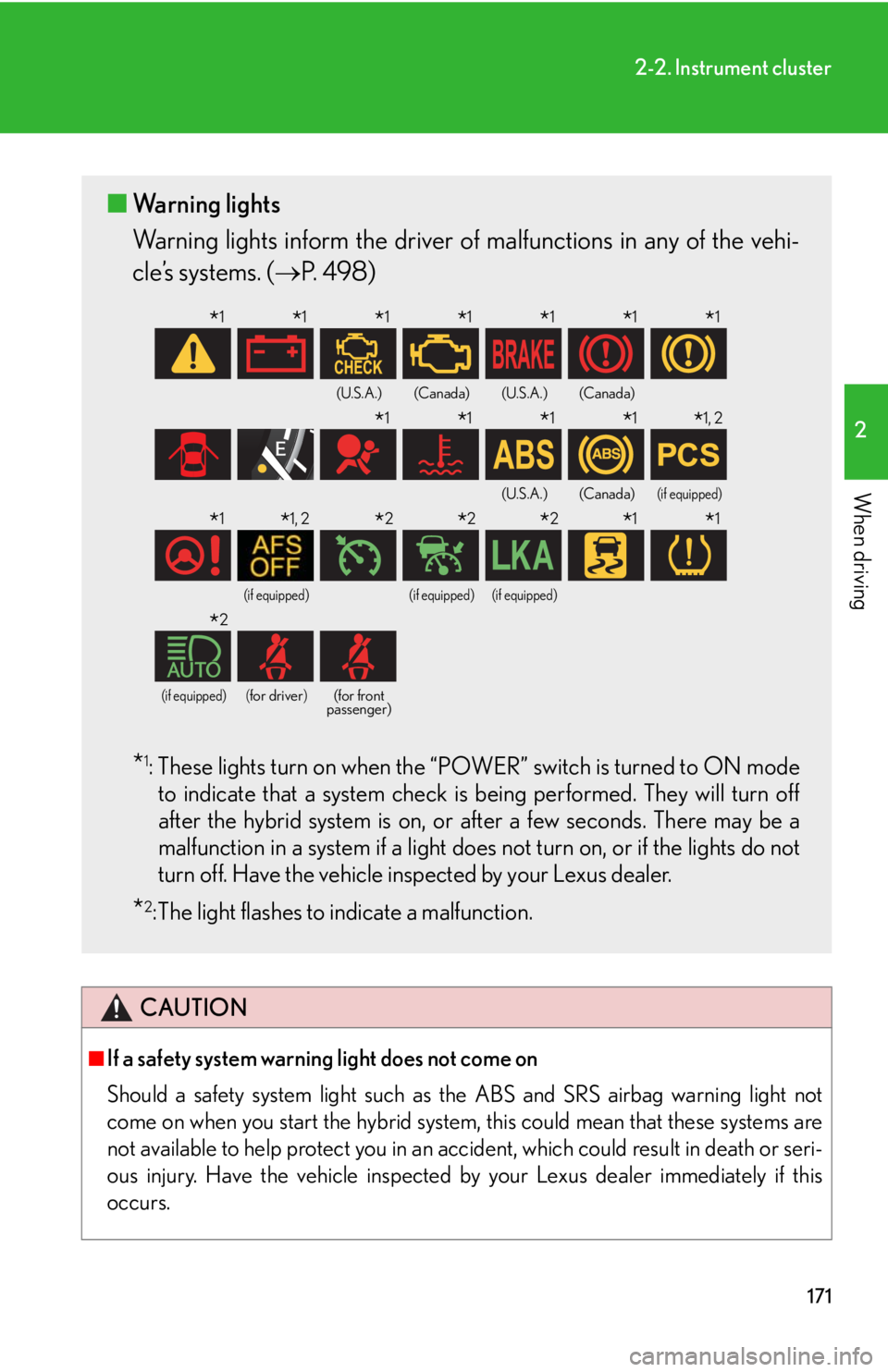
■ Warning lights
Warning lights inform the driver of malfunctions in any of the vehi-
cle’s systems. ( P. 4 9 8 )
*1: These lights turn on when the “POWER” switch is turned to ON mode
to indicate that a system check is being performed. They will turn off
after the hybrid system is on, or after a few seconds. There may be a
malfunction in a system if a light does not turn on, or if the lights do not
turn off. Have the vehicle inspected by your Lexus dealer.
*2: The light flashes to indicate a malfunction.
(U.S.A.)(Canada)(U.S.A.)(Canada)
(U.S.A.)(Canada)(if equipped)
(if equipped)(if equipped)(if equipped)
(if equipped)(for driver)(for front
passenger)
*1*1*1*1*1*1*1
*1*1*1*1*1, 2
*1*1, 2*2*2*2*1*1
*2
Page 216 of 628
216
2-4. Using other driving systems
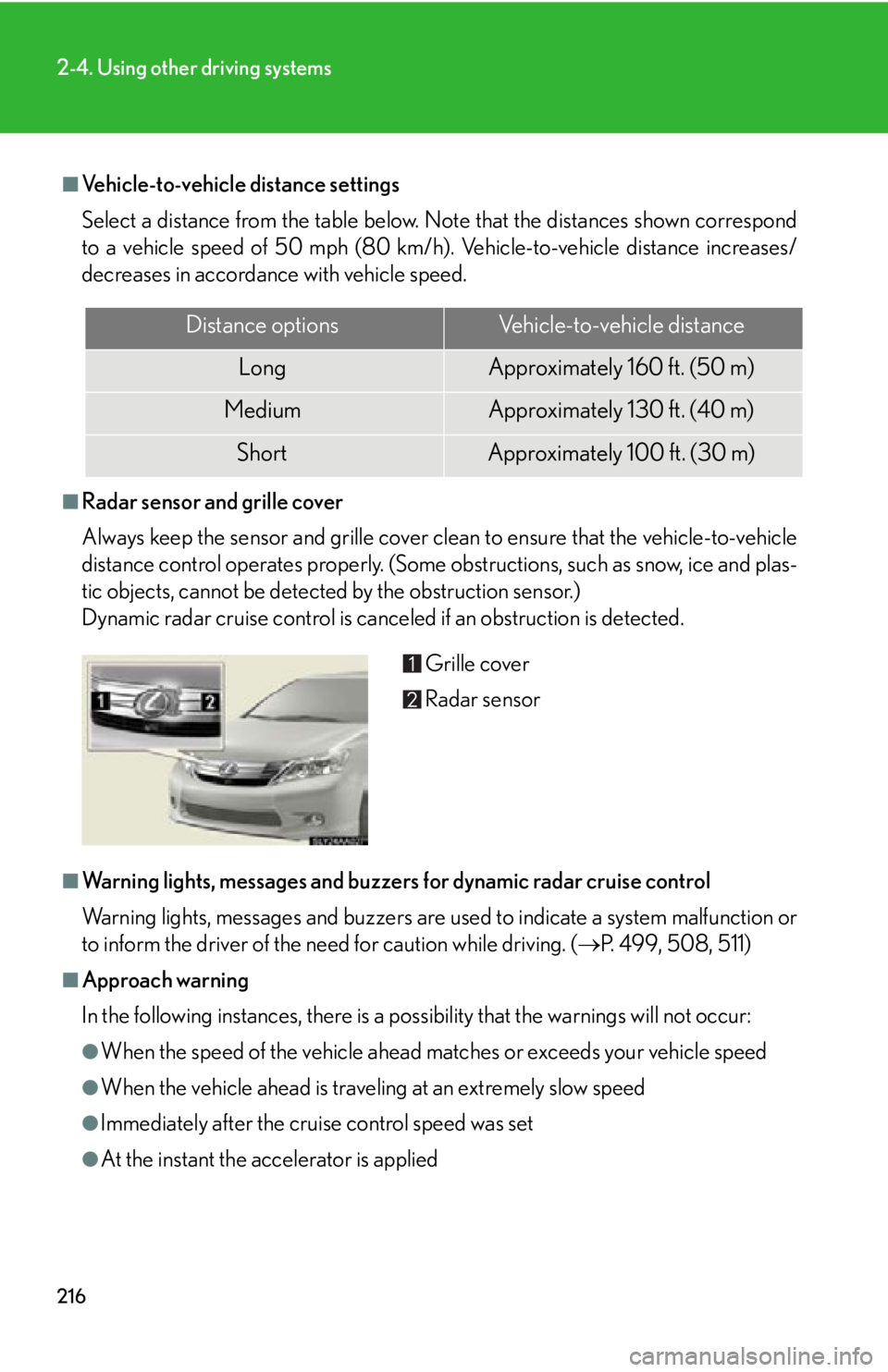
■Vehicle-to-vehicle distance settings
Select a distance from the table below. Note that the distances shown correspond
to a vehicle speed of 50 mph (80 km/h). Vehicle-to-vehicle distance increases/
decreases in accordance with vehicle speed.
■Radar sensor and grille cover
Always keep the sensor and grille cover clean to ensure that the vehicle-to-vehicle
distance control operates properly. (Some obstructions, such as snow, ice and plas-
tic objects, cannot be detected by the obstruction sensor.)
Dynamic radar cruise control is canceled if an obstruction is detected.
■Warning lights, messages and buzzers for dynamic radar cruise control
Warning lights, messages and buzzers are us ed to indicate a system malfunction or
to inform the driver of the need for caution while driving. ( P. 499, 508, 511)
■Approach warning
In the following instances, there is a po ssibility that the warnings will not occur:
●When the speed of the vehicle ahead ma tches or exceeds your vehicle speed
●When the vehicle ahead is traveling at an extremely slow speed
●Immediately after the cruise control speed was set
●At the instant the accelerator is applied
Distance optionsVehicle-to-vehicle distance
LongApproximately 160 f t. (50 m)
MediumApproximately 130 ft. (40 m)
ShortApproximately 100 f t. (30 m)
Grille cover
Radar sensor
Page 221 of 628
221
2-4. Using other driving systems
2
When driving
LKA (Lane-Keeping Assist)
: If equipped
While driving on a freeway or motor highway that has lane markers, this
system recognizes the lanes using a camera as a sensor to assist the driver
with staying in the lane. The LKA system has two functions.
■Lane departure warning function
If the system judges that the vehi cle may deviate from its lane, it
alerts the driver using rapid beepin g, indications on the multi-infor-
mation display, and a sensory warning
* given via the steering wheel.
*:A slight steering torque is applied fo r a short period of time in the
direction of the center of the lane.
■ Lane keeping assist function
This function will be active when the vehicle-to-vehicle distance
control mode of the cruise control ( P. 208) is set with vehicle
speed above approx. 45 mph (appr ox. 72 km/h) and while the lane
departure warning function is acti ve. When the lane keeping assist
function is active, a slight steering torque will be applied, to help the
driver maintain the vehicle inside the lane.
Page 225 of 628

225
2-4. Using other driving systems
2
When driving
●When the lane lines cannot be recognized while driving.
●The wiper switch is set on “LO” or “HI” mode or is set on “AUTO” mode with
wipers operating at low or high speed.
●The no-handed driving warning activates while the lane keeping assist function
is active. (The buzzer will beep twice.)
●When the lane departure warning function is activated.
Once the lane departure warning function is activated, it will be temporarily
canceled and resume a few seconds later.
■No-handed driving warning
If the steering wheel is not operated for about 15 seconds on a straight road or
about 5 seconds on a curve, the buzzer will beep twice, indicators on the multi-
information display will flash, and the lane keeping assist function will be temporarily
canceled. If you drive the vehicle with your hands lightly touching the steering
wheel, this may also be detected as no-handed driving.
■When the vehicle has been parked in the sun
The LKA system functions may not be available for a while after driving has started.
In such cases, turn the LKA system off and turn it on again after normal temperature
returns. When the temperature in the cab in decreases and the temperature around
the camera sensor becomes suitable for it s operation, the functions will begin to
operate.
■Warning lights and messages for LKA
Warning lights and messages are used to in dicate a system malfunction or to inform
the driver of the need for caution while driving. ( P. 4 9 9 , 5 1 1 )
Page 232 of 628
232
2-4. Using other driving systems
■Reduced effectiveness of the EPS system
The effectiveness of the EPS system is reduced to prevent the system from over-
heating when there is frequent steering input over an extended period of time. The
steering wheel may feel heavy as a result. Should this occur, refrain from excessive
steering input or stop the vehicle and turn the hybrid system off. The EPS system
should return to normal within 10 minutes.
CAUTION
■The ABS does not operate effectively when
●Tires with inadequate gripping ability ar e used (such as excessively worn tires on
a snow covered road).
●The vehicle hydroplanes while driving at high speed on wet or slick road.
■Stopping distance when the ABS is operating will exceed that of normal condi-
tions
The ABS is not designed to shorten the vehicle’s stopping dist ance. Always main-
tain a safe distance from the vehicle in front of you in the following situations:
●When driving on dirt, gravel or snow-covered roads
●When driving with tire chains
●When driving over bumps in the road
●When driving over roads with potholes or roads with uneven surfaces
■TRAC may not operate effectively when
Directional control and power may not be ac hievable while driving on slippery road
surfaces, even if the TRAC system is operating.
Do not drive the vehicle in conditions where stability and power may be lost.
■When the VSC is activated
The slip indicator light flashes and a warning buzzer sounds. Always drive carefully.
Reckless driving may cause an accident. Exercise particular care when the indica-
tor light flashes and a buzzer sounds.
■When the TRAC/VSC systems are turned off
Be especially careful and drive at a speed appropriate to the road conditions. As
these are the systems to ensure vehicle stability and driving force, do not turn the
TRAC/VSC systems off unless necessary.