USB Lexus HS250h 2011 Hybrid system / LEXUS 2011 HS250H OWNERS MANUAL (OM75037U)
[x] Cancel search | Manufacturer: LEXUS, Model Year: 2011, Model line: HS250h, Model: Lexus HS250h 2011Pages: 628, PDF Size: 10.69 MB
Page 4 of 628

TABLE OF CONTENTSIndex
4
3-1. Using the air conditioning system and defogger
Automatic air conditioning system ............................................ 256
Rear window defogger switch.............................................. 264
Windshield wiper de-icer ......... 265
3-2. Using the audio system Audio system ................................. 266
Using the radio .............................. 269
Using the CD player ................... 277
Playing MP3 and WMA discs ............................................... 285
Operating an iPod ....................... 292
Operating a USB memory...... 300
Optimal use of the audio system ........................................... 308
Using the AUX po rt....................... 311
Using the steering wheel audio switches ............................. 312 3-3. Using the Bluetooth
® audio
system
Bluetooth
® audio system .......... 315
Using the Bluetooth
® audio
system ............................................. 318
Operating a Bluetooth
®
enabled portable player ......... 323
Setting up a Bluetooth
®
enabled portable player ......... 326
Bluetooth
® audio system
setup ................................................ 331
3-4. Using the hands-free phone system (for cellular phones)
Hands-free system for cellular phones ........................................... 332
Using the hands-free system (for cellular phones) ................. 336
Making a phone call.................... 344
Setting a cellular phone ............. 349
Security and system setup ........ 354
Using the phone book............... 358
3-5. Using the interior lights Interior lights list............................ 364
• Interior lights ............................... 365
• Personal lights ............................ 365
3Interior features
Page 13 of 628
13
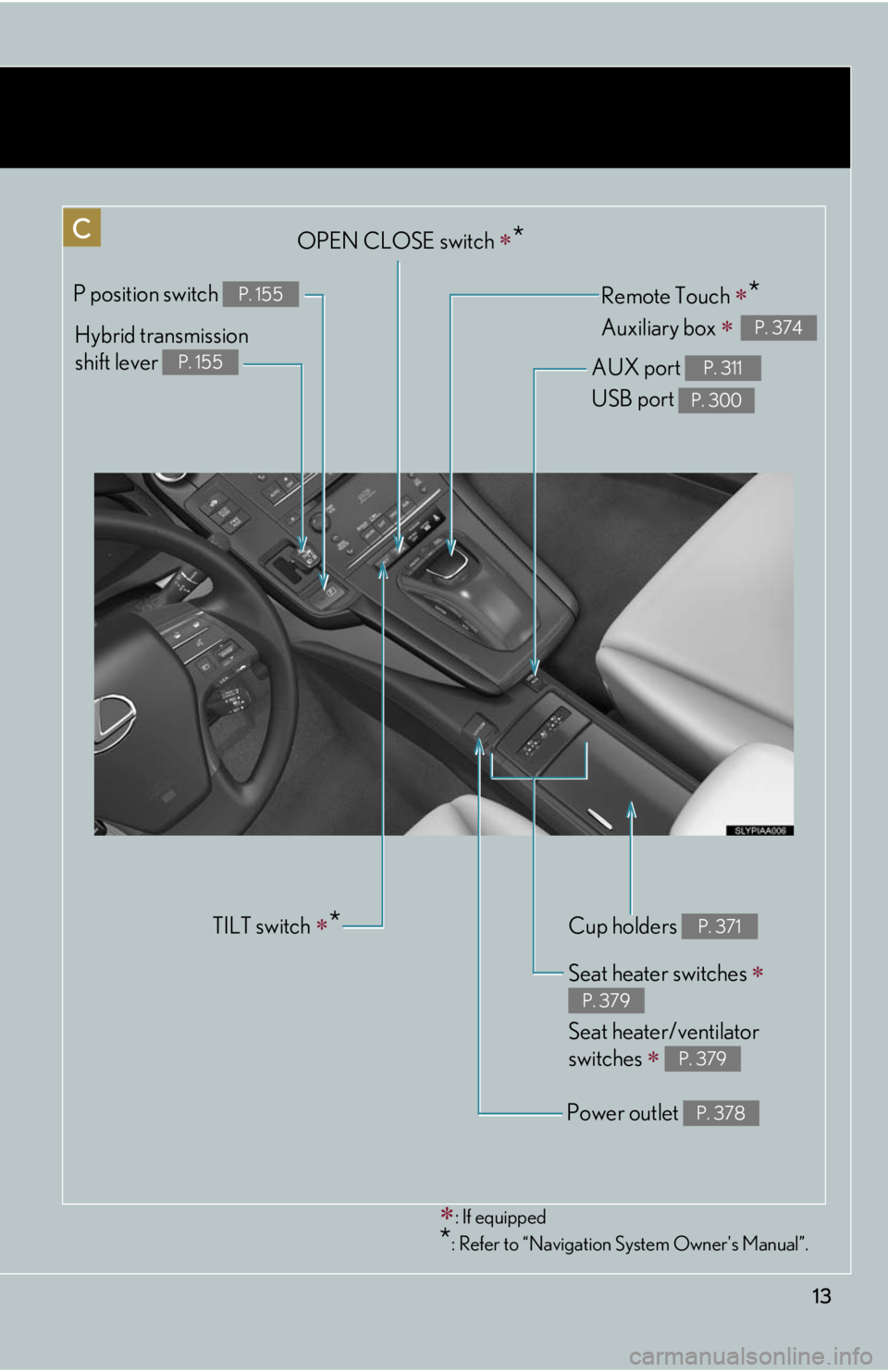
: If equipped
*: Refer to “Navigation System Owner's Manual”.
Cup holders P. 371
Remote Touch *
Auxiliary box
P. 374
Power outlet P. 378
Seat heater switches
Seat heater/ventilator
switches
P. 379
P. 379
Hybrid transmission
shift lever
P. 155
P position switch P. 155
OPEN CLOSE switch *
AUX port
USB port
P. 311
P. 300
TILT switch *
Page 254 of 628
254
3-1. Using the air conditioning system and defogger
Automatic air conditioning
system..................................... 256
Rear window defogger switch ...................................... 264
Windshield wiper de-icer .... 265
3-2. Using the audio system Audio system........................... 266
Using the radio ....................... 269
Using the CD player .............. 277
Playing MP3 and WMA discs......................................... 285
Operating an iPod ................. 292
Operating a USB memory.................................. 300
Optimal use of the audio
system..................................... 308
Using the AUX port ................ 311
Using the steering wheel
audio switches....................... 312
Interior features3
Page 267 of 628
267
3-2. Using the audio system
3
Interior features
■Using cellular phones
Interference may be heard through the audio system’s speakers if a cellular phone is
being used inside or close to the vehicle while the audio system is operating.
Ti t l ePa g e
Using the radioP. 2 6 9
Using the CD playerP. 2 7 7
Playing MP3 and WMA discsP. 2 8 5
Operating an iPodP. 2 9 2
Operating a USB memoryP. 3 0 0
Optimal use of the audio systemP. 3 0 8
Using the AUX portP. 3 1 1
Using the steering wheel audio switchesP. 3 1 2
Page 300 of 628
300
3-2. Using the audio system
Operating a USB memory
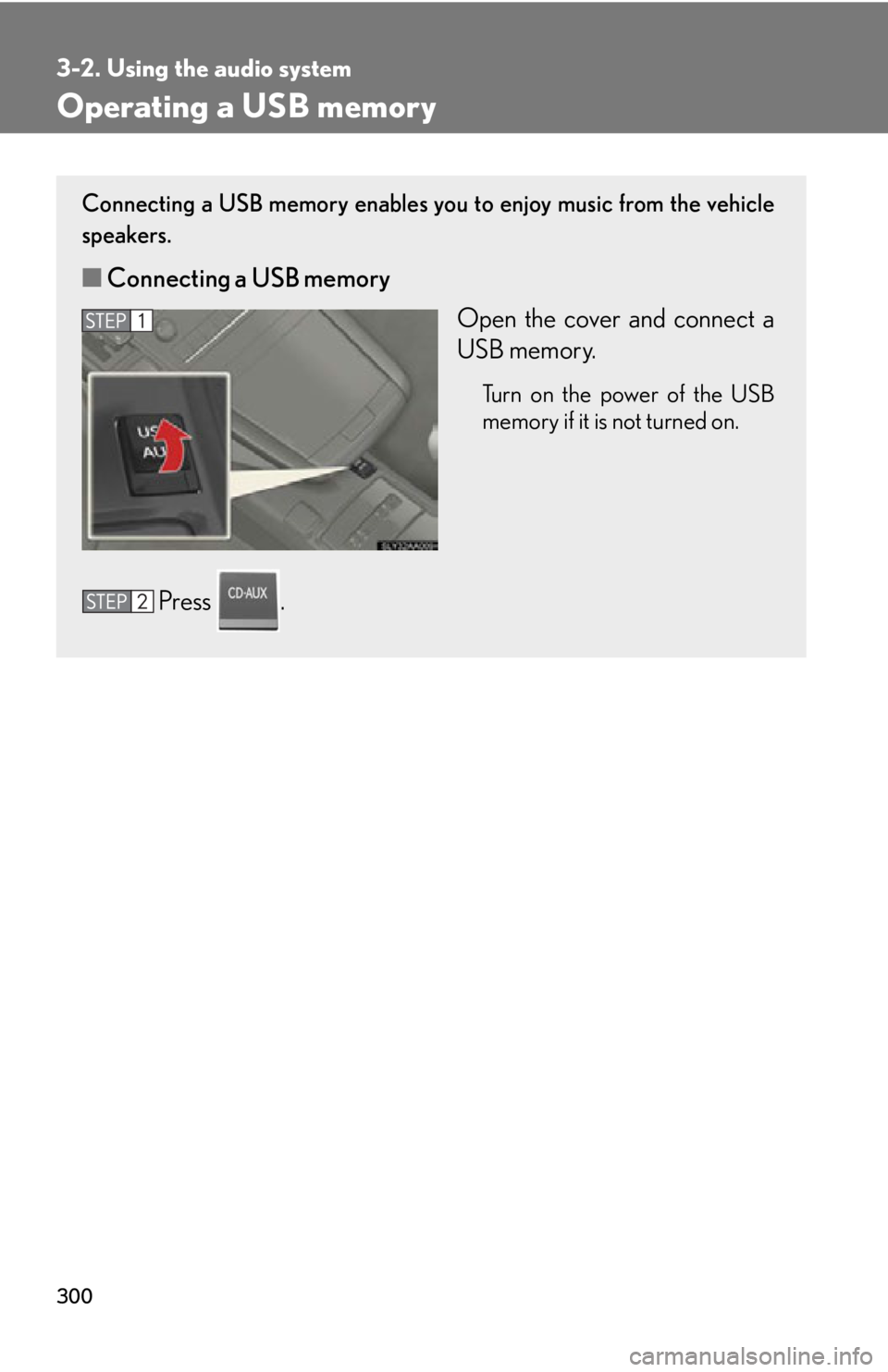
Connecting a USB memory enables you to enjoy music from the vehicle
speakers.
■Connecting a USB memory
Open the cover and connect a
USB memory.
Turn on the power of the USB
memory if it is not turned on.
Press .
Page 303 of 628
303
3-2. Using the audio system
3
Interior features
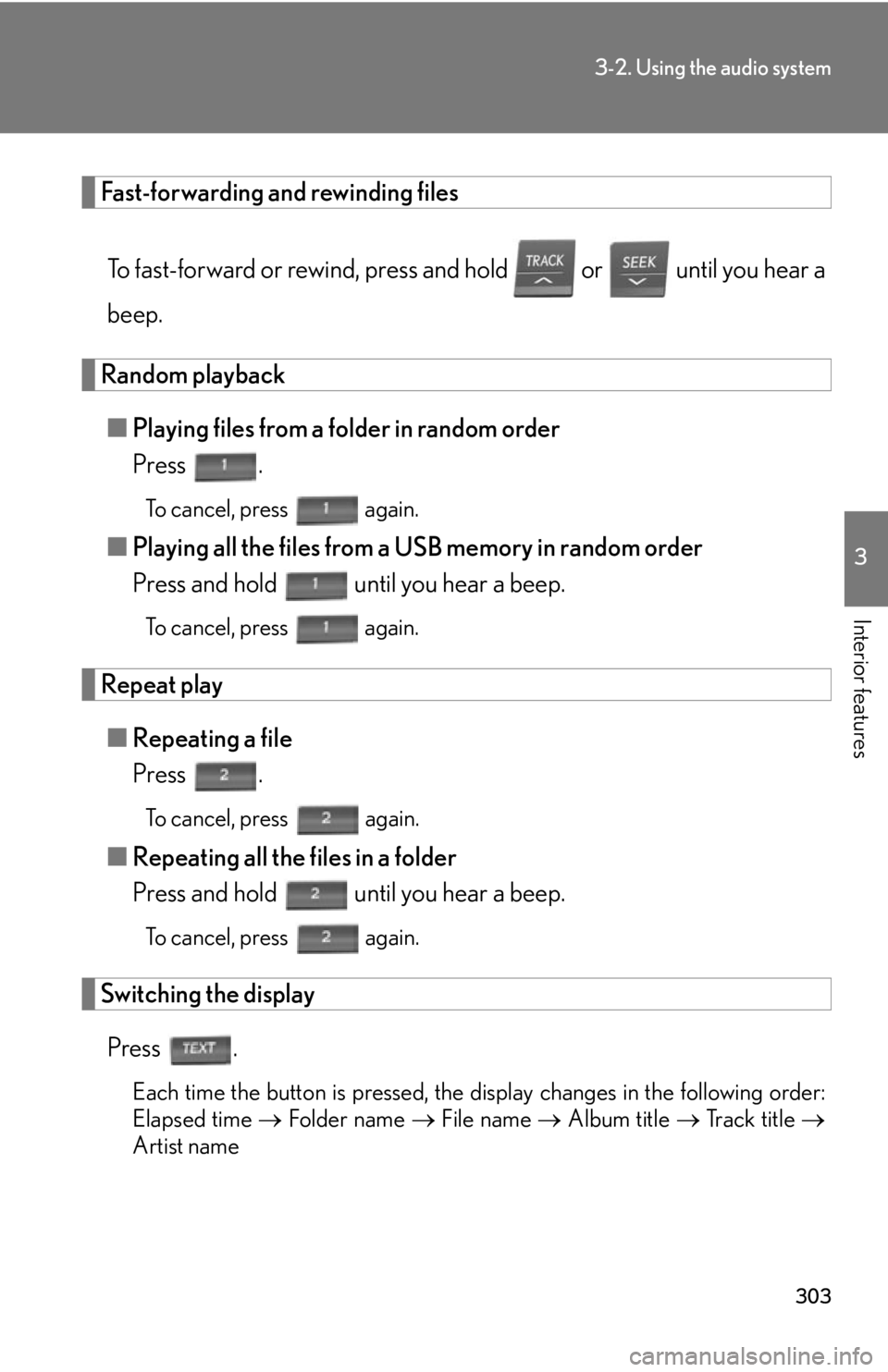
Fast-forwarding and rewinding filesTo fast-forward or rewind, press and hold or until you hear a
beep.
Random playback■ Playing files from a folder in random order
Press .
To cancel, press again.
■Playing all the files from a USB memory in random order
Press and hold until you hear a beep.
To cancel, press again.
Repeat play
■ Repeating a file
Press .
To cancel, press again.
■Repeating all the files in a folder
Press and hold until you hear a beep.
To cancel, press again.
Switching the display
Press .
Each time the button is pressed, the display changes in the following order:
Elapsed time Folder name File name Album title Track title
Artist name
Page 304 of 628

304
3-2. Using the audio system
■USB memory functions
Depending on the USB memory that is connected to the system, certain functions
may not be available. Disconnecting the device and reconnecting it once again may
resolve some malfunctions.
■Display
P. 2 8 1
■Routing portable audio device cables
P. 2 9 7
■Error messages
“ERROR”: This indicates a problem in the USB memory or its connection.
“NO MUSIC”: This indicates that no MP 3/WMA files are included in the USB
memory.
■USB memory
●Compatible devices
USB memory that can be used for MP3 and WMA playback
●Compatible device formats
The following device formats can be used:
• USB communication formats: USB2.0 FS (12mbps)
• File formats: FAT16/32 (Windows
®)
• Correspondence class: Mass storage class
MP3 and WMA files written in any format other than those listed above may not
play correctly, and their file names an d folder names may not be displayed cor-
rectly.
Items related to standards and limitations are as follows:
• Maximum directory hierarchy: 8 levels
• Maximum number of folders in a device: 999 (including the root)
• Maximum number of files in a device: 65025
• Maximum number of files per folder: 255
Page 306 of 628

306
3-2. Using the audio system
●ID3 and WMA tags
ID3 tags can be added to MP3 files, making it possible to record the track title,
artist name, etc.
The system is compatible with ID3 Ver. 1.0, 1.1, and Ver. 2.2, 2.3, 2.4 ID3 tags.
(The number of characters is based on ID3 Ver. 1.0 and 1.1.)
WMA tags can be added to WMA files, making it possible to record the track
title and artist name in the same way as with ID3 tags.
●MP3 and WMA playback
• When a device containing MP3 or WMA files is connected, all files in theUSB memory device are checked. Once the file check is finished, the first
MP3 or WMA file is played. To make the file check finish more quickly, we
recommend that you do not include any files other than MP3 or WMA files
or create any unnecessary folders.
• When the USB device is connected and the audio source is changed to USB
memory mode, the USB device will start playing the first file in the first folder.
If the same device is removed and reinserted (and the contents have not been
changed), the USB device will resume play from the same point in which it
was last used.
●Extensions
If the file extensions .mp3 and .wma are used for files other than MP3 and WMA
files, they will be mistakenly recognized and played as MP3 and WMA files. This
may result in large amounts of interference and damage to the speakers.
●Playback
• To play MP3 files with steady sound quality, we recommend a fixed bit rate ofat least 128 kbps and a sampling frequency of 44.1 kHz.
• There is a wide variety of freeware and other encoding software for MP3 and WMA files on the market, and depending on the status of the encoding and
the file format, poor sound quality or noise at the start of playback may result.
In some cases, playback ma y not be possible at all.
•Microsoft
®, Windows®, and Windows Media are registered trademarks of
Microsoft Corporation in the U.S.A. and other countries.
Page 307 of 628
307
3-2. Using the audio system
3
Interior features
CAUTION
■Caution while driving
Do not connect USB memory or operate the controls.
NOTICE
■To prevent damage to USB memory
●Do not leave USB memory in the vehicle. The temperature inside the vehicle may
become high, resulting in damage to the player.
●Do not push down on or apply unnecess ary pressure to the USB memory while it
is connected as this may damage the USB memory or its terminal.
●Do not insert foreign objects into the port as this may damage the USB memory
or its terminal.
Page 312 of 628
312
3-2. Using the audio system
Using the steering wheel audio switches
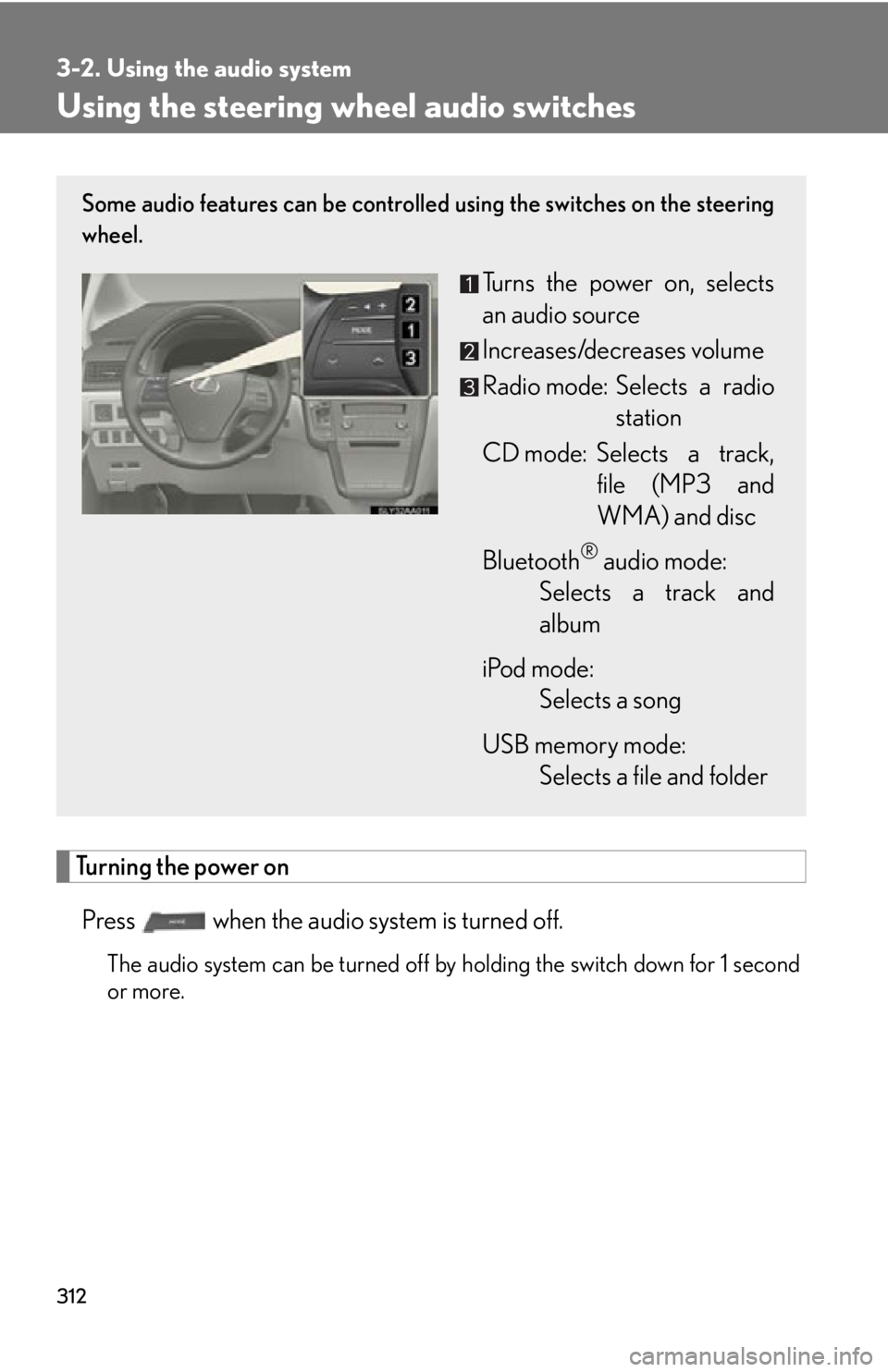
Turning the power on
Press when the audio system is turned off.
The audio system can be turned off by holding the switch down for 1 second
or more.
Some audio features can be controlled using the switches on the steering
wheel.
Turns the power on, selects
an audio source
Increases/decreases volume
Radio mode: Selects a radio
station
CD mode: Selects a track, file (MP3 and
WMA) and disc
Bluetooth
® audio mode:
Selects a track and
album
iPod mode: Selects a song
USB memory mode: Selects a file and folder