clock Lexus HS250h 2011 Hybrid system / LEXUS 2011 HS250H OWNERS MANUAL (OM75037U)
[x] Cancel search | Manufacturer: LEXUS, Model Year: 2011, Model line: HS250h, Model: Lexus HS250h 2011Pages: 628, PDF Size: 10.69 MB
Page 5 of 628

1
2
3
4
5
6
7
5
3-6. Using the storage featuresList of storage features............... 367
• Glove box ................................... 368
• Console box ................................ 369
• Cup holders.................................. 371
• Bottle holders ............................. 373
• Auxiliary boxes........................... 374
3-7. Other interior features Sun visors......................................... 375
Vanity mirrors ................................ 376
Clock ................................................. 377
Power outlets ................................. 378
Seat heaters and ventilators ..................................... 379
Armrest ............................................. 381
Rear sunshade .............................. 382
Floor mat......................................... 384
Trunk compartment features......................................... 386
Garage door opener................. 388
Compass.......................................... 396
Safety Connect ............................ 400 4-1. Maintenance and care
Cleaning and protecting the vehicle exterior.................. 408
Cleaning and protecting the vehicle interior ..................... 412
4-2. Maintenance Maintenance requirements ...... 415
General maintena nce .................. 417
Emission inspection and maintenance (I/M)
programs ....................................... 421
4-3. Do-it-yourself maintenance Do-it-yourself service precautions .................................. 422
Hood ................................................. 425
Positioning a floor jack............... 426
Engine compartment.................. 428
12-volt battery................................ 439
Tires ................................................... 443
Tire inflation pressure.................. 451
Wheels ............................................. 454
Air conditioning filter.................. 456
Electronic key battery ................ 459
Checking and replacing fuses ................................................. 461
Headlight aim (LED headlights) ....................... 473
Light bulbs ....................................... 475
4Maintenance and care
Page 15 of 628
15
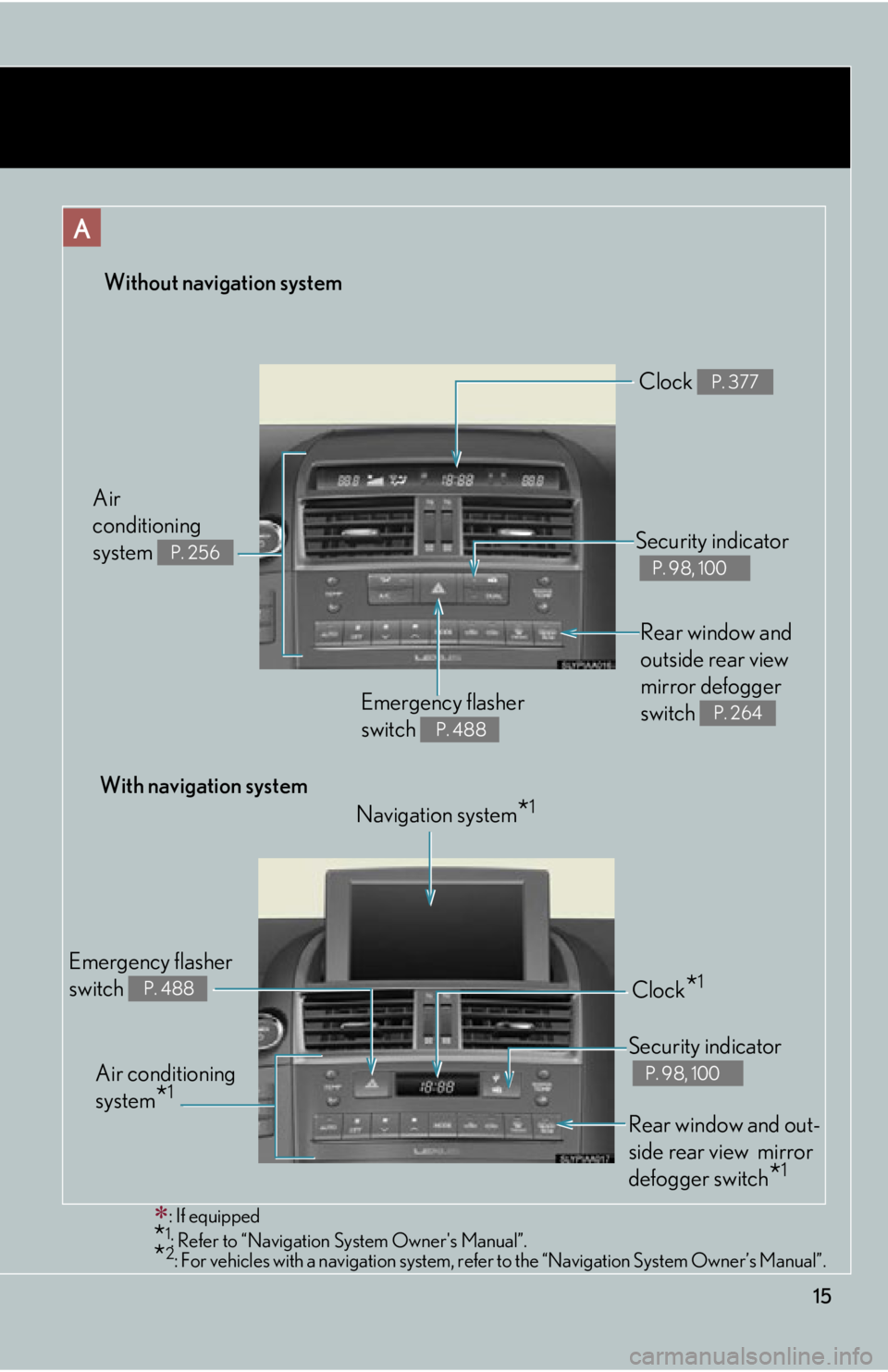
Without navigation system
: If equipped
*1: Refer to “Navigation System Owner's Manual”.*2: For vehicles with a navigation system, refe r to the “Navigation System Owner’s Manual”.
Rear window and
outside rear view
mirror defogger
switch
P. 264Emergency flasher
switch
P. 488
Security indicator
P. 98, 100
Clock P. 377
Air
conditioning
system
P. 256
With navigation system
Navigation system
*1
Air conditioning
system
*1
Emergency flasher
switch
P. 488Clock*1
Security indicator
P. 98, 100
Rear window and out-
side rear view mirror
defogger switch
*1
Page 255 of 628
Interior features3
255
3-3. Using the Bluetooth® audio
system
Bluetooth
® audio system ..... 315
Using the Bluetooth® audio
system ...................................... 318
Operating a Bluetooth
®
enabled portable player... 323
Setting up a Bluetooth
®
enabled portable player.... 326
Bluetooth
® audio system
setup ......................................... 331
3-4. Using the hands-free phone system (for cellular phones)
Hands-free system for
cellular phones.................... 332
Using the hands-free system (for cellular phones) ........... 336
Making a phone call .............. 344
Setting a cellular phone ....... 349
Security and system setup ........................................ 354
Using the phone book.......... 358
3-5. Using the interior lights Interior lights list ..................... 364
• Interior lights ........................ 365
• Personal lights ...................... 365 3-6. Using the storage features
List of storage features.......... 367
• Glove box .............................. 368
• Console box ......................... 369
• Cup holders ........................... 371
• Bottle holders....................... 373
• Auxiliary boxes .................... 374
3-7. Other interior features Sun visors ................................. 375
Vanity mirrors .......................... 376
Clock .......................................... 377
Power outlets .......................... 378
Seat heaters and ventilators ............................. 379
Armrest ..................................... 381
Rear sunshade ........................ 382
Floor mat .................................. 384
Trunk compartment features .................................. 386
Garage door opener ............ 388
Compass .................................. 396
Safety Connect ...................... 400
Page 309 of 628
309
3-2. Using the audio system
3
Interior features
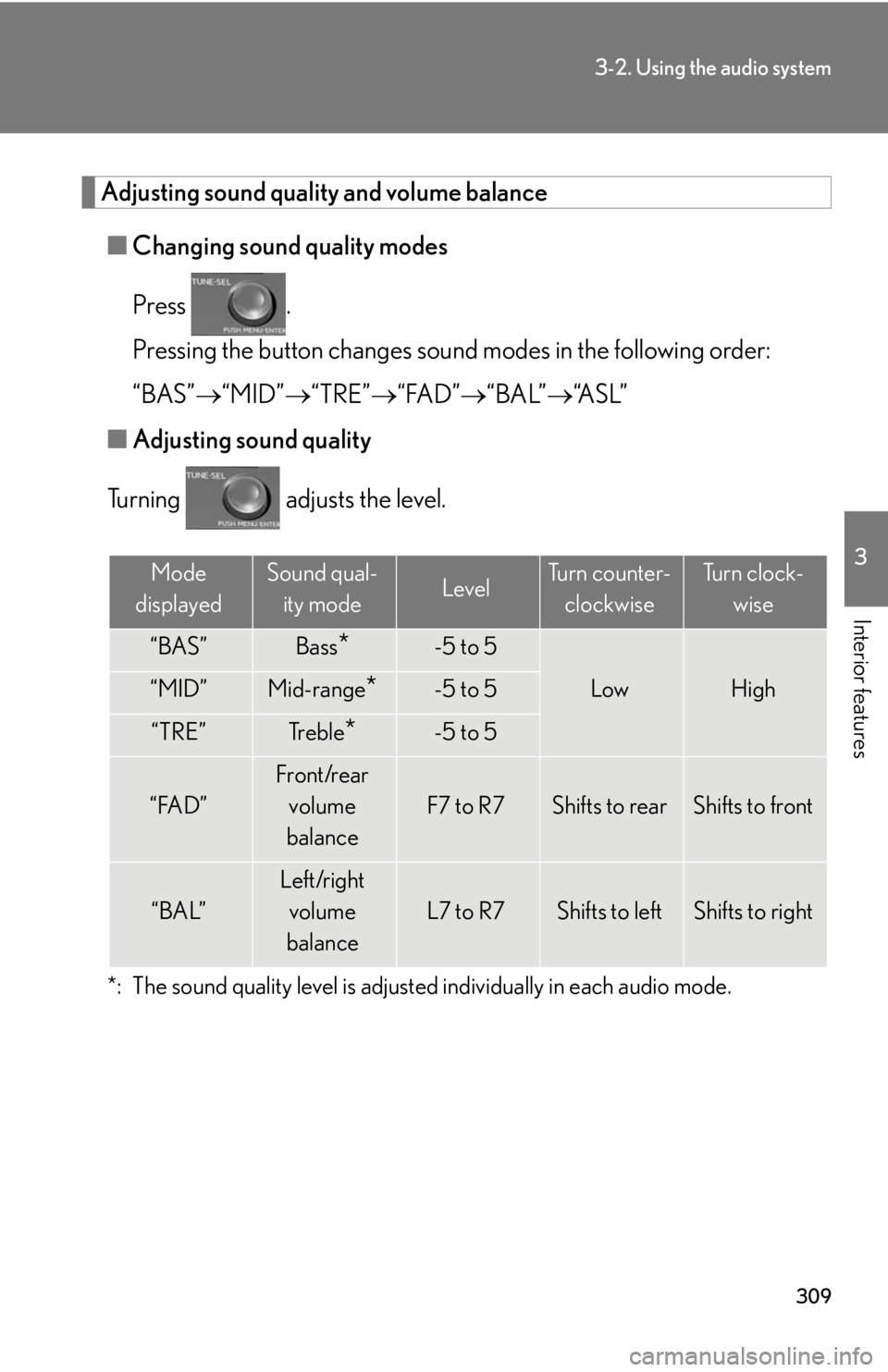
Adjusting sound quality and volume balance■ Changing sound quality modes
Press .
Pressing the button changes sound modes in the following order:
“BAS” “MID” “TRE” “FAD” “BAL”“A S L ”
■ Adjusting sound quality
Turning adjusts the level.
*: The sound quality level is adjusted individually in each audio mode.
Mode
displayedSound qual- ity modeLevelTurn counter- clockwiseTu r n c l o c k - wise
“BAS”Bass*-5 to 5
LowHigh“MID”Mid-range*-5 to 5
“TRE”Tr e b l e*-5 to 5
“FAD”
Front/rear volume
balance
F7 to R7Shifts to rearShifts to front
“BAL”
Left/right volume
balance
L7 to R7Shifts to leftShifts to right
Page 310 of 628
310
3-2. Using the audio system
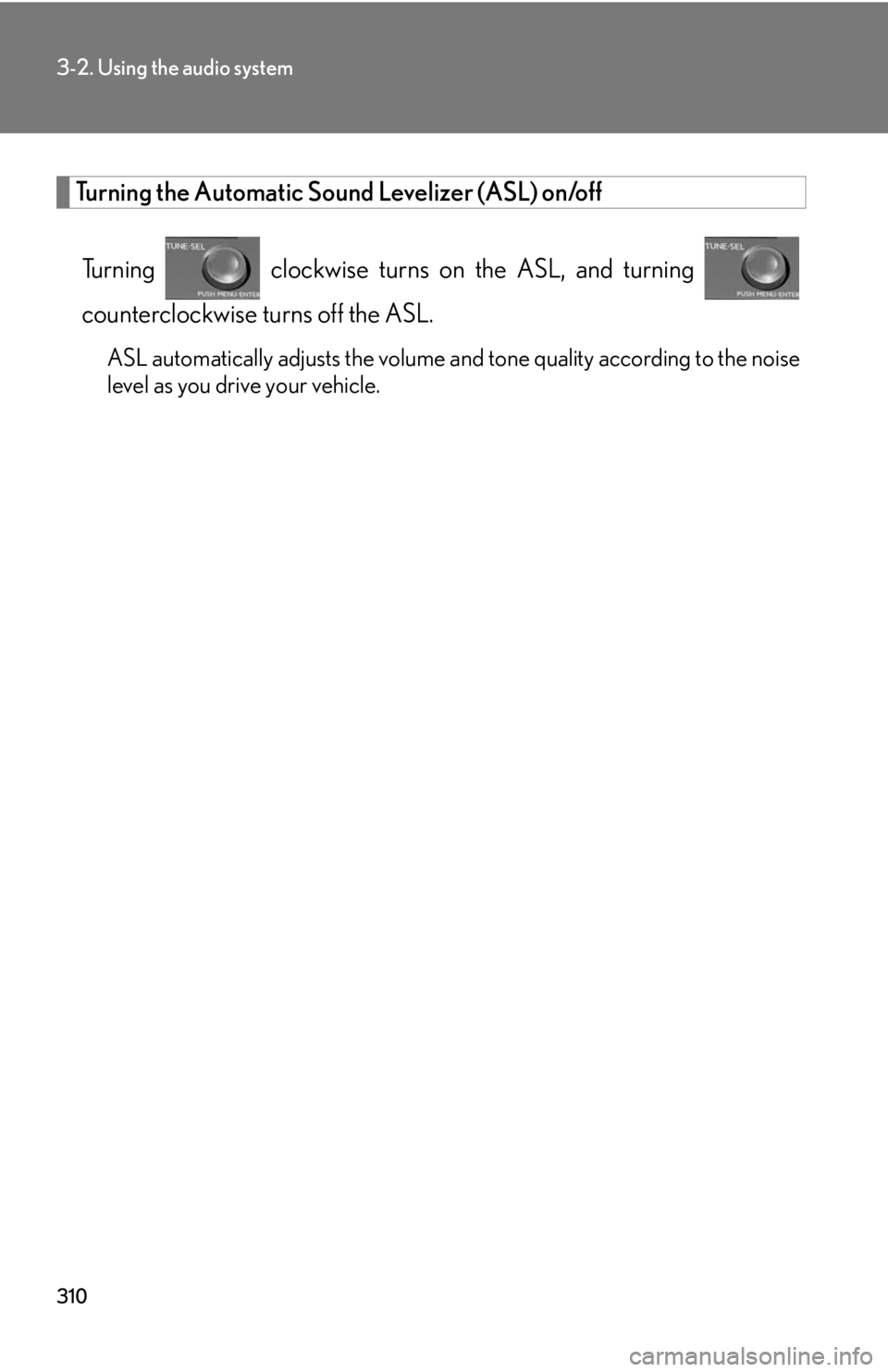
Turning the Automatic Sound Levelizer (ASL) on/offTurning clockwise turns on the ASL, and turning
counterclockwise turns off the ASL.
ASL automatically adjusts the volume an d tone quality according to the noise
level as you drive your vehicle.
Page 356 of 628
356
3-4. Using the hands-free phone system (for cellular phones)
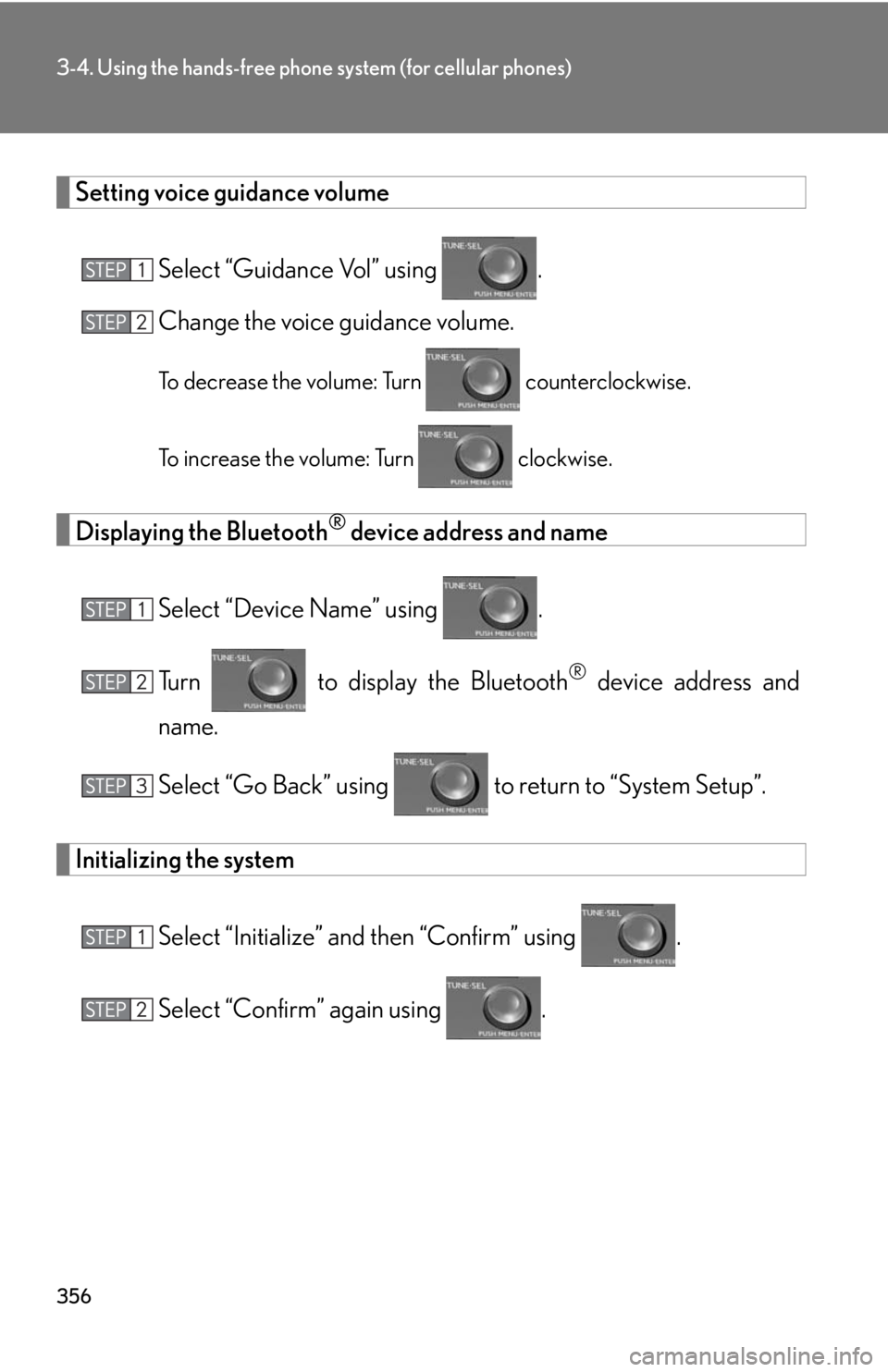
Setting voice guidance volumeSelect “Guidance Vol” using .
Change the voice guidance volume.
To decrease the volume: Turn counterclockwise.
To increase the volume: Turn clockwise.
Displaying the Bluetooth® device address and name
Select “Device Name” using .
Turn to display the Bluetooth
® device address and
name.
Select “Go Back” using to return to “System Setup”.
Initializing the system
Select “Initialize” and then “Confirm” using .
Select “Confirm” again using .
Page 377 of 628
377
3-7. Other interior features
3
Interior features
Clock
■The clock is displayed when
The “POWER” switch is in ACCESSORY or ON mode.
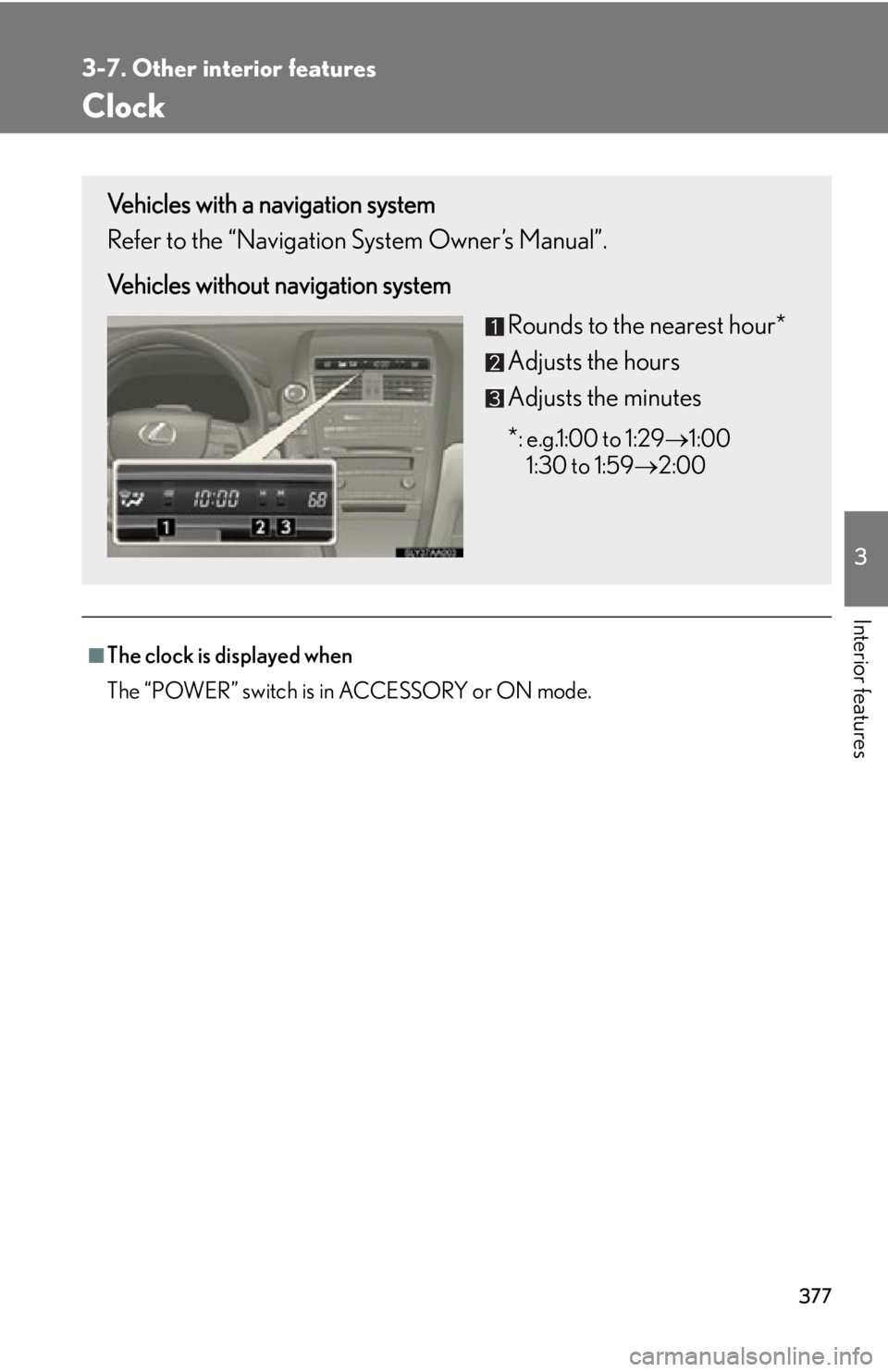
Vehicles with a navigation system
Refer to the “Navigation System Owner’s Manual”.
Vehicles without navigation systemRounds to the nearest hour*
Adjusts the hours
Adjusts the minutes
*
: e.g.1:00 to 1:291:00
1:30 to 1:59 2:00
Page 431 of 628
431
4-3. Do-it-yourself maintenance
4
Maintenance and care
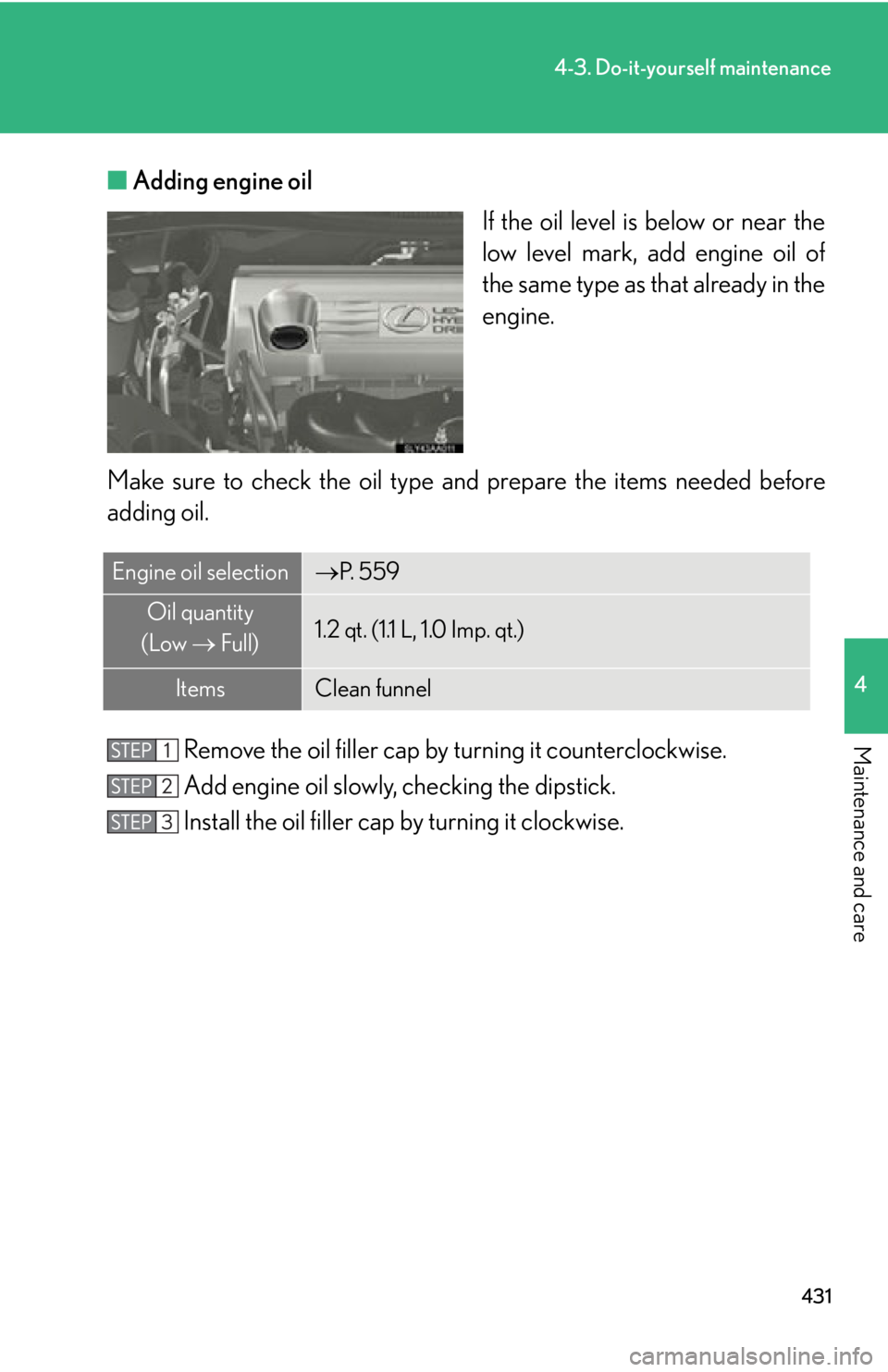
■Adding engine oil
If the oil level is below or near the
low level mark, add engine oil of
the same type as that already in the
engine.
Make sure to check th e oil type and prepare the items needed before
adding oil.
Remove the oil filler cap by turning it counterclockwise.
Add engine oil slowly, checking the dipstick.
Install the oil filler cap by turning it clockwise.
Engine oil selectionP. 5 5 9
Oil quantity
(Low Full)1.2 qt. (1.1 L, 1.0 Imp. qt.)
ItemsClean funnel
Page 466 of 628
466
4-3. Do-it-yourself maintenance
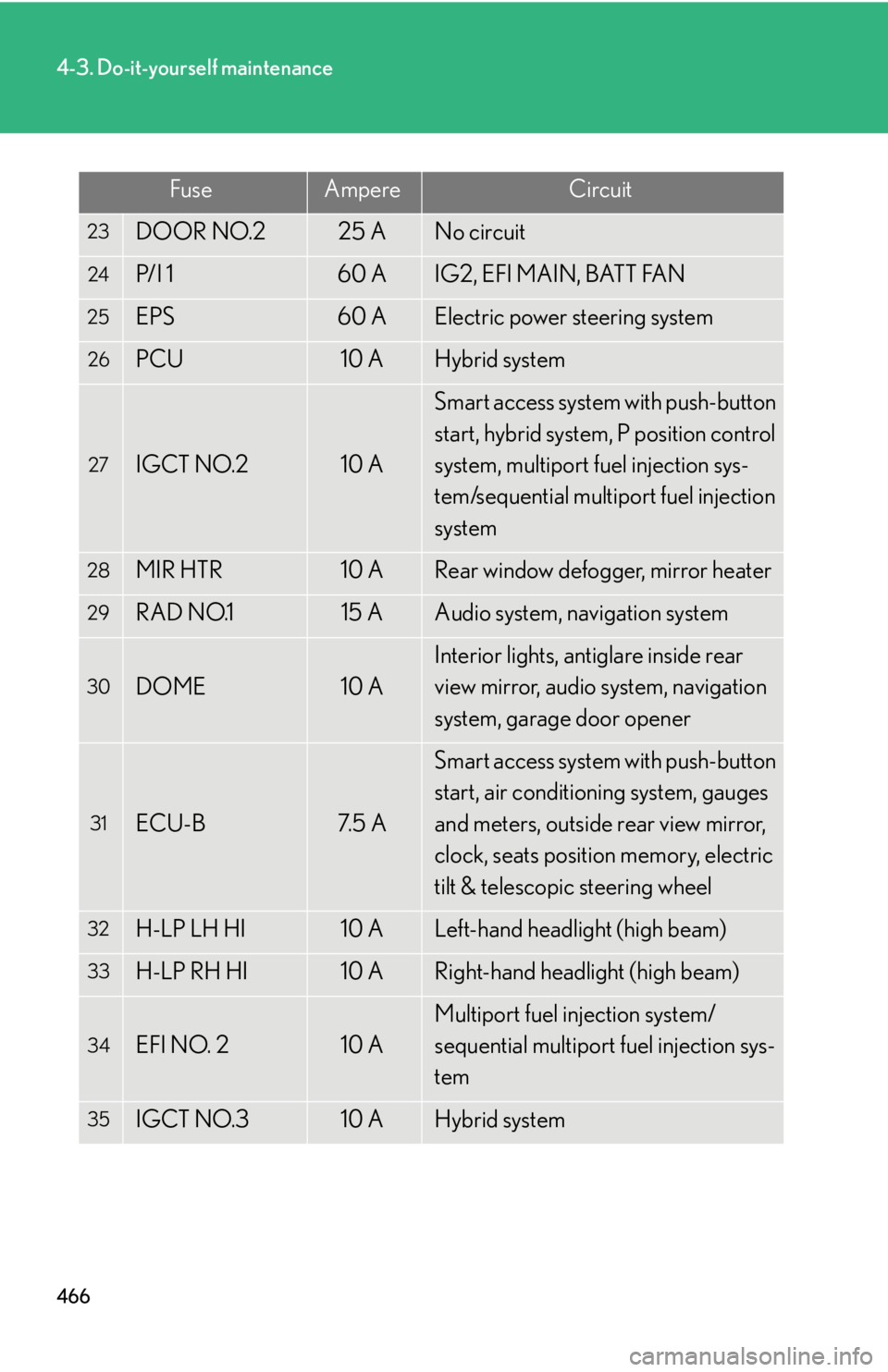
23DOOR NO.225 ANo circuit
24P/I 160 AIG2, EFI MAIN, BATT FAN
25EPS60 AElectric power steering system
26PCU10 AHybrid system
27IGCT NO.210 A
Smart access system with push-button
start, hybrid system, P position control
system, multiport fuel injection sys-
tem/sequential multiport fuel injection
system
28MIR HTR10 ARear window defogger, mirror heater
29RAD NO.115 AAudio system, navigation system
30DOME10 A
Interior lights, antiglare inside rear
view mirror, audio system, navigation
system, garage door opener
31ECU-B7. 5 A
Smart access system with push-button
start, air conditioning system, gauges
and meters, outside rear view mirror,
clock, seats position memory, electric
tilt & telescopic steering wheel
32H-LP LH HI10 ALeft-hand headlight (high beam)
33H-LP RH HI10 ARight-hand headlight (high beam)
34EFI NO. 210 A
Multiport fuel injection system/
sequential multiport fuel injection sys-
tem
35IGCT NO.310 AHybrid system
FuseAmpereCircuit
Page 477 of 628
477
4-3. Do-it-yourself maintenance
4
Maintenance and care
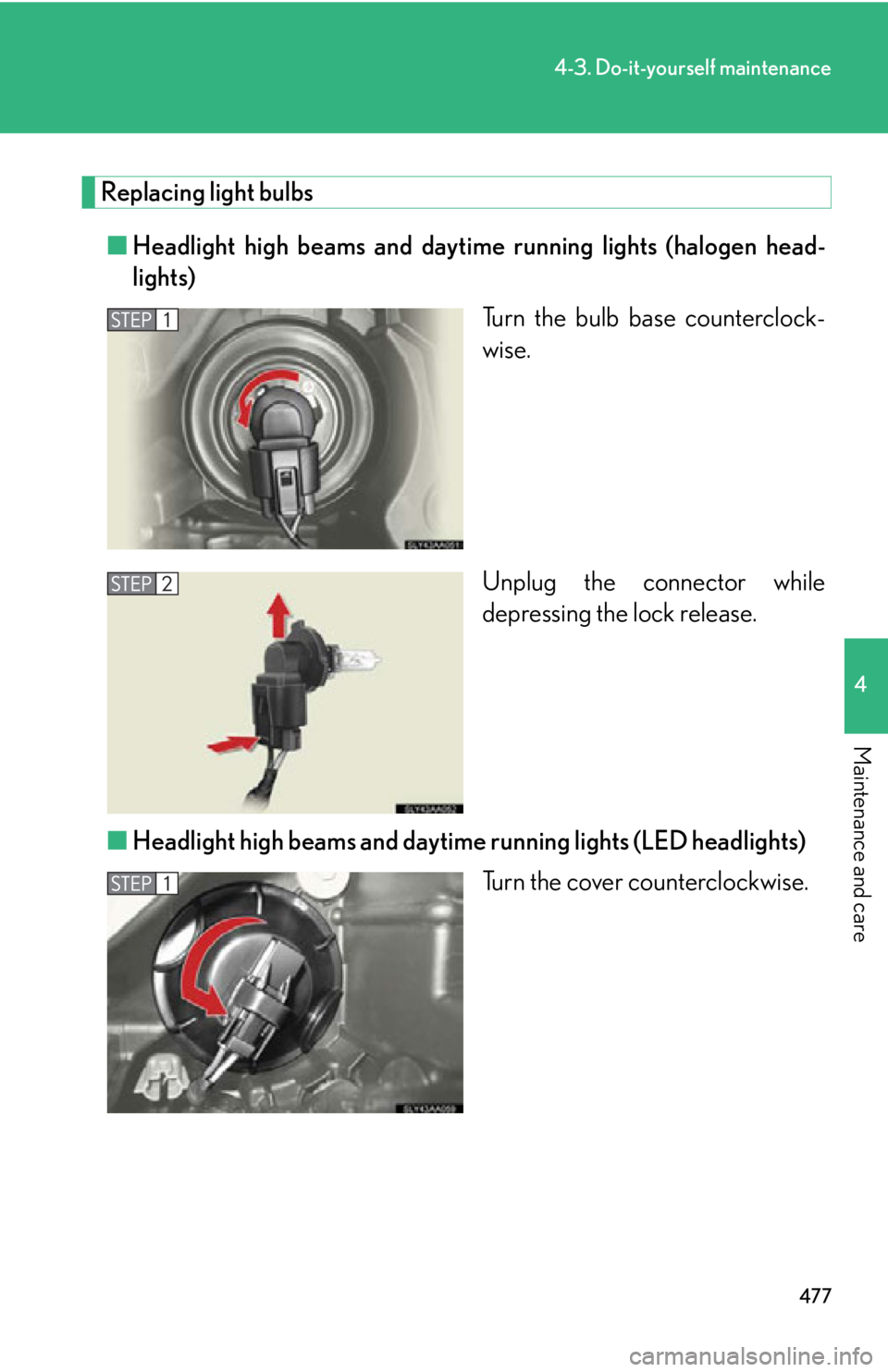
Replacing light bulbs■ Headlight high beams and daytime running lights (halogen head-
lights)
Turn the bulb base counterclock-
wise.
Unplug the connector while
depressing the lock release.
■ Headlight high beams and daytime running lights (LED headlights)
Turn the cover counterclockwise.