clock Lexus HS250h 2012 User Guide
[x] Cancel search | Manufacturer: LEXUS, Model Year: 2012, Model line: HS250h, Model: Lexus HS250h 2012Pages: 630, PDF Size: 16.1 MB
Page 485 of 630
484
4-3. Do-it-yourself maintenance
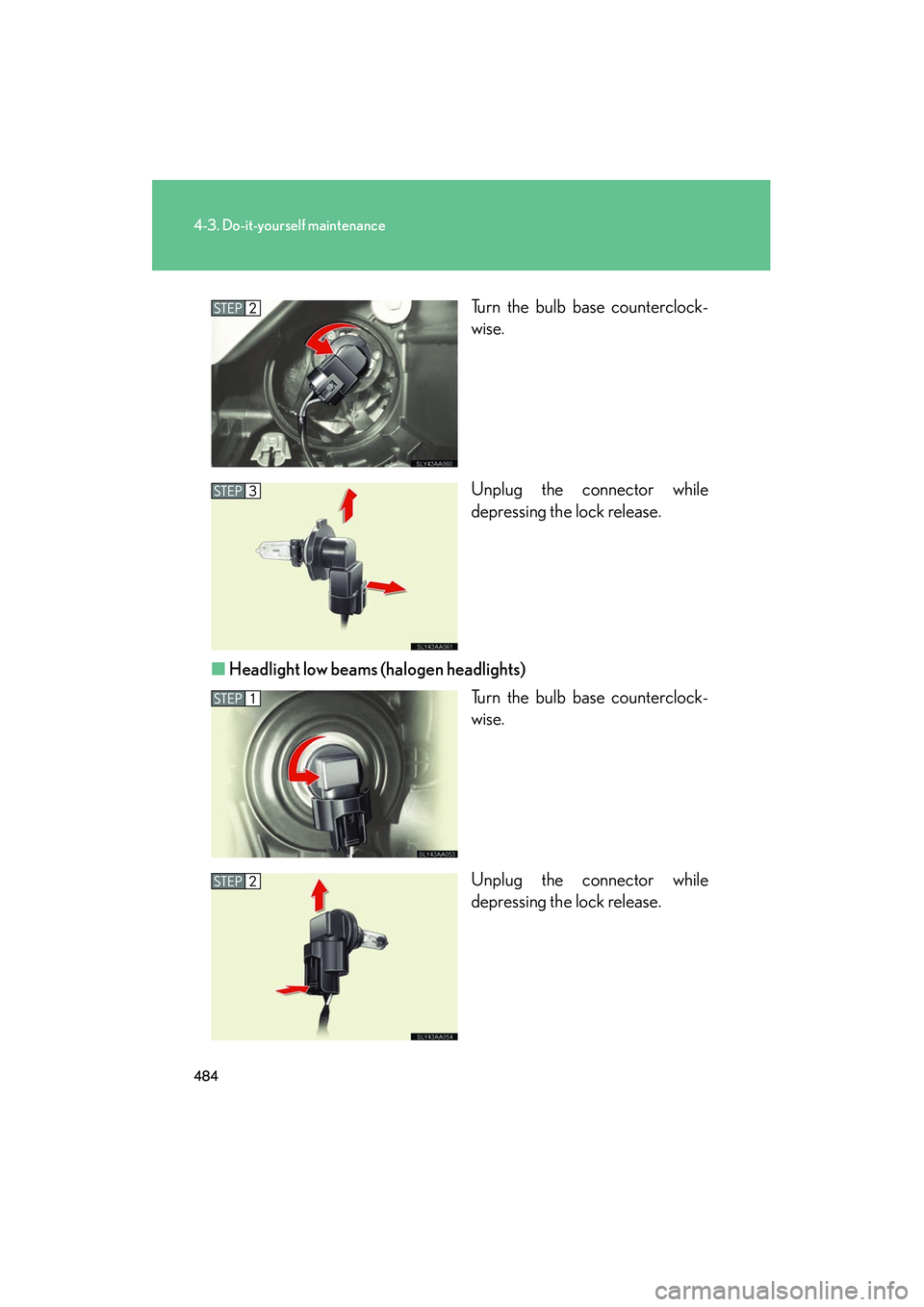
HS250h_U_75050UTurn the bulb base counterclock-
wise.
Unplug the connector while
depressing the lock release.
■ Headlight low beams (halogen headlights)
Turn the bulb base counterclock-
wise.
Unplug the connector while
depressing the lock release.
Page 486 of 630
485
4-3. Do-it-yourself maintenance
4
Maintenance and care
HS250h_U_75050U■
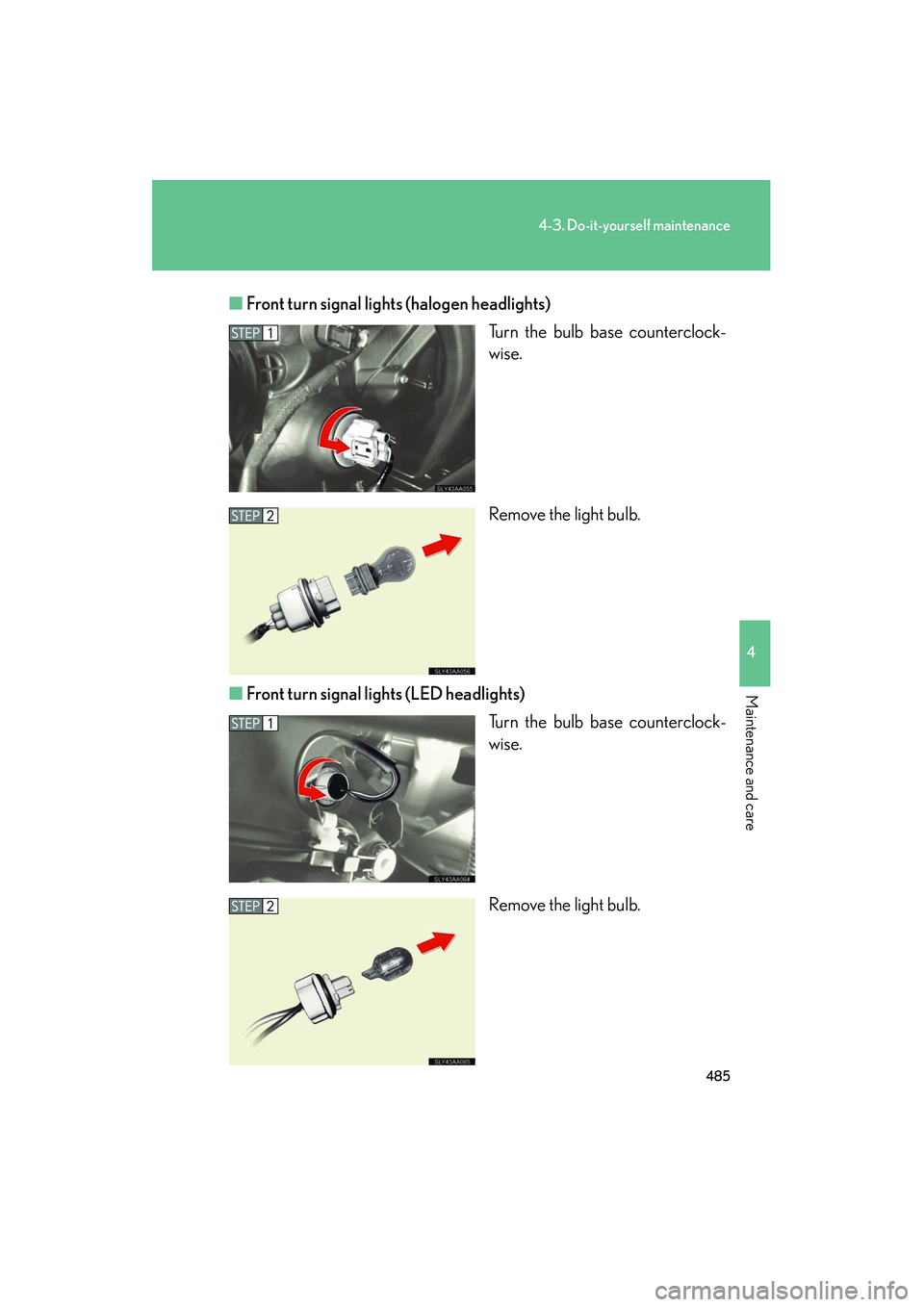
Front turn signal lights (halogen headlights)
Turn the bulb base counterclock-
wise.
Remove the light bulb.
■ Front turn signal lights (LED headlights)
Turn the bulb base counterclock-
wise.
Remove the light bulb.
Page 487 of 630
486
4-3. Do-it-yourself maintenance
HS250h_U_75050U■
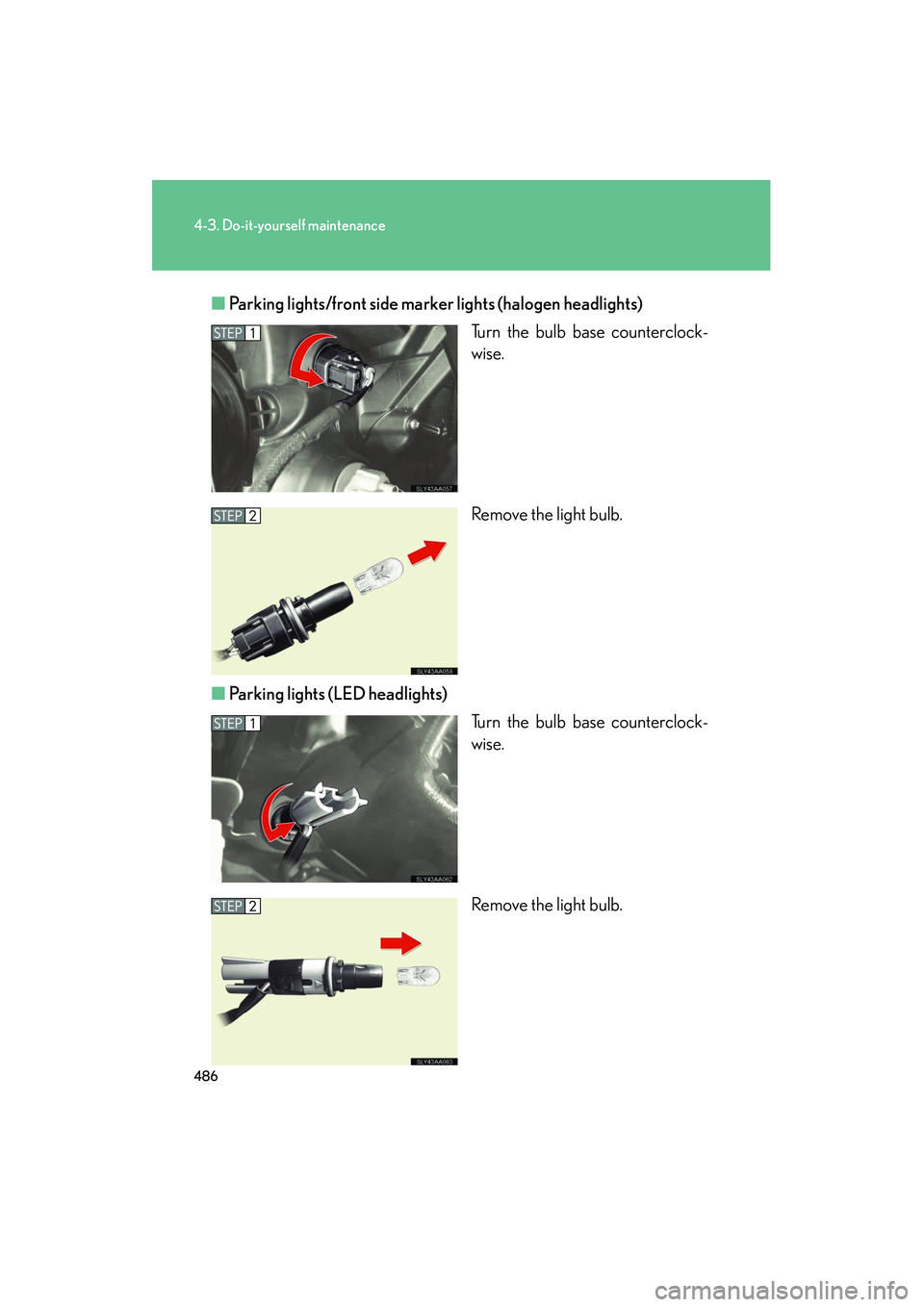
Parking lights/front side marker lights (halogen headlights)
Turn the bulb base counterclock-
wise.
Remove the light bulb.
■ Parking lights (LED headlights)
Turn the bulb base counterclock-
wise.
Remove the light bulb.
Page 488 of 630
487
4-3. Do-it-yourself maintenance
4
Maintenance and care
HS250h_U_75050U■
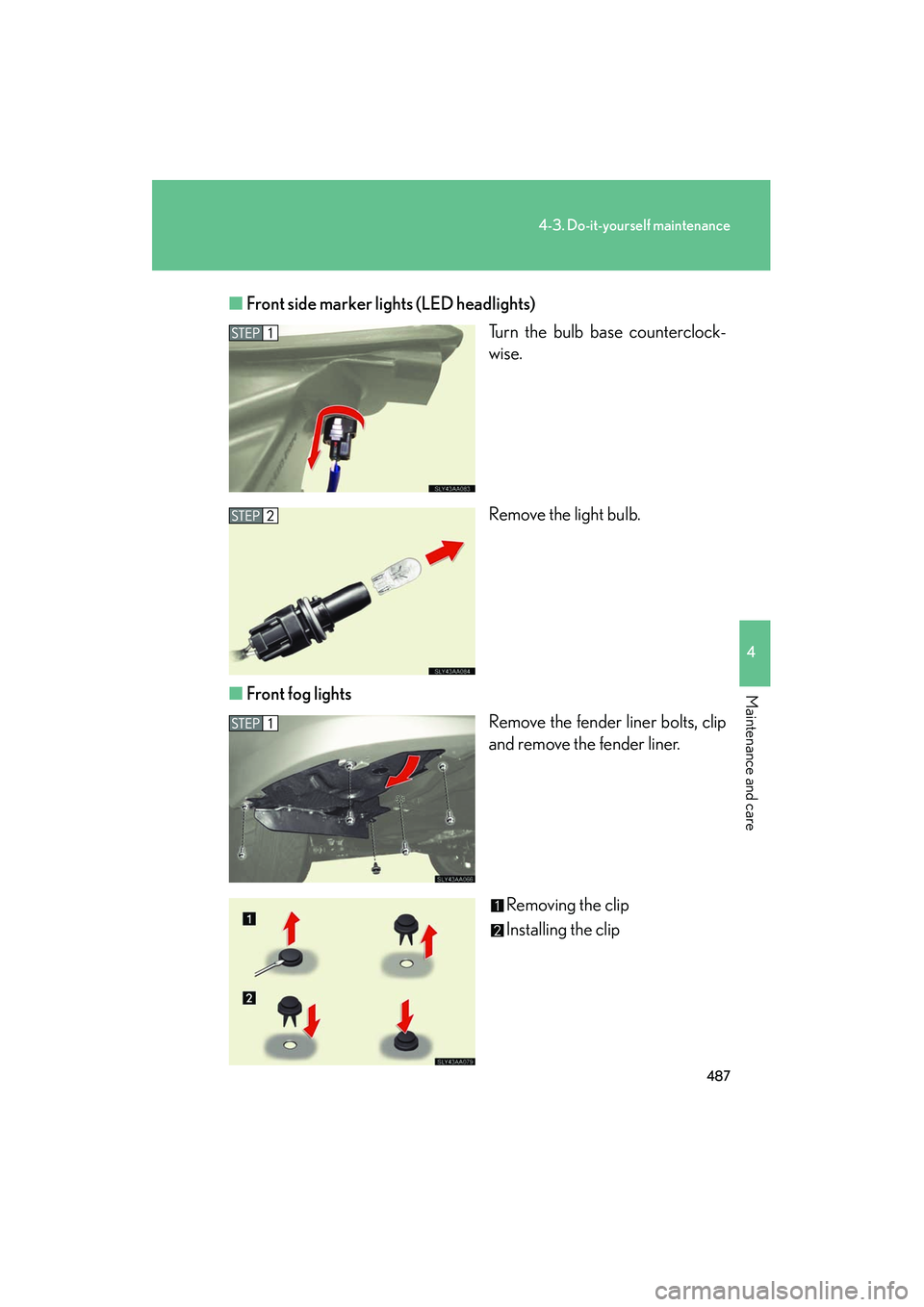
Front side marker lights (LED headlights)
Turn the bulb base counterclock-
wise.
Remove the light bulb.
■ Front fog lights
Remove the fender liner bolts, clip
and remove the fender liner.
Removing the clip
Installing the clip
Page 489 of 630
488
4-3. Do-it-yourself maintenance
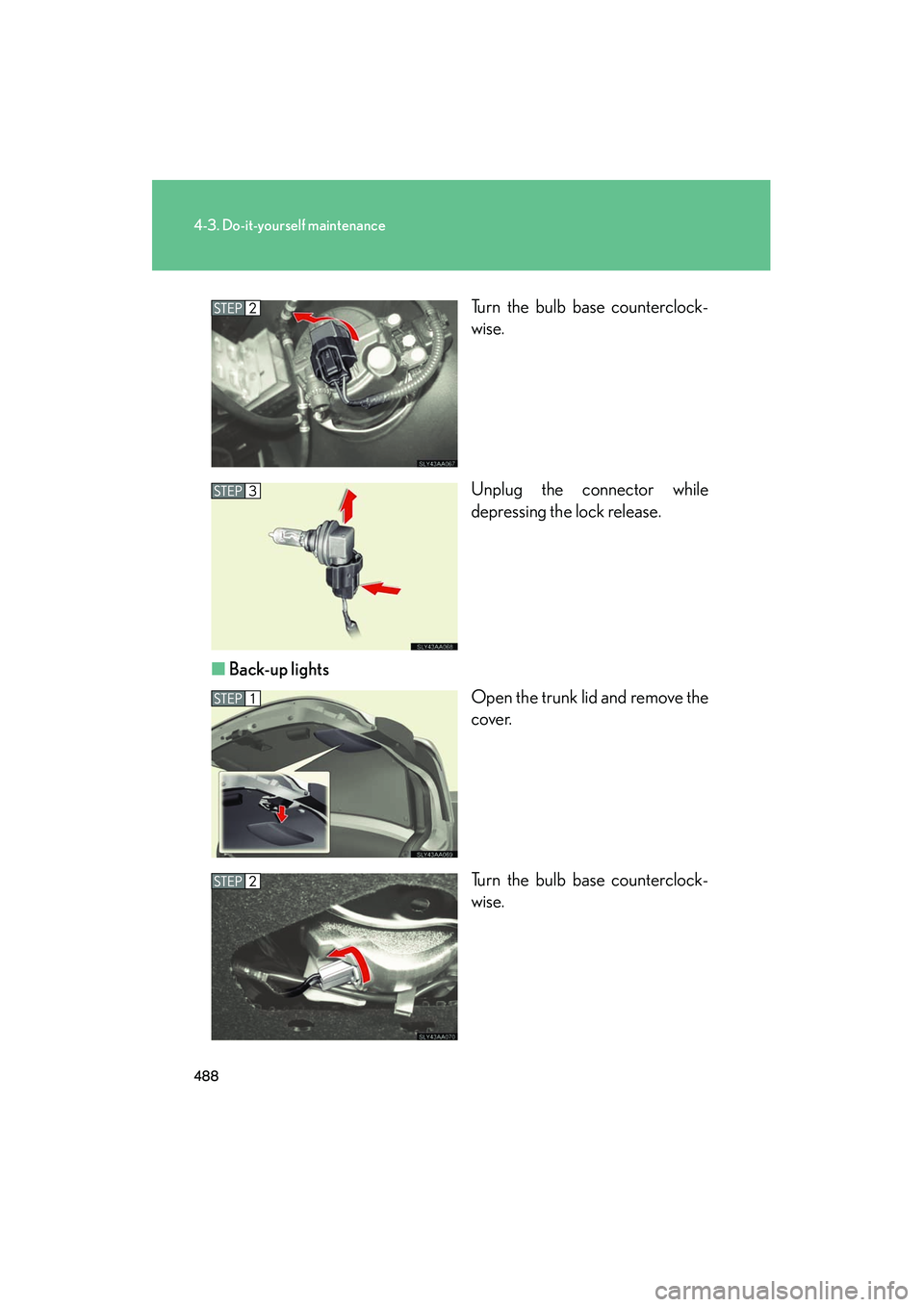
HS250h_U_75050UTurn the bulb base counterclock-
wise.
Unplug the connector while
depressing the lock release.
■ Back-up lights
Open the trunk lid and remove the
cover.
Turn the bulb base counterclock-
wise.
Page 490 of 630
489
4-3. Do-it-yourself maintenance
4
Maintenance and care
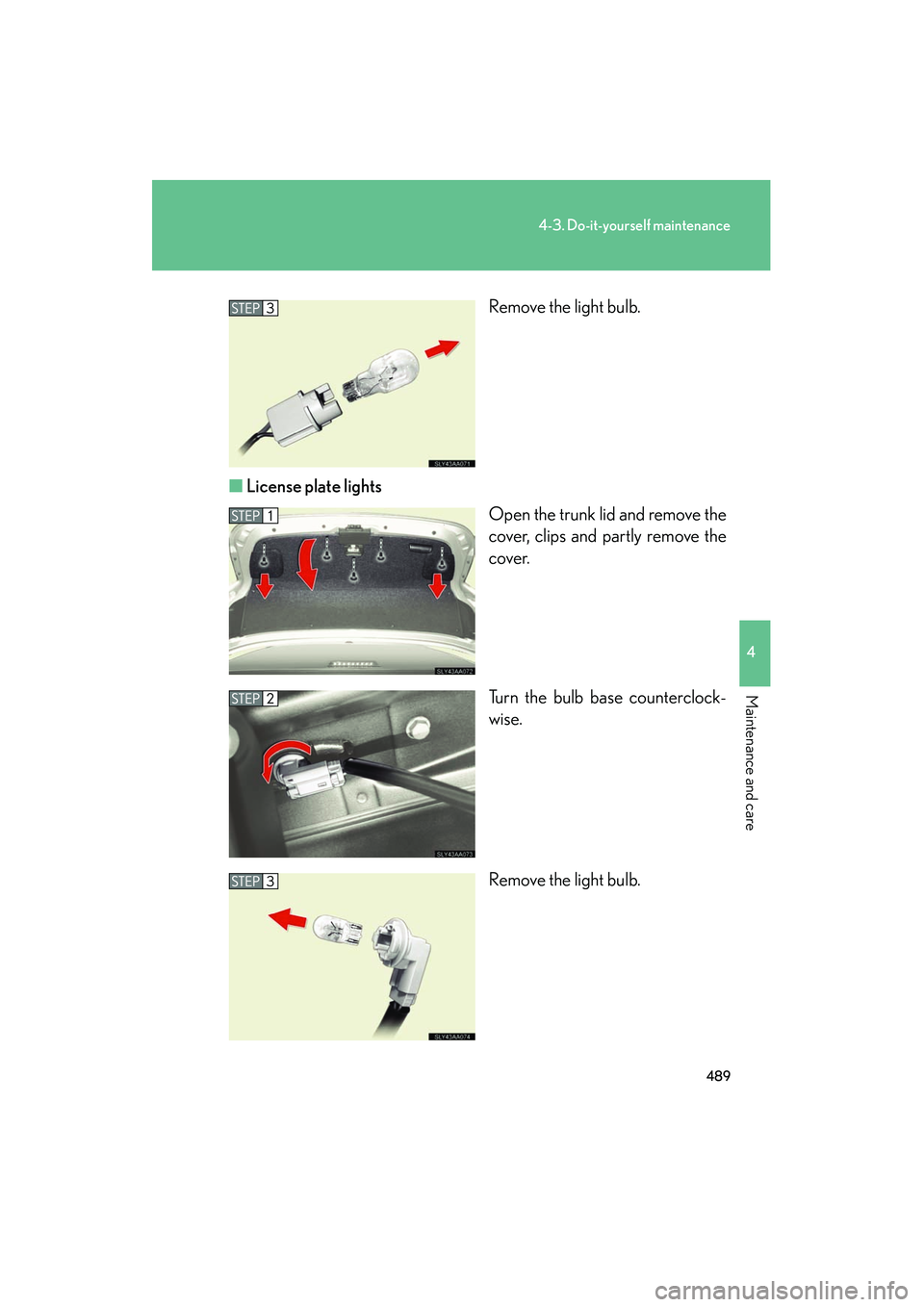
HS250h_U_75050URemove the light bulb.
■ License plate lights
Open the trunk lid and remove the
cover, clips and partly remove the
cover.
Turn the bulb base counterclock-
wise.
Remove the light bulb.
Page 491 of 630
490
4-3. Do-it-yourself maintenance
HS250h_U_75050U■
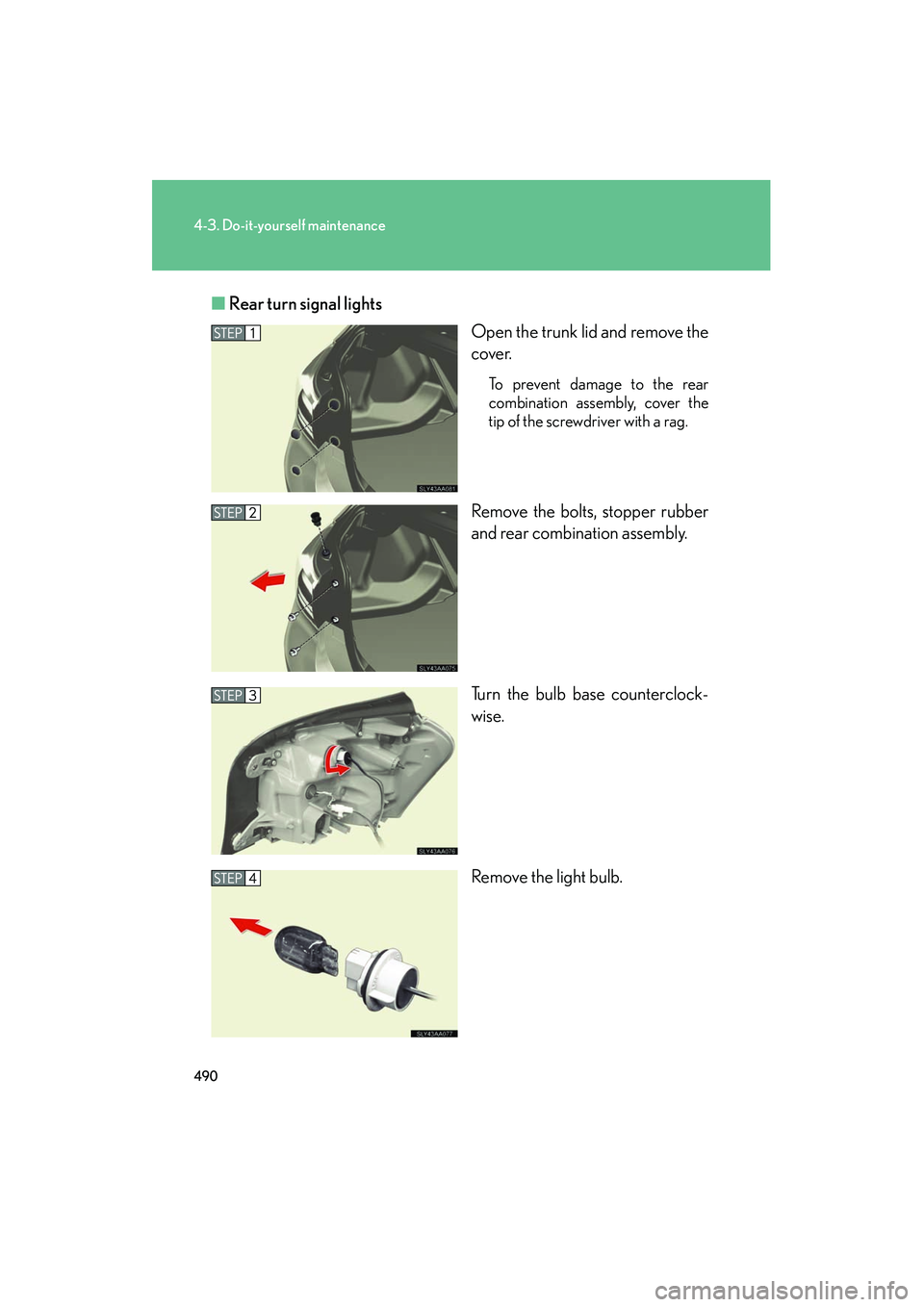
Rear turn signal lights
Open the trunk lid and remove the
cover.
To prevent damage to the rear
combination assembly, cover the
tip of the screwdriver with a rag.
Remove the bolts, stopper rubber
and rear combination assembly.
Turn the bulb base counterclock-
wise.
Remove the light bulb.
Page 546 of 630
5
When trouble arises
545
5-2. Steps to take in an emergency
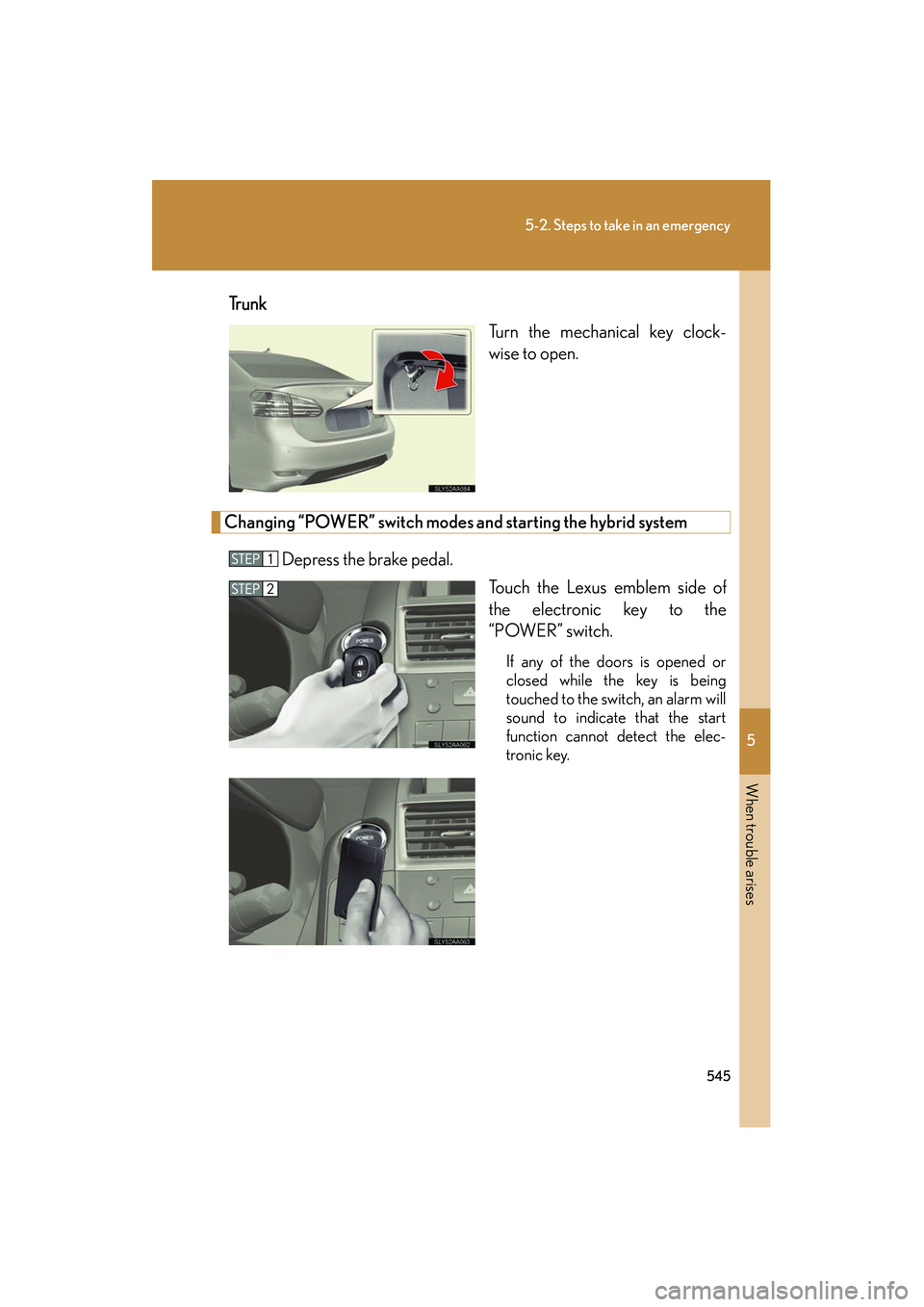
HS250h_U_75050UTr u n k
Turn the mechanical key clock-
wise to open.
Changing “POWER” switch modes and starting the hybrid system
Depress the brake pedal. Touch the Lexus emblem side of
the electronic key to the
“POWER” switch.
If any of the doors is opened or
closed while the key is being
touched to the switch, an alarm will
sound to indicate that the start
function cannot detect the elec-
tronic key.
Page 616 of 630
615
Alphabetical index
HS250h_U_75050U
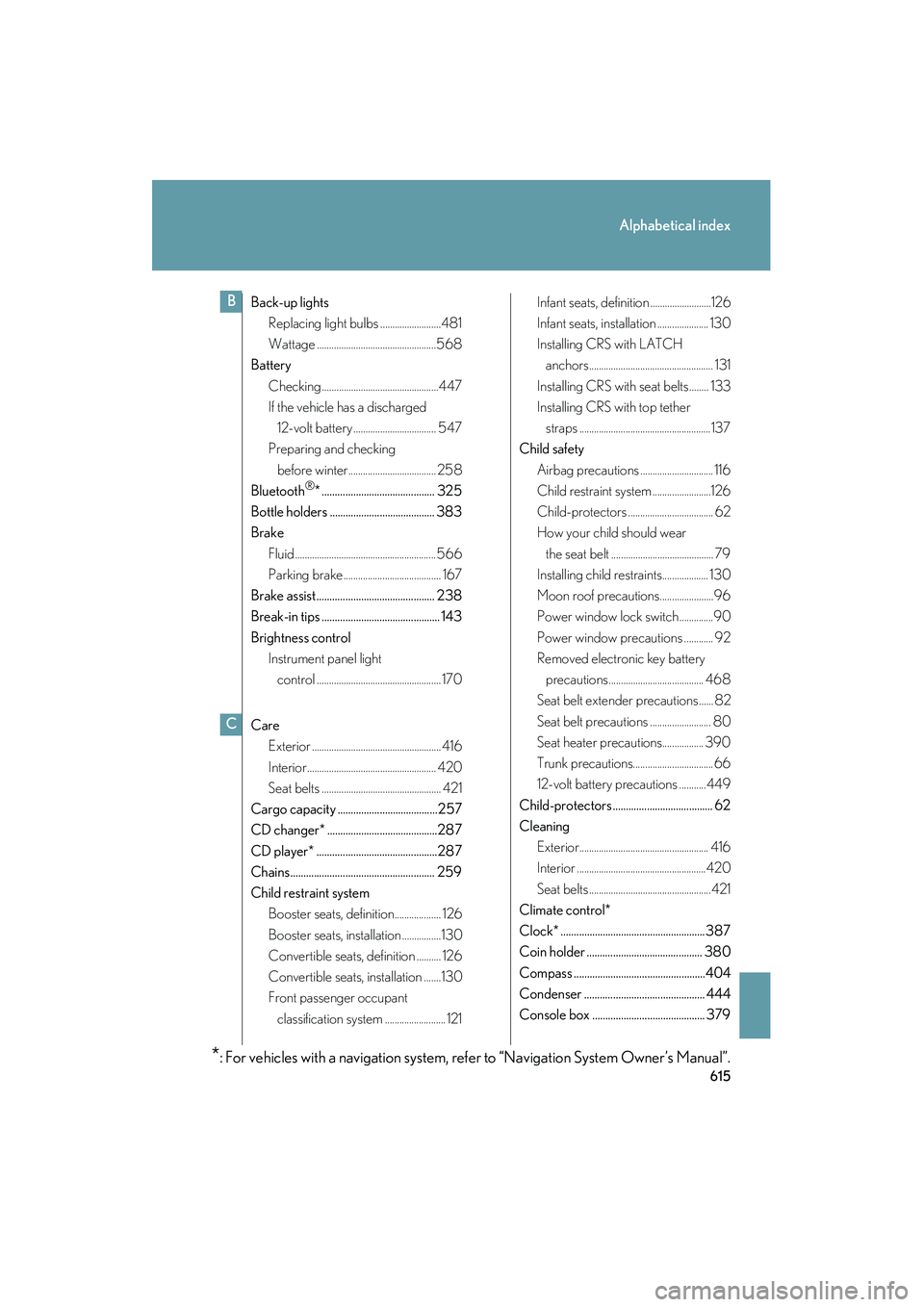
Back-up lightsReplacing light bulbs .........................481
Wattage .................................................568
Battery
Checking ................................................447
If the vehicle has a discharged 12-volt battery .................................. 547
Preparing and checking
before winter.................................... 258
Bluetooth
®* ........................................... 325
Bottle holders ........................................ 383
Brake Fluid .......................................................... 566
Parking brake ........................................ 167
Brake assist ............................................. 238
Break-in tips ............................................. 143
Brightness control Instrument panel light
control ................................................... 170
Care Exterior ..................................................... 416
Interior..................................................... 420
Seat belts ................................................. 421
Cargo capacity ......................................257
CD changer* ..........................................287
CD player* ..............................................287
Chains....................................................... 259
Child restraint system Booster seats, definition................... 126
Booster seats, installation ................130
Convertible seats, definition .......... 126
Convertible seats, installation .......130
Front passenger occupant
classification system ......................... 121 Infant seats, definition .........................126
Infant seats, installation ..................... 130
Installing CRS with LATCH
anchors................................................... 131
Installing CRS with seat belts ........ 133
Installing CRS with top tether straps ......................................................137
Child safety
Airbag precautions .............................. 116
Child restraint system ........................126
Child-protectors ................................... 62
How your child should wear the seat belt .......................................... 79
Installing child restraints................... 130
Moon roof precautions......................96
Power window lock switch ..............90
Power window precautions ............ 92
Removed electronic key battery
precautions....................................... 468
Seat belt extender precautions...... 82
Seat belt precautions ......................... 80
Seat heater precautions................. 390
Trunk precautions.................................66
12-volt battery precautions ...........449
Child-protectors ...................................... 62
Cleaning Exterior..................................................... 416
Interior .....................................................420
Seat belts ..................................................421
Climate control*
Clock* ....................................................... 387
Coin holder ............................................ 380
Compass ..................................................404
Condenser .............................................. 444
Console box ........................................... 379
B
*: For vehicles with a navigation system, refer to “Navigation System Owner’s Manual”.
C