instrument cluster Lexus HS250h 2012 Owner's Guide
[x] Cancel search | Manufacturer: LEXUS, Model Year: 2012, Model line: HS250h, Model: Lexus HS250h 2012Pages: 630, PDF Size: 16.1 MB
Page 186 of 630
185
2-2. Instrument cluster
2
When driving
HS250h_U_75050U
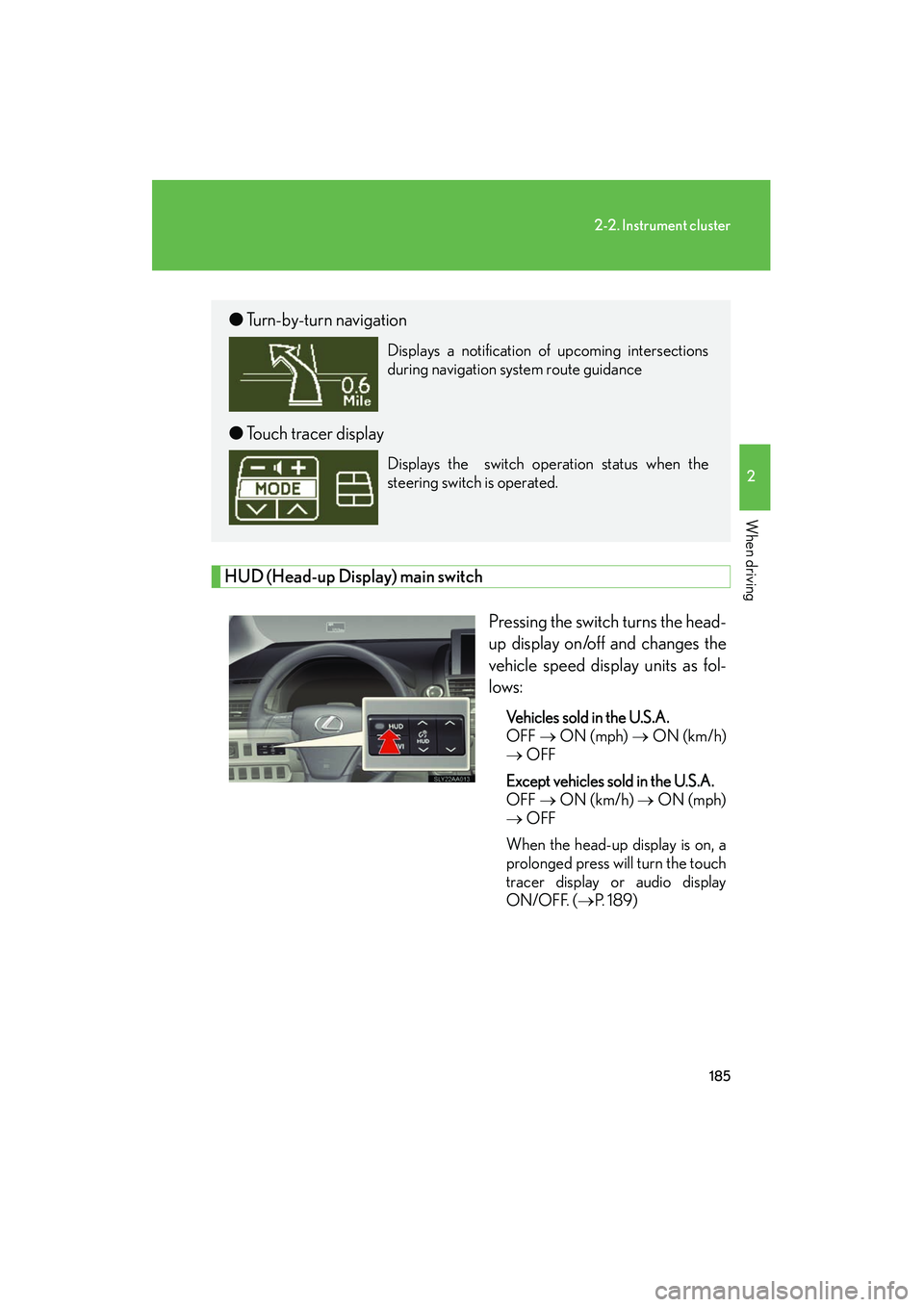
HUD (Head-up Display) main switchPressing the switch turns the head-
up display on/off and changes the
vehicle speed display units as fol-
lows:
Vehicles sold in the U.S.A.
OFF → ON (mph) → ON (km/h)
→ OFF
Except vehicles sold in the U.S.A.
OFF → ON (km/h) → ON (mph)
→ OFF
When the head-up display is on, a
prolonged press will turn the touch
tracer display or audio display
ON/OFF. ( →P. 1 8 9 )
●Turn-by-turn navigation
Displays a notification of upcoming intersections
during navigation system route guidance
●Touch tracer display
Displays the switch operation status when the
steering switch is operated.
Page 187 of 630
186
2-2. Instrument cluster
HS250h_U_75050U
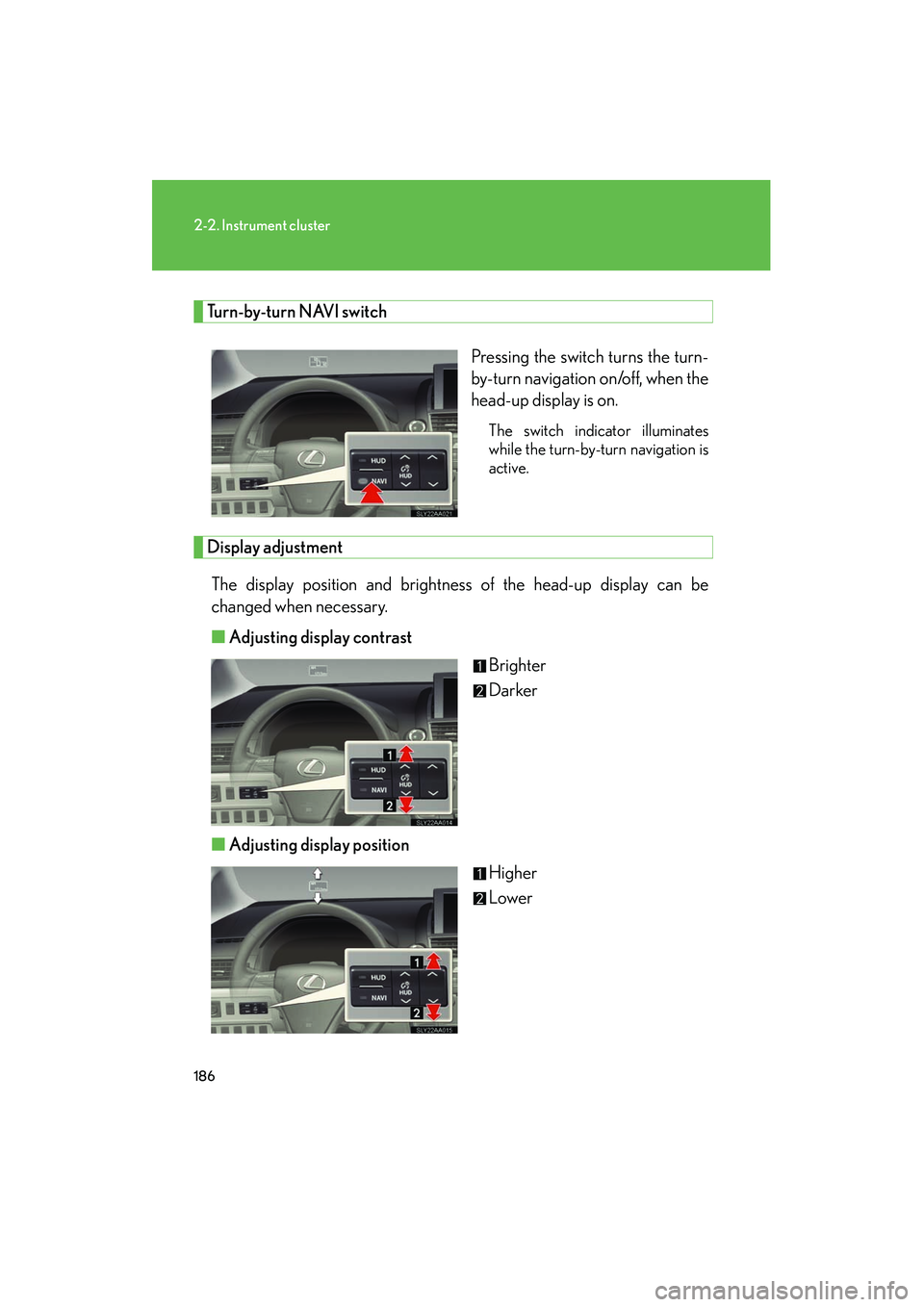
Turn-by-turn NAVI switchPressing the switch turns the turn-
by-turn navigation on/off, when the
head-up display is on.
The switch indicator illuminates
while the turn-by-turn navigation is
active.
Display adjustmentThe display position and brightness of the head-up display can be
changed when necessary.
■ Adjusting display contrast
Brighter
Darker
■ Adjusting display position
Higher
Lower
Page 188 of 630
187
2-2. Instrument cluster
2
When driving
HS250h_U_75050U
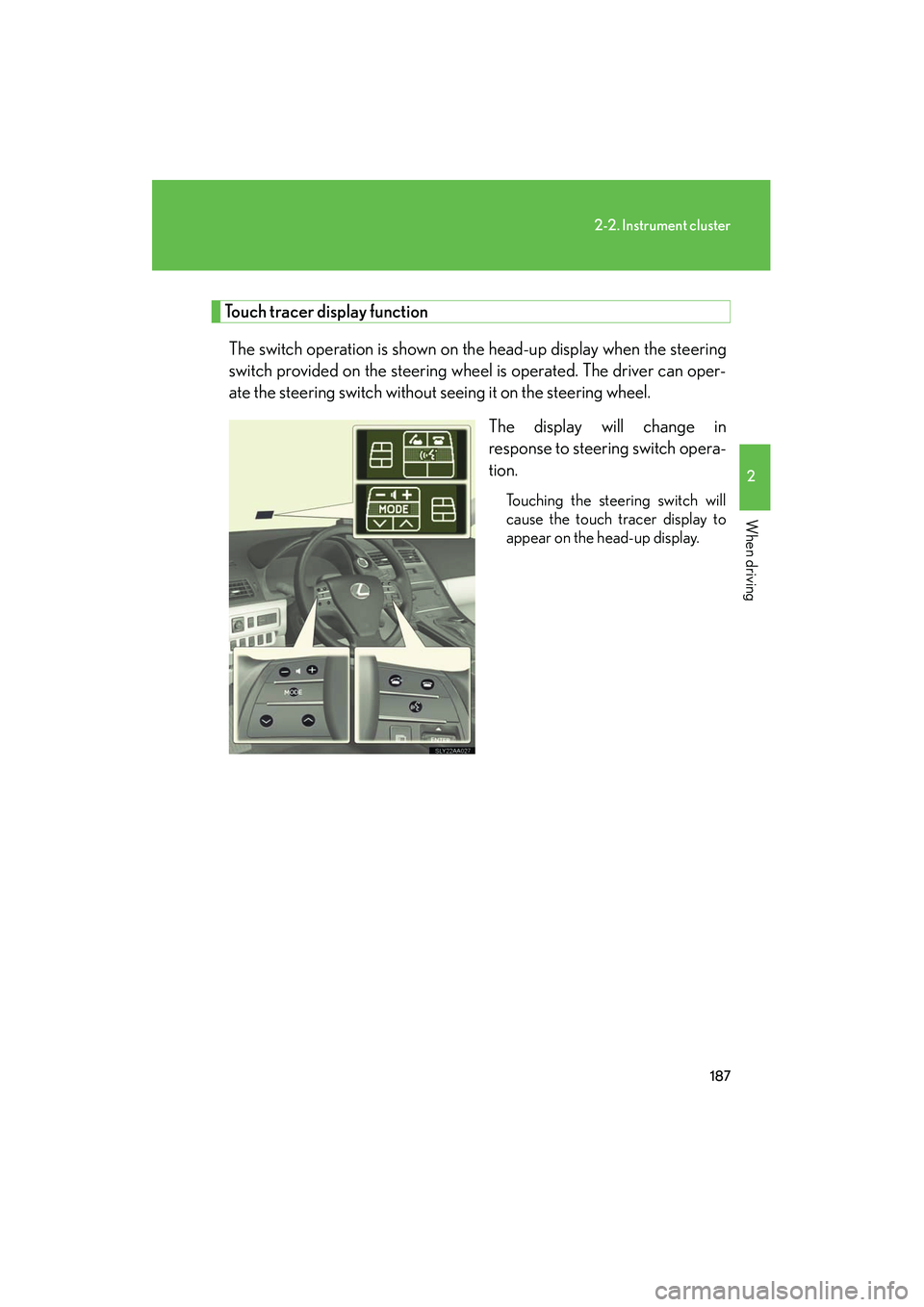
Touch tracer display functionThe switch operation is shown on th e head-up display when the steering
switch provided on the steering wheel is operated. The driver can oper-
ate the steering switch without seeing it on the steering wheel.
The display will change in
response to steering switch opera-
tion.
Touching the steering switch will
cause the touch tracer display to
appear on the head-up display.
Page 189 of 630
188
2-2. Instrument cluster
HS250h_U_75050U■
Touch tracer display
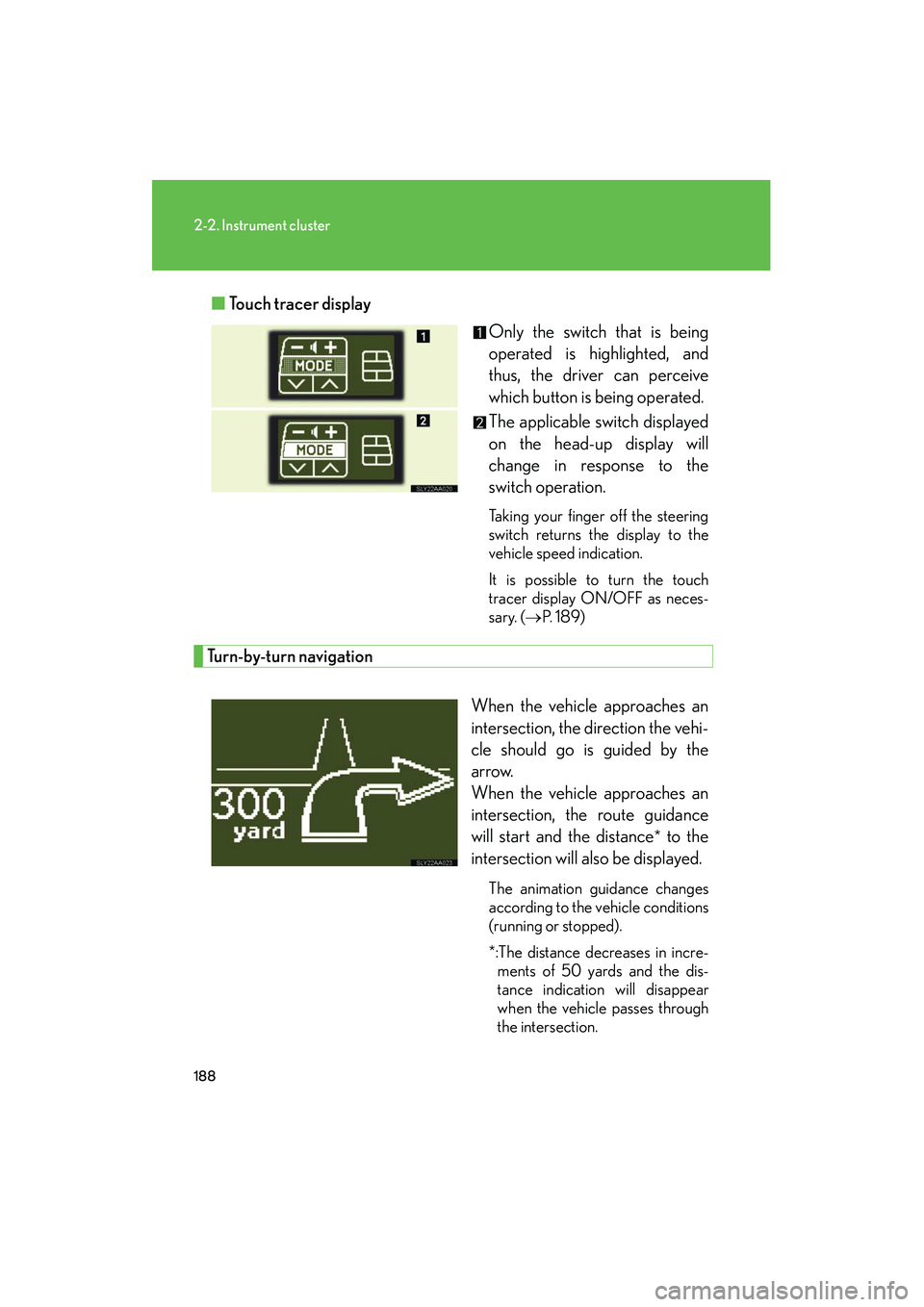
Only the switch that is being
operated is highlighted, and
thus, the driver can perceive
which button is being operated.
The applicable switch displayed
on the head-up display will
change in response to the
switch operation.
Taking your finger off the steering
switch returns the display to the
vehicle speed indication.
It is possible to turn the touch
tracer display ON/OFF as neces-
sary. (→P. 1 8 9 )
Turn-by-turn navigation
When the vehicle approaches an
intersection, the direction the vehi-
cle should go is guided by the
arrow.
When the vehicle approaches an
intersection, the route guidance
will start and the distance
* to the
intersection will also be displayed.
The animation guidance changes
according to the vehicle conditions
(running or stopped).
*:The distance decreases in incre- ments of 50 yards and the dis-
tance indication will disappear
when the vehicle passes through
the intersection.
Page 190 of 630
189
2-2. Instrument cluster
2
When driving
HS250h_U_75050U
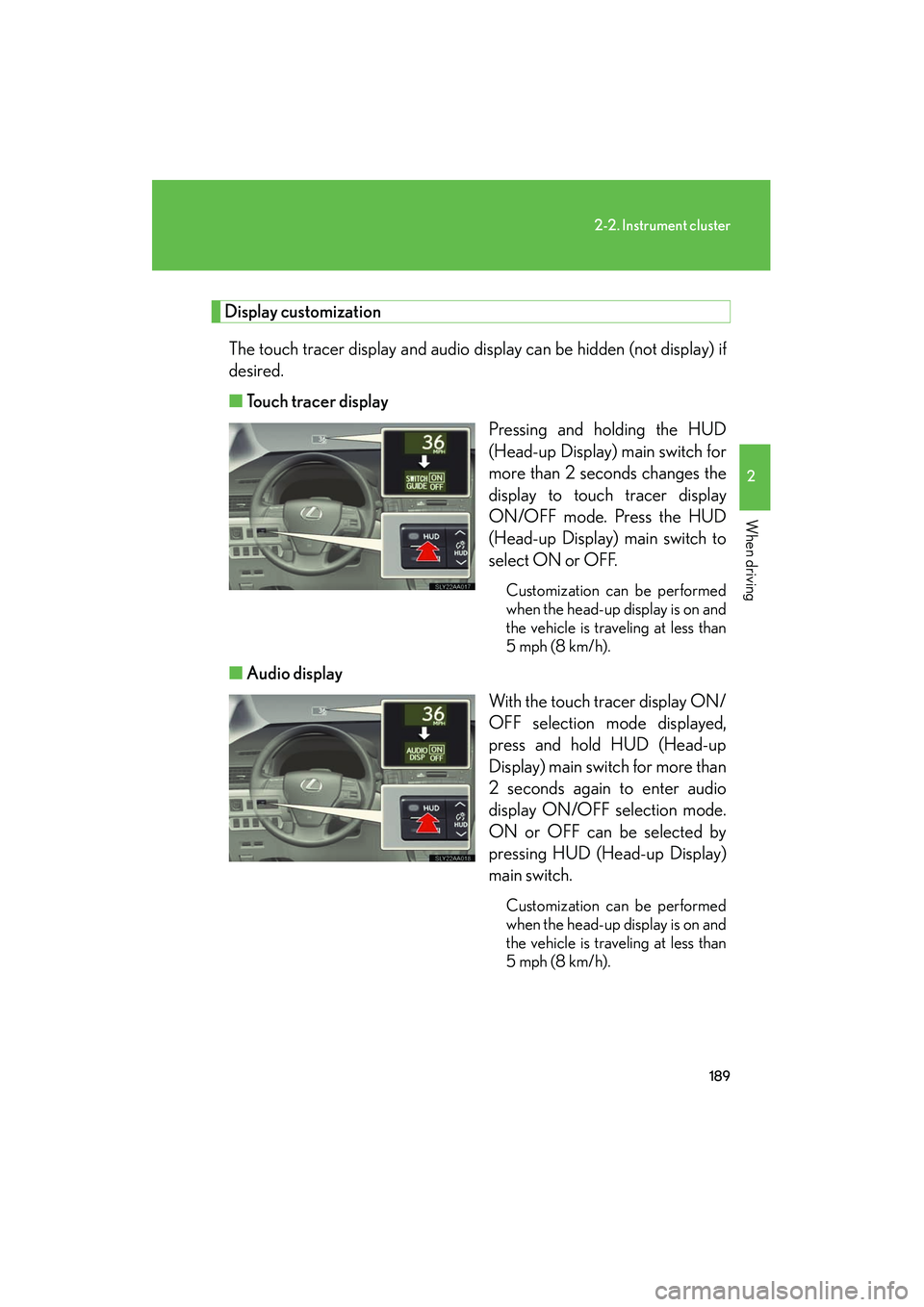
Display customizationThe touch tracer display and audio display can be hidden (not display) if
desired.
■ Touch tracer display
Pressing and holding the HUD
(Head-up Display) main switch for
more than 2 seconds changes the
display to touch tracer display
ON/OFF mode. Press the HUD
(Head-up Display) main switch to
select ON or OFF.
Customization can be performed
when the head-up display is on and
the vehicle is traveling at less than
5 mph (8 km/h).
■Audio display
With the touch tracer display ON/
OFF selection mode displayed,
press and hold HUD (Head-up
Display) main switch for more than
2 seconds again to enter audio
display ON/OFF selection mode.
ON or OFF can be selected by
pressing HUD (Head-up Display)
main switch.
Customization can be performed
when the head-up display is on and
the vehicle is traveling at less than
5 mph (8 km/h).
Page 191 of 630
190
2-2. Instrument cluster
HS250h_U_75050U
■Brightness of the head-up display
The headlight control sensor detects the brightness of the area surrounding the
head-up display and adjusts the brightness accordingly. (→P. 1 9 4 )
■Head-up display
The head-up display may seem dark and hard to see when viewed through sun-
glasses, especially polarized sunglasses.
Adjust the brightness of the head-up display or remove your sunglasses.
CAUTION
■Before using the head-up display
Check that the position and brightness of the head-up display image does not inter-
fere with safe driving. Incorrect adjustment of the image's position or brightness
may obstruct the driver's view and lead to an accident, resulting in death or serious
injury.
NOTICE
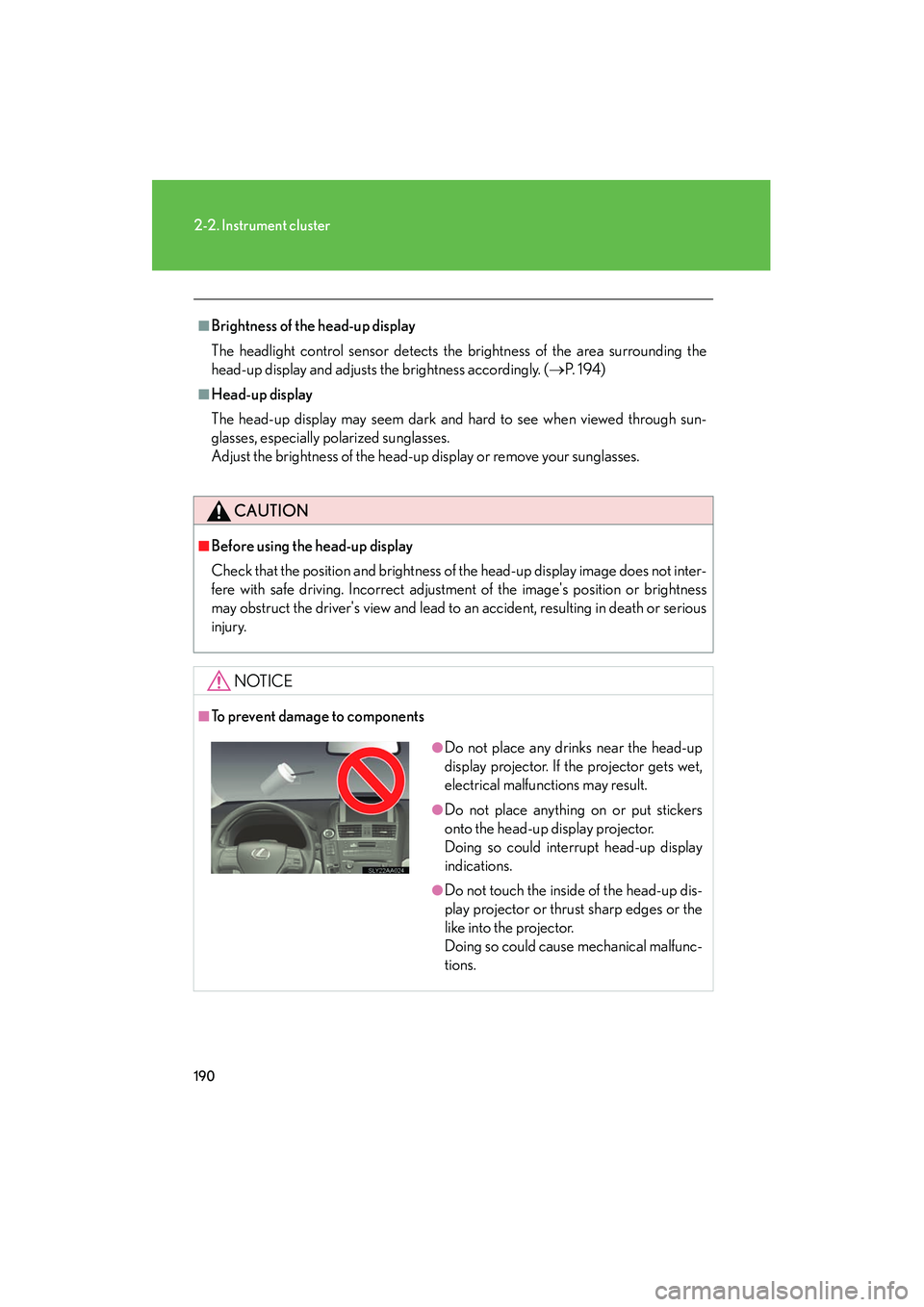
■To prevent damage to components
●Do not place any drinks near the head-up
display projector. If the projector gets wet,
electrical malfunctions may result.
●Do not place anything on or put stickers
onto the head-up display projector.
Doing so could interrupt head-up display
indications.
●Do not touch the inside of the head-up dis-
play projector or thrust sharp edges or the
like into the projector.
Doing so could cause mechanical malfunc-
tions.