battery Lexus HS250h 2012 Owner's Guide
[x] Cancel search | Manufacturer: LEXUS, Model Year: 2012, Model line: HS250h, Model: Lexus HS250h 2012Pages: 630, PDF Size: 16.1 MB
Page 183 of 630
182
2-2. Instrument cluster
HS250h_U_75050U
■Outside temperature display
In the following situations, the correct outside temperature may not be displayed, or
the display may take longer than normal to change.
●When stopped, or driving at low speeds (less than 15 mph [25 km/h])
●When the outside temperature has changed suddenly (at the entrance/exit of a
garage, tunnel, etc.)
■When disconnecting and reconnecting battery terminals
The following information will be reset:
●Total distance/Total average fuel consumption
●Average fuel consumption after refueling
●Cruising range
●Average vehicle speed
■Customization
Settings (e.g. available languages) can be changed.
(Customizable features →P. 5 8 4 )
CAUTION
■Caution while driving
When operating the electronic feature control while driving, take extra notice of the
vehicle’s surrounding area.
NOTICE
■The multi-information display at low temperatures
Allow the interior of the vehicle to warm up before using the liquid crystal informa-
tion display. At extremely low temperatures, the information display monitor may
respond slowly, and display changes may be delayed.
Page 196 of 630
195
2-3. Operating the lights and windshield wipers
2
When driving
HS250h_U_75050U
■Automatic light off system
●When the headlights come on: The headlights and tail lights turn off 30 seconds
after a door is opened and closed if the “POWER” switch is turned to ACCES-
SORY mode or turned off. (The lights turn off immediately if on the key is
pressed after all the doors are locked.)
●When only the tail lights come on: The tail lights turn off automatically if the
“POWER” switch is turned to ACCESSORY mode or turned off and the
driver’s door is opened.
To turn the lights on again, turn the “POWER” switch to ON mode, or turn the light
switch off once and then back to or .
■Automatic headlight leveling system (if equipped)
The level of the headlights is automatically adjusted according to the number of
passengers and the loading condition of the vehicle to ensure that the headlights do
not interfere with other road users.
■ If the “AFS OFF” indicator flashes (if equipped)
It may indicate a malfunction in the system. Contact your Lexus dealer.
■Customization
Settings (e.g. light sensor sensitivity) can be changed.
(Customizable features →P. 5 8 4 )
NOTICE
■To prevent 12-volt battery discharge
Do not leave the lights on longer than necessary when the hybrid system is off.
Page 204 of 630
203
2-3. Operating the lights and windshield wipers
2
When driving
HS250h_U_75050U
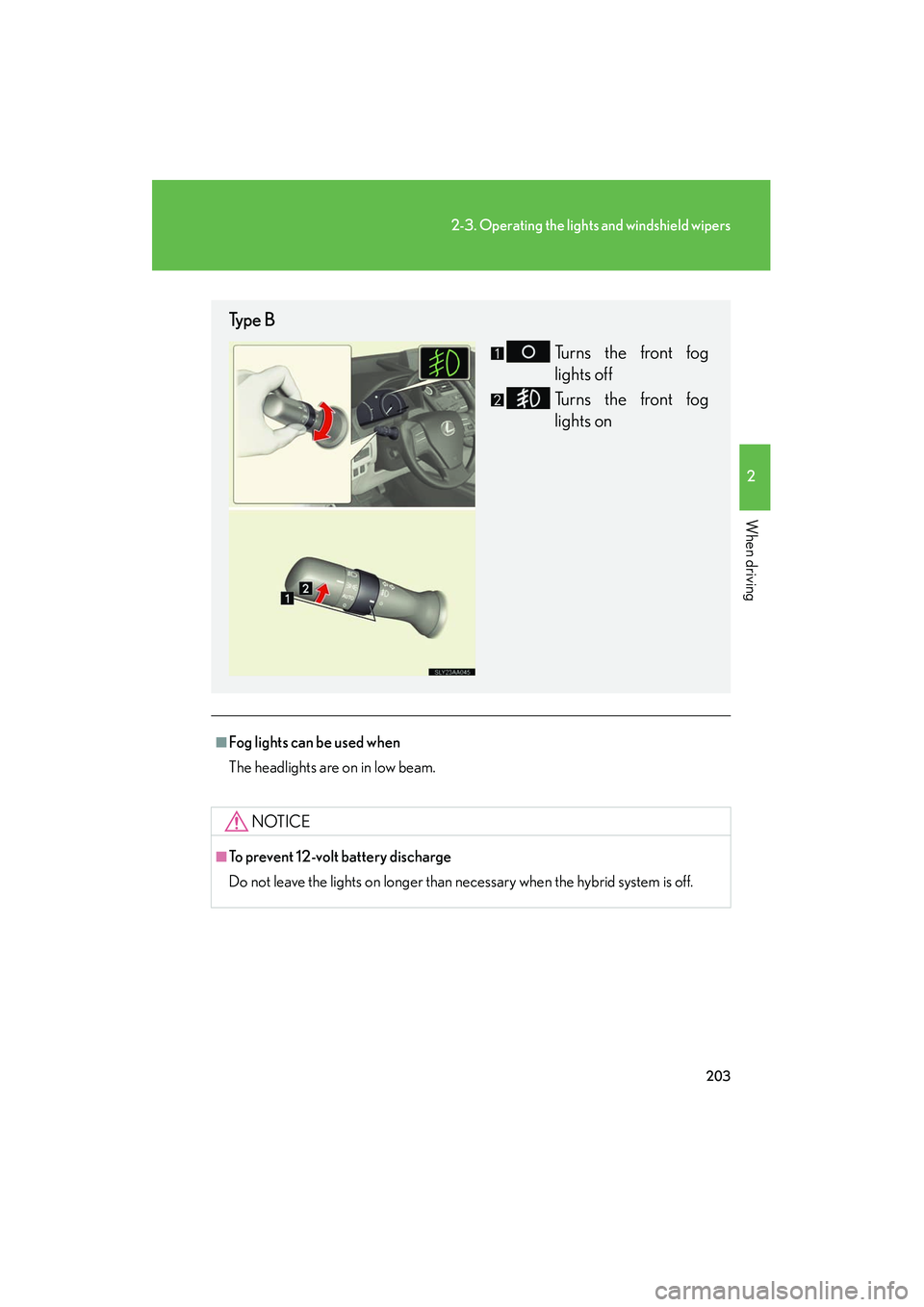
■Fog lights can be used when
The headlights are on in low beam.
NOTICE
■To prevent 12-volt battery discharge
Do not leave the lights on longer than necessary when the hybrid system is off.
Type BTurns the front fog
lights off
Turns the front fog
lights on
Page 211 of 630
210
2-3. Operating the lights and windshield wipers
HS250h_U_75050U
■If no windshield washer fluid sprays
Check that the washer nozzles are not blocked if there is washer fluid in the washer
fluid tank.
CAUTION
■Caution regarding the use of windshield wipers in AUTO mode (vehicles with
rain-sensing windshield wipers)
The windshield wipers may operate unexpectedly if the sensor is touched or the
windshield is subject to vibration in AUTO mode. Take care that your fingers etc. do
not become caught in the windshield wipers.
NOTICE
■When the windshield is dry
Do not use the wipers, as they may damage the windshield.
■When the washer fluid tank is empty
Do not operate the switch continually as the washer fluid pump may overheat.
■When a nozzle becomes blocked
Do not try to clear it with a pin or other object. The nozzle will be damaged.
■To prevent 12-volt battery discharge
Do not leave the wipers on longer than necessary when the hybrid system is off.
Page 274 of 630
273
3-1. Using the air conditioning system and defogger
3
Interior features
HS250h_U_75050U
NOTICE
■To prevent 12-volt battery discharge
Do not leave the air conditioning system on longer than necessary when the hybrid
system is off.
Page 279 of 630
278
3-2. Using the audio system
HS250h_U_75050U
CAUTION
■Certification
●Pa r t 1 5 o f t h e F CC R u l e s
FCC Warning:
Any unauthorized changes or modifications to this equipment will void the user’s
authority to operate this device.
●Laser products
• Do not take this unit apart or attempt to make any changes by yourself. This is an intricate unit that uses a laser pickup to retrieve information from the
surface of compact discs. The laser is carefully shielded so that its rays remain
inside the cabinet. Therefore, never try to disassemble the player or alter any
of its parts since you may be exposed to laser rays and dangerous voltages.
• This product utilizes a laser. Use of controls or adjustments or performance of procedures other than
those specified herein may result in hazardous radiation exposure.
NOTICE
■To prevent battery discharge
Do not leave the audio system on longer than necessary with the engine off.
■To avoid damaging the audio system
Take care not to spill drinks or other fluids over the audio system.
Page 285 of 630
284
3-2. Using the audio system
HS250h_U_75050U
■When the 12-volt battery is disconnected
All preset stations are erased.
■Reception sensitivity
●Cargo loaded on the roof luggage carrier, especially metal objects, may
adversely affect the reception of XM® Satellite Radio.
●It is difficult to maintain perfect radio reception at all times due to the continually
changing position of the antenna, differences in signal strength and surrounding
objects, such as trains and transmitters.
●The radio antenna is mounted inside the rear window. To maintain clear radio
reception, do not attach metallic window tinting or other metallic objects to the
antenna wire mounted inside the rear window.
■Receiving XM® Satellite Radio
An XM
® Satellite Radio is a tuner designed exclusively to receive broadcasts pro-
vided under a separate subscription. Availability is limited to the 48 contiguous
states and 10 Canadian provinces.
●XM® subscriptions
For detailed information about XM® Satellite Radio or to subscribe:
U. S .A .
Visit on the web at www.xmradio.com
or call 1-877-515-3987.
Canada
Visit on the web at www.xmradio.ca
or call 1-877-515-3987.
●Radio ID
You will need the radio ID when activating XM
® service or reporting a problem.
Select “CH000” using , and the receiver’s 8-character ID number
will appear.
●Satellite tuner
The tuner supports only Audio Services (Music and Talk) and the accompanying
Te x t I n f o r m a t i o n o f X M
® Satellite Radio.
Page 326 of 630
325
3
Interior features
HS250h_U_75050U
3-3. Using the Bluetooth® audio system
Bluetooth® audio system
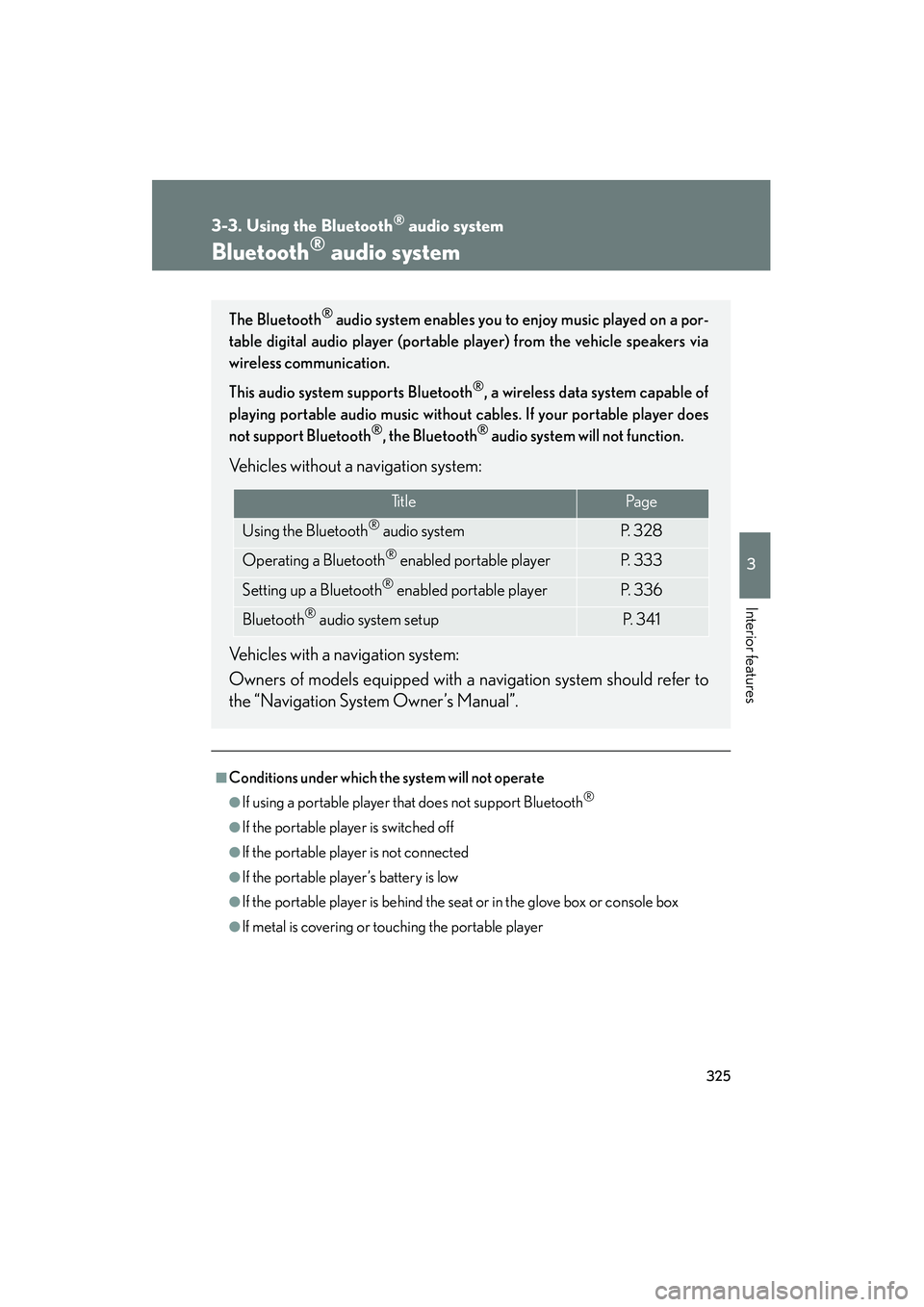
■Conditions under which the system will not operate
●If using a portable player that does not support Bluetooth®
●If the portable player is switched off
●If the portable player is not connected
●If the portable player’s battery is low
●If the portable player is behind the seat or in the glove box or console box
●If metal is covering or touching the portable player
The Bluetooth® audio system enables you to enjoy music played on a por-
table digital audio player (portable player) from the vehicle speakers via
wireless communication.
This audio system supports Bluetooth
®, a wireless data system capable of
playing portable audio music without cables. If your portable player does
not support Bluetooth
®, the Bluetooth® audio system will not function.
Vehicles without a navigation system:
Vehicles with a navigation system:
Owners of models equipped with a navigation system should refer to
the “Navigation System Owner’s Manual”.
Ti t l ePa g e
Using the Bluetooth® audio systemP. 3 2 8
Operating a Bluetooth® enabled portable playerP. 333
Setting up a Bluetooth® enabled portable playerP. 3 3 6
Bluetooth® audio system setupP. 3 4 1
Page 344 of 630
343
3-4. Using the hands-free phone system (for cellular phones)
3
Interior features
HS250h_U_75050U
■Conditions under which the system will not operate
●If using a cellular phone that does not support Bluetooth®
●If the cellular phone is switched off
●If you are outside service range
●If the cellular phone is not connected
●If the cellular phone’s battery is low
●If the cellular phone is behind the seat or in the glove box or console box
●If metal is covering or touching the phone
■When using the hands-free system
●The audio system and voice guidance are muted when making a call.
●If both parties speak at the same time, it may be difficult to hear.
●If the incoming call volume is overly loud, an echo may be heard.
●Try to face toward the microphone as much as possible when speaking.
●In the following circumstances, it may be difficult to hear the other party:
• When driving on unpaved roads
• When driving at high speeds
• When a window is open
• When the air conditioning is blowing directly on the microphone
• When the air conditioning is set to high
■When transferring ownership of the vehicle
Be sure to initialize the system to prevent personal data from being improperly
accessed. (→P. 3 6 7 )
■For detailed information about Handsfree Phone System
For assistance with pairing and operating your cell phone, go to the website
www.lexus.letstalk.com.
Page 377 of 630
376
3-5. Using the interior lights
HS250h_U_75050U
■Illuminated entry system
The lights automatically turn on/off according to “POWER” switch mode, the pres-
ence of the electronic key, whether the doors are locked/unlocked, and whether
the doors are opened/closed.
■To prevent 12-volt battery discharge
If the interior lights remain on when the door is not fully closed and the interior light
switch (door position on/ off) is on, the lights will go off automatically after 20 min-
utes.
■Customization
Settings (e.g. the time elapsed before the lights turn off) can be changed. (Custom-
izable features →P. 5 8 4 )
Personal lights