steering Lexus HS250h 2012 Workshop Manual
[x] Cancel search | Manufacturer: LEXUS, Model Year: 2012, Model line: HS250h, Model: Lexus HS250h 2012Pages: 630, PDF Size: 16.1 MB
Page 241 of 630
240
2-4. Using other driving systems
HS250h_U_75050U■
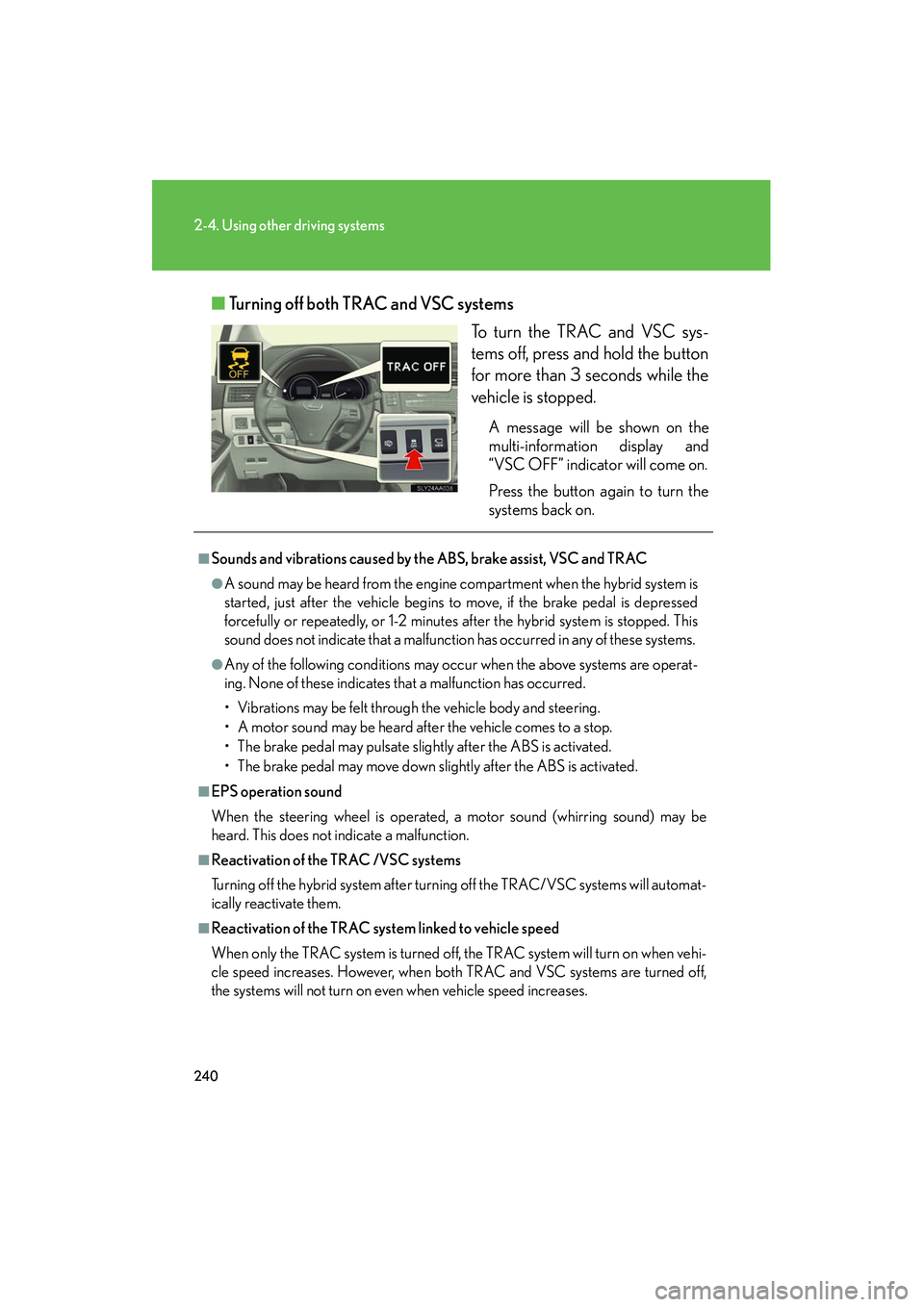
Turning off both TRAC and VSC systems
To turn the TRAC and VSC sys-
tems off, press and hold the button
for more than 3 seconds while the
vehicle is stopped.
A message will be shown on the
multi-information display and
“VSC OFF” indicator will come on.
Press the button again to turn the
systems back on.
■Sounds and vibrations caused by the ABS, brake assist, VSC and TRAC
●A sound may be heard from the engine compartment when the hybrid system is
started, just after the vehicle begins to move, if the brake pedal is depressed
forcefully or repeatedly, or 1-2 minutes after the hybrid system is stopped. This
sound does not indicate that a malfunction has occurred in any of these systems.
●Any of the following conditions may occur when the above systems are operat-
ing. None of these indicates that a malfunction has occurred.
• Vibrations may be felt through the vehicle body and steering.
• A motor sound may be heard after the vehicle comes to a stop.
• The brake pedal may pulsate slightly after the ABS is activated.
• The brake pedal may move down slightly after the ABS is activated.
■EPS operation sound
When the steering wheel is operated, a motor sound (whirring sound) may be
heard. This does not indicate a malfunction.
■Reactivation of the TRAC /VSC systems
Turning off the hybrid system after turning off the TRAC/VSC systems will automat-
ically reactivate them.
■Reactivation of the TRAC system linked to vehicle speed
When only the TRAC system is turned off, the TRAC system will turn on when vehi-
cle speed increases. However, when both TRAC and VSC systems are turned off,
the systems will not turn on even when vehicle speed increases.
Page 242 of 630
241
2-4. Using other driving systems
2
When driving
HS250h_U_75050U
■Reduced effectiveness of the EPS system
The effectiveness of the EPS system is reduced to prevent the system from over-
heating when there is frequent steering input over an extended period of time. The
steering wheel may feel heavy as a result. Should this occur, refrain from excessive
steering input or stop the vehicle and turn the hybrid system off. The EPS system
should return to normal within 10 minutes.
CAUTION
■The ABS does not operate effectively when
●Tires with inadequate gripping ability are used (such as excessively worn tires on
a snow covered road).
●The vehicle hydroplanes while driving at high speed on wet or slick road.
■Stopping distance when the ABS is operating may exceed that of normal condi-
tions
The ABS is not designed to shorten the vehicle’s stopping distance. Always main-
tain a safe distance from the vehicle in front of you in the following situations:
●When driving on dirt, gravel or snow-covered roads
●When driving with tire chains
●When driving over bumps in the road
●When driving over roads with potholes or roads with uneven surfaces
■TRAC may not operate effectively when
Directional control and power may not be achievable while driving on slippery road
surfaces, even if the TRAC system is operating.
Do not drive the vehicle in conditions where stability and power may be lost.
■When the VSC is activated
The slip indicator light flashes. Always drive carefully. Reckless driving may cause
an accident. Exercise particular care when the indicator light flashes.
■When the TRAC/VSC systems are turned off
Be especially careful and drive at a speed appropriate to the road conditions. As
these are the systems to ensure vehicle stability and driving force, do not turn the
TRAC/VSC systems off unless necessary.
Page 257 of 630
256
2-5. Driving information
HS250h_U_75050U
CAUTION
■Things that must not be carried in the trunk
The following things may cause a fire if loaded in the trunk:
●Receptacles containing gasoline
●Aerosol cans
■Storage precautions
Observe the following precautions.
Failing to do so may result in death or serious injury.
●Stow cargo and luggage in the trunk whenever possible.
●Do not place cargo or luggage in or on the following locations as the item may
get under the brake or accelerator pedal and prevent the pedals from being
depressed properly, block the driver’s vision, or hit the driver or passengers,
causing an accident:
• At the feet of the driver
• On the front passenger or rear seats (when stacking items)
• On the package tray
• On the instrument panel
•On the dashboard
●Secure all items in the occupant compartment, as they may shift and injure some-
one during sudden braking, sudden swerving or an accident.
■Capacity and distribution
●Do not exceed the maximum axle weight rating or the total vehicle weight rating.
●Even if the total load of occupant’s weight and the cargo load is less than the total
load capacity, do not apply the load unevenly. Improper loading may cause dete-
rioration of steering or braking control which may cause death or serious injury.
Page 258 of 630
257
2-5. Driving information
2
When driving
HS250h_U_75050U
Vehicle load limits
■Total load capacity and seating capacity
These details are also described on the tire and loading information label.
(→ P. 4 5 9 )
CAUTION
■Overloading the vehicle
Do not overload the vehicle.
It may not only cause damage to the tires, but also degrade steering and braking
ability, resulting in an accident.
Vehicle load limits include total load capacity, seating capacity, towing
capacity and cargo capacity.
■Total load capacity: 825 lb. (375 kg)
Total load capacity means the combined weight of occupants, cargo and
luggage.
■Seating capacity: 5 occupants (Front 2, Rear 3)
Seating capacity means the maximum number of occupants whose esti-
mated average weight is 150 lb. (68 kg) per person.
■Towing capacity
Lexus does not recommend towing a trailer with your vehicle.
■Cargo capacity
Cargo capacity may increase or decrease depending on the weight and
the number of occupants.
Page 265 of 630
264
HS250h_U_75050U
3-1. Using the air conditioning system and defogger
Automatic air conditioning system ..................................... 266
Rear window defogger switch ....................................... 274
Windshield wiper de-icer ..... 275
3-2. Using the audio system Audio system............................ 276
Using the radio ........................ 279
Using the CD player ............. 287
Playing MP3 and WMA
discs......................................... 295
Operating an iPod ................. 302
Operating a USB memory................................... 310
Optimal use of the audio system ...................................... 318
Using the AUX port............... 321
Using the steering wheel audio switches...................... 322
Page 278 of 630
277
3-2. Using the audio system
3
Interior features
HS250h_U_75050U
■Using cellular phones
Interference may be heard through the audio system’s speakers if a cellular phone
is being used inside or close to the vehicle while the audio system is operating.
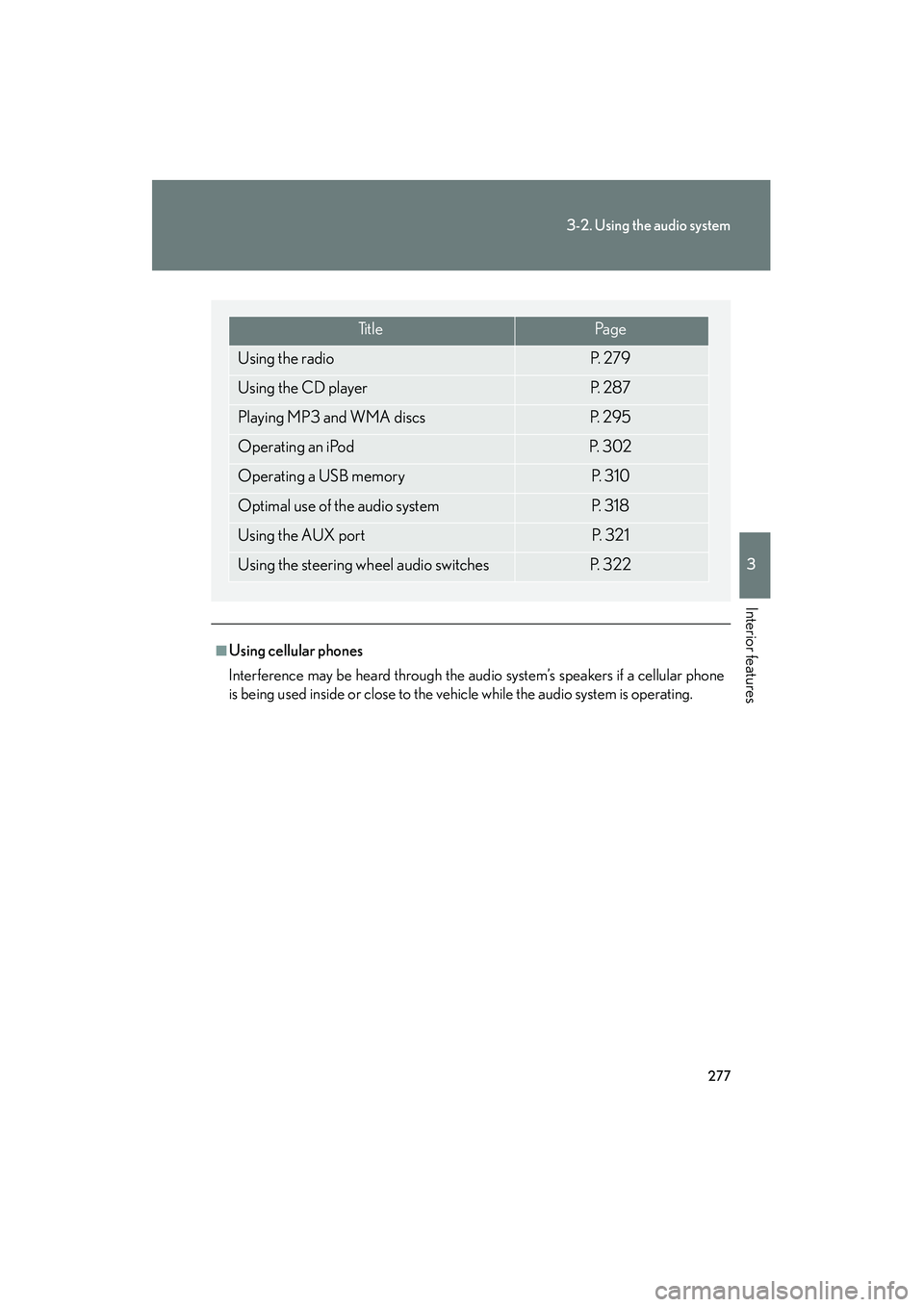
Ti t l ePa g e
Using the radioP. 2 7 9
Using the CD playerP. 2 8 7
Playing MP3 and WMA discsP. 2 9 5
Operating an iPodP. 3 0 2
Operating a USB memoryP. 3 1 0
Optimal use of the audio systemP. 3 1 8
Using the AUX portP. 3 2 1
Using the steering wheel audio switchesP. 3 2 2
Page 323 of 630
322
3-2. Using the audio system
HS250h_U_75050U
Using the steering wheel audio switches
Turning the power onPress when the audio system is turned off.
The audio system can be turned off by holding the switch down for 1 second
or more.
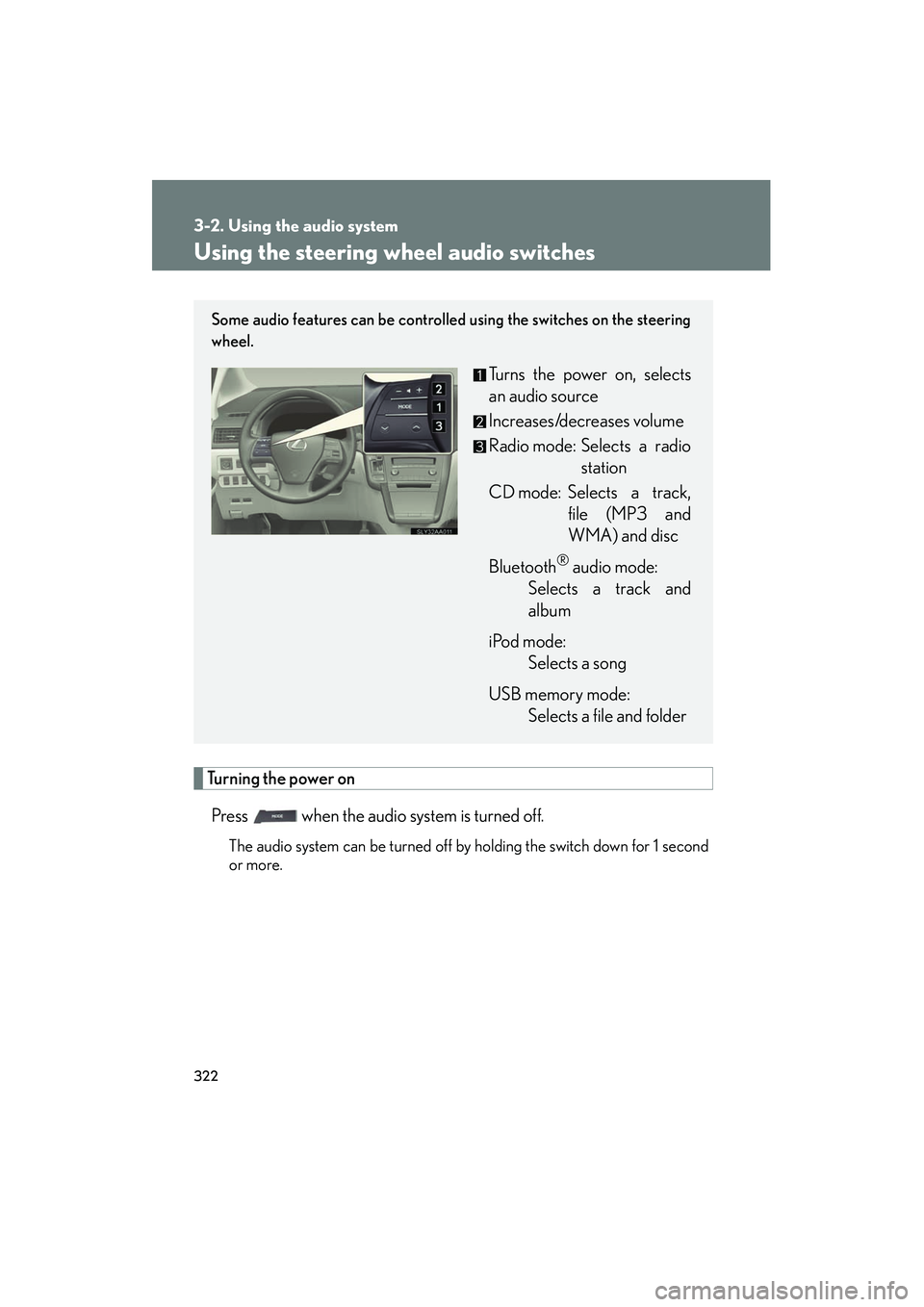
Some audio features can be controlled using the switches on the steering
wheel.
Turns the power on, selects
an audio source
Increases/decreases volume
Radio mode: Selects a radio station
CD mode: Selects a track, file (MP3 and
WMA) and disc
Bluetooth
® audio mode:
Selects a track and
album
iPod mode: Selects a song
USB memory mode: Selects a file and folder
Page 325 of 630
324
3-2. Using the audio system
HS250h_U_75050U
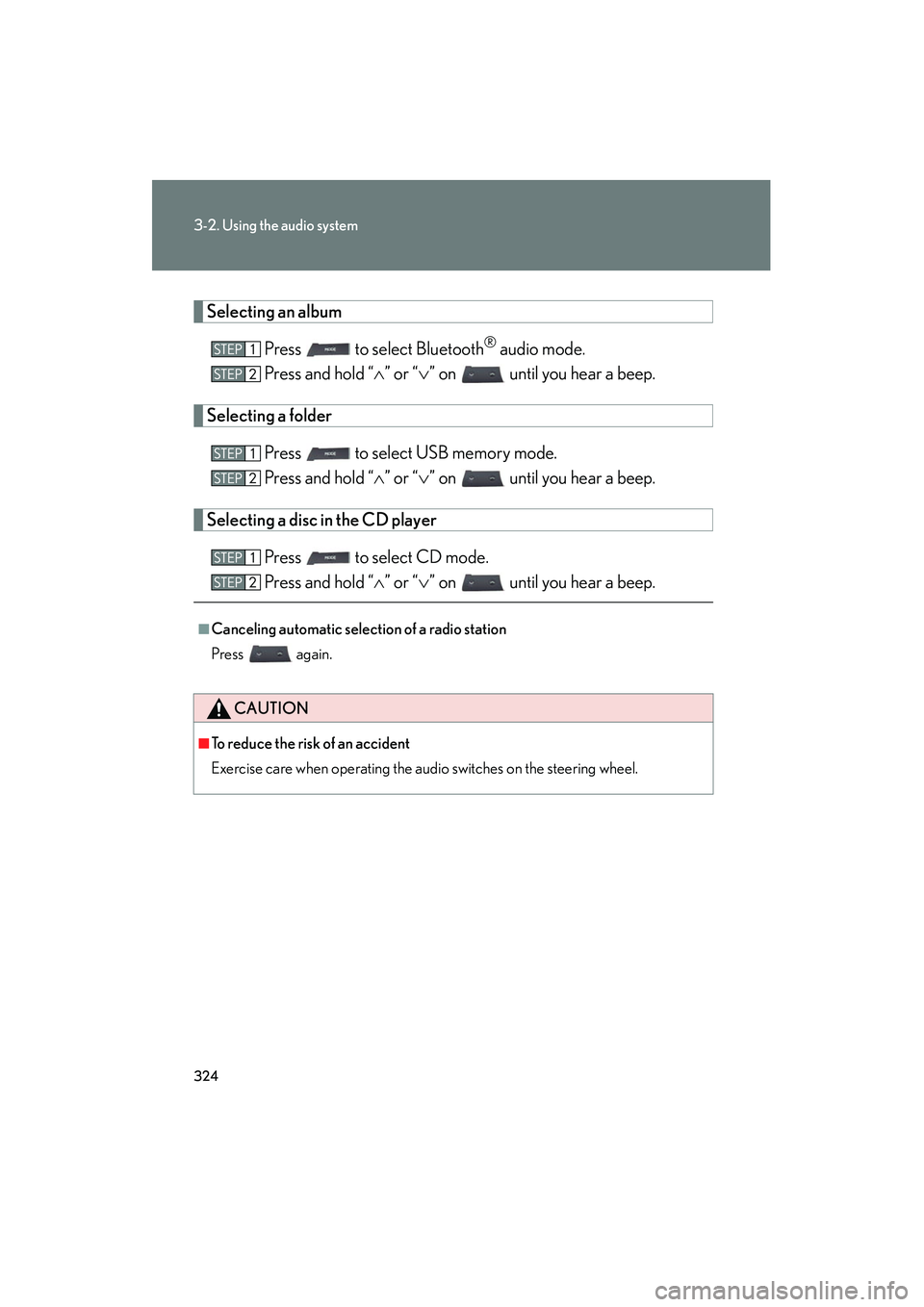
Selecting an albumPress to select Bluetooth
® audio mode.
Press and hold “ ∧” or “ ∨” on until you hear a beep.
Selecting a folder
Press to select USB memory mode.
Press and hold “ ∧” or “ ∨” on until you hear a beep.
Selecting a disc in the CD player
Press to select CD mode.
Press and hold “ ∧” or “ ∨” on until you hear a beep.
■Canceling automatic selection of a radio station
Press again.
CAUTION
■To reduce the risk of an accident
Exercise care when operating the audio switches on the steering wheel.
Page 329 of 630
328
3-3. Using the Bluetooth® audio system
HS250h_U_75050U
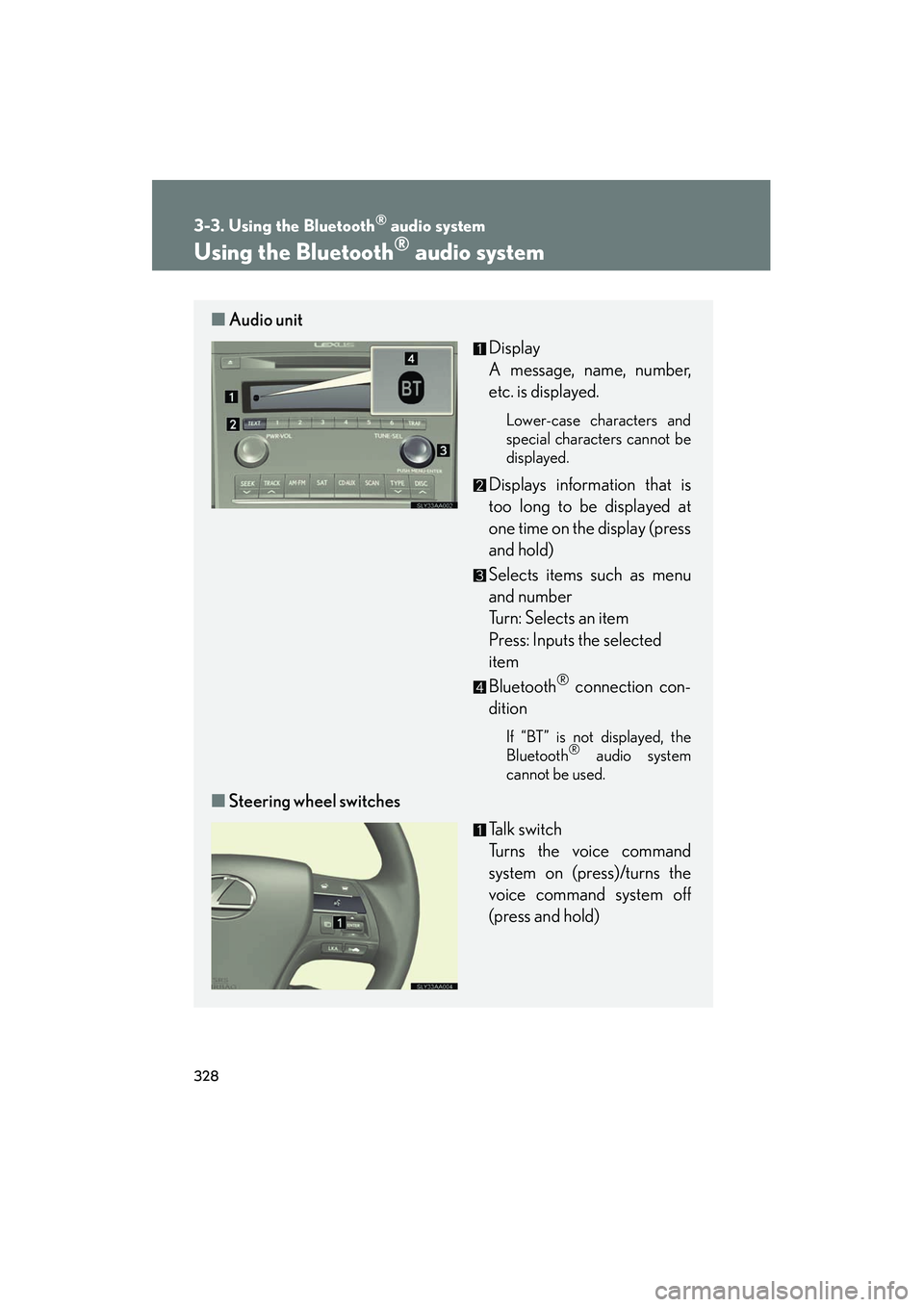
Using the Bluetooth® audio system
■Audio unit
Display
A message, name, number,
etc. is displayed.
Lower-case characters and
special characters cannot be
displayed.
Displays information that is
too long to be displayed at
one time on the display (press
and hold)
Selects items such as menu
and number
Turn: Selects an item
Press: Inputs the selected
item
Bluetooth
® connection con-
dition
If “BT” is not displayed, the
Bluetooth® audio system
cannot be used.
■ Steering wheel switches
Talk switch
Turns the voice command
system on (press)/turns the
voice command system off
(press and hold)
Page 336 of 630
335
3-3. Using the Bluetooth® audio system
3
Interior features
HS250h_U_75050U
Switching the displayPress .
Each time the button is pressed, the display changes in the following order:
Elapsed time → Album title → Track title → Artist name
Using the steering wh eel audio switches
→ P. 322
■Bluetooth® audio system functions
Depending on the portable player that is connected to the system, certain functions
may not be available.
■Display
→ P. 2 9 1
■Error messages
“Memory Error”: This indicates a problem in the system.